Nachrichten zitieren
Antworte ganz einfach auf bestimmte Nachrichten, indem du die Zitierfunktion nutzt. Dies funktioniert in allen Kanälen, einschließlich Einzel-Direktnachrichten (1:1), Gruppen-DMs sowie öffentlichen oder privaten Kanälen. Du kannst Nachrichten innerhalb desselben Kanals oder Threads zitieren, sofern das Zitat in dem ursprünglichen Kanal bleibt, in dem die Nachricht gesendet wurde.
So zitierst du eine Nachricht #
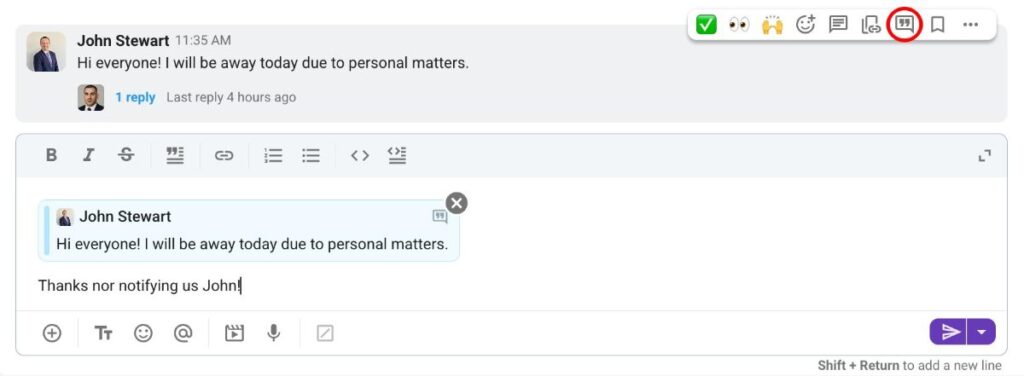
- Bewege den Mauszeiger über die Nachricht, die du zitieren möchtest
- Klicke auf den Zitieren-Button
- Schreibe deine Nachricht
Oder nutze das Tastaturkürzel: Rechtsklick + Q
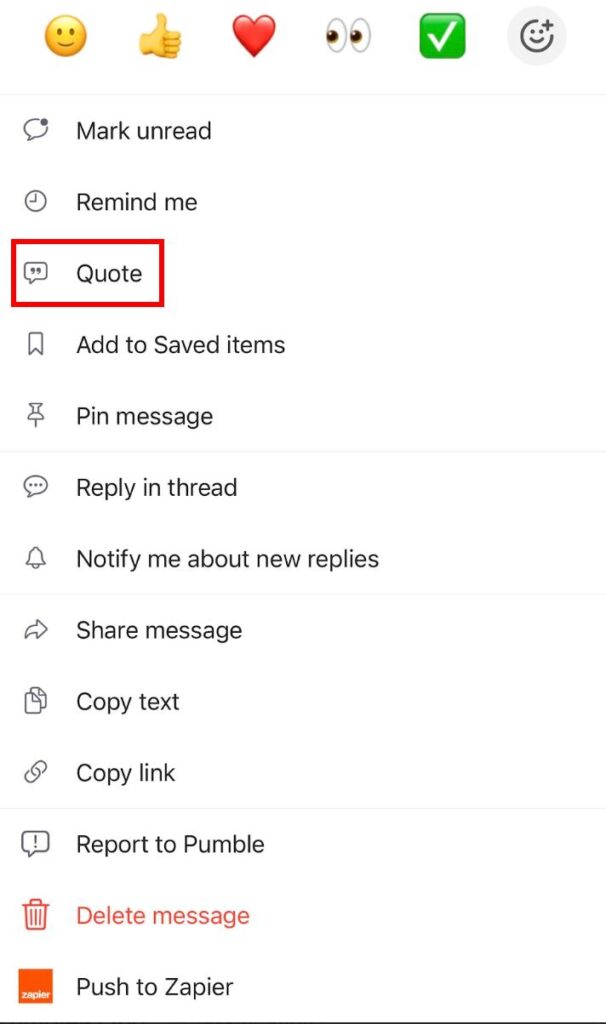
- Halte eine Nachricht lange gedruckt
- Tippe auf Zitieren
- Schreibe deine Nachricht
Oder wische einfach auf einer Nachricht nach links und schreibe deine Antwort.
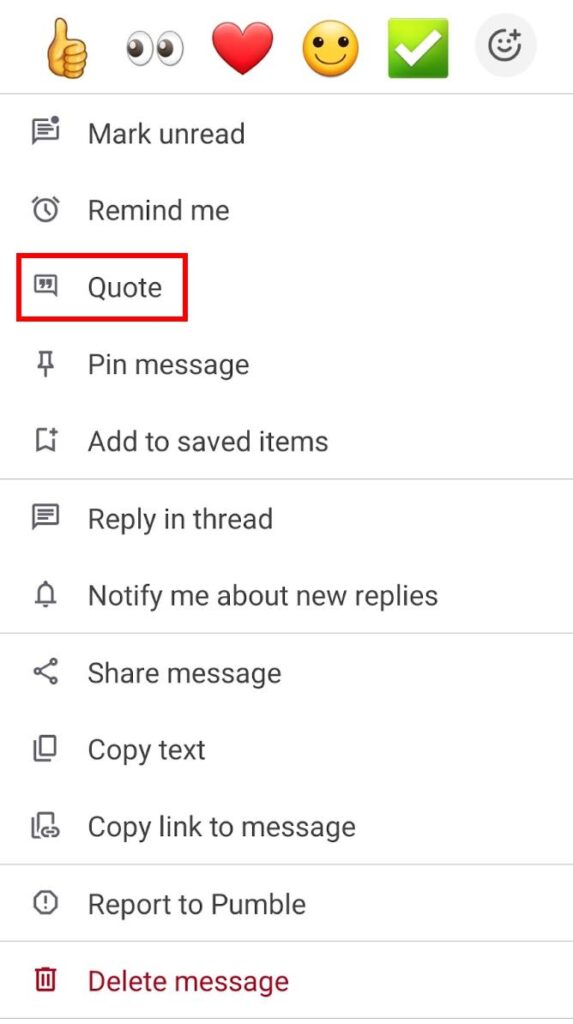
- Halte eine Nachricht lange gedruckt
- Tippe auf Zitieren
- Schreibe deine Nachricht
Oder wische einfach auf einer Nachricht nach links und schreibe deine Antwort.
Du kannst auf eine zitierte Nachricht klicken, um direkt zur ursprünglichen Nachricht weitergeleitet zu werden.
Erwähnungen und Benachrichtigungen #
Wenn eine Nachricht zitiert wird, erhält der Nutzer, dessen Nachricht zitiert wurde, eine Benachrichtigung. Außerdem ist die zitierte Nachricht im Bereich Erwähnungen und Reaktionen sichtbar. Wenn ein Nutzer jedoch seine eigene Nachricht zitiert, wird diese nicht in seinem eigenen Bereich für Erwähnungen und Reaktionen angezeigt.
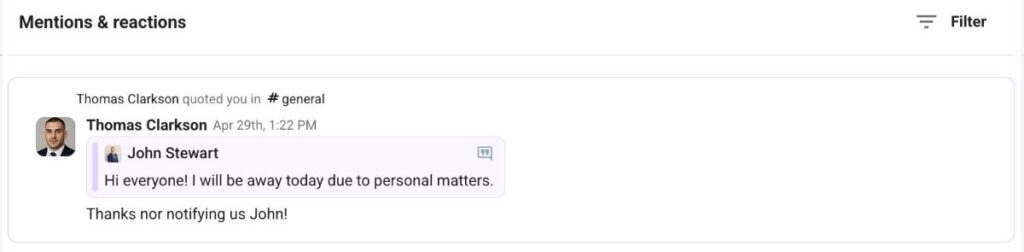
Die zitierte Nachricht ist ein Snapshot des Originals und ändert sich nicht, wenn die Nachricht später bearbeitet wird.