Kanal-Manager
Mit Kanal-Managern kannst du administrative Aufgaben wie die Verwaltung von Einstellungen und Mitgliedschaften an vertrauenswürdige Teammitglieder delegieren. Das reduziert den administrativen Aufwand für Besitzer sowie Admins und sorgt für gut organisierte, fokussierte Kanäle.
Manager hinzufügen #
Du kannst Kanal-Manager nur über die Web- oder Desktop-App hinzufügen oder entfernen. Die mobilen Apps erlauben derzeit nur das Anzeigen der Manager-Liste.
Du kannst zu jedem Kanal in Pumble Manager hinzufügen. So geht’s:
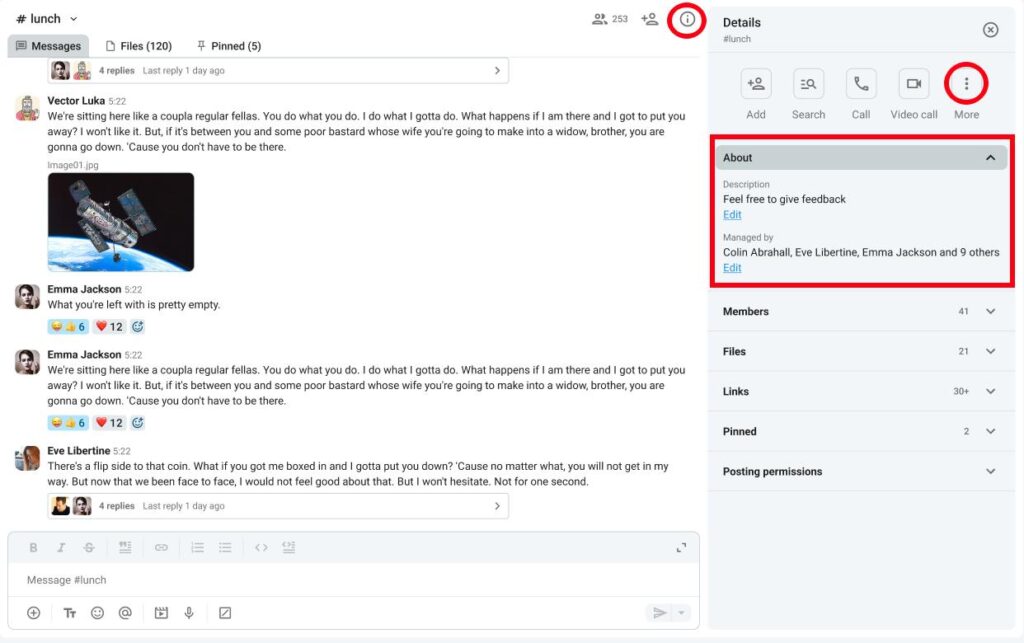
- Klicke rechts auf Kanal-Details
- Klicke auf Über
- Klicke unter "Verwaltet von" auf Bearbeiten
- Klicke auf Manager hinzufügen
- Gib den Benutzernamen ein
- Klicke auf Hinzufügen, um den Vorgang abzuschließen
Oder
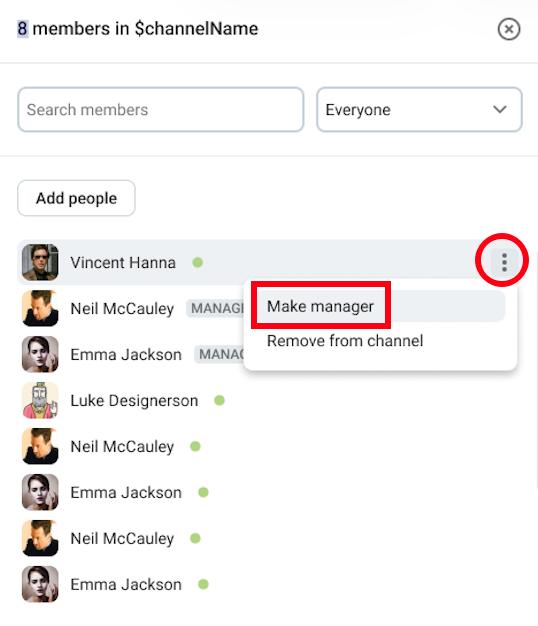
- Klicke auf Mitglieder
- Fahre mit der Maus über ein Mitglied
- Klicke auf die drei Punkte neben dem Mitglied
- Klicke auf Manager-Rolle vergeben
- Bestätige die Aktion
Benutzer, die als Manager hinzugefügt werden, müssen Mitglieder des Kanals sein.
Wenn ein Kanal erstellt wird, wird der Ersteller automatisch als Kanal-Manager zugewiesen.
Berechtigungen für Manager #
In der folgenden Tabelle siehst du den Unterschied zwischen den Berechtigungen für reguläre Mitglieder und Manager:
| Berechtigungen | Kanal-Manager | Reguläres Kanal-Mitglied |
| Jemanden aus einem Kanal entfernen | ✔️ | ✖️ |
| Kanal-Beschreibung festlegen | ✔️ | ✖️ |
| Öffentlichen Kanal in privaten Kanal umwandeln | ✔️ | ✖️ |
| Nachrichten anderer Benutzer löschen (falls global erlaubt) | ✔️ | ✖️ |
| Posting-Berechtigungen anpassen | ✔️ | ✖️ |
| Kanal-Mitglieder vom Posten blockieren | ✔️ | ✖️ |
| Kanal umbenennen | ✔️ | ✖️ |
Manager entfernen #
Wenn du die Manager-Berechtigungen eines Benutzers entfernen möchtest, gehe wie folgt vor:
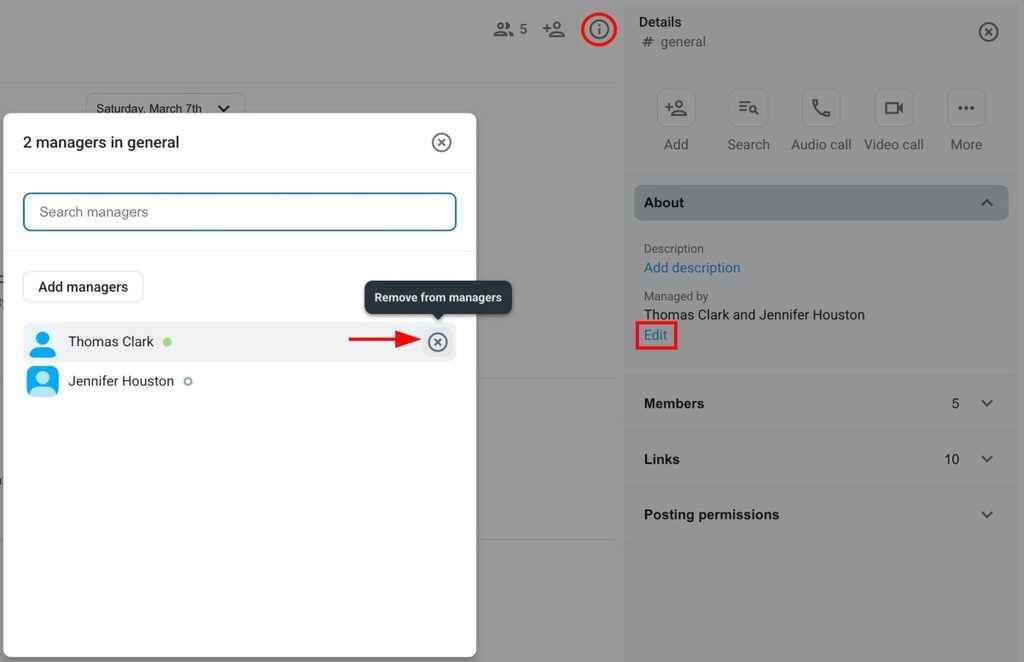
- Klicke rechts auf Kanal-Details
- Klicke auf Über
- Klicke unter "Verwaltet von" auf Bearbeiten
- Fahre mit der Maus über einen Manager
- Klicke auf das X auf der rechten Seite
- Klicke auf Entfernen, um den Vorgang abzuschließen
Oder
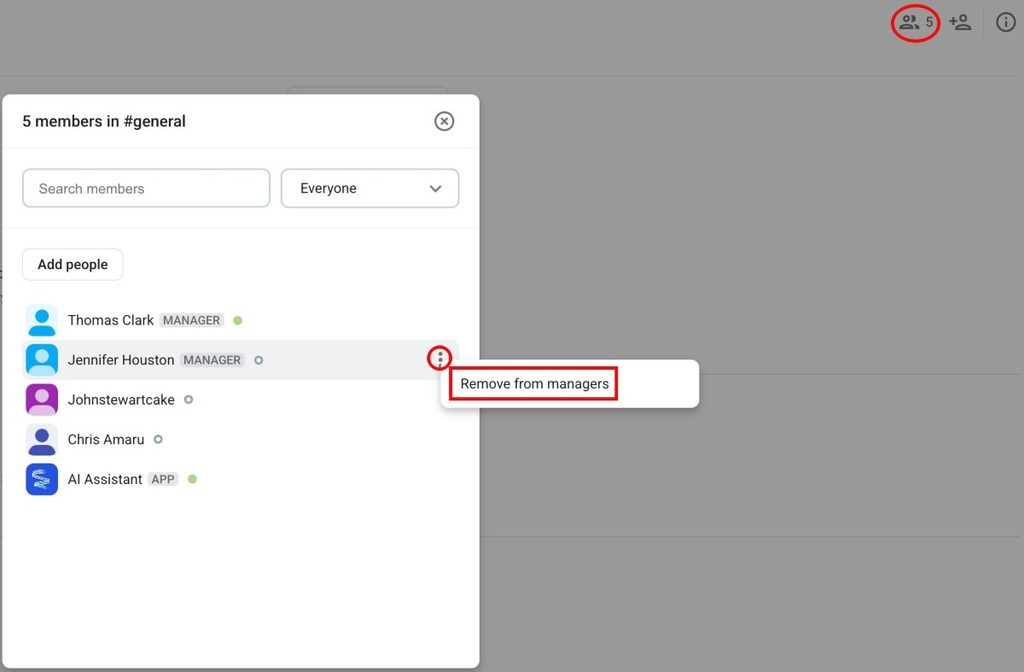
- Klicke auf Mitglieder
- Fahre mit der Maus über ein Mitglied
- Klicke auf die drei Punkte neben dem Mitglied
- Klicke auf Als Manager entfernen
- Bestätige die Aktion
Benutzer und Benutzergruppen am Posten hindern #
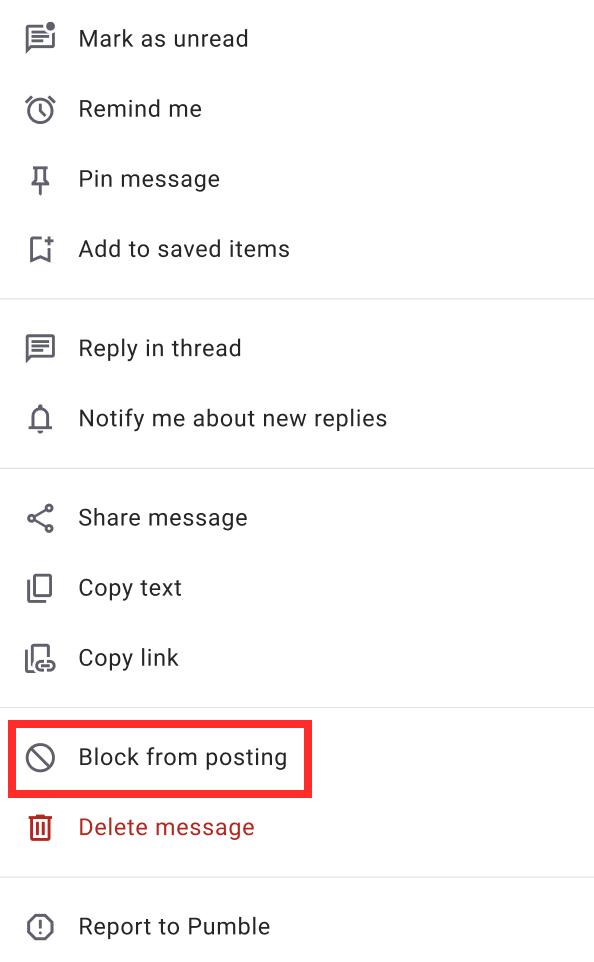
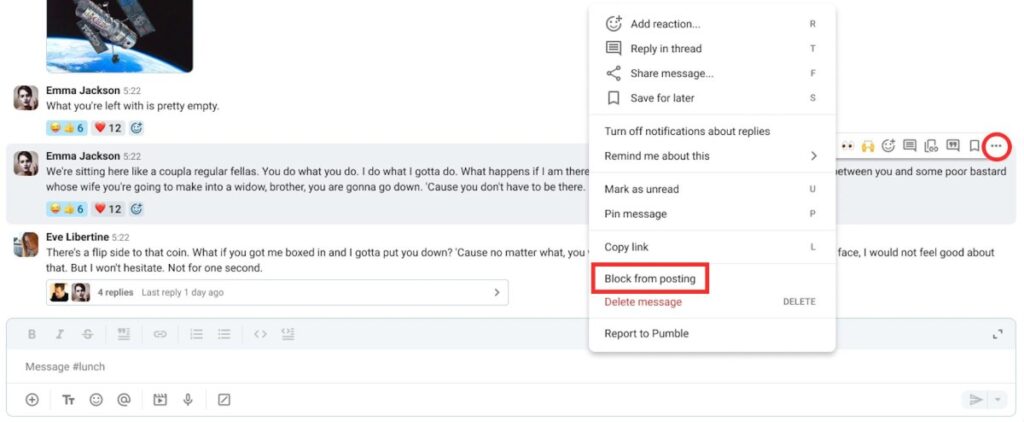
Manager können bestimmte Benutzer oder Benutzergruppen am Posten in Kanälen hindern. So geht’s:
- Fahre mit der Maus über eine Nachricht
- Mache einen Rechtsklick auf eine Nachricht
- Klicke auf Vom Posten blockieren
- Klicke auf Blockieren, um die Aktion zu bestätigen
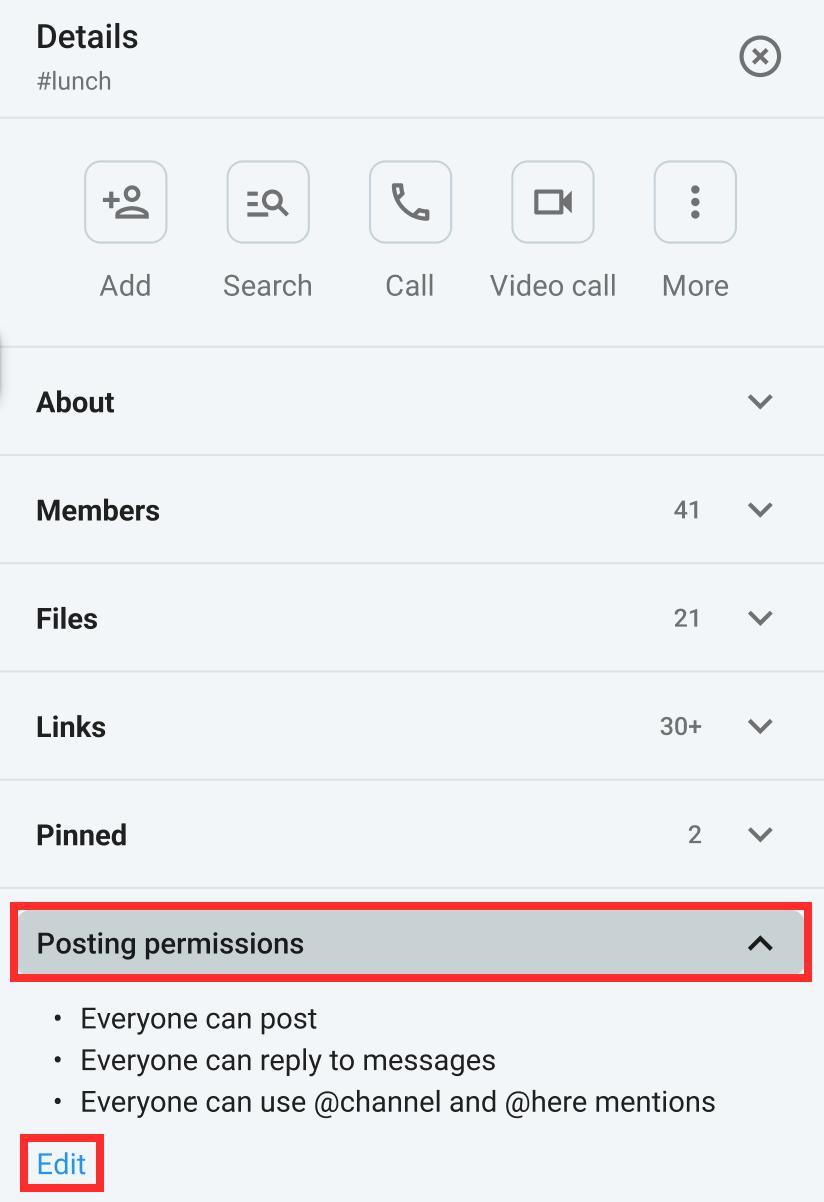
Du kannst bestimmte Benutzer/Kanal-Mitglieder auch direkt im Bereich Posting-Berechtigungen am Posten hindern:
- Klicke auf Kanal-Details
- Klicke auf Posting-Berechtigungen
- Klicke auf Bearbeiten
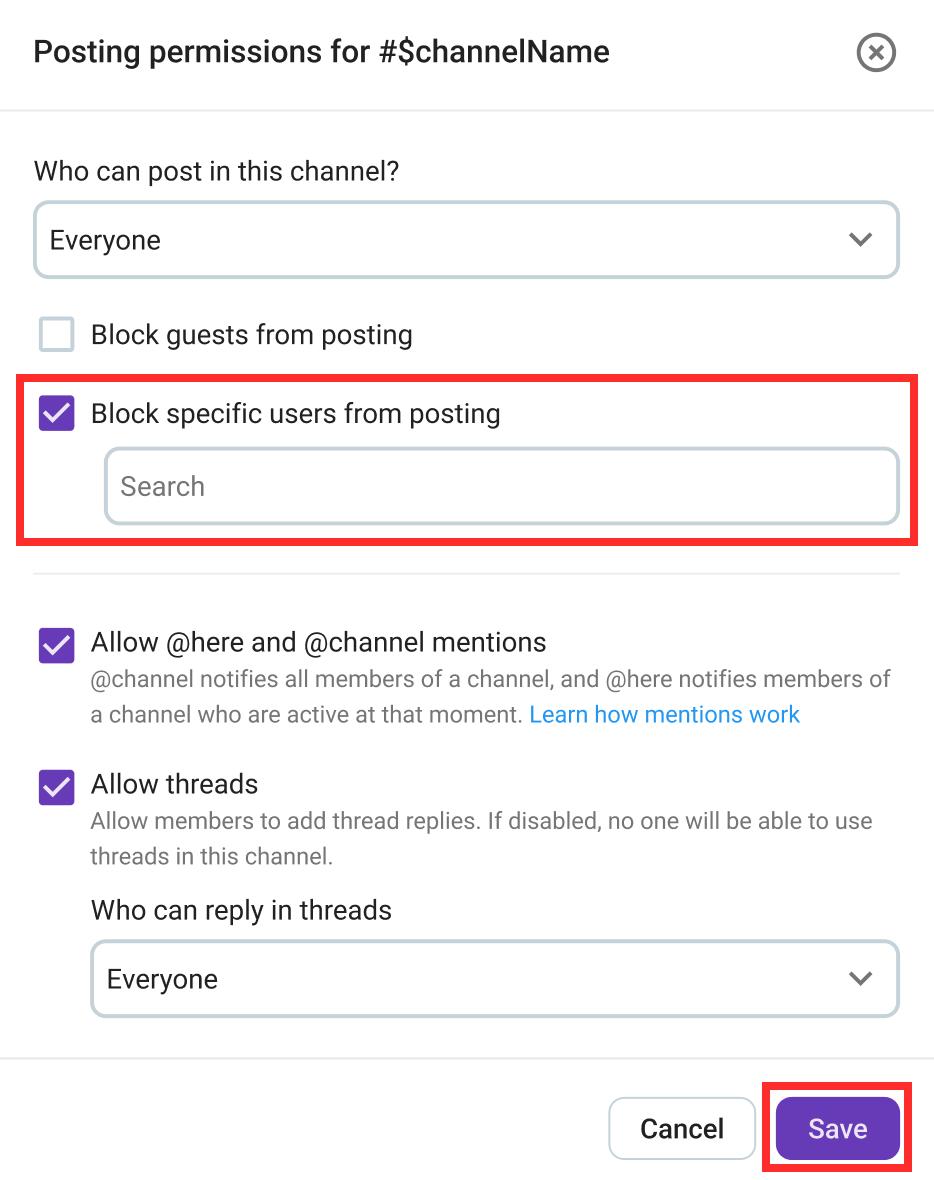
- Setze einen Haken bei Bestimmte Nutzer vom Posten blockieren
- Wähle den Benutzer oder Kanal aus, den du blockieren möchtest
- Klicke auf Speichern, um den Vorgang abzuschließen
- Tippe lange auf die Nachricht eines Benutzers
- Tippe auf Vom Posten blockieren
- Bestätige die Aktion
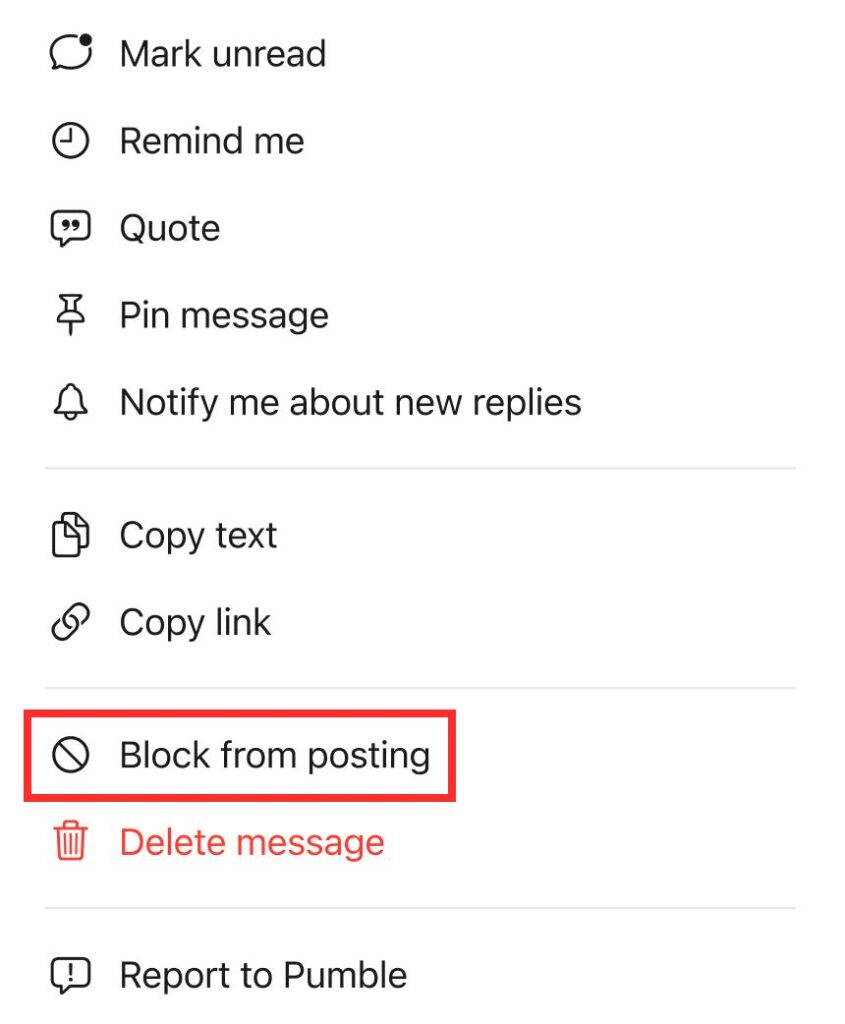
- Tippe lange auf die Nachricht eines Benutzers
- Tippe auf Vom Posten blockieren
- Bestätige die Aktion