Zendesk-Add-on
Mit dem Zendesk-Add-on verbindest du Pumble mit deinem Zendesk-Konto, um alle wichtigen Kundenservice-Updates zu verfolgen. So musst du weniger zwischen Apps wechseln und hast alle Infos an einem Ort.
Zendesk-Add-on installieren #
Du kannst das Zendesk-Add-on direkt aus deinem Pumble-Arbeitsbereich installieren. Und so geht’s:
- Klicke in der Seitenleiste auf + Apps hinzufügen
- Klicke neben Zendesk auf Installieren
- Bestätige die Berechtigungen
Zendesk-Konto verbinden #
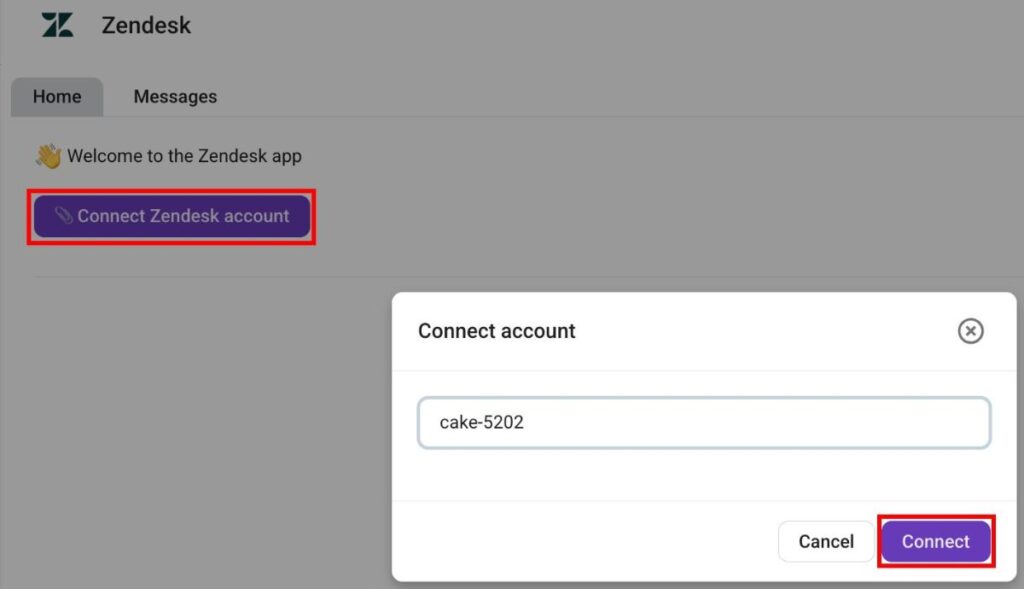
Sobald das Add-on installiert ist, kannst du deine Zendesk-Organisation verbinden. Und so geht’s:
- Öffne das Zendesk-Add-on
- Klicke auf Zendesk-Konto verbinden
- Gib deine Zendesk-Subdomain ein (z. B. digitalmarketingagency-34686)
- Klicke auf Verbinden, um die Aktion zu bestätigen
Zendesk-Ticket erstellen #
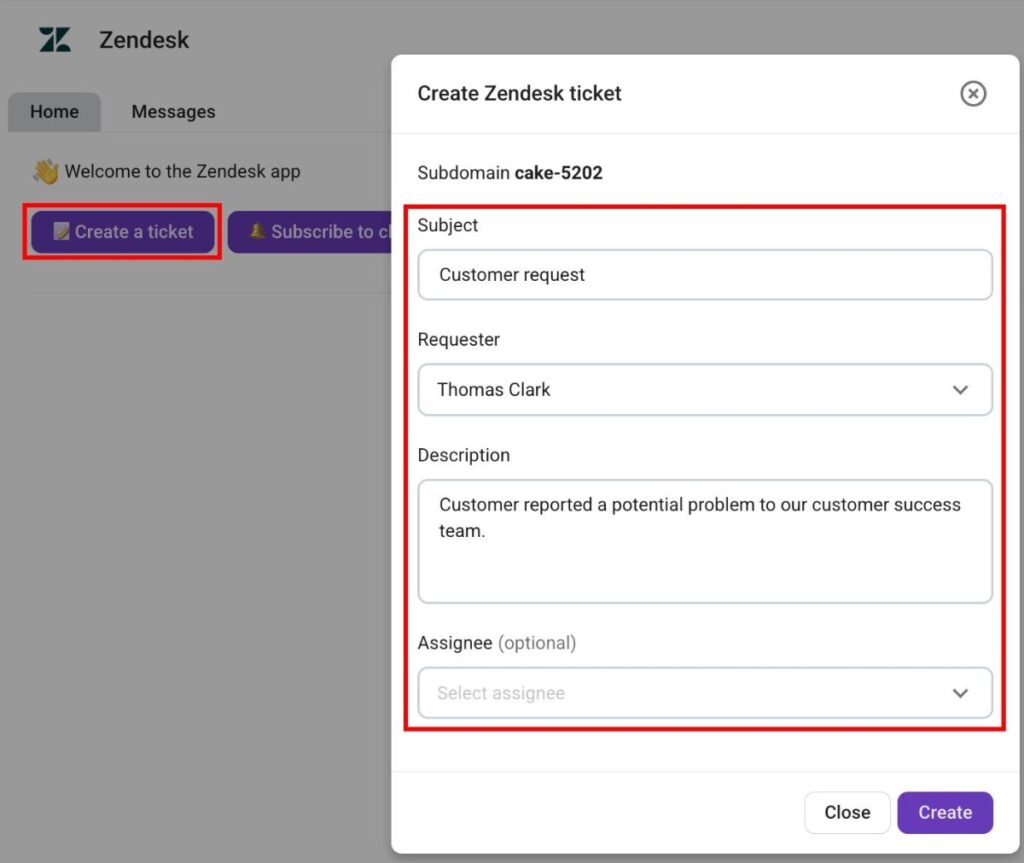
Pumble ermöglicht es dir, Zendesk-Tickets direkt über das Add-on zu erstellen. So geht’s:
- Klicke auf Neues Ticket erstellen
- Gib den Betreff des Tickets ein
- Wähle einen Anforderer aus
- Gib die Ticketbeschreibung ein
- Wähle einen Zuständigen (optional)
- Klicke auf Erstellen
Zendesk in einem Pumble-Kanal abonnieren #
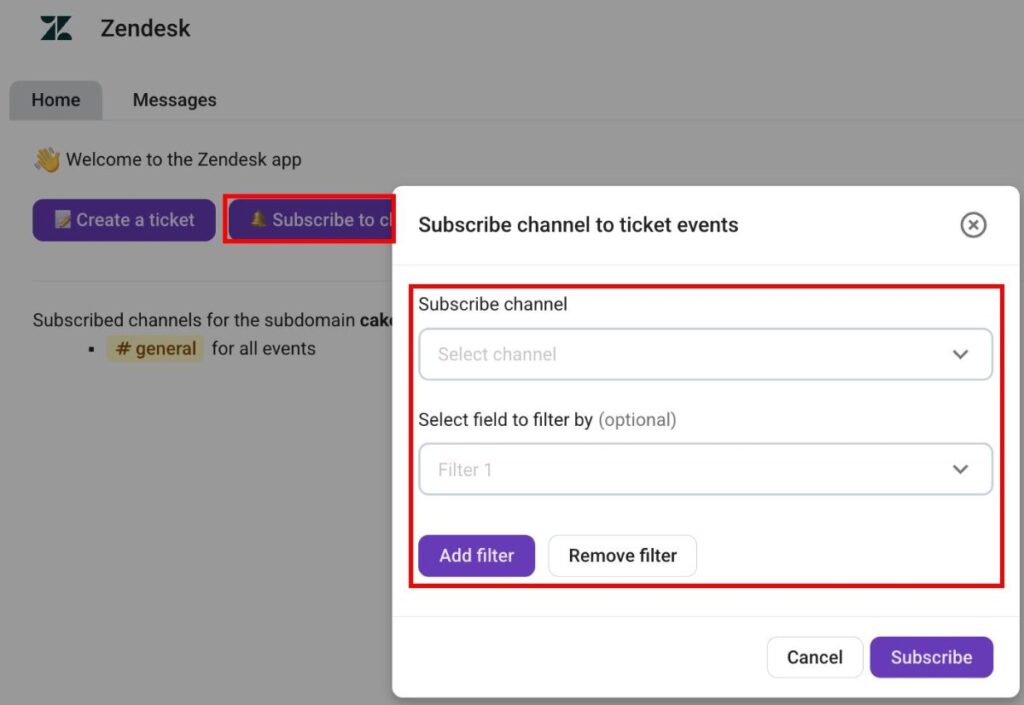
Wenn deine Zendesk-Organisation mit Pumble verbunden ist, musst du Pumble-Kanäle abonnieren, um Ticket-Updates zu erhalten. So abonnierst du einen Pumble-Kanal für Zendesk:
- Klicke auf Kanal abonnieren
- Wähle einen Kanal aus
- Füge Filter hinzu (optional)
- Klicke auf Abonnieren, um den Vorgang abzuschließen
Wenn du einen Kanal für Ticket-Ereignisse abonnierst, kannst du die folgenden Benachrichtigungen erhalten:
- Neue Tickets
- Antworten auf Tickets
- Änderung des Ticket-Status
- Zuständiger geändert
- Änderung der Aufgabenpriorität
- Anforderer geändert
- Änderung des Ticket-Typs
Slash-Befehle #
Das Zendesk-Add-on ermöglicht zudem die Nutzung von Slash-Befehlen im Chat für eine fortgeschrittene Navigation. Folgende Befehle sind verfügbar:
- /zendesk connect {subdomain} — verbindet Pumble mit einer Zendesk-Organisation.
- /zendesk disconnect — trennt die Verbindung zwischen Pumble und einem Zendesk-Konto.
- /zendesk subscribe {field1=value1; field2=value2} — abonniert Zendesk-Update für den aktuellen Kanal.
- /zendesk unsubscribe — deabonniert ein Zendesk-Ticket.