Citar mensajes
Responde fácilmente a mensajes específicos utilizando la función de Citar. Funciona en todos los canales, incluyendo los mensajes directos individuales y grupales, así como canales públicos y privados. Puedes citar mensajes dentro del mismo canal o hilo, siempre que la cita permanezca en el canal original donde el mensaje se envió.
Cómo citar mensajes #
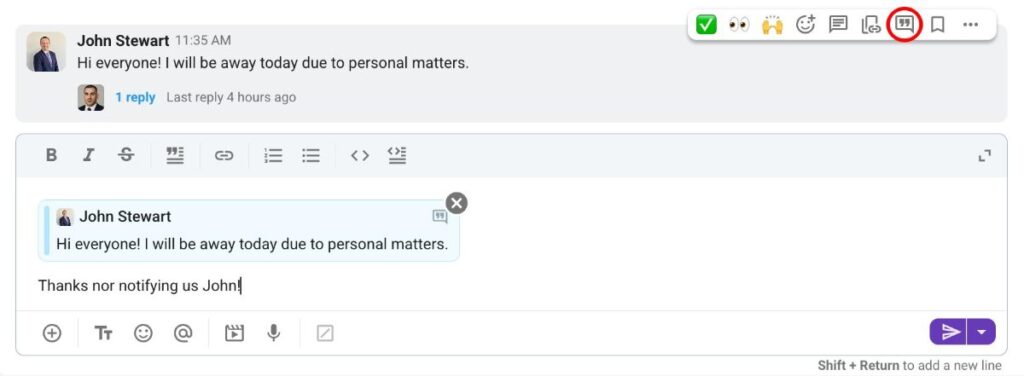
- Pasa el cursor sobre el mensaje que quieres citar
- Haz clic en el botón Citar
- Escribe tu respuesta
O utiliza el atajo de teclado: hacer clic derecho + Q
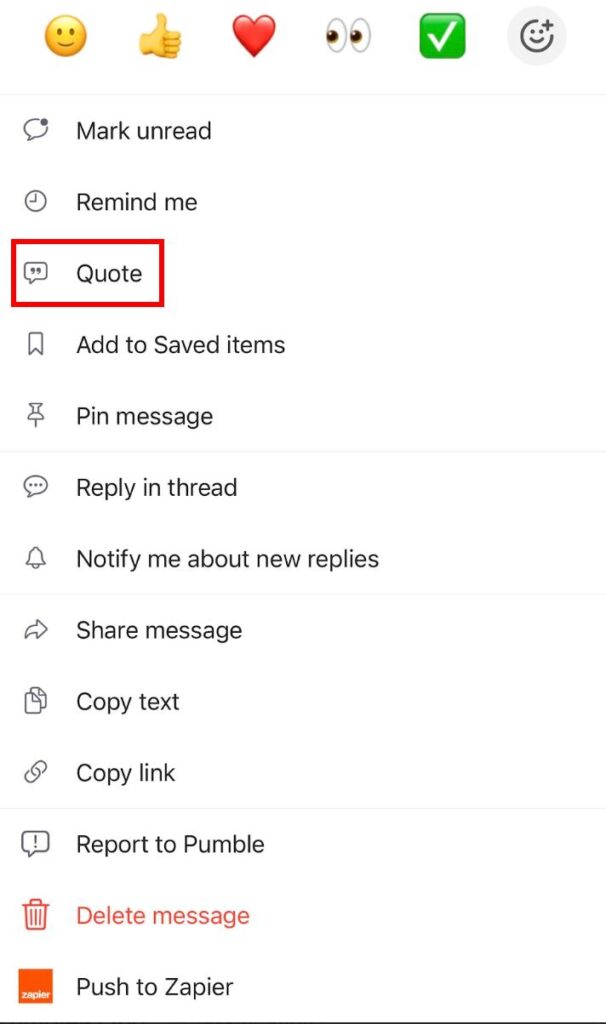
- Toca prolongadamente un mensaje
- Toca Citar
- Escribe tu respuesta
O simplemente desliza hacia izquierda en un mensaje y escribe tu respuesta.
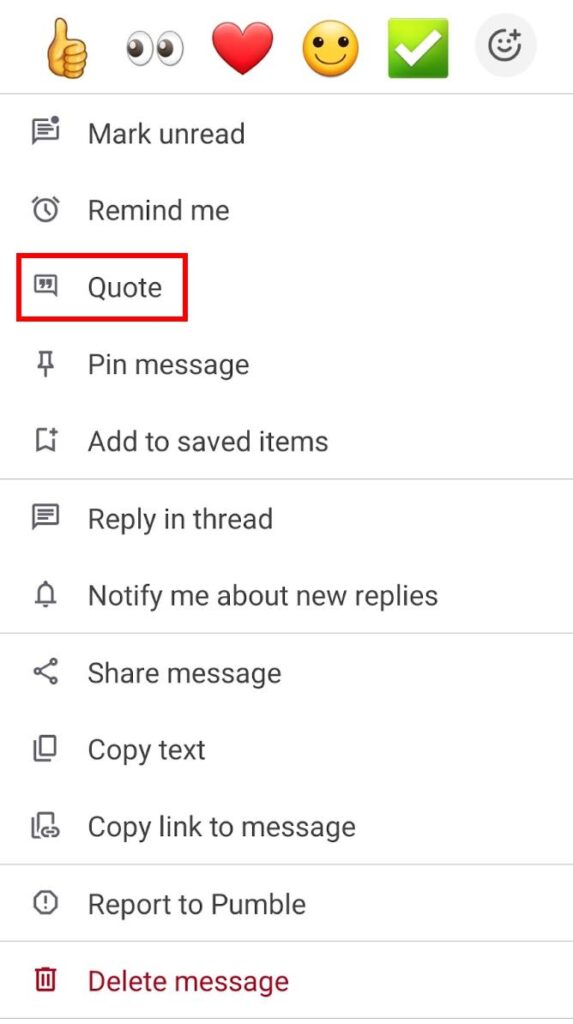
- Toca prolongadamente un mensaje
- Toca Citar
- Escribe tu respuesta
O simplemente desliza hacia izquierda en un mensaje y escribe tu respuesta.
Puedes hacer clic en un mensaje citado para redirigirte al mensaje original.
Menciones y notificaciones #
Cuando un mensaje es citado, el usuario cuyo mensaje fue citado recibirá una notificación. Además, el mensaje citado está visible en la sección Menciones y reacciones. Sin embargo, si un usuario cita su propio mensaje, la cita no aparecerá en la sección Menciones y reacciones.
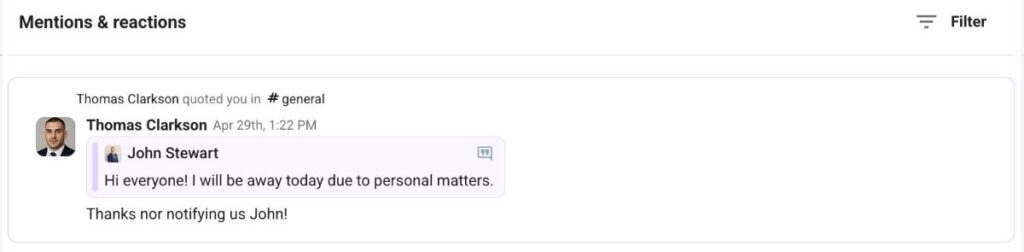
El mensaje citado es una instantánea del original y no cambiará si el mensaje se modifica más tarde.