Grabación de reuniones
Graba y vuelve a ver tus reuniones importantes utilizando la función de grabación de reuniones de Pumble. Las grabaciones incluyen tanto al orador activo como a cualquier contenido compartido durante la llamada.
Para iniciar la grabación de una reunión, haz clic en el botón Iniciar grabación en la parte inferior de la pantalla. Para detener la grabación, simplemente haz clic en el botón nuevamente.
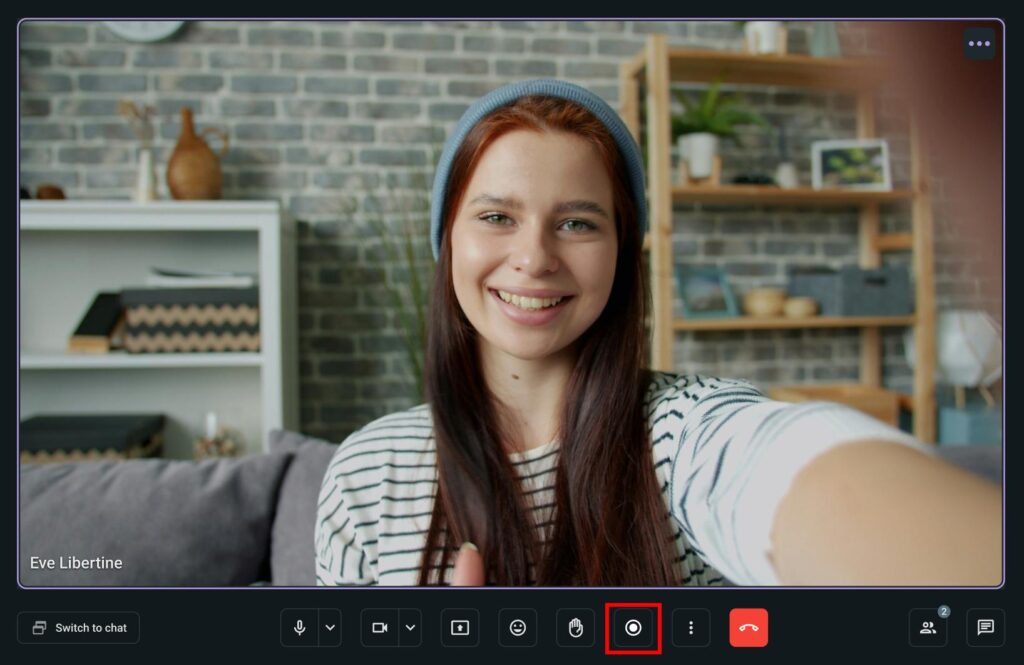
Los participantes reciben una notificación cuando la grabación comienza o finaliza. Mientras se graba la reunión, se muestra un símbolo rojo de forma destacada en la esquina superior izquierda de la ventana de la aplicación. A los usuarios de dispositivos iOS también se les notifica que comienza la grabación, que está en progreso y cuándo finaliza.
Si el participante que está grabando la llamada quiere abandonar la llamada, aparecerá una ventana de confirmación para garantizar su intención, ya que al salir también se detendrá la grabación.
La grabación se guarda en los archivos de tu espacio de trabajo. Pumblebot envía un mensaje que contiene la grabación del vídeo a la persona que inició la grabación.