Complemento de Zendesk
Con el complemento de Zendesk, puedes conectar Pumble con tu cuenta de Zendesk y seguir todas las actualizaciones importantes de servicios de cliente. Esta función reduce la necesidad de cambiar entre las dos aplicaciones y mantiene toda la información en un lugar.
Instalar el complemento de Zendesk #
Puedes instalar el complemento de Zendesk directamente desde tu espacio de trabajo de Pumble. Aquí te explicamos cómo hacerlo:
- Haz clic en + Añadir aplicaciones de la barra lateral
- Haz clic Instalar junto al Zendesk
- Acepta los permisos
Conectar tu cuenta de Zendesk #
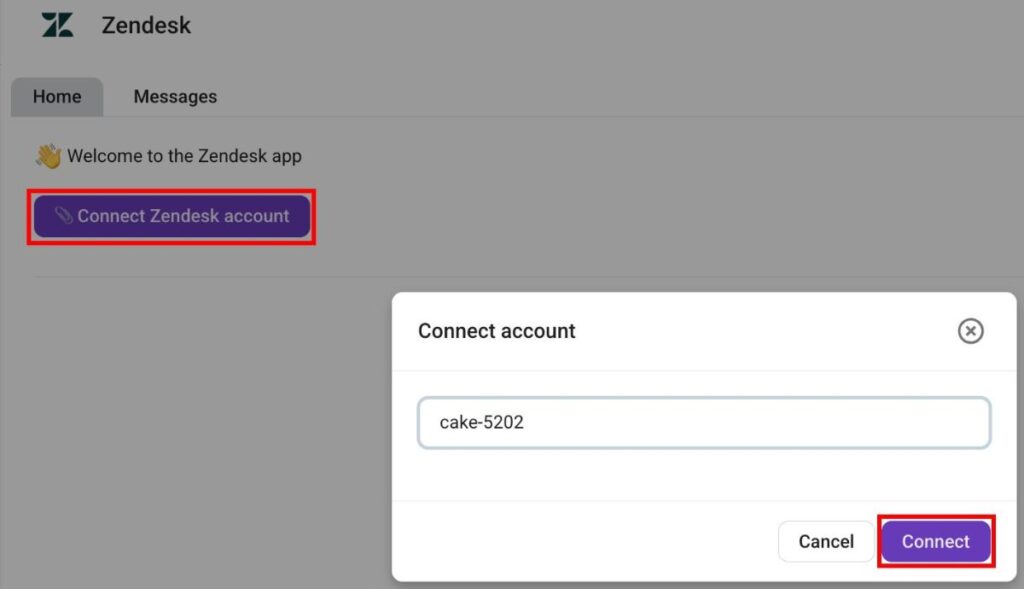
Una vez que instales el complemento, puedes conectar tu organización de Zendesk. Aquí te explicamos cómo hacerlo:
- Abre el Complemento de Zendesk
- Haz clic en Conectar cuenta de Zendesk
- Introduce el subdominio de tu cuenta de Zendesk (por ejemplo, agenciademarketingdigital-34686)
- Haz clic en Conectar para confirmar la acción
Crear un ticket de Zendesk #
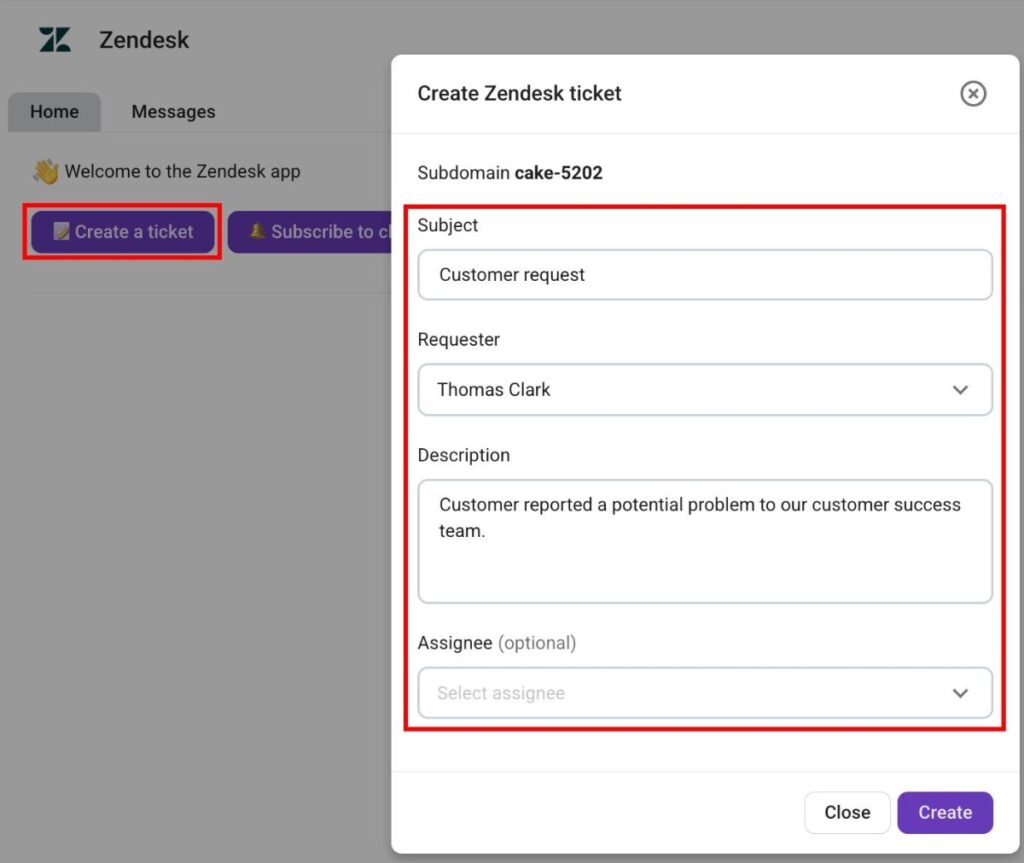
Pumble te permite crear un ticket de Zendesk directamente del complemento. Aquí te explicamos cómo hacerlo:
- Haz clic en Crear nuevo ticket
- Introduce el sujeto del ticket
- Selecciona un Solicitante
- Introduce la descripción del ticket
- Selecciona Asignado( (opcional)
- Haz clic en Crear
Suscribir Zendesk a un canal de Pumble #
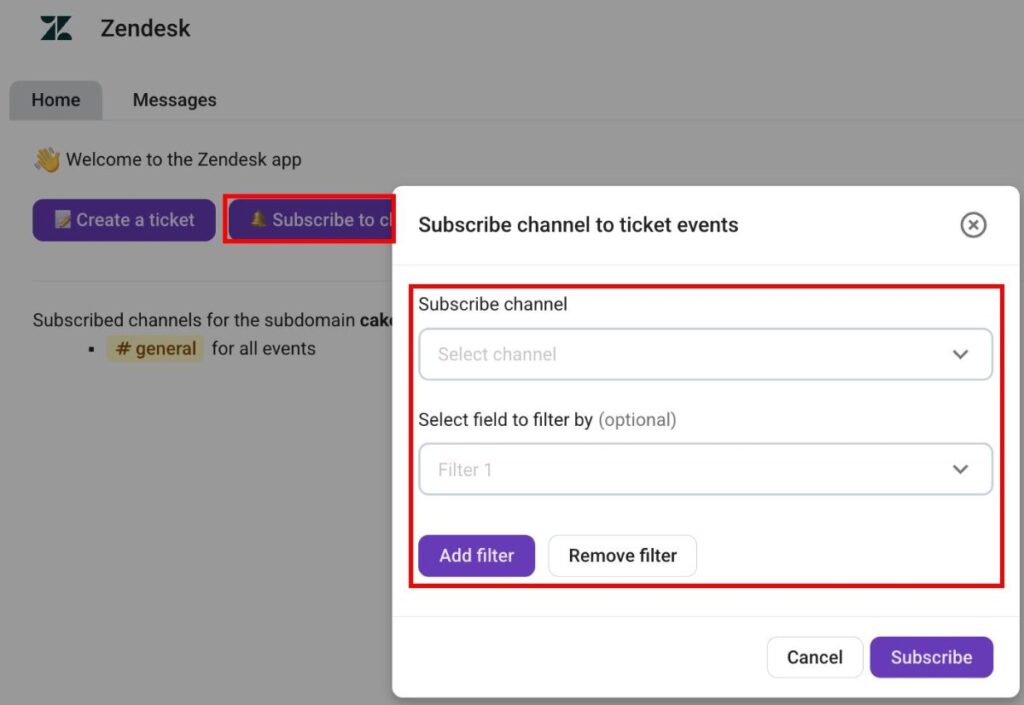
Cuando tu organización de Zendesk está conectada a Pumble, necesitas suscribirte a canales de Pumble para recibir actualizaciones de ticket. Aquí te explicamos cómo suscribir a un canal de Pumble a Zendesk:
- Haz clic en Suscribir a un canal
- Selecciona un canal
- Añade filtros (opcional)
- Haz clic en Suscribir para completar la acción
Cuando suscribes un canal a un evento de ticket, puedes recibir las siguientes notificaciones:
- Nuevos tickets
- Respuestas a tickets
- Cambio de estado de ticket
- Cambio de asignado
- Cambio de prioridad de tarea
- Cambio de solicitante
- Cambio de tipo de ticket
Comandos de barra #
El complemento de Zendesk te permite utilizar comandos de barra diagonal en el chat también para una navegación más avanzada. Los siguientes comandos están disponibles:
- /zendesk connect {subdomain}: conecta Pumble a una organización de Zendesk.
- /zendesk disconnect: desconecta Pumble de una cuenta de Zendesk.
- /zendesk subscribe {field1=value1; field2=value2}: suscribe el canal actual a las actualizaciones de Zendesk.
- /zendesk unsubscribe: se da de baja de un ticket de Zendesk.