Gerente del canal
Los gerentes de canal te permiten delegar tareas administrativas, como la gestión de configuración y membresía, en miembros del equipo de confianza. Esto reduce la carga operativa para los propietarios y administradores y ayuda a mantener los canales organizados y centralizados.
Cómo añadir gerentes #
Puedes solo añadir o eliminar los gerentes del canal a través de las aplicaciones web/de escritorio. Las aplicaciones móviles actualmente te permiten ver solo la lista de gerentes.
Puedes añadir gerentes a cualquier canal en Pumble. Aquí te mostramos cómo:
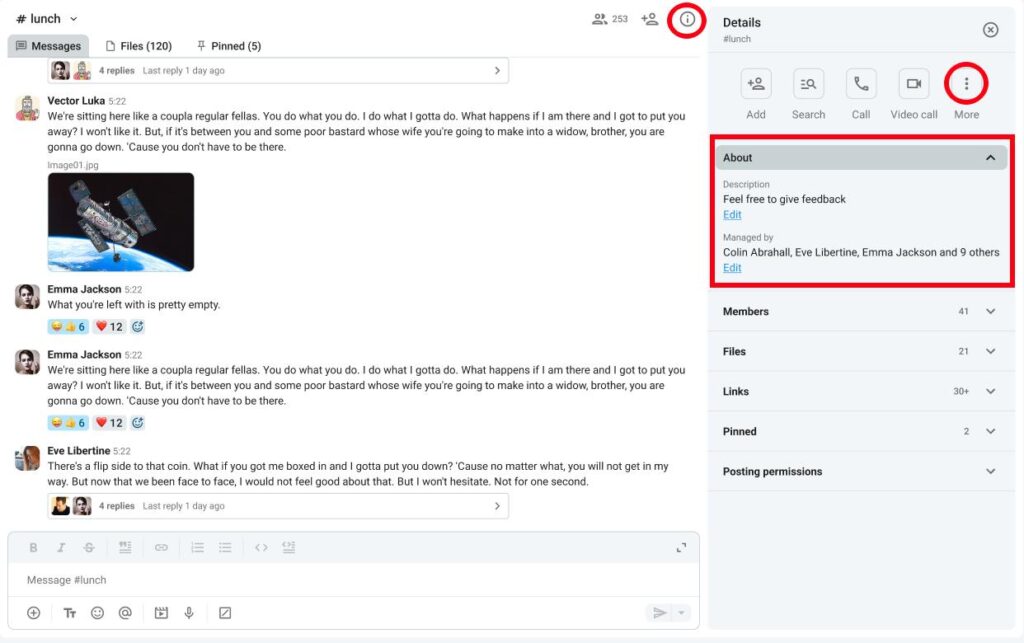
- Haz clic en Detalles del canal a la derecha
- Haz clic en Descripción
- Haz clic en Editar bajo Gestionado por
- Haz clic en Añadir gerentes
- Introduce el nombre del usuario
- Haz clic en Añadir para completar la acción
O
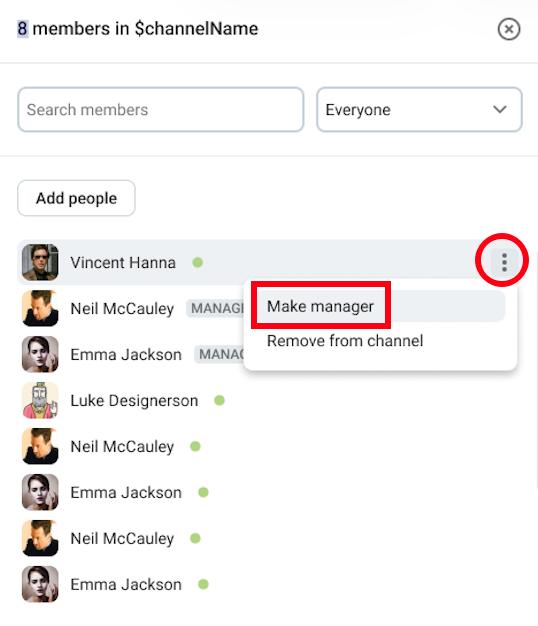
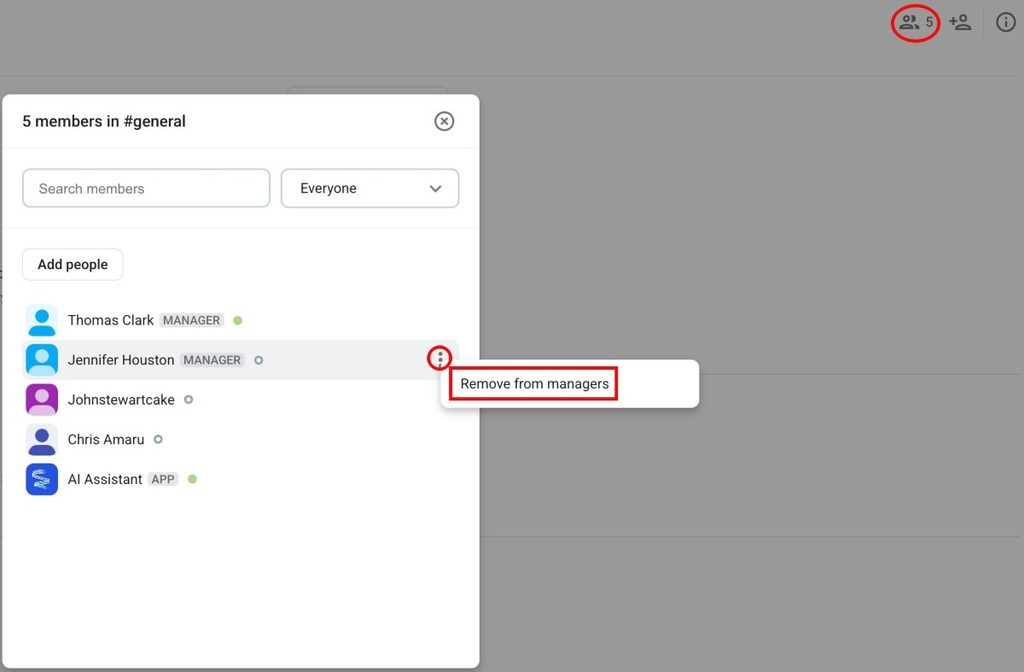
- Haz clic en Miembros
- Pasa el cursor sobre un miembro
- Haz clic en los tres puntos junto al miembro
- Haz clic en Convertir en gerente
- Confirma la acción
Los usuarios que están añadidos como gerentes deben ser miembros del canal.
Cuando se crea un gerente, el creador se asigna automáticamente como el gerente del canal.
Permisos para gerentes #
En la tabla a continuación, puedes ver la diferencia entre los permisos para usuarios regulares y los gerentes:
| Permiso | Gerente del canal | Miembro regular de canal |
| Eliminar alguien del canal | ✔️ | ✖️ |
| Poner una descripción del canal | ✔️ | ✖️ |
| Convertir un canal del público al privado | ✔️ | ✖️ |
| Eliminar los mensajes de otros usuarios (si se permite globalmente) | ✔️ | ✖️ |
| Ajustar permisos de publicación | ✔️ | ✖️ |
| Bloquear la publicación de miembros del canal | ✔️ | ✖️ |
| Renombrar canal | ✔️ | ✖️ |
Eliminar gerentes #
Si quieres eliminar los permisos de gerente de un usuario, puedes hacerlo siguiendo los siguientes pasos:
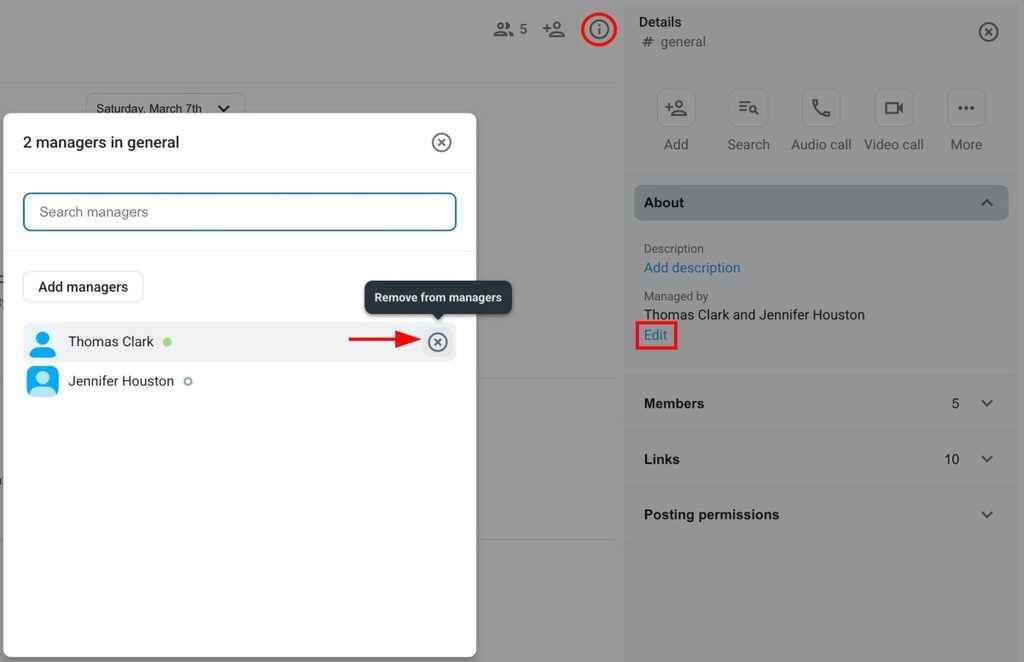
- Haz clic en Detalles del canal a la derecha
- Haz clic en Descripción
- Haz clic en Editar bajo Gestionado por
- Pasa el cursor sobre un gerente
- Haz clic en X a la derecha
- Haz clic en Eliminar para completar la acción
O
- Haz clic en Miembros
- Pasa el cursor sobre un miembro
- Haz clic en los tres puntos junto al miembro
- Haz clic en Eliminar de los gerentes
- Confirma la acción
Bloquear publicación de usuarios y grupos de usuarios #
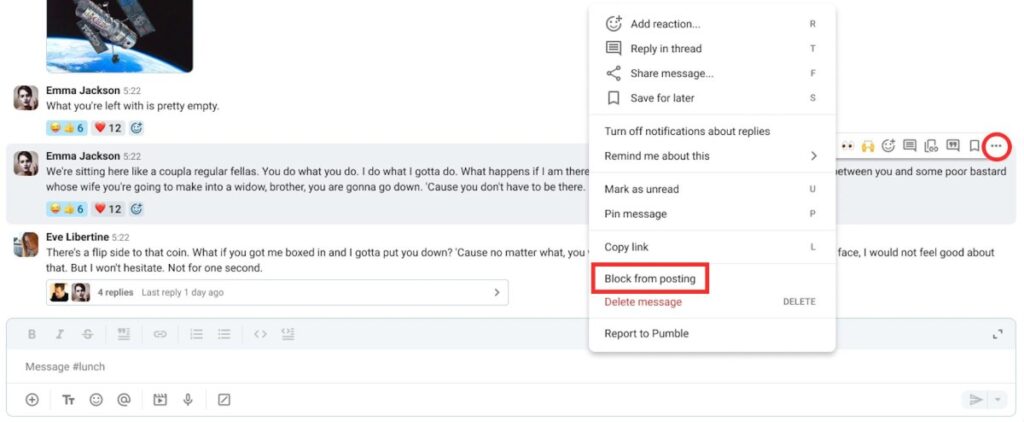
Los gerentes pueden bloquear la publicación de ciertos usuarios o grupos de usuarios en los canales. Aquí te explicamos cómo:
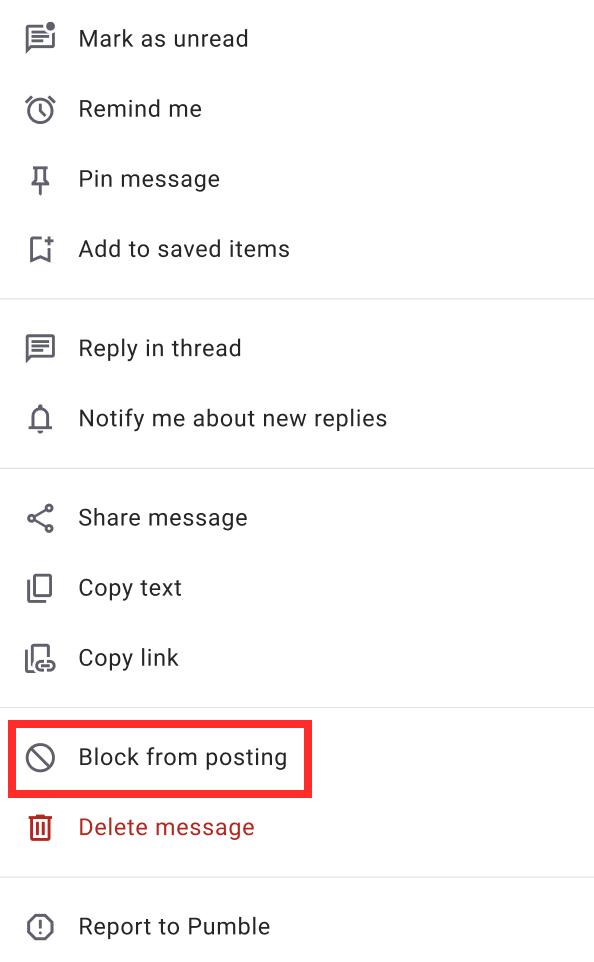
- Pasa el cursor sobre un mensaje
- Haz clic en el botón derecho en un mensaje
- Haz clic en Bloquear la publicación
- Haz clic en Bloquear para confirmar la acción
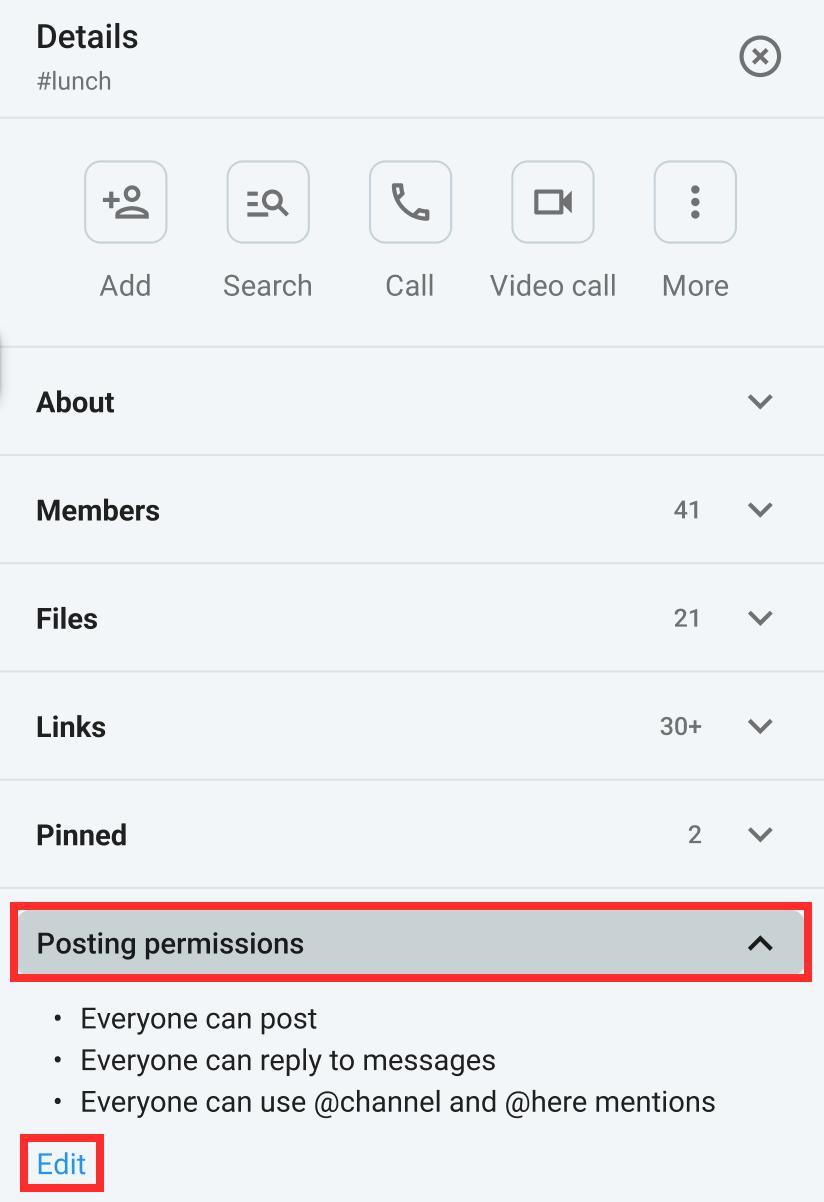
Puedes también bloquear la publicación de ciertos usuarios/miembros de canales directamente de la sección Permisos de publicación. Aquí te explicamos cómo hacerlo:
- Haz clic en Detalles de canal
- Haz clic en Permisos de publicación
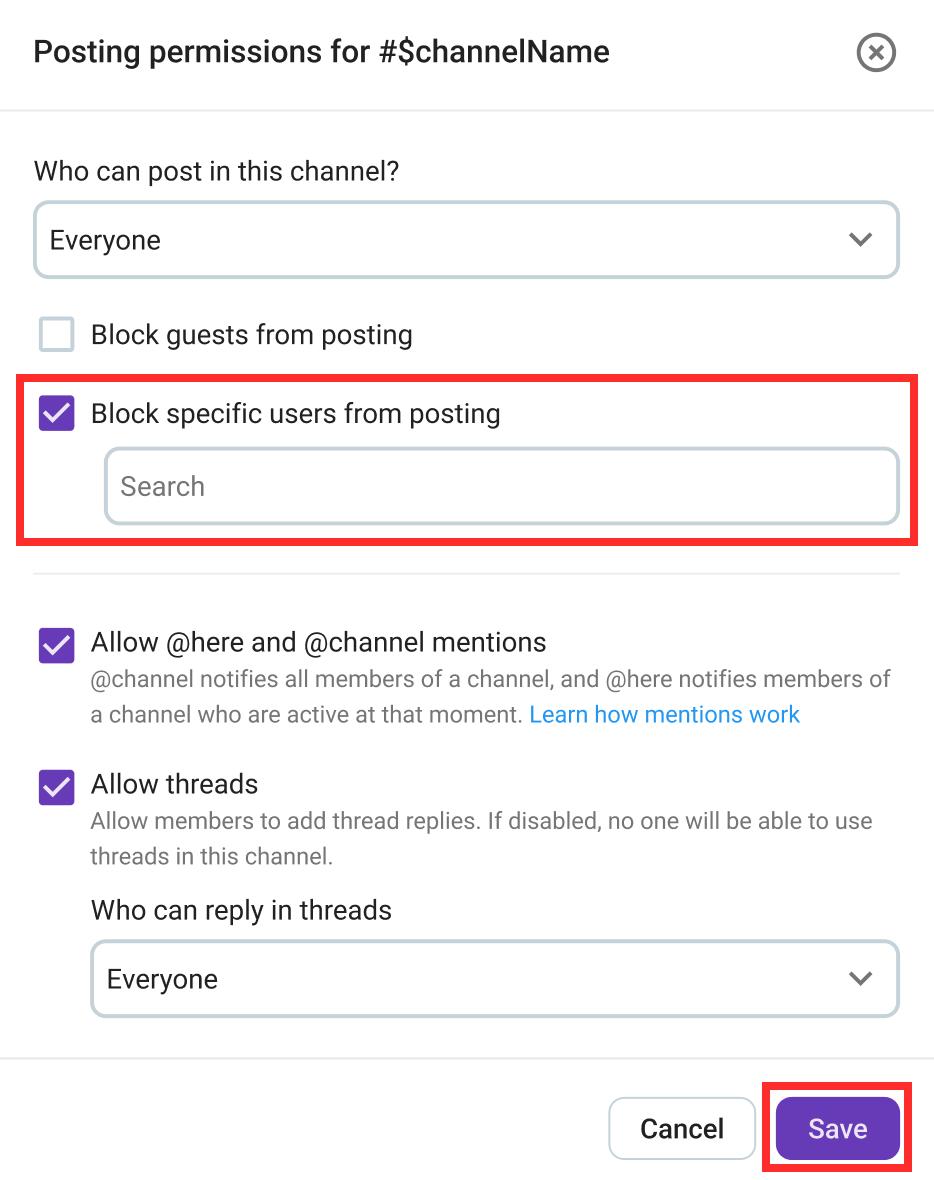
- Haz clic en Editar
- Marca la casilla Bloquear usuarios específicos de publicación
- Seleccionar el usuario/canal que quieres bloquear
- Haz clic en Guardar para completar la acción
- Presiona prolongadamente en un mensaje de un usuario
- Toca Bloquear de la publicación
- Confirma la acción
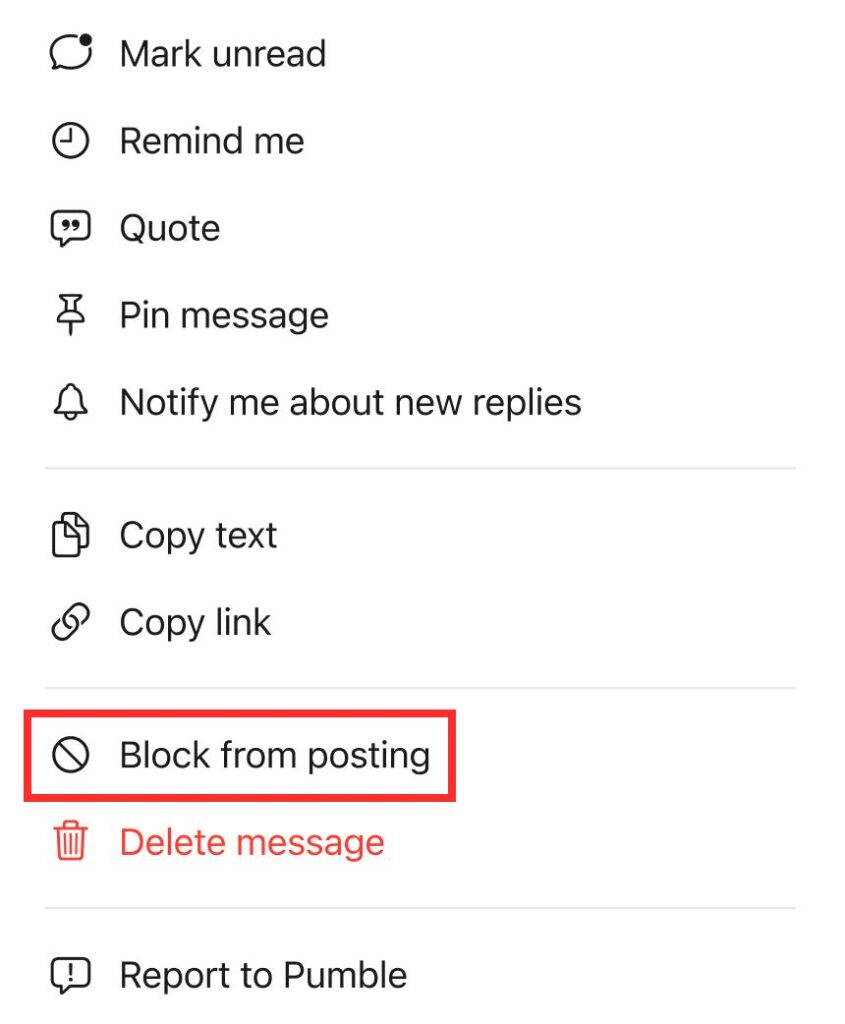
- Presiona prolongadamente en un mensaje de un usuario
- Toca Bloquear de la publicación
- Confirma la acción