Resumen de API de Pumble
Al utilizar el complemento API de Pumble, puedes interactuar con la documentación API de Pumble sin utilizar ningún proceso complejo de autenticación. Este complemento te deja generar un clave API que te permite enviar mensajes, reacciones y más a través de simples solicitudes HTTP.
El límite de tarifa es hasta 1000 solicitudes por minuto por usuario.
Instalar complemento API #
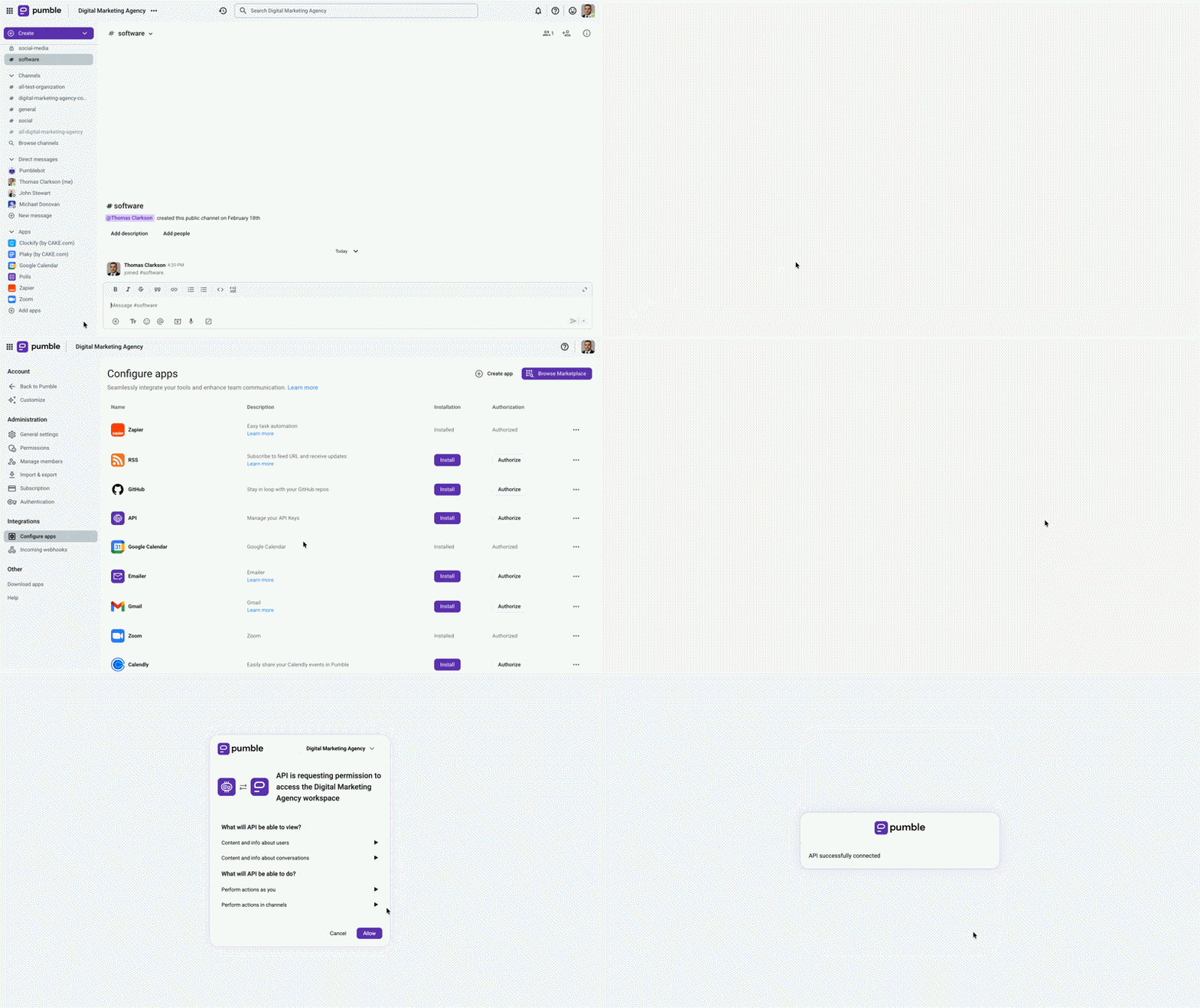
Antes de crear una clave API, puedes instalar el complemento API en tu espacio de trabajo de Pumble.
Aquí es cómo hacerlo:
- Haz clic en +Añadir aplicaciones en la barra lateral izquierda
- Haz clic en el botón Instalar en la sección API
- Acepta los permisos
Generar una clave API #
Al instalar un complemento API, puedes generar claves API directamente en Pumble.
Aquí es cómo hacerlo:
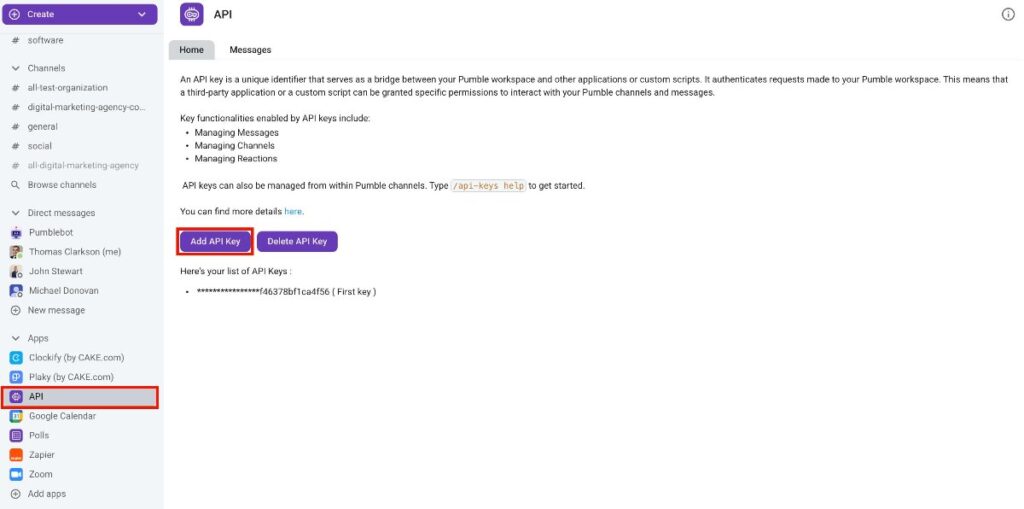
- Haz clic en API en la barra lateral izquierda
- Selecciona Añadir clave API
- Introduce nombre de clave API
- Haz clic Generar para completar la acción
Recibirás un mensaje efímero que contiene la clave API generada. Este mensaje no es visible para otros usuarios. Copia esta clave para uso futuro. La clave generada permite la interacción con la API pública del complemento, lo que permite a los usuarios enviar solicitudes y ejecutar diversas acciones dentro de Pumble, que incluyen:
- Envío de mensajes
- Respuesta a un mensaje
- Eliminación de mensajes
- Adding a reaction to a message
- Creación de canales
- Listado de los mensajes en un canal (si el canal es privado, Addon Bot debe ser miembro de ese canal)
- Listado de los canales y mensajes directos que pertenecen al usuario que creó la clave
La lista completa de acciones disponibles se puede acceder en la documentación de Swagger. También puedes usar la documentación en Swagger, simplemente introduce tu clave API en la parte Autorizar.
Eliminar clave API #
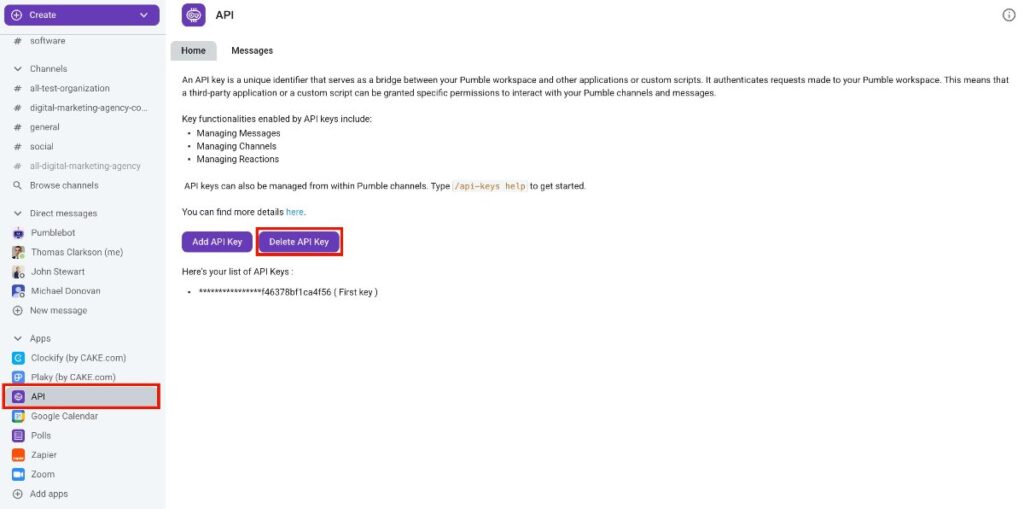
Puedes eliminar una clave API siguiente estos pasos:
- Haz clic en API en la barra lateral izquierda
- Selecciona Eliminar clave API
- Elige una clave de la lista
- Haz clic en Eliminar para confirmar la acción
Comandos válidos #
Hay un par de acciones específicas para interactuar con el complemento API de Pumble. Puedes usar estos comandos directamente en los mensajes:
/api-keys generate: el complemento generará claves API para ese usuario en particular y las almacenará en su base de datos. Los usuarios pueden generar tantas claves API como quieran/api-keys list: el complemento enumerará todas las claves API del usuario/api-keys help: para enumerar todos los comandos válidos que puedes utilizar