Module complémentaire Zendesk
Grâce au module complémentaire Zendesk, vous pouvez connecter Pumble à votre compte Zendesk et suivre toutes les mises à jour essentielles relatives au service client. Cette fonctionnalité vous évite d’avoir à basculer entre les deux applis et regroupe toutes les informations importantes en un seul endroit.
Installer le module complémentaire Zendesk #
Vous pouvez installer l’extension Zendesk directement depuis votre espace de travail Pumble. Voici comment procéder :
- Cliquez sur + Ajouter des applis dans la barre latérale
- Cliquez sur Installer à côté de Zendesk
- Acceptez les autorisations
Connecter votre compte Zendesk #
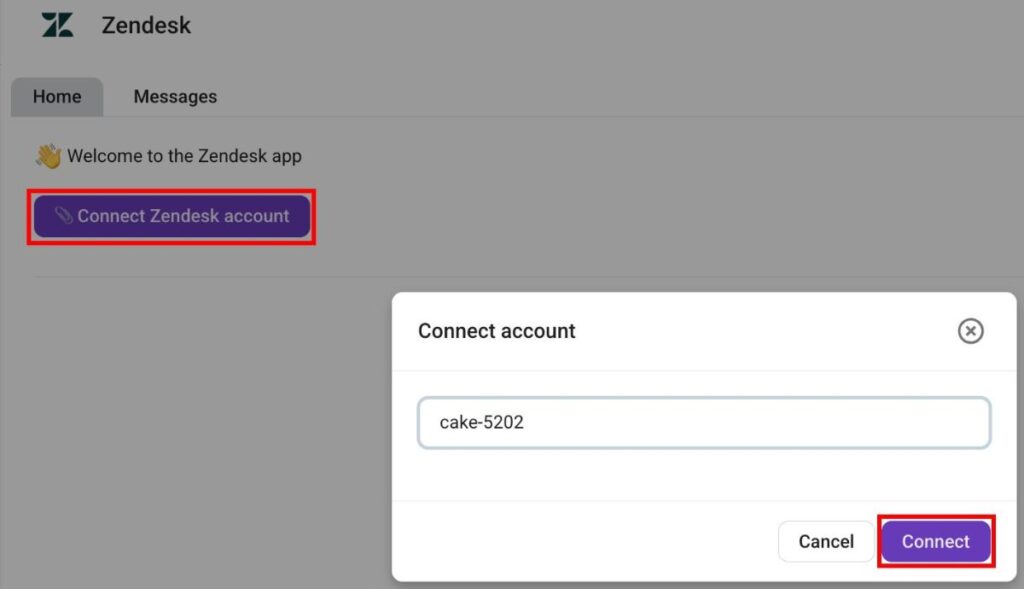
Une fois le module complémentaire installé, vous pouvez passer à la connexion de votre organisation Zendesk. Voici comment procéder :
- Ouvrez le module complémentaire Zendesk
- Cliquez sur Connecter le compte Zendesk
- Saisissez le sous-domaine de votre compte Zendesk (p. ex. digitalmarketingagency-34686)
- Cliquez sur Connecter pour confirmer l’action
Créer un ticket Zendesk #
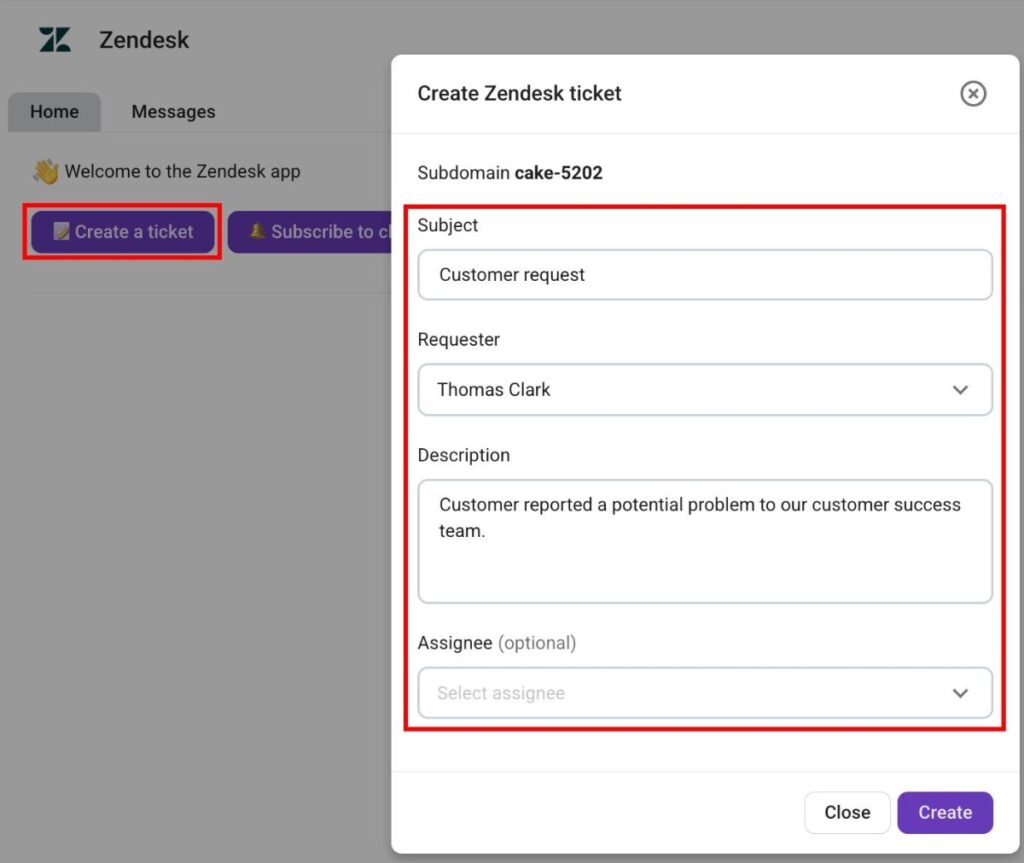
Pumble vous permet de créer des tickets Zendesk directement depuis le module complémentaire. Voici comment procéder :
- Cliquez sur Créer un nouveau ticket
- Saisissez l’objet du ticket
- Sélectionnez un demandeur
- Saisissez la description du ticket
- Sélectionnez un destinataire (facultatif)
- Cliquez sur Créer
Abonner Zendesk à un canal Pumble #
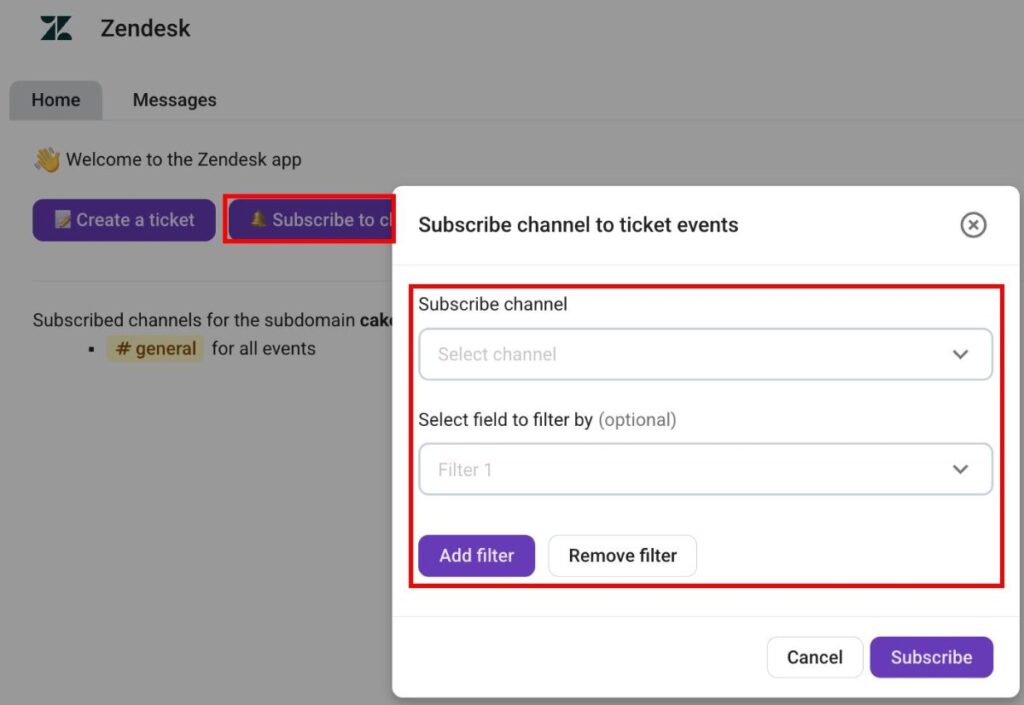
Une fois votre organisation Zendesk connectée à Pumble, vous devez vous abonner aux canaux Pumble pour recevoir les mises à jour des tickets. Voici comment vous abonner à un canal Pumble dans Zendesk :
- Cliquez sur S’abonner au canal
- Sélectionnez un canal
- Ajoutez des filtres (facultatif)
- Cliquez sur S’abonner pour valider l’action
Lorsque vous vous abonnez à un canal pour les événements liés aux tickets, vous pouvez recevoir les notifications suivantes :
- Nouveaux tickets
- Réponses aux tickets
- Changement de statut d’un ticket
- Changement de responsable
- Changement de priorité d’une tâche
- Changement d’auteur de la demande
- Changement de type de ticket
Commandes slash #
Le module complémentaire Zendesk vous permet également d’utiliser des commandes slash dans le chat pour une navigation plus avancée. Les commandes suivantes sont disponibles :
- /zendesk connect {subdomain} — connecte Pumble à une organisation Zendesk
- /zendesk disconnect — déconnecte Pumble d’un compte Zendesk
- /zendesk subscribe {field1=value1; field2=value2} — abonne le canal actuel aux mises à jour Zendesk
- /zendesk unsubscribe — se désabonne d’un ticket Zendesk