Citer des messages
Répondez facilement à des messages spécifiques grâce à la fonctionnalité « Citer ». Celle-ci fonctionne sur tous les canaux, y compris les conversations en tête-à-tête, les messages privés de groupe et les canaux publics ou privés. Vous pouvez citer des messages au sein d’un même canal ou d’un même fil de discussion, à condition que la citation reste dans le canal d’origine où le message a été envoyé.
Comment citer des messages #
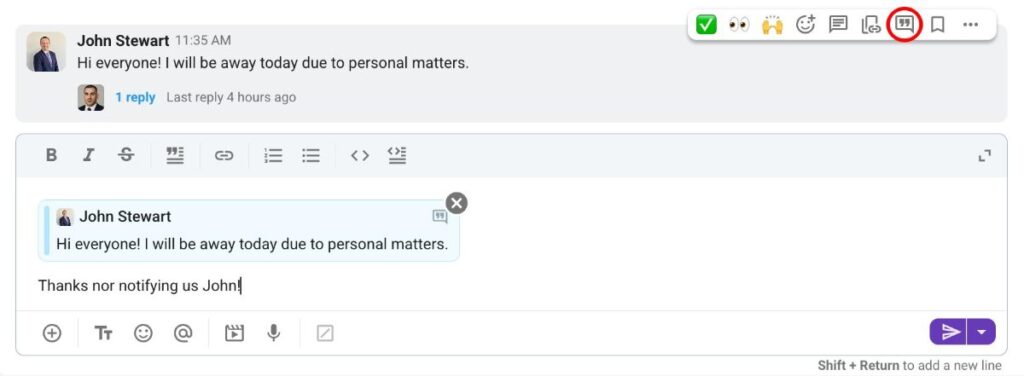
- Passez la souris sur le message que vous souhaitez citer
- Cliquez sur le bouton Citer
- Rédigez votre réponse
Ou utilisez le raccourci clavier : clic droit + Q.
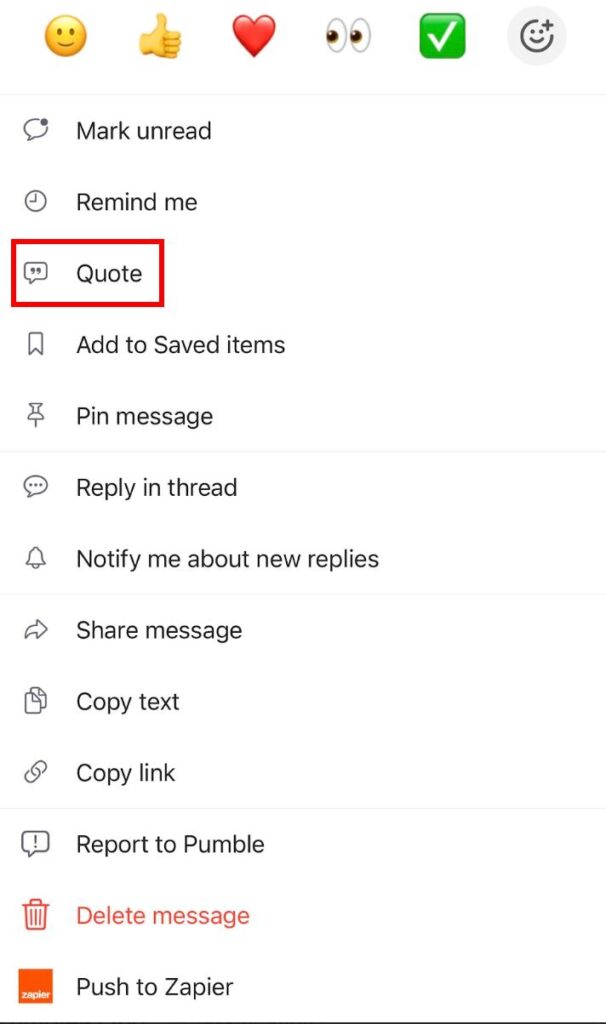
- Appuyez longuement sur un message
- Appuyez sur Citer
- Rédigez votre réponse
Ou bien, balayez simplement vers la gauche sur un message et rédigez votre réponse.
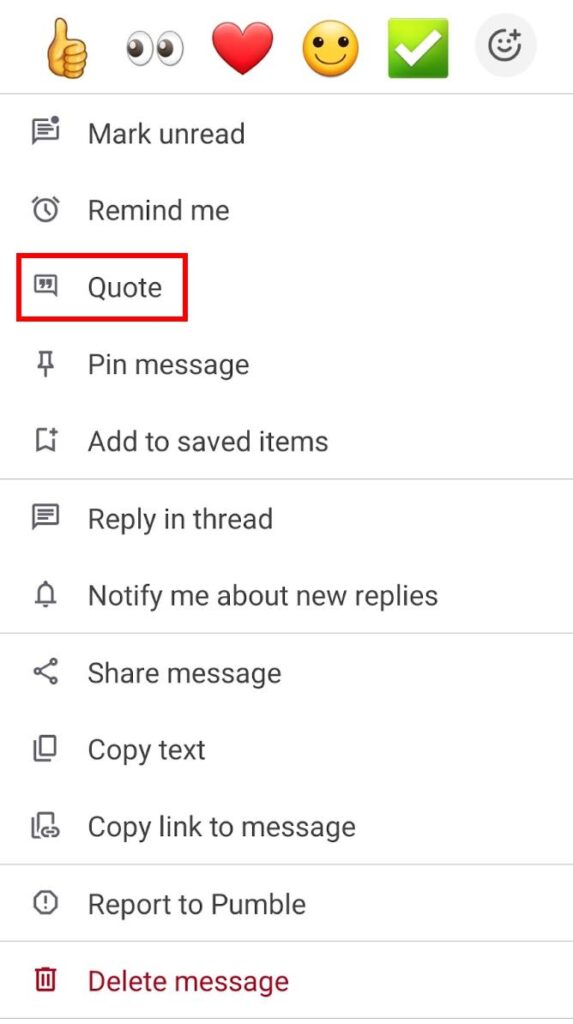
- Appuyez longuement sur un message
- Appuyez sur Citer
- Rédigez votre réponse
Ou bien, balayez simplement vers la gauche sur un message et rédigez votre réponse.
Vous pouvez cliquer sur un message cité pour être redirigé vers le message d’origine.
Mentions et notifications #
Lorsqu’un message est cité, l’utilisateur dont le message a été cité reçoit une notification. De plus, le message cité apparaît dans la section Mentions et réactions. Toutefois, si un utilisateur cite son propre message, celui-ci n’apparaîtra pas dans sa section Mentions et réactions.
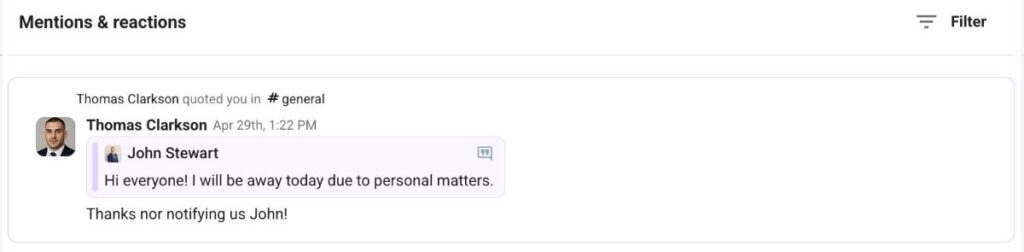
Le message cité est un instantané du message d’origine et ne changera pas si celui-ci est modifié par la suite.
Foire aux questions #
What happens to a quote if the original message is edited? #
Nothing. The quoted message is a snapshot taken at the time of quoting, so it stays as it was even if the original is changed afterwards.
Does the person I quote get notified? #
Yes, and the quote also appears in their Mentions and reactions section. Quoting your own message is the exception, it won’t show up in your own Mentions and reactions.
Can I quote a message in a different channel? #
No. Quotes have to stay in the channel or thread where the original message was sent. To bring a message elsewhere, share or forward it instead.