Use o Pumble para criar itens do Plaky
1 min de leitura
Milos Milosavljevic
Quem pode usar esta funcionalidade?
Proprietário, Administrador, Membro
Disponível em todos os planos
Se você usa o Pumble para se comunicar com sua equipe, pode criar itens do Plaky diretamente do seu espaço de trabalho do Pumble. Isso elimina a necessidade de alternar entre os dois aplicativos, tornando o fluxo de trabalho muito mais simples.
Veja como você pode criar um item no Pumble.
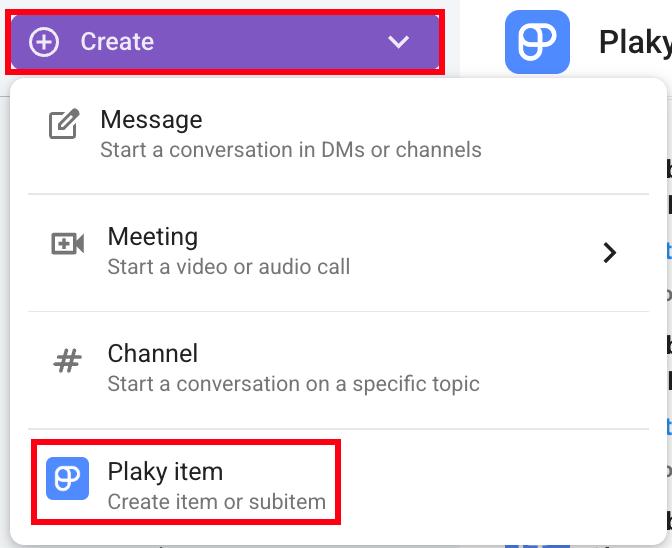
- Clique no botão Criar no canto superior esquerdo
- Clique em Item do Plaky
- Selecione o Espaço e o Quadro
- Digite o título do item
- Clique em Criar para concluir a ação
Ou
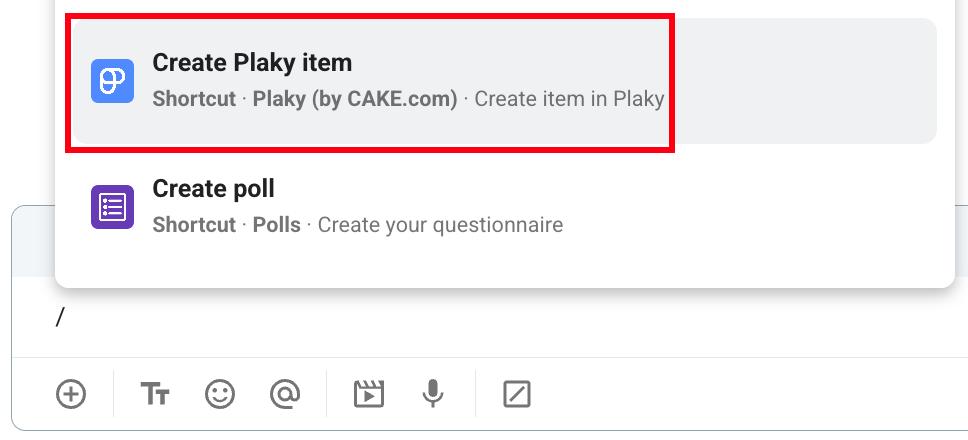
- Digite / na caixa de mensagem
- Selecione Criar item do Plaky no menu suspenso
- Selecione o Espaço e o Quadro
- Digite o título do item
- Clique em Criar para concluir a ação
Ou
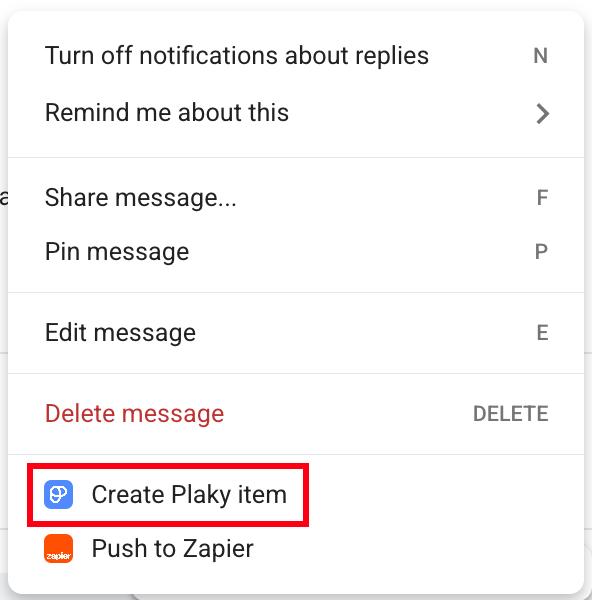
- Passe o cursor sobre uma mensagem
- Clique no menu de três pontos
- Selecione Criar item do Plaky
- Selecione o Espaço e o Quadro
- Digite o título do item
- Clique em Criar para concluir a ação
Informações
Para saber mais sobre como receber notificações do Plaky no Pumble, consulte este artigo.
Esse artigo foi útil?
Thank you! If you’d like a member of our support team to respond to you, please drop us a note at support@pumble.com