Visão geral da API Pumble
Esta funcionalidade está disponível em todos os planos.
Ao usar o complemento Pumble API, você pode interagir com a documentação da API do Pumble sem usar processos de autenticação complexos. Este complemento permite gerar uma chave de API que possibilita o envio de mensagens, reações e muito mais por meio de simples requisições HTTP.
Install API addon #
Antes de criar uma chave de API, você precisa instalar o complemento de API no seu espaço de trabalho do Pumble.
Veja como fazer isso:
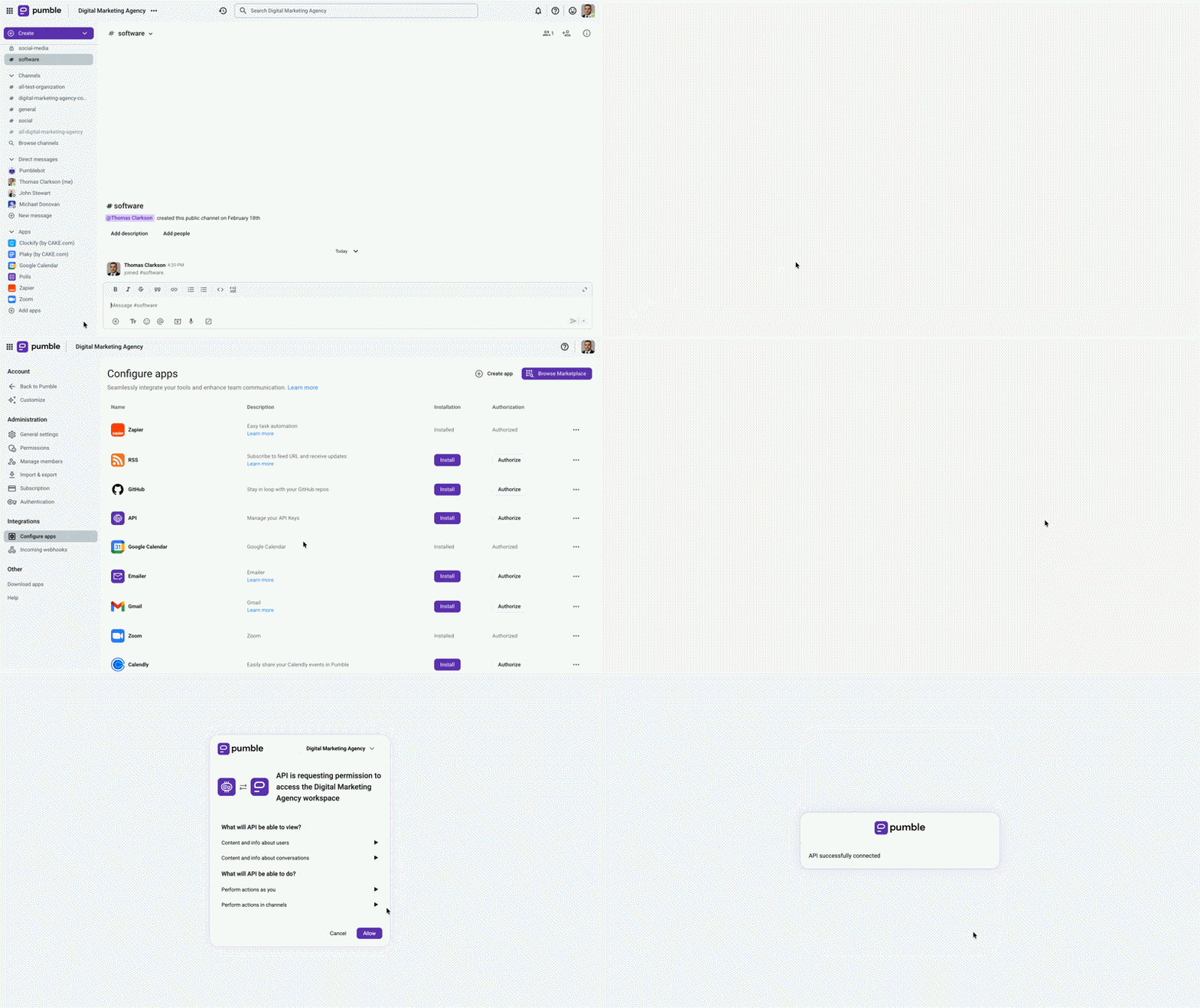
- Clique em + Adicionar aplicativos na barra lateral esquerda
- Clique em Instalar na seção API
- Permita as permissões
Generate an API key #
Após instalar o complemento da API, você poderá gerar chaves de API diretamente no Pumble.
Eis como:
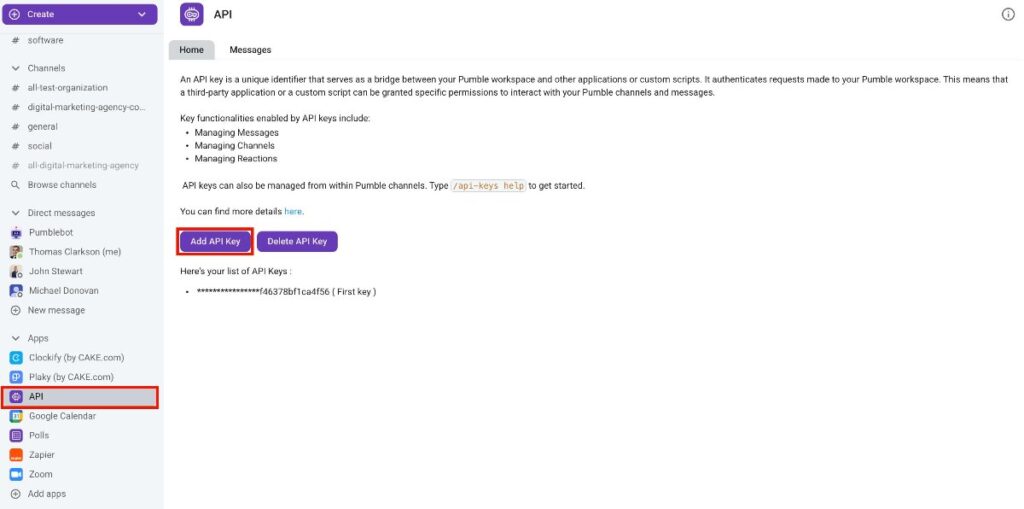
- Clique em API na barra lateral esquerda
- Selecione Adicionar chave de API
- Insira o nome da chave da API
- Clique em Gerar para concluir a ação
Você receberá uma mensagem efêmera contendo a chave de API gerada. Esta mensagem não é visível para outros usuários. Copie esta chave para uso futuro. A chave gerada permite a interação com a API pública do Addon, permitindo que os usuários enviem solicitações e executem várias ações no Pumble, incluindo:
- Enviar mensagens
- Responder uma mensagem
- Excluir mensagem
- Adicionar uma reação a uma mensagem
- Criar canal
- Listar as mensagens em um canal (se o canal for privado, o Addon Bot precisa ser membro desse canal).
- Listar os canais e DMs que pertencem ao usuário que criou a chave
A lista completa de ações disponíveis está na documentação do Swagger. Você também pode usar a documentação do Swagger, basta inserir sua chave de API na seção Authorize.
Delete API key #
Você pode remover uma chave de API seguindo estes passos:
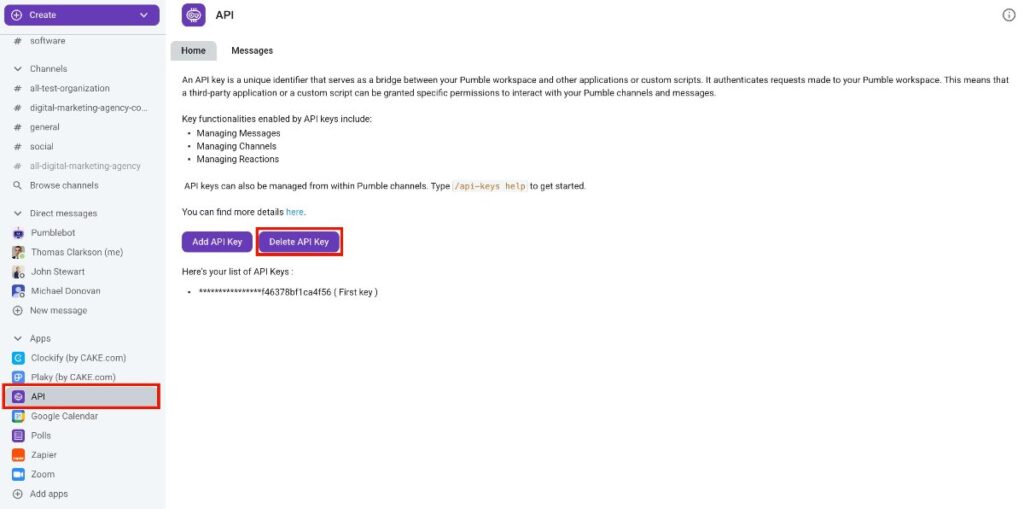
- Clique em API na barra lateral esquerda
- Selecione Excluir chave de API
- Escolha uma tecla da lista
- Clique em Excluir para confirmar a ação
Comandos importantes #
Existem algumas ações específicas para interagir com o complemento Pumble API. Você pode usar esses comandos diretamente nas mensagens:
/api-keys generate– addon will generate API keys for that particular user and store it in their database. Users can generate as much API keys as they want to./api-keys list– addon will list all user’s API keys/api-keys help– to list all valid commands you can use