Complemento do Zendesk
Com o complemento Zendesk, você pode conectar o Pumble à sua conta do Zendesk e acompanhar todas as atualizações críticas de atendimento ao cliente. Essa funcionalidade reduz a necessidade de alternar entre os dois aplicativos e mantém todas as informações importantes em um só lugar.
Instalar o complemento do Zendesk#
Você pode instalar o complemento do Zendesk diretamente do seu espaço de trabalho do Pumble. Veja como:
- Clique em + Adicionar aplicativos na barra lateral
- Clique em Instalar ao lado do Zendesk
- Conceda as permissões
Conectar sua conta do Zendesk #
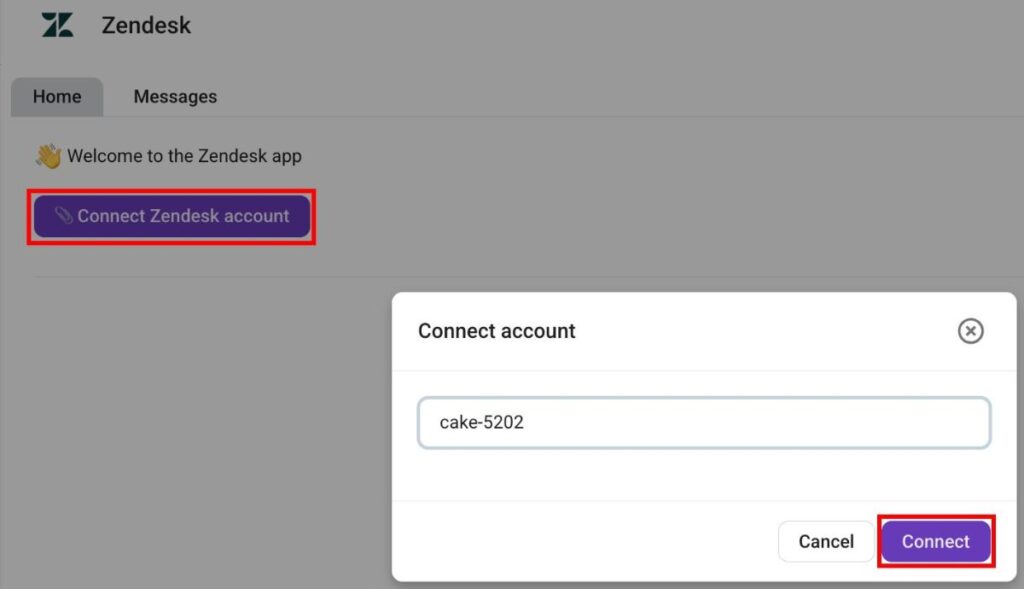
Após instalar o complemento, você pode conectar sua organização do Zendesk. Veja como fazer isso:
- Abra o complemento Zendesk
- Clique em Conectar conta do Zendesk
- Insira o subdomínio da sua conta Zendesk (ex: digitalmarketingagency-34686)
- Clique em Conectar para confirmar a ação
Criar um ticket no Zendesk #
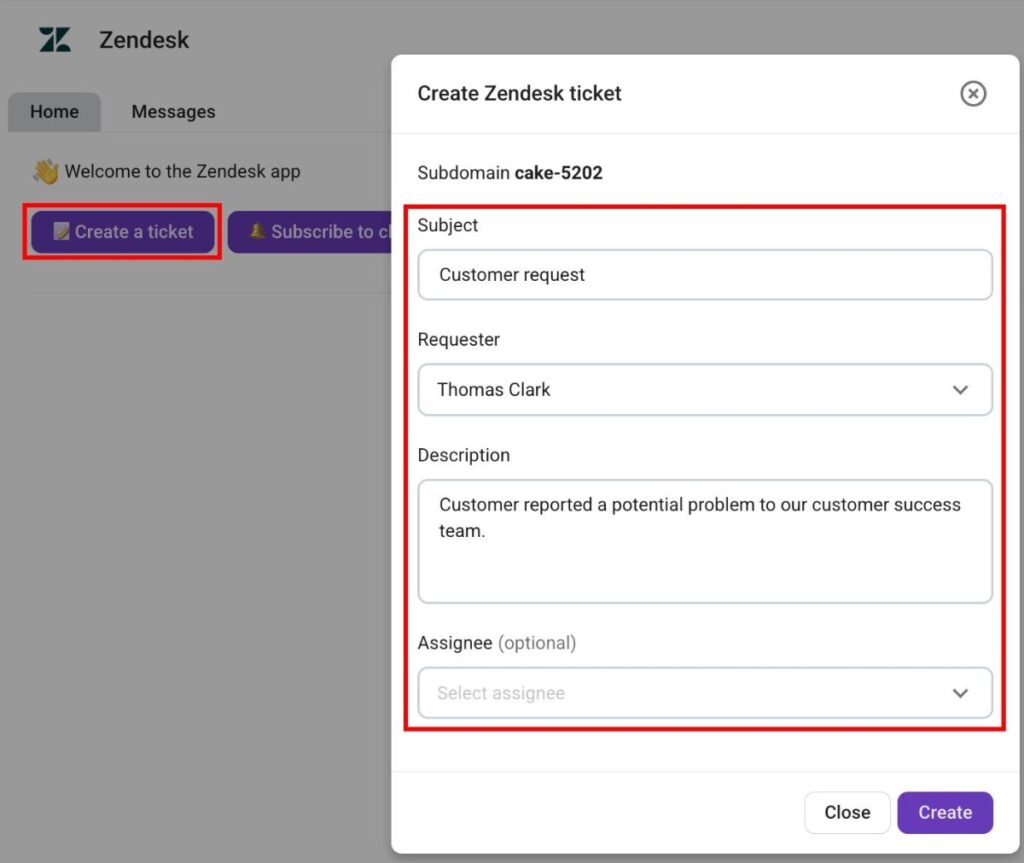
O Pumble permite criar tickets no Zendesk diretamente pelo complemento. Veja como:
- Clique em Criar novo ticket
- Insira o assunto do ticket
- Selecione um Solicitante
- Insira a descrição do ingresso
- Selecione o responsável (opcional)
- Clique em Criar
Inscrever o Zendesk em um canal do Pumble #
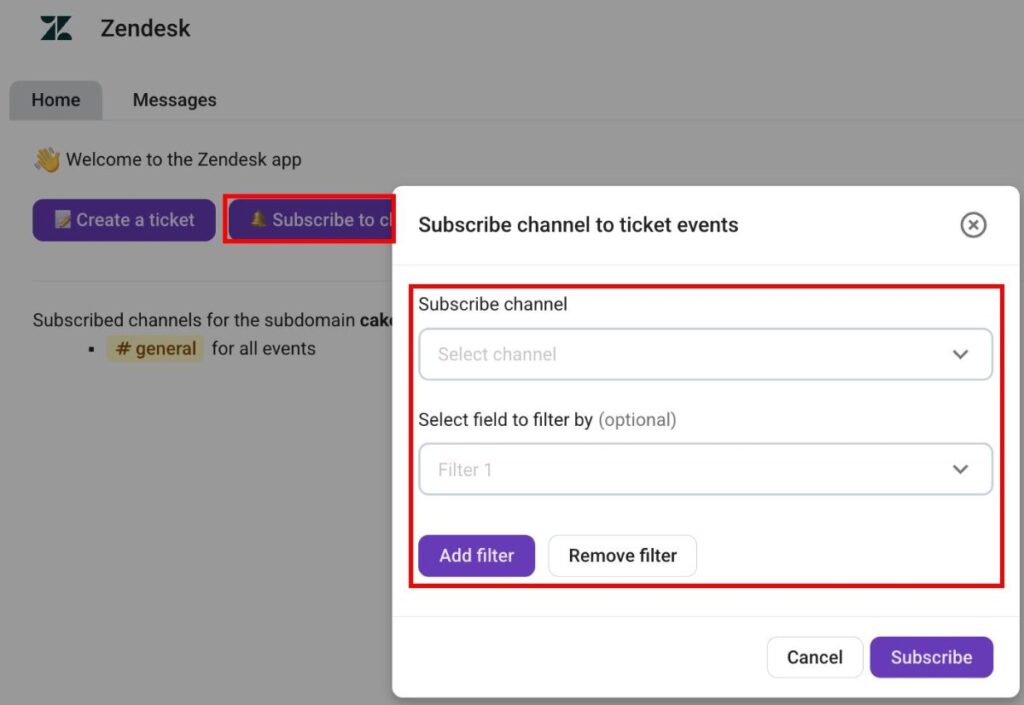
Quando sua organização Zendesk estiver conectada ao Pumble, você precisa se inscrever nos canais do Pumble para receber atualizações de tickets. Veja como fazer isso:
- Clique em Inscrever-se no canal
- Selecione um canal
- Adicionar filtros (opcional)
- Clique em Inscrever-se para concluir a ação
Quando você se inscreve em um canal para eventos de tickets, você poderá receber as seguintes notificações:
- Novos tickets
- Respostas aos tickets
- Mudança de status do ticket
- Alteração de responsável
- Mudança de prioridade da tarefa
- Alteração no solicitante
- Mudança do tipo de ticket
Comandos de barra #
O complemento do Zendesk também permite usar comandos de barra no chat para uma navegação mais avançada. Os seguintes comandos estão disponíveis:
- /zendesk connect {subdomain} — Conecta o Pumble a uma organização Zendesk.
- /zendesk disconnect — Desconecta o Pumble de uma conta Zendesk.
- /zendesk subscribe {field1=value1; field2=value2} — Inscreve o canal atual para receber atualizações do Zendesk.
- /zendesk unsubscribe — Cancela a inscrição em um ticket do Zendesk.