Gerenciador do canal
Os Gerenciadores de canais permitem delegar tarefas administrativas, como o gerenciamento de configurações e membros, a integrantes de confiança da equipe. Isso reduz a sobrecarga operacional de proprietários e administradores e ajuda a manter os canais organizados e focados.
Como adicionar gerenciadores #
Você só pode adicionar ou remover gerenciadores de canais pelo aplicativo web/desktop. Os aplicativos móveis permitem apenas visualizar a lista de gerenciadores.
Você pode adicionar gerenciadores a qualquer canal no Pumble. Veja como:
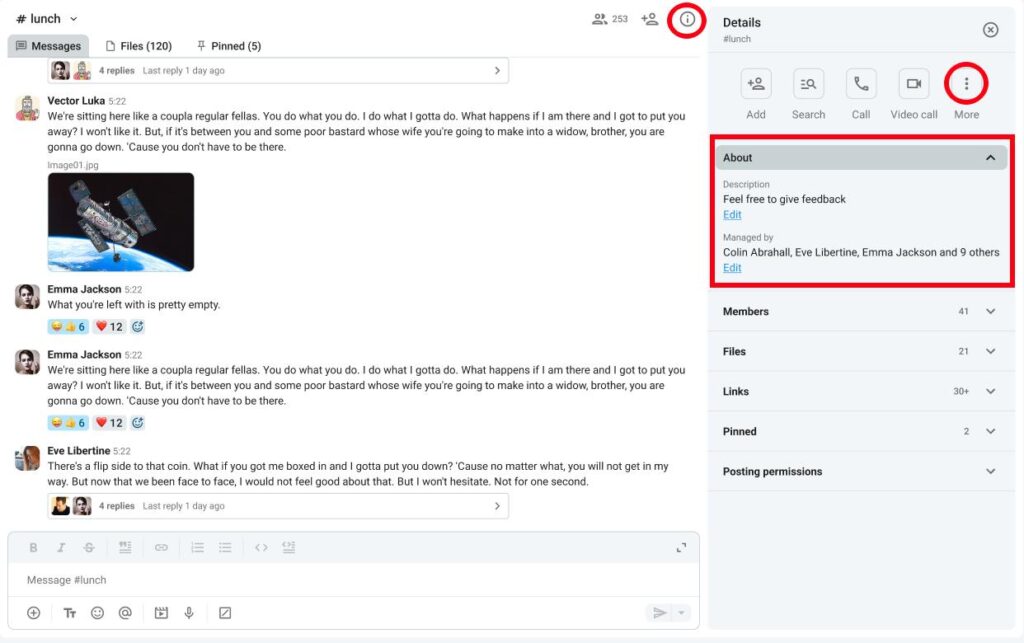
- Clique em Detalhes do canal, à direita
- Clique em Sobre
- Clique em Editar abaixo de Gerenciado por
- Clique em Adicionar gerenciadores
- Digite o nome de usuário
- Clique em Adicionar para concluir a ação
Ou
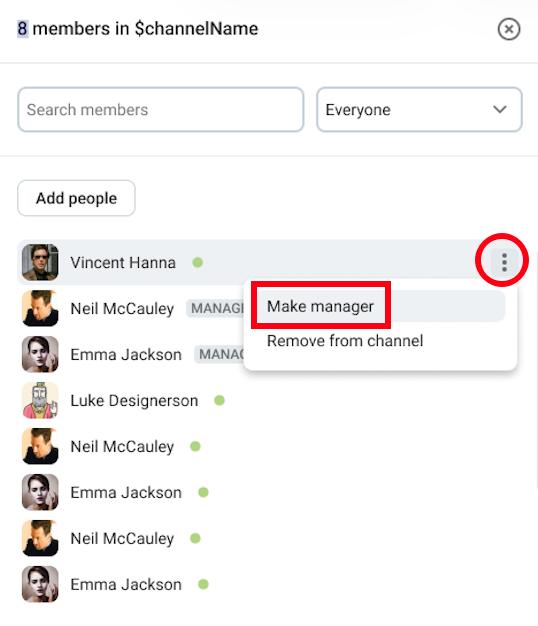
- Clique em Membros
- Passe o cursor sobre um membro
- Clique nos três pontos ao lado do membro
- Clique em Tornar gerenciador
- Confirme a ação
Os usuários adicionados como gerenciadores devem ser membros do canal.
Quando um canal é criado, o criador é automaticamente definido como gerenciador do canal.
Permissões dos gerenciadores #
Na tabela abaixo, você pode ver a diferença entre as permissões de usuários comuns e gerenciadores:
| Permissão | Gerenciador do canal | Membro regular do canal |
| Remover alguém de um canal | ✔️ | ✖️ |
| Definir a descrição do canal | ✔️ | ✖️ |
| Converter o canal de público para privado | ✔️ | ✖️ |
| Excluir mensagens de outros usuários (se permitido globalmente) | ✔️ | ✖️ |
| Ajustar permissões de publicação | ✔️ | ✖️ |
| Impedir membros do canal de publicar | ✔️ | ✖️ |
| Renomear canal | ✔️ | ✖️ |
Remover gerenciadores #
Se você deseja remover as permissões de gerenciador de um usuário, pode fazê-lo seguindo estes passos:
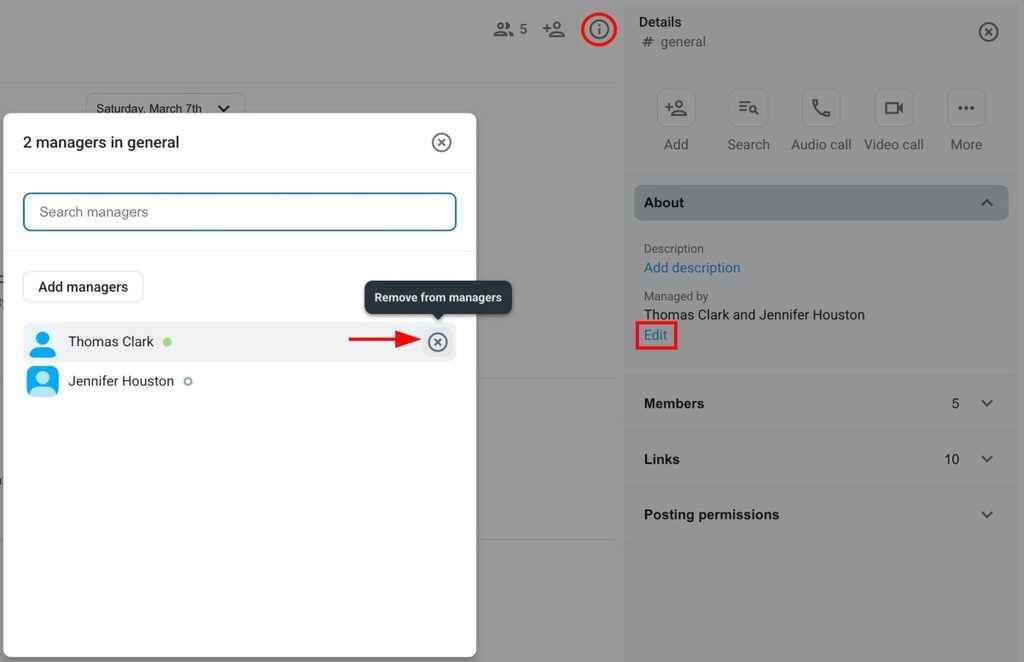
- Clique em Detalhes do canal, à direita
- Clique em Sobre
- Clique em Editar abaixo de Gerenciado por
- Passe o cursor sobre um gerenciador
- Clique no X à direita
- Clique em Remover para concluir a ação
Ou
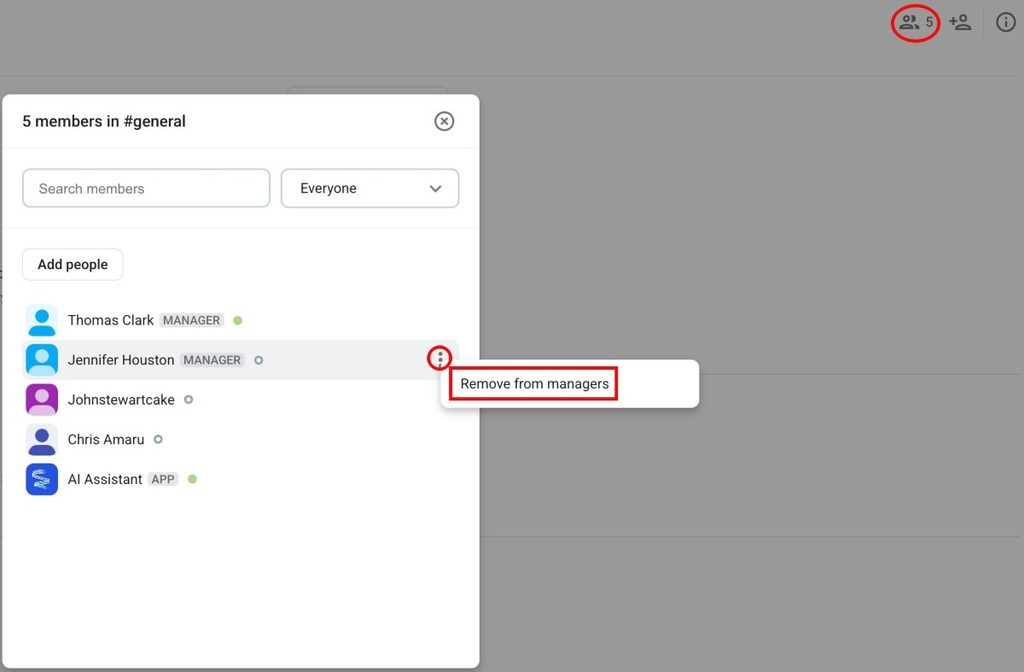
- Clique em Membros
- Passe o cursor sobre um membro
- Clique nos três pontos ao lado do membro
- Clique em Remover dos gerenciadores
- Confirme a ação
Bloquear usuários e grupos de usuários de publicar #
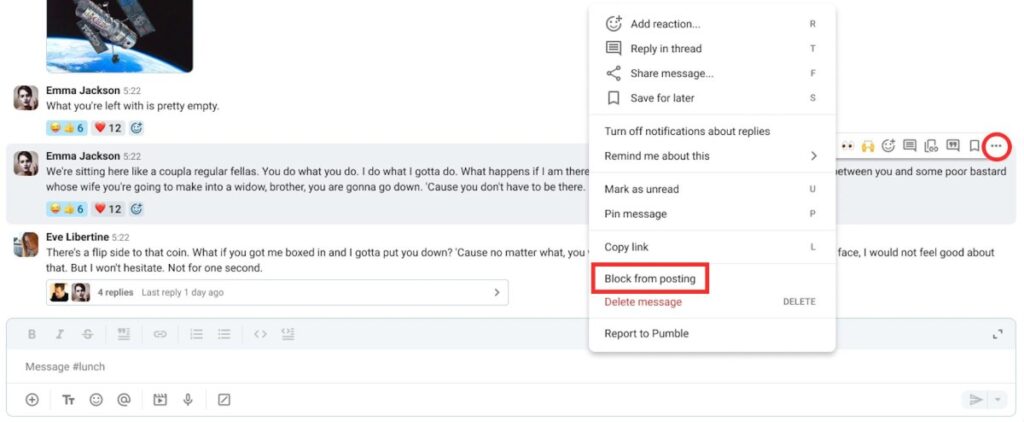
Os gerenciadores podem bloquear determinados usuários ou grupos de usuários de publicar nos canais. Veja como:
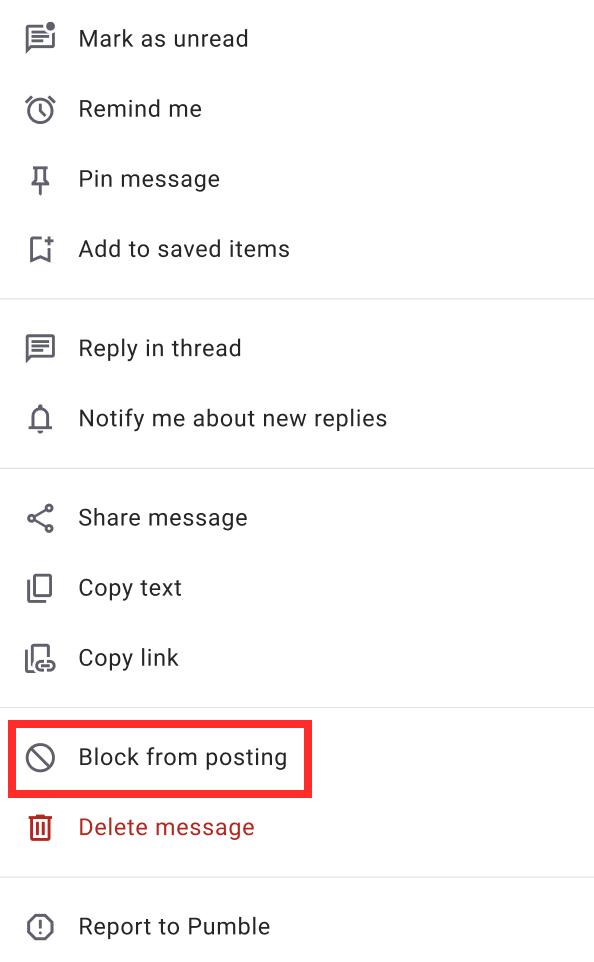
- Passe o cursor sobre uma mensagem
- Clique com o botão direito na mensagem
- Clique em Bloquear publicação
- Clique em Bloquear para confirmar a ação
Você também pode bloquear usuários específicos/membros do canal de publicar diretamente pela seção Permissões de publicação. Veja como:
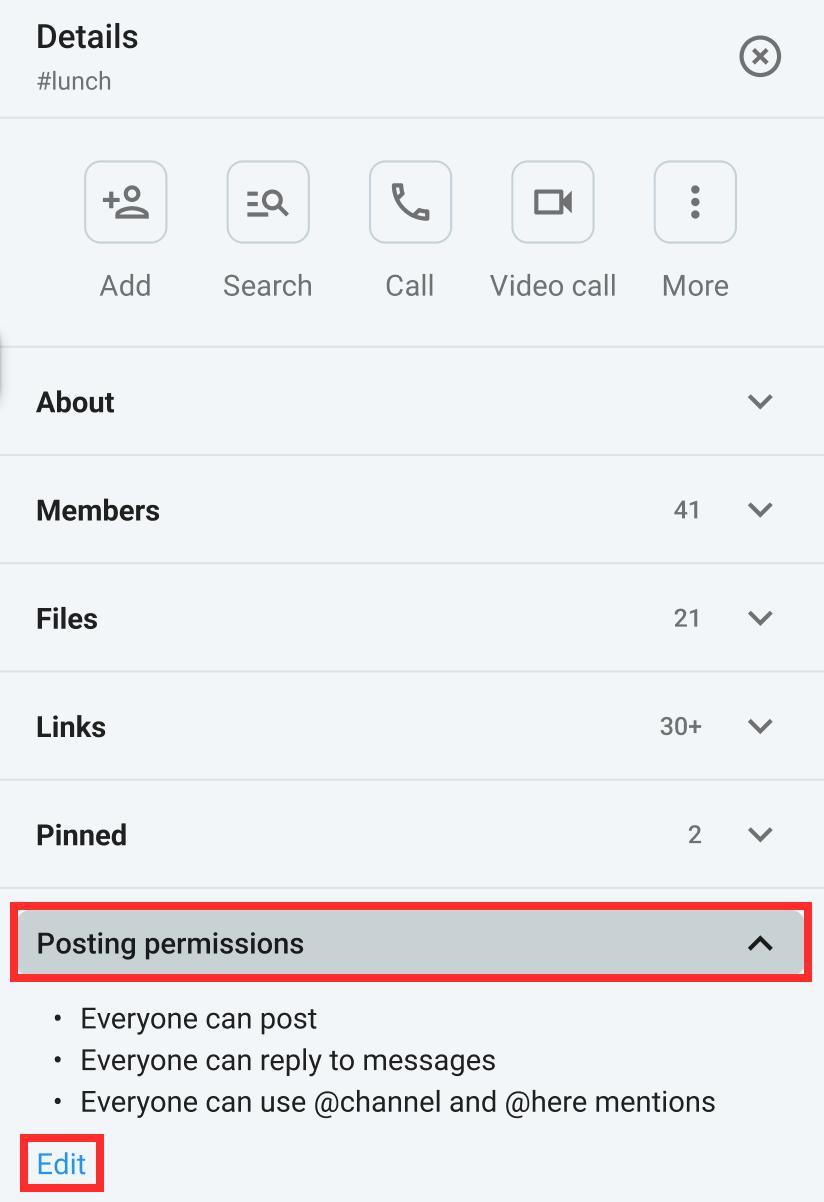
- Clique em Detalhes do canal
- Clique em Permissões de publicação
- Clique em Editar
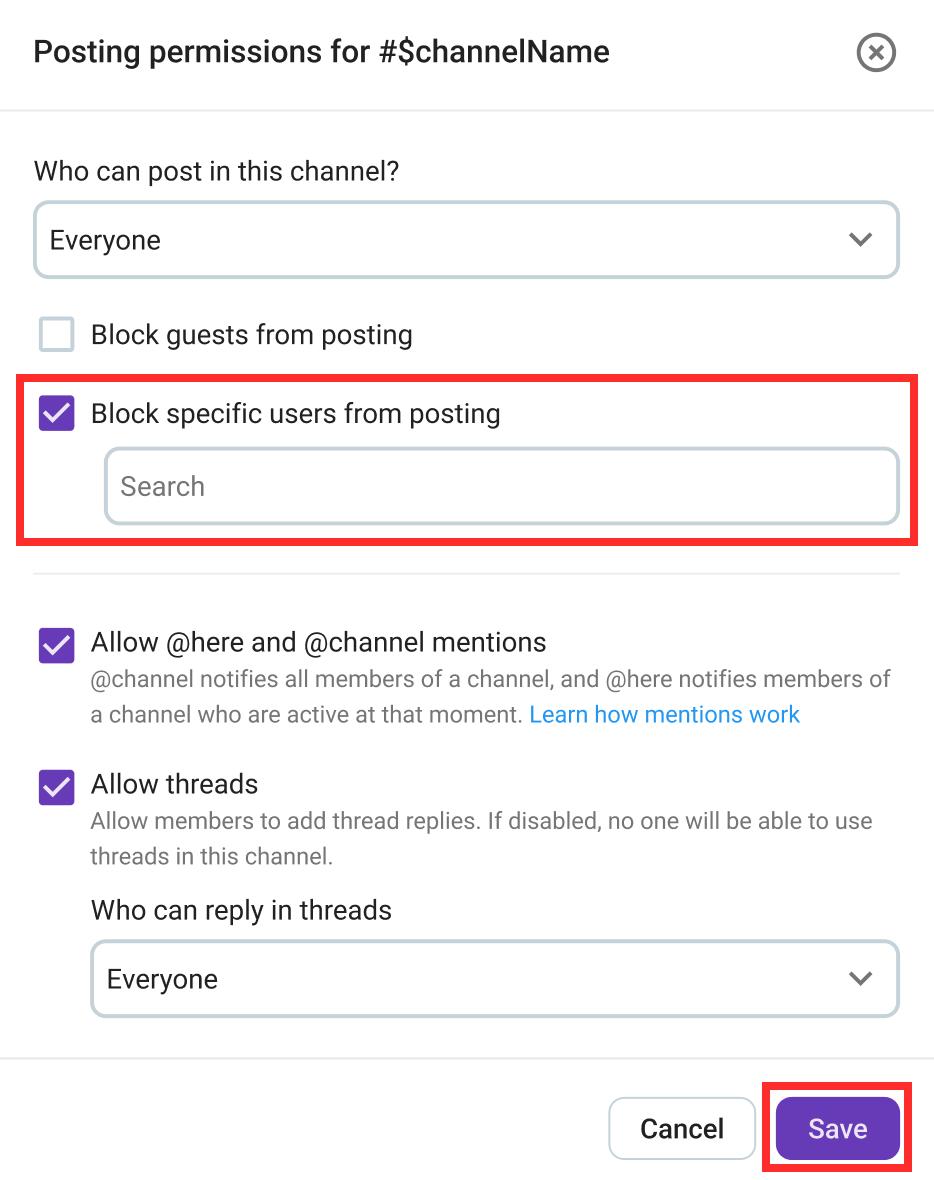
- Marque a caixa em Bloquear usuários específicos de publicar
- Selecione o usuário/canal que você deseja bloquear
- Clique em Salvar para concluir a ação
- Toque e segure uma mensagem de um usuário
- Toque em Bloquear publicação
- Confirme a ação
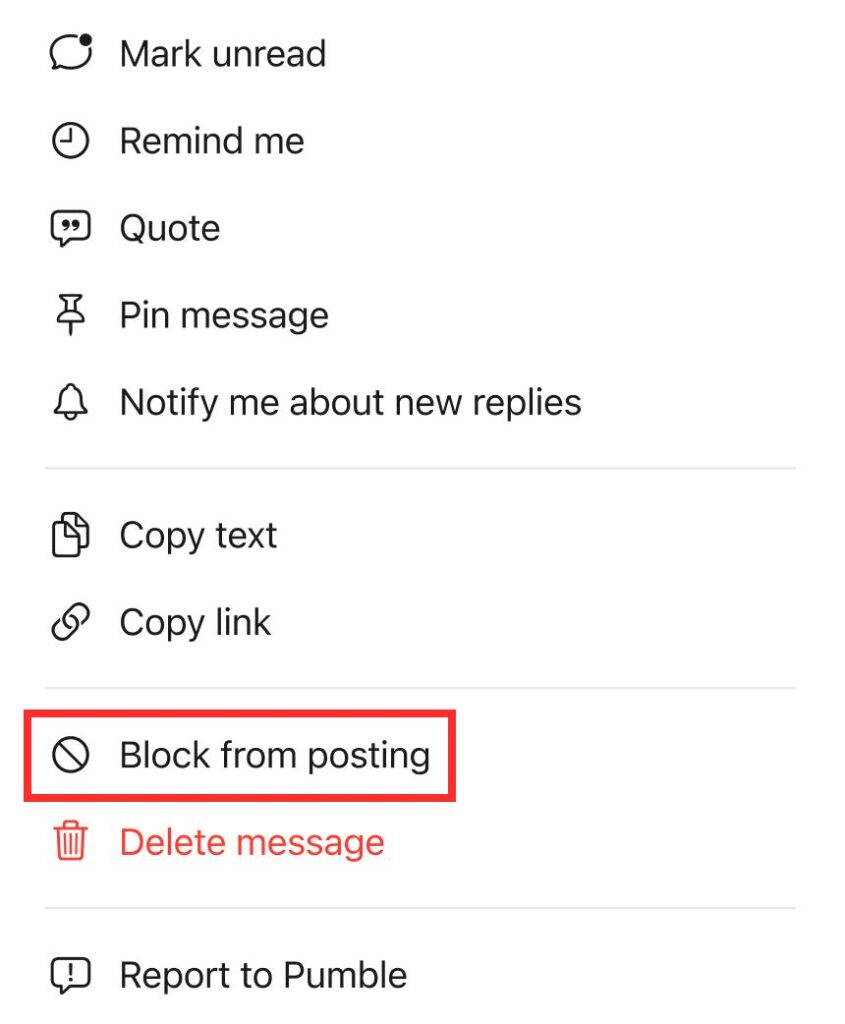
- Toque e segure uma mensagem de um usuário
- Toque em Bloquear publicação
- Confirme a ação