



El trabajo remoto ofrece flexibilidad a los equipos, pero también facilita que la comunicación se deteriore.
Las actualizaciones se pierden entre las demás, las conversaciones se dispersan y la productividad disminuye. Con el tiempo, las personas pueden empezar a sentirse desconectadas de su trabajo y de sus compañeros.
Para que la alineación del equipo se mantenga constante, la comunicación y la colaboración deben estar centralizadas.
Una infraestructura de comunicación interna como Pumble by CAKE.com lo integra todo.
Así es como funciona en la práctica.
- Los equipos remotos disfrutan de flexibilidad, pero con el tiempo pueden sentirse desconectados de su trabajo y sus compañeros.
- Para mantener a los equipos alineados, centraliza la comunicación y la colaboración en una herramienta especializada como Pumble by CAKE.com.
- Mantén una comunicación clara y accesible organizando las conversaciones en canales, personalizando la barra lateral y gestionando tus preferencias de notificación.
- Mejora la responsabilidad y la colaboración conectándote con socios externos mediante el acceso de invitado de Pumble y manteniéndote al día con las tareas gracias a los recordatorios.
- Fomenta un sentido de pertenencia creando canales sociales para conversaciones informales y utilizando las aplicaciones móviles de Pumble para mantenerte conectado desde cualquier lugar.
Mantén una comunicación clara
Una comunicación clara es la base del trabajo en equipo eficaz y la alta productividad. Aquí te mostramos cómo usar Pumble para que la información sea fácil de acceder y seguir, además de ahorrar tiempo.
Organiza las conversaciones con canales
Usa los canales de Pumble para estructurar la comunicación por departamentos, proyectos y temas. De esta manera, las conversaciones se mantienen agrupadas en un solo lugar y son fáciles de seguir, en lugar de dispersarse.
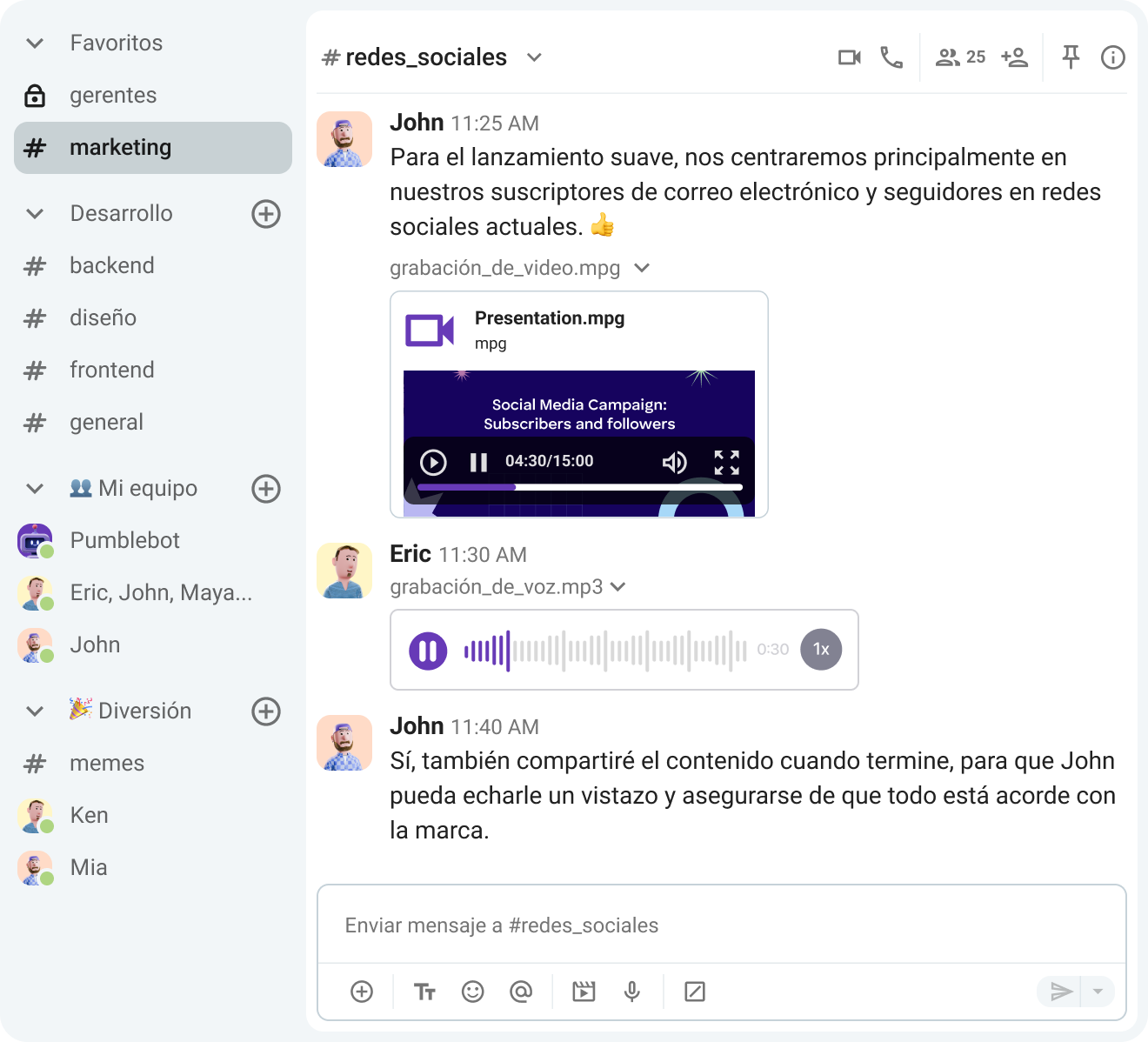
Los canales pueden ser:
- Canales públicos: abiertos a cualquier persona de tu empresa, o
- Canales privados: para conversaciones delicadas o confidenciales, donde solo los miembros invitados pueden ver el contenido.
Todas las conversaciones y archivos compartidos en los canales permanecen accesibles tanto para los usuarios actuales como para los futuros, gracias al historial de mensajes ilimitado de Pumble. Esto ayuda a los equipos a mantenerse coordinados sin perder información importante con el tiempo.
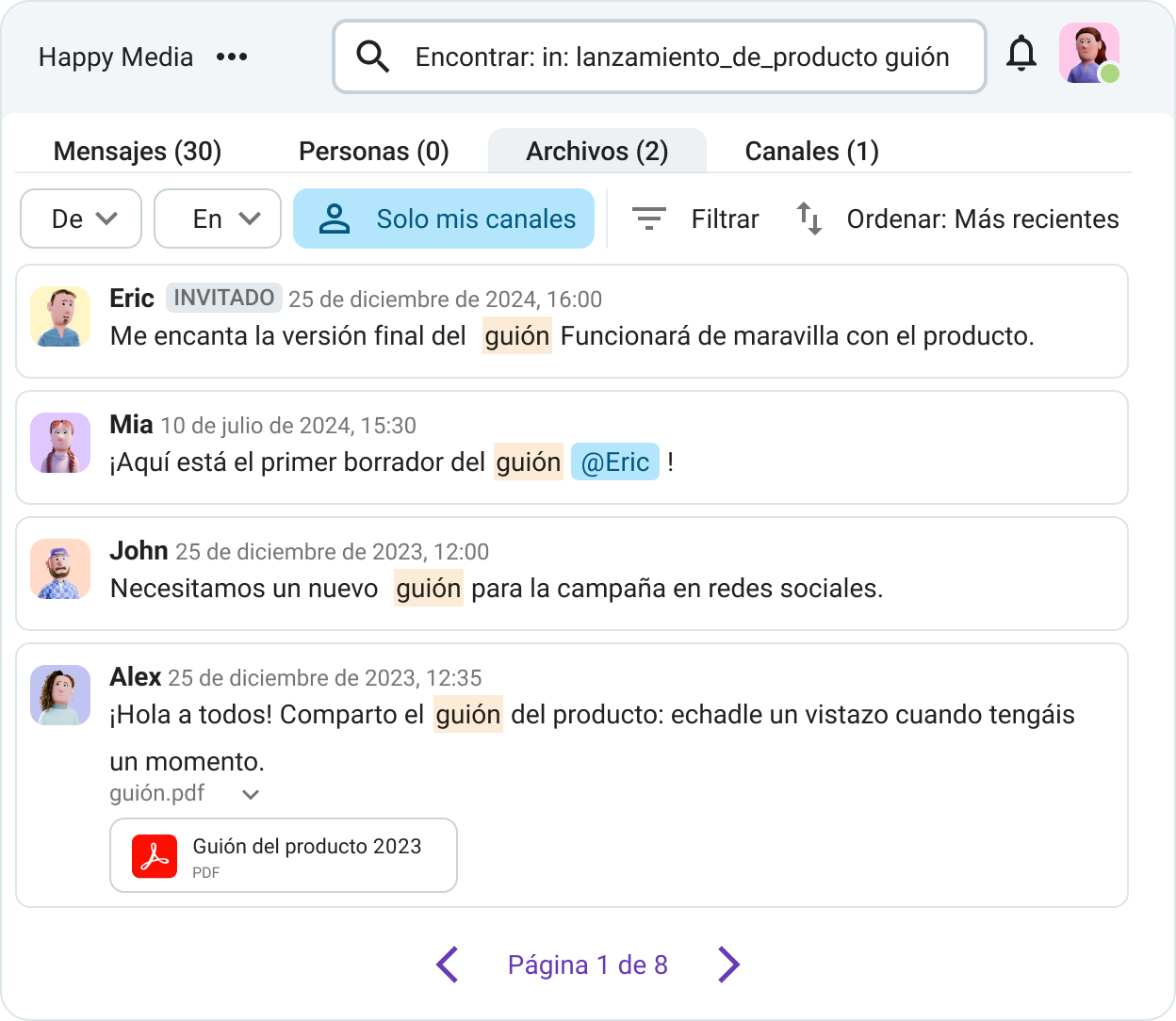
Para mantenerte concentrado, puedes dejar abiertos los canales relacionados con proyectos terminados o en los que ya no participas, y silenciar los que solo usas ocasionalmente, como los que no están relacionados con el trabajo.
Mantén la comunicación organizada
Personaliza tu barra lateral
Al igual que organizas tu escritorio en la oficina, Pumble te permite adaptar tu espacio de trabajo digital a tu forma de trabajar.
Los canales y los mensajes directos pueden acumularse rápidamente. Para mantener todo ordenado y fácil de navegar, puedes agruparlos en secciones personalizadas.
Por ejemplo, puedes agrupar los canales de actualizaciones y anuncios del equipo en una sección para asegurarte de revisar lo importante cada día.
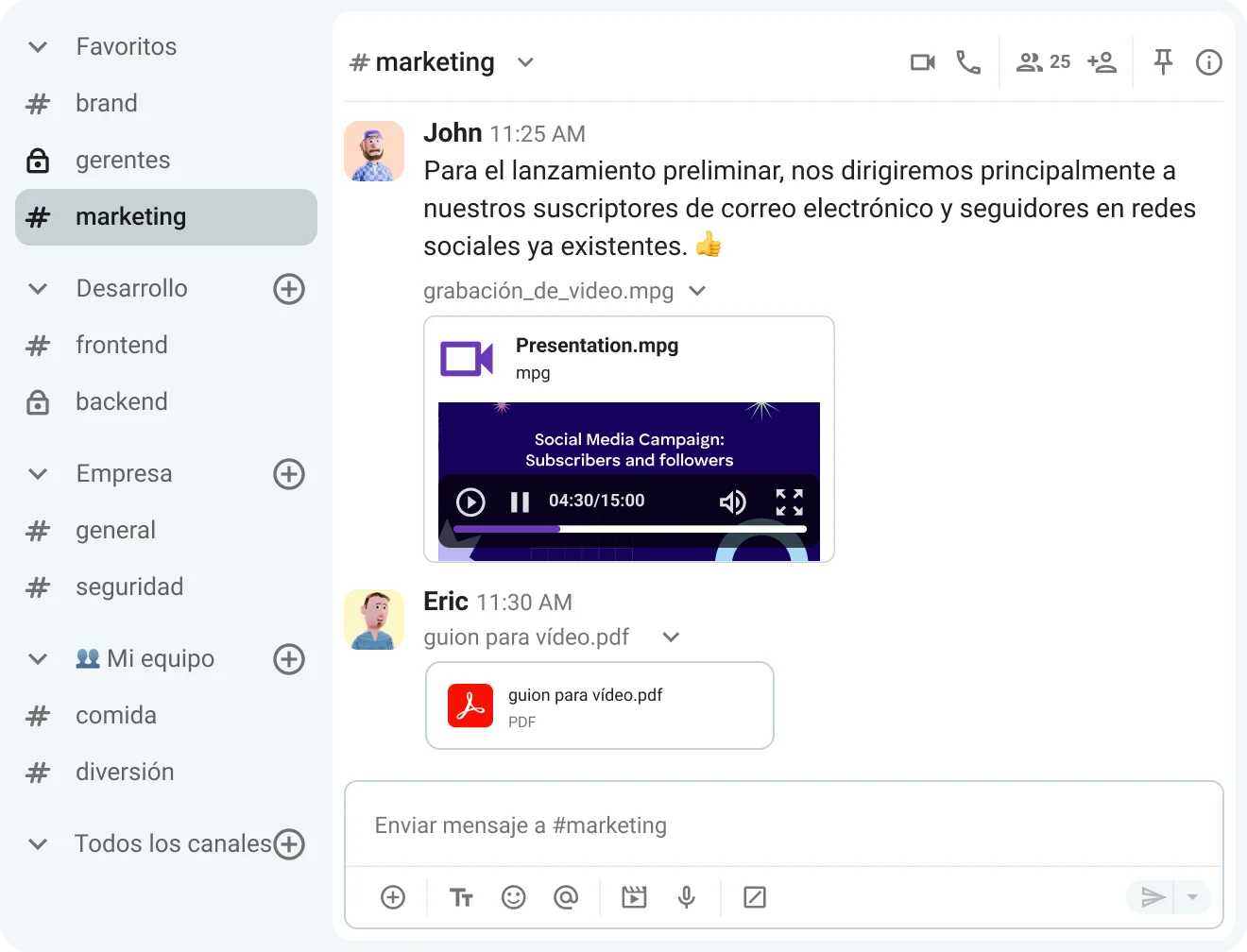
También puedes organizar los mensajes directos según el puesto de tus compañeros. Por ejemplo, puedes crear una sección para los canales de desarrolladores, así sabrás a quién contactar cuando necesites asistencia técnica.
Para mantener la barra lateral más despejada, puedes elegir mostrar solo los canales con mensajes no leídos. Además, puedes decidir qué secciones quieres que aparezcan en la parte superior de la barra lateral, como hilos, mensajes directos, menciones y reacciones, etc. De esta forma, tu espacio de trabajo se mantiene organizado y solo ves lo relevante.

Gestiona las notificaciones
Mantenerte al tanto y leer todas las actualizaciones en la app de chat de equipop puede ayudarte a sentirte más conectado, especialmente cuando trabajas a distancia. Sin embargo, también puede convertirse fácilmente en una fuente de distracción.
Personalizar tus preferencias de notificación en Pumble es una excelente manera de mantener la concentración. Si se usa correctamente, esta función puede ser una poderosa herramienta para el trabajo profundo.
Instead of being constantly interrupted, you can manage what you want to be notified about and decide what deserves your attention. This also includes setting custom notification schedules that match your working hours, which is especially handy if you have teammates working across different time zones and want to protect your work-life balance.
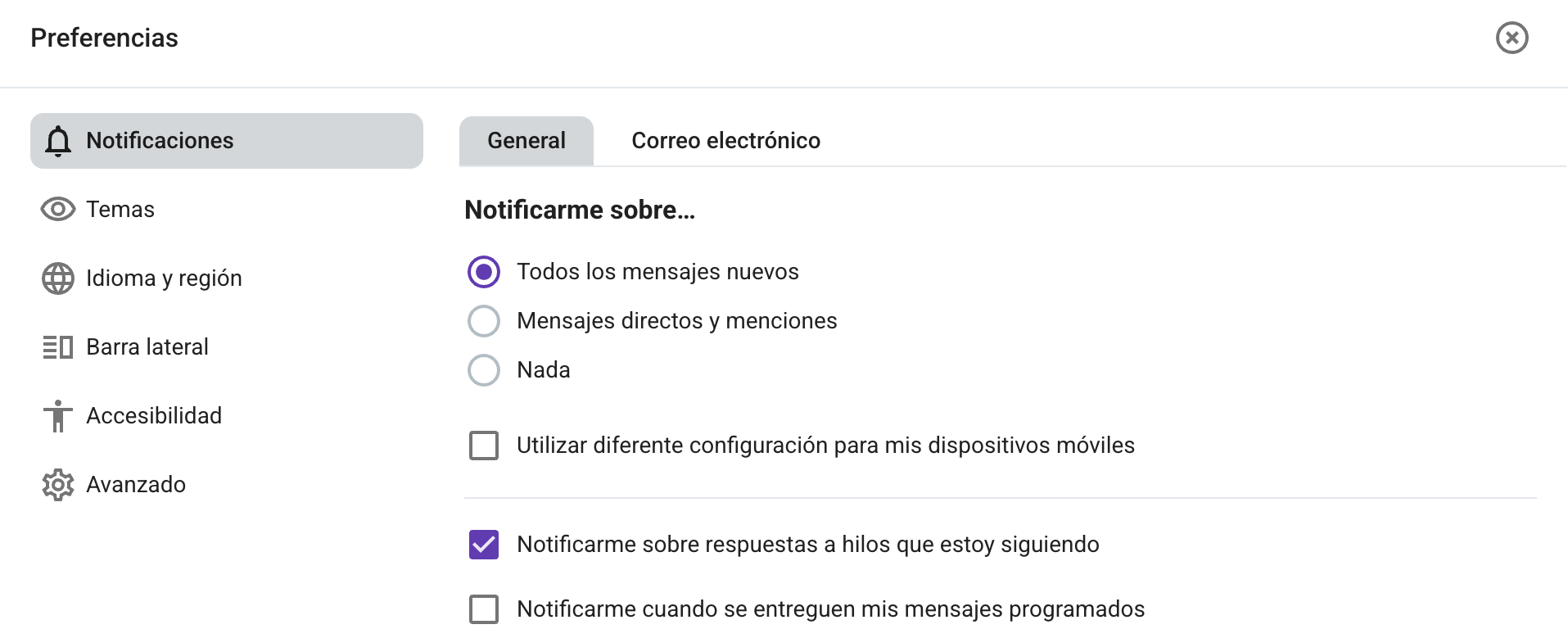
También puedes configurar diferentes preferencias de notificación en tus aplicaciones de escritorio y móviles, personalizando así cómo recibes las notificaciones en cada dispositivo.
Para concentrarte mejor, activa la opción No molestar para silenciar las notificaciones durante tus sesiones de trabajo. Esto te ayudará a centrarte en tus tareas prioritarias y a que tus compañeros sepan si estás disponible.
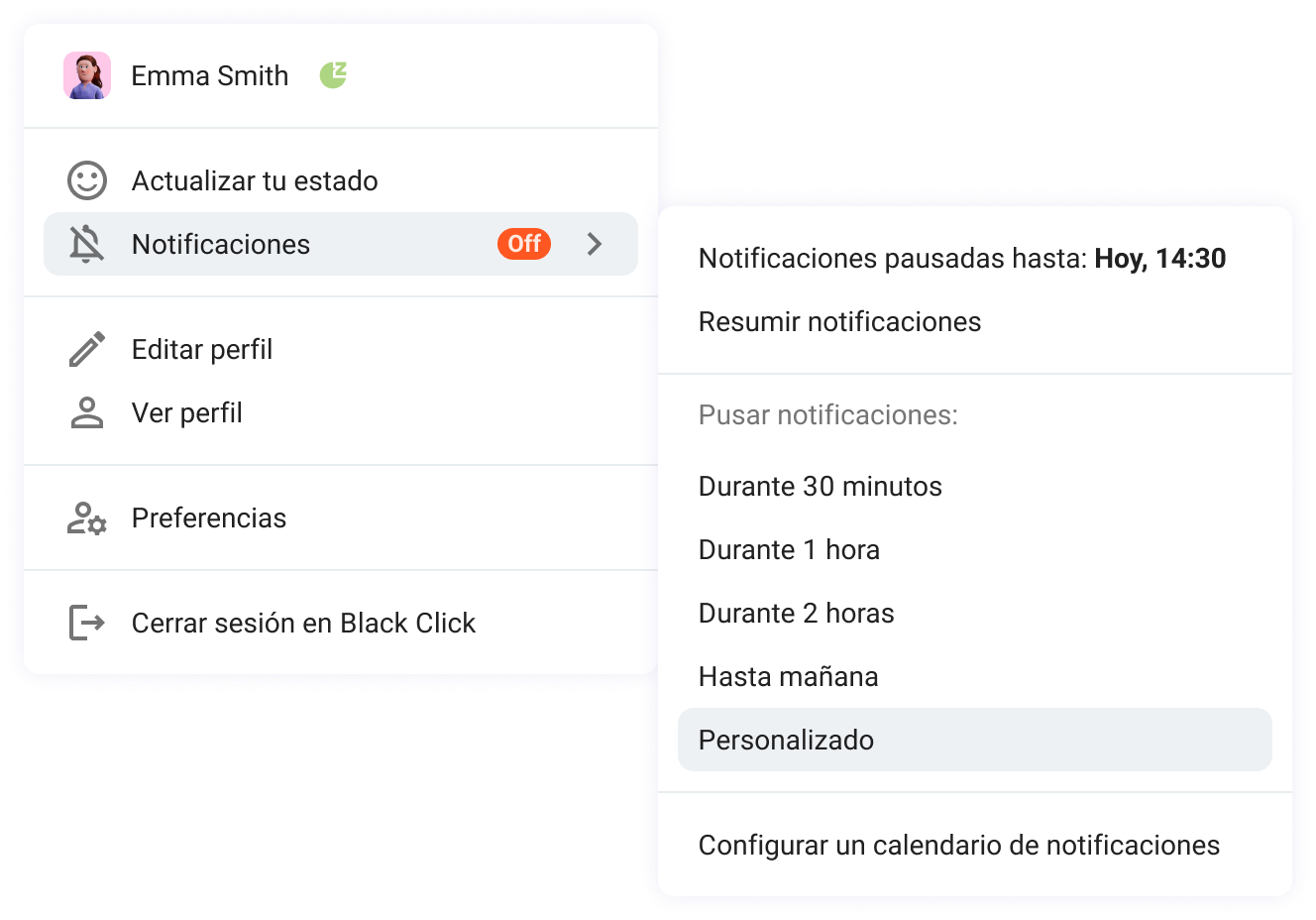
Además, puedes personalizar los sonidos de notificación de mensajes y llamadas para adaptar aún más las alertas.
Mejora la responsabilidad y la colaboración
Una buena comunicación favorece tanto la colaboración eficaz como el seguimiento. Con la configuración adecuada en Pumble, puedes mantener el trabajo en marcha, involucrar a las personas adecuadas y asegurarte de que ninguna tarea se pase por alto.
Conéctate con socios externos
Para una toma de decisiones más rápida y una mejor colaboración, traslada las conversaciones con colaboradores externos de los largos y lentos hilos de correo electrónico a tu espacio de trabajo de Pumble.
La función de acceso de invitado te permite invitar a socios, contratistas, becarios o clientes y darles acceso limitado al entorno de tu empresa.
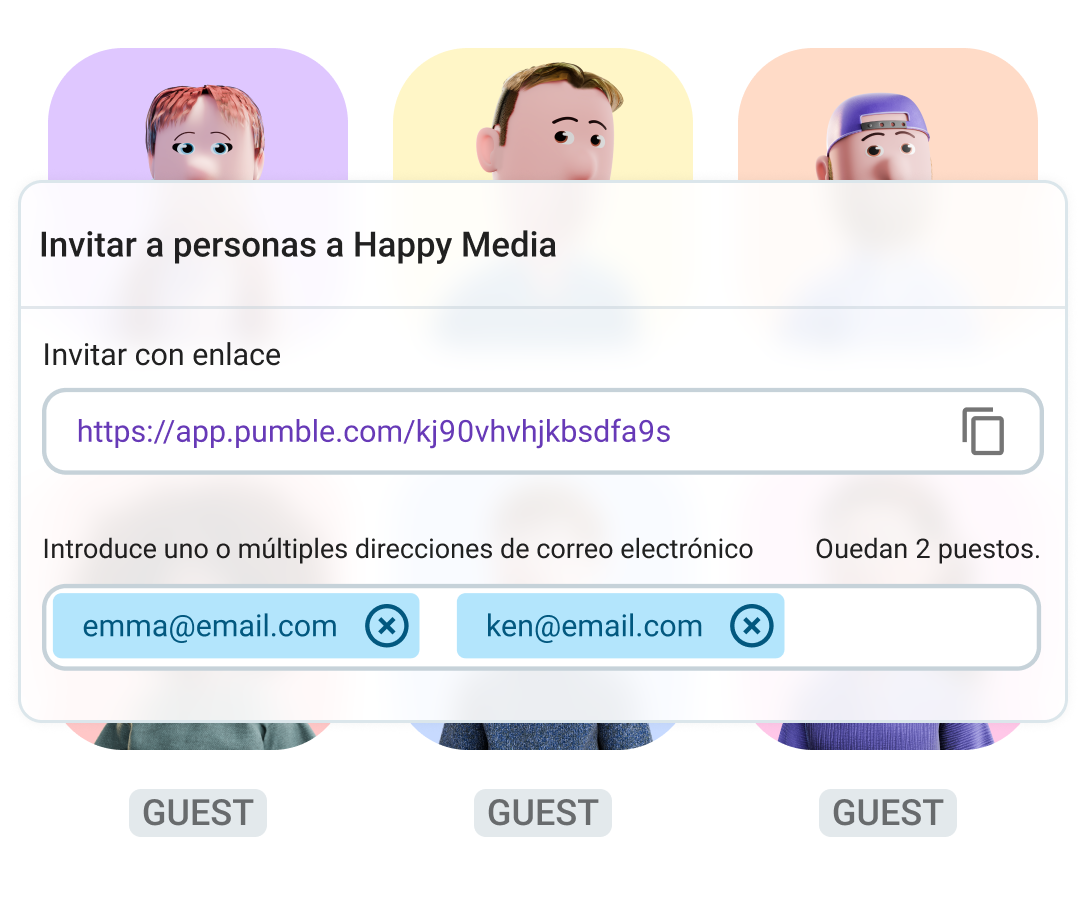
Los invitados pueden ser:
- Invitados monocanal: solo pueden ser miembros de un canal privado o público, o
- Invitados multicanal: pueden añadirse a un número ilimitado de canales privados o públicos.
Por ejemplo, puedes añadir usuarios directamente a canales específicos según el proyecto en el que participen. De esta forma, todas las ideas y comentarios se compartirán en ese mismo espacio.
También puedes crear un canal dedicado para todos los colaboradores externos, donde todos podrán compartir actualizaciones e informes de progreso.
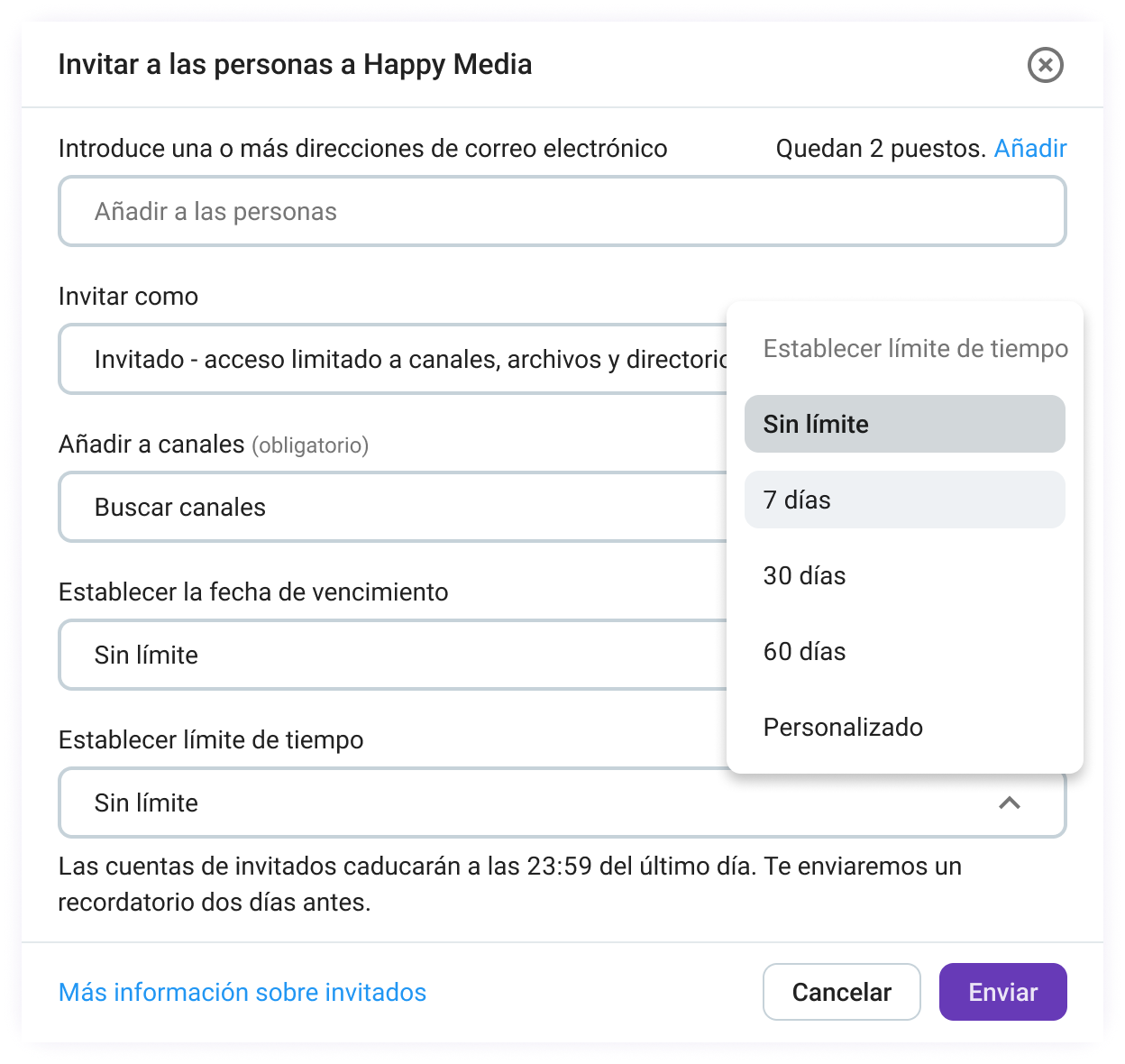
Además de las limitaciones de los canales, puedes decidir cuánto tiempo tendrá un usuario acceso a tu espacio de trabajo, eligiendo entre 3 opciones:
- Desactivar automáticamente la cuenta de un usuario tras un periodo de tiempo determinado,
- Establecer una fecha y hora específicas para la desactivación, o
- Permitir que la cuenta tenga acceso indefinido.
Mantente al día con tus tareas usando los recordatorios
Cuando recibes muchos mensajes durante un día ajetreado, es imposible responder a todos de inmediato. Pero, ¿qué pasa si un mensaje importante se pierde entre tantos otros y lo olvidas?
Ahí es donde los recordatorios de mensajes de Pumble te pueden ayudar.
Puedes seleccionar cualquier mensaje y programar una hora para recibir una notificación. Pumblebot te avisará a la hora que has elegido.
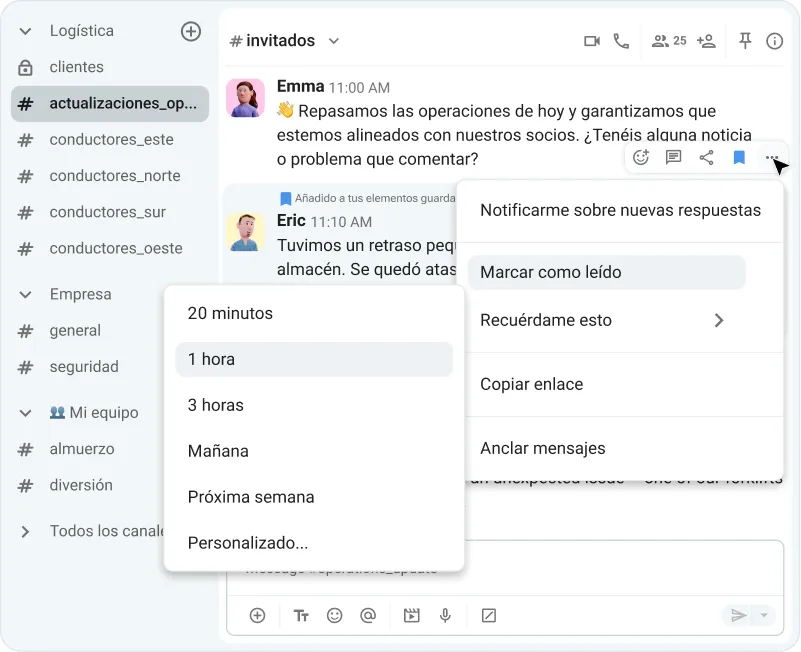
Por ejemplo, si alguien te envía un mensaje asignándote una tarea, pero estás ocupado con otra tarea prioritaria, puedes configurar un recordatorio para más tarde, cuando tengas tiempo para responder.
Esto te ayuda a mantenerte al día con tu trabajo y a no perderte seguimientos importantes ni dejar mensajes sin resolver.
¡Nunca más te olvides de una tarea!
Fortalece la conexión del equipo
Mantenerse conectado como equipo va más allá de las tareas diarias. Pumble ayuda a los equipos a mantener un sentido de pertenencia y conexión, sin importar dónde se encuentren sus miembros.
Crea canales sociales
Si bien es importante estar comprometido y ser productivo en el trabajo, la conexión del equipo también depende de las interacciones informales y las conversaciones ajenas al trabajo. Estas suelen darse de forma natural en la oficina, pero en entornos remotos requieren un poco más de intención.
Puedes facilitar esto creando canales dedicados a la interacción social. Algunos ejemplos son #correr, #música, #películas, #comida, etc.
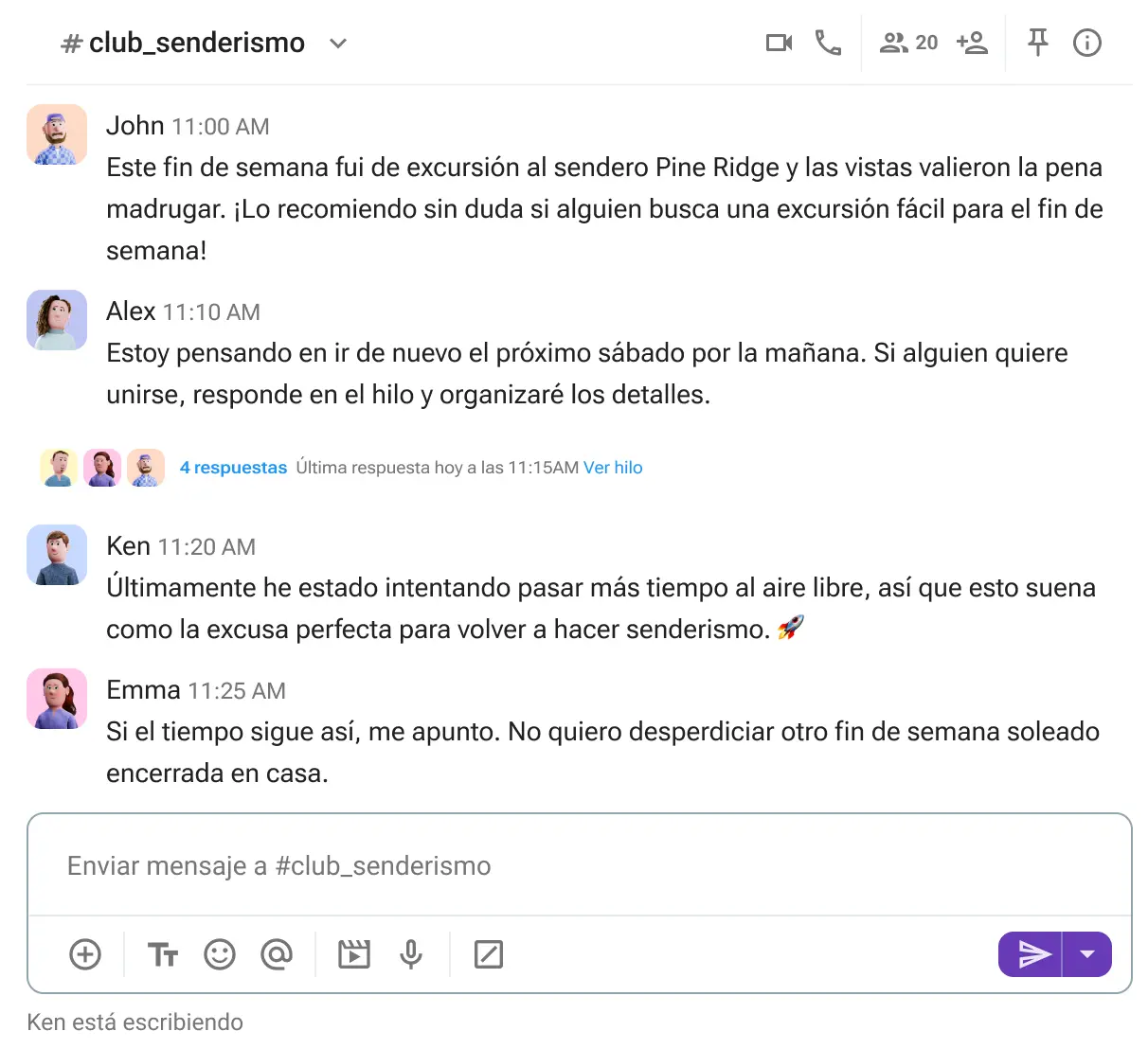
Estos canales suelen ser públicos y abiertos a todo el mundo, lo que facilita que los empleados se conecten a través de intereses comunes.
Crear estos espacios ayuda a los compañeros a conocerse mejor, más allá de las tareas y los proyectos, y hace que la comunicación sea más natural.
Fortalece las relaciones de tu equipo en Pumble
Mantente conectado con las aplicaciones móviles
El trabajo no siempre se realiza en tu escritorio, especialmente en equipos remotos y distribuidos.
Con las aplicaciones móviles de Pumble, puedes mantenerte conectado estés donde estés.
Todas las funciones principales que usas a diario también están disponibles en las aplicaciones de Pumble para iOS y Android, para que puedas seguir las conversaciones y participar cuando sea necesario.
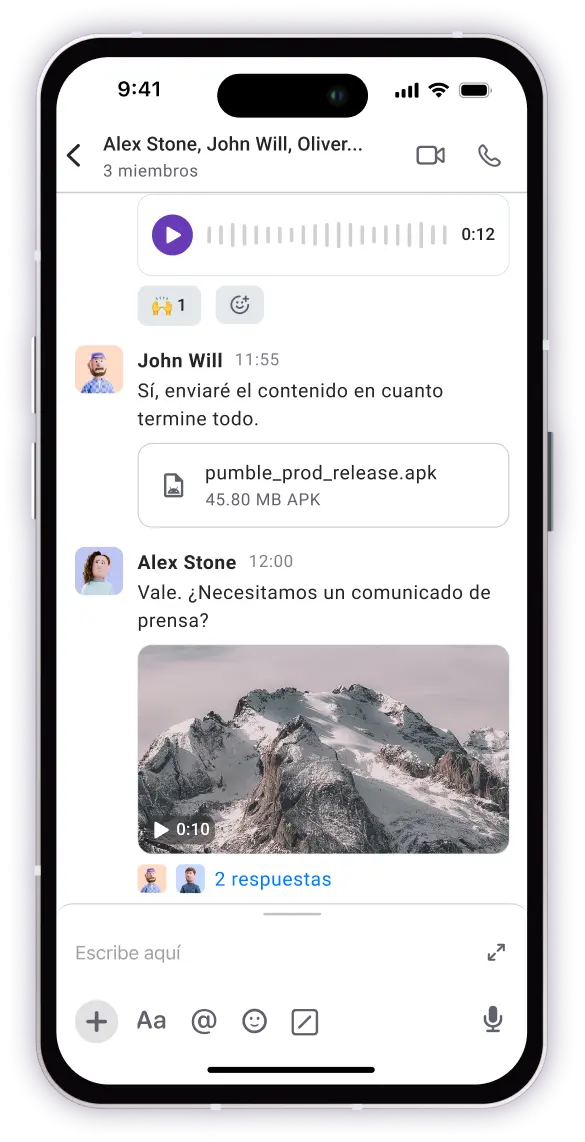
Por ejemplo, puedes enviar rápidamente un mensaje de voz, hacer una videollamada, o ponerte al día con una conversación aunque estés lejos de tu ordenador.
Esto facilita mantener la comunicación del equipo, incluso cuando estás de viaje.
Crea una forma de trabajar más conectada con Pumble by CAKE.com
Pumble by CAKE.com es una herramienta integral de comunicación y colaboración para equipos, diseñada para dar vida al impacto empresarial medible de un espacio de trabajo conectado.
Como centro de operaciones digital para equipos, Pumble permite una alineación continua entre ellos al servir como fuente única de información para tu trabajo.
Usar Pumble ayuda a reducir las discusiones dispersas, evitar malentendidos y eliminar el tiempo perdido buscando información importante.
En definitiva, esto crea una forma de trabajar más estructurada y conectada que mejora la moral y la eficiencia del equipo.
Cómo revisamos esta publicación: Nuestros escritores y editores monitorean las publicaciones y las actualizan cuando hay nueva información disponible, para mantenerlas frescas y relevantes.