 Publicado: 8 de enero de 2026
Las reuniones interminables y los procesos demasiado complicados son una receta para el desastre para los equipos de desarrollo de software. A medida que las distracciones se acumulen, ¿cómo puedes esperar que tu equipo desarrolle aplicaciones si su atención está constantemente fracturada?
Incluir una herramienta más para “mejorar la productividad” no es suficiente. Lo que hace una diferencia tangible es un software que queda al fondo, mientras apoya en silencio el ciclo de vida entero del proceso de desarrollo. Aunque algunas herramientas de colaboración para equipos de software se convierten en distracciones que roban la atención, Pumble by CAKE.com establece el escenario para una colaboración y comunicación que se basa primariamente en el código.
Úsalo para:
- Construir sistemas tecnológicos a pruebas de fallos,
- Dejar de preocuparte por los costes generales, y
- Crear un registro permanente para todas las decisiones tecnológicas y correcciones de errores.
Sin más preámbulos, a continuación encuentras una guía de paso a paso sobre cómo los equipos de desarrollo de software usan Pumble.

1. Centraliza el ciclo de vida de desarrollo con integraciones
Pumble es principalmente una aplicación de comunicación en equipo, pero para los equipos de desarrollo de software, la comunicación debe tener plataformas y repositorios de desarrollo.
Es en estas situaciones que las aplicaciones de mensajería instantánea tradicionales no son suficientes. Ofrecen suficientes funciones para intercambios no tecnológicos y videollamadas ocasionales, pero sus funciones no son demasiado robustas para gestionar el código. ¿Cuál es el resultado? Docena de pestañas abiertas e incontables horas perdidas debido al cambio del contexto.
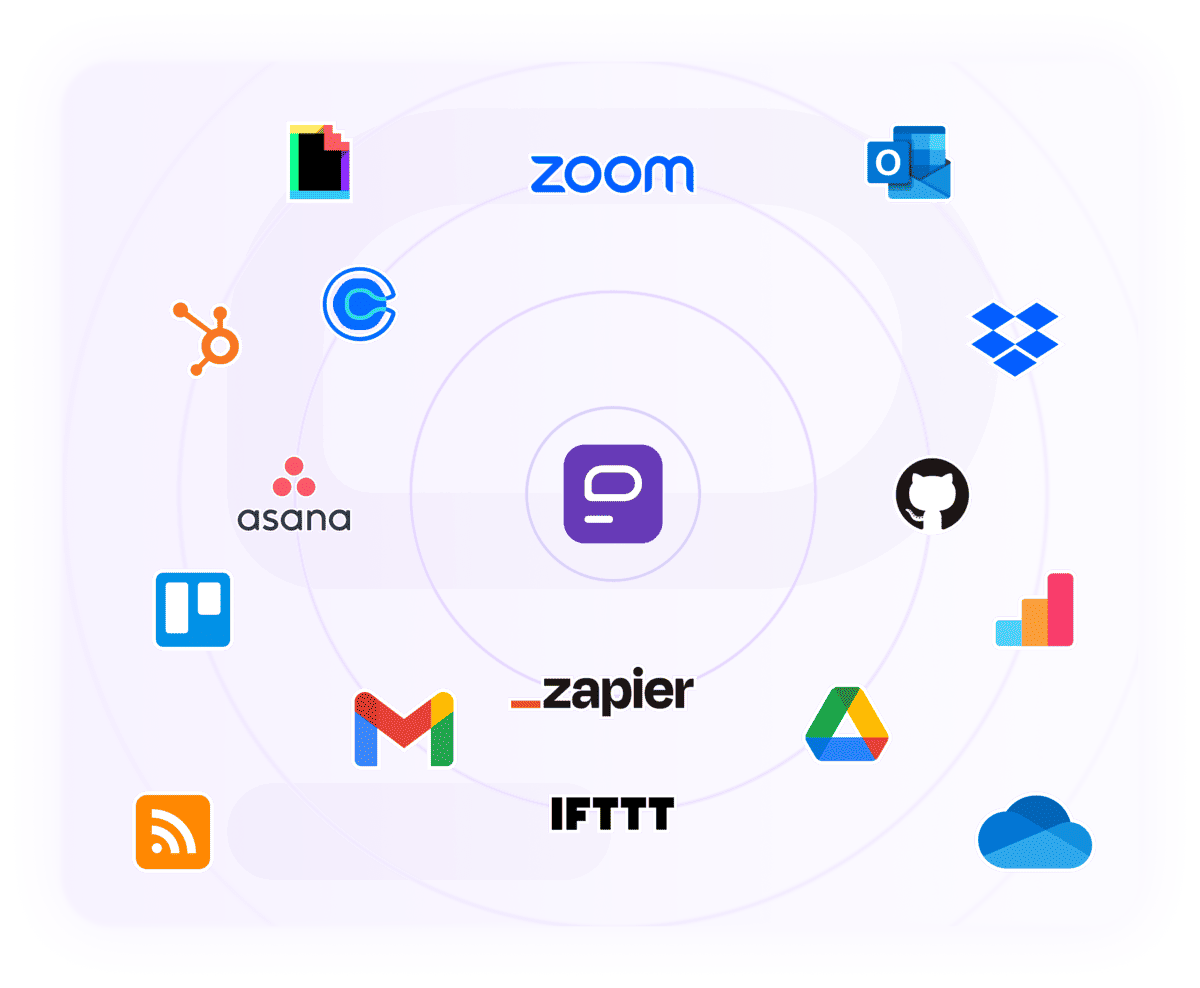
Afortunadamente, las integraciones hacen que sea más fácil aprovechar el poder productivo de tu equipo. Todos los procesos críticos, desde la planificación hasta el lanzamiento, ocurren sin problemas cuando se utilizan herramientas de desarrollo en combinación con Pumble. Para hacer código de alta calidad diariamente, puedes utilizar:
- La integración de GitHub: Ve los pull requests (los PRs) a través de los mensajes directos en Pumble, con vistas previas de enlaces incluidas. Ve un paso más allá y recibe actualizaciones en todas las actividades, incluyendo las reseñas de código y actualizaciones de estado, en un canal dedicado #desarrollo.
- Integraciones de Webhook: Usa webhooks entrantes para publicar mensajes de otras aplicaciones directamente a Pumble. Esta comunicación en tiempo real es vital para servicios como Jenkins, permitiéndote supervisar de cerca las ejecuciones de pipelines.
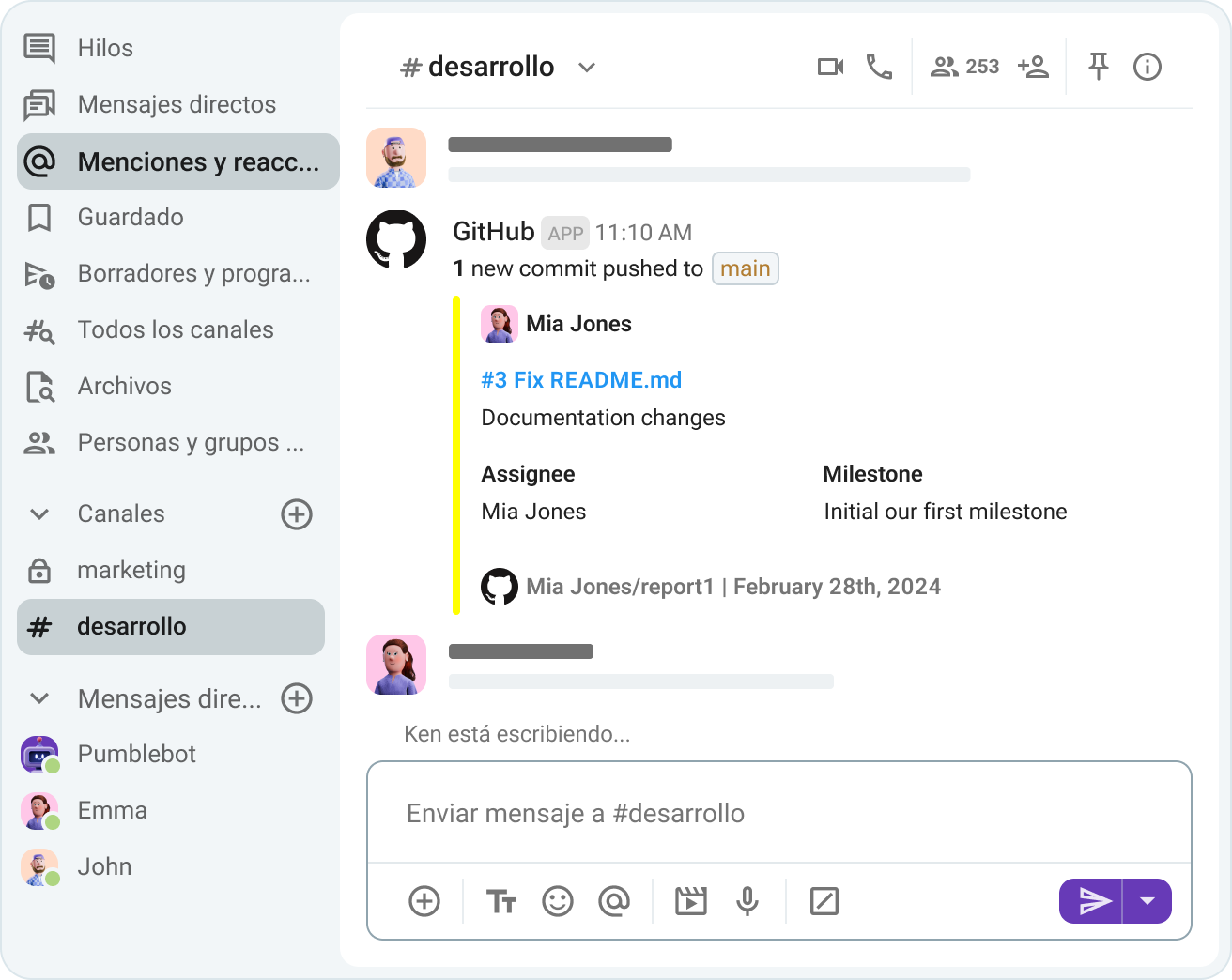
Integraciones como estas permiten que Pumble se adapte a tu flujo de trabajo único. Si necesitas más complementos personalizados, puedes construir tus propios y publicarlos en el Marketplace de CAKE.com.
Crea complementos personalizados
🎓 CONSEJO PRO DE PUMBLE
Considera Pumble como un centro de comandos para todos tus procesos de trabajo que une las herramientas del desarrollo y de la colaboración. Para crear un ecosistema tecnológico simple pero eficiente, añade Plaky y Clockify, los productos hermanas de Pumble y encárgate de control de tiempo y gestión de proyecto de una sola vez. Para más información, consulta este recurso:
2. Crea una pila de comunicación de enfoque code first
Sin funciones construidas específicamente para los ingenieros, las organizaciones sufren terribles consecuencias, incluyendo:
- Menor producción,
- Lanzamiento de productos y funciones retrasado,
- Períodos de pruebas e iteración más largos, y más.
Quizás la función más importante que esperes ver es la función de fragmentos de código.
En Pumble, los fragmentos permiten que los usuarios:
- Envíen partes específicas de su código,
- Intercambien archivos de configuración, y
- Compartan archivos de registración.
En equipos donde múltiples desarrolladores están trabajando en una función o un error, la habilidad de compartir el código utilizado habitualmente y rápidamente elimina la escritura repetitiva.
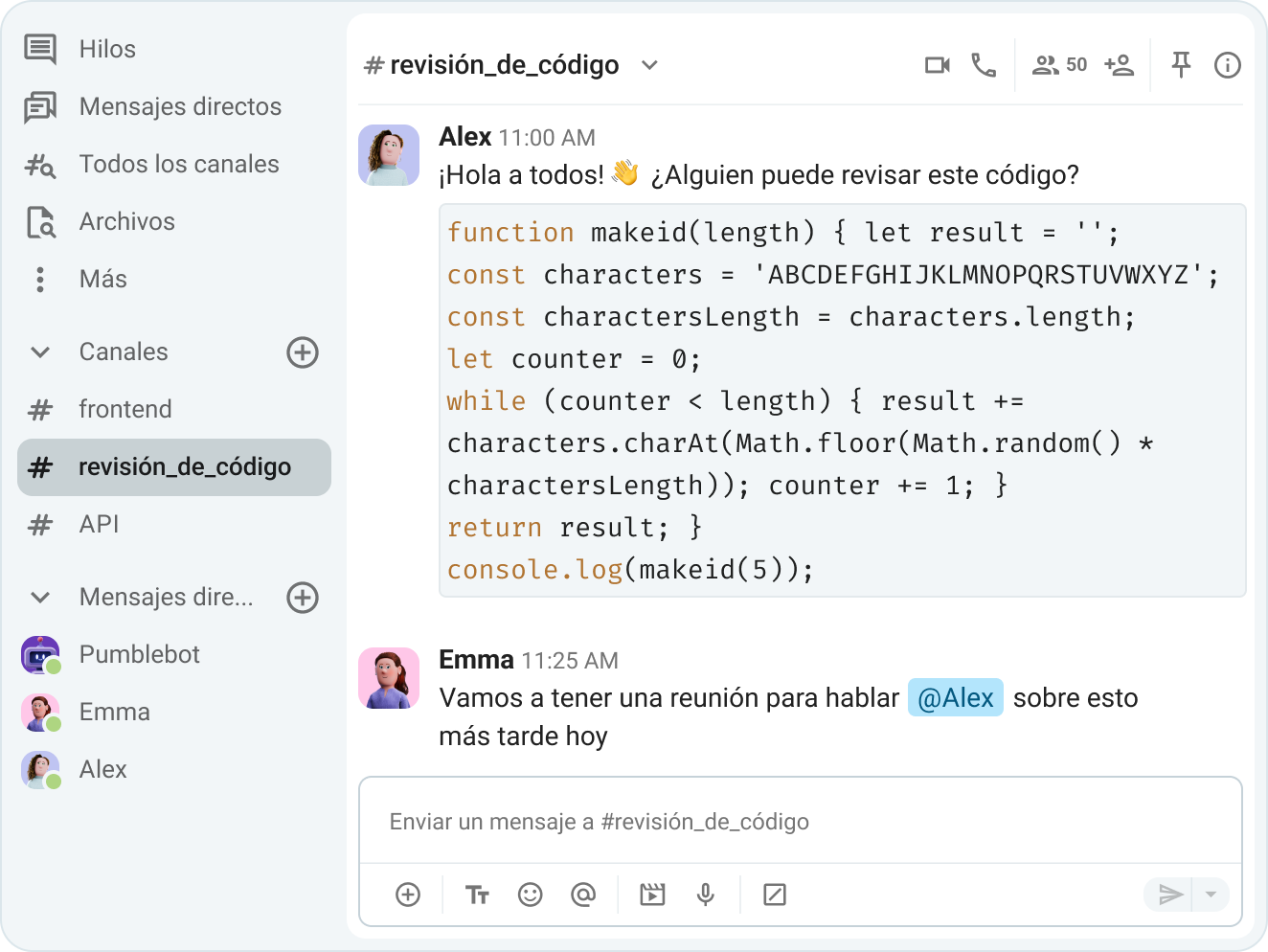
Para tener fragmentos más cortos, el botón de código o comillas invertidas manuales funcionan perfectamente. Sin embargo, para tener fragmentos de código más largos, la opción de bloque de código es más conveniente. Estos pueden parecer como trucos de formateo sencillos, aún así los detalles como estos son importantes para la legibilidad y la velocidad.
En cuanto a compartir los archivos de registro, una preocupación común con el software de comunicación en el espacio de trabajo es el almacenamiento de archivos. Pumble ofrece almacenamiento compartido en sus planes de pago, así que quedarse sin espacio no será un problema. Aquí te explicamos cómo se desglosa el almacenamiento:
- Plan gratuito: 10 GB para el espacio de trabajo completo.
- Plan Pro: 10 GB por puesto de usuario.
- Plan Business: 20 GB por puesto de usuario.
- Plan Enterprise: 100 GB por puesto de usuario.
Prueba Pumble para un almacenamiento generoso
🎓 CONSEJO PRO DE PUMBLE
Para obtener más información sobre cómo aprovechar las funciones de Pumble para crear un espacio de trabajo productivo para equipos de desarrollo de software de todos los tamaños, consulta esta guía:
3. Ejecuta ceremonias de scrum asincrónicamente
Si preguntas a los trabajadores remotos cuál es la clave de una mejor comunicación, lo más probable es que la mayoría responda “menos reuniones”. Eso no sorprende, ya que habitualmente necesitamos un 25% más de tiempo para completar nuestras tareas principales después de sufrir una distracción.
En el desarrollo de software, las distracciones como reuniones frecuentes no son algo que muchos equipos pueden permitirse. La flexibilidad y la conexión prosperan cuando liberas a los trabajadores de un horario estricto, y reducir la carga de reuniones es el primer paso.
No todas las actualizaciones de estado requieren una videollamada grupal. En vez de sentarte en reuniones diarias, muévelas a un canal de Pumble dedicado. Esto garantiza que, independientemente de la ubicación o la zona horaria, cada miembro del equipo tiene la información oportuna sobre el progreso del proyecto.
De hecho, los canales e hilos son un reemplazo sólido para varios tipos de reuniones. Independientemente de si necesitas una reunión rápida o una sesión de lluvias de ideas espontánea, un hilo puede almacenar toda la información en un espacio organizado. En cuanto Pumble organiza todas las respuestas bajo el mensaje original, cada miembro del equipo puede revisar los hilos cuando le convenga.
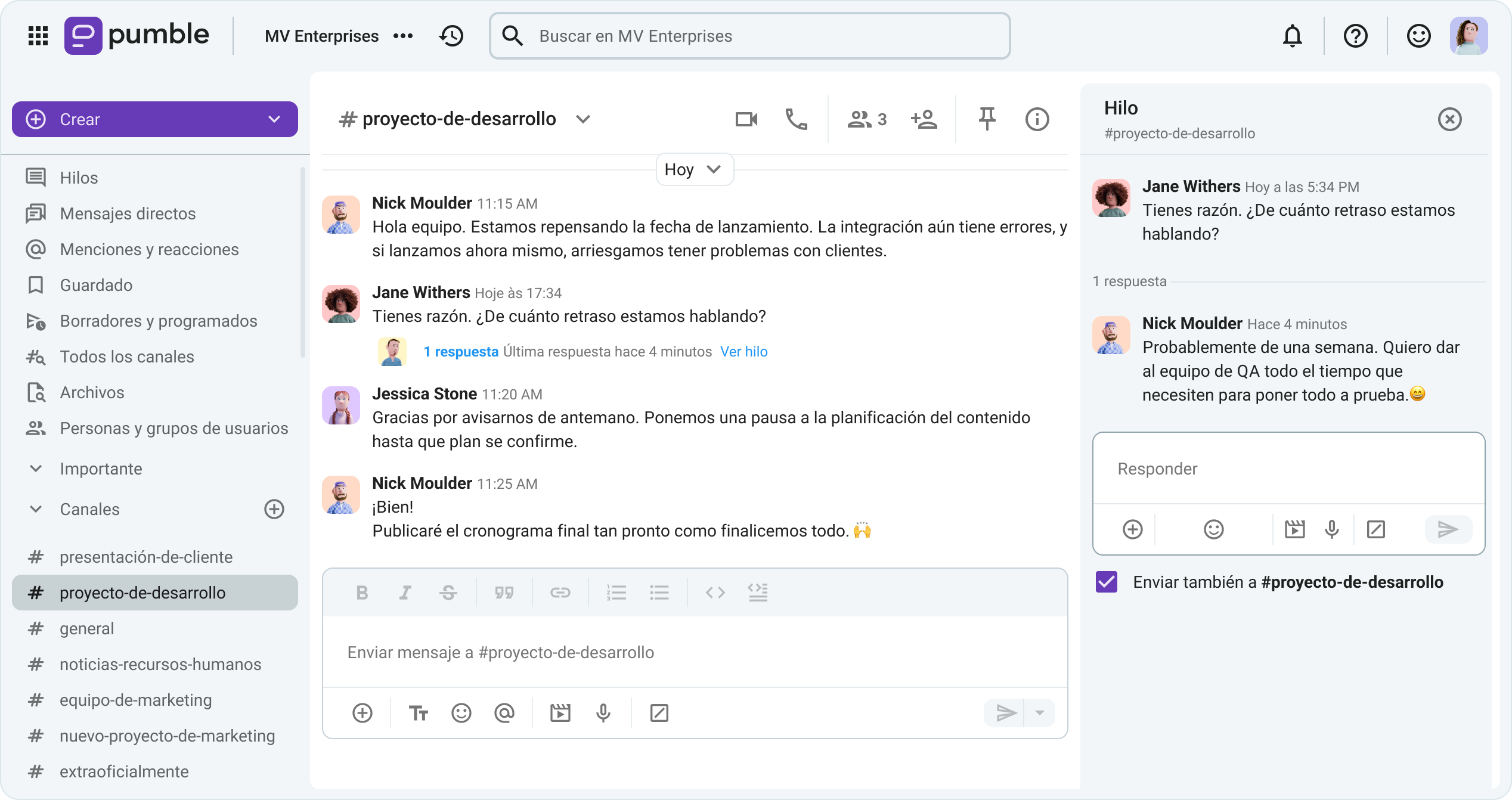
Además, los canales son útiles para la planificación ágil de los sprints. Puedes quedarte con las videoconferencias para formalizar tus planes, pero utiliza canales para hablar sobre:
- Actualizaciones de progreso,
- Puntos débiles comunes, y
- Cambios necesarios.
La comunicación basada en canales promueve la transparencia. Con un archivo documentado de la actividad de todos, el equipo elimina efectivamente el trabajo duplicado.
🎓 CONSEJO PRO DE PUMBLE
Consulta la publicación a continuación para aprender sobre funciones adicionales de Pumble que te pueden ayudar a finalizar con las reuniones no deseadas:
Reduce el tiempo gastado en reuniones
4. Optimiza la gestión de incidentes
Desafortunadamente, las salas de guerra, o más claramente, las sedes empresariales, se pueden volver erráticas rápidamente. Las líneas telefónicas están constantemente llenas de usuarios descontentos, mientras que los agentes de soporte al cliente intentan apagar incendios.
En medio del ruido, aún necesitas ponerte en contacto con los desarrolladores para comunicar el incidente. Dicho de manera simple, tarda demasiado en abordar el problema. No tienes el control de las interrupciones, y ¿cómo puedes garantizar que todos los encargados de resolver el incidente recibirán la información correcta?
Gracias a los canales en Pumble, todo tipo de equipos pueden reducir incidentes y tiempo de inactividad:
- Optimizando la resolución de problemas: Los equipos de respuesta pueden incorporar más desarrolladores como respaldo, sin pausar sus esfuerzos. Ancla los resúmenes de incidentes en el canal, y todos los nuevos miembros podrán acceder a estos mensajes.
- Mejorando procesos existentes: No necesitas buscar un tomador de notas designado y preocuparte por errores humanos. Los canales guardan todo automáticamente desde las capturas de pantalla y textos hasta los vídeos y archivos de audio. Por lo tanto, el historial ilimitado de mensajes de Pumble transforma canales en un registro permanente de la actividad del equipo. Después de que pase el incidente, regresa a un canal para ver qué acciones tuvieron un impacto positivo, y qué procesos necesitan refinamiento.
Transforma canales en archivos permanentes
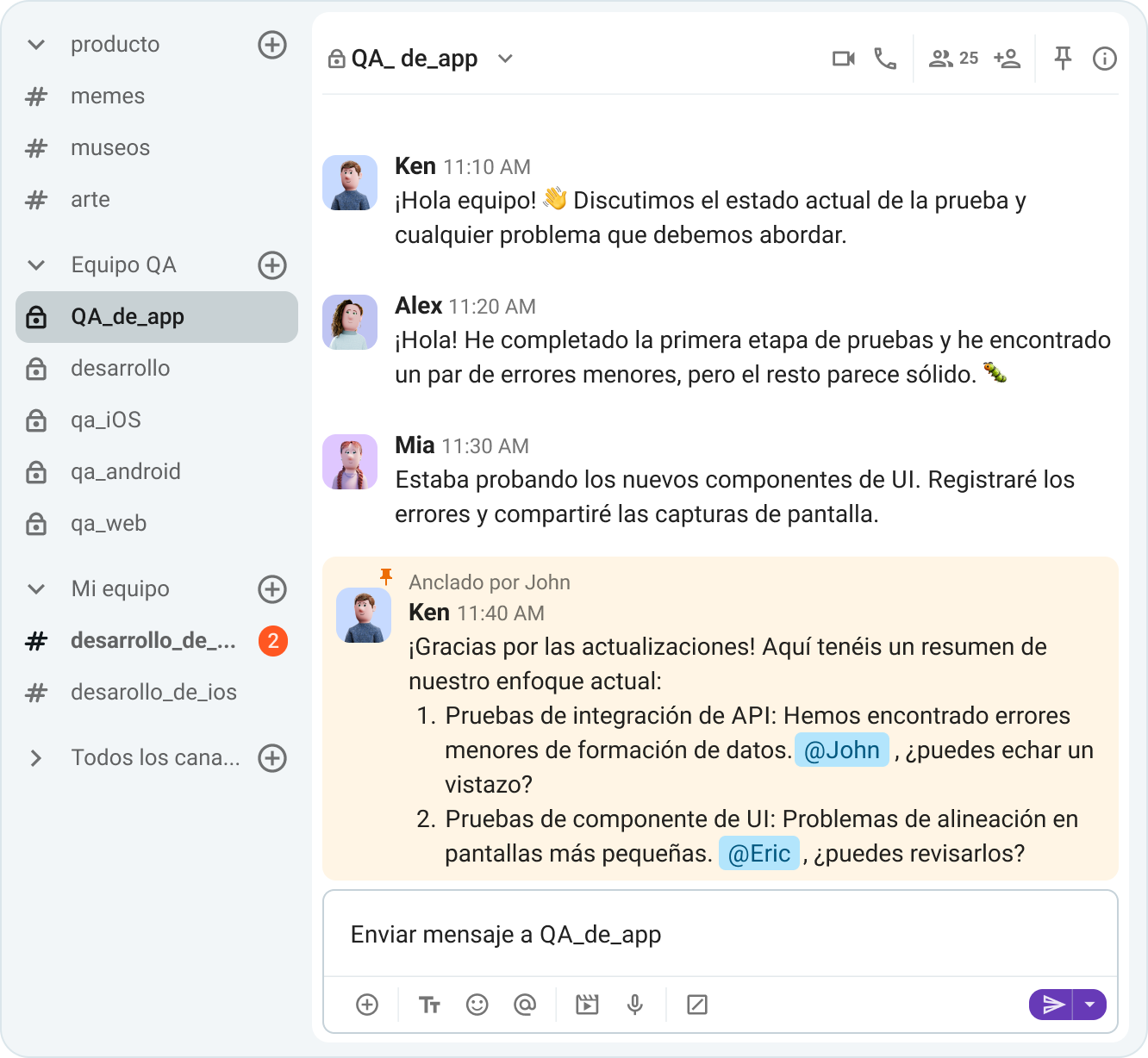
Otra ventaja de usar canales es cuán fácil es movilizar diferentes equipos. En situaciones de mayor riesgo, la colaboración multifuncional requiere una alta visibilidad de incidentes, exactamente lo que proporciona un canal como #QA_de_app.
Sin embargo, no todos los incidentes se pueden resolver con la comunicación asíncrona. Los incidentes no resueltos son una pesadilla tanto para los desarrolladores como para los usuarios finales, y las llamadas de vídeo y de voz inmediatas son efectivas para resolver asuntos pendientes.
🎓 CONSEJO PRO DE PUMBLE
Los procesos diarios de ingeniería incluyen muchas personas, desde los probadores de control de calidad y arquitectos de software hasta ingenieros de solución e incluso los clientes. Habitualmente, es entonces cuando los cables se cruzan, comunicando con clientes o colaboradores externos. Cuando la comunicación diaria es compleja por defecto, la comunicación fluida interna y externa es salvavidas. Por lo tanto, las funciones como acceso de invitado ayudan a llevar la carga de comunicación entre los clientes y vendedores. Para aprender más consulta la siguiente guía:
5. Protege tu trabajo profundo y estado de flujo
Aunque algunos tipos de trabajo, como servicios de administración o de soporte al cliente, no necesariamente incluyen períodos largos de enfoque profundo e ininterrumpido, el desarrollo de software lo incluye.
Después de todo, la programación no significa sentarse en el ordenador y teclear líneas de código sin pensar. Al final, se reduce al crear, mejorar o mantener un software duradero, una tarea imposible sin altos niveles de concentración.
Muchas aplicaciones de comunicación empresarial se convierten en enemigos de concentración por advertencia, debido a sus notificaciones ruidosas.
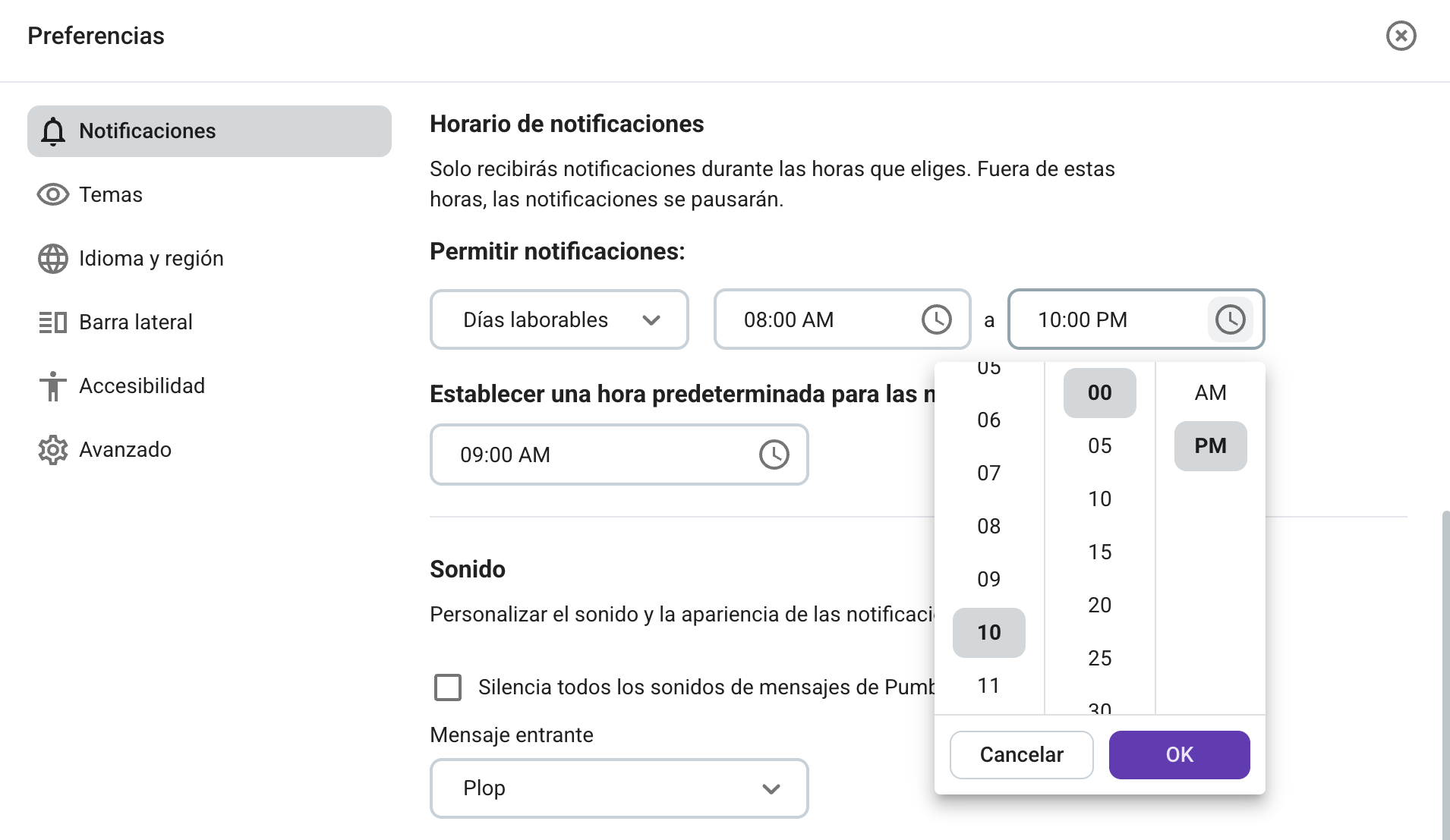
Solo con notificaciones personalizables puedes construir un horario que protege tu estado de flujo y decidir si quieres:
- Silenciar los canales: Elige qué canales son importantes y cuáles disminuyen tu enfoque.
- Activar el modo No molestar: Pausa todas las alertas para un poco de paz y tranquilidad necesarias.
- Crear un horario de notificaciones: Personaliza tu horario para proteger la hora cuando te sientes más productivo (por ejemplo, pausa todas las notificaciones hasta las 10 p.m. y finaliza el trabajo más urgente hasta entonces).
Las funciones mencionadas anteriormente no son solo funciones deseadas, sino necesarias. Según la investigación de Microsoft, las interrupciones en el trabajo pasan con una frecuencia de hasta dos minutos. Y los dos minutos entre las interrupciones no es tiempo suficiente para recuperar o finalizar el trabajo.
🎓 CONSEJO PRO DE PUMBLE
No dejes tu estado de flujo al azar. Aprende cómo alcanzar más con el trabajo profundo:

Trabaja mejor, chatea menos con Pumble by CAKE.com
Los equipos de desarrollo de software no necesitan más herramientas. Merecen una sede digital centralizada para:
- Unificar todos los procedimientos desde la planificación hasta el desarrollo,
- Gestionar los incidentes, los pipelines y las reseñas de código,
- Realizar la planificación ágil y de los sprints, etc.
Escribe código limpio sin distracciones.
Cómo revisamos esta publicación: Nuestros escritores y editores monitorean las publicaciones y las actualizan cuando hay nueva información disponible, para mantenerlas frescas y relevantes.