

When time tracking and daily communication happen in separate tools, important details can easily fall through the cracks. This leads to inaccurate project data and more admin work.
Instead of treating communication and time tracking as two separate processes, unify them in one efficient workflow.
By connecting two CAKE.com products, Pumble and Clockify, you can capture work more accurately and get time tracking reminders and updates where your team already collaborates.
Let’s see how to take your work to the next level with Pumble Clockify integration.
- The Pumble + Clockify integration allows you to connect your time tracking and team chat so you never miss important updates.
- Use it to get alerts when you reach a project time and budget estimate percentage, so you can spot scope creep early and protect profitability.
- Managers receive notifications when timesheets are submitted for approval, while employees get notified when their timesheet status is changed.
- Receive notifications in Pumble every time an invoice is overdue, so you can catch delayed payments and communicate with your clients.
- Approve time off directly in Pumble and delegate tasks more efficiently, thanks to summaries showing who will be off this and the following week.
4 Advanced features to automate your team administration
Here are 4 ways to make the most of your Pumble-Clockify integration, reduce administrative tasks, and stay on top of your team’s work.
#1 Keep projects on budget with smart estimate alerts
Clockify workspace owners and admins can set time and budget estimates for projects and tasks. This is usually based on the project scope you agreed with a client, where you estimate how long the work will take and what budget it should stay within.
By connecting Clockify with Pumble, you get alerted directly in your team communication app when a project reaches a set threshold, such as 50% or 80% of the estimated time or budget.
These notifications act as early warnings for projects that are consuming more time or money than expected. They help teams spot scope creep early — when clients or stakeholders request work beyond the originally agreed project scope — and protect project profitability without needing to constantly check Clockify.
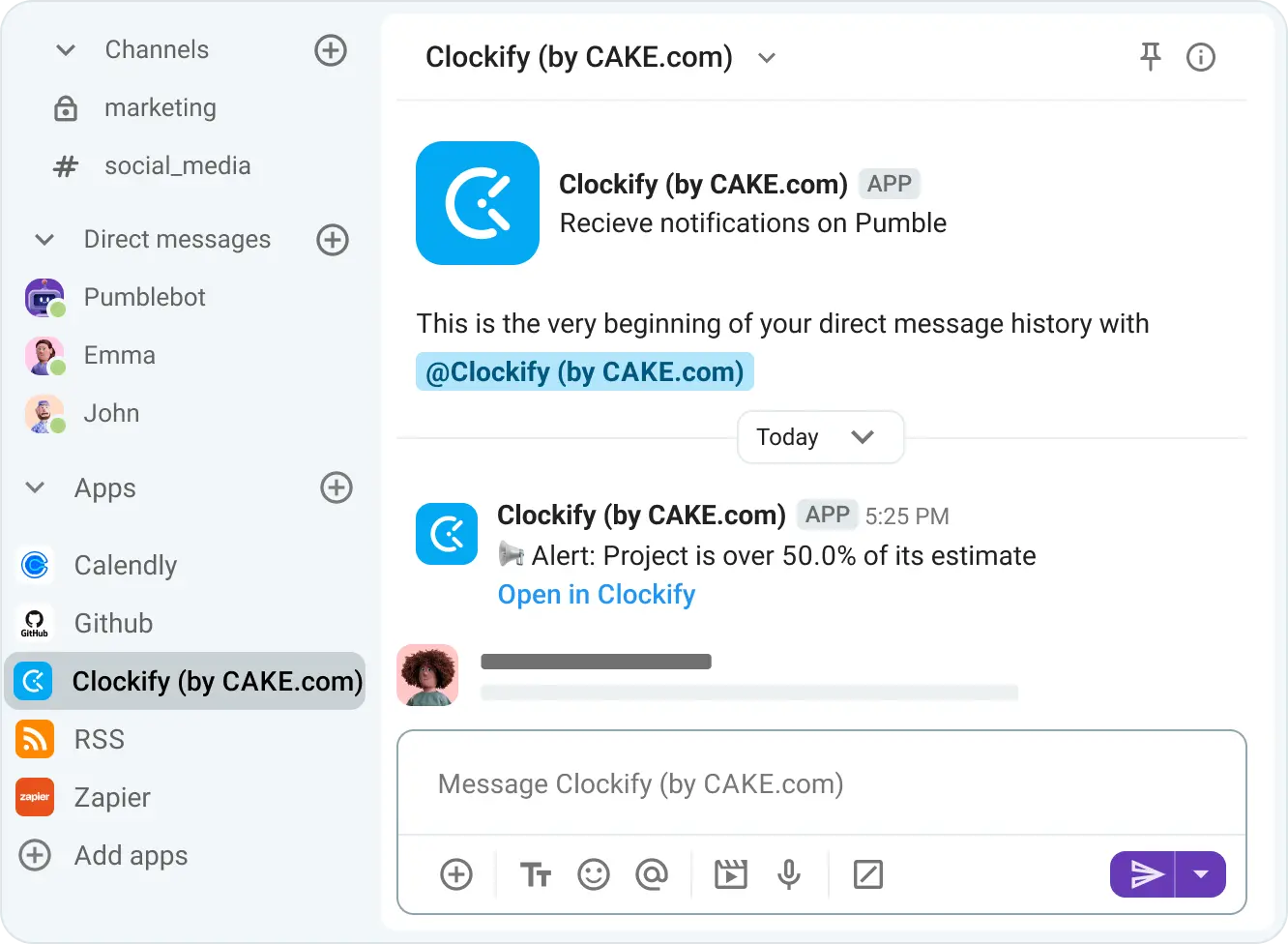
For example, let’s say a marketing agency is hired to deliver 10 blog posts to a client. As the work progresses, the client asks for extra posts and revisions, and the team starts logging more hours than originally planned.
Once the project reaches 80% of its estimate, Clockify sends a notification in Pumble.
The project manager can immediately see that the project is at risk of exceeding its original scope and can discuss additional budget, adjust deadlines, or push back on extra requests.
Instead of jumping between tools, these notifications keep you updated directly in Pumble. That way, you can stay on top of project progress and budgets without constant context switching and breaking focus.
Stay on top of projects in Pumble
#2 Streamline approvals with automated timesheet statuses
Clockify timesheets give a weekly overview of tracked hours by day, project, and task.
With the Pumble Clockify integration, managers immediately get a notification in Pumble when a timesheet is submitted for review. Meanwhile, employees are notified when a timesheet status is changed, like when it’s approved or rejected.
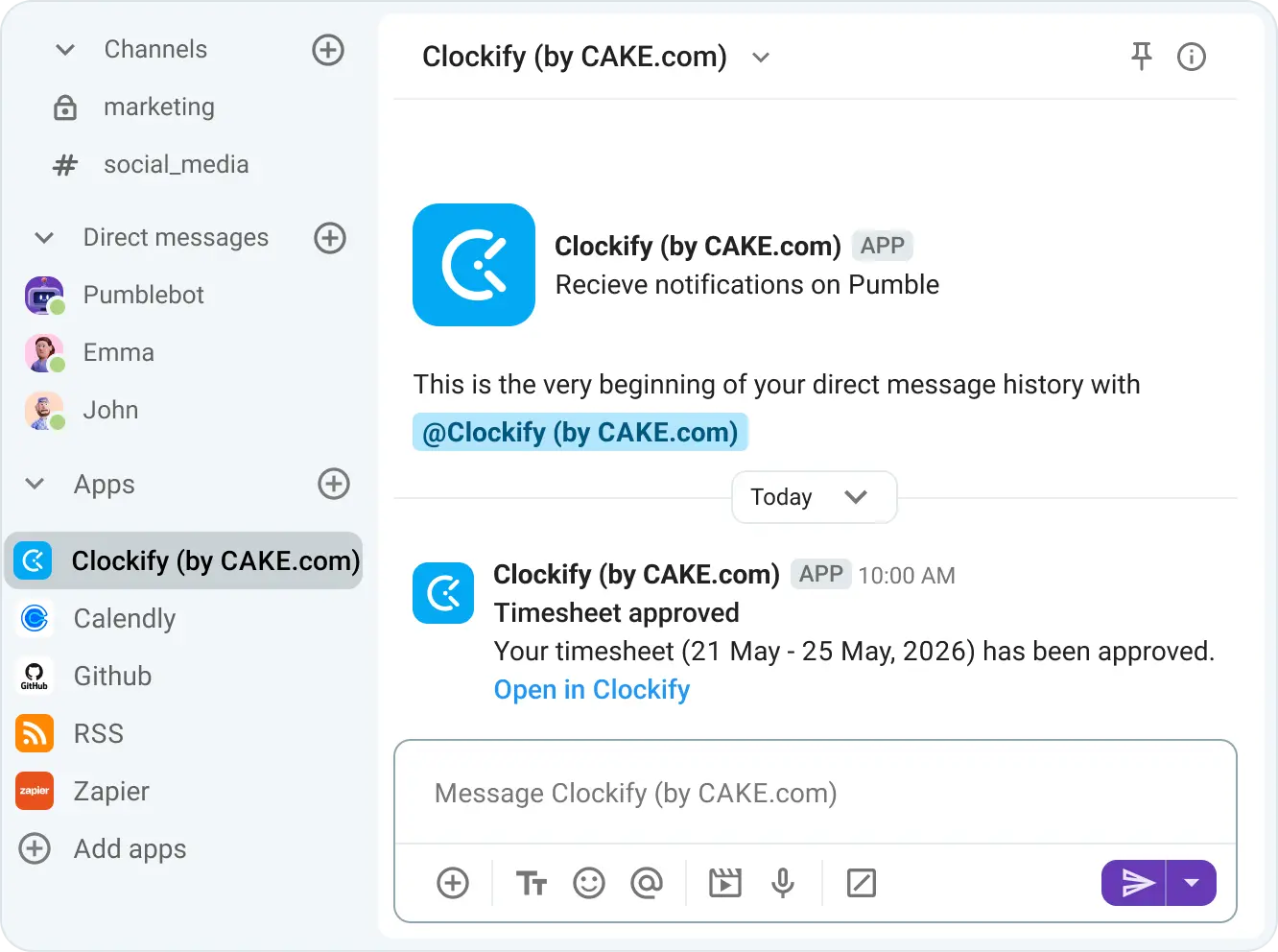
Let’s look at how this works in action.
- An employee logs time throughout the week, reviews their timesheet on Friday, and submits it.
- Their manager gets a Pumble notification and checks if:
- All expected hours are logged.
- Projects are assigned correctly.
- There are no missing entries.
- The time logged looks reasonable.
- They approve the timesheet or request corrections.
- Once the timesheet status is updated, the employee is immediately notified in Pumble.
This sync between team communication and timesheets keeps the approval process fast, transparent, and fully visible.
🎓 PUMBLE PRO TIP
Clockify is just one of Pumble’s many integrations. Check them out:
#3 Protect revenue with overdue invoice notifications
If you’re working with clients and tracking time in Clockify, you’re likely also sending invoices based on hours worked directly through the app.
And, unless you’re constantly checking Clockify, it’s easy to miss overdue invoices. Chances are, the billing admin discovers them days or even weeks later, while you continue working for a client who is late on payment.
With the Pumble Clockify integration, you can avoid this issue by receiving alerts directly in your communication app.
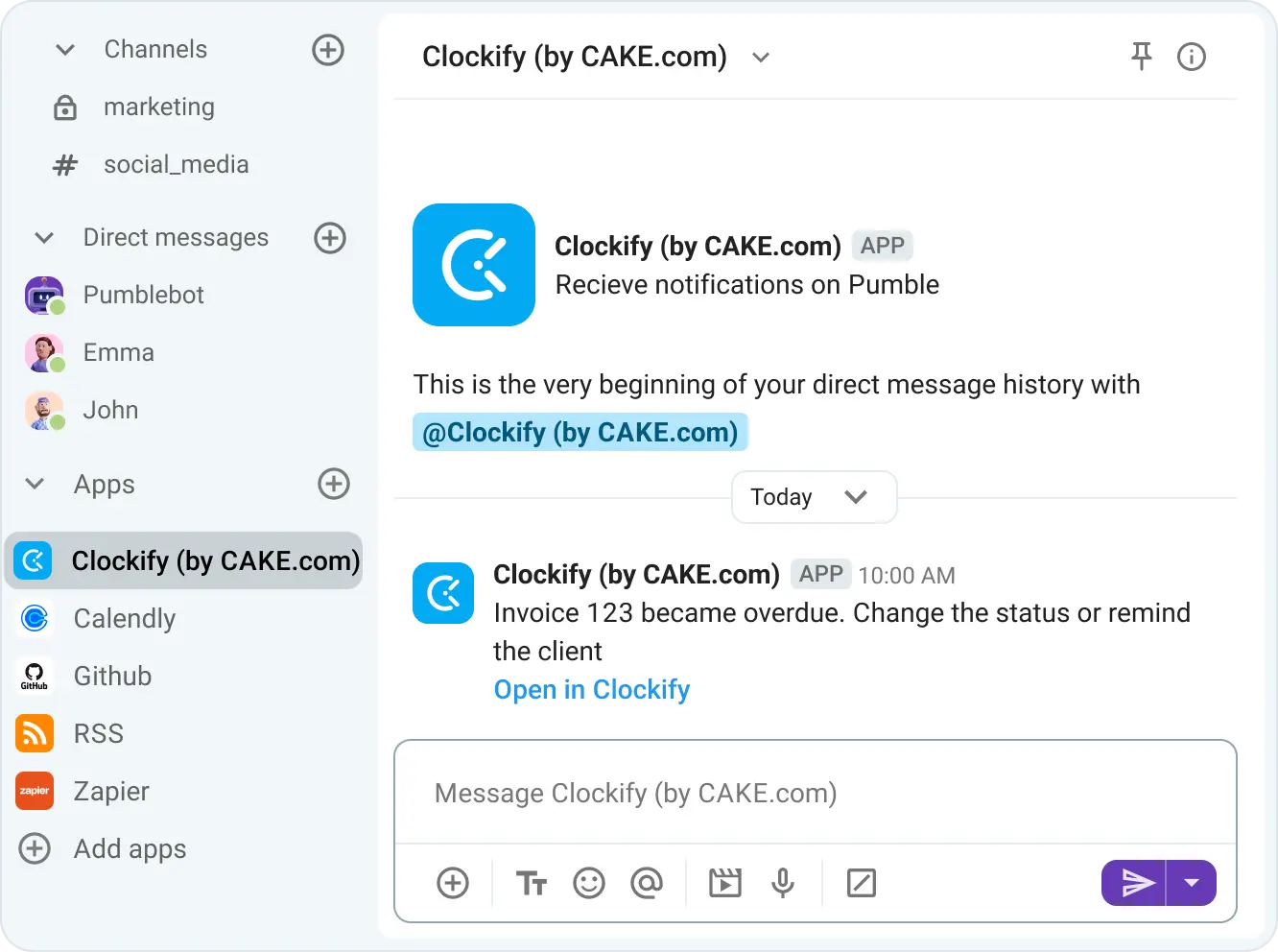
For example, if an invoice is due on June 1 and there’s no payment, Clockify will send an alert in Pumble the very next day. This allows you to contact the client quickly before the delay grows into a larger issue. That way, you’re maintaining a healthy client relationship while protecting your revenue stream.
Never miss an overdue invoice again
#4 Simplify resource planning via time off tracking
For team members that request and manage time off in Clockify, the Pumble integration allows them to receive notifications when:
- Their request is approved, rejected, or withdrawn.
- Their time off balance is updated.
Managers also receive instant notifications when time off requests are submitted. They can approve or reject requests directly from Pumble, without needing to switch between tools.
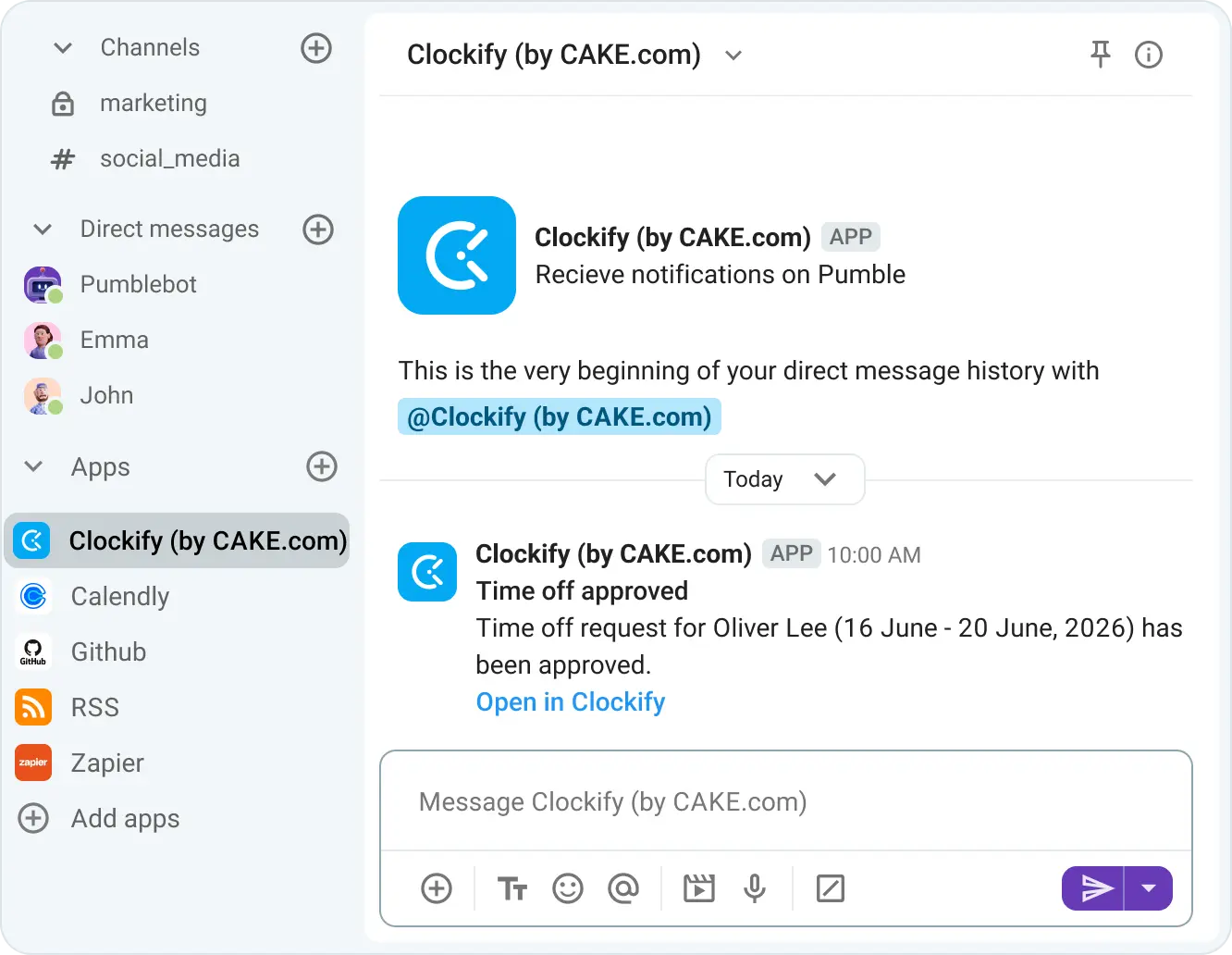
Additionally, managers can enable Pumble notifications that provide summaries of who is absent this week and who will be absent next week. This makes it easier to keep track of team availability when assigning new tasks.
For example, every Friday, a manager receives a Pumble notification summarizing who will be away the following week. They can immediately see that 3 team members will be unavailable and adjust priorities or redistribute work before the week begins. This leads to better workload balancing and fewer scheduling surprises.
When an employee is using approved time off, a corresponding status icon appears next to their name in Pumble, showing that they are away and until when. The icon is based on the time off policy settings, such as paid vacation or sick leave.
This way, you always know:
- Who is available.
- Who to reach out to.
- When team members will be back at work.
Best practices for maximizing your CAKE.com Bundle value
Pumble and Clockify are part of the CAKE.com ecosystem, together with the project management app Plaky.
Instead of using these tools individually, you can access all of their advanced features through the CAKE.com Bundle adoption. The Bundle is a productivity suite that gives you Enterprise-level access for all 3 apps under a single subscription at one low price.
With the CAKE.com Bundle, you’ll be able to align how your team communicates in Pumble, tracks time in Clockify, and organizes work in Plaky.
For example, you can create dedicated Pumble channels for each project, match them with Clockify project names, and use Plaky to manage tasks and track progress.
With the integrations enabled, important updates are delivered directly to Pumble, helping your team stay aligned without constantly switching between tools.
🎓 PUMBLE PRO TIP
If you want to learn more about how to use the Pumble Plaky integration, read our guide:

Connect communication and time tracking today
The Clockify integration is native to Pumble and doesn’t count toward your integration limits, regardless of which Pumble plan you’re using.
By connecting time tracking and team chat in one workflow, you can spend less time switching between tools and more time focusing on your team’s work.
To get started:
- Activate the integration.
- Customize your Clockify notification preferences.
- Start receiving important updates directly in Pumble.
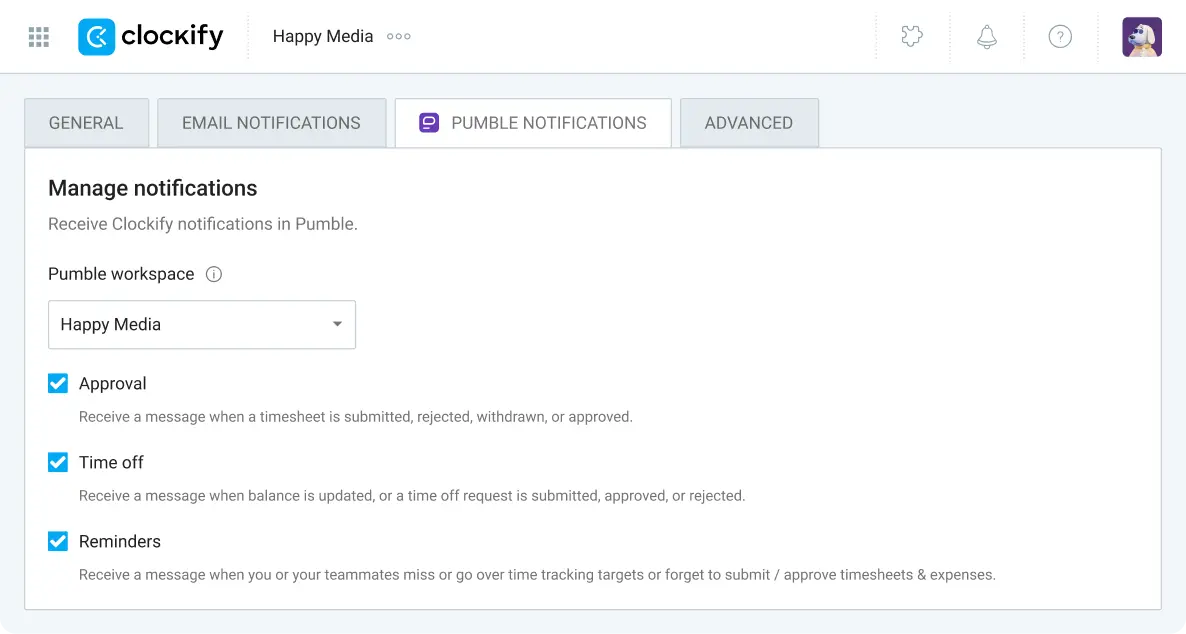
If you’d like help setting up your Pumble Clockify integration, check out our tutorial:
