
Tired of constantly switching between apps?
Pumble by CAKE.com handles your business communication, while Jira takes care of project management.
Now, imagine having both together without the non-stop back-and-forth.
Thanks to the Jira + Pumble integration, that’s exactly what you can do.
Here’s a step-by-step walkthrough on how to connect these platforms and give your team collaboration a major boost.
- Connect Jira to Pumble and get notified about status changes, assignments, comments, and @mentions.
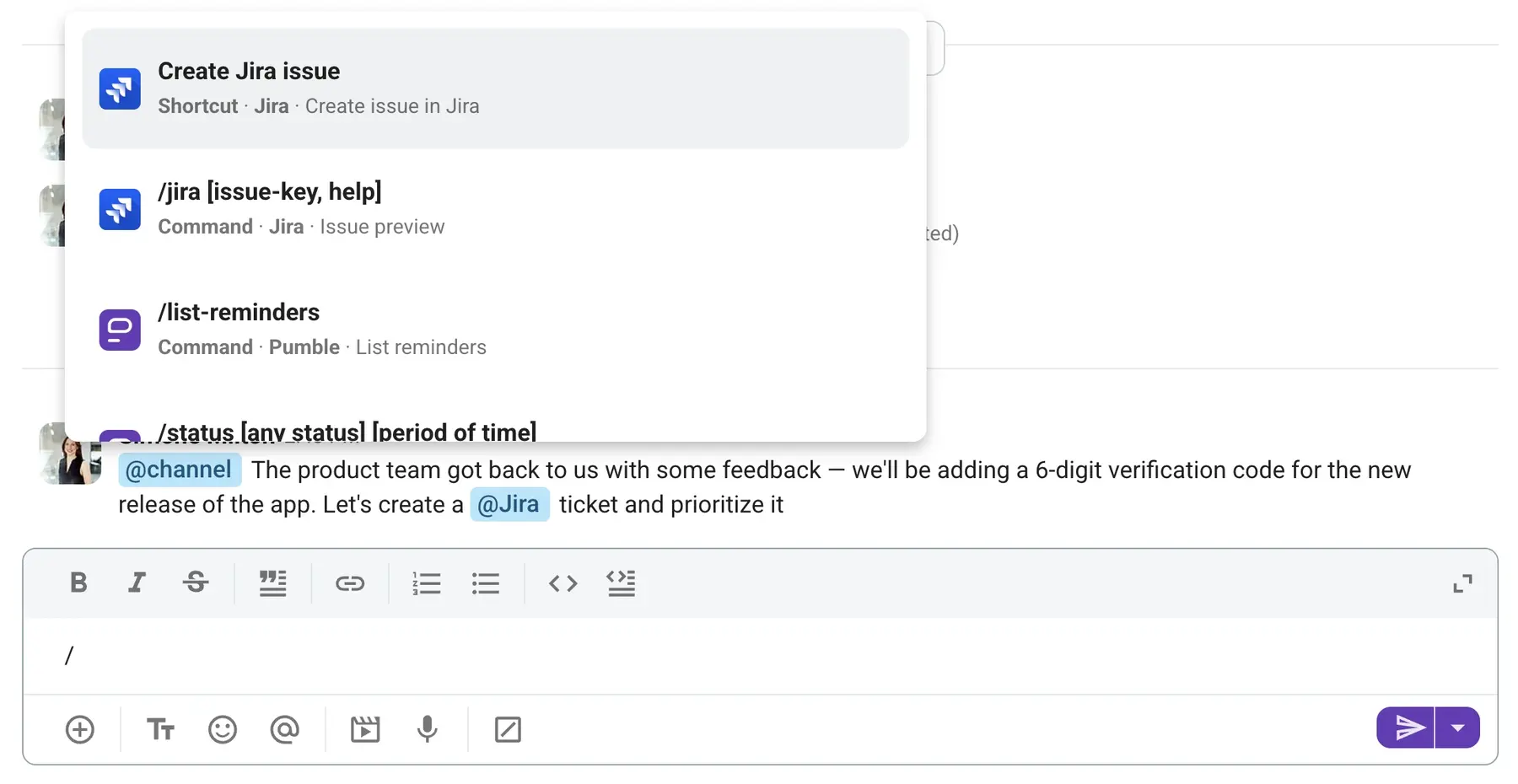
- Use the /jira shortcut to create a Jira issue without leaving Pumble and the /jira [issue-key] slash command to look up ticket details.
- Check out the CAKE.com Productivity Suite to optimize time tracking, project management, and team communication using a consolidated toolkit.
Why connect Jira to your team chat?
When it comes to work, time is your most valuable resource. Why waste it toggling between countless app windows?
The Jira team chat integration with Pumble solves many issues commonly associated with disconnected tools by helping you:
- Reduce email overload. The bridge between 2 disconnected apps is usually email. But how visible is an urgent status change when buried under 10 additional messages? In Pumble, Jira notifications occur right alongside workplace conversations — no app switching necessary.
- Automate status updates. Because the automatic updates pop up in Pumble, you don’t have to manually check Jira every hour. As a result, you can organize your time more efficiently.
- Make team chat more productive. Create tickets directly from Pumble, and stay on top of issues without missing a beat.
But before we dive into how your team can enjoy these benefits, let’s take a closer look at the Jira + Pumble integration.

What the Jira + Pumble integration does
Task tracking and team communication are essential for both highly technical and non-technical teams. For this reason, you need a solution that makes it easy to:
- Optimize workflows.
- Centralize information.
- Save time.
With the Jira + Pumble integration, you don’t have to look far. Core capabilities include:
- In-chat notifications — get real-time notifications in your team chat app whenever a ticket you’ve been assigned to or are watching is updated.
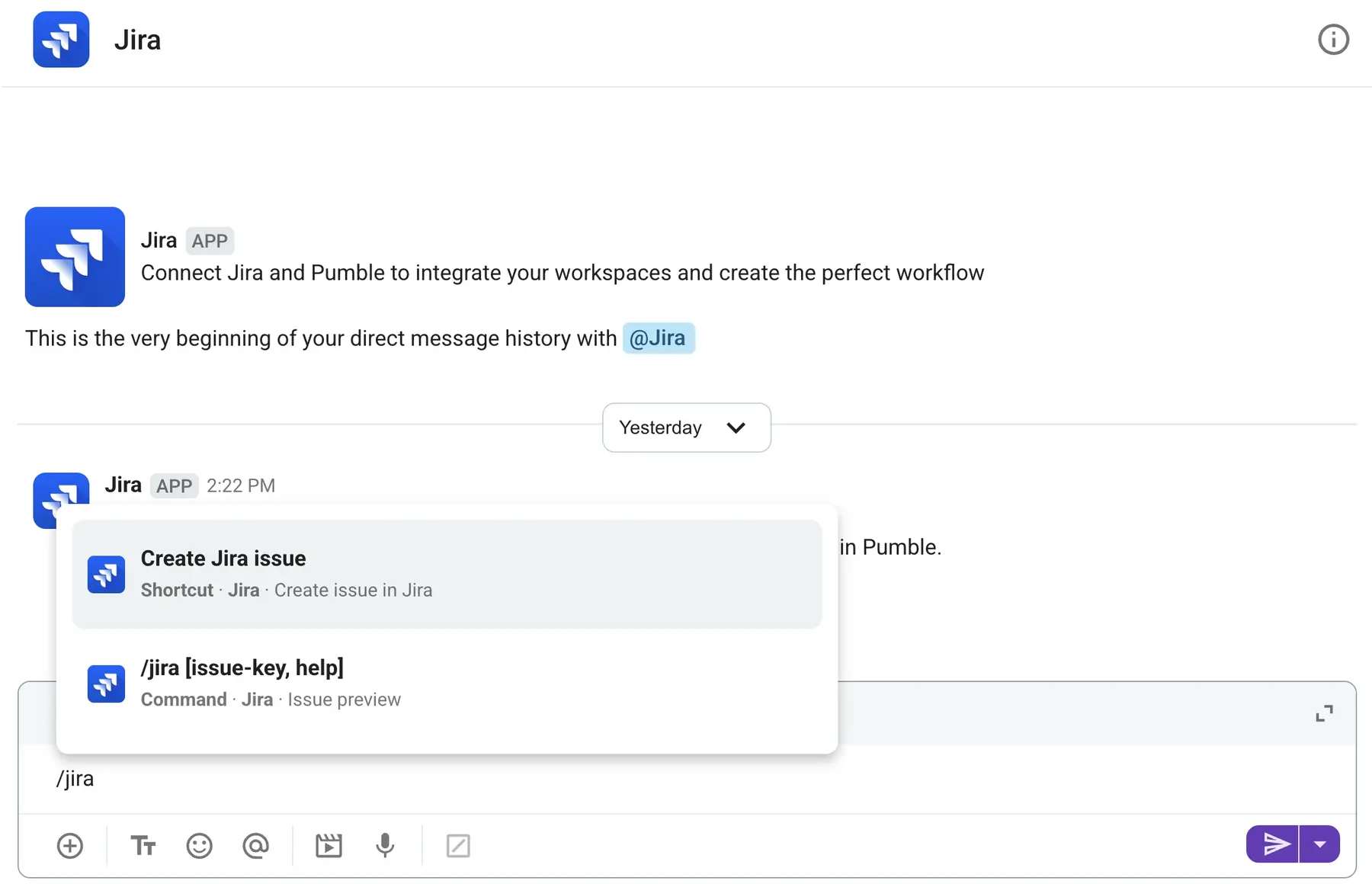
- Slash commands — use /jira create to create a new issue, or /jira [issue-key] to view information about an existing task.
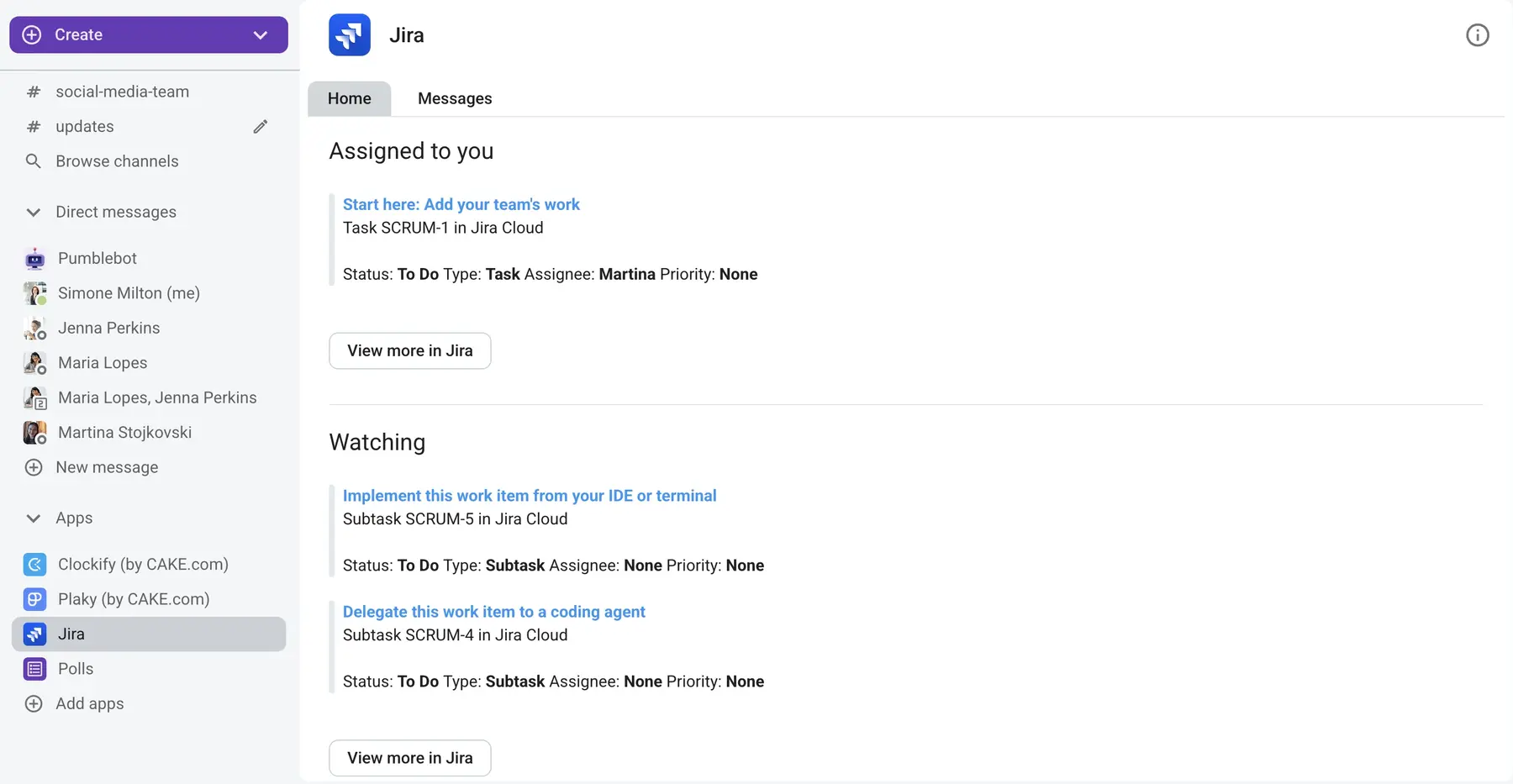
- Home tab — get a clean overview of Jira tickets split into issues assigned to you and issues you are watching (a maximum of 2 issues per category, sorted by the latest updates).
- Issue creation — transform message content into to-dos and create Jira issues directly from your Pumble workspace.
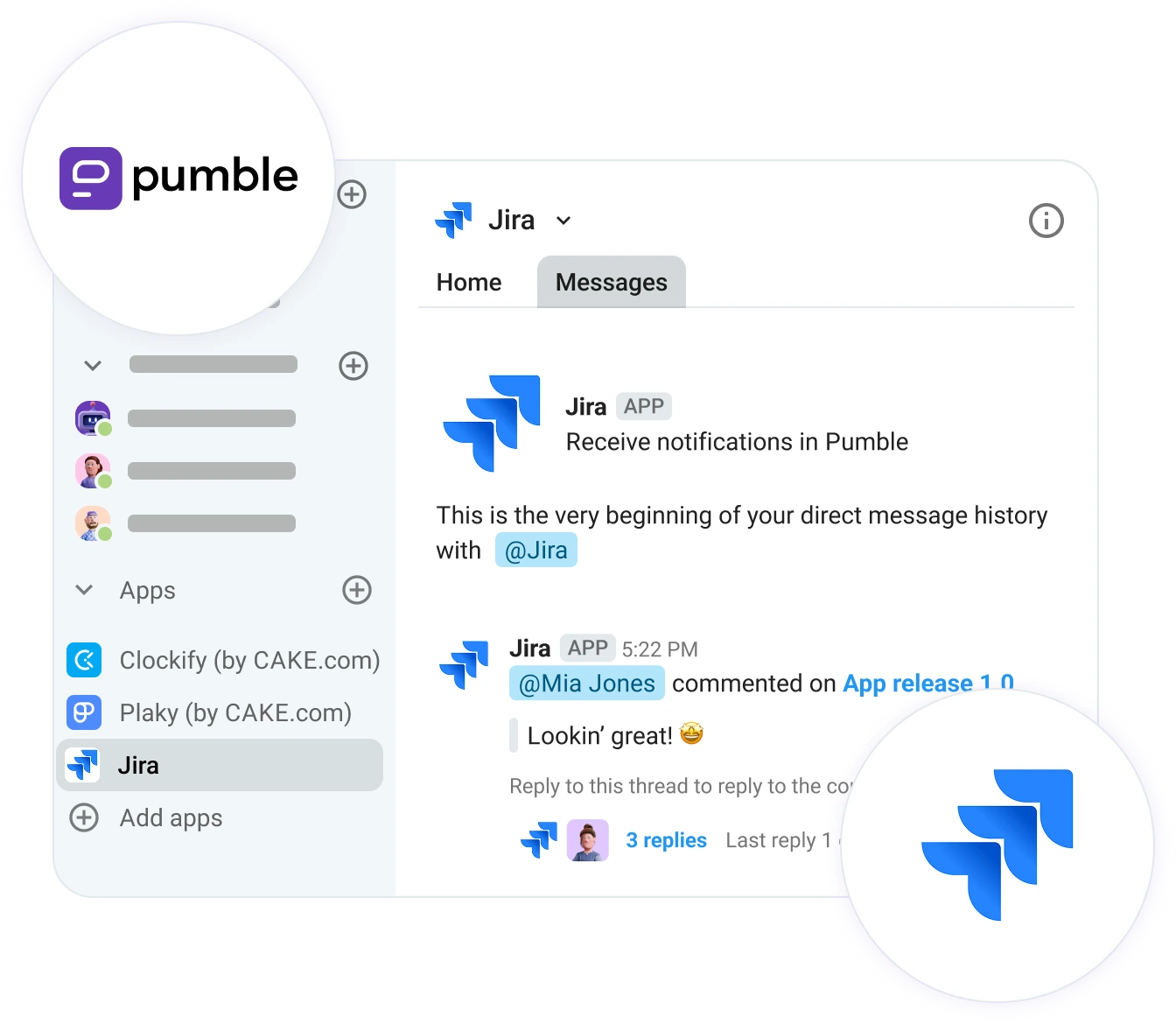
Whether you’re looking for ways to ship code faster or want to improve customer communication, this integration goes a long way.
Who is it for?
Teams already using Pumble and Jira separately will find that this add-on — available across all Pumble plans — greatly simplifies decision-making by bringing context-rich updates straight to your communication hub.
Because using Pumble and Jira in tandem promotes transparent communication, this integration particularly caters to software development and product teams, who naturally engage in a high volume of cross-functional collaboration.
If that sounds like your team, here’s how you can get the integration up and running.
🎓 PUMBLE PRO TIP
To see how different teams work together in Pumble, check out these guides:
Foster strong teamwork via Pumble
How to connect Jira to Pumble
Setting up the integration only takes a few simple steps, with no third-party account required.
#1: Create Pumble and Jira accounts
If you’re already a Pumble and Jira user, you can move on to installing the add-on. But if you haven’t created accounts yet, you’ll need to set them up on both platforms first.

#2: Install Jira from the Apps section
Next is adding the Jira app to your workspace as an administrator.
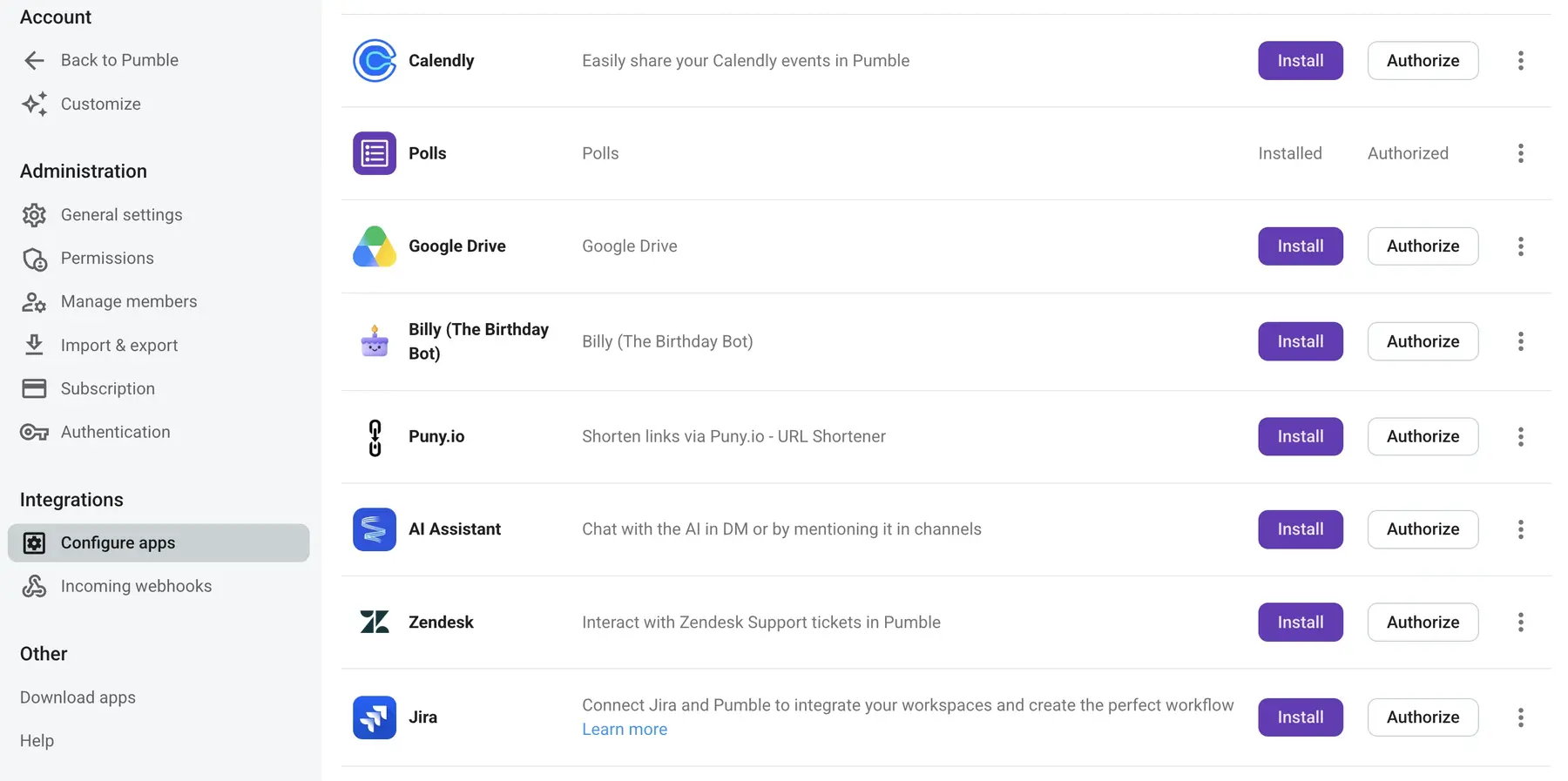
Navigate to the left-hand sidebar and click + Add apps. Once you find the Jira add-on, click Install. This makes the app available across your entire workspace.
#3: Authorize the app
Before team members can start using Jira inside Pumble, each individual user must authorize account permissions.

#4: Type /jira to see the command list
Once the installation is complete, type the /jira shortcut into any chat box to see what the integration can do.
#5: Stay in the loop
Stay informed with real-time updates about ticket changes, and respond to them as soon as they happen. Thanks to these automated processes, updates won’t slip through the cracks — and you’ll eliminate duplicate work, too.

Using Jira inside Pumble for daily work
Daily work lives inside your digital HQ, so why split your attention across several disconnected apps?
Ease of use is one of the biggest benefits of using Jira inside Pumble. Instead of receiving raw links that redirect them to an external app, your colleagues get rich previews right inside your workplace communication app.
Simply paste a Jira issue link, and once it unfurls, everyone gets a clear outline of the issue’s:
- Key details
- Status
- Summary

While sharing Jira issues is handy for group collaboration, the Home tab keeps track of your individual work. Whether you want to check the status of tasks assigned to you or follow updates on tickets you’re watching, it’s easy to keep tabs.

You don’t even have to leave Pumble to create new tickets. Create a Jira issue from message content and ensure it doesn’t get lost in cluttered project backlog.
Trying to manually bridge the gap between team conversations and project management is one of the most common collaboration roadblocks. Take advantage of Pumble’s native features and integrations to eliminate communication friction once and for all.
🎓 DICA PROFISSIONAL PUMBLE
To learn more about collaboration barriers and how to improve productivity with Pumble, check out this resource:
Kickstart collaboration with Pumble
Pumble by CAKE.com is your centralized workspace for successful collaboration
Integrating Jira and Pumble lays the foundation for project success with:
- Real-time notifications
- Link previews
- Cross-team transparency
Pumble by CAKE.com is already packed with features designed to connect teams with their work, including:

To get the most out of your workspace, use Pumble alongside the rest of the CAKE.com Productivity Suite — Plaky and Clockify. With just 3 tools, you’ll have your communication, project management, and time tracking completely under control.

Stop wasting time with inefficient software. See firsthand why Pumble makes a difference.
Como avaliamos esta publicação: Nossos escritores e editores monitoram as postagens e as atualizam quando novas informações ficam disponíveis, para mantê-las atualizadas e relevantes.