 Published: mai 6, 2026
Work has changed — on the whole, we collaborate with more people and often spread ourselves thin across several projects. A simple to-do list doesn’t stand a chance in such a dynamic environment.
So, what can you do to optimize task management? When you bring your tasks into the same place where communication happens, it’s easy to create a system that unites both your people and your projects.
However, not every business communication app has the necessary features to provide teams with a shared understanding of their responsibilities. Fortunately, Pumble by CAKE.com bridges the gap between communication and task management, ensuring everyone retains access to critical information and task ownership.
Now, how do you integrate Pumble with to-do lists and workflows?
Nous allons le découvrir.
3 ways to build your to-do list inside Pumble
Although it’s first and foremost a communication hub, following a few best practices can turn Pumble into one of your favorite team accountability tools.
Here are 3 features to get you started.
#1 Saved items and messages
Have you ever seen a message and thought, “I should save this for later”?
In the days before modern team chat apps, you’d likely reach for a Post-it note and scribble down the main points. But Post-its don’t exactly work when you want to save shared documents and links. As new messages come in, information scatters — so who knows how far back you’d have to scroll?
Pumble’s unlimited message history makes it possible to save every single message, regardless of whether it was sent 3 minutes or 3 years ago.
You can create a personal queue of high-priority discussions without having to dip in and out of channels. No task will get lost in your chats, and you’ll have a clear overview of who needs to do what and by when.
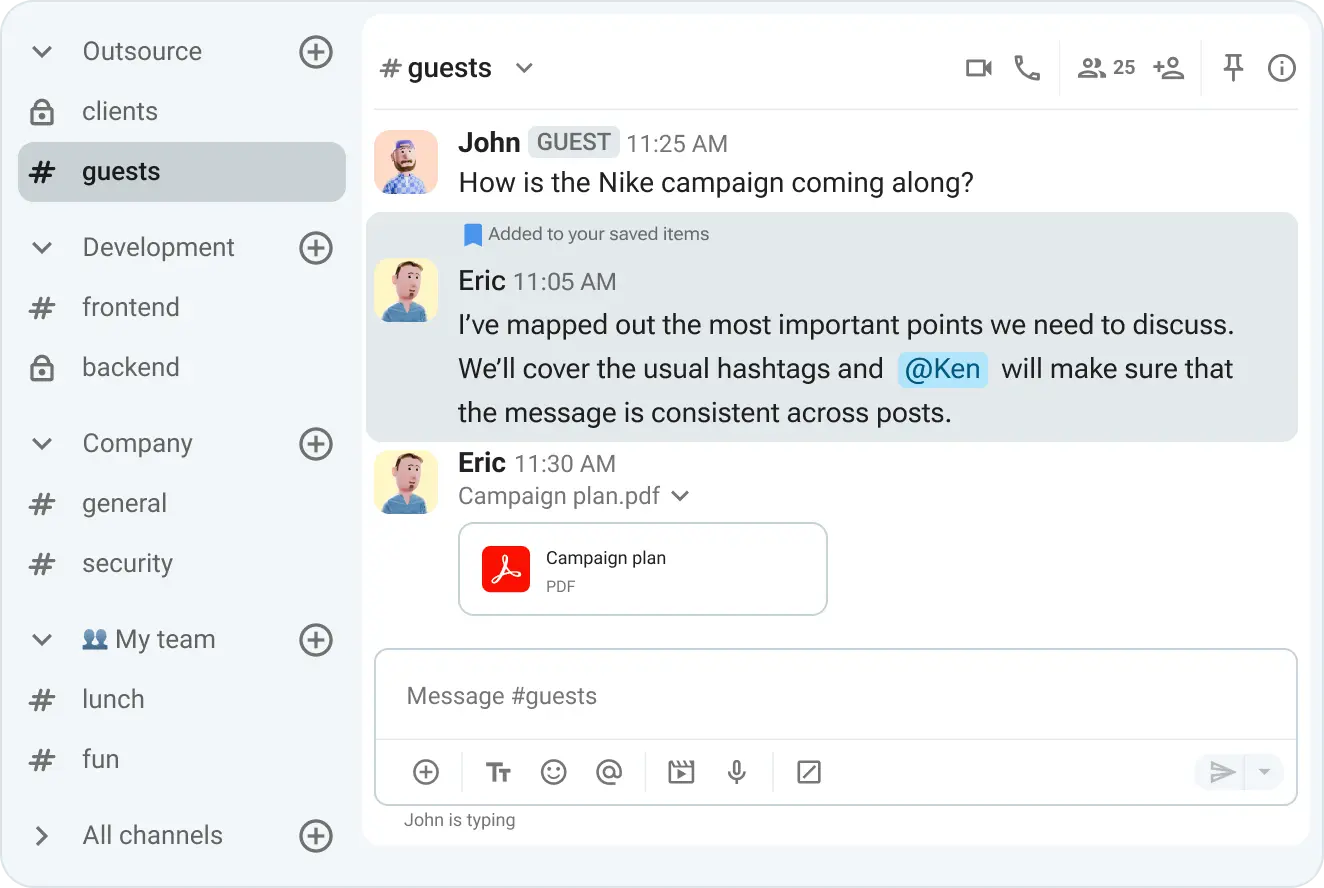
Saved messages are great as personal reminders, but which Pumble feature can help you nudge other team members?
🎓 ASTUCE PRO DE PUMBLE
Learn how to use Pumble’s file storage to create a comprehensive knowledge base:
#2 Scheduled messages
Mastering the follow-up or check-in is a real challenge in instant messaging.
Let’s face it — without a gentle reminder, some tasks live in limbo. Your teammate might complete their to-do, but what if they forget to update the status? Between handwritten notes and project management tools, things are bound to slip through the cracks.
Scheduled messages are particularly helpful for eliminating excess meetings and giving teams some breathing room. Attach project notes, mention stakeholders, and leave it to Pumble to deliver the message at the designated time.
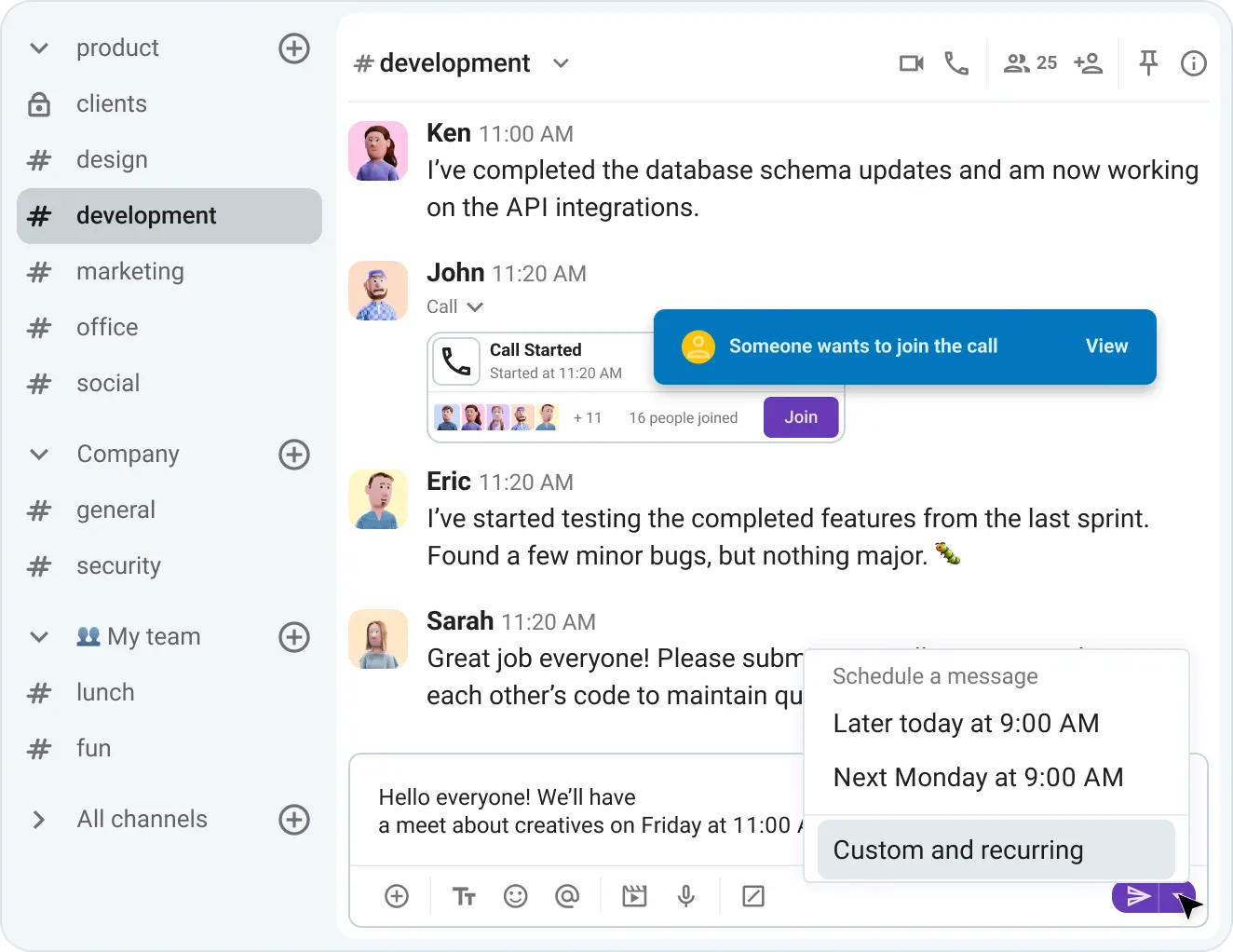
For meeting follow-ups, it’s important to bring teammates who couldn’t attend up to speed. You could stick to text, but a lack of context often leads to misunderstandings. Add a video clip with in-depth explanations or a meeting recording, and your “coordinating” will turn into true communicating.
Another benefit of scheduled messages is less noise. Real-time communication has its place in the workplace, but too many notifications can feel overwhelming.
So, don’t add to the noise. Schedule non-urgent messages and remind coworkers of deadlines or responsibilities without being pushy.
🎓 ASTUCE PRO DE PUMBLE
Managers interested in building a digital command center can check out this guide:
Simplifier la communication avec Pumble
#3 Pinned messages
The most critical time for employees is when they first become part of a project. Once they join a channel, it can feel as if they’re interrupting someone else’s conversations. Besides, where does the discussion begin or end?
Pinned messages resolve this issue and provide all channel newcomers with a solid starting point. The pin keeps highlighted posts at the top of channels, where all members have easy access to them – no need to write everything down and fear you’ve missed a message!
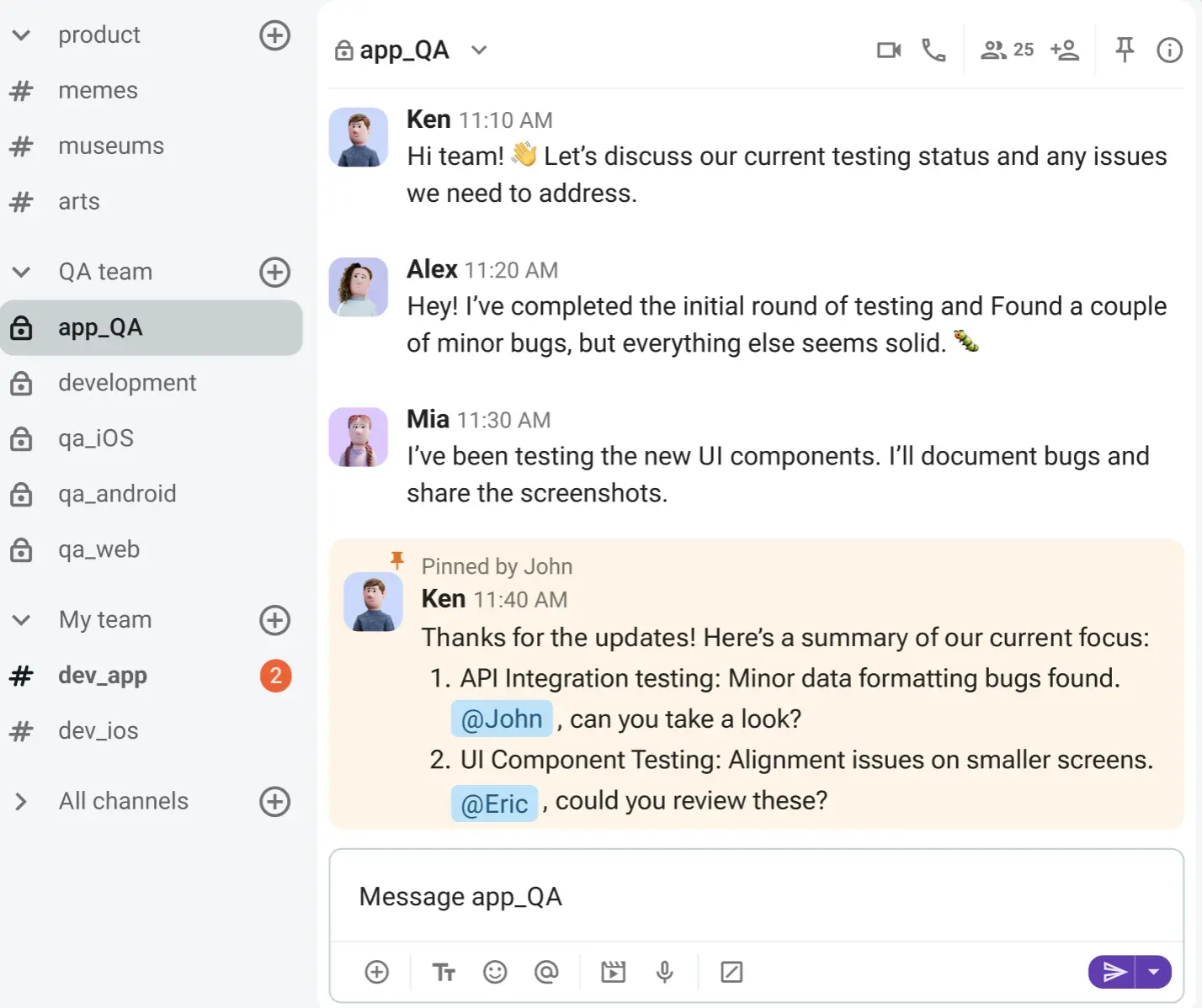
Although this feature brings structure to channel-based communication, it’s also helpful in DMs. When you don’t want to scroll through months of conversations to find a link or file, pinned messages are a lifeline.
With these resources on hand, you’ll have all the material needed to keep crossing off your to-dos.
🎓 ASTUCE PRO DE PUMBLE
The above features are just a few ways you can integrate Pumble with to-do lists. For more tips on how to work smarter in your Pumble workspace, check out this resource:
Start collaborating with Pumble
Scale your workflow with the Pumble-Plaky integration
Once integrated with other apps in the CAKE.com ecosystem, Pumble joins the ranks of the best team accountability tools.
The native Pumble-Plaky integration combines Pumble’s efficiency with Plaky, its sister software for project management. Since you don’t need any third-party tools to facilitate the integration, you can smoothly connect Pumble with projects tracked in Plaky.
Here’s how.
#1 Create Plaky tasks using info from a Pumble message
If you’re not already a Pumble and Plaky user, you’ll need to create an account for both tools. After a speedy setup, it’s time to start tracking and managing your projects.
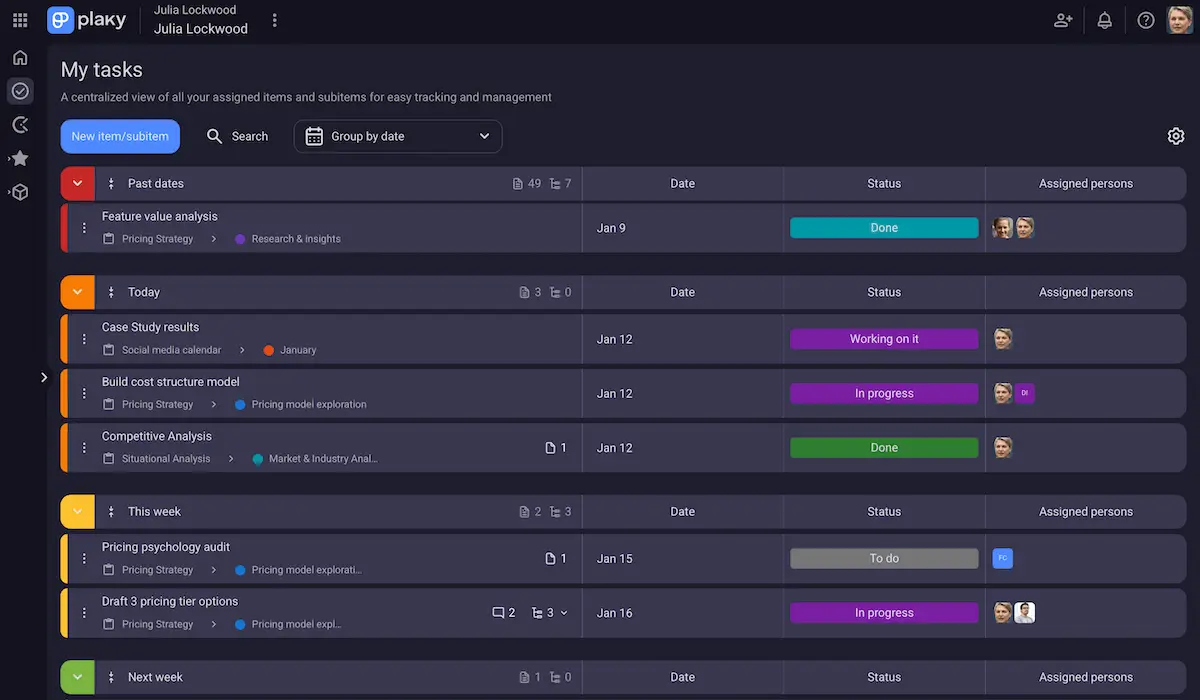
Plaky’s intuitive navigation guides you through the main features, with key buttons and icons surrounding the board to outline their function. This makes the entire user experience a breeze.
After tapping the + button on the board, you can customize the task card using options from the dropdown menu, such as Status, Tag, Date, Person, and more.
The ability to break down tasks into subitems directly from the board view or within the task card itself is another plus. Available in both Table and Kanban view, subitems are the small, actionable steps that support granular project management.
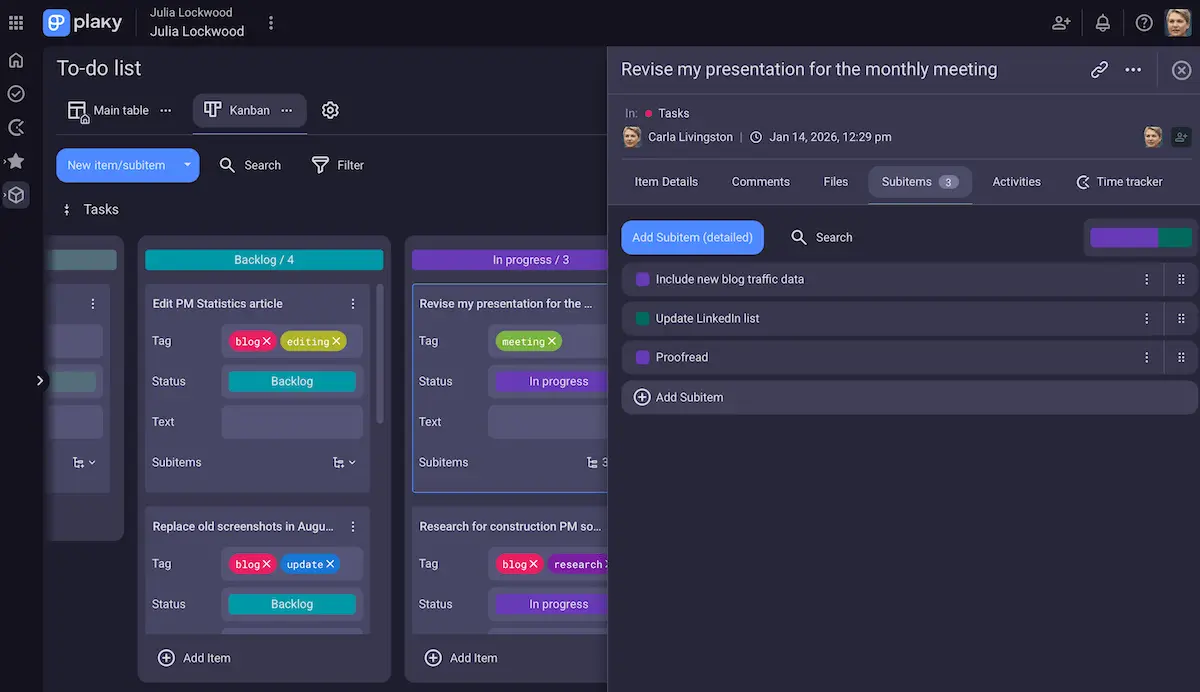
If you leave a task as is, it remains a mere to-do. However, thanks to the Pumble-Plaky integration, you can transform those cards into a comprehensive accountability system.
#2 Maintain context by attaching chat threads to tasks
Without careful planning and tracking, tasks remain scattered across direct messages, meetings, and file attachments. Luckily, ownership and context become clearer in Plaky, while Pumble ensures everyone stays in the loop.
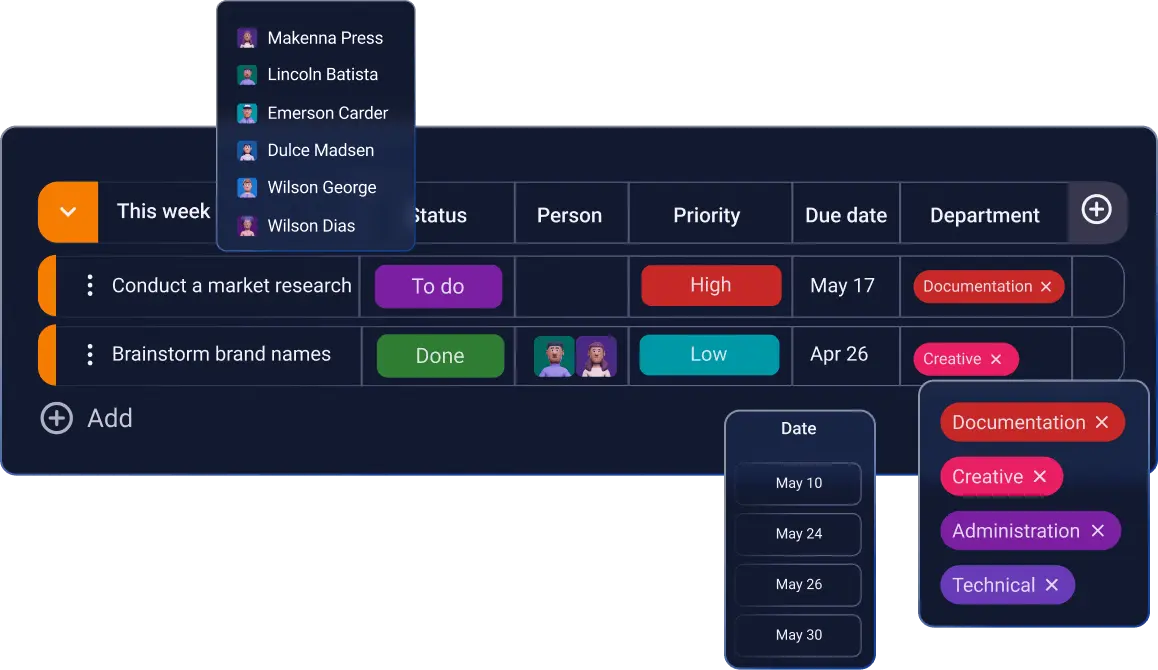
First, fill out the custom fields in Plaky, deciding on the:
- Task assignees,
- Status,
- Priority, and
- Due dates.
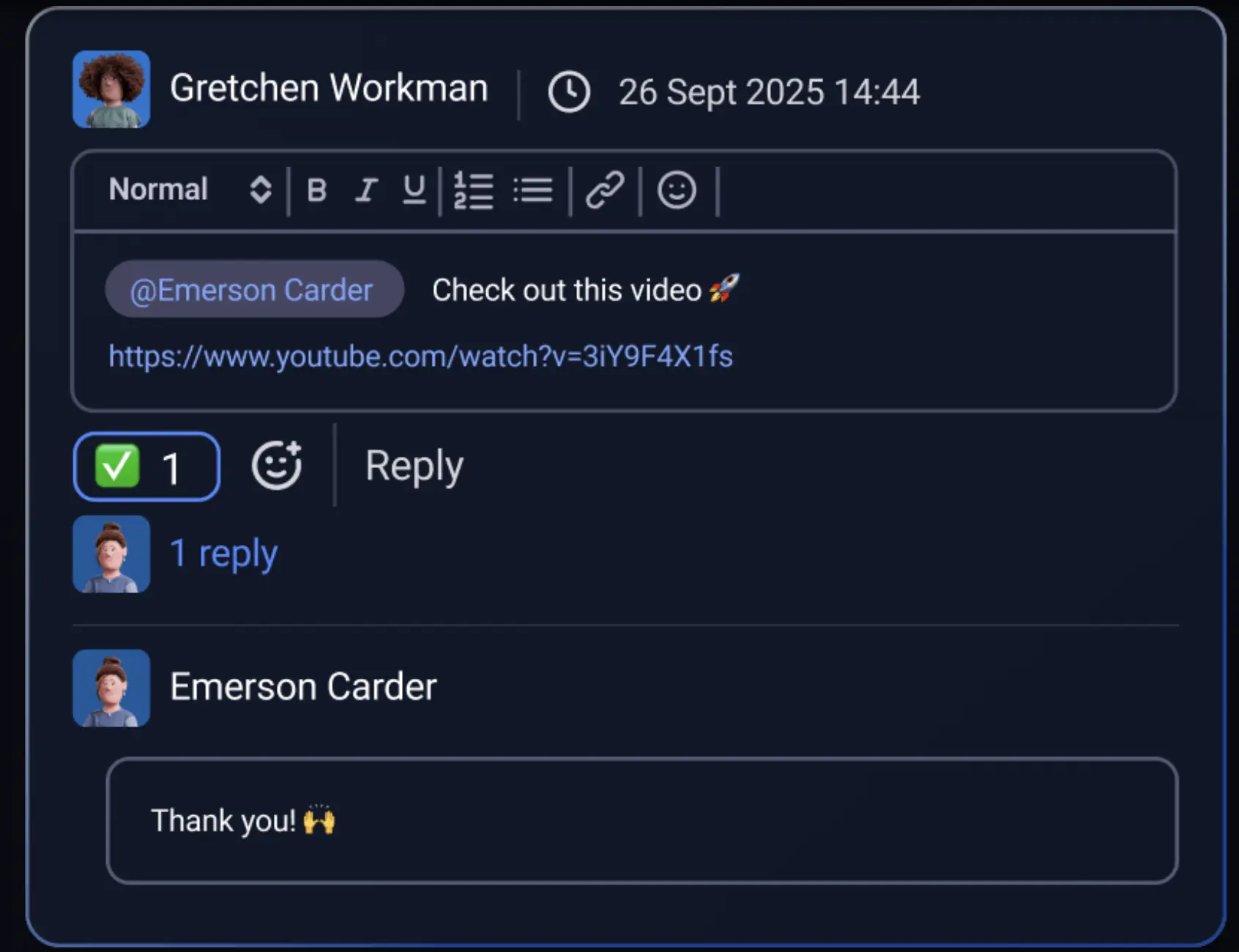
If you’re aiming for contextual execution, you can attach chat threads to your task boards — making sure that no matter the project’s size, no detail is lost between the two apps.
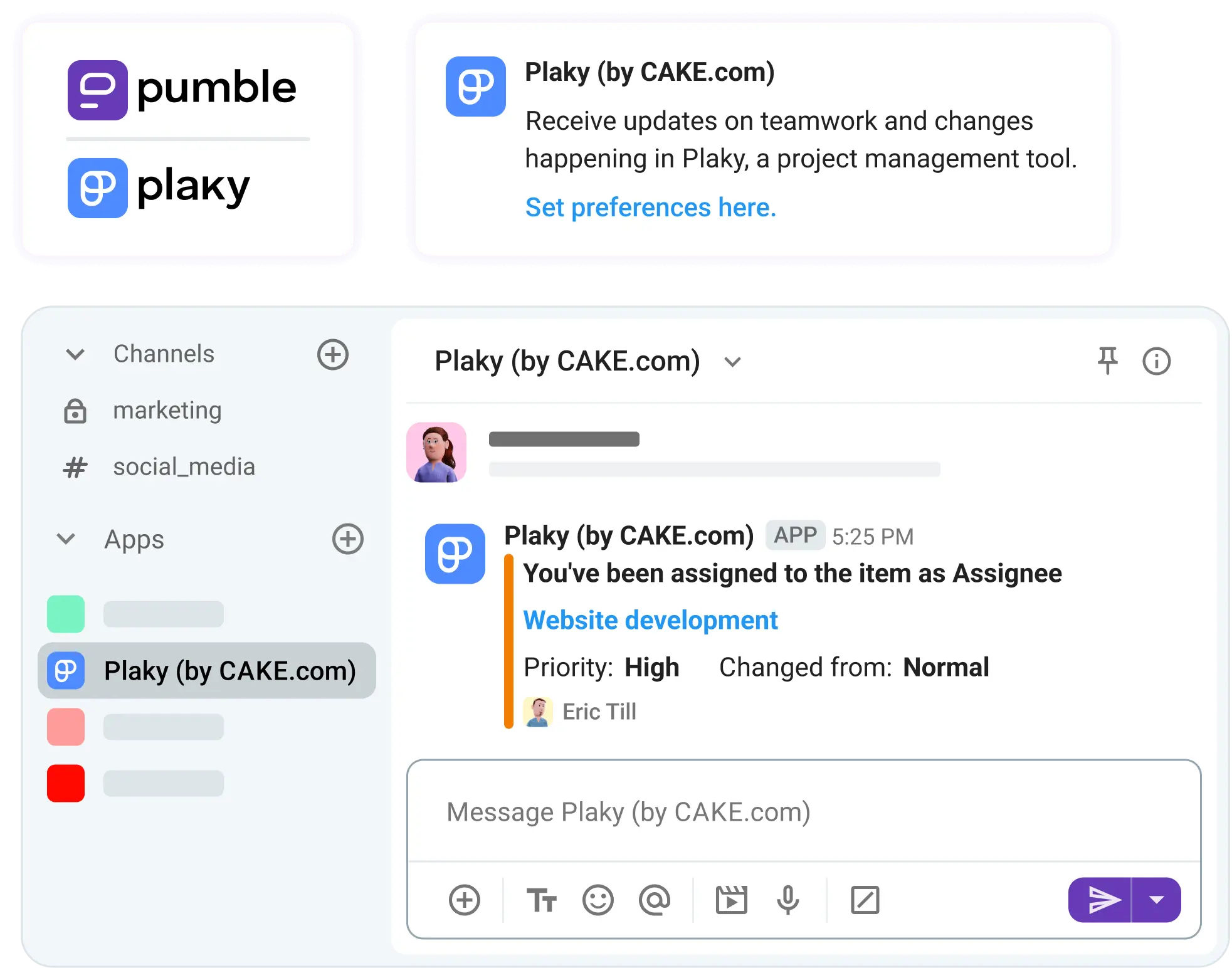
Next comes Pumble. With the integration enabled, you can customize your alerts and receive real-time, tailored notifications about:
- Boards, items, subitems, or teams you are subscribed to.
- Changes made to the items or subitems you follow.
- Comments, replies, reactions, and mentions.
Get project management alerts in Pumble
You no longer have to chase down context. Updates arrive in your Pumble sidebar the exact moment changes occur in Plaky.

#3 Future-proof with integrations
In need of a few more integrations?
Zapier and GitLab, for example, are two popular add-ons you can use to tap into automation and connect Pumble with your most-used apps.
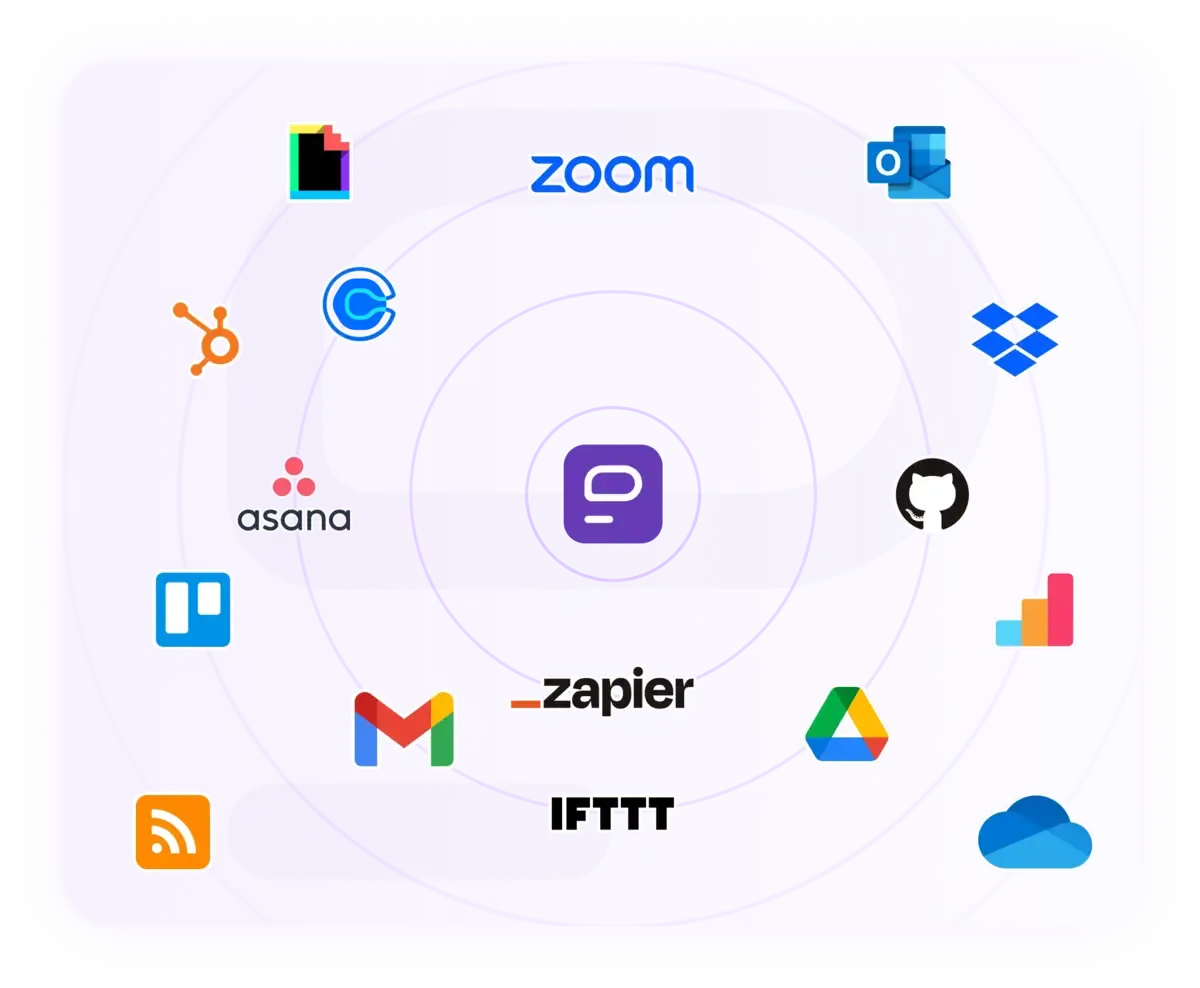
In terms of project management, the upcoming Jira and Trello integrations will further organize work and allow users to keep track of ticket changes without leaving their workspace.
Integrate your apps with Pumble
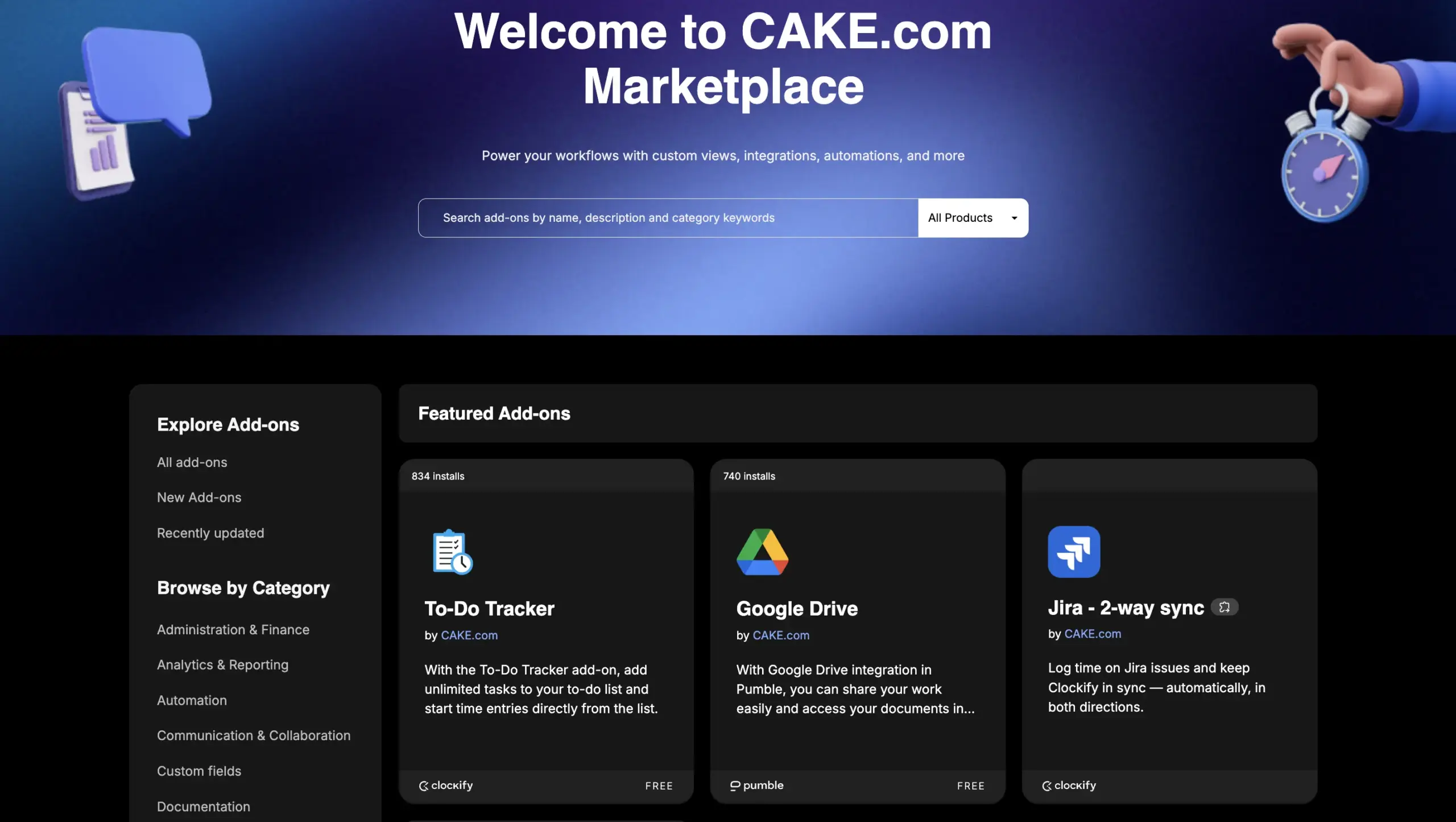
Zapier and GitLab are only some of the available integrations, but you also have the option of building custom add-ons for a more personalized experience. The CAKE.com Marketplace houses a growing selection of apps built by other users, expanding the number of tools you can add to your daily workflows.
🎓 ASTUCE PRO DE PUMBLE
To see what’s new in Pumble by CAKE.com and what’s coming soon, check out our roadmap:
FAQs: Master the Pumble to-do workflow
Can Pumble replace my project management software?
Pumble by CAKE.com can serve as project management software for non-demanding projects and small teams. However, to build a centralized coordination hub, it’s best to pair it with Plaky, a project management app, and Clockify, a time tracking app.
How do I set reminders for messages in Pumble?
Reminders are an excellent way to follow up with team members and elicit information. Hover over a specific message, click on the “More actions” option and find the “Remind me about this” in the dropdown menu. Pumble will then remind you about the selected message at the time you specify.
What is the best way to track team accountability in chat?
Using @mentions in high-activity channels brings action items to the forefront of the conversation. Tagging team members in posts that directly address their responsibilities creates a permanent progress log you can review at any time, thanks to the unlimited message history.
Drive execution with integrated tasks in Pumble
Trimming excess fluff helps redirect focus. Still, your attention can wander.
Stay within the CAKE.com ecosystem, and stop the apps you don’t need from sabotaging your team’s productivity.
From connecting in real time to asynchronous follow-ups — it all happens in Pumble by CAKE.com.
Démarrer avec Pumble dès aujourd'hui
Comment nous examinons cet article : Nos rédacteurs et éditeurs vérifient les articles et les mettent à jour lorsque de nouvelles informations sont disponibles, afin qu'ils soient toujours d'actualité.