Published: May 26, 2026
As teams grow, their communication becomes more chaotic. No-cost tools are great for initial coordination. However, after a while, you’ll find yourself struggling with a disorganized sidebar and endless app switching.
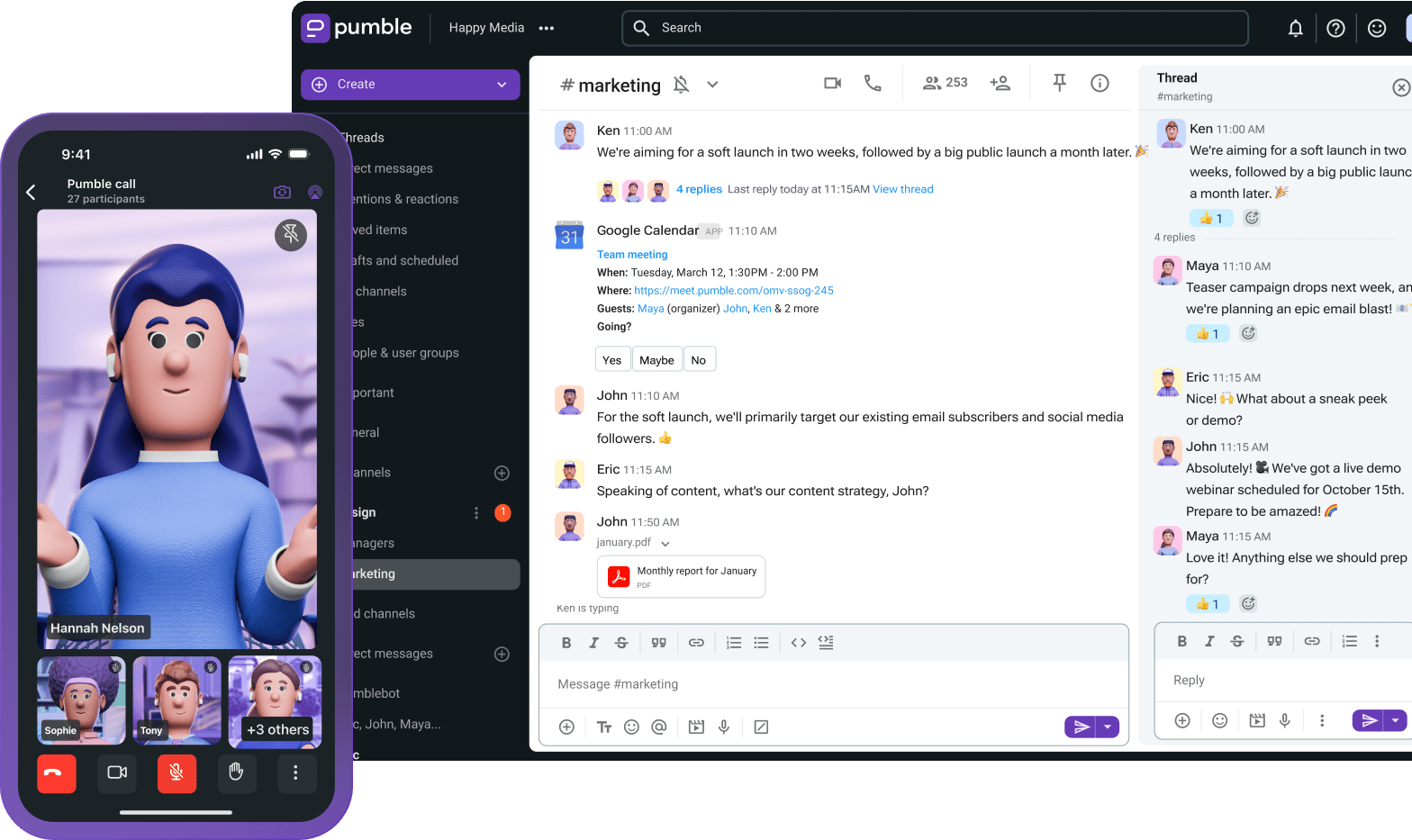
Pumble’s Pro plan is designed specifically to solve this workflow fragmentation. The ultimate middle ground between Slack and Zoom, Pumble’s Pro plan consolidates all your essential collaboration tools into one digital headquarters.
Let’s see how.
- A good team communication tool needs to be able to keep pace with business expansion, and Pumble does exactly that with its Pro plan.
- For just $2.49 per user per month, Pumble’s Pro plan provides an integrated collaboration workflow. It can help you overcome tool fragmentation, improve cross-functional alignment and decision-making, and boost productivity.
- With customizable sections and sidebar organization features, the Pro plan allows you to group channels and DMs into custom folders, which will help you organize your communication.
- The Pro plan has integrated video conferencing for up to 50 people with advanced features such as meeting links and screen sharing, so you won’t need to switch apps every time you want to have a group meeting.
- With 10 GB of storage space per user, up to 10 third-party integrations, and two native integrations with Plaky and Clockify, Pumble’s pro plan lets you give your collaboration a boost and improve your overall efficiency.
The growth bottleneck: Why consider Pumble Pro
Let’s be honest — when you’re trying to get a business or even a project off the ground, money is tight. You can’t exactly afford to pay for premium plans, so you probably use freemiums whenever possible.
Pumble’s free plan serves as a great team chat app in the beginning. With an unlimited message history and an unlimited number of users, it becomes your digital HQ from day one.
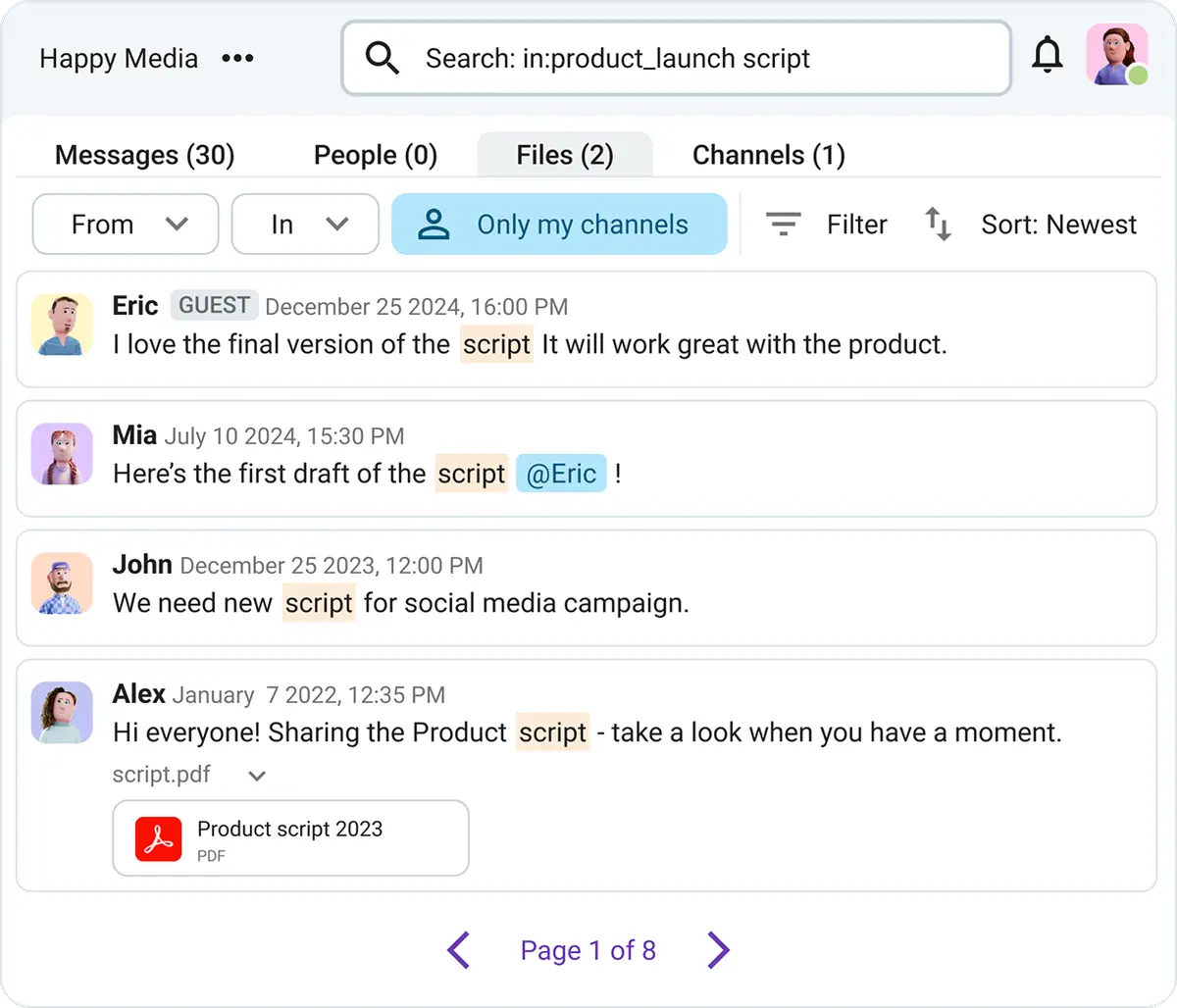
But, as great as it is, the free plan doesn’t include integrated group video calls, so you also have to use a different team video conferencing app.
Not to mention, the free plan offers 10 GB of storage space per workspace. Generous, but not enough for teams who often share large files and want to store them within Pumble. So, you’re also probably using a third app for file sharing.
That means that you’re switching between at least 3 apps during your daily work.
On top of that, Pumble’s free version doesn’t include any features for communication organization. That makes your sidebar even messier and more difficult to navigate when your team gets bigger.
All of this isn’t a huge problem in the beginning. But, as your team grows, organizing communication and coordinating tasks and projects on a no-cost plan can become challenging — especially for large teams.
So, what does all that leave you with? The knowledge that your “free apps are cheaper” approach is costing you more than you anticipated because it’s robbing you of potential team productivity.
For just $2.49 per user per month (billed annually), Pumble’s Pro plan can help you:
- Overcome tool fragmentation by integrating everything — communication, video calls, and file sharing — into one app.
- Improve cross-functional alignment and decision-making with Pumble’s sidebar organization features, and
- Boost productivity by providing an integrated collaboration workflow.
So, by opting for Pumble Pro, you’ll transform your team’s chaotic chat into a productive, streamlined workflow.
Organizing your workflow: Customizable sections
Creating channel after channel in Pumble seems like a smart strategy. A separate channel for every project, team, task, or topic you need? Yes, please.
But, as your company grows, so does the number of your channels. And, after a while, instead of 5 or 10 people in your channels, you’ll have 40 or 50 — all sending messages, sharing updates, and creating chaos.
Before you know it, keeping track of everything becomes impossible. An overflowing sidebar that keeps pinging with notifications leads to an interrupted communication stream where messages get lost and decision-making stalls.
This is where Pumble Pro’s customizable sections for sidebar organization can come in handy.
You can use this Pumble feature to group channels and DMs into custom folders. That means you can organize your sidebar according to your communication needs and group related channels into custom sections that fit your workflow.
So, all channels related to your team can go into a “core-team” section, cross-departmental channels can be sorted into different sections according to the projects they are related to, etc.
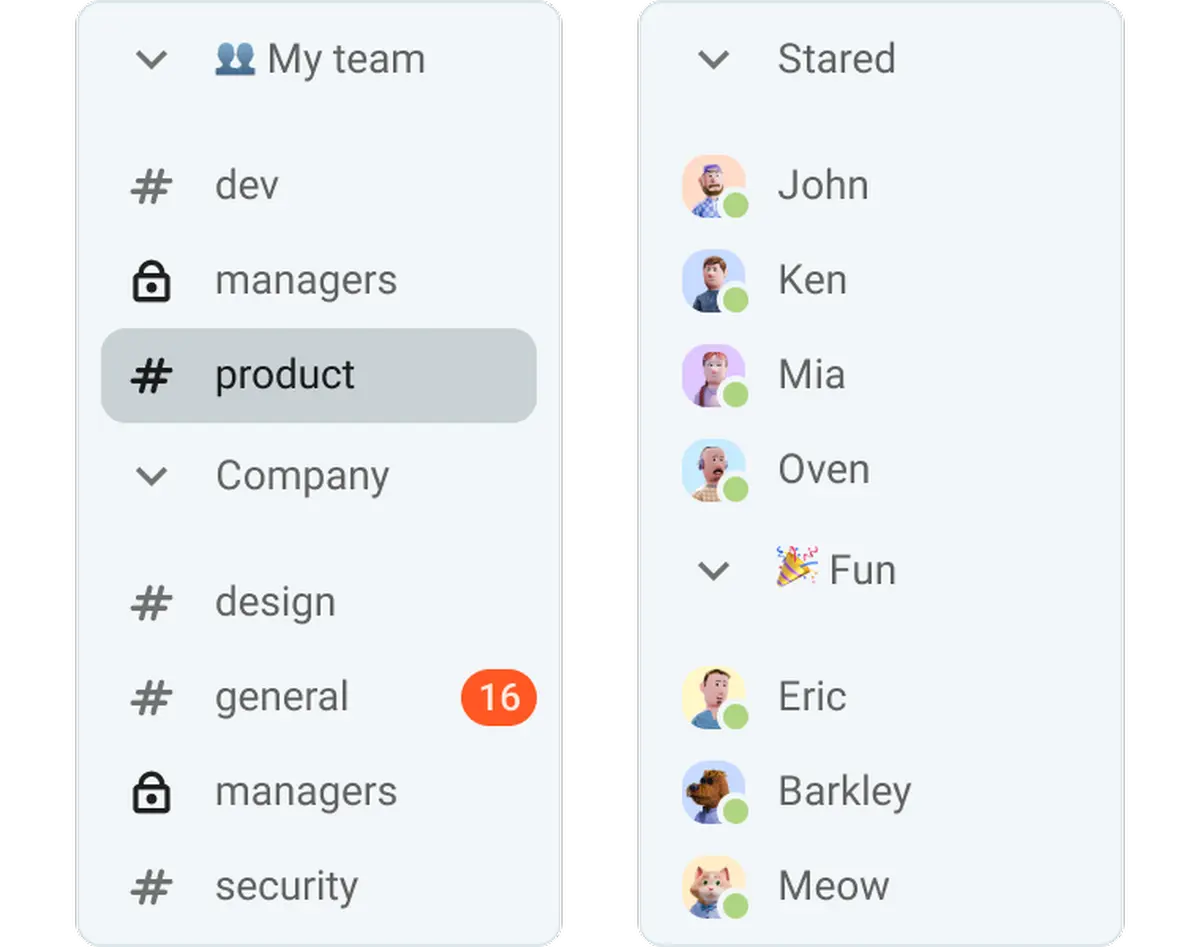
That way, you won’t have to scroll around aimlessly, looking for that one specific channel. Instead, you’ll be able to quickly find the appropriate section and go into the channel you need.
This cleans up the “information chaos” and allows for better cross-functional collaboration. It helps everyone maintain focus, track active projects, and boost daily productivity.
Customize your Pumble experience
Integrating your tools: Built-in video conferencing
The best part about upgrading to Pumble Pro is that you instantly get a perfect Slack and Zoom alternative in one app.
Since the Pro plan has integrated video conferencing, you won’t need to switch apps every time you want to have a group meeting. Instead, you’ll be able to effortlessly host real-time meetings for up to 50 people.
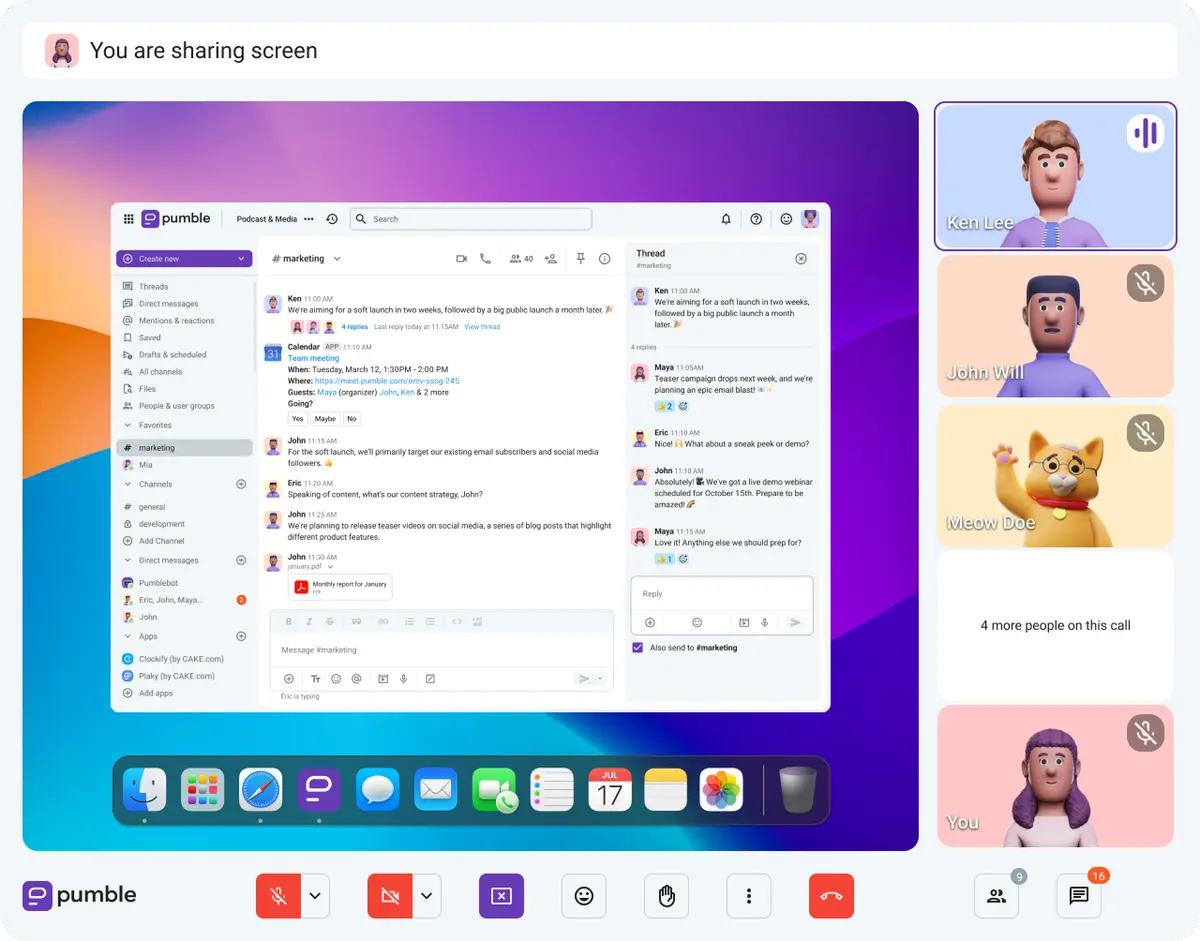
By eliminating this need to switch to external video tools, you’ll speed up coordination for remote and hybrid teams.
What’s more, you’ll increase context retention. Switching between several apps means sharing information in different places. Transforming Pumble into your true digital HQ — where you do everything — means no knowledge will get left behind in an app you only use for one thing.
Pumble Pro’s video calls allow you to transition from text-based conversations in your direct messages to a face-to-face call with a single click. All you have to do is click the video call button in a DM or channel, and you’ll instantly connect with everyone.
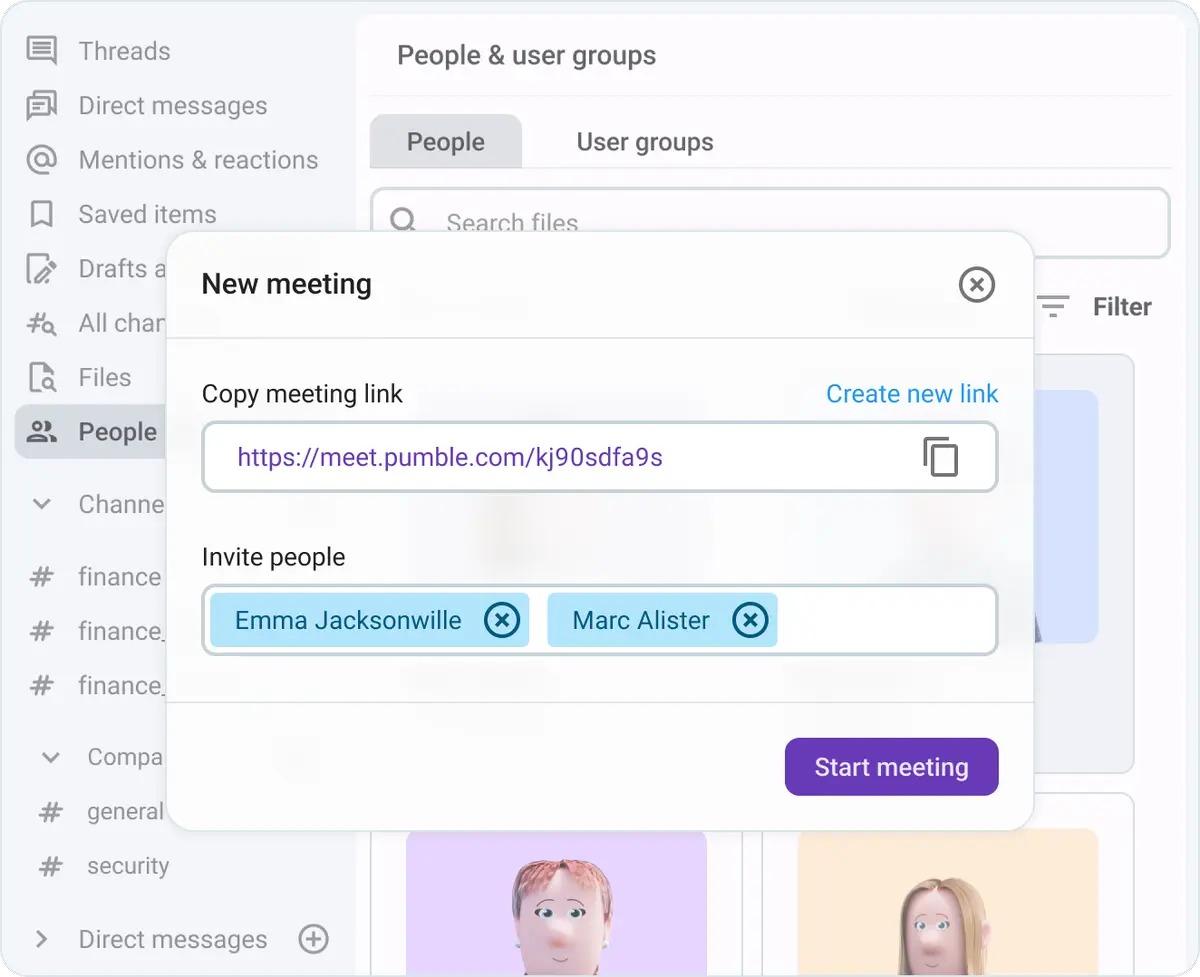
Include external collaborators with meeting links
You can also opt to organize your group meetings by sending meeting links.
The links allow you to invite all relevant people — including those who aren’t members of your organization and don’t have a Pumble account.
This is especially useful for teams who do a lot of work with external contributors and clients, such as sales teams, customer support teams, etc.
Level up your meetings with screen sharing
Another advanced feature included in the Pumble Pro plan is screen sharing. When scaling your team and business, it’s features like these that make a difference because they let you:
- Run large remote presentations,
- Collaborate in real time, and
- Boost meeting efficiency.
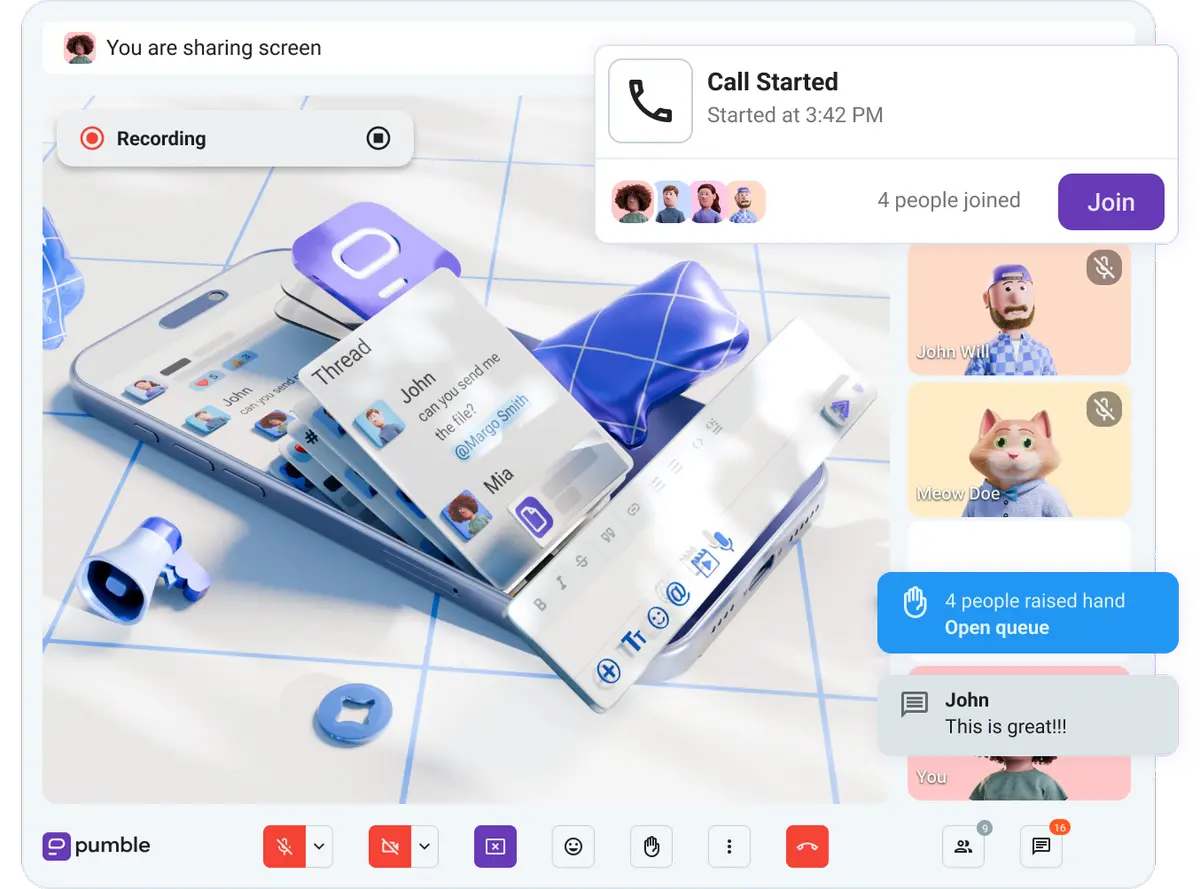
Screen sharing during casual calls and official meetings makes everything easier — from troubleshooting problems to demoing new features. It bridges the gap in understanding, especially for async teams who often need tool assistance for real-time teamwork.
🎓 Pumble Pro Tip
Want to learn more about Pumble’s video conferencing? Check out this article:

Expanding your digital HQ: Storage and integrations
Compared with Pumble’s Free plan, the Pro plan is definitely more roomy — pun intended. The storage space is increased exponentially (10 GB per user instead of per workspace), and the integration upgrade isn’t too shabby.
Let’s check them out.
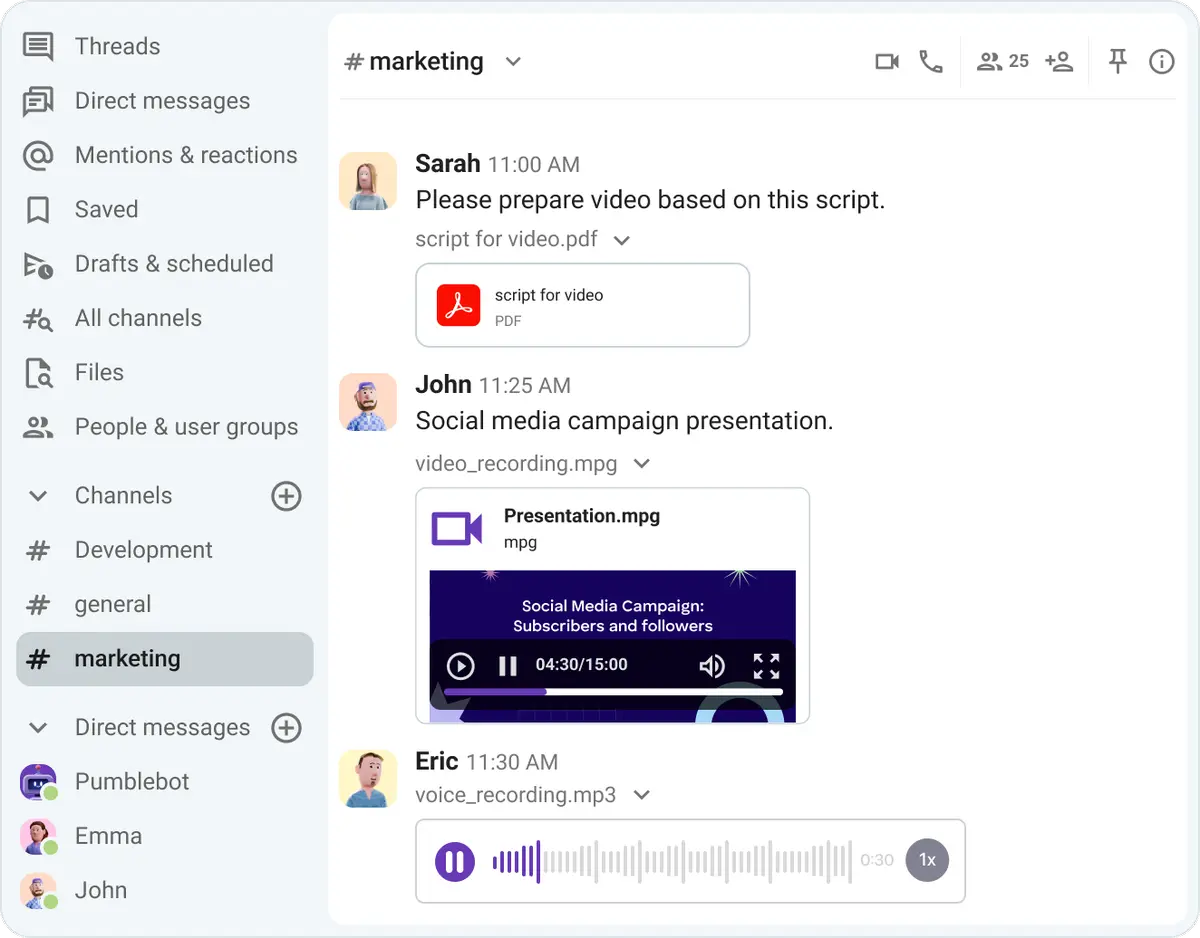
Share files freely
When your company grows, so does the volume of documents, images, videos, and files shared on a daily basis between team members.
Once your team grows a little, the 10 GB of storage per workspace that Pumble’s free plan includes won’t be enough to sustain your entire company. However, Pumble Pro’s 10 GB per seat will be.
Pumble’s Pro plan allocates significant cloud storage space, allowing agencies and small to medium businesses to share and save assets in their digital headquarters. There won’t be any need to switch to another app, no matter the size of the file you’re sending. Just send it through Pumble!
Integrate up to 10 other tools (plus Clockify and Plaky)
You can also expand your digital HQ with integrations. Pumble Pro gives you a chance to connect up to 10 third-party tools to your workspace.
These integrations give your collaboration an even bigger boost and improve your overall efficiency.
Pumble offers a wide variety of integrations, including:
- Google Drive,
- Github,
- Google Calendar,
- Zapier,
- Zendesk,
- AI Assistant, etc.
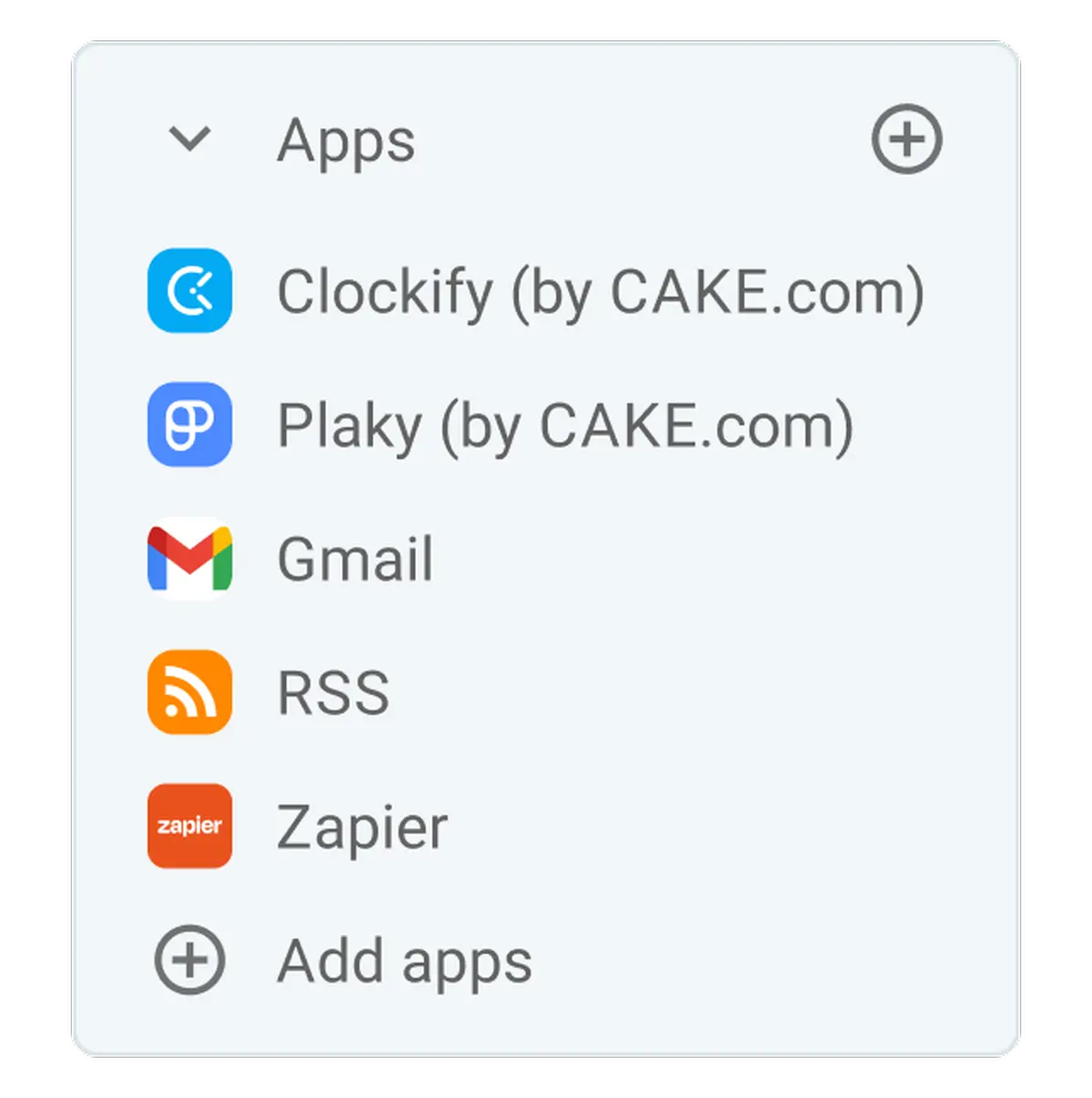
You can also build your own integrations on CAKE.com’s Marketplace, the company’s app store and integration hub. Browse, install, and manage custom views, integrations, and automations to ensure your Pumble workspace is perfectly tailored to your needs.
Personalize your Pumble experience
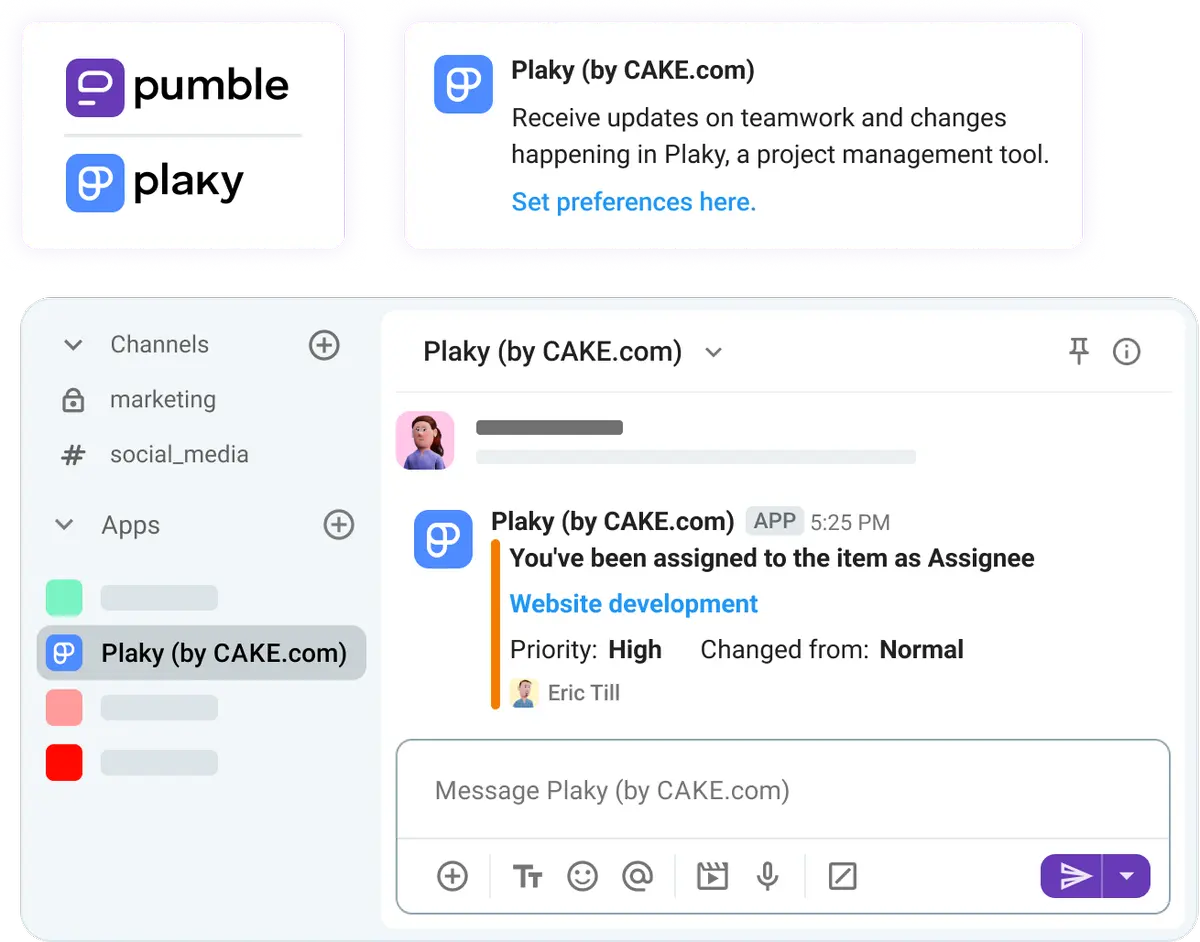
But, if you want to scale your workflow even further, you should consider utilizing the full CAKE.com ecosystem. Pumble is just one of 3 apps in the CAKE.com universe. Its sister products — Plaky, a project management app, and Clockify, a time tracker — are natively integrated with Pumble.
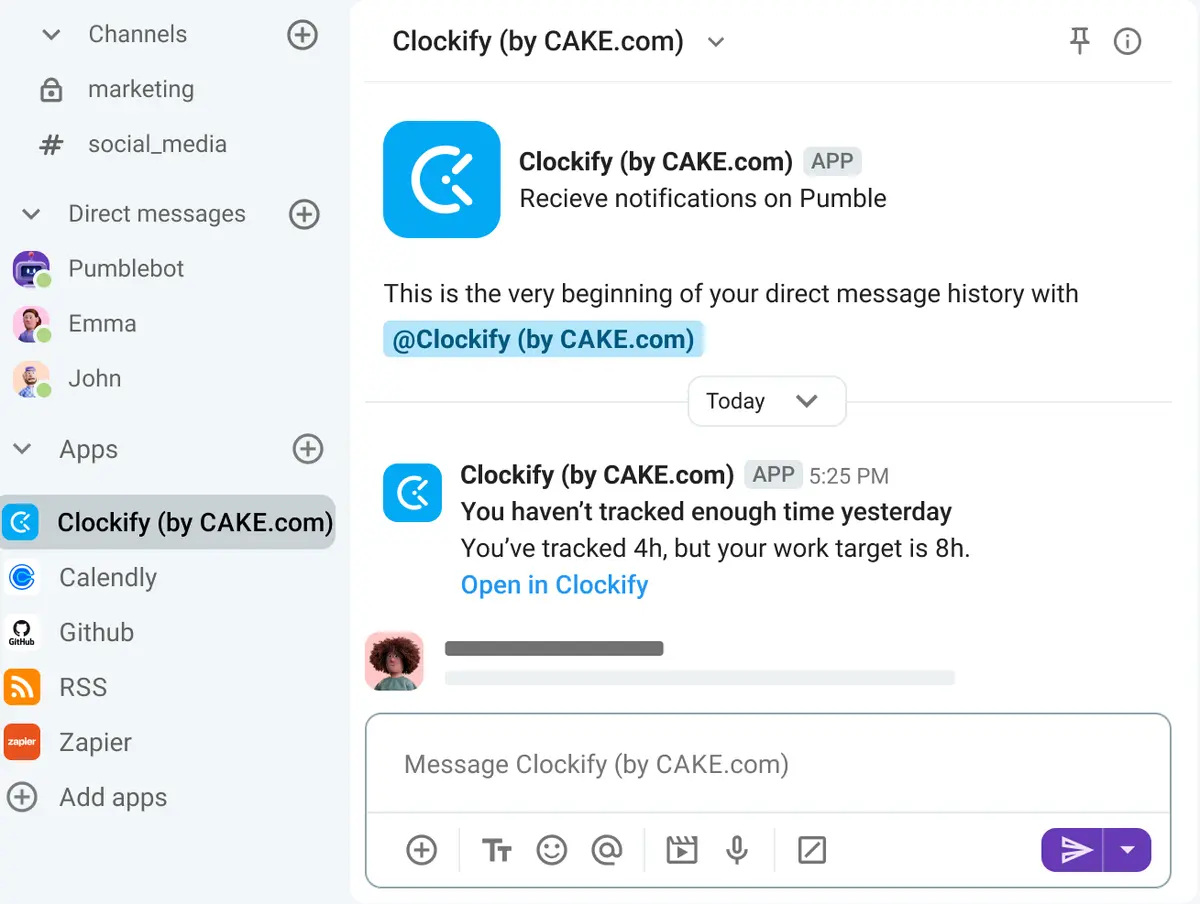
So, technically, the Pumble Pro plan gives you access to 12 integrations, not just 10.
Designed to work together, these 3 apps give you a chance to centralize all your daily operations — communication, project management, and time tracking — and keep all the context inside Pumble.

Is the Pumble Pro plan right for your team?
Pumble Pro can serve as the perfect Zoom and Slack alternative for teams that are still growing and companies that are scaling their business.
It’s ideal for small businesses and remote teams that want streamlined communication and organized daily execution of tasks.
The Pro plan is expansive enough to substitute at least 5–10 different apps without costing you an arm and a leg. It will serve as your digital HQ, saving you time you lose on app switching and improving your team’s overall productivity.
And, considering that Pumble’s pricing is more than fair — the Pro plan is just $2.49 per user per month (billed annually) — that’s a good deal!
Make communication easy with Pumble
FAQs about Pumble’s Pro plan
How many people can join a Pumble Pro’s video call?
The Pro plan is the first plan that includes group video conferencing (the Free plan allows only 1-on-1 calls), and it can accommodate up to 50 participants in a call.
How do I organize my channels in Pumble?
The best way to organize channels in Pumble will depend on your and your team’s communication needs and habits. You can customize your sidebar in Pumble by moving channels and DMs in an order that works for you or by creating custom sections that will house all related channels. To create a custom section, just click on the 3-dots menu next to the Channels or Direct messages section and select “Create new section”.
What is the difference between Pumble Free and Pumble Pro?
Pumble Free is designed for small teams that need core communication features and want to take advantage of Pumble’s unlimited users and message history. However, the Free plan doesn’t offer an integrated workflow like the Pro plan does. Pumble Pro adds advanced collaboration tools like group video conferencing, screen sharing, customizable sidebar sections, increased app integrations, and much more storage.
Is Pumble Pro cheaper than Slack and Zoom combined?
Yes, Pumble Pro is cheaper than both Slack and Zoom — apart and combined. A subscription to Pumble Pro costs $2.49 per user per month if you make annual payments or $2.99 per user per month if you opt to pay every month. In comparison, the cheapest Slack plan costs $7.25 per user per month (billed annually), while the most affordable subscription to Zoom is $14.16. So, using both Slack and Zoom would cost you $21.41 every month — that’s almost 9 times more than you’d pay for Pumble Pro.
Is the 10 GB storage per seat pooled across the team?
No, it’s not pooled — Pumble Pro plan includes 10 GB of storage space per team member. So, if your team has 10 members, you’ll cumulatively have 100 GB of storage space between you.
What happens to my data if I upgrade from Pumble Free to Pumble Pro?
Upgrading to the Pro plan is completely safe for your data. All your messages, files, and channels will remain intact when you switch to a paid subscription. You will not lose any data, and your storage capacity will expand from the free 10 GB limit to a much larger 10 GB per user seat.
Streamline your daily work with Pumble Pro
Free plans can only take you so far. Sooner or later, they won’t be enough to sustain your team’s growth. Instead, they’ll hinder your progress.
To avoid that, upgrade to Pumble Pro now and start enjoying all of its benefits. Overcome tool fragmentation, stop the endless app switching, and build your digital headquarters in one app that can do it all — Pumble by CAKE.com.
Turn your chaotic chat into a streamlined workflow.
Get started with Pumble by CAKE.com
How we reviewed this post: Our writers & editors monitor the posts and update them when new information becomes available, to keep them fresh and relevant.