
An internal knowledge base is a centralized collection of information your team needs to work efficiently.
Without one, important information becomes scattered, employees waste time searching for answers, and the same questions keep coming up.
Here’s how to create an internal knowledge base in 6 simple steps.
- An internal knowledge base is an online library where employees can find all the information they need to work efficiently.
- Audit your company’s existing knowledge, find information gaps, and centralize important resources in one place, such as a team communication app like Pumble by CAKE.com.
- Organize information in dedicated channels and categories, so employees know where to find and share it.
- Encourage self-service by having team members search past conversations and shared files before asking questions.
- Assign owners by departments to review, update, and maintain information regularly.
Step #1: Audit & prioritize content
Start by figuring out what you already have and where it’s stored. Look at the platforms where your company knowledge is scattered, such as email threads, shared drives, and Google Docs.
Identify existing documentation, outdated information, and content gaps by looking at the recurring questions employees ask.
Once you’ve gathered the most valuable information, the next step is to centralize it in a place where everyone knows to look.
Step #2: Choose where information lives
Avoid splitting information across multiple tools. Instead, choose one place employees are expected to check first whenever they need an answer.
Keeping internal documentation, resources, and discussions in one location creates a reliable single source of truth and helps reduce confusion caused by outdated or duplicate information.
Since employees spend much of their workday in their team communication app, it makes sense to have it serve as your company knowledge base.
An app like Pumble brings together your organization’s communication and collaboration. It functions as your digital HQ, where you can centralize and access knowledge without disrupting your team’s daily workflow. It lets you securely share files, documents, presentations, images, and videos, along with the conversations that give them context.
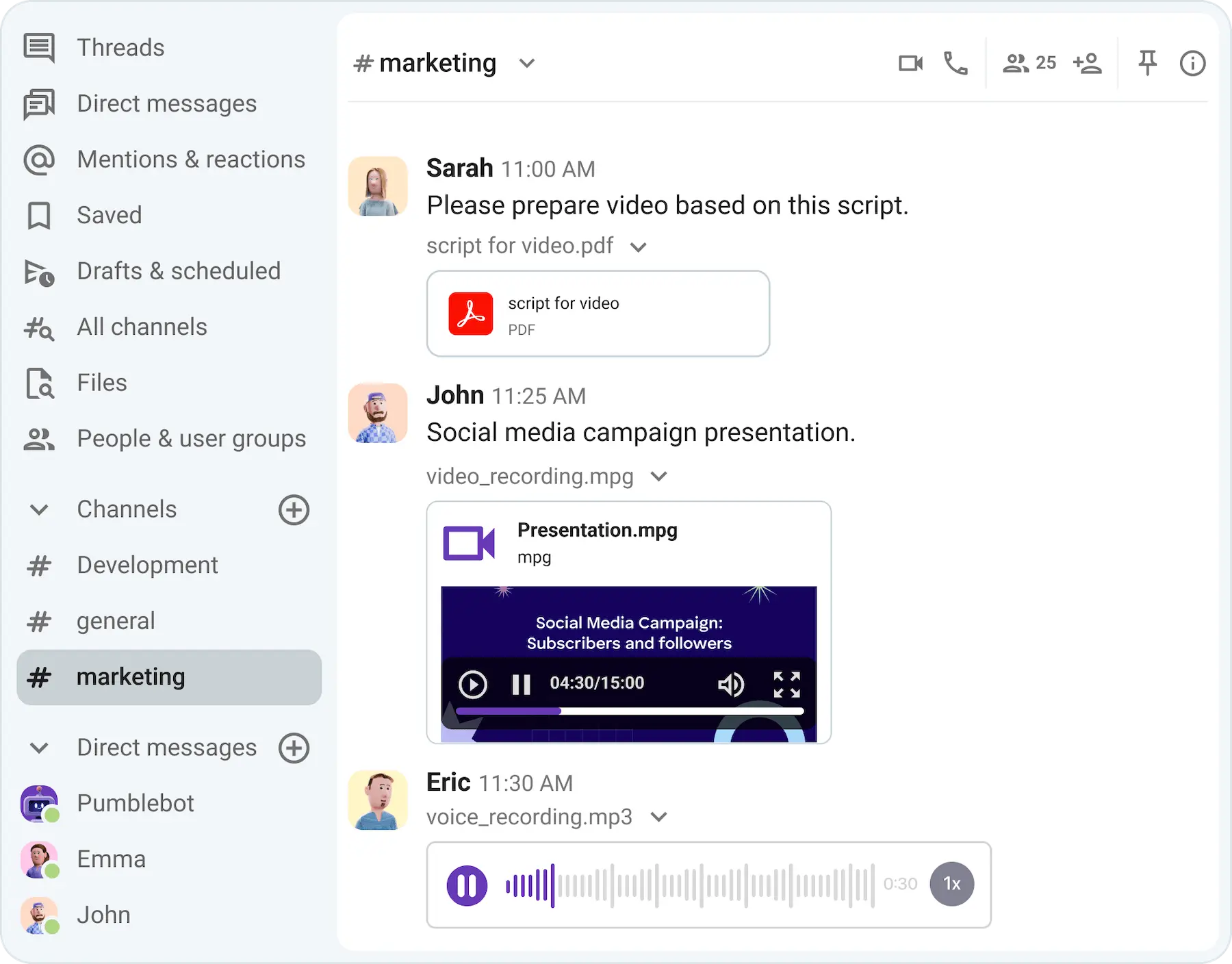
Centralize your knowledge in Pumble
Step #3: Define the structure
To keep everything organized, team members need to know where to put information and where to look for it. To do this, you can create categories based on teams or functions and use consistent naming conventions to keep everything unified.
In Pumble by CAKE.com, this means creating dedicated channels for different departments, projects, or topics.
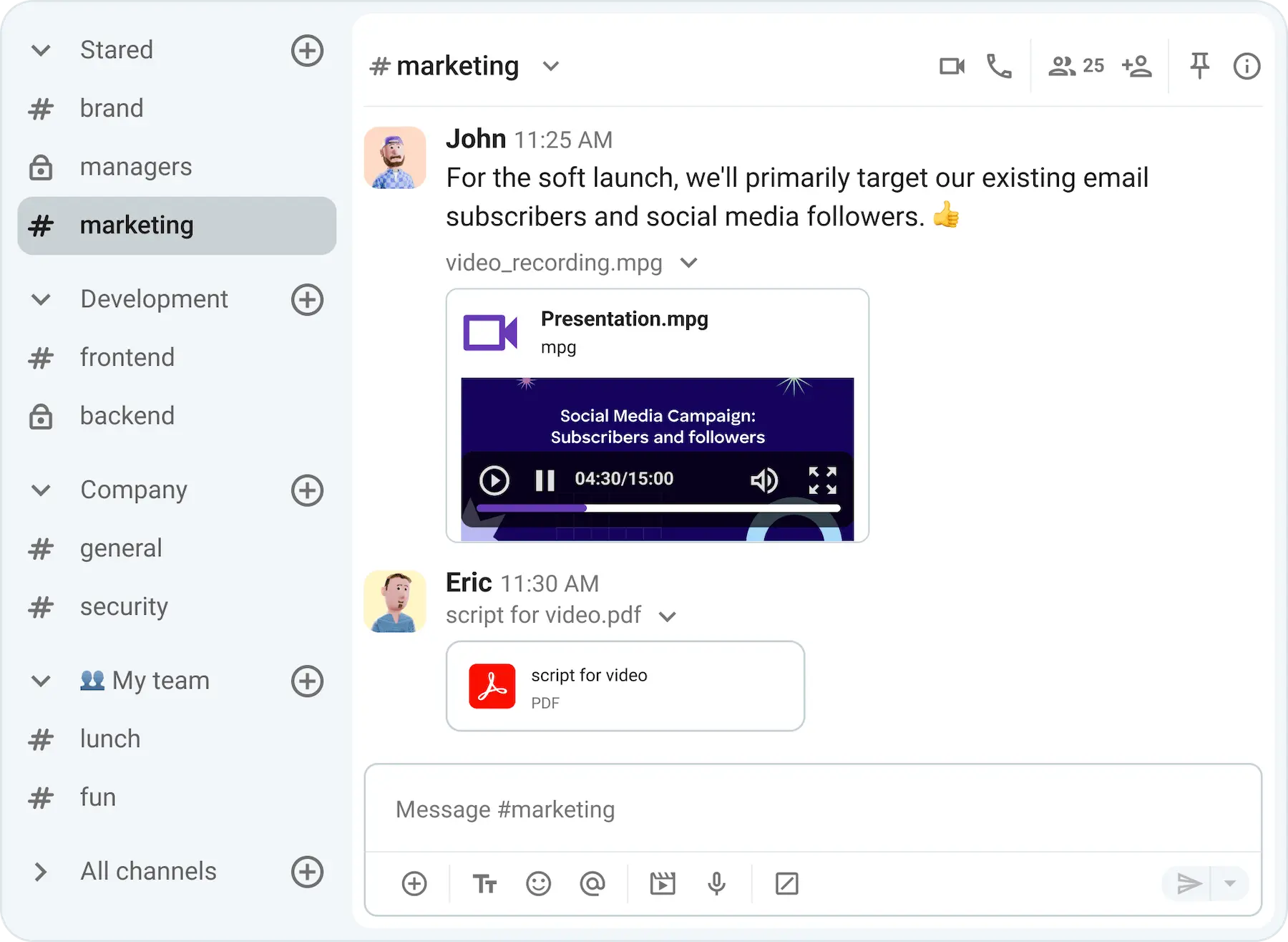
For example, you can have:
- Department channels: #design, #marketing, #sales
- Project channels: #q3_budget, #brand_design, #product_update
- Topic channels: #customer_feedback, #training_resources, #product_tips
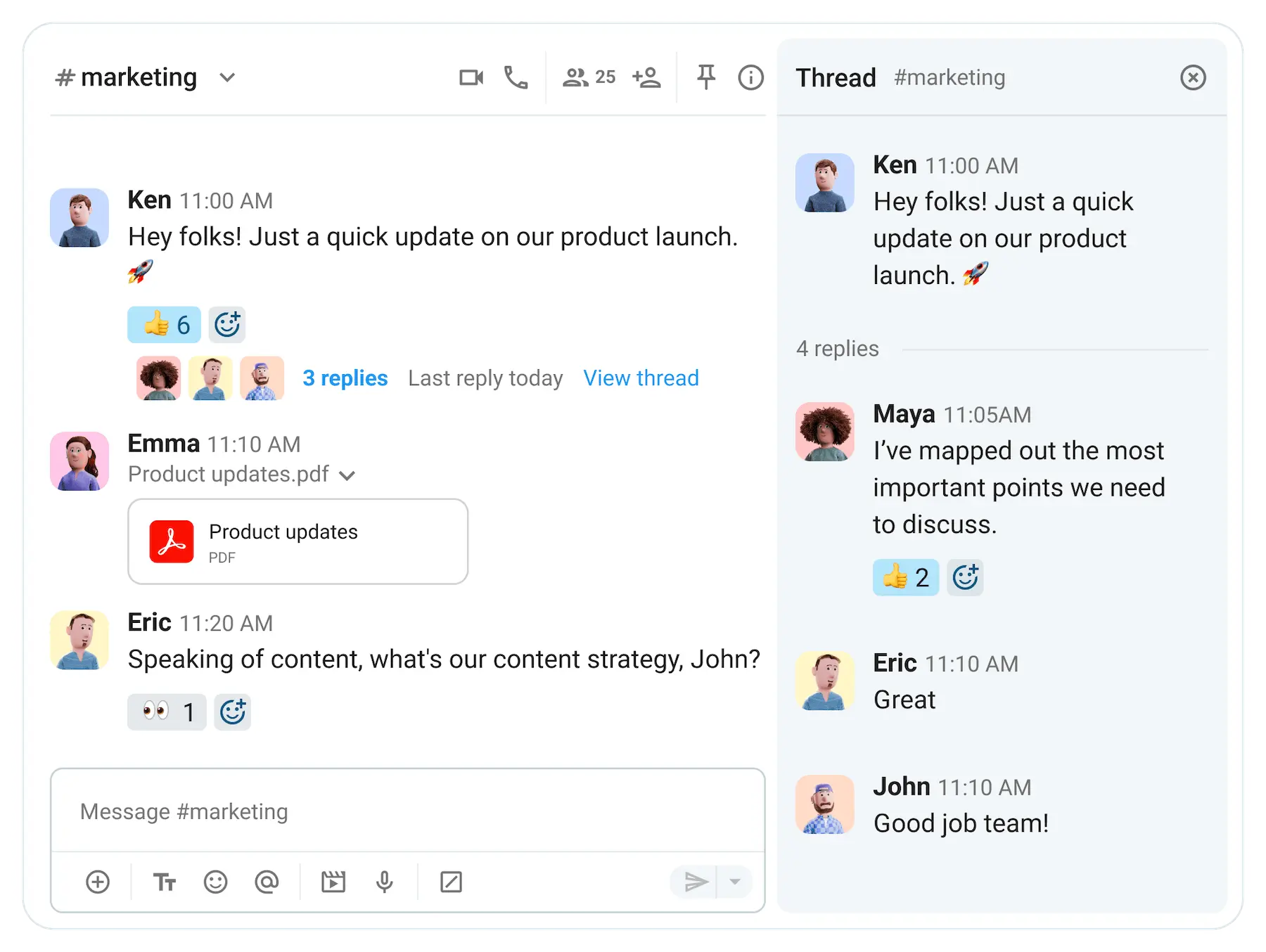
Additionally, you can organize discussions in threaded conversations so the main space remains clear.
With threads, replies to a specific message stay grouped together, making it easy to follow a single discussion without unrelated messages cluttering the conversation.
Step #4: Organize & make it searchable
Once everything has its place, it’s important to ensure employees can quickly find it. To make that possible, give descriptive names to files and documents.
Encourage a self-service approach by reminding team members to search for answers before asking a question. That will enable them to find information quickly without interrupting each other’s work.
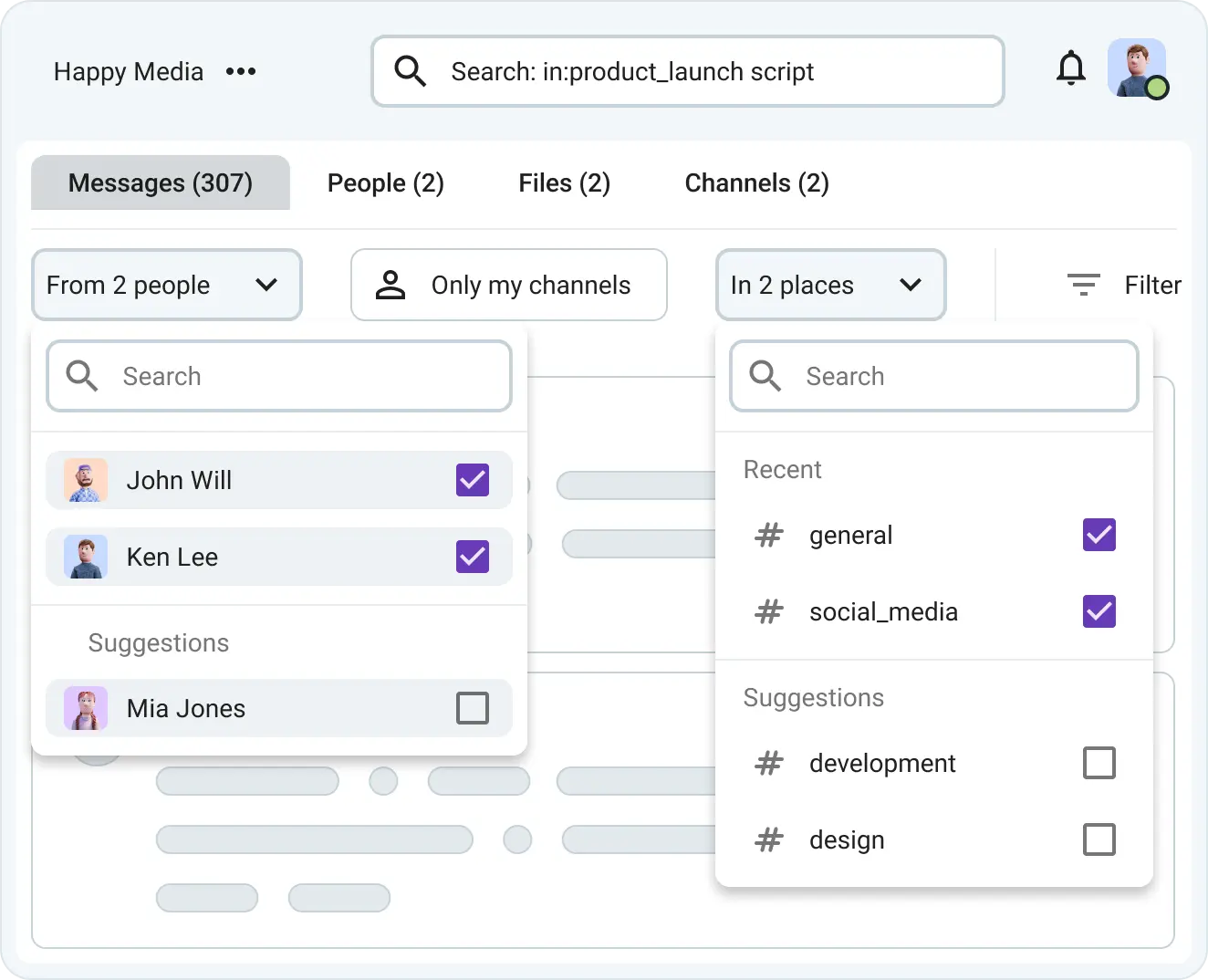
With Pumble’s search functionality, employees can quickly find messages, files, and links shared across the workspace, without scrolling through endless conversations or asking coworkers to send the same information again.
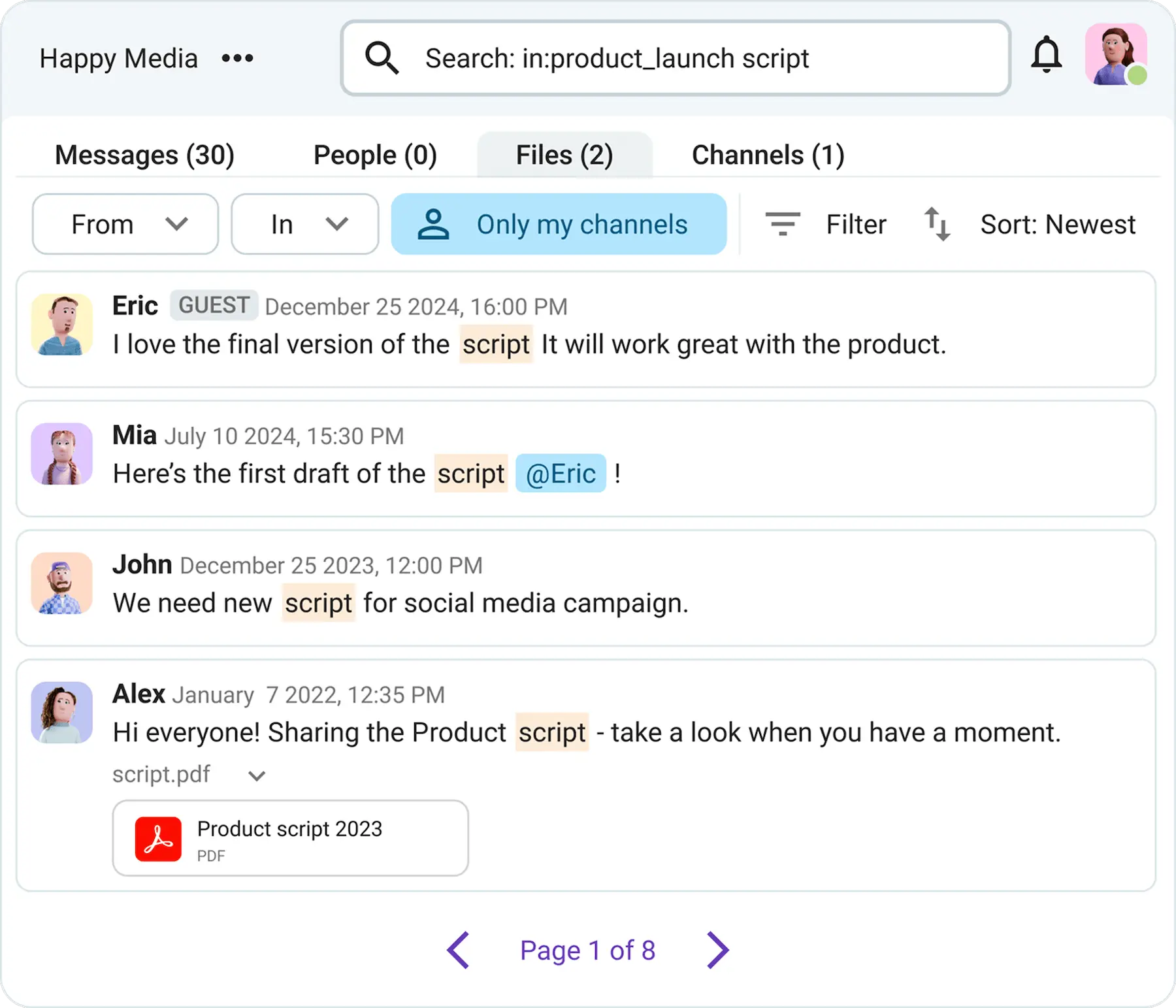
Because of Pumble’s free unlimited message history, your team can always search through past conversations and shared files without worrying about information disappearing over time.
For example, if a designer is looking for a mockup shared last month, they can just type the keyword “mockup” in the search bar and instantly see relevant messages and files.
They can filter the results further by date range, channel, or sender, which makes finding exactly what they need a breeze.
Additionally, you can pin messages with important resources so they’re easy to find instead of getting lost in ongoing conversations.
Employees can also save messages they refer to often, making it easier to quickly return to useful information when needed.

Step #5: Assign an owner
To ensure information in your team knowledge base stays accurate and up-to-date, you have to assign owners.
Without ownership, no one is responsible for checking whether information is still correct.
Outdated information can be worse than missing information because employees may trust it and follow the wrong process.
The best way to assign ownership is by department — the person closest to the process should own the information.
For example:
- HR owns employee onboarding, benefits, and workplace policies.
- IT owns technical documentation, access instructions, and troubleshooting guides.
- Finance owns reimbursement policies and expense procedures.
Once ownership is established, set a regular review schedule — typically 30 to 90 days — to ensure information stays accurate and relevant.
The owner can follow this simple checklist:
- Review existing documentation for outdated information.
- Update files, links, or procedures that have changed.
- Add information based on recurring employee questions.
- Notify team members about important updates or changes.
For example, an HR team member responsible for onboarding documentation may review the onboarding channel in Pumble every quarter to make sure information about processes and tools is still accurate.
If something changes, they can share updated resources and highlight important changes so everyone knows which version to follow.
Step #6: Launch & maintain
To launch your internal knowledge base, announce in a Pumble company-wide channel that you will be using the tool for all knowledge sharing. Explain to the employees that they should check it before asking questions, and show them where different types of information live.
Ask team members to share updates in relevant channels instead of keeping important information in private direct messages.
After people start using it, ask for feedback to learn what’s missing, such as:
- Information employees still struggle to find
- Outdated resources
- Missing processes
- Unclear instructions
Knowledge management isn’t a one-time project. As processes change and teams grow, so will your internal knowledge base and the habits you and your team build around it.
FAQ
What is an internal knowledge base?
An internal knowledge base is a centralized collection of information where employees can quickly find the answers, resources, and documentation they need to work efficiently. It serves as a single source of truth for your organization’s knowledge.
What are the benefits of having a team knowledge base?
Having a team knowledge base leads to:
- Faster onboarding for new employees
- Fewer repeated questions and interruptions
- A single source of truth for company information
- Better knowledge retention when employees leave
- Fewer errors caused by outdated information
- Increased productivity, because employees spend less time searching for answers
How do you build a knowledge base for employees?
Start by auditing your existing knowledge and identifying the information employees need the most. Then, centralize it in one place, organize it into clear categories, and make it easy to search. Assign owners to regularly review information and keep it up to date.
Building a knowledge base around your employees’ daily workflows makes it easier for them to add to it, find information, and stay productive.
What should an internal knowledge base include?
An internal knowledge base should include company policies, processes and procedures, onboarding materials, important files, project documentation, and answers to frequently asked questions. It should also include any other information employees regularly rely on to do their work efficiently.
Build your knowledge base in Pumble by CAKE.com
Creating an effective knowledge base requires the right approach and the best tools.
With Pumble’s robust features, you can easily store, search, and organize your team’s vital information, so everyone has what they need at their fingertips.
Elevate your team’s productivity and collaboration.
How we reviewed this post: Our writers & editors monitor the posts and update them when new information becomes available, to keep them fresh and relevant.