Add Custom Emojis to your Workspace
1 min read
isidora.komaromi@cake.com
Who can use this feature?
Owner, Admin, Member
Available on all plans
In Pumble, emojis are both entertaining and practical for communication in a workspace.
Custom emojis are available for everyone in the workspace to use and can be found by clicking at the Pumble icon in the emoji picker. At the moment, custom emojis are available on Web/Desktop app only.
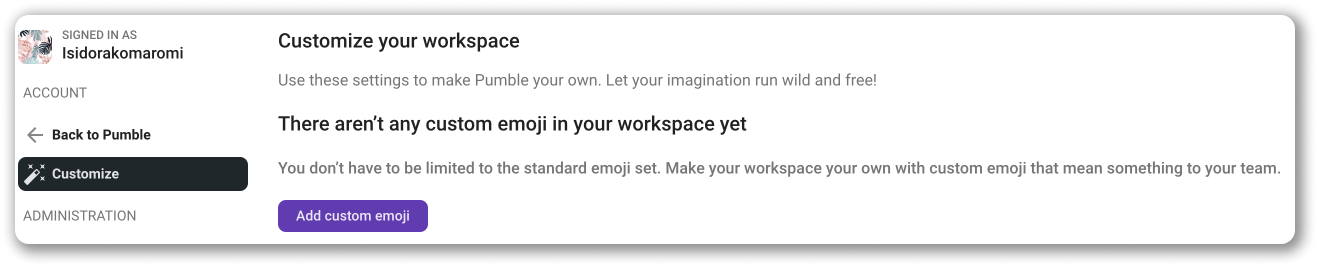
To add customized emoji: #
- Hover over Workspace settings from the dropdown menu under your workspace icon
- Click on General settings
- Select Customize section
- Click Add custom emoji
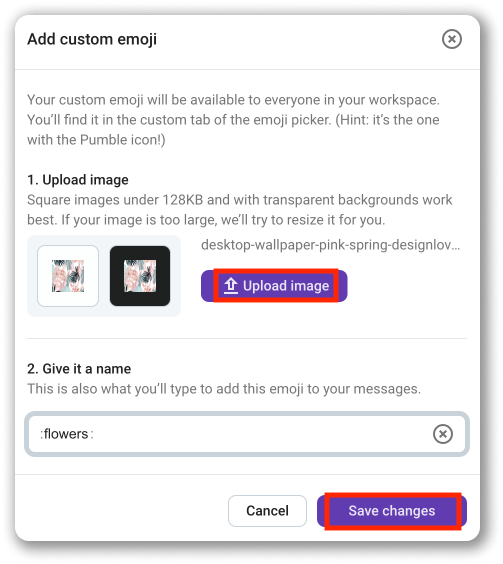
- Click Upload an image
- Name the image
- Click Save changes to complete the action
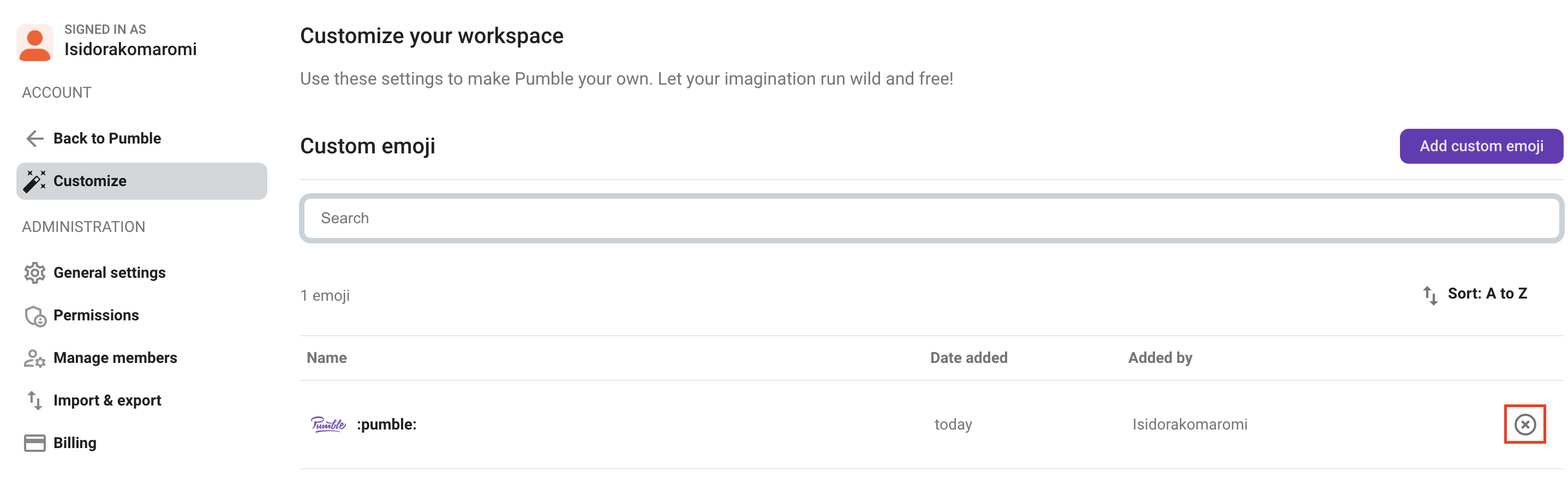
To remove customized emoji: #
- Open Workspace settings from the dropdown menu under your workspace icon
- Select Customize section
- Click on X next to the emoji you’d like to remove
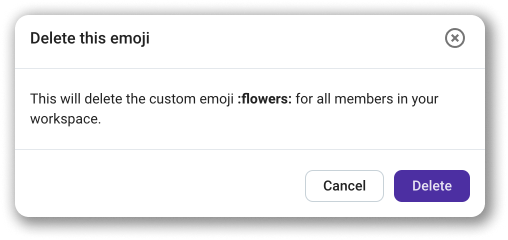
- Click Delete to complete the action
Custom emoji reactions can be used on Desktop/Web and iOS apps.
Info
As a standard setting, all users except for guest users can add and remove custom emojis. On the PRO plan, you can adjust permissions and specify who can manage custom emojis.
Was this article helpful?
Thank you! If you’d like a member of our support team to respond to you, please drop us a note at support@pumble.com