Trello integration
1 min read
Milos Milosavljevic
Who can use this feature?
Owner, Admin, Member
Available on all plans
If you use Trello for project management, you can integrate it with Pumble and connect the two apps. This helps you manage projects on Trello more easily and improves your workflow.
Install Trello addon #
To get started, install the Trello addon in your Pumble Workspace. Here’s how you can do this:
- Click on the three dots next to your Workspace name
- Hover over Workspace settings
- Click on Configure apps
- Click Install next to the Trello addon

Receive Trello notifications on Pumble #
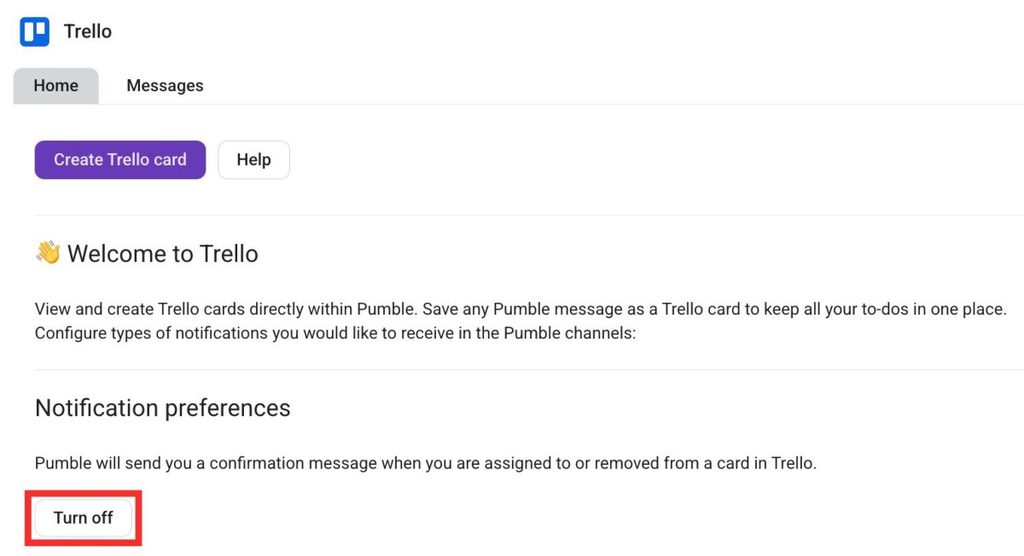
You can receive notifications on Pumble whenever someone assigns you to a Trello card. Here’s how you can turn notifications on/off:
- Open Trello integration
- Open the Home tab
- Click on Turn on/off
Create a Trello card on Pumble #
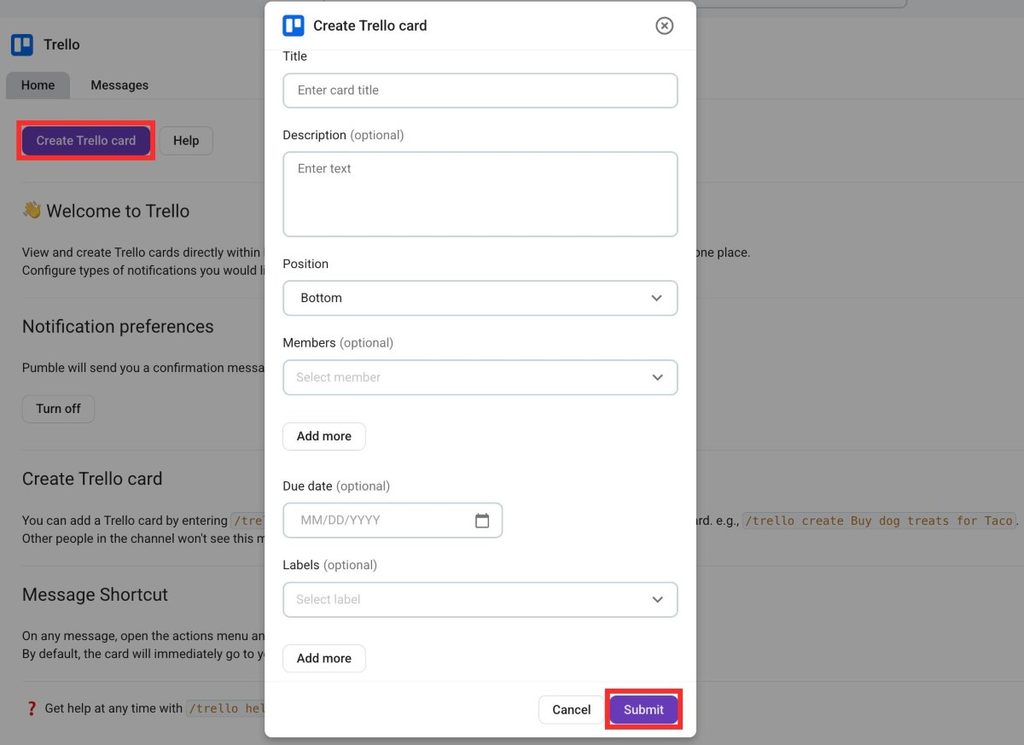
You can create a Trello card directly from Pumble. Here’s how to do this:
- Open the Trello addon
- Click on Create Trello card
- Select the Board
- Select the List
- Fill out the rest of the information
- Click on Submit to complete the action
Was this article helpful?
Thank you! If you’d like a member of our support team to respond to you, please drop us a note at support@pumble.com