Pumble API Overview
This feature is available on all plans.
By using the Pumble API addon, you can interact with Pumble’s API documentation without using any complex authentication processes. This addon lets you generate an API key that allows you to send messages, reactions, and more via simple HTTP requests.
Install API addon #
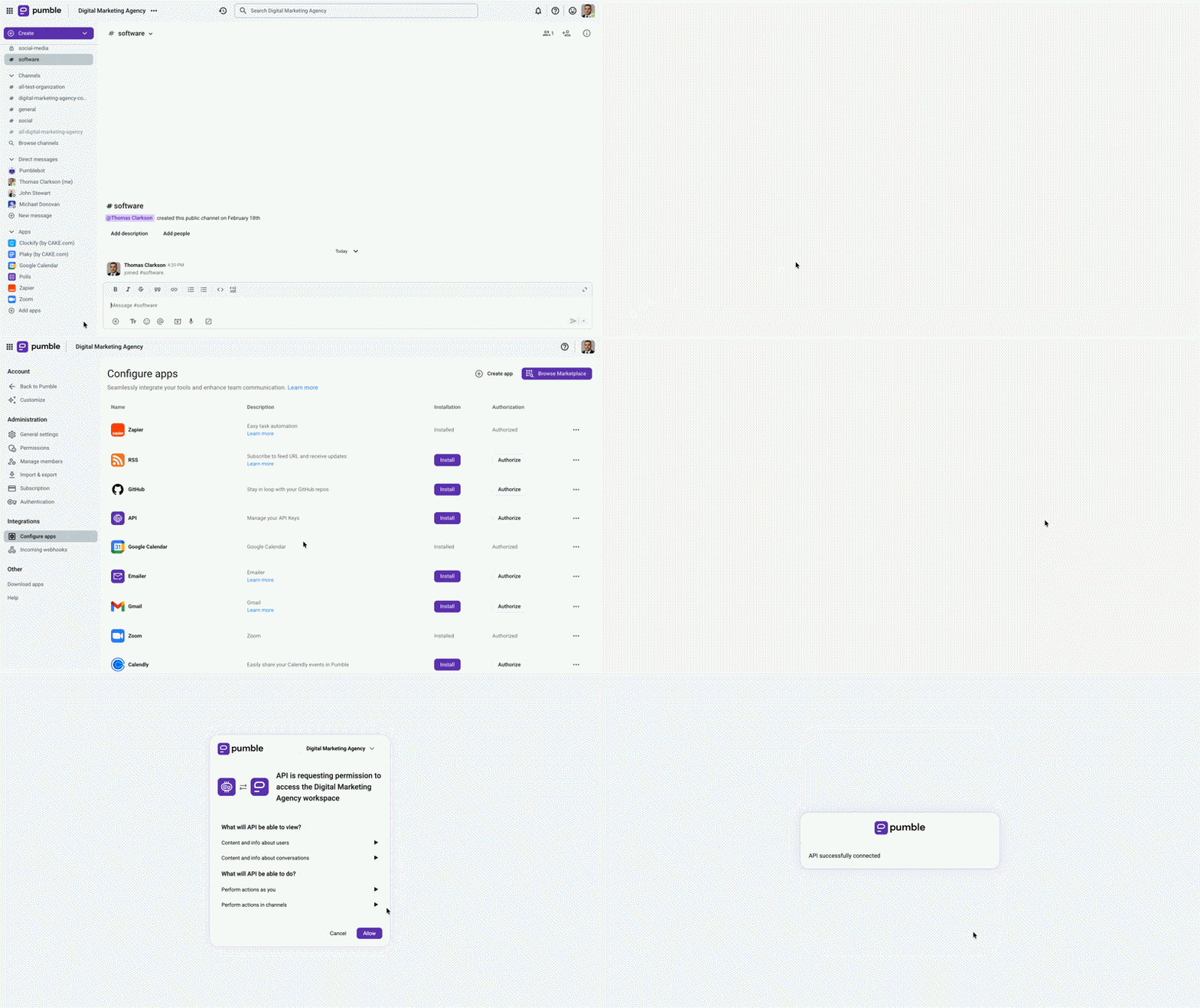
Before you can create an API key, you need to install the API addon on your Pumble workspace.
Here’s how to do this:
- Click on + Add apps in the left sidebar
- Click on Install in the API section
- Allow permissions
Generate an API key #
Once your API addon is installed, you can generate API keys directly in Pumble.
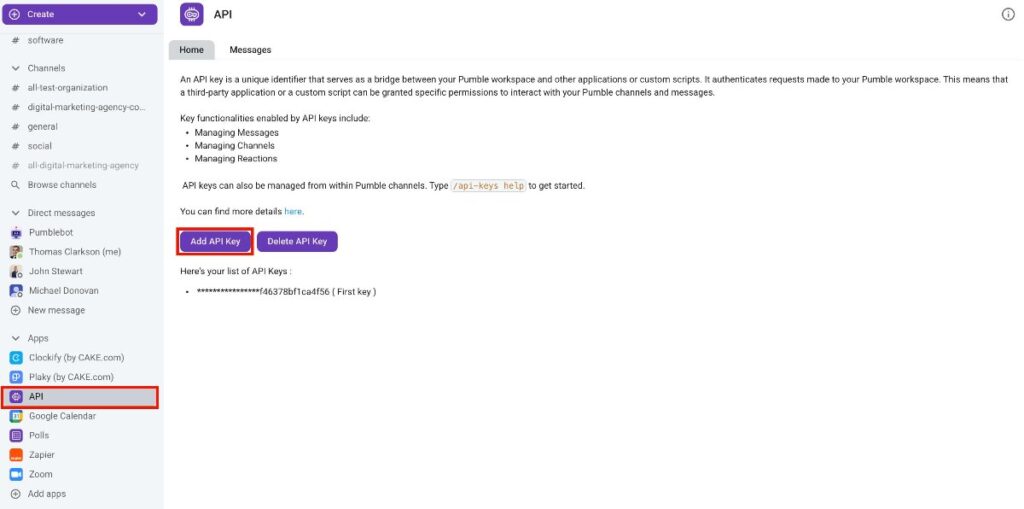
Here’s how:
- Click on API in the left sidebar
- Select Add API key
- Enter API key name
- Click Generate to complete the action
You’ll receive an ephemeral message containing the generated API key. This message is not visible to other users. Copy this key for future use. The generated key enables interaction with the Addon’s public API, allowing users to send requests and execute various actions within Pumble, including:
- Sending messages
- Leaving a reply to a message
- Message deletion
- Adding a reaction to a message
- Channel creation
- Listing the messages in a channel (if the channel is private, Addon Bot needs to be a member of that channel)
- Listing the channels and DMs that belong to the user who created the key
The full list of available actions is available in the Swagger documentation. You can also use the documentation in Swagger, just enter your API key in the Authorize part.
Delete API key #
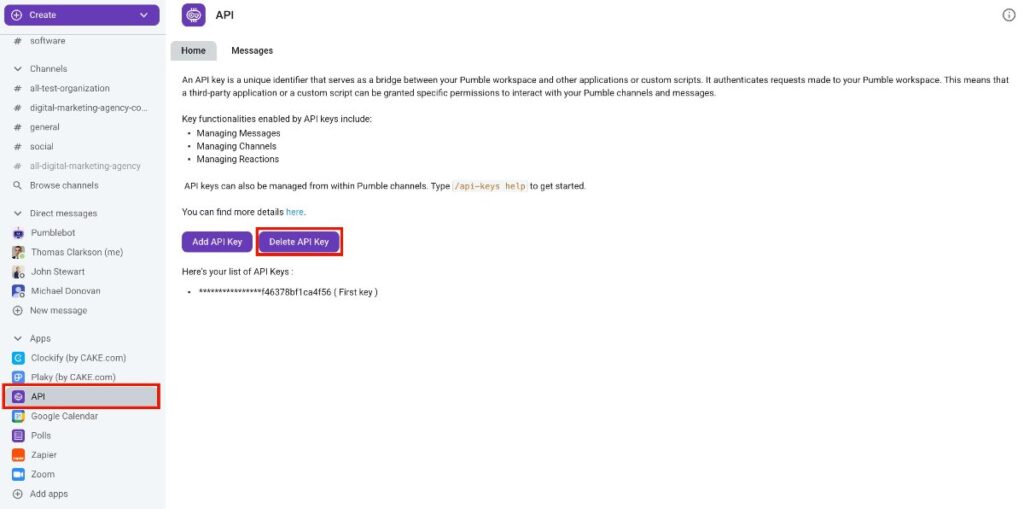
You can remove an API key by following these steps:
- Click on API in the left sidebar
- Select Delete API key
- Choose a key from the list
- Click Delete to confirm the action
Valid commands #
There are a few specific actions for interacting with the Pumble API addon. You can use these commands directly in messages:
/api-keys generate– addon will generate API keys for that particular user and store it in their database. Users can generate as much API keys as they want to./api-keys list– addon will list all user’s API keys/api-keys help– to list all valid commands you can use