Change Pumble Language
1 min read
Milos Milosavljevic
Who can use this feature?
Owner, Admin, Member
Available on all plans
You can use different languages for your workspace based on your personal preferences. Currently, Pumble supports the following languages:
- English
- Spanish
- French
- German
- Portuguese
Here’s how you can change your language in Pumble:
Web/Desktop
iOS
Android
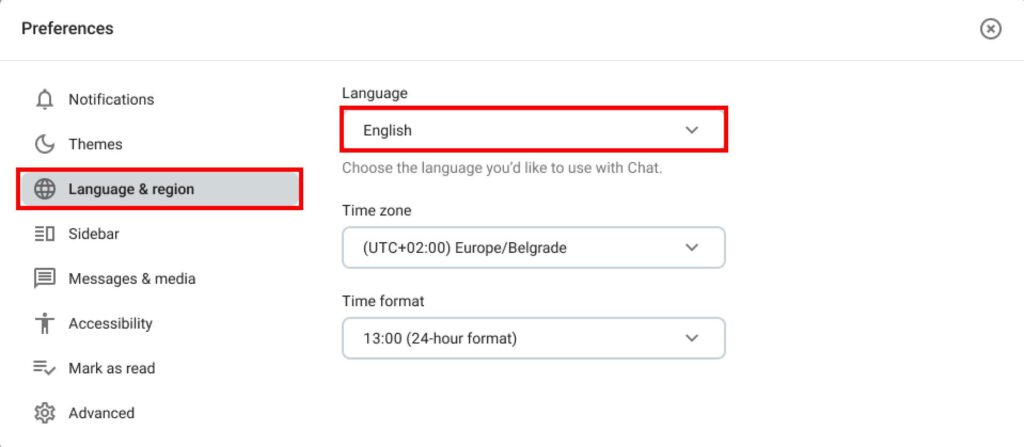
- Click on your profile picture in the top right corner
- Select Preferences
- Click on Language & region
- Click on Language
- Select the language from the dropdown
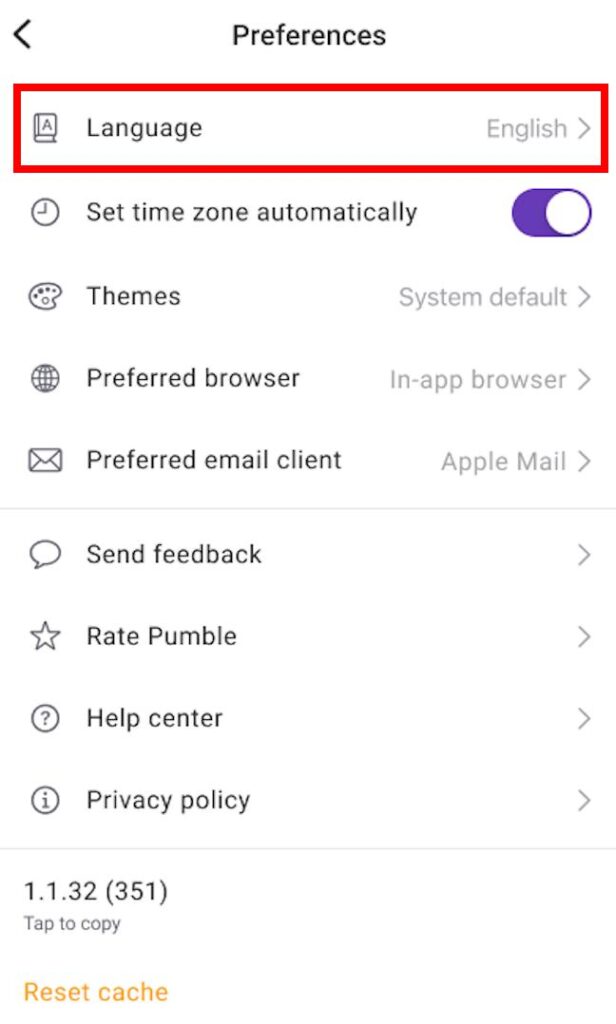
- Tap on your profile picture in the top right corner
- Select Preferences
- Tap on Language
- Select a language from the list
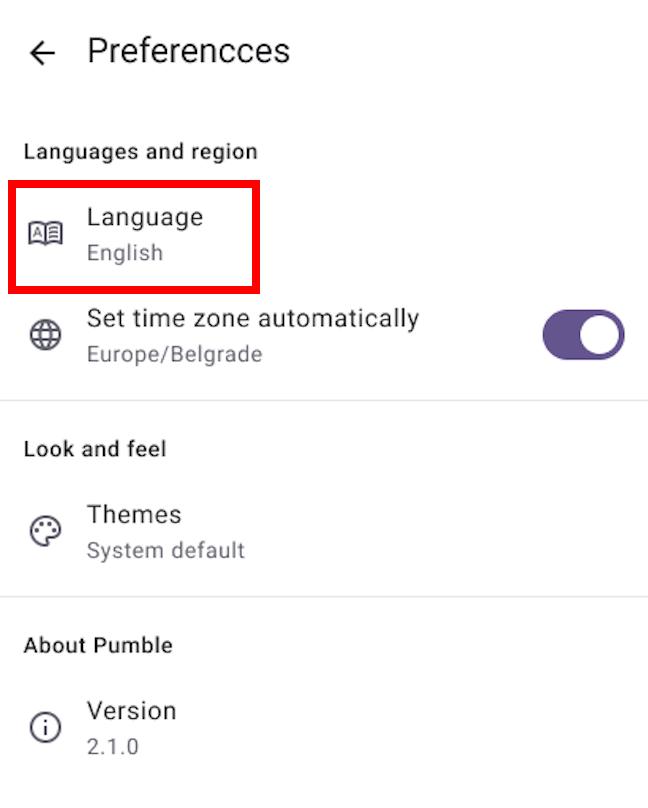
- Tap on your profile picture in the top right corner
- Select Preferences
- Tap on Language
- Select a language from the list
Frequently asked questions #
Which languages does Pumble support? #
English, Spanish, French, German, and Portuguese.
Does changing my language affect my team members? #
No. The setting is personal, so everyone in the Workspace can use whichever language they prefer.
Can I change the language on my phone? #
Yes. On iOS and Android, tap on your profile picture and then select Preferences. From there, you can select the language.
Was this article helpful?
Thank you! If you’d like a member of our support team to respond to you, please drop us a note at support@pumble.com