
You wouldn’t want to mess up your client churn numbers over a few unanswered messages, would you?
Well, there’s a simple agency communication strategy you could use to make sure that doesn’t happen — the end-of-day review.
In this article, we’re going to talk about what this client communication management strategy looks like and how a team communication app, Pumble by CAKE.com, can help you implement it.
But, before we get into the specifics, let’s start by discussing the true cost of unanswered messages and inefficient client communication tools.
- Email chaos can make it difficult to find and adequately respond to important client communications.
- The end-of-day review is an agency communication strategy you can use to improve client retention by regularly answering clients’ questions.
- The team communication app, Pumble by CAKE.com, has many features that can help you implement a functional end-of-day review and reduce your client churn rate.
- Being able to give your clients guest access accounts can let you stay on top of their messages through dedicated channels, while also keeping your internal communications secure.
The cost of email chaos and unanswered messages
Not answering your clients’ emails and messages for hours and days at a time can lead to:
- Delayed and duplicate work, as you’re forced to revise work you already did to fit the clients’ new requirements
- Higher client churn rates, as Project.co’s report notes that 66% of customers who moved to a competitor in 2026 did so due to poor communication
- Reputational (and financial) damage, as news of your poor communication practices spreads throughout the industry.
But, does that mean email itself is a bad platform for professional communication?
Well, take a moment to think about email as a communication tool.
Isn’t it true that our inboxes tend to quickly get overrun by all sorts of irrelevant communication?
According to Microsoft’s 2025 Work Trend Index report, workers receive an average of 117 emails per day.
On the one hand, you have automated meeting invites, subscriptions, and spam. These obviously don’t require replies and can even be deleted in bulk.
The problem is that these emails are often mixed in with internal and external messages that actually require your attention.
Missing internal emails isn’t a frequent occurrence nowadays, since your coworkers will usually give you a heads up about the email via a direct message on your internal communication app.
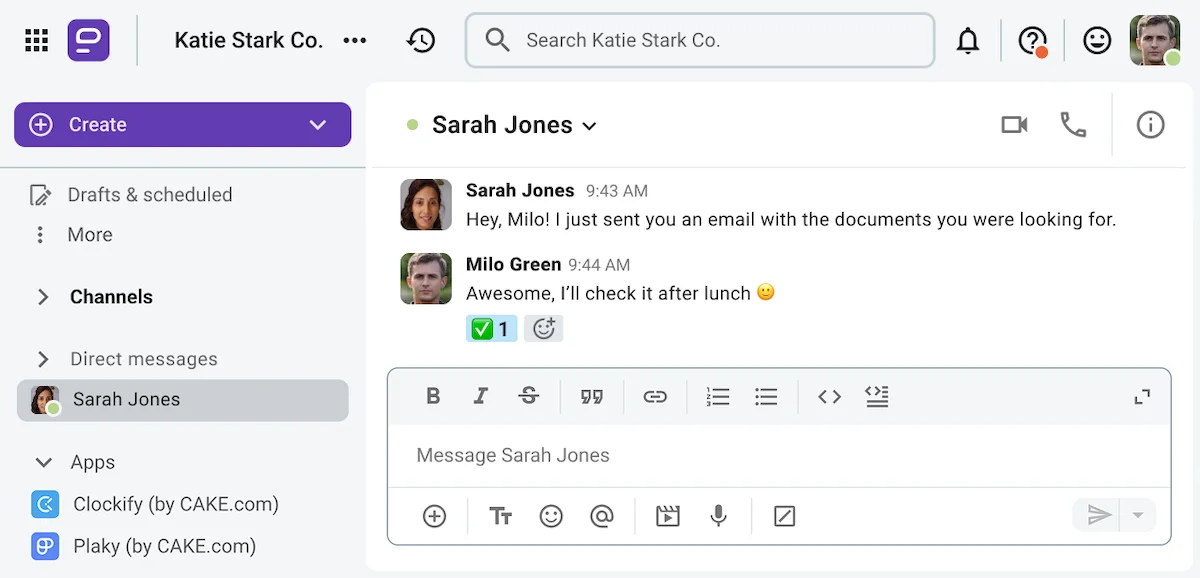
However, according to Communication Statistics 2026 from Project.co, 53% of organizations still rely on email as their primary platform for written communication with clients and other third parties.
And that is exactly why so many organizations struggle with client communication management.
Simply put, knowing about the email chaos that lurks in our inboxes makes us less likely to check for unanswered messages by the end of the day.
But, can having an end-of-day review system prevent email chaos from prevailing?
💡 PUMBLE PRO TIP
Want to know what makes email bad for business? Here are 4 more reasons to switch to a communication app instead:
Ditch email — try Pumble for free
What is the end-of-day review system for client communication management?
The end-of-day review system is a daily habit of checking the channels you use to communicate with clients to make sure all messages have been answered or acknowledged by the end of the day.
The strategy is particularly beneficial to project-based service firms that engage in external communication on an almost daily basis.
But, as we have established, email chaos tends to make the end-of-day review more difficult than it needs to be.
If you want to streamline this agency communication strategy, you should make the most of client communication tools like the messaging app Pumble.
Doing so will allow you to:
- Easily spot any unanswered messages
- Reply using message threads rather than sending a channel-wide message (the equivalent of a “reply all” email)
- Take full advantage of the app’s unlimited searchable history to keep track of information you’ve already provided
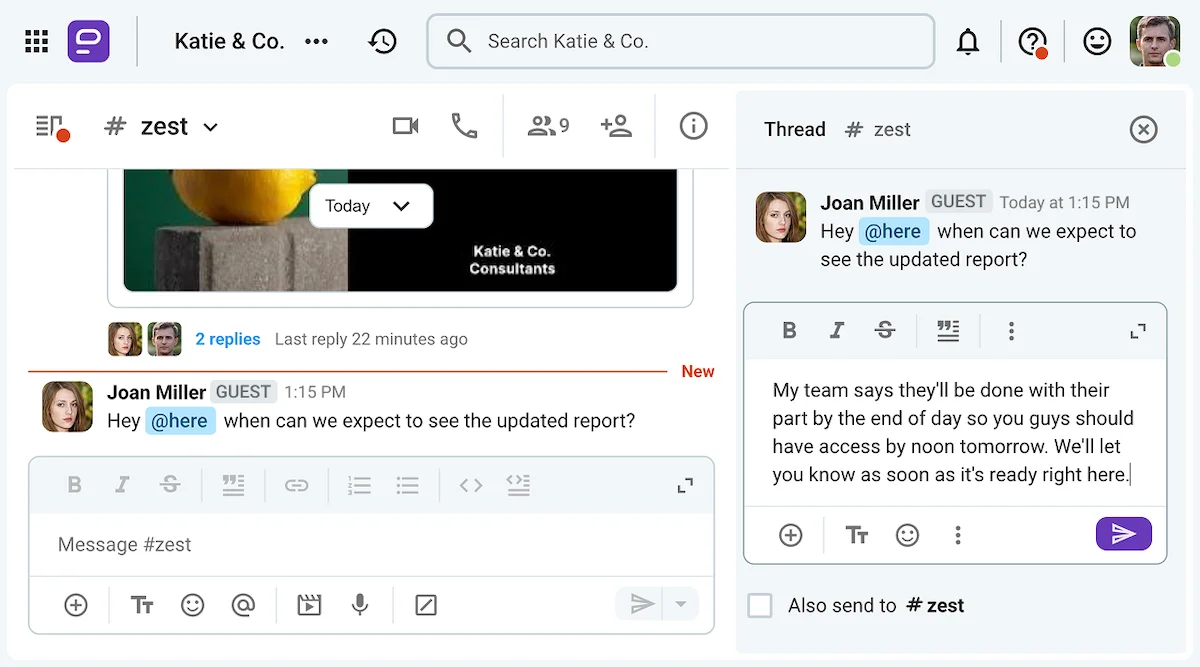
With all this in mind, let’s talk about the specific Pumble features you can use to improve your client communication management.

💡 PUMBLE PRO TIP
Interested in learning about how different outward-facing teams use Pumble? Check out these resources:
5 steps to execute the end-of-day review on Pumble
If you’re looking to improve your client communication management, these 5 steps can help you establish an end-of-day review system on Pumble:
- Use secure guest access accounts.
- Set up dedicated client channels.
- Clear active message threads at the end of the day.
- Verify context with Pumble’s unlimited searchable history.
- Use message scheduling and reminders.
#1: Bring clients into the loop with secure guest access accounts
If you want to start doing your end-of-day review on Pumble, you should start by onboarding your clients’ representatives into your workspace.
With the free version of the app, you can just have them create a regular account and join whichever public channels they want to be a part of.
However, in that case, you’ll have to keep all confidential company conversations in private channels.
On the other hand, if you’re willing to upgrade your Pumble subscription to the Business or Enterprise plan, you’ll be able to use the guest access account feature to onboard your clients.
You can onboard up to 5 single-channel guest users per every paid seat in your workspace for free. Alternatively, you can pay the equivalent of a regular seat for multi-channel guest access accounts.
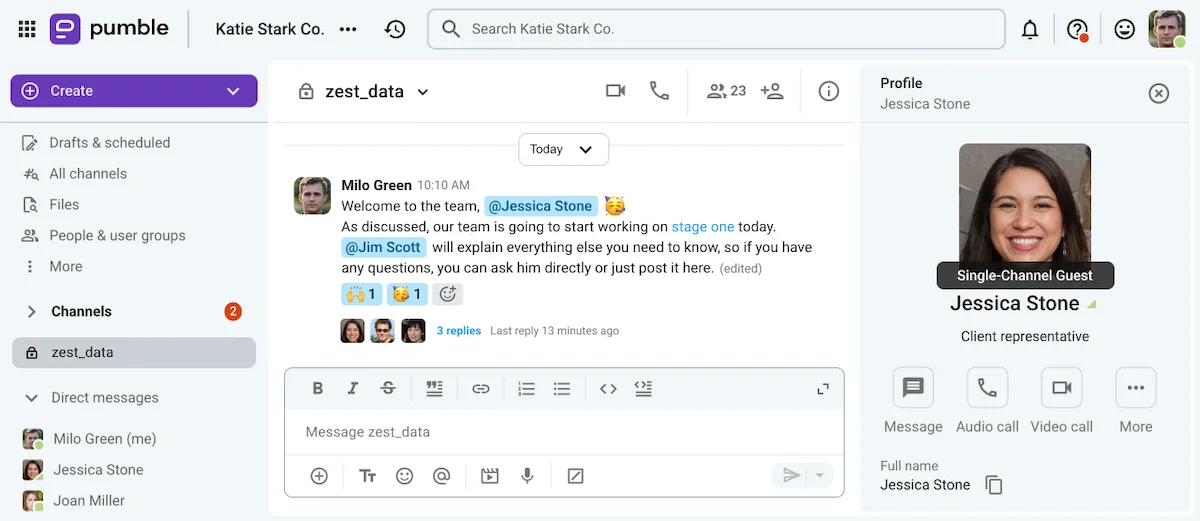
Either way, as the workspace owner or administrator, you’ll have complete control over the features and channels your guests have access to. That will keep your internal communication secure while still letting you promptly respond to your client’s messages throughout the day.
Explore Pumble’s guest accounts
#2: Isolate noise with dedicated client channels
Before you onboard any guest users to your Pumble workspace, you might want to take some time to set up dedicated client channels.
Pumble channels keep all conversations you have about and with specific clients neatly organized.
And, if you make some of these channels private, they’ll only be accessible to team members who need to be in the know.
In any case, you can make these channels easier for new team members to find by setting some labeling rules. For example, you can have all channel names start with the client’s name, so they all come up when your team members search for a client on Pumble.
Of course, when you go to invite client representatives to your workspace through guest accounts, you’ll be able to select which of those channels they have access to, without worrying about them seeing internal exchanges.
Even if your team is juggling multiple projects for multiple clients, having separate channels for each client and project will help them see whether there are any unanswered messages they need to deal with before clocking out.
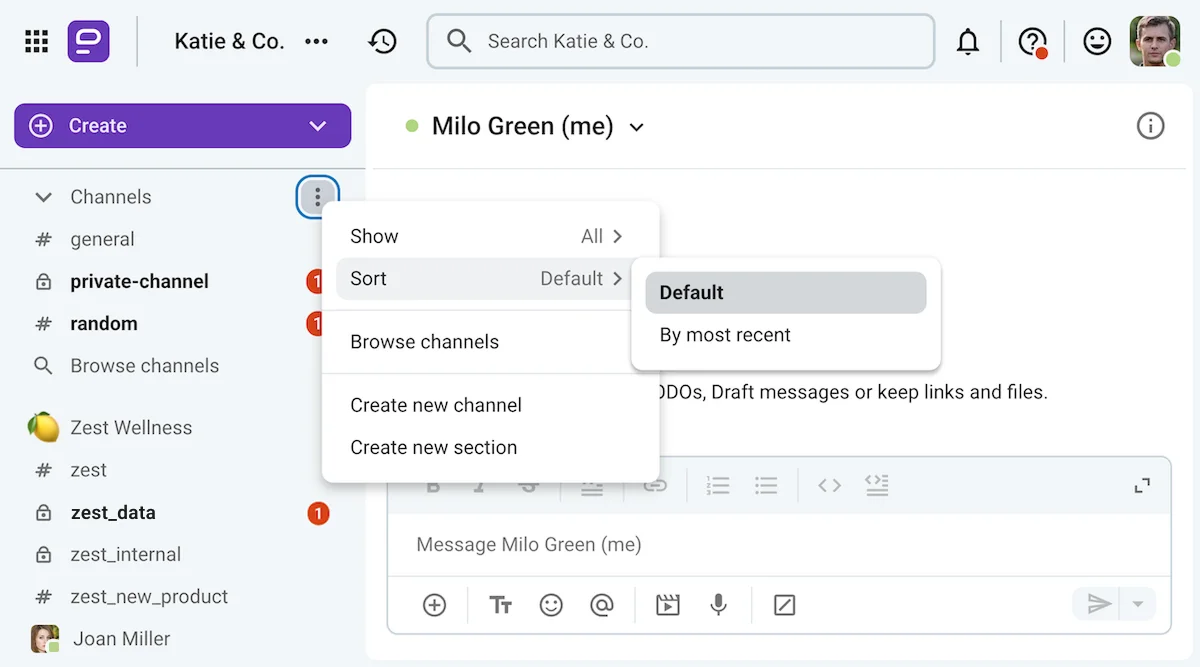
In the image below, you can see that individual users can also group certain channels and chats under a separate section to make sure they don’t miss any of that client’s messages.

#3: Clear active message threads at the end of the day
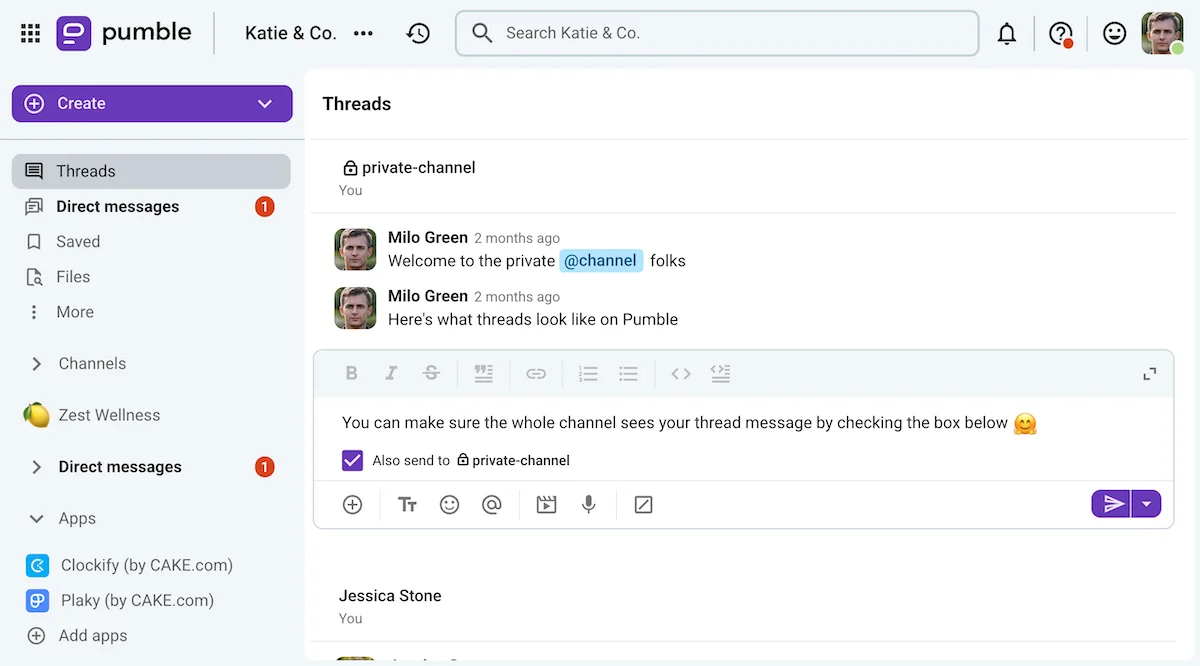
Once you have created the dedicated client channels, you’ll be able to further organize your communication with Pumble threads.
This feature lets users have prolonged discussions while ensuring that any stray comments made along the way get the attention they deserve without derailing the whole conversation.
Even after the chat participants move on, anyone can circle back on a previous topic through message threads.
These can be accessed:
- By finding a message and opening the attached thread manually or
- By going through the Threads view in Pumble’s sidebar, as seen below
Never miss a message with Pumble
#4: Verify context with Pumble’s unlimited searchable history
Some clients expect you to know the answers to all their questions — but with Pumble, you won’t have to.
The app’s unlimited searchable history allows you to look up any answer you’re not entirely sure about — as long as you’ve already talked about it on Pumble.
Just make use of the app’s search filters to narrow down your results as much as possible, and you’ll be able to find any message, file, or document you need.
Check out the video below to learn how to make the most of this Pumble feature.
Make Pumble your knowledge base
#5: Use message scheduling and reminders for actionable client messages
If you spot any actionable messages during your end-of-day review, you may feel tempted to get your team together and go through them right then and there.
But remember, this will be a habit you’ll be doing at the end of each work day — hardly the best time to bother the rest of your team.
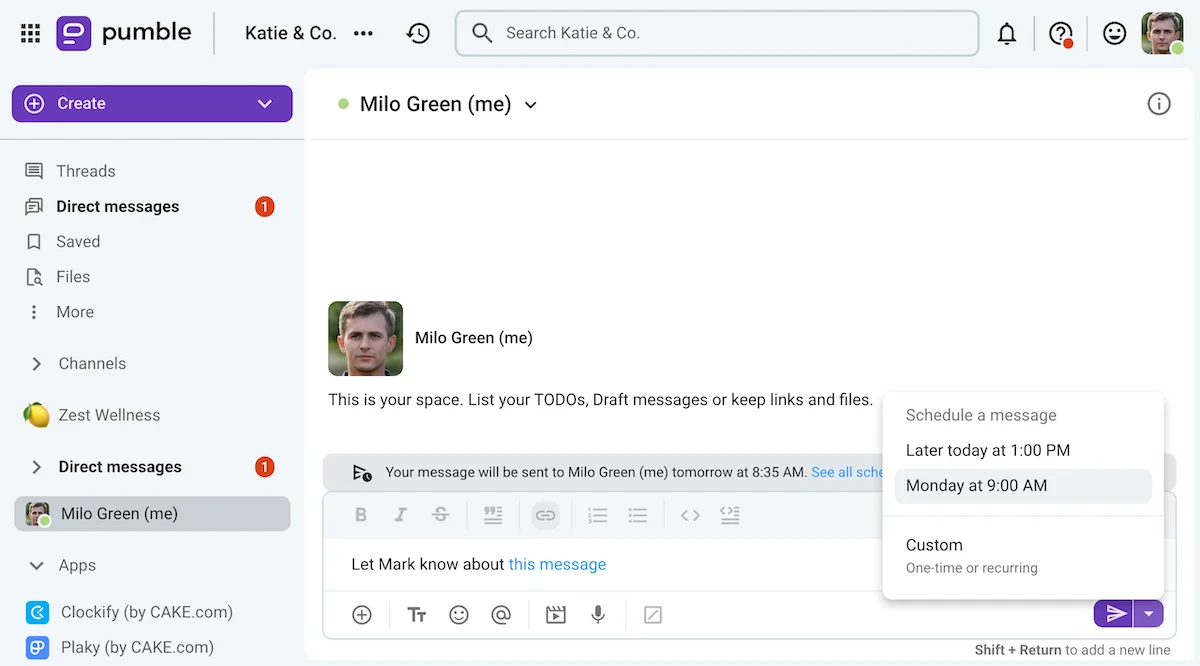
Even so, you should probably make note of any action items you see during your end-of-day review before you forget about them.
Luckily, Pumble has several features to help you remember those messages, namely:
- Message reminders, which you can use to remind yourself to get back to that message the next day
- Message scheduling, which can be used to delegate tasks to team members the next morning, so they can get off work without having to worry
You could even write a reminder for yourself on your me page in Pumble, which will likely be the first thing you see when you clock into work the next day.
Upgrade your client communication management with Pumble
Obviously, having an end-of-day review system is possible even if you insist on communicating with your clients the old fashioned way.
However, getting the habit going and sticking with it is so much easier with Pumble.
The features we’ve discussed are sure to make client communication management a breeze.
However, those aren’t the only benefits of using Pumble for both internal and external communication.
In addition to being able to send text messages and share files via DM, group chats, or private and public channels, Pumble also lets users:
- Send voice notes and video messages.
- Create and share Pumble meeting links.
- Start voice calls and use video conferencing features like screen sharing and meeting recording.
And that’s just the tip of the iceberg when it comes to Pumble.
So, are you ready to discover what else the app has to offer?
How we reviewed this post: Our writers & editors monitor the posts and update them when new information becomes available, to keep them fresh and relevant.