 Published: décembre 4, 2025
Some teams tend to keep to themselves — when working in industries such as data entry or internal accounting, you can get away with low or no external collaboration.
Logistics, dispatching, and supply chain management are a different beast — these industries rely heavily on vendors and suppliers for optimal results.
And if you trust email to handle this workload, imagine what would happen to:
- Planning and management of goods transportation,
- Assigning drivers,
- Monitoring routes, and
- Guaranteeing on-time deliveries.
The outcome would be far from ideal, as email is notorious for:
- Delays,
- Missed messages, and
- Miscommunication.
Logistics simply cannot afford these mistakes. And with Pumble by CAKE.com, you don’t have to either. This communication app allows you to cut off software and services that make dealing with vendors and suppliers a drag. As your centralized digital HQ, Pumble handles both internal and external communications in a single user-friendly workspace. Thus, you can keep track of employee activity while also having a pulse check of your vendor and supplier processes.
We’ll lay out the complete handbook on how to collaborate with vendors using Pumble. Moreover, we’ll demonstrate how you can replace email in logistics and establish real-time supply chain communication.

Step 1: Use guest access for vendors to create a clear gateway
Getting everyone in the same (virtual) space is hard, and with traditional communication channels such as email, it feels nearly impossible. But does everyone need to be together in the same office to make logistics and transportation more efficient? Not with the Pumble guest access feature.
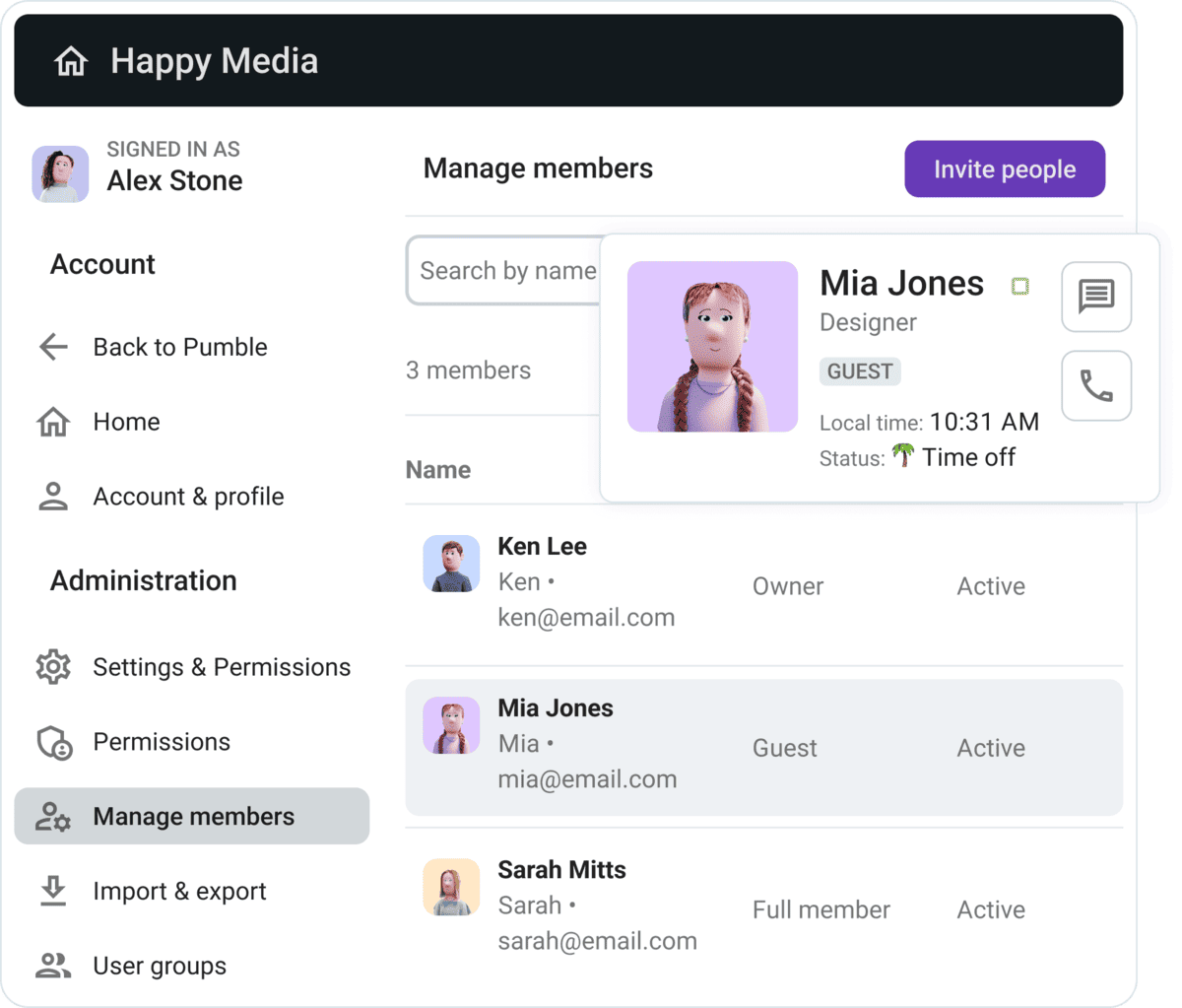
Here you can choose between two options:
- Single-channel guests: The guest account can only access a specified channel, not the rest of the workspace. This option is a good solution for connecting with transactional partners. For example, when working with a trucking carrier responsible for a dedicated lane, single-channel guest access keeps the information separate from other business dealings.
- Multi-channel guests: On the flip side, multi-channel guests have more leeway, as they can access multiple channels approved by the workspace administrator or owner. This makes sense for strategic partners — major suppliers or 3PL (third party logistics) representatives, for instance — who need increased supply chain visibility to keep track of order fulfillment, incident reports, warehousing, and more.
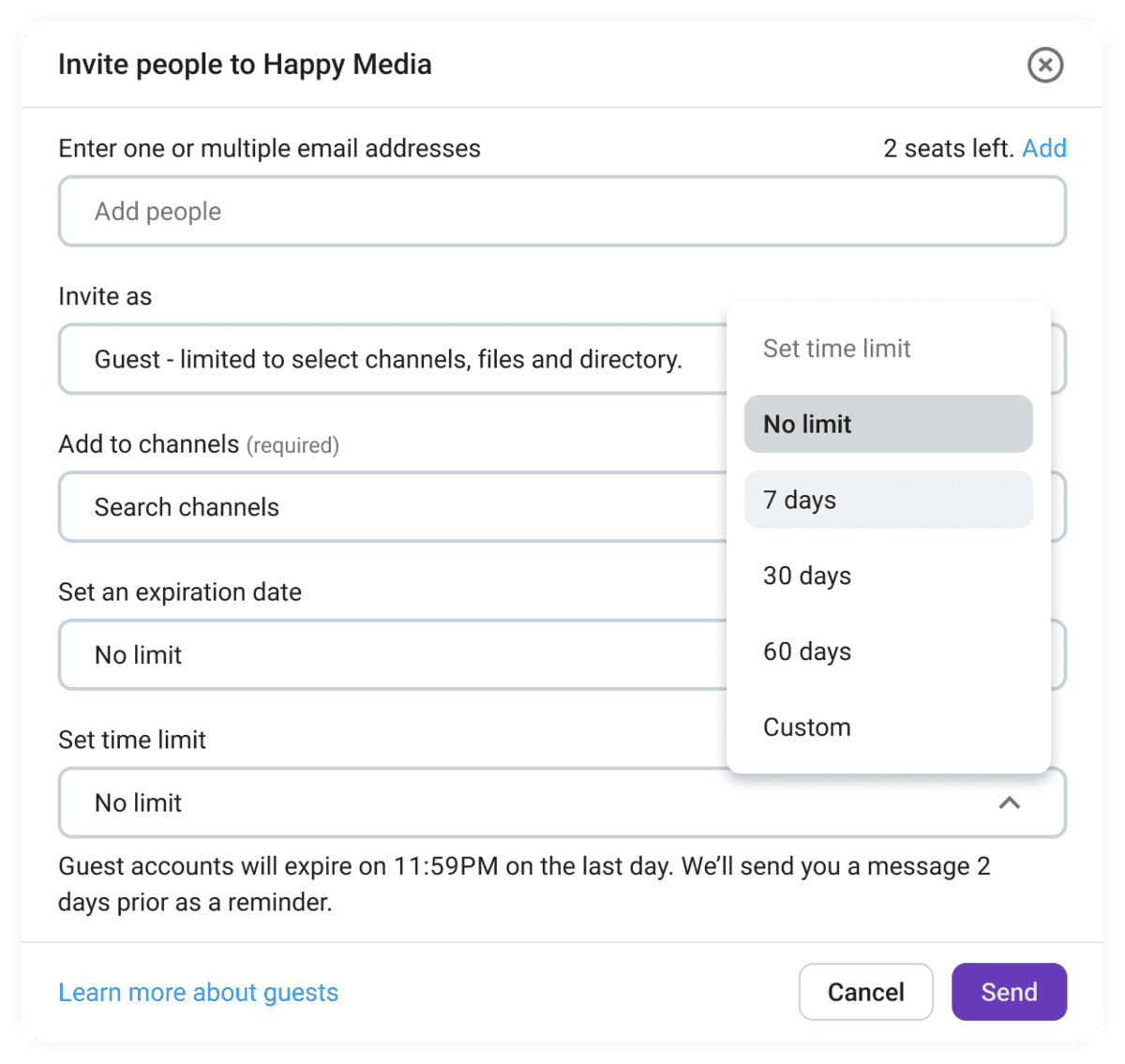
Of course, external collaboration always brings up the question of security. Guest access is highly customizable, giving admins an extra layer of protection.
During the setup stage, you can add an expiration date so that no one overstays their welcome. Expiration dates are excellent for time-limited collaborations, and you can even archive the channel afterwards to prevent clutter. You’ll still be able to access the archived content — it just won’t take up space in your sidebar.
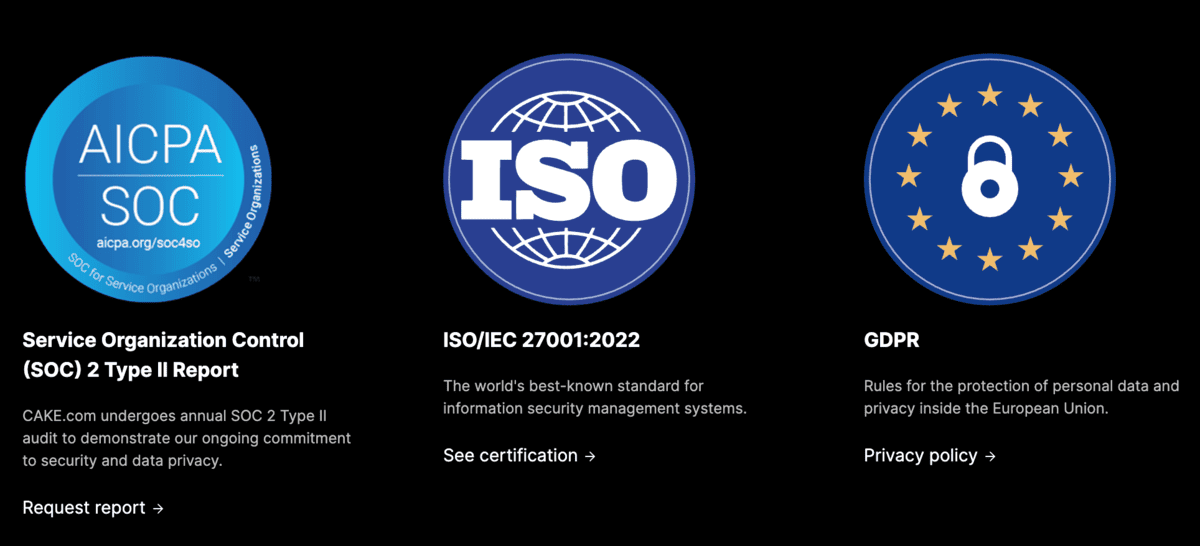
Besides expiration dates, Pumble has taken steps to further tighten its security measures with SOC 2 compliance and ISO/IEC 27001 certification.
Vendors and suppliers can feel apprehensive about using an app with a track record of data leaks and misuse. With Pumble, you can give them peace of mind while focusing on what really matters — collaboration.
🎓 ASTUCE PRO DE PUMBLE
For an in-depth look at the Pumble guest access feature, check out this resource:
Use Pumble for external collaboration
Step 2: Speed up the flow with voice & video messages
The trick is to find software whose features cater to all users, from managers and dispatchers to drivers and warehouse staff.
It’s easy enough to read and reply to messages when working from home. But when you’re on the road or on your feet at the warehouse — not so much. That’s where voice and video messages come in, giving users the chance to get their message across without needless typing.
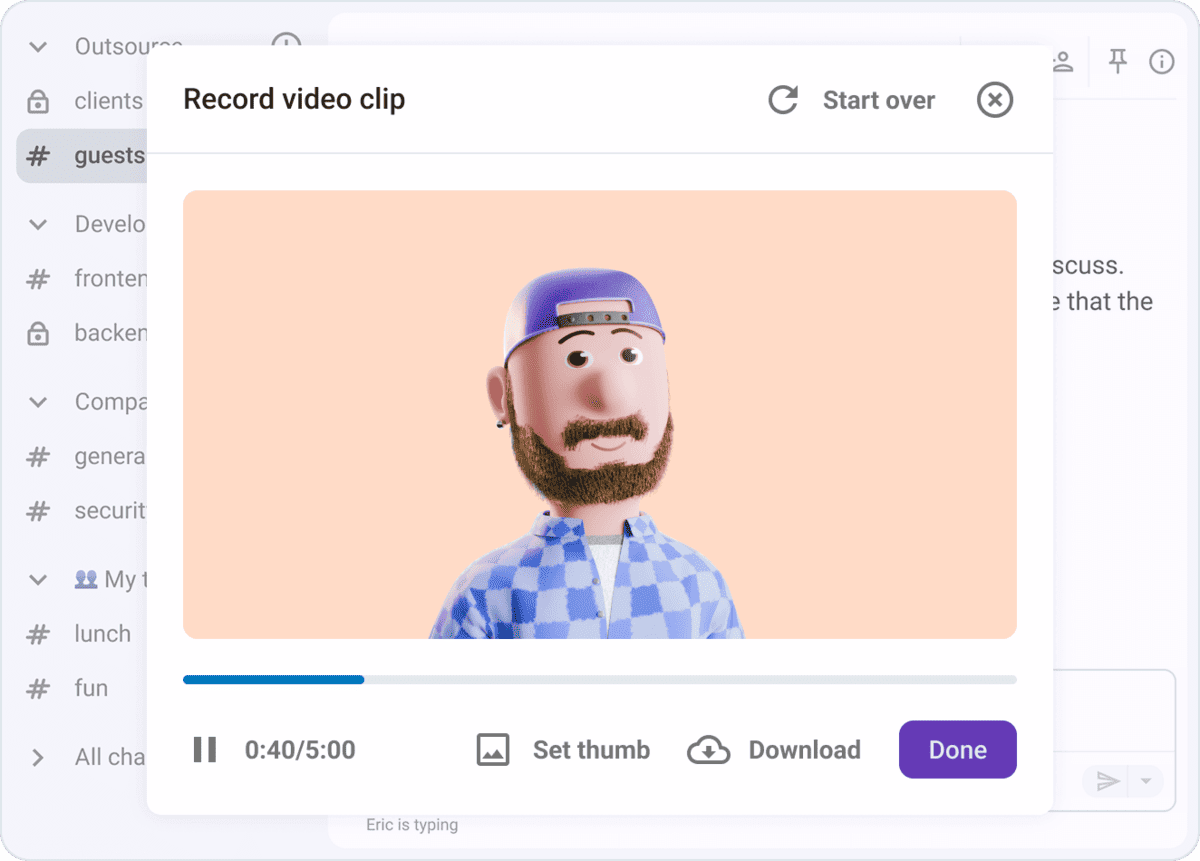
When incidents such as damaged shipments occur, real-time reporting and accurate detail is essential. Text messaging is okay, but managers then run the risk of wasting time or forgetting to mention necessary context. Voice messages are much more adequate — as soon as an incident occurs, you can record your account with one tap. Moreover, video messages provide a valuable visual record of what has occurred and can be double-checked later if needed.
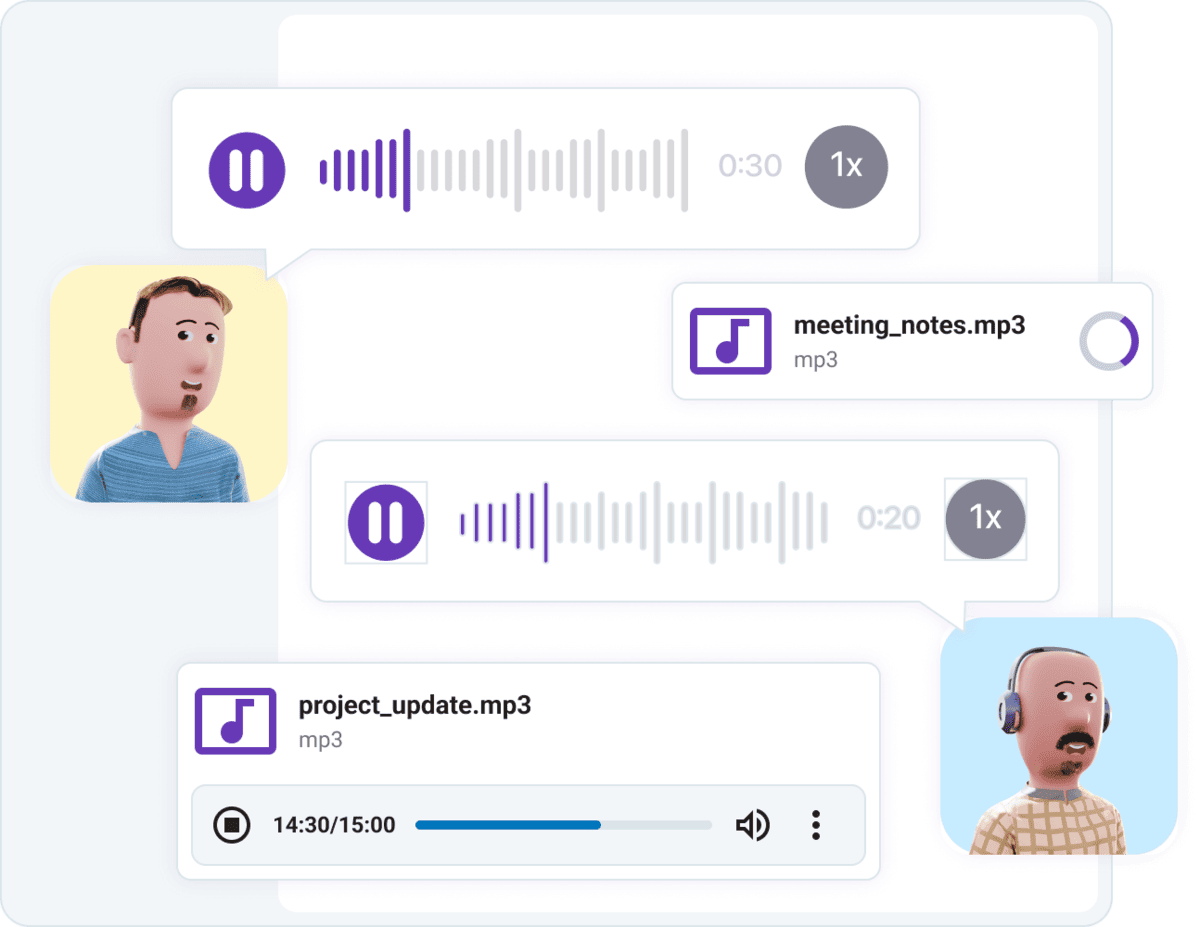
Best of all, video and voice messages are available in:
- 1-on-1 direct messages,
- Group chats,
- Private channels, and
- Shared channels.
Group and 1-on-1 messaging can help speed up problem solving and provide instant updates to all conversation participants. Should you encounter an issue that warrants more eyes on it — like triaging a carrier problem — you can move the conversation to the relevant channel to receive feedback or insight. Thanks to these options, workflows go uninterrupted, and each and every user has the information they need, at any time.
🎓 ASTUCE PRO DE PUMBLE
To see in which other ways you can use audio and video messaging, check out this post:
Stay in touch on the go via Pumble
Step 3: Create a digital paper trail with file sharing & Google Drive integration
Another advantage of using Pumble for logistics is how easy it is to store and share files, whether that be:
- Bill of lading (BOL),
- Proof of delivery (POD),
- Invoices, or
- Collaborative documents.
Not only does sharing knowledge improve communication within a single team, but it also streamlines cross-functional collaboration, connecting coworkers from different departments.
If team X does their job well, as do teams Y and Z, what good does that do if they can’t get on the same page? This back-and-forth needs to be smooth if you want suppliers and drivers to be on top of their game.
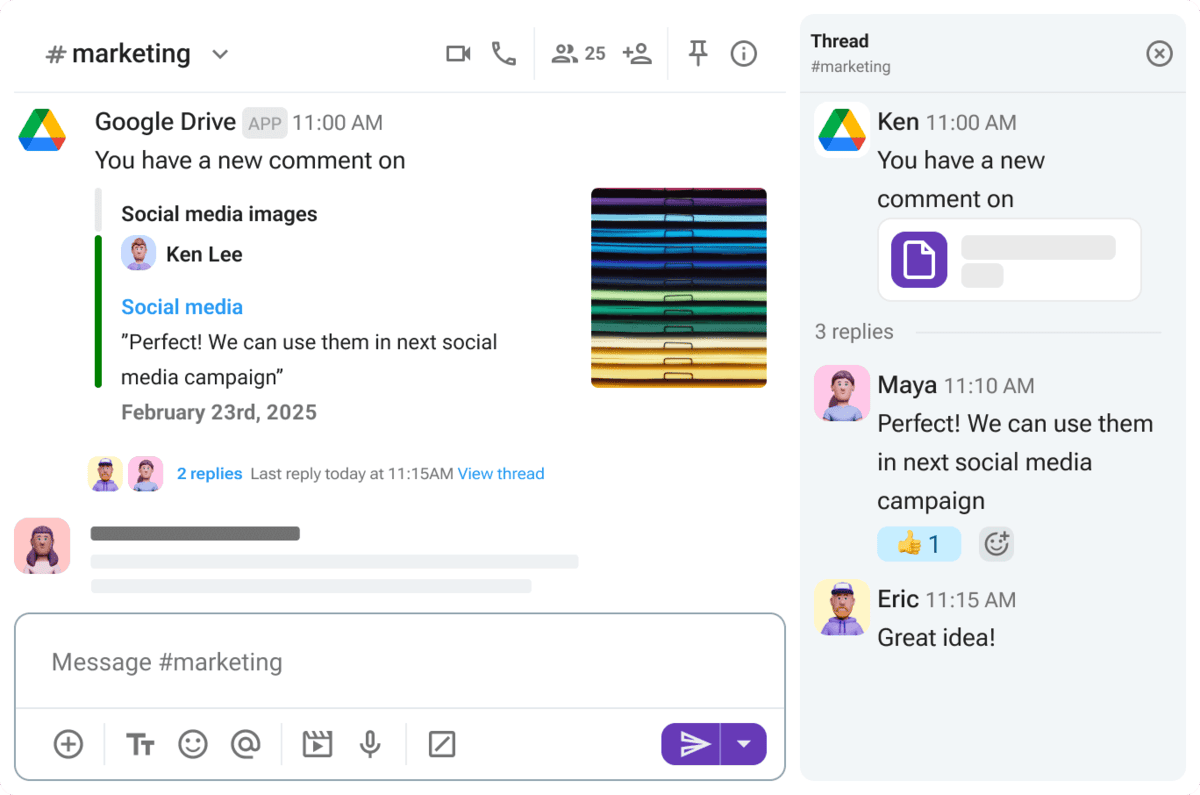
The Google Drive integration goes one step further in optimizing communication, allowing you to:
- Share Google Drive files in Pumble,
- Add comments within the app, and
- Receive Pumble notifications whenever someone makes a change to a specific document.
Connect Pumble & Drive to achieve more
Successful shipment and delivery is the end goal, but that won’t happen unless everyone can follow the paper trail showing each step of day-to-day operations. That’s why it’s essential to leverage channels to organize files within Pumble.
For example, users can keep up with their workloads by accessing accurate information in Pumble channels such as:
- #shipment_PO1234: Compile all documents regarding the shipment in a shared space so that operation officers, carriers, sales reps, and support agents know where to find the files.
- #night_shift: Create a dedicated channel where employees working the night shift can share tips or ask for help.
- #incident_reports: Ensure safety and prevent future problems by centralizing your incident reporting in a Pumble channel. Upload your records and build a collaborative hub where you can analyze, repair, and respond to incidents.
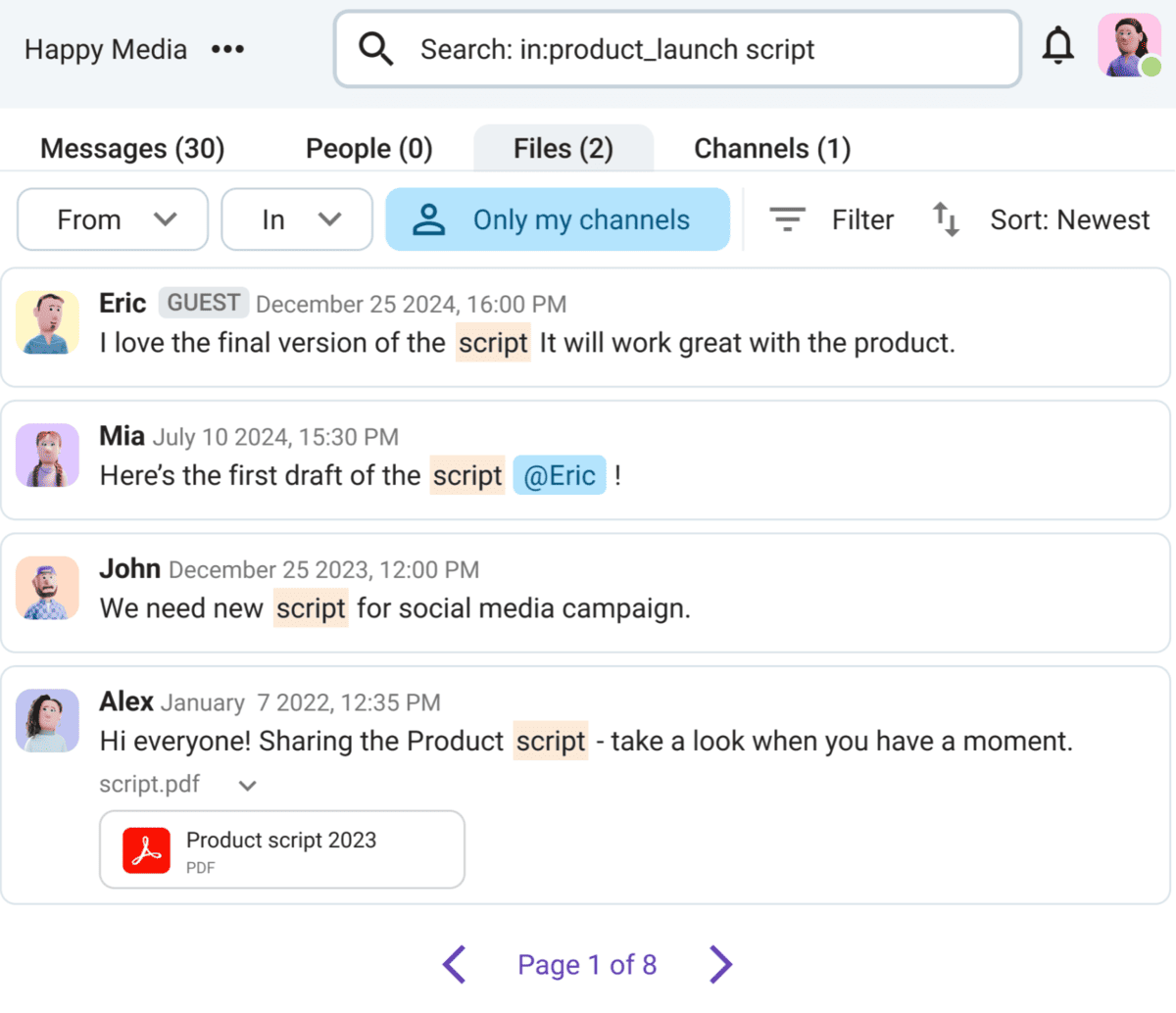
Plus, anything you share through Pumble’s channels automatically becomes part of your unlimited message history. Logistics runs on accurate recordkeeping, and with a few keywords, every team member can retrieve a message or file.
Manage files with ease in Pumble
Step 4: Target the right people with user groups & notifications
In some instant messaging apps, the constant hum of notifications can drown out your message. With so many posts popping up across channels, why assume each one is intended for you? The downside of this type of thinking is that both unimportant and important messages fall to the wayside.
For on-site work specifically, not noticing urgent announcements can lead to late shipments and deliveries. Luckily, Pumble makes it easier to capture someone’s attention with user groups. These are groups of members who simultaneously receive an alert whenever someone mentions the appropriate handle. Mentions are particularly helpful, and you can use the following in both private and public channels:
- @here, to notify all channel members currently online that you’ve posted.
- @channel, to alert all channel members.
- A specific user group you’ve made previously, like @morningshift or @dispatchteam.
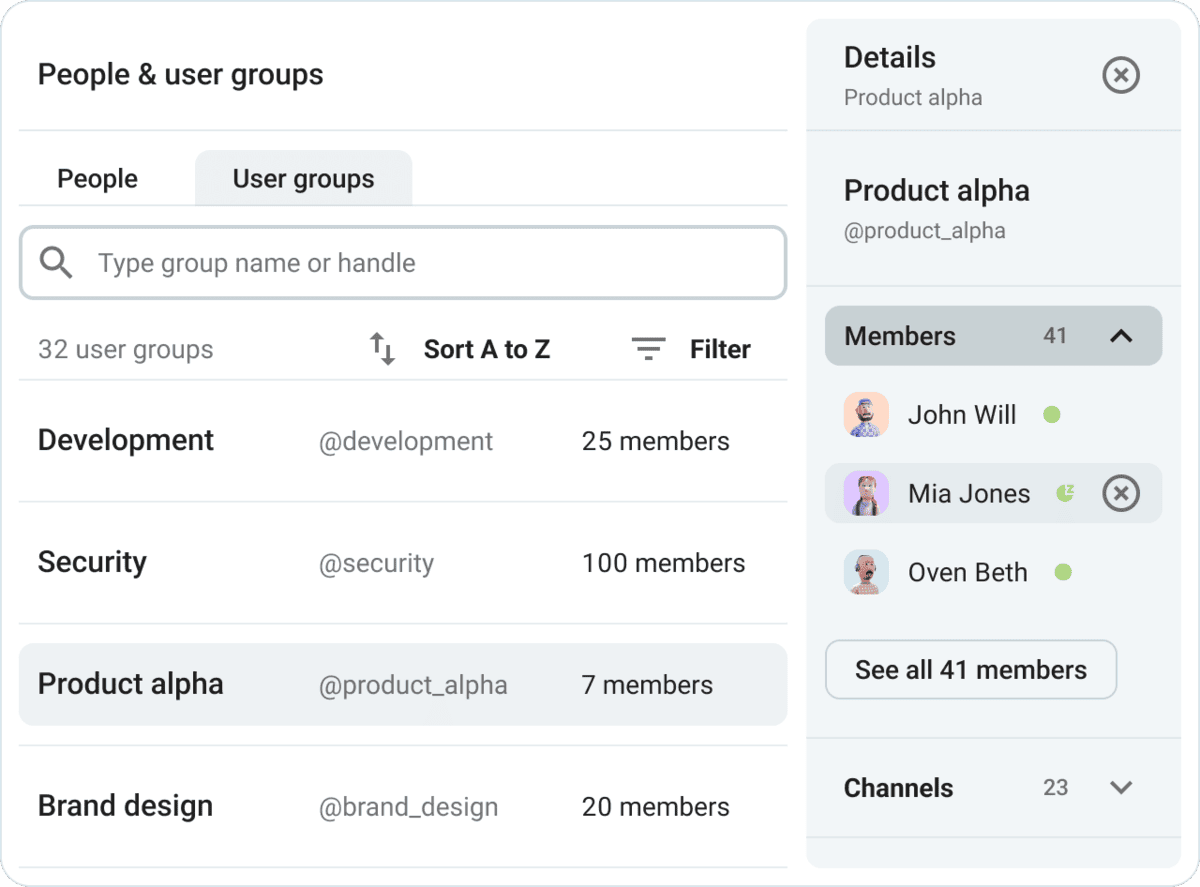
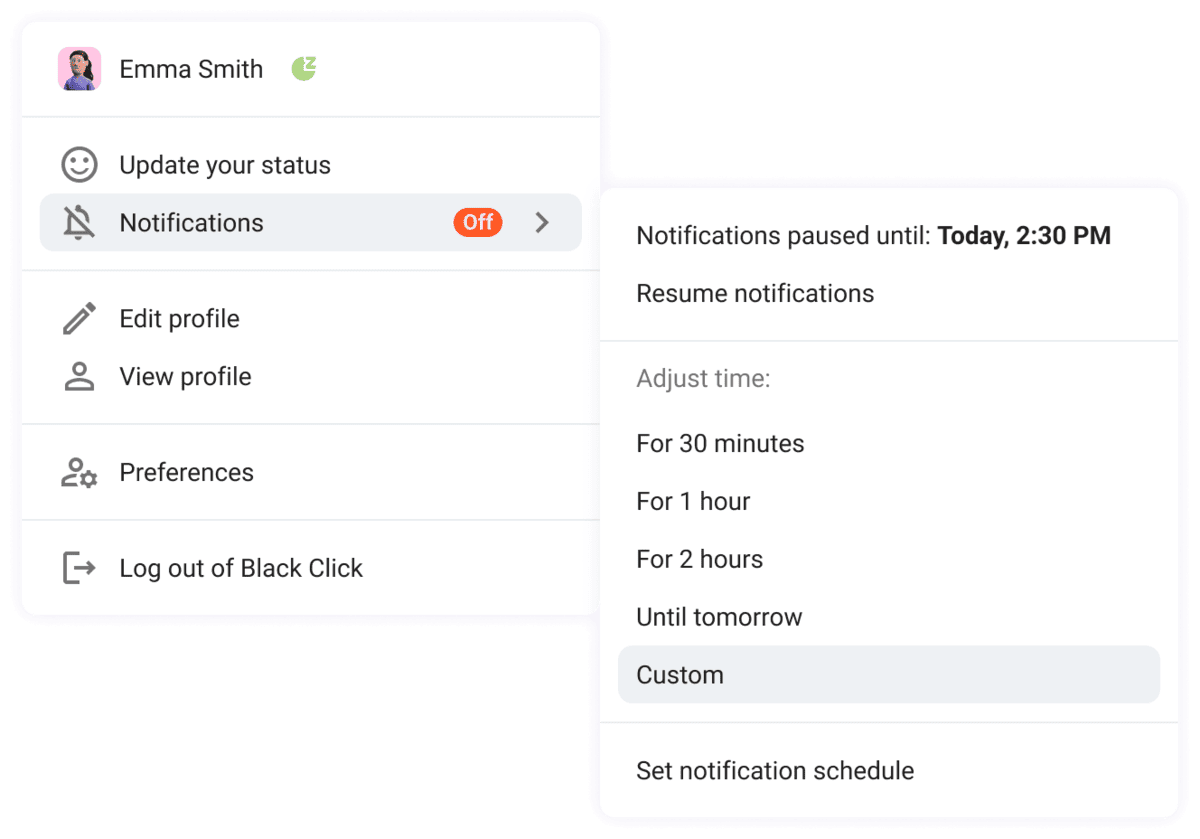
This convenience makes it possible to notify the right people without pinging and distracting anyone else. Not to mention, off-duty staff can further protect their work-life balance by setting a custom notification schedule. Customizing your notifications means you can:
- Receive notifications for mentions only, not all messages.
- Mute non-work-related channels like #hobbies or #recommendations.
- Pause notifications coming in outside your work hours.
🎓 ASTUCE PRO DE PUMBLE
For the complete scoop on adjusting your notification preferences within Pumble, head to this in-depth guide:
Put a stop to distractions in Pumble
Step 5: Make faster decisions with polls
Full-time employees, carrier partners, and shippers all have a stake in the decision-making processes. So, how can you ensure that you hear what they’re saying?
You don’t have to get everyone in the same physical space to do so. Besides, for remote and hybrid organizations, this may not even be a viable option. However, in a virtual workspace, polls provide a quick and easy solution.
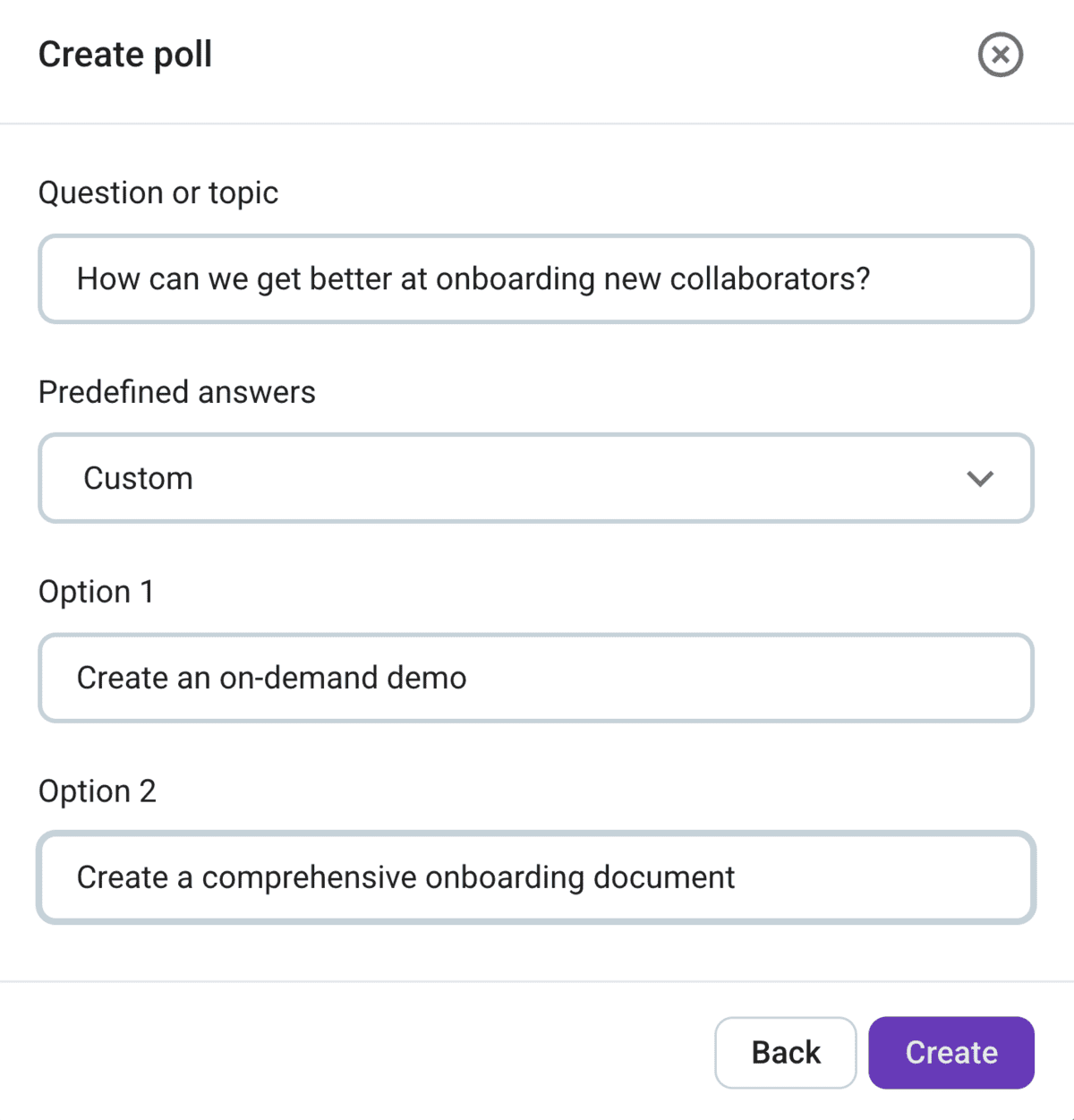
After completing a few simple steps and adding the integration to your Pumble workspace, you can start collecting insight on how to:
- Build stronger client relationships,
- Streamline shipment services,
- Simplify logistics and other operational activities, and more.
Of course, employees and external collaborators might have more to say. In those cases, they can turn to threaded replies underneath the post. All messages appear in chronological order, allowing conversation participants to lead more organized discussions without adding clutter to the rest of the channel.
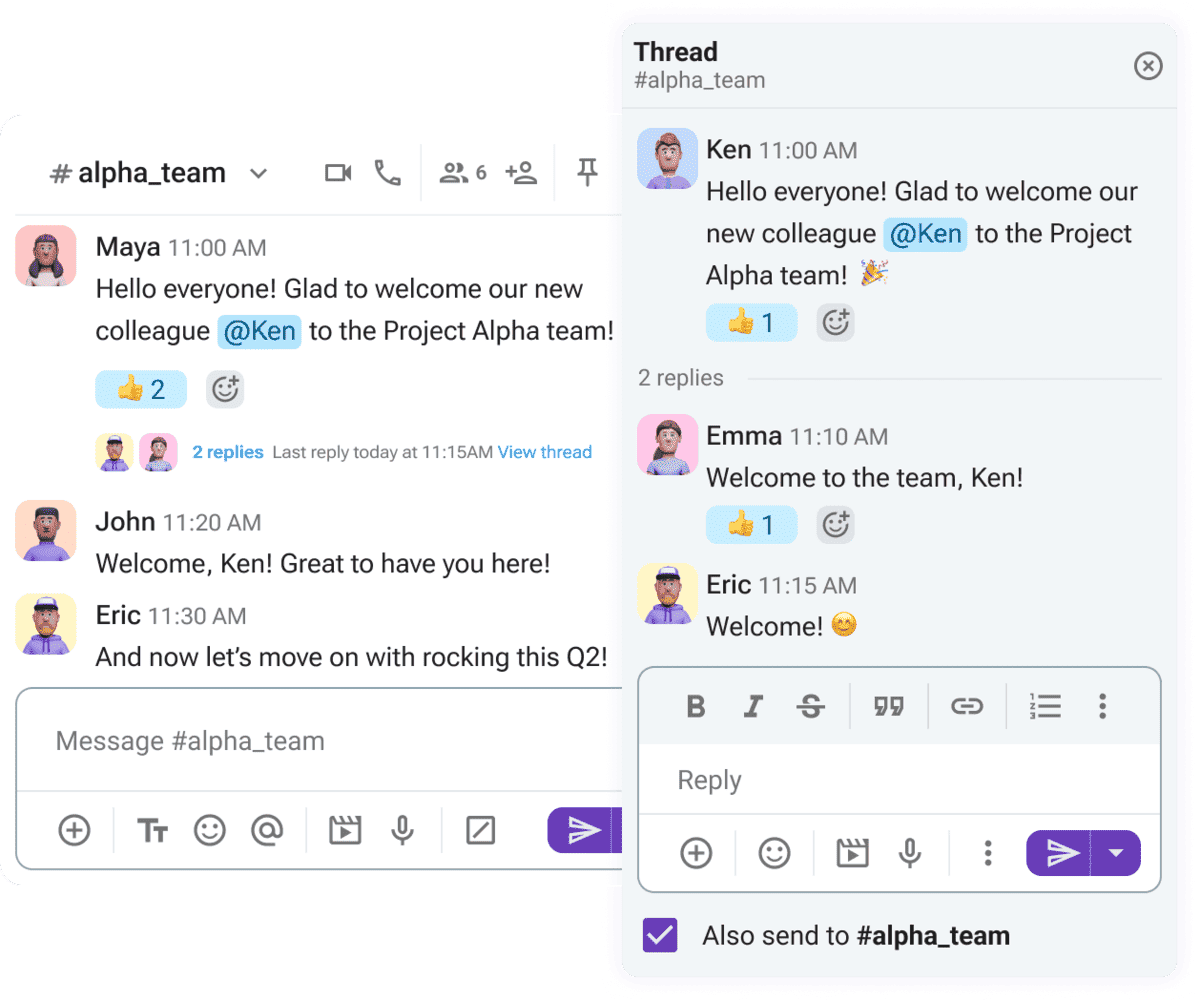
Thus, polls and threads join the suite of features that help different teams — from sales and accounting to carriers and customer representatives — work in tandem.
Make better decisions in Pumble
Pumble for logistics — better than email
Email workflows are inconvenient, more often than not keeping you out of the loop rather than highlighting:
- The progress teammates, partners, and collaborators have made,
- The latest to-dos, approvals, and messages,
- Urgent challenges, and
- Key milestones.
Here’s a summary of how email falls short when compared to Pumble, a streamlined email alternative.
| Category | Pumble | |
|---|---|---|
| Speed | — Real-time messaging with customizable notifications (you can set different preferences and schedules in mobile app and desktop version) — Excellent for urgent updates like delayed deliveries and route changes | — Slower communication where delays are common — Threads and time-sensitive information disappear under new messages |
| Searchability | — Fast and comprehensive search functionality across channels, messages, and files | — Clunky and inconsistent search makes it hard to retrieve old info |
| Document management | — Files and documents stored within channels — Easy to share and centralize context | — Scattered attachments make it difficult to locate relevant files right away |
| Accountability | — Clear and unlimited message history documents decisions and boosts visibility across teams — Reactions and emojis simplify expressing confirmations and opinions — No confusion regarding whether team members have seen a message | — CC and BCC email copies don’t guarantee recipients will see the message — No way to know whether recipients have acted upon the received information, leading to unclear accountability |
Refine the way you collaborate with vendors in Pumble by CAKE.com
The behind-the-scenes of coordinating with external collaborators doesn’t have to be a chronic headache. Connect teams across all levels of your organization with Pumble and never make a misstep in your supply chain management.
Don’t settle for a downgrade like email and subpar software.
Démarrer avec Pumble dès aujourd'hui
Comment nous examinons cet article : Nos rédacteurs et éditeurs vérifient les articles et les mettent à jour lorsque de nouvelles informations sont disponibles, afin qu'ils soient toujours d'actualité.