Your clients want to connect with you. Are you giving them the opportunity to do so?
Clients want genuine, personal interactions and easy access to your business through their preferred channels.
How can you meet those expectations and build lasting professional relationships?
Start by implementing an omnichannel communication strategy.
The omnichannel approach allows your business to meet clients exactly where they are, using the channels they find most convenient and accessible.
Let’s explore the different types of communication you can use to connect with your clients and how to implement them in your business.
- Omnichannel communication helps businesses provide clients with a more organized and interconnected experience spanning multiple communication channels.
- Common communication channels include social media, email, chat, phone calls, and team communication tools.
- Omnichannel communication connects all these platforms, ensuring a smooth flow of information and keeping client conversations continuous, seamless, and relevant.
What is omnichannel communication?
Omnichannel client communication is a strategy that provides a cohesive, integrated client experience across multiple platforms. This framework unites separate communication channels (such as email, phone, and messaging) into a connected ecosystem, ensuring that business and client data is never lost.
The goal is to allow clients to switch between communication methods without repeating themselves or encountering fragmented service. This integration is the defining difference between omnichannel and multichannel communication.
Omnichannel vs. multichannel communication
Multichannel communication offers multiple touchpoints, but these channels often lack integration. As a result, a customer’s email interaction may not be linked to their social media query, creating a disjointed experience.
Omnichannel communication, on the other hand, unifies these platforms to ensure a smooth flow of information across every touchpoint.
For instance, a client might start an inquiry in a private chat channel, follow up within a threaded reply, and complete the conversation over a video call — all without losing context.
| Feature | Multichannel communication | Omnichannel communication |
|---|---|---|
| Channel integration | Isolated and disjointed | Fully integrated into a unified ecosystem |
| Purpose | Broadening brand reach | Providing a better client experience |
| Data management | Fragmented across separate data silos | Centralized into one comprehensive knowledge base |
| Business messaging | Inconsistent brand voice across platforms | Consistent messaging across all teams and platforms |
Omnichannel strategies have long been present in the retail sector as a measure to offer customers an uninterrupted shopping experience. However, the omnichannel approach also plays a vital role in fostering stronger client relationships.
What omnichannel means for client relationships (vs. retail)
In retail, the purpose of an omnichannel strategy is to leverage various promotional touchpoints that guide customers toward making a purchase. Conversely, an omnichannel approach to client relationships prioritizes the client journey, enabling real-time communication primarily through an all-in-one client communication tool.
Thus, while retail aims to speed up the process of making a purchase so that customers can easily switch between social media, apps, and shopping platforms, businesses in client-facing industries leverage omnichannel communication to build long-lasting trust.
So, what internal and external communication channels do businesses typically use to build a strong omnichannel foundation?
Types of channels for omnichannel communication
Here are the most common channels used for omnichannel interactions.
#1: Team communication tools
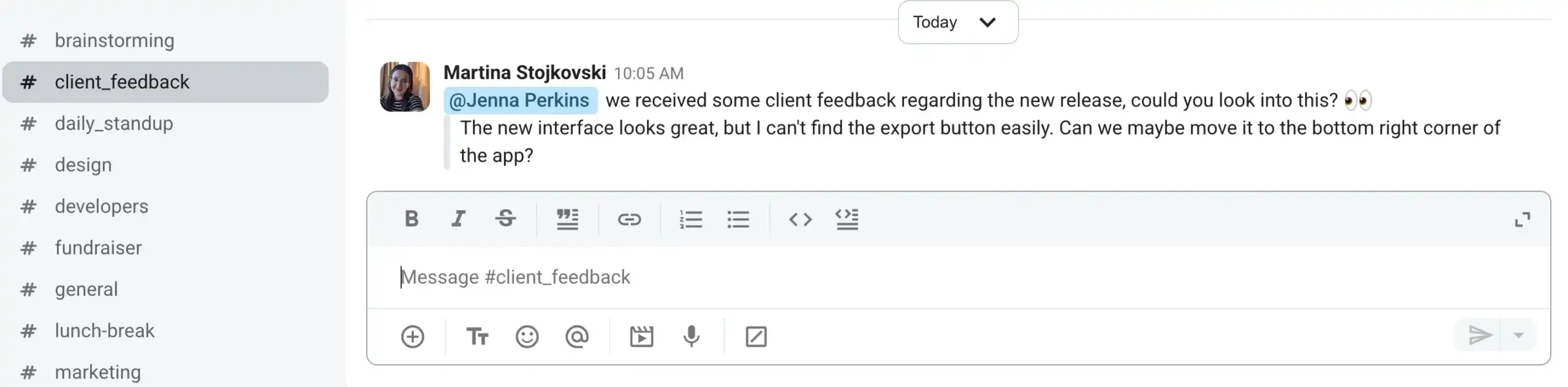
Effective team communication tools connect internal staff to client workflows by bringing everyone — customer support agents, clients, and product teams — into a centralized communication solution.
For example, a client might share product feedback with support agents in a specific project channel. The agent can then quickly @ping a colleague from the product team so that the comments don’t go unnoticed.
The downside of some communication tools is the pricing. Popular options like Microsoft Teams or Slack offer integrated workflows, but the cost quickly stacks up, especially for small and mid-sized businesses. For this reason, it’s essential to choose a tool that combines:
- Affordability
- Functionality
- Ease of use
Streamline communication with Pumble
#2: Email
Email allows businesses to stay in touch with clients by delivering personalized updates, announcements, and news.
Despite its familiarity and ease of use, email is notoriously slow. Unless it’s integrated with your workplace communication app, email stays disconnected from the rest of your operations — forcing team members to manually check their inboxes for client updates. Once you factor in the high volume of spam emails and subscription updates, keeping up with email can be difficult.
These friction points have led many businesses to look into more organized email alternatives.
#3: Live chat
Live chat offers instant messaging directly on your website. Many platforms feature a live chat widget in the bottom corner of the page, prompting visitors to reach out with questions, concerns, or feedback.
However, live chat can cause unnecessary delays, as the employee communicating with the client still has to pass the discussion on to their team. This gap leaves room for miscommunication and misunderstandings, making live chat better suited for e-commerce issues than client management.
#4: Video and voice calls
Video and voice calls have become core features of modern collaboration platforms, and for good reason. Although messages help facilitate real-time communication, calls offer direct, personal interaction that builds trust and provides in-depth support for more complex issues.
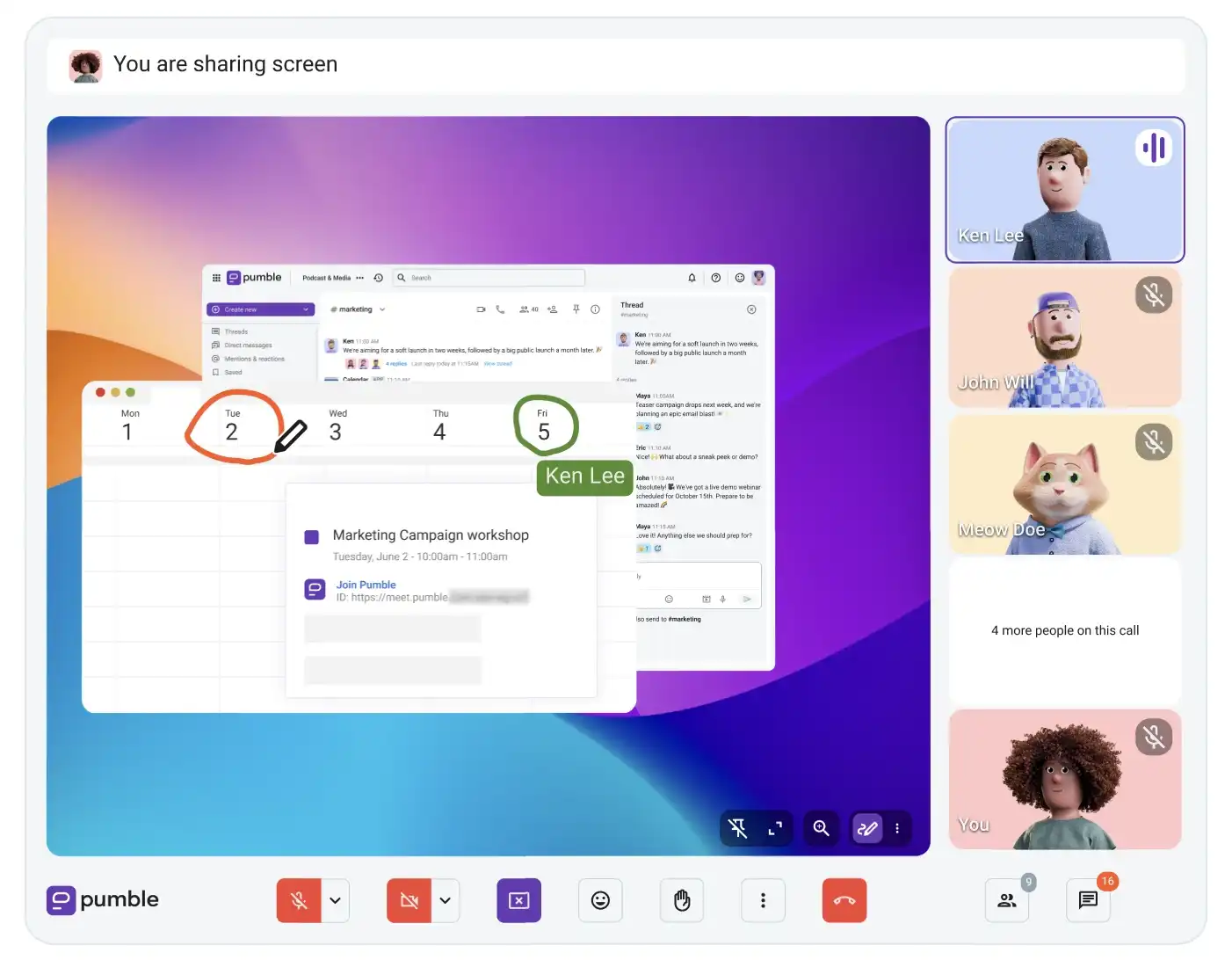
Not to mention, many apps have gone beyond basic calls to include collaborative functions such as:
- Screen sharing
- In-call messages
- Hand raising
- Emoji reactions
- On-screen annotations
One common complaint about calls is their frequency. Namely, relying on voice and video for nearly all work discussions can lead to fatigue and burnout. For this reason, it’s essential to use an app with ample features designed to reduce unnecessary meetings.
Host voice & video calls via Pumble
#5: In-app and push messaging
In-app messaging offers real-time support while a user is actively inside a mobile or web app, creating a personalized experience and boosting user engagement.
Push notifications, by contrast, help to:
- Re-engage inactive users.
- Promote new features or product releases.
- Send automated reminders.
While in-app and push notifications are not designed for two-way communication, they remain an effective tool for maintaining visibility and driving platform engagement.
#6: Chatbots and AI agents
Chatbots and AI agents provide 24/7 support by handling routine inquiries and automating tasks like scheduling.
Ideally, AI agents integrate fully into your broader platform and can pull accurate, contextual data for timely responses. However, that’s not always the case, and many clients still prefer the empathy and problem-solving capabilities of a dedicated human operator.
💡 Pumble Pro Tip
If you’re looking for software to help you communicate with clients, we’ve compiled a list of the best customer communication tools:
How to build an omnichannel communication strategy
To successfully implement omnichannel communication strategies, businesses need to adopt the right operational practices.
Here’s a step-by-step breakdown to give you a headstart.
#1: Audit your current client channels
Talk to your success and support teams to get their perspective on current client communication workflows. Depending on the relationships you’ve built with your clients, some might agree to complete a brief survey on how satisfied they are with your business communication.
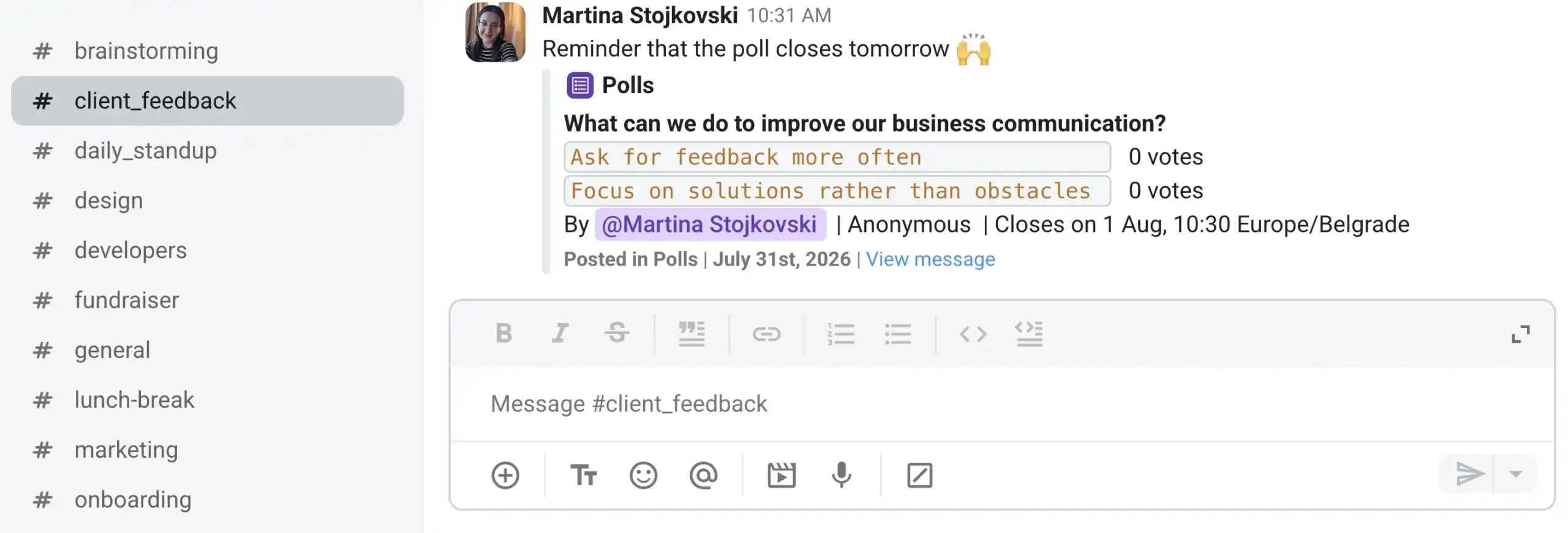
The feedback and data you compile will help you take the next step.
#2: Map the client journey and handoff points
Customer journey mapping will provide you with even more insights. Retrace the client journey yourself, from the initial point of contact to service completion.
What’s stopping your team from acting immediately? If they’re doing everything right, the issue may lie with your technology. For example, if your current app limits message history and cuts off access to past conversations, it may be time for a software upgrade.

#3: Connect the channels into one record
All communication platforms — from CRM systems to team communication apps — should work in harmony to eliminate information silos and create a unified experience.
It’s a big help if your internal communication tool offers unlimited messaging history that transforms all conversations and files into historical knowledge. Need to follow up on a complex issue a client raised months ago? Search a few keywords to instantly pull up the exact context you need.
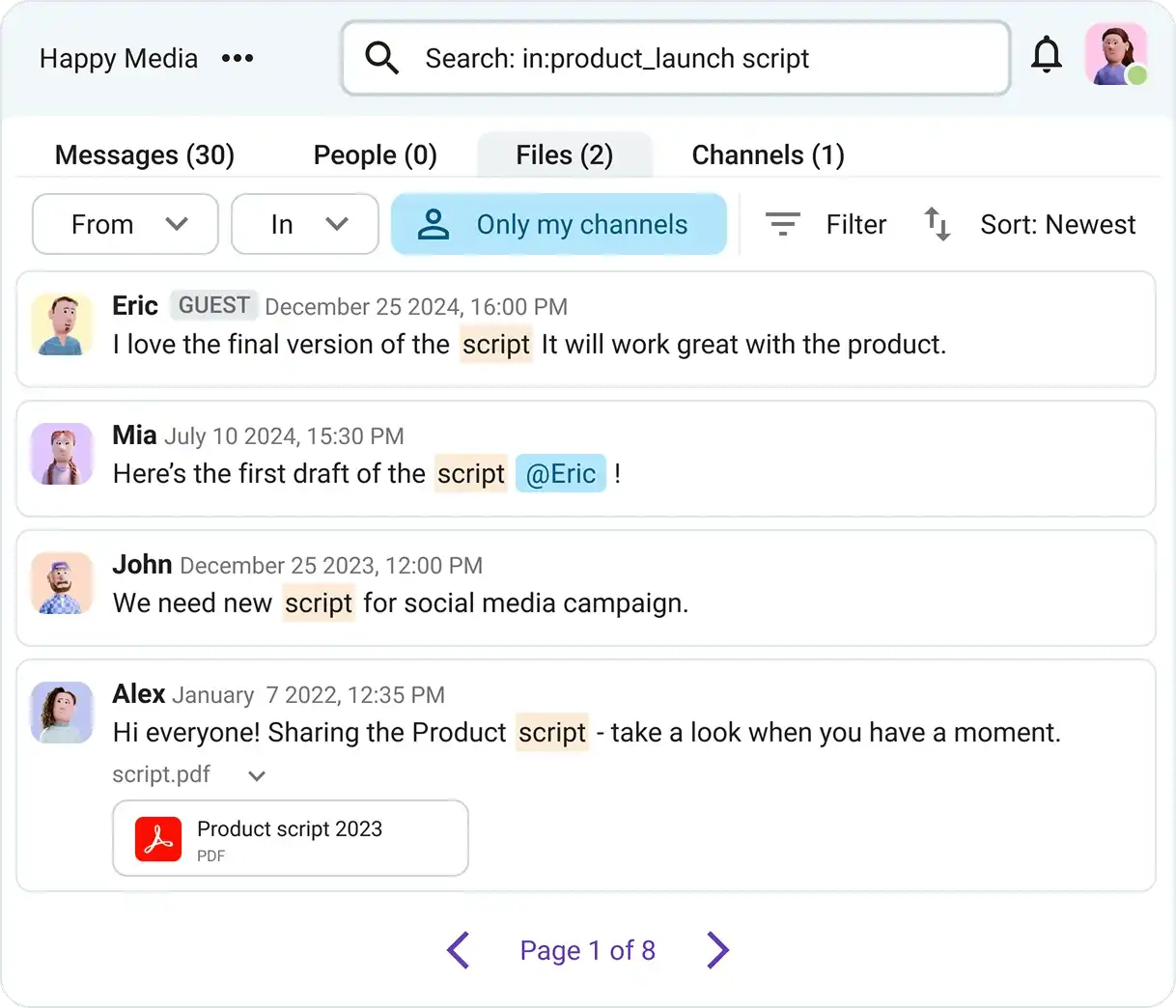
The bottom line is that when shared knowledge is accessible, team members can meet client needs much faster.
#4: Set response standards per channel
Whether a customer reaches out via social media or joins a channel within your communication app, the quality of service should remain consistent. Thus, it’s worth investing in training your team to maintain unified response standards across every touchpoint.
It’s also good practice to highlight response standards in an internal communication channel so that the team can easily reference them as a quick refresher.
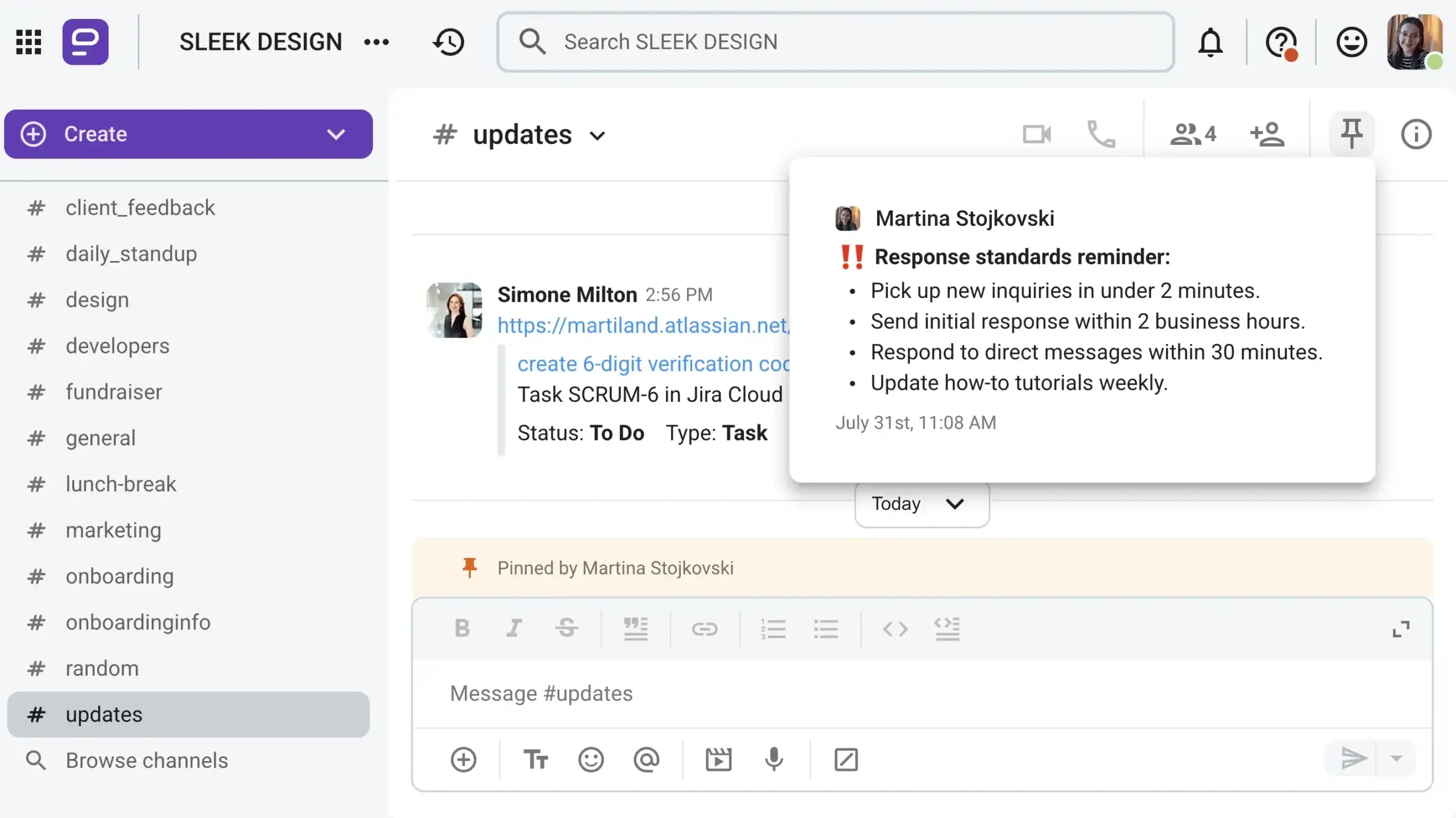
Pin these guidelines to the top of a team channel to boost their visibility, and everyone will find them without combing through documentation.
#5: Give clients direct access
A robust communication platform — like Pumble by CAKE.com — can help you execute an omnichannel strategy through guest access.
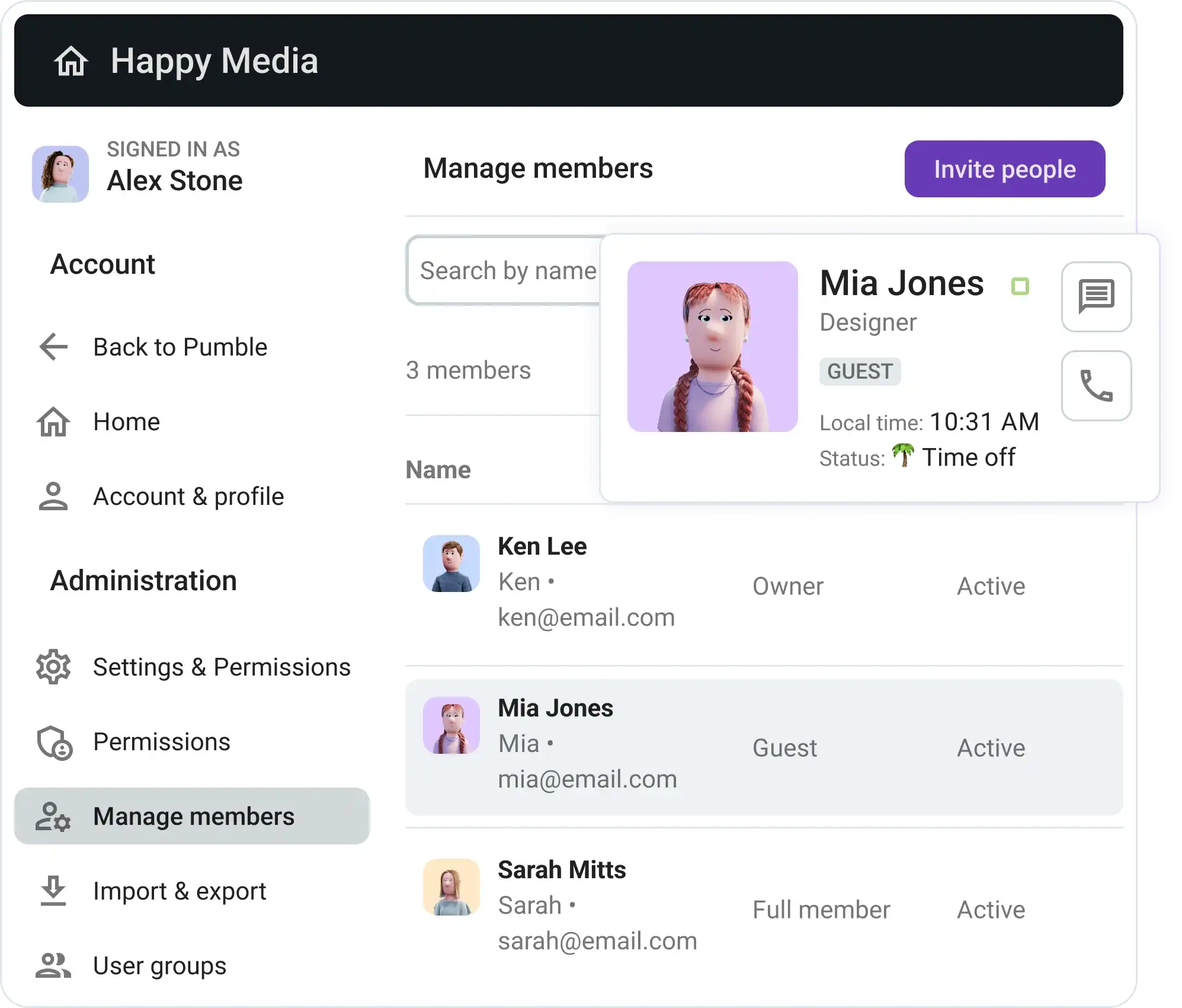
Invite clients into your team’s communication space and have them engage directly with your team. This level of access enhances transparency and ensures that clients are always in the loop, without forcing them to juggle multiple separate apps.
With clients and teams communicating in real time, queries get resolved quickly, while ongoing dialogue becomes the gold standard — helpful for complex projects or long-term account management.
Come together with clients in Pumble
#6: Measure and iterate
Omnichannel strategies generate valuable data on customer preferences and behavior.
Set aside time to track collaboration metrics and analyze client feedback. Use these insights to adjust your strategy and improve customer experience across all communication channels.
Omnichannel communication examples
What happens when you follow the steps we listed above?
Here’s what an effective omnichannel strategy looks like in practice across different industries.
#1: Marketing agencies
Managing a client retainer as a marketing agency relies heavily on continuous communication. Quick messaging handles daily updates, while recurring video calls keep weekly strategy syncs on schedule.
By integrating email with your team communication app, client emails can automatically forward into dedicated project channels. This ensures the entire account team stays aligned without digging through personal inboxes.
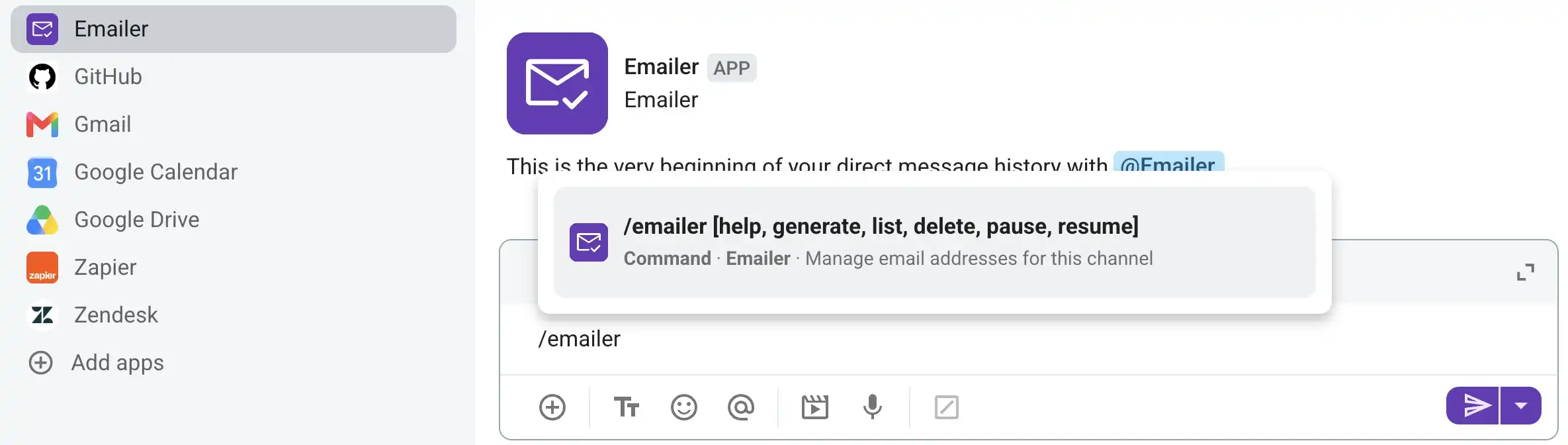
Moreover, through guest access, clients can drop into the workspace anytime to check progress and collaborate directly.
#2: Consulting firms
When it comes to consulting work, onboarding new accounts is a common bottleneck, often because clients have to repeat details to multiple stakeholders.
A unified system solves this before kickoff.
Set up a #welcome channel that briefly outlines how the communication platform works and lists immediate next steps. Additionally, create a dedicated client channel to house project-specific data, such as stakeholder contacts, project scopes, and compliance documents, in one central space.
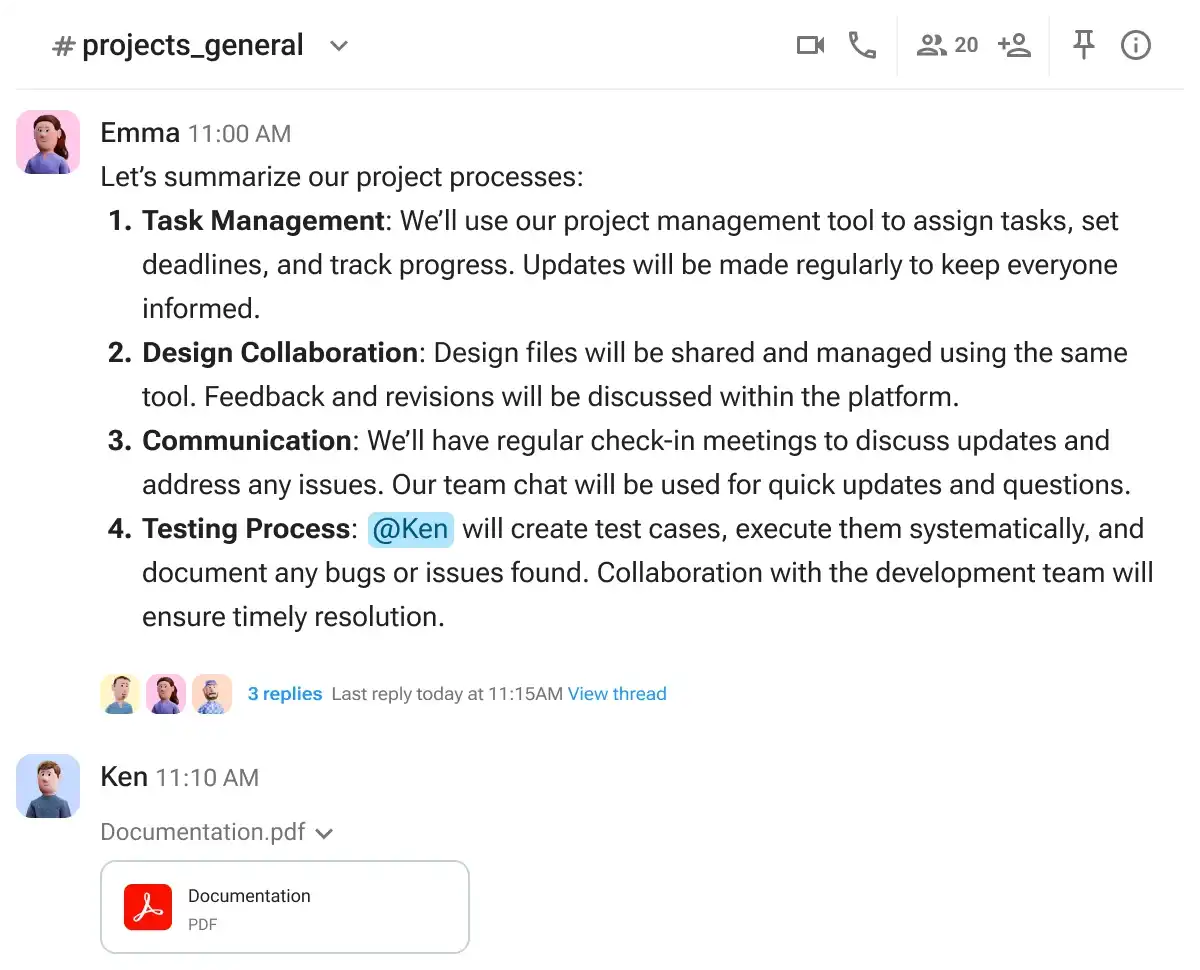
Although channels manage the load of daily asynchronous communication, video conferencing reintroduces that face-to-face element.
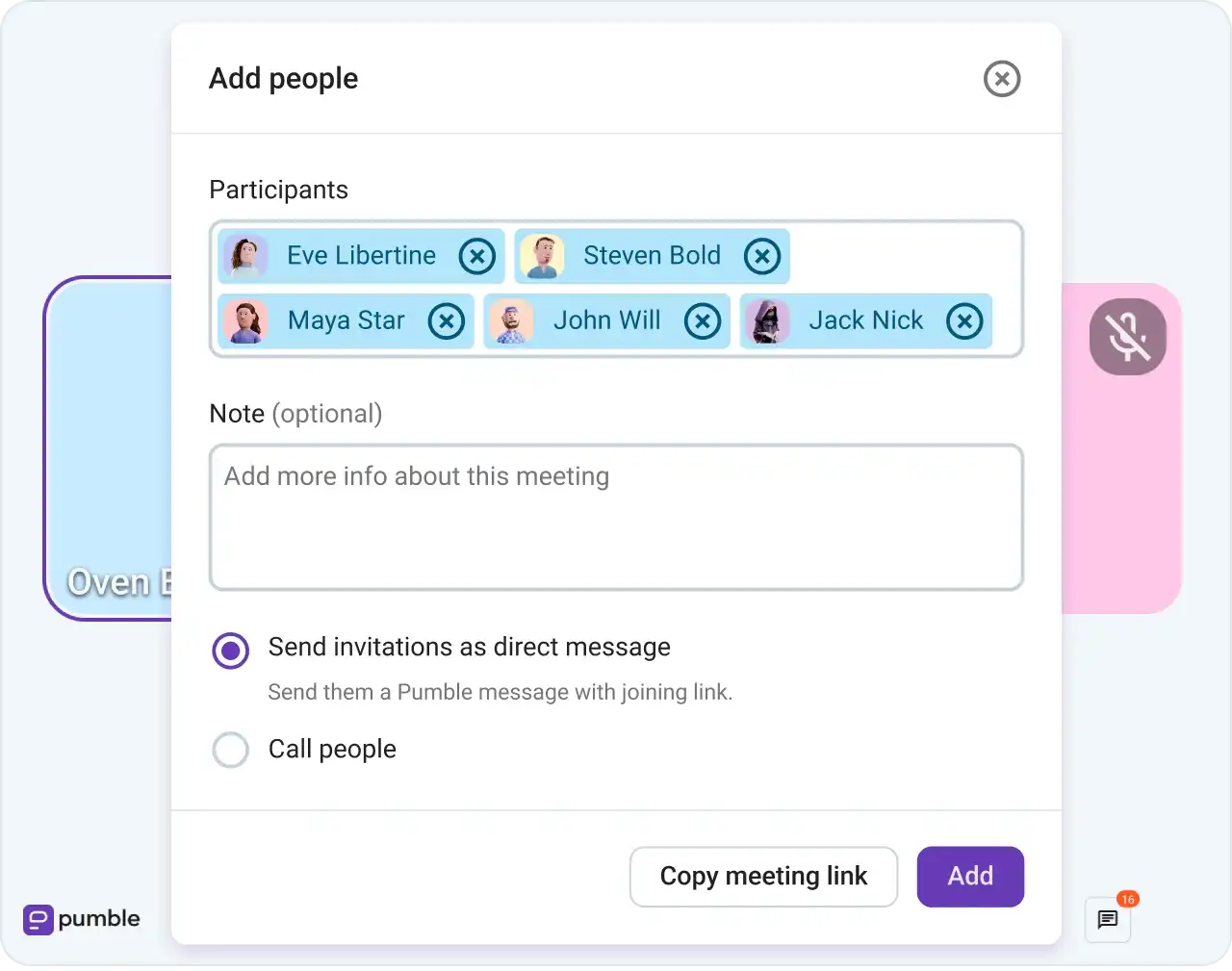
Schedule meetings whenever there’s a need for strategic alignment to review timelines and project handoffs, as verbal communication during calls ensures immediate clarity.
#3: IT service providers
Handling a client escalation as an IT service firm also becomes chaotic in a multichannel network.
When did the client first report the issue? Did anyone forward that email? And why is the relevant issue ticket nowhere to be found?
Perhaps you’ve been using a tool that doesn’t integrate with the rest of your tech stack. Integrating your primary communication app with project management tools — such as Jira, Plaky, or Zendesk — delivers automated ticket updates straight into your primary workspace.
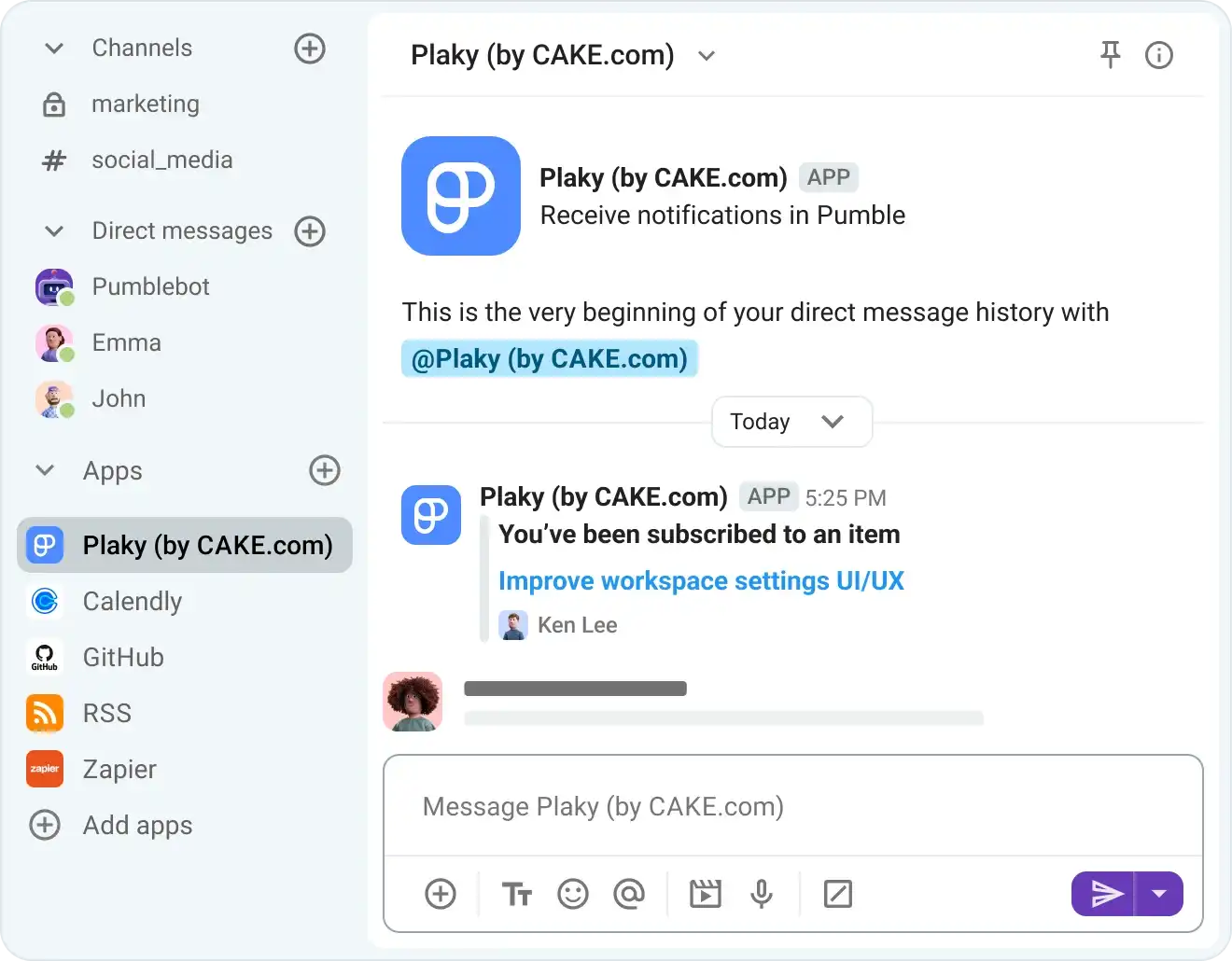
Both your team and the client can track ticket status changes in real time, improving visibility and lowering the risk of unresolved incidents.
Benefits of omnichannel communication
One thing is clear — customers expect more than just basic, disconnected interactions.
Plus, implementing an omnichannel communication strategy has distinct advantages for both your clients and your business.
#1: Faster resolution & fewer repeated explanations
Clients don’t want to be stuck in silos, endlessly repeating themselves as your team tries to fill in the gaps.
An omnichannel platform eliminates this friction by maintaining a complete, accessible history across every channel — whether an inquiry started over email, chat, or video call.
Team members can easily review past context, reference specific message threads, or share internal notes without asking the client to state their issue twice.
Unlike disjointed multichannel workflows — where rushing to resolve queries often leads to missed context, lost files, and client frustration — a unified system keeps conversations flowing smoothly toward a quick resolution.
#2: Context that survives team handoffs
You don’t want your team members to constantly repeat themselves, either.
Although staff may be actively messaging and joining meetings, handoffs fail if important details don’t make it through.
So, why overcomplicate things with multiple disconnected channels? Streamline your internal communication so that when external clients or new team members join a project, everyone works from the same source of truth.
Make sure your team has access to software that keeps everyone on the same page, regardless of whether they’re working remotely, in the office, or on the go.
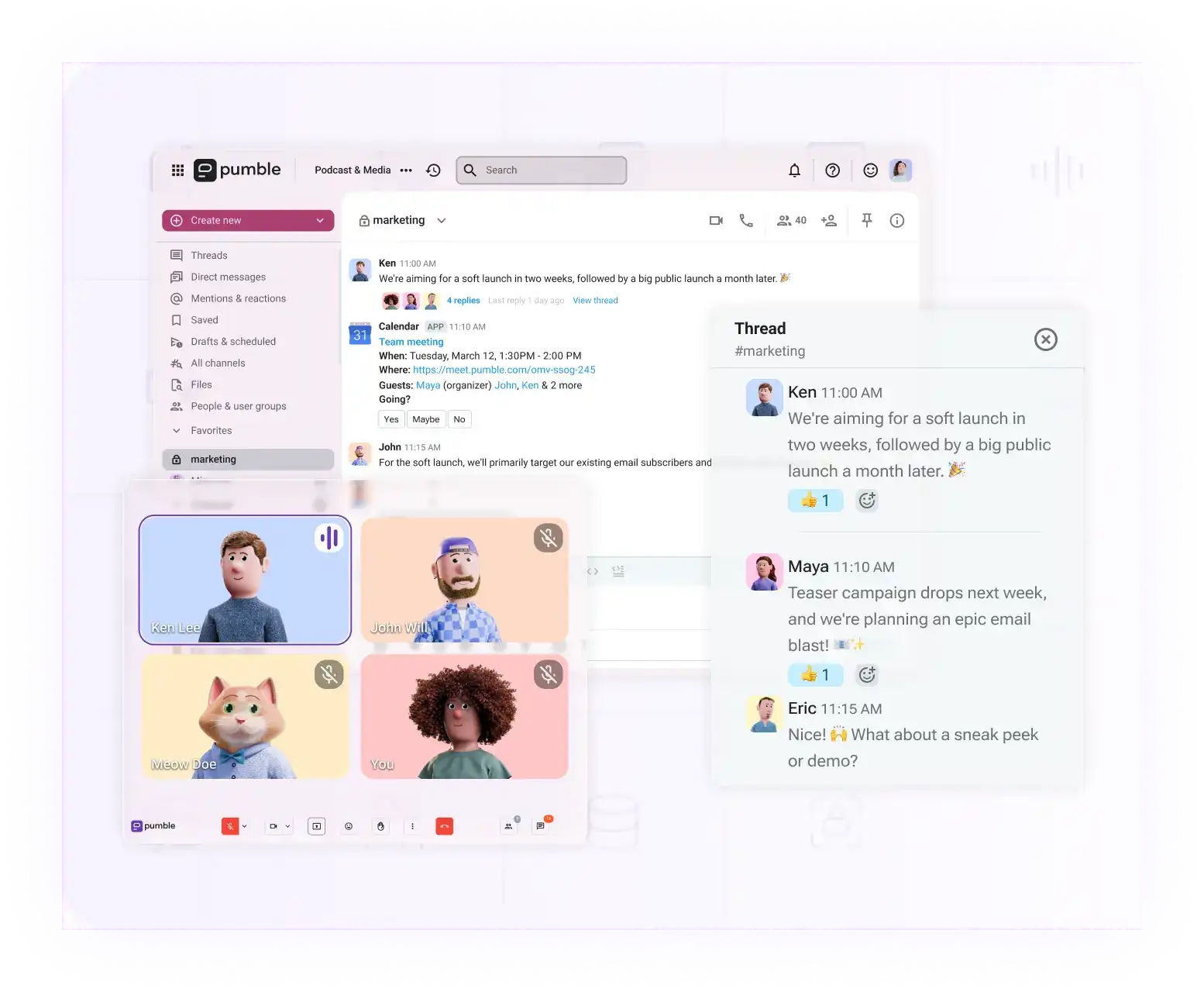
A comprehensive feature set that covers both instant messaging and video conferencing isn’t a nice-to-have — it’s a must for teams hoping to avoid sloppy handoffs.
Try Pumble, where calls and DMs meet
#3: Consistent service quality across channels
Whether a customer reaches out through social media, phone, or email, they expect the same level of service and understanding. A strong omnichannel approach ensures that all channels are unified and consistent, preventing frustration and fragmented communication.
As a team member begins to answer an inquiry, they have a complete view of past interactions. Thanks to the preserved interaction history, response speed doesn’t suffer — all the data your team needs is readily available in the shared workspace.
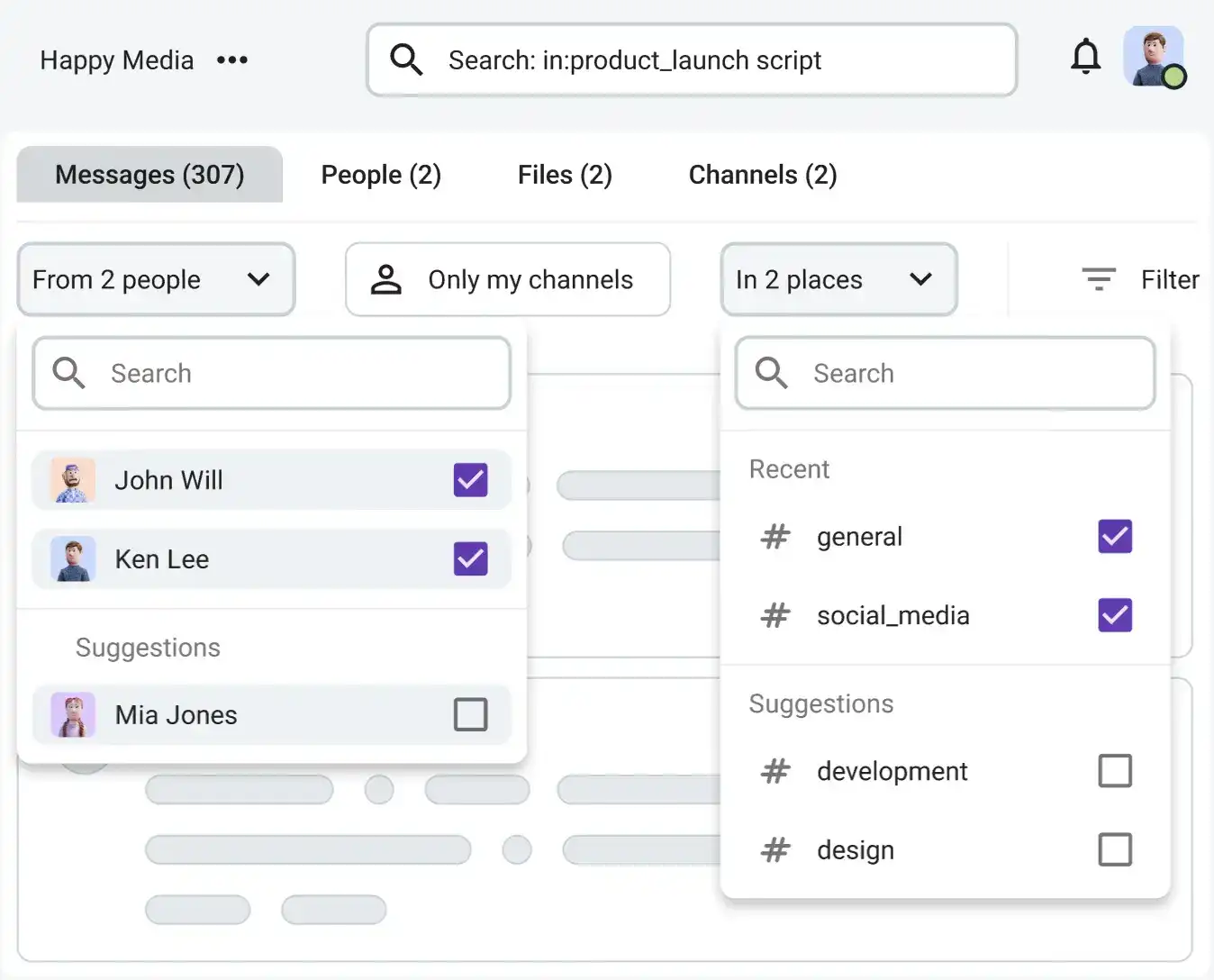
As a result, team members can provide quality service over messaging, voice calls, or video conferencing without missing a beat.
#4: Client trust and retention
Omnichannel communication builds long-term trust by providing responsive service across the platforms your clients prefer. Clients who receive a seamless, personalized experience are far more likely to stay loyal to your brand.
Because transparent communication is a primary driver of trust, centralizing your internal and external operations into a single, user-friendly workspace gives your team the edge they need to keep clients engaged for the long run.
How to choose an omnichannel communication platform
Exploring omnichannel communication solutions for startups and businesses is no easy feat. Not only should your pick suit your team, but it should also have a low learning curve for your clients.
With that in mind, here are some criteria to consider when choosing omnichannel communication software:
- Message history and search depth — use search functions to scan across private channels, public channels, direct messages, and shared files.
- External access — invite external stakeholders to your workspace without compromising internal data.
- Channel organization — organize conversations around projects and clients into private or public channels.
- Integration surface — integrate the tools your clients and staff use the most to minimize app switching and context loss.
- Per-seat cost at scale — as your headcount grows, your omnichannel communication platform shouldn’t become a financial burden.
How Pumble by CAKE.com supports omnichannel client communication
Pumble — an all-in-one communication platform — supports omnichannel communication through:
- Guest access — Pumble allows you to securely bring clients into your collaboration space and have them engage directly with your team.
- Real-time collaboration — clients and teams communicate in real time within channels, which speeds up issue resolution and transforms conversations into an ongoing collaborative process.
- Context retention — the app ensures that all team members and clients have access to unlimited shared conversation history, so anyone jumping into a discussion can get up to speed instantly.
- Cross-device accessibility — the Pumble app works across devices, allowing team members and clients to communicate seamlessly whether they’re on desktop, mobile, or tablet.
FAQs
Here are some common questions about omnichannel communication.
What are omnichannel strategies?
An omnichannel strategy is a client-centric approach that prioritizes merging all contact points into a personalized and effortless experience. Regardless of how a client connects with your business — whether via messaging, voice call, or video meeting — the transition between these channels should be smooth.
What are the 4 pillars of omnichannel communication?
The 4 bedrocks of omnichannel communication are:
- Cross-channel integration
- Personalized client interactions
- Consistent and unified messaging
- Data syncing
What are the best omnichannel tools for client communication?
The best omnichannel tools for client communication — which include Pumble by CAKE.com, ClickUp, and Zendesk — consolidate communication, collaboration, and project management into a centralized command center.
Try Pumble — your app for consolidated omnichannel communication
Organizational communication is too important to be left up to chance. When client retention and team performance are on the line, you need an app that makes streamlining communication a breeze.
Try Pumble by CAKE.com and keep your staff and external collaborators aligned and informed.
How we reviewed this post: Our writers & editors monitor the posts and update them when new information becomes available, to keep them fresh and relevant.