Upgrade a Free Workspace to a Paid Plan
Looking to upgrade from the free version of Pumble to a Paid plan? That’s great news! You’ll be one step closer to accessing more Pumble features. We’ve explained everything you need to know to upgrade your workspace below.
Upgrading a workspace #
Pay via credit card #
- Visit https://pumble.com/pricing to review plans and pricing details
or
Click on Upgrade button in the left sidebar of your Workspace - Choose payment schedule – monthly or annually
Select a plan and click Upgrade under the desired plan 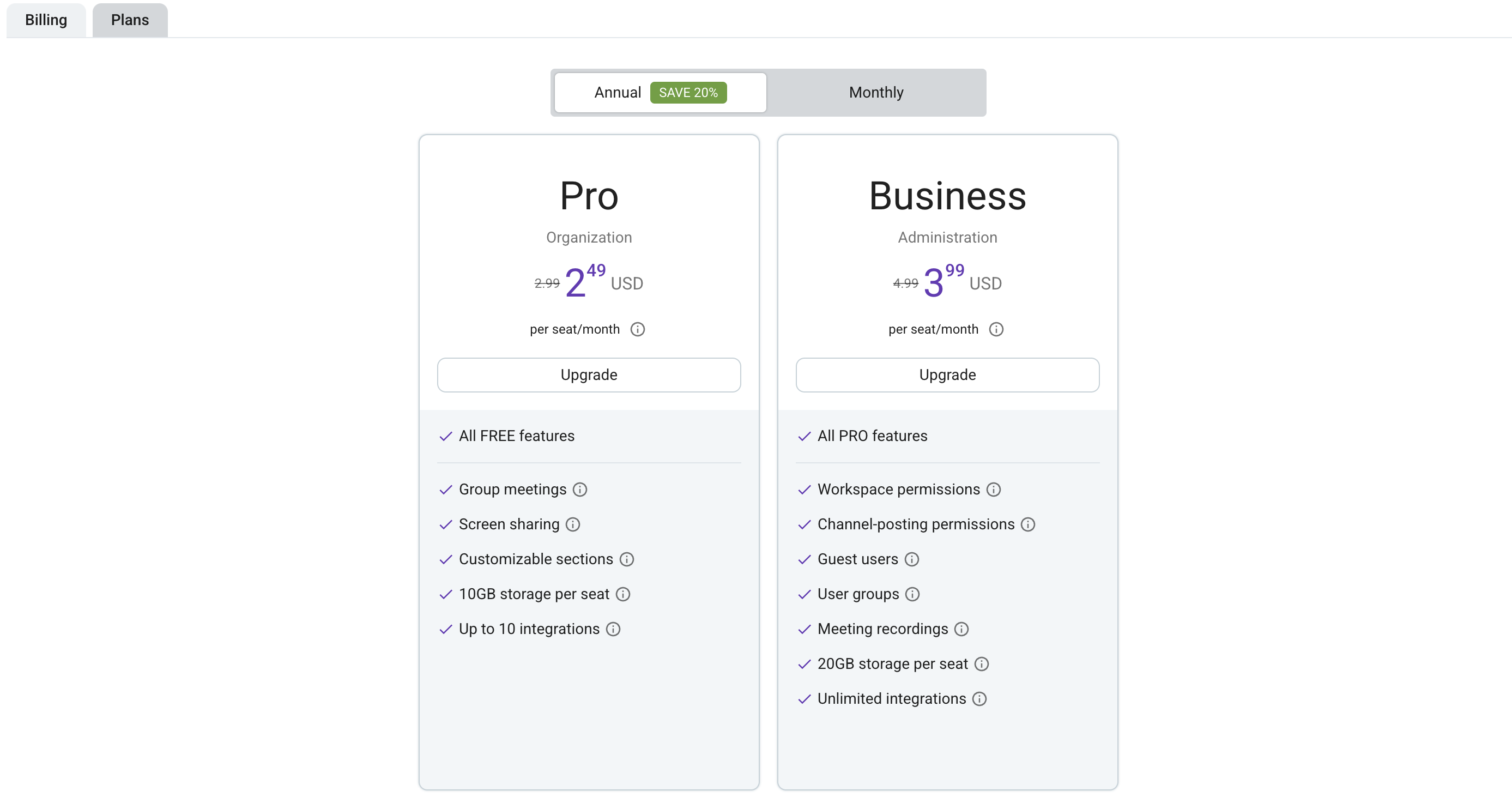
Adjust the number of User seats if needed Select your customer type and country (state) 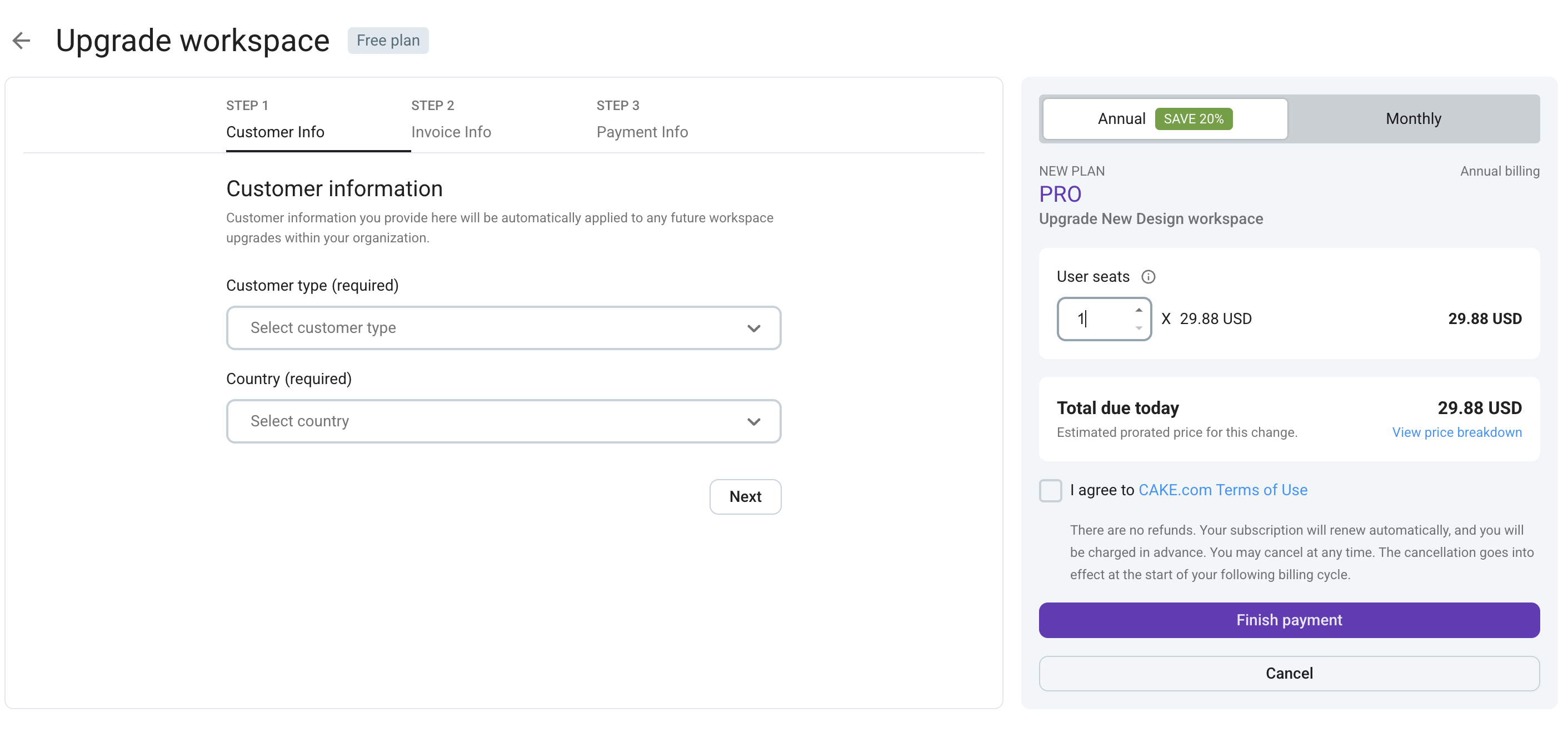
- Click Next to continue
Add invoice information: – Email address and address for Individuals (address is mandatory for all U.S. users, individuals and companies) 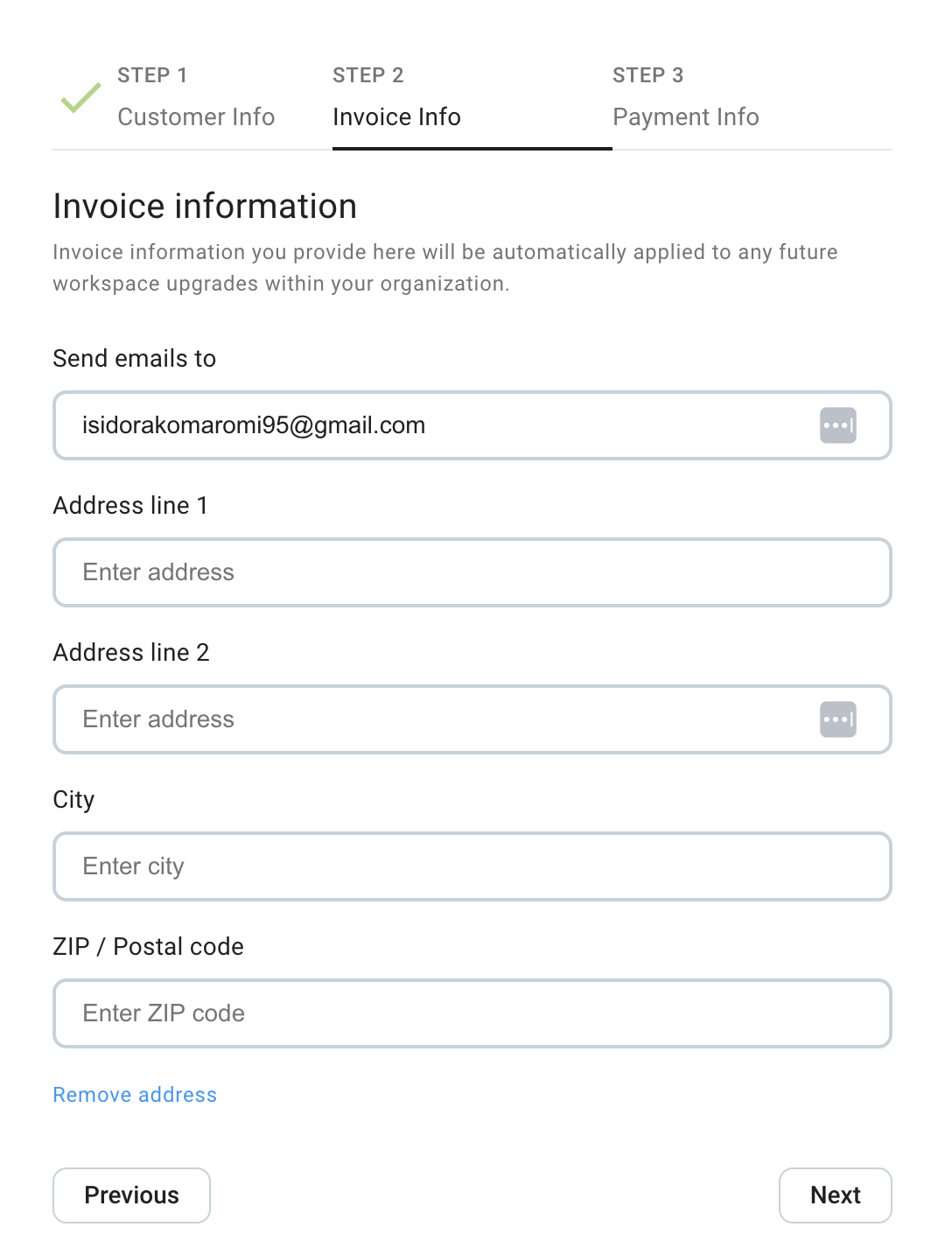
– Company name, Email, Tax identification number, Address (required for EU companies) 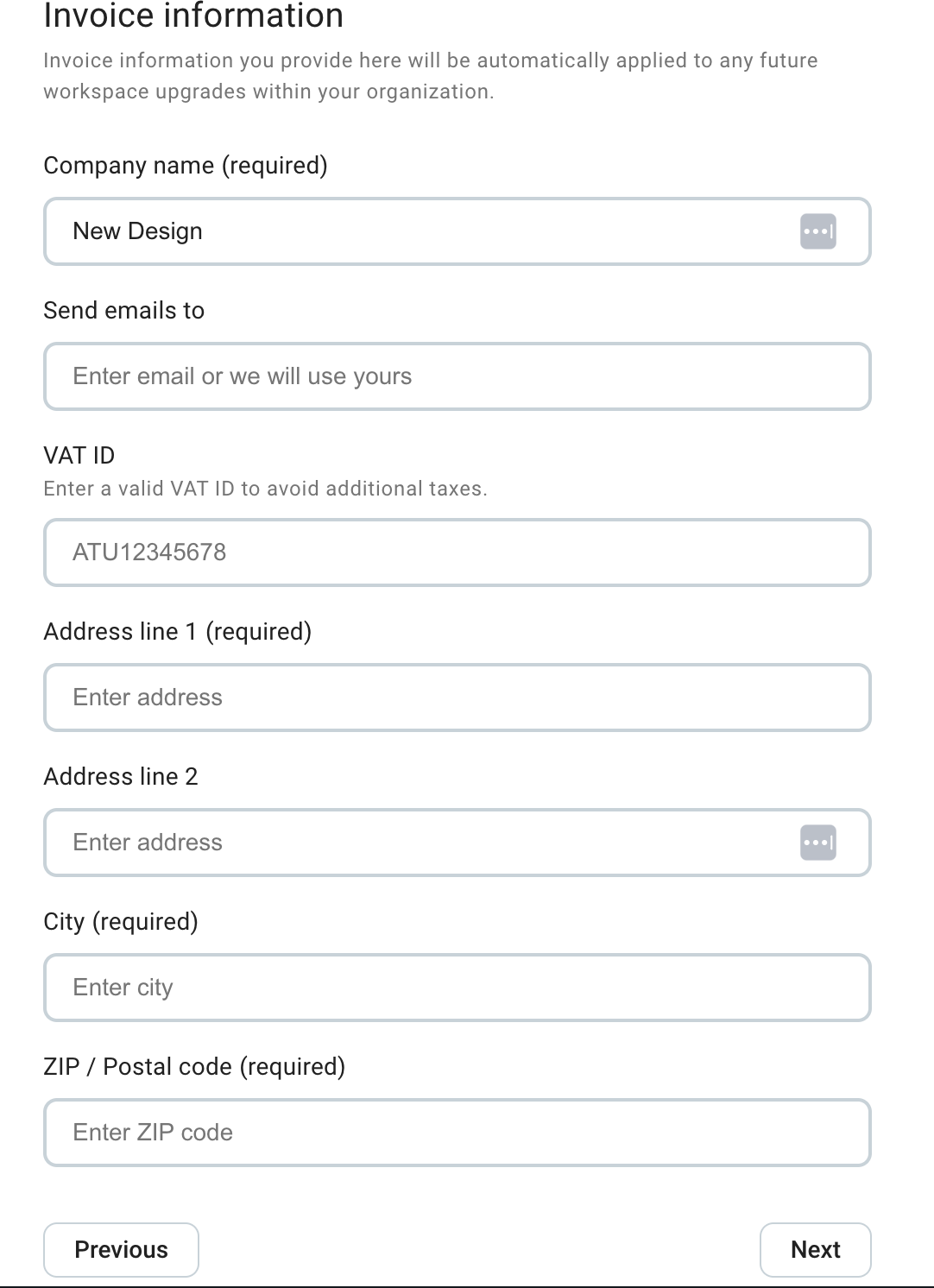
Click Next to continue Add your credit card info and agree with the terms of use It is important for Individuals to make sure that the country associated with the card matches the country in the address field. If this is not the case, immediately return to the first step/click Change country and change the country to match the credit card. Click Finish payment to complete the process 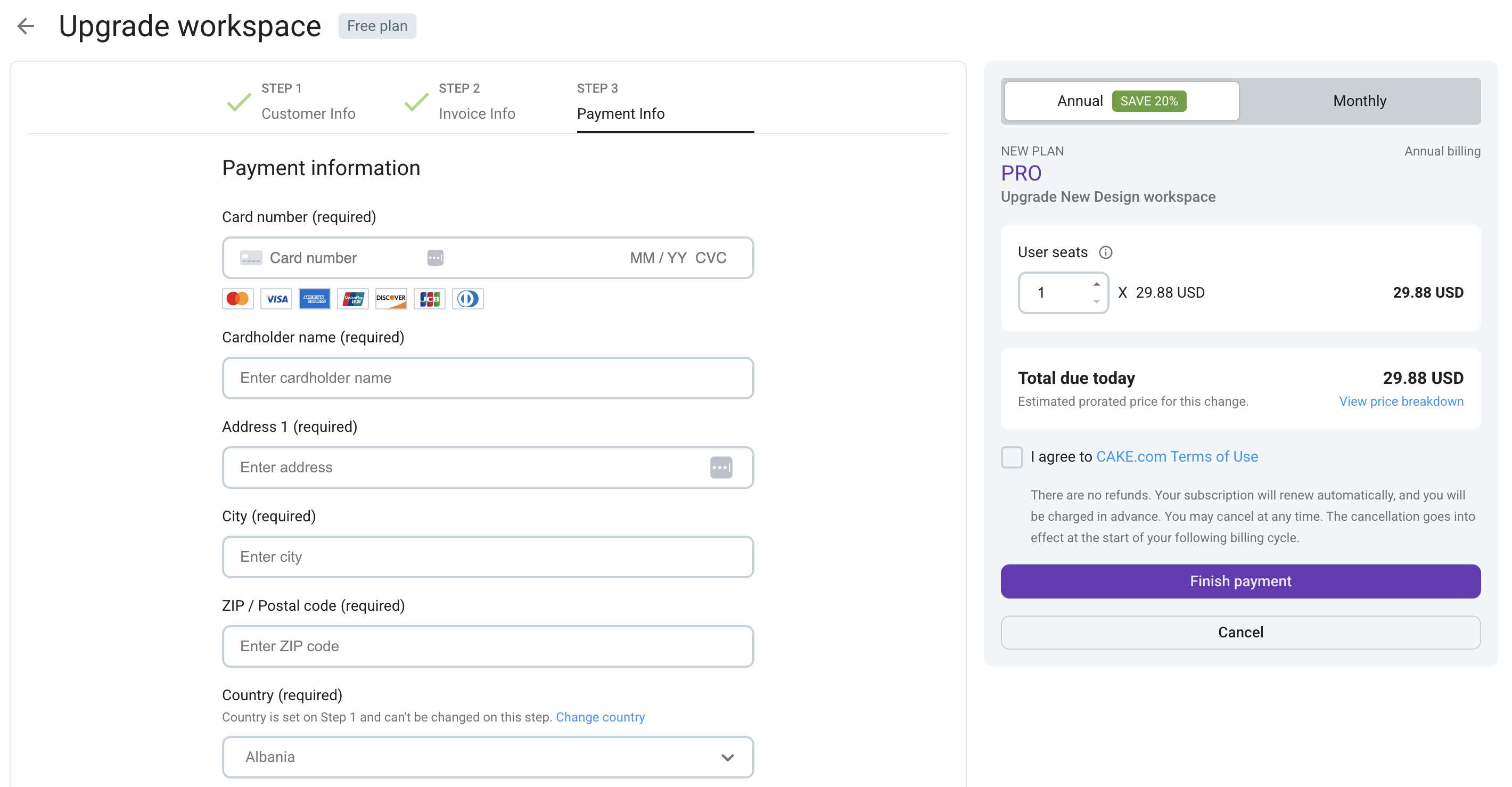
Tax exemption cases #
Tax Exemption Certificate addressed to CAKE Inc., 2100 Geng Rd STE 210, Palo Alto, CA 94303, USA Email address associated with your subscription or the email address of the account owner
To view your subscription details or edit invoice information: #
Navigate to Workspace Settings Click on Billing Click on Payment tab
Check out this article to learn how to upgrade to a higher subscription plan.
Billing for members of the workspace #
- When you purchase a paid plan, the upgrade will apply to your entire workspace and you’ll be billed for active and invited members, who will get their user seats. Read more about user seats in this text.
Any changes to the number of seats in your workspace will be reflected in your billing statement. If all seats are removed, you’ll be billed for a minimum of one seat, unless you decide to downgrade to the free version of Pumble.
Adding new user seats during your billing period #
If you pay by credit card monthly, we will calculate the price and prorate charge you for any additional user seats once a day. If you pay by credit card annually, we will calculate the adjusted cost for the duration of the year and charge you for additional user seats that you add, on that day.
Bundle seats #
Represent a number of active and invited members on Pumble, Clockify and Plaky workspaces purchased with Bundle subscription plan within CAKE.com Productivity Suite.
For detailed instructions on how manage Bundle seats, check out this article.