 Published: mai 4, 2026
Have you ever caught yourself thinking, “I know we discussed this… but where?”
If so, you’re not alone. Many teams struggle with what’s often called “chat fatigue” — a situation where important decisions get buried under a mountain of notifications.
The way we communicate at work has changed. It’s no longer enough to rely on simple back-and-forth messaging and hope the right people see the right things at the right time.
Understanding how to effectively chat with your team in this day and age means moving beyond simple instant messaging and adopting a system of organized channels and threaded conversations.
That’s where Pumble by CAKE.com comes in. As your team’s digital headquarters, it helps you put the right message in the right place and ensures you can easily find it later.
Let’s explore how to use Pumble to:
- Organize your daily interactions,
- Speed up decision-making, and
- Make your decisions and knowledge accessible.

Why structure matters in team chat
Let’s call it like it is, unstructured chat is chaos in disguise.
At first, it feels fast and easy. You send a quick message, someone replies, and things move forward. But, over time, the cracks start to show. More people join, projects multiply, and all of a sudden:
- Important decisions get lost in endless message streams,
- The same questions pop up again and again,
- Notifications keep pinging, pulling everyone out of focus, and
- Nobody’s quite sure where to ask what.
And, before you know it, your “quick chat tool” turns into a complete mess.
The cost of unstructured communication
If your communication lacks structure, your team will pay the price in subtle but serious ways.
Key decisions and important information will disappear into thin air, and distractions and duplicate work will take a toll on your team productivity.
In other words, teamwork will start to fall apart.
And it’s a matter of time before it starts to show in your financial reports, as well. According to Pumble’s communication statistics, poor communication will cost you anywhere between $3,640 and $37,440 per employee per year.
How organized chat turns things around
Now, if we flip the script, we can witness how organized team chat helps everything click into place:
- Conversations are classified by topic, team, or project,
- Decisions are easier to pinpoint,
- Notifications become helpful instead of overwhelming, and
- Your team starts spending less time searching, and more time doing productive work.
This kind of structure helps teams move forward faster and reduces the need for unnecessary meetings, as it provides sufficient context.
Ultimately, organized team communication helps you move away from thinking you need more communication to actually having better team communication.

The Pumble framework: Channels, DMs, and threads
If you want to master chat with your team, you need a simple system. In Pumble, a team communication app by CAKE.com, that framework comes down to 3 core elements:
- Canaux,
- Direct messages, and
- Threaded conversations.
Each one has its place, and knowing when to apply which helps you reap the rewards twice as fast.
Let’s get down to the nitty-gritty of how key Pumble features enable more successful team chat.
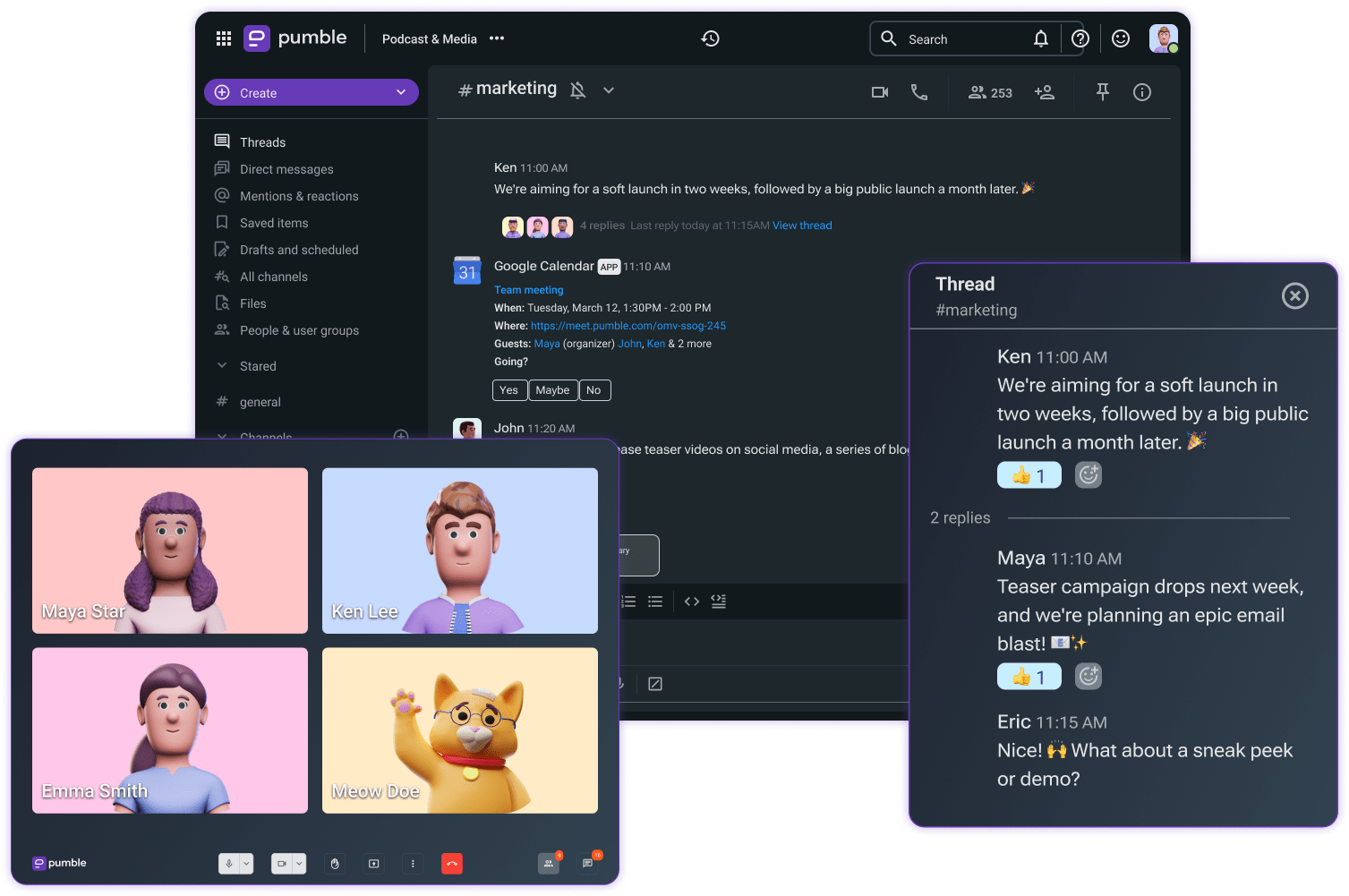
Channels: Your team’s shared space
Channels are the core of your team communication in Pumble. They are designed for transparency and collaboration.
You can organize your channels in Pumble by:
- Team (#marketing, #sales, #product, etc.),
- Project (#website_redesign, #product_launch, etc.), or
- Topic (#announcement, #customer_feedback, etc.).
Use Pumble channels anytime you need to share updates that multiple people need to see, or when you want to keep communication on current projects visible.
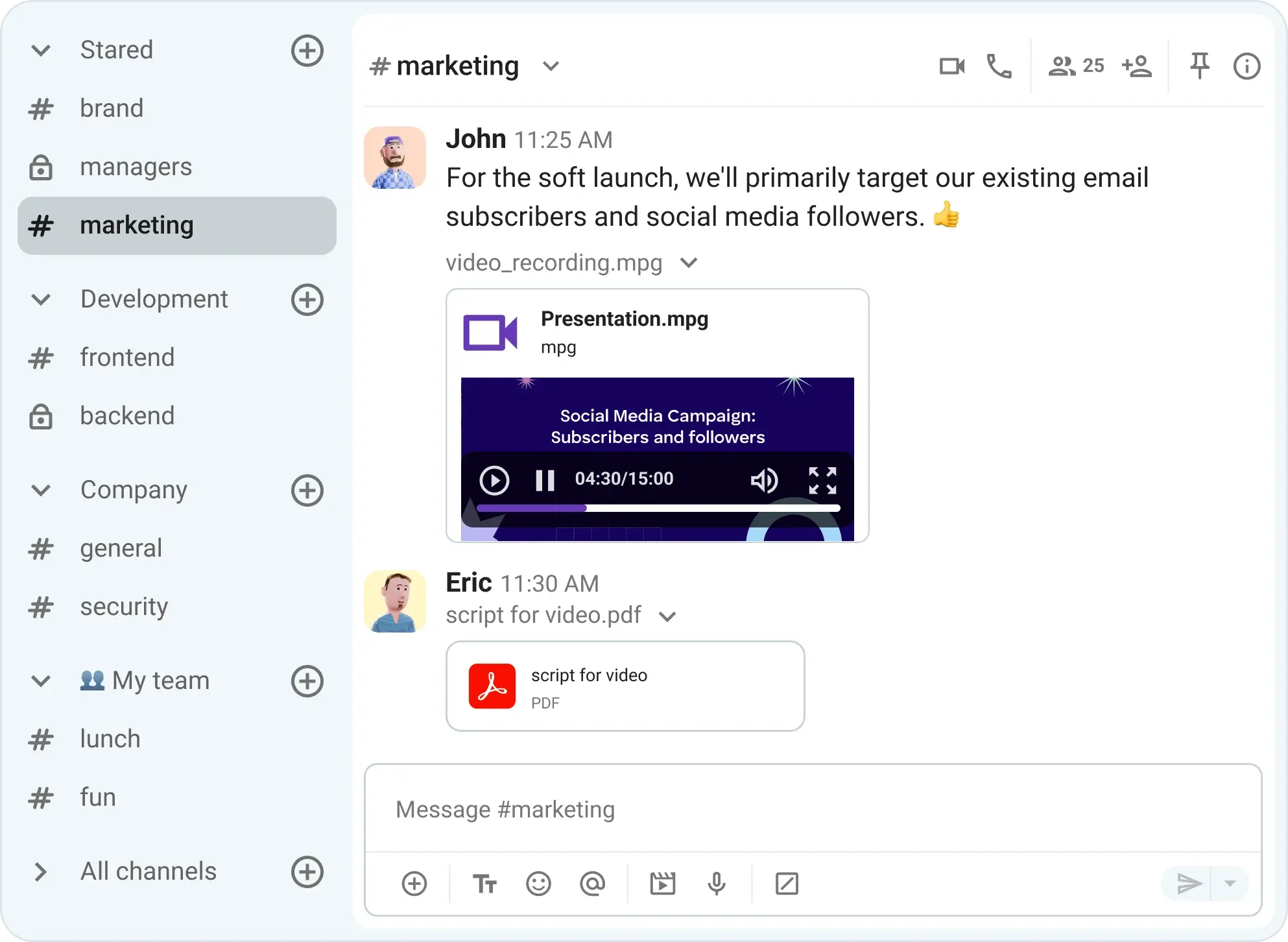
Essentially, channels are perfect for whenever you want to keep your operations transparent and prevent team silos from festering in your organization.
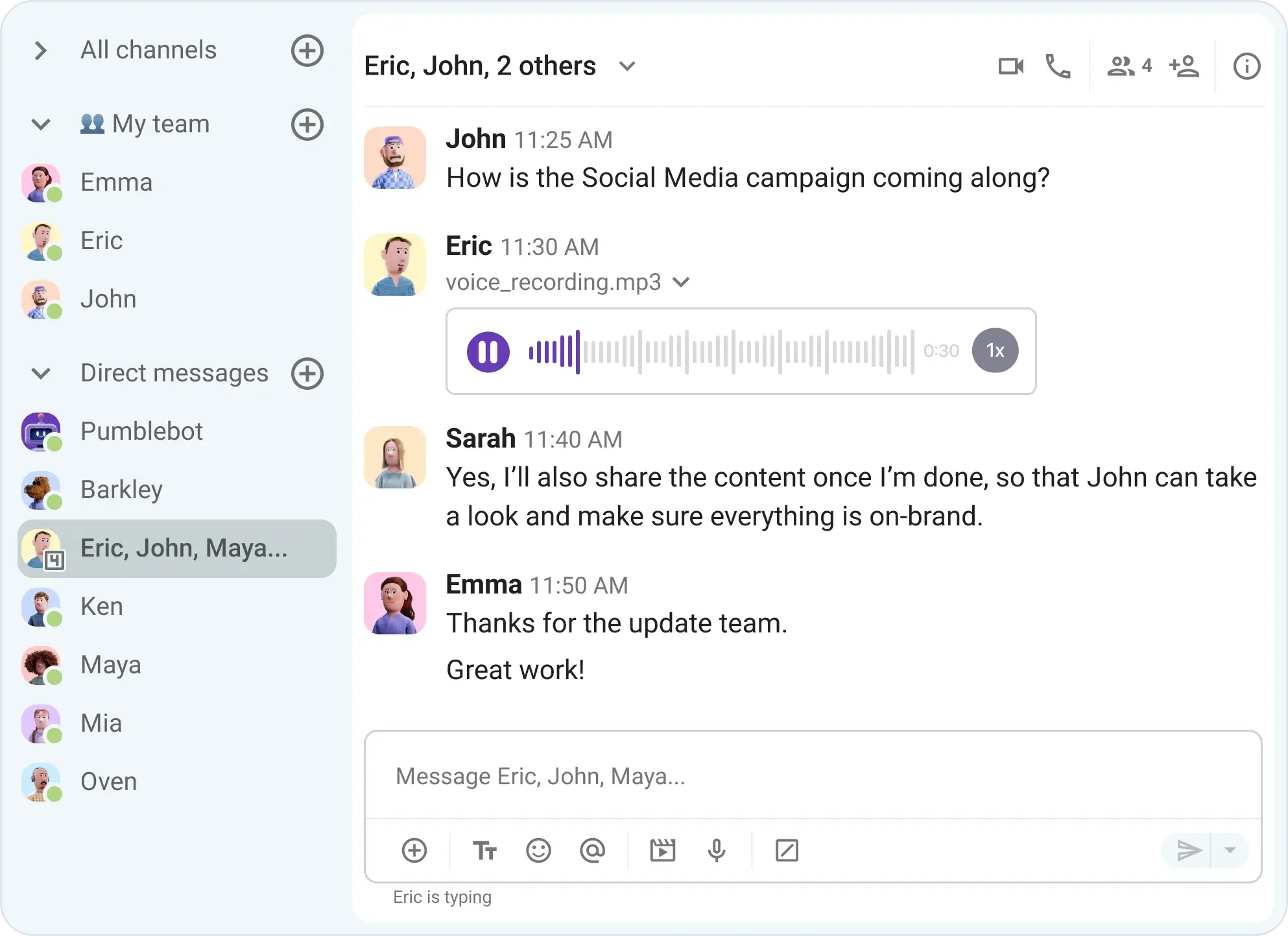
Direct messages: Keep the chats focused
Direct messages are perfect for quick, focused conversations with one team member or between a small group of people.
Use DMs in Pumble when you need to ask a quick question to coordinate tasks or discuss sensitive or private matters.
But, keep in mind that any information that might in any moment be useful to others still belongs in a channel.
A good rule of thumb is to DM matters that only concern you and one other person. If it could help a team, don’t hesitate to post it in a channel.
Threaded conversations: Keep things tidy
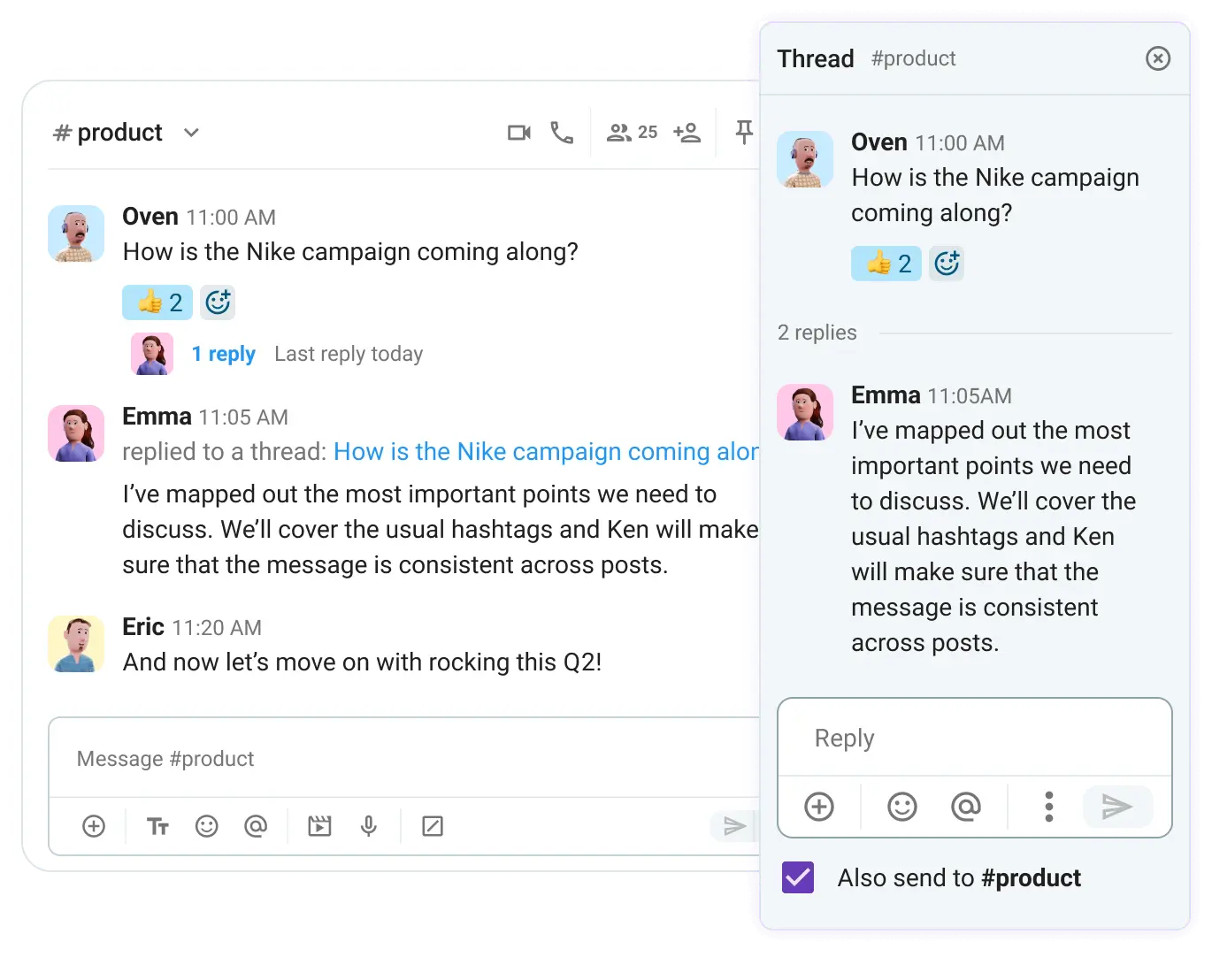
Threads are spaces for long-winded conversations. They are one of the simplest ways to reduce chat noise while still allowing deep discussions to happen.
You can turn to threads in Pumble anytime you need to let loose and really hush things out with your team.
With threads, you don’t have to worry about cluttering a channel with back-and-forth replies, as all your discussions are neatly tucked under a single message.
Threads work perfectly when you need to:
- Prevent channel spam,
- Keep conversations focused, and
- Make specific topics easier to follow.
They are, essentially, side conversations that don’t derail the main flow.
The best part is that you can still share the threaded reply with the entire team if it includes critical information that demands more visibility. Just tap the checkmark below the message to also send it to the channel as a separate post, making sure it doesn’t go unnoticed by the rest of the team.
Communicate with your team in Pumble
7 ways to chat smarter, not louder
Now that we’ve gotten familiar with the Pumble framework, let’s get into practical team communication best practices.
These are the habits and practices that turn chaotic chat into productive collaboration.
#1 Organize your team conversations by context
If every conversation goes into one giant channel, nothing is really organized.
To prevent the chaos from taking over your team chat, be sure to make the most of Pumble channels, as it’s one of the simplest ways to structure your communication.
No one team is the same, so each will have their own custom communication preferences and needs. Be sure to take this into account when creating your Pumble channel structure.
Basically, you should set your Pumble channels based on how your team actually works:
- By department,
- By project, or
- By recurring topics.
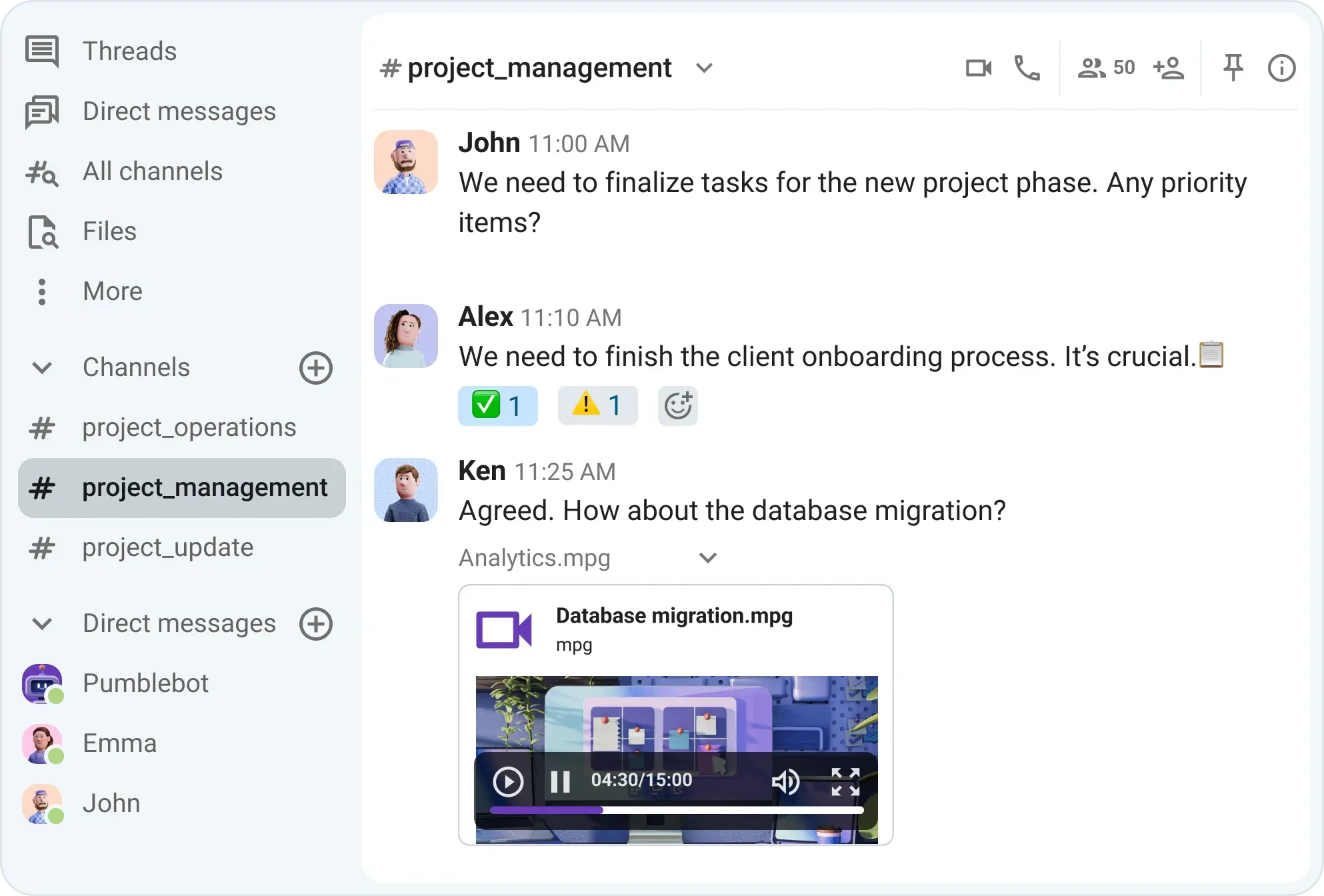
This lets your people know exactly where to go. It saves them from unnecessary second-guessing and hunting around for information.
When someone joins a new project, for example, they can simply jump into the relevant channel and get up to speed. This way, you’re promoting effective knowledge sharing. Teams can easily access everything they need to know about a project, thanks to unlimited message history that keeps all past conversations in one place. With pinned messages, you can highlight the most important updates, keeping key information front and center.
Instead of scheduling a meeting for every little update, your team can use channels in Pumble for daily check-ins or to discuss progress or potential blockers.
Channels in Pumble can be public or private. In most cases, it’s best to use public channels for conversations that require transparency and are of common interest to all team members. These include anything from project updates to meeting summaries. Private channels, on the other hand, are reserved for confidential projects or departments that handle sensitive information, including HR teams, Legal, and Finance.
Channel conversations help your team align without eating up calendar time, which results in faster problem-solving.
Check in with your team on Pumble
#2 Learn how to better balance asynchronous collaboration
One thing most teams grapple with is deciphering which messages need immediate attention and which can be replied to later.
And, we can all agree that expecting constant responsiveness is one of the fastest routes to burnout town.
With asynchronous team communication, you’re giving your team the freedom to respond when they’re ready. This way, they can have their blocks of deep work without being interrupted every 5 minutes.
Additionally, your global teams working across time zones can enjoy a healthy collaboration flow without the pressure of having to respond during off-hours.
To master asynchronous balance in an internal communication software like Pumble, you can instruct your team to:
- Write complete and direct messages to ensure maximum clarity,
- Provide sufficient context upfront to avoid any misunderstandings,
- Refrain from unnecessary “quick pings,” and
- Use voice or video messages when they need to share longer updates that require additional features like screen sharing.
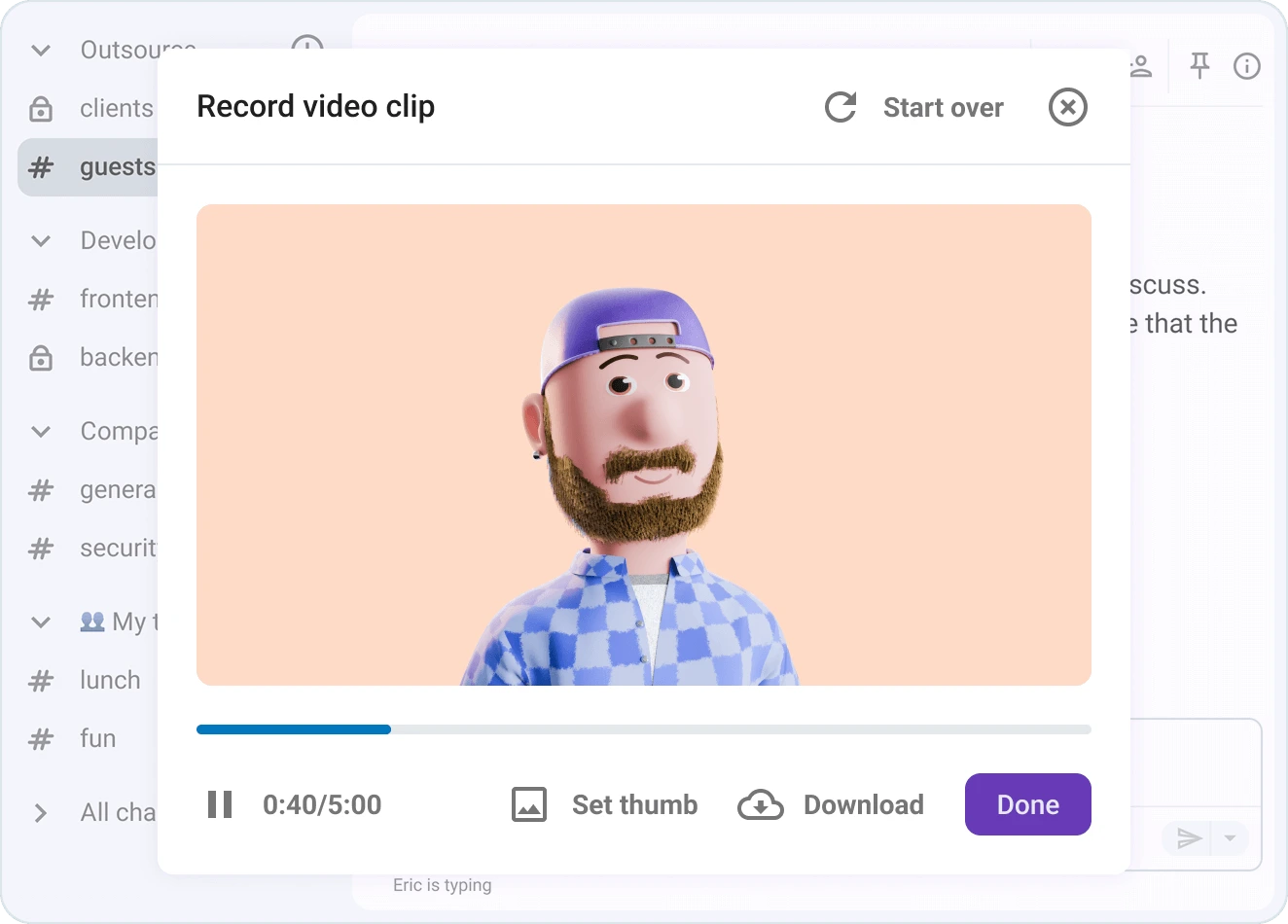
Practicing the asynchronous format helps you understand that, oftentimes, the best way to move faster is to stop rushing.
Explore video messages in Pumble
#3 Control the noise
We’ve all experienced notifications getting out of hand at least once in our worklives.
But where do you start with setting expectations around specific workplace communication practices?
Well, for one, you can establish rules around mentions in Pumble. Instruct your team to use mentions only when they have to notify people about urgent issues that need their immediate attention. This way, you’re not adding to the unnecessary noise.
Additionally, customize notifications based on what you actually need to see. In other words, prioritize the work that matters most, and minimize distractions from less relevant topics.
Say you’re working on a key client pitch on a tight deadline. You’ll probably only keep a close eye on your core project channel and direct messages with teammates working closely with you on the pitch. Everything else, like random team chats or low-priority channels, can be muted for a while so you can stay in the zone without missing any important stuff.
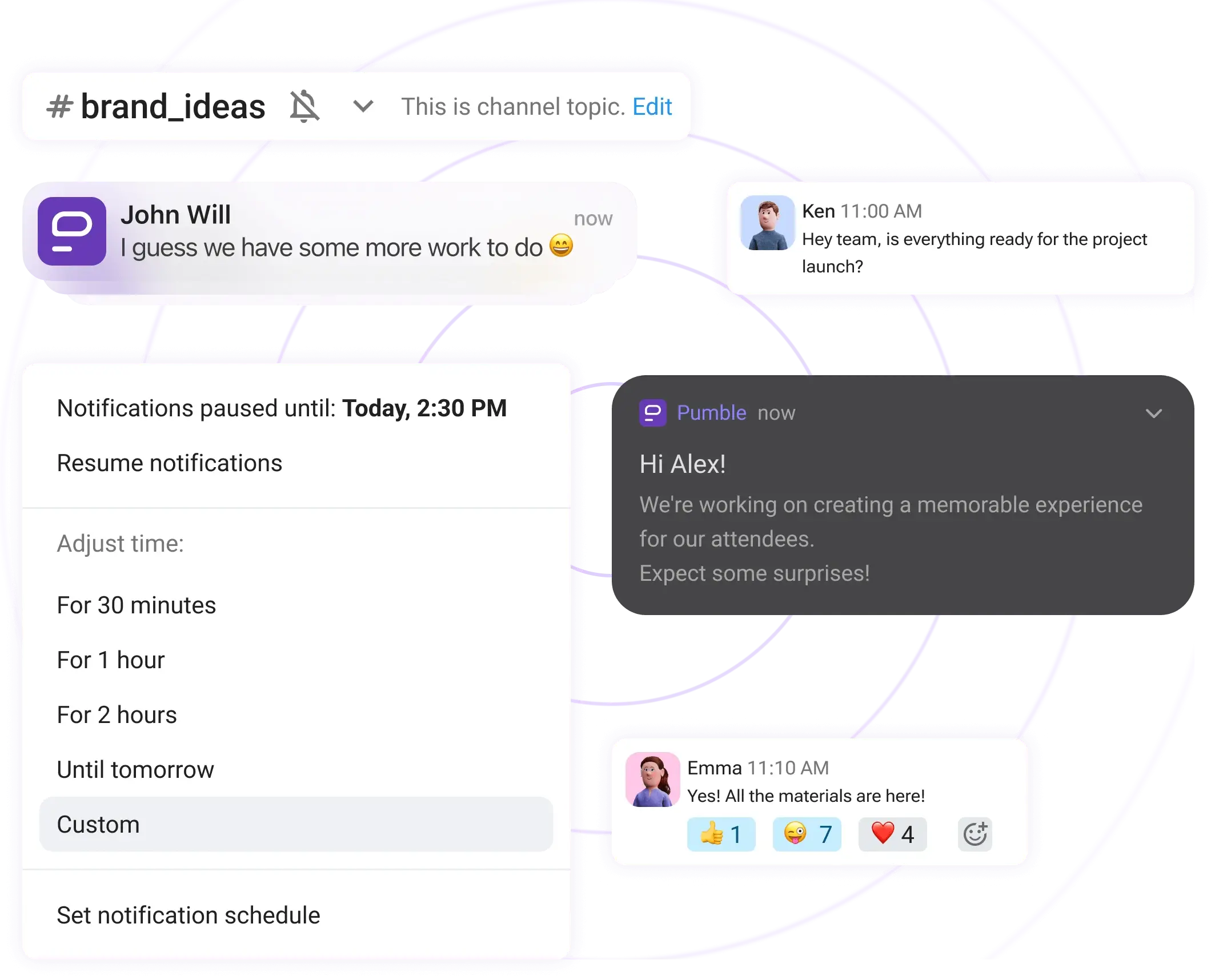
You can also use the DND (Do not disturb) option when you need to protect your focus time.
Helping your team understand how to best manage notifications is one of the easiest ways to reduce chat noise without losing visibility.
#4 Use pinned messages
Ever had to dig through the wasteland of messages looking for that one critical resource someone shared months ago, only to never actually track it down?
Some information shouldn’t be buried, ever.
That’s where pinned messages in Pumble come to the rescue.
You can use them to highlight any piece of information you need, including:
- Project briefs,
- Les liens importants,
- Key decisions, and
- Guidelines and resources.
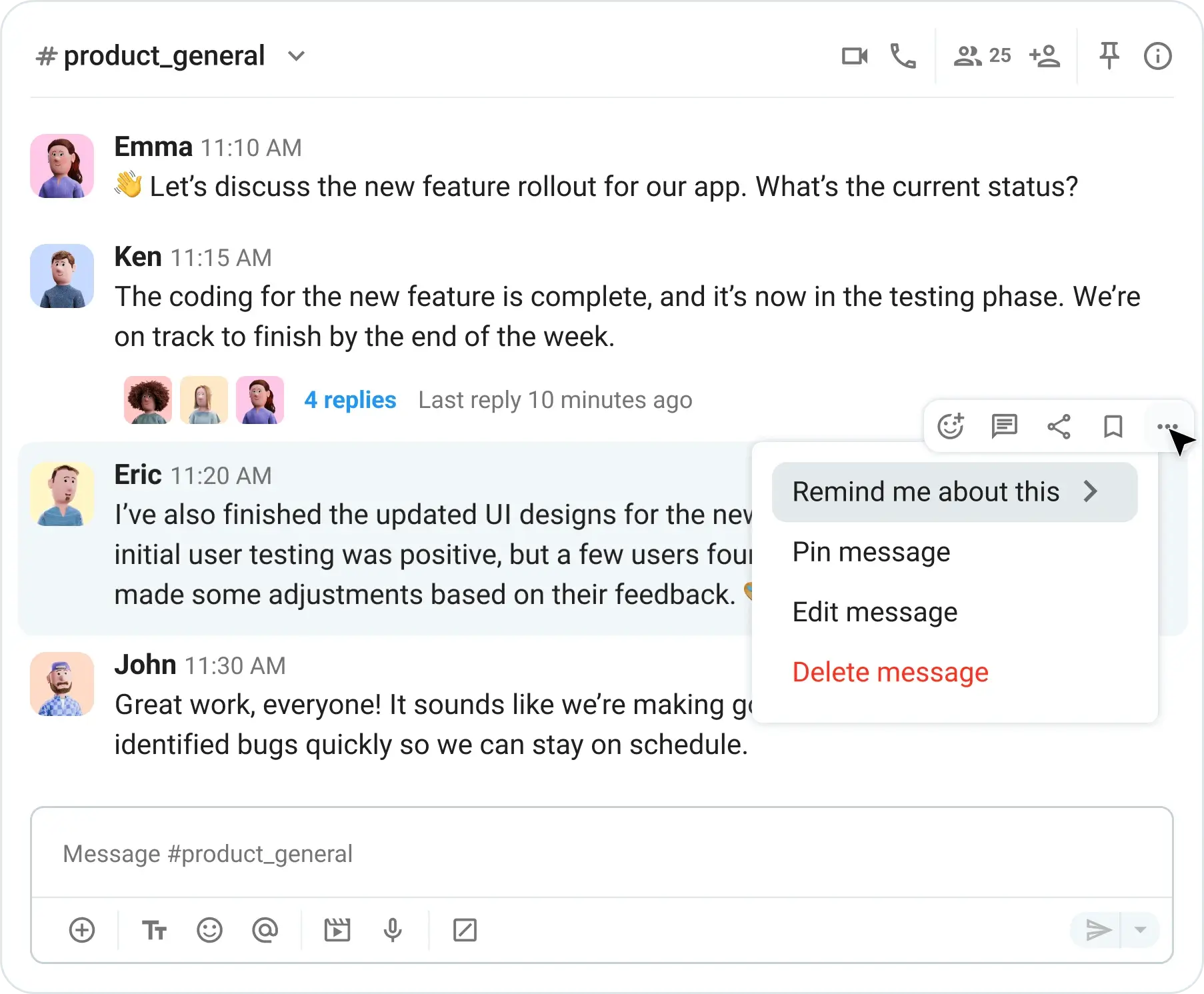
Anyone who’s ever been in charge of a team for any amount of time knows that questions tend to repeat way too often. To avoid having to answer the same question again and again, you can just point people to the pinned message and call it a day. It’s a simple habit that turns into a major time-saver.
Share knowledge effectively in Pumble
Alternatively, you and your team can use reminders in Pumble to remind yourself about important messages or tasks.
#5 Turn chat into a knowledge hub
Your messaging history is one of your team’s most valuable resources, so make sure to treat it as such.
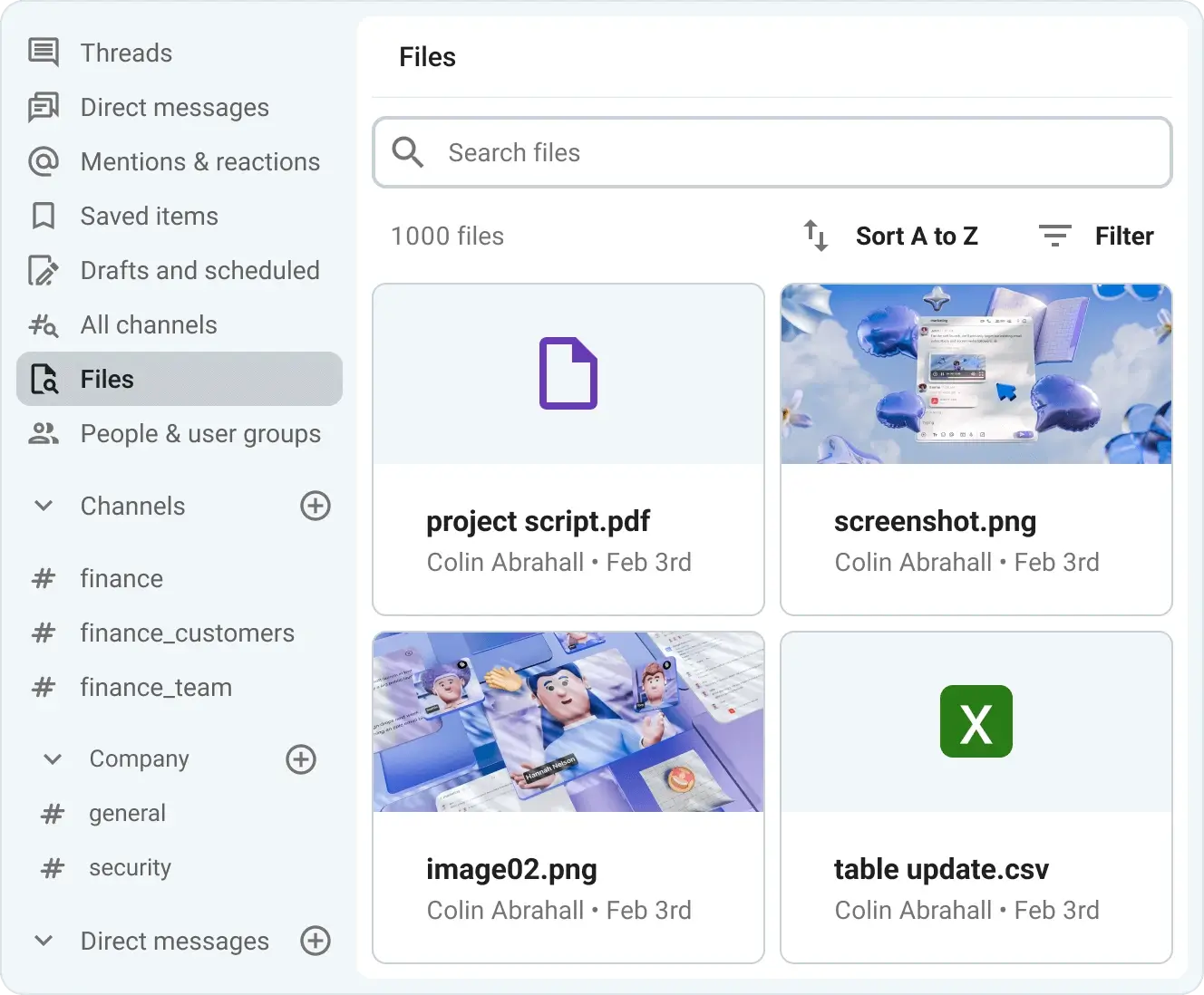
Pumble’s searchable history goes an extra step in ensuring you keep all your messaging history forever and helping you:
- Find past decisions in seconds,
- Reuse existing knowledge, and
- Onboard new team members faster.
This turns your chat into a living, breathing “company brain.”
You can say goodbye to digging through emails or wondering where that one key piece of resource was shared.
In Pumble by CAKE.com, everything is one click away.
#6 Ensure cross-team alignment with Pumble’s mobile app
Team alignment doesn’t just happen during office hours, and it definitely doesn’t wait until everyone’s back at their desks.
So, why should your team chat be tied to one spot?
You need a strong support system to keep everyone in sync when you have to navigate multiple teams across several workflows.
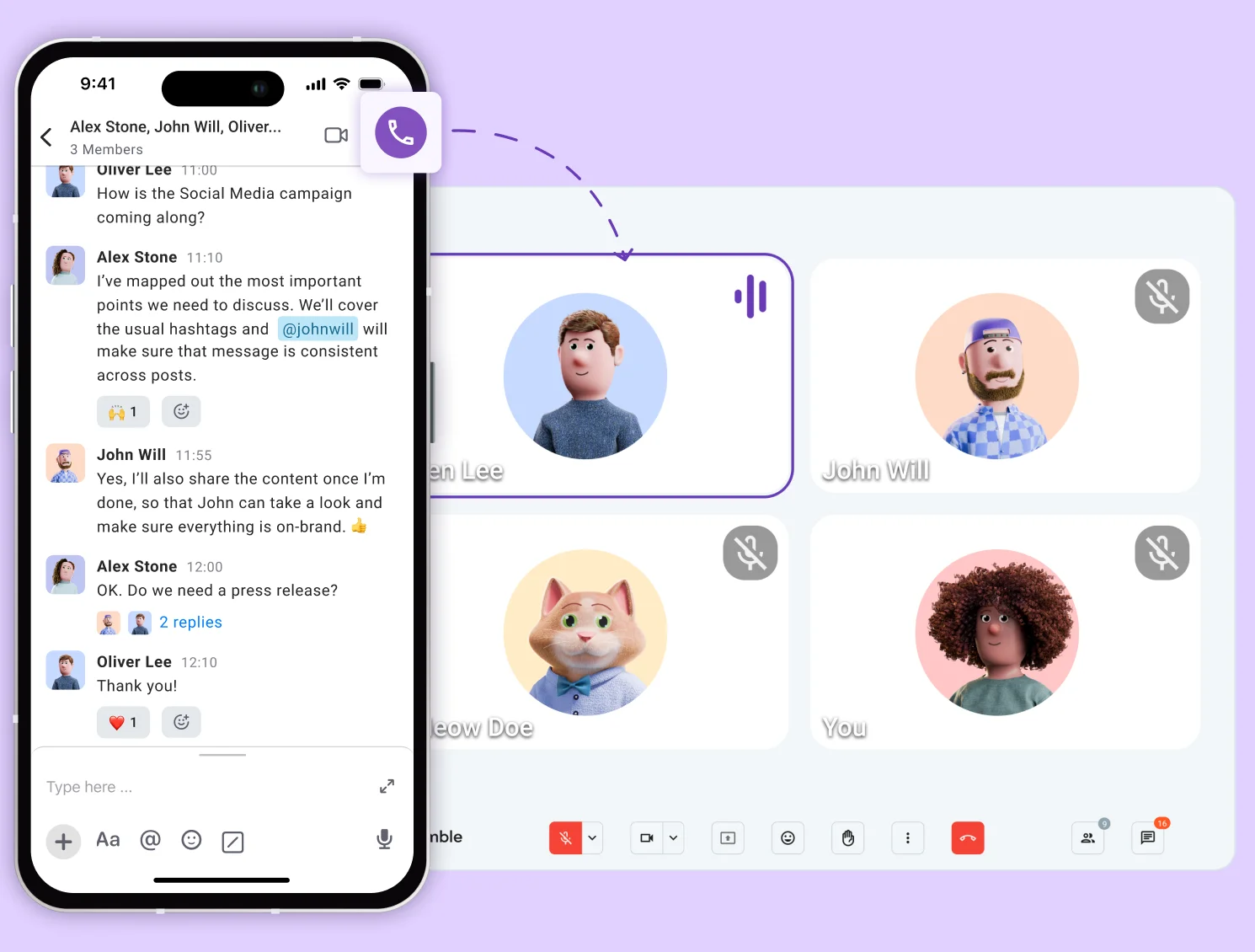
Pumble’s mobile app helps keep everyone connected without gluing them to a computer.
Team members can quickly check relevant channels or reply in thread during small pockets of time when they’re, for example, commuting or between meetings.
Let’s say the Sales team is heading onto a last minute pitch and needs confirmation on a product or the latest campaign angle from Product and Marketing. They don’t need to chase emails or wait around. All it takes is a quick message to the project user group in Pumble or a check in a relevant channel right from their phone, and they can get what they need in a matter of seconds.
The key benefit you get with the Pumble mobile app is that you get to stay informed without having to be constantly available. The mobile app also comes with smart notification settings and DND options, so everyone can control who and when has access to their time.
#7 When chat isn’t enough: Use video
Even with the best organized team chat, there are moments when messages simply don’t cut it.
What is one to do in those moments when you need to talk things through in real time?
Simple. You turn to Pumble video calls.
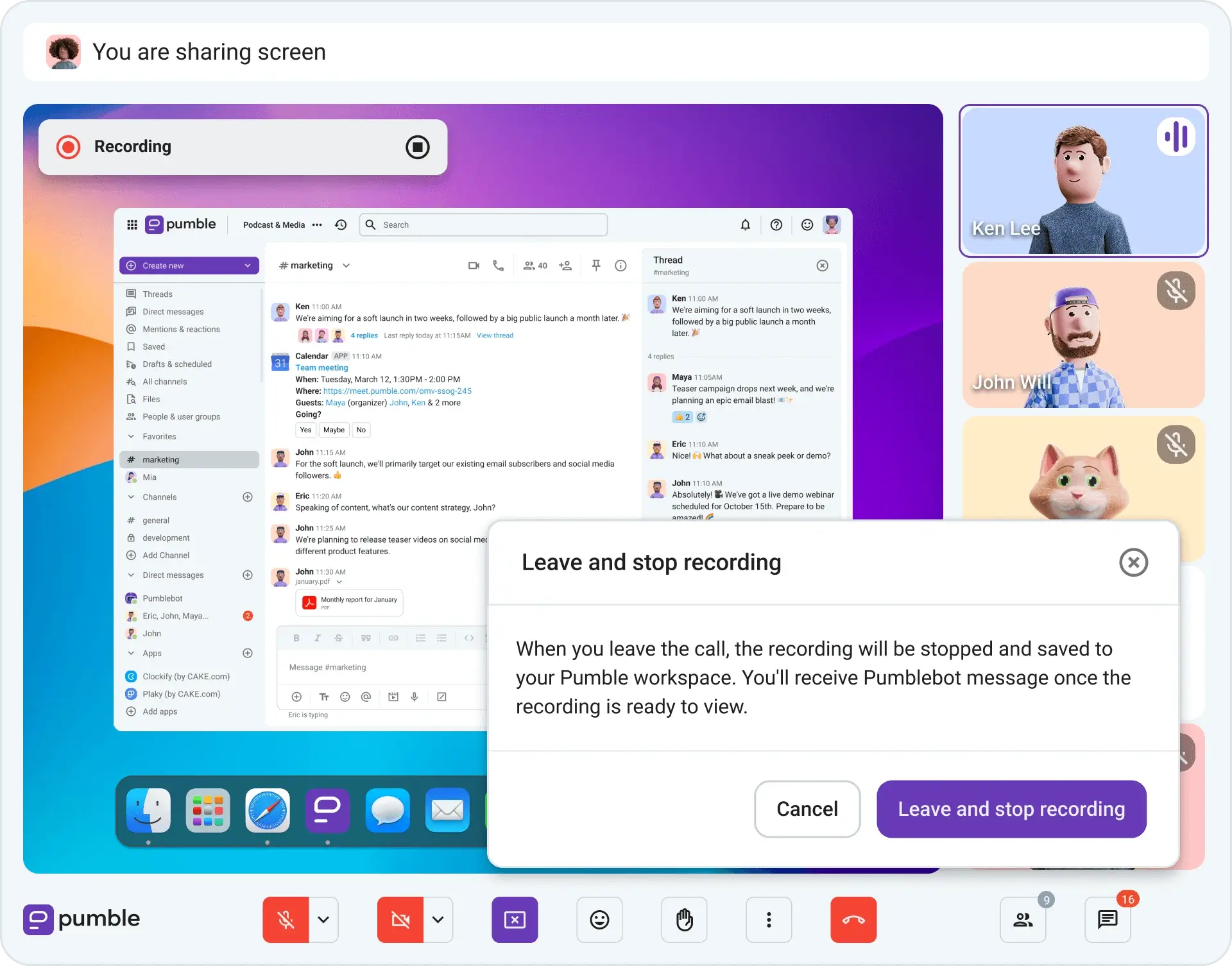
You don’t have to switch tools and create confusion. In Pumble, you can start a call directly from a channel or DM, keeping it in context.
Pumble video and voice calls are especially handy for quick clarifications or brainstorming sessions that would otherwise drag on in chat.
Still, be sure to drop notes or follow-ups back into the same thread once the call ends to ensure your key decisions are easy to find. Or, simply record your meetings and keep everything on file effortlessly.

Make chat your team’s greatest asset with Pumble by CAKE.com
At the end of the day, learning how to chat with your team comes down to working smarter, not harder.
Pumble helps you:
- Organize your conversations,
- Reduce unnecessary noise, and
- Make knowledge easy to find.
All of that for a very affordable price.
And, if you’re looking to streamline your workflow even more, it’s worth upgrading to the CAKE.com Productivity Suite. It bundles Enterprise plans for Pumble along with its companion tools — Clockify for time tracking and Plaky for project management. These 3 tools give you a complete setup without relying on any third-party apps.
Choose Pumble by CAKE.com, and turn your chat from a distraction into an organized system that keeps everyone aligned.
Comment nous examinons cet article : Nos rédacteurs et éditeurs vérifient les articles et les mettent à jour lorsque de nouvelles informations sont disponibles, afin qu'ils soient toujours d'actualité.