 Published: February 3, 2026
If you’ve ever worn the project manager hat, you know the struggle. One minute you might be aligning stakeholders, and the next you find yourself digging through old emails trying to remember why a particular decision was made 3 months ago.
This is exactly why so many project managers turn to Pumble by CAKE.com to cut through the noise and the chaos and keep projects moving forward, without losing their sanity along the way.
Let’s explore how you too can join a growing number of project managers who use Pumble to keep their projects on track.

Centralize project operations
The most common project managers’ conundrum you’ve probably had to face was your team collaboration software producing much noise, but not enough constructive exchange.
If we’re being completely honest, modern project management often feels like herding cats. We’ve all experienced the boiling point when:
- Important updates get scattered across email chains,
- Files get buried in shared drives, and
- Meetings pop up faster than tasks get checked off.
Add remote teams into the mix, and context switching becomes a full-time job.
Consequently, this leads to horrific project scenarios nobody wants, such as:
- Missed deadlines,
- Duplicated work, and
- Ephemeral decisions.
This all ultimately ends in project failure.
Fortunately, your projects don’t have to experience this fate.
There’s a simple solution preventing chaotic and fostering healthy project operations. Its name is Pumble, a collaboration tool by CAKE.com where you can organize all of your teams, projects, and work from one place.
It isn’t just another bloated communication app — it’s a project command center where conversation meets execution.
So, instead of bouncing between several different tools, project managers use Pumble to centralize:
- Discussions,
- Files,
- Decisions, and
- Updates.
And here’s the kicker — it comes with free, unlimited message history. Unlike other popular apps’ free plans, Pumble doesn’t wipe your memory every 90 days. That means you can scroll back 6 months — or 6 years — and see the context behind any decision. For project managers, that’s not just a “nice to have.” It’s their project’s lifeblood.
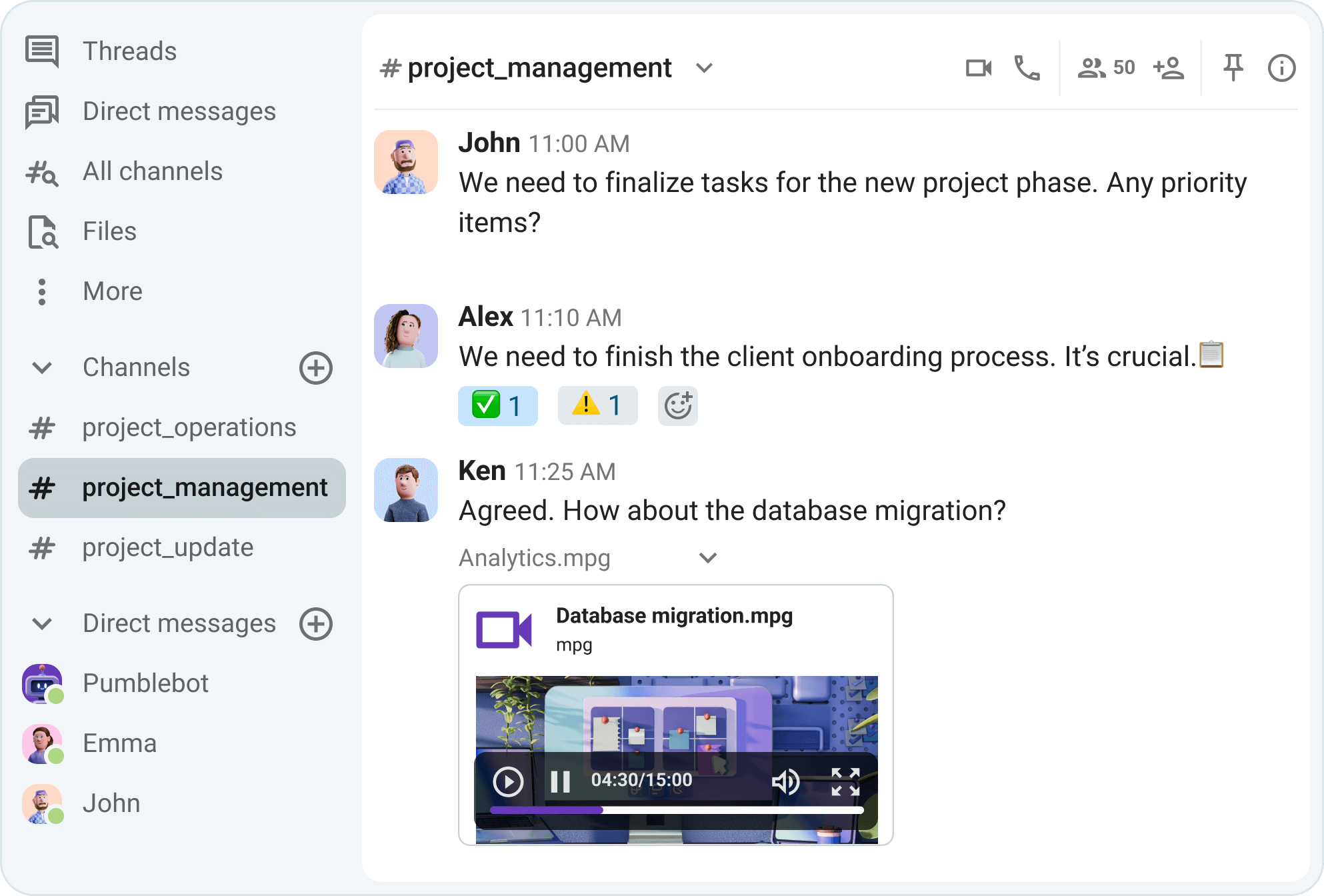
Turn channels into permanent archives
Build the “project command center”
Do you know what the fastest way to lose control of a project is? Dump everything into a generic channel.
Instead of having one, chaotic channel, where every team and sub-team member share their updates, there’s a better way to keep things organized. It’s as simple as setting up dedicated project channels in Pumble with clear naming conventions.
As a project manager looking to have every project segment arranged in a systematic way, you can rely on clear Pumble channel naming to keep your sidebar clean and scannable.
Here are a few examples to help you get the picture:
- #proj_website_redesign
- #client_acme_corp
- #internal_q3_planning
This approach groups related work together, making it easier to jump in without missing a beat.
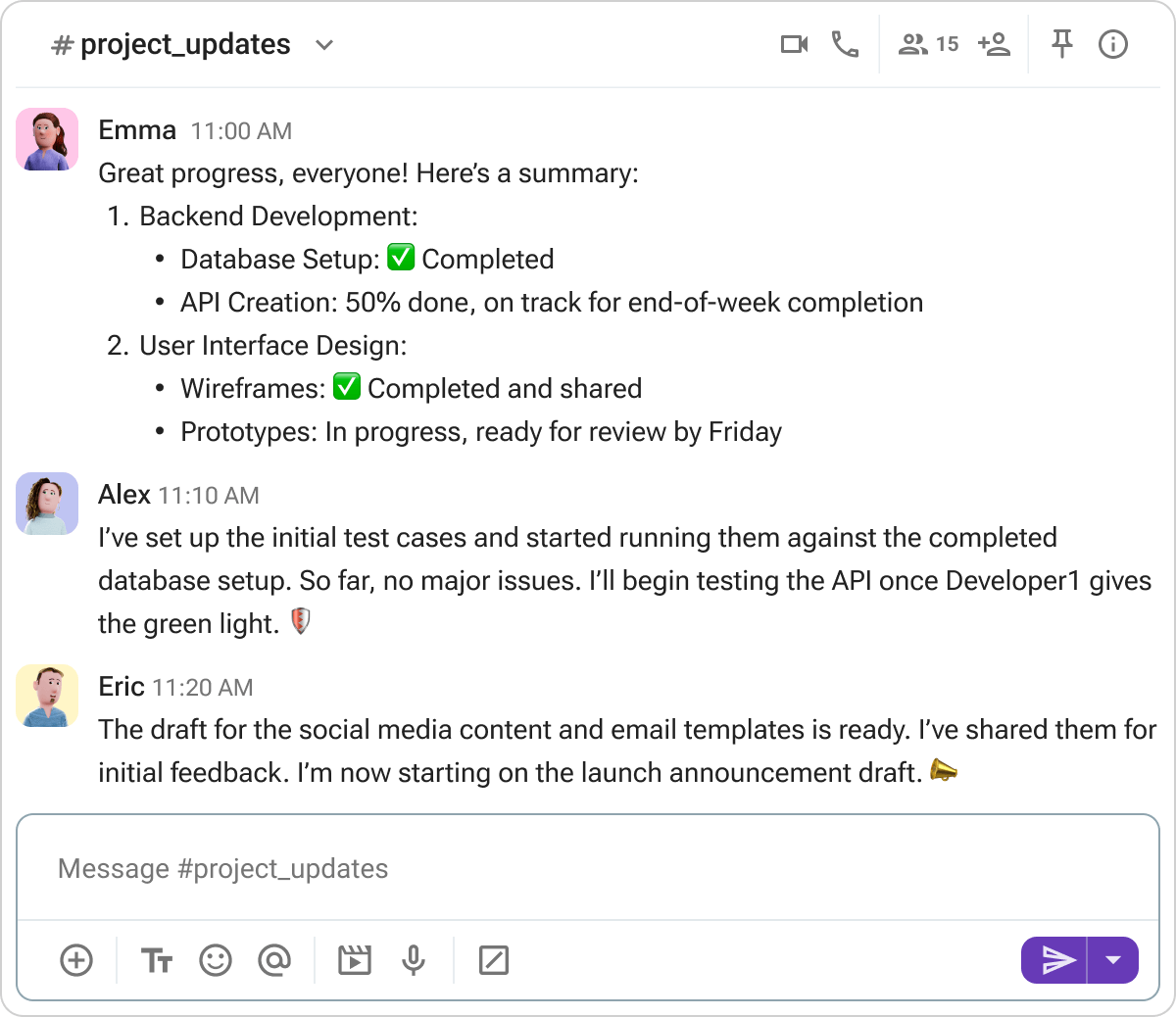
Another great strategy applicable here is the popular “war room” approach, designed to facilitate cross-team collaboration and real-time communication in high-stake projects.
When you’re launching a product or handling a production incident, you can set up a temporary “war room” channel in Pumble where everything happens in real time. There, you can quickly mobilize different teams, depending on the emergency.
In high-stakes situations, cross-functional collaboration requires high incident visibility — exactly what a channel like #project_acme_corp_warroom, for example, provides. Once the dust settles, you can archive this channel, but keep the full history searchable forever.
If you’re of two minds on whether to make these channels private to only a relevant group of people or public for anyone to join, a good rule of thumb is to default to public Pumble channels to ensure transparency and alignment. Use private channels only when discussing sensitive topics like budgets, contracts, or internal performance issues. This balance should keep teams informed without the risk of information overload.

Manage external stakeholders without email chaos
Another common project management dilemma is deciding between email overload vs security risks when picking the external communication approach.
On one hand, clients stuck in endless CC’d email chains is a recipe for confusion. At the same time, inviting them into your entire internal workspace is a security nightmare.
Pumble solves this relatively seamlessly. It lets you use two types of guest access formats — single- and multi-channel guests.
Project managers can use single-channel guests to invite external stakeholders into one specific channel like #client_project_a. There, clients can see updates, timelines, and decisions in real time. And, you don’t have to worry about keeping your internal conversations private.
If, on the other hand, an external client or stakeholder needs to participate in several related discussions (for example, planning, feedback, and delivery), you can add them as a multi-channel guest in Pumble.
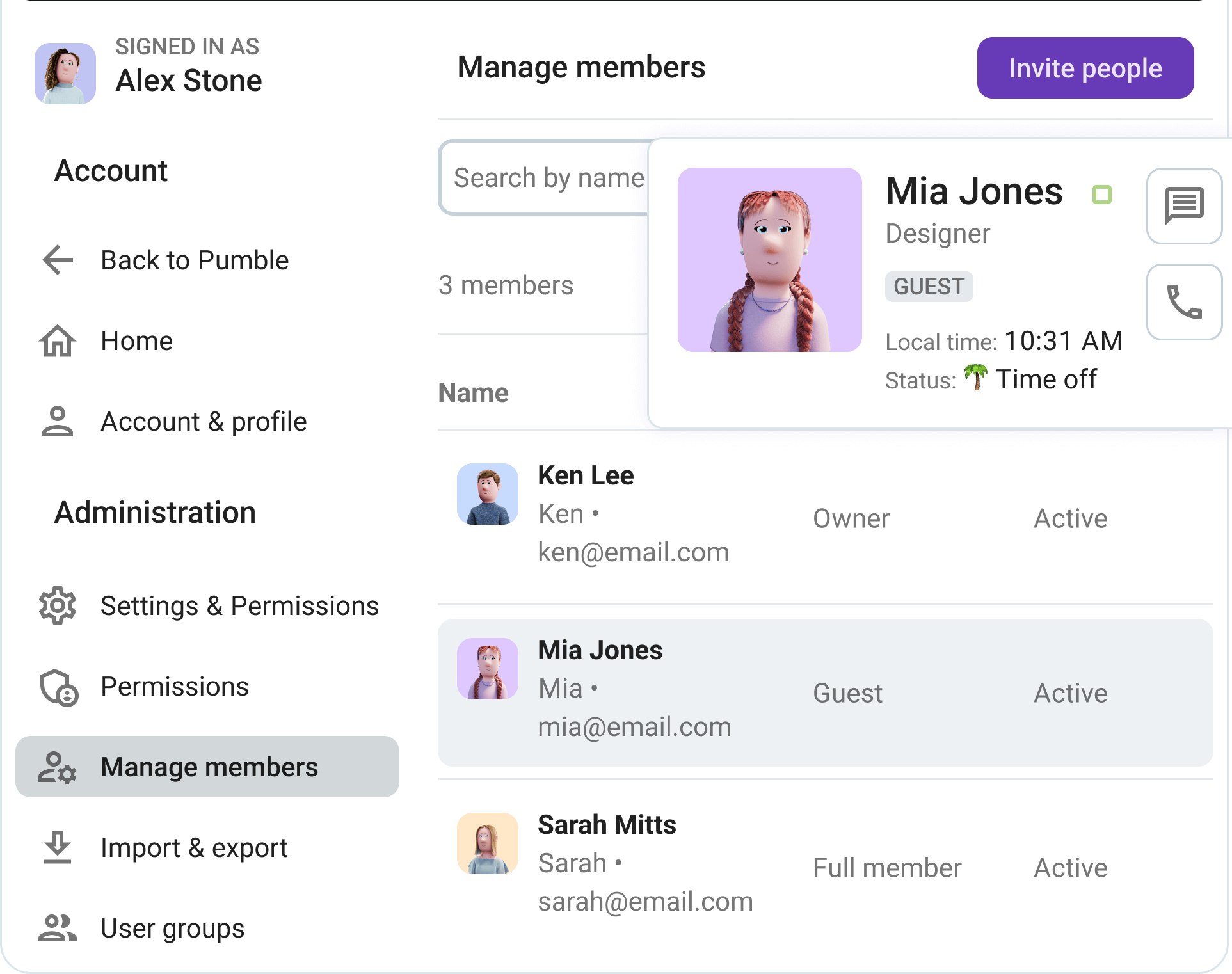
Say goodbye to forwarding emails and “just checking in” messages. With Pumble’s guest access, everyone is on the same page.
Turn conversations into action
Once you nailed the talking-about-work part, it’s time to tackle the part where things usually fall apart — tracking work.
Managing projects, tasks, and cross-department collaboration, while trying to improve productivity, is bound to eventually come to bits. Unless you get to connect useful integrations to supercharge your workflow.
If you hook up the Plaky integration to your Pumble workspace, you can turn your projects from chat to task.
Using Plaky integration, you can turn any message into a task card in Plaky with just a click. This means that you can turn that feedback request into a tracked item on a Kanban board without any copy and pasting involved. And vice versa — once the team starts working on a task, you get immediate updates directly in Pumble.
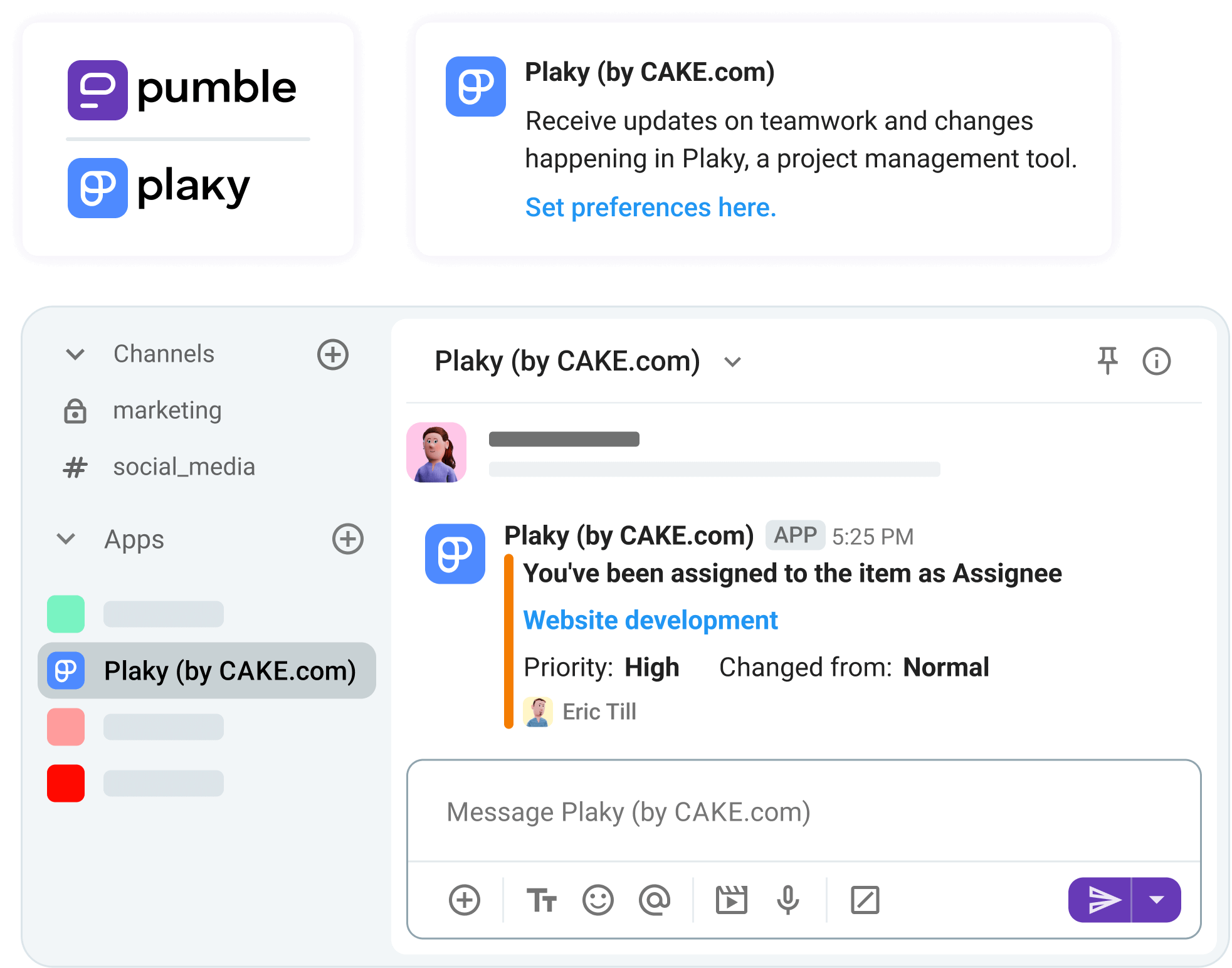
Want to track time without breaking flow? Connect Clockify and get time tracking notifications straight to your Pumble workspace.
For agencies or teams working on client projects, Clockify lets you log billable hours directly from Pumble conversations. You don’t have to switch tabs or play the guessing game later. Relax and let the Clockify integration deliver the accurate time tracking tied to real discussions.
You can also approve time off requests through Pumble, and your team can receive daily and weekly time logging reminder notifications to ensure more effective time tracking.

Finally, use the Zapier integration and webhooks to automate the busywork. It lets you have your updates posted automatically to #proj_updates channel in Pumble when a GitHub PR is merged or when a task status changes. With workflow automation via Zapier, Pumble can become the central hub that keeps everyone in the loop without manual follow-ups.
Use a reliable source of truth for every project
As a project manager, you’re probably fed up with relying on memory, crammed email chains, resources and conversations scattered across chats. Or worse yet, having key decisions be gone forever with the history limits of chat apps.
You ideally expect the opposite — a complete source of insight into all documents shared and decisions made.
This is where Pumble’s dedicated features come to the rescue.
To make the most out of them, start by using pins and unlimited message history to keep every decision and file at your fingertips.
You can pin the project charter in Pumble channels and have everyone automatically looped in without a message shared.
To streamline this process, you can ensure every channel has a pinned message that answers the big questions:
- Project roadmap,
- Shared drive links,
- Key contacts, and
- Deadlines and milestones.
This way, you’re turning each channel into a single source of truth, so no one has to ask where they can find certain information.
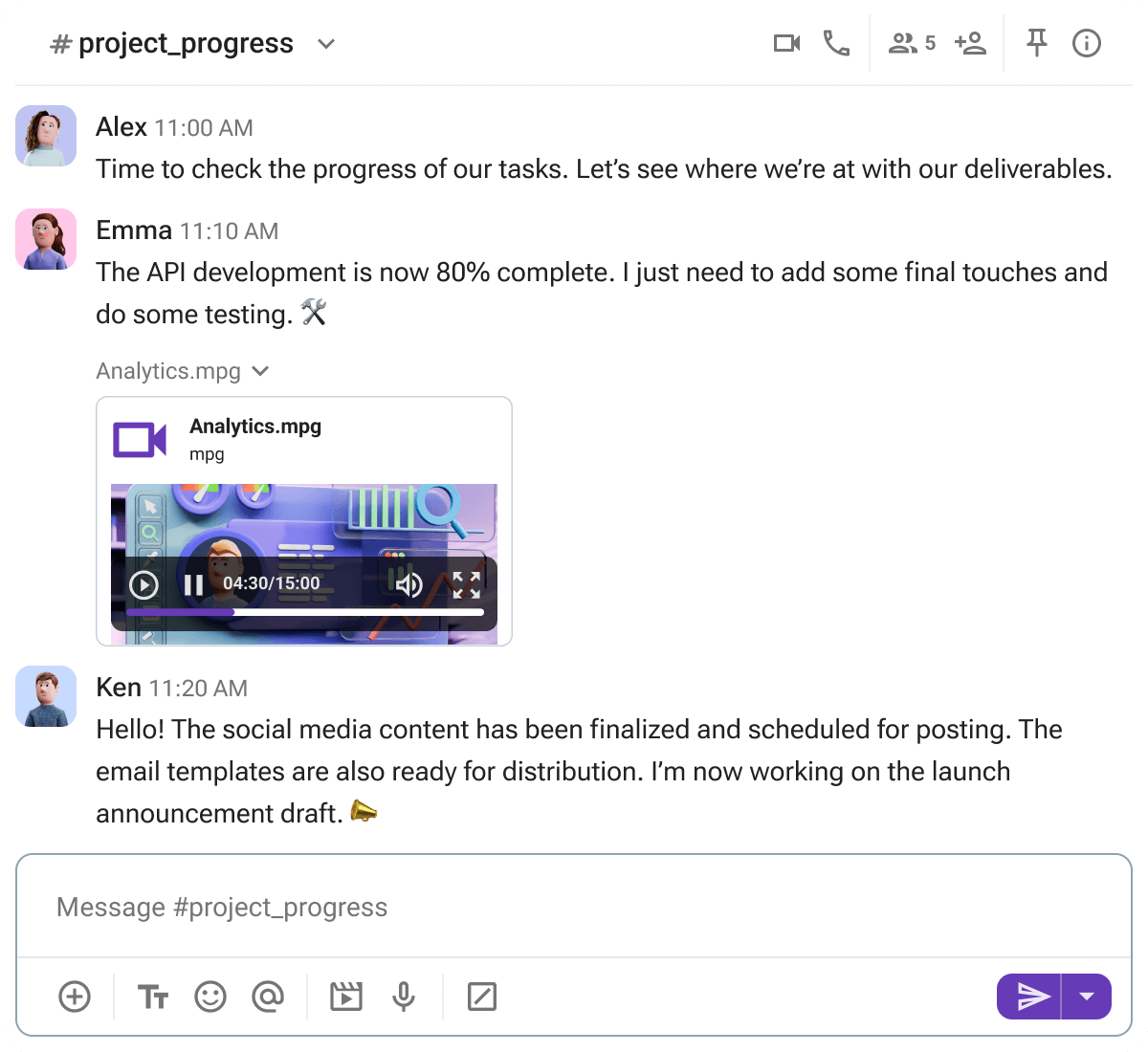
Next up, make use of the files that never disappear.
With 10 GB storage and full searchability even in the free plan, Pumble acts as a lightweight file repository. You can upload anything from specs and mockups to assets, knowing they’ll be indexed and accessible forever. You no longer have to hunt through old folders or expired links. Pumble keeps your information clean and visible, so nothing is missed and everyone has the info they need to move work forward.
Reduce meeting fatigue with async updates
The latest meeting statistics show concerning trends — frequent meetings with too many attendees have become the norm. So, preventing meeting fatigue has become all the more challenging.
The problem is that project management teams, especially remote or hybrid ones, rely on regular check-ins and stand-ups to keep everyone up to date and ensure efficient team coordination.
Once again, Pumble has a few simple but powerful solutions to combat this project management challenge. Asynchronous tools such as threaded discussions and video messages help reduce the effects of meeting burnout.
Instead of dragging everyone into a daily stand-up video conferencing, project managers can replace it with a recurring thread in Pumble.
You can use a team or project channel in Pumble, where team members can post updates on their own time, across time zones, without blocking their calendars. Threads in Pumble also let you:
- Easily track specific conversations,
- Stay on top of updates, and
- Get context on decisions.
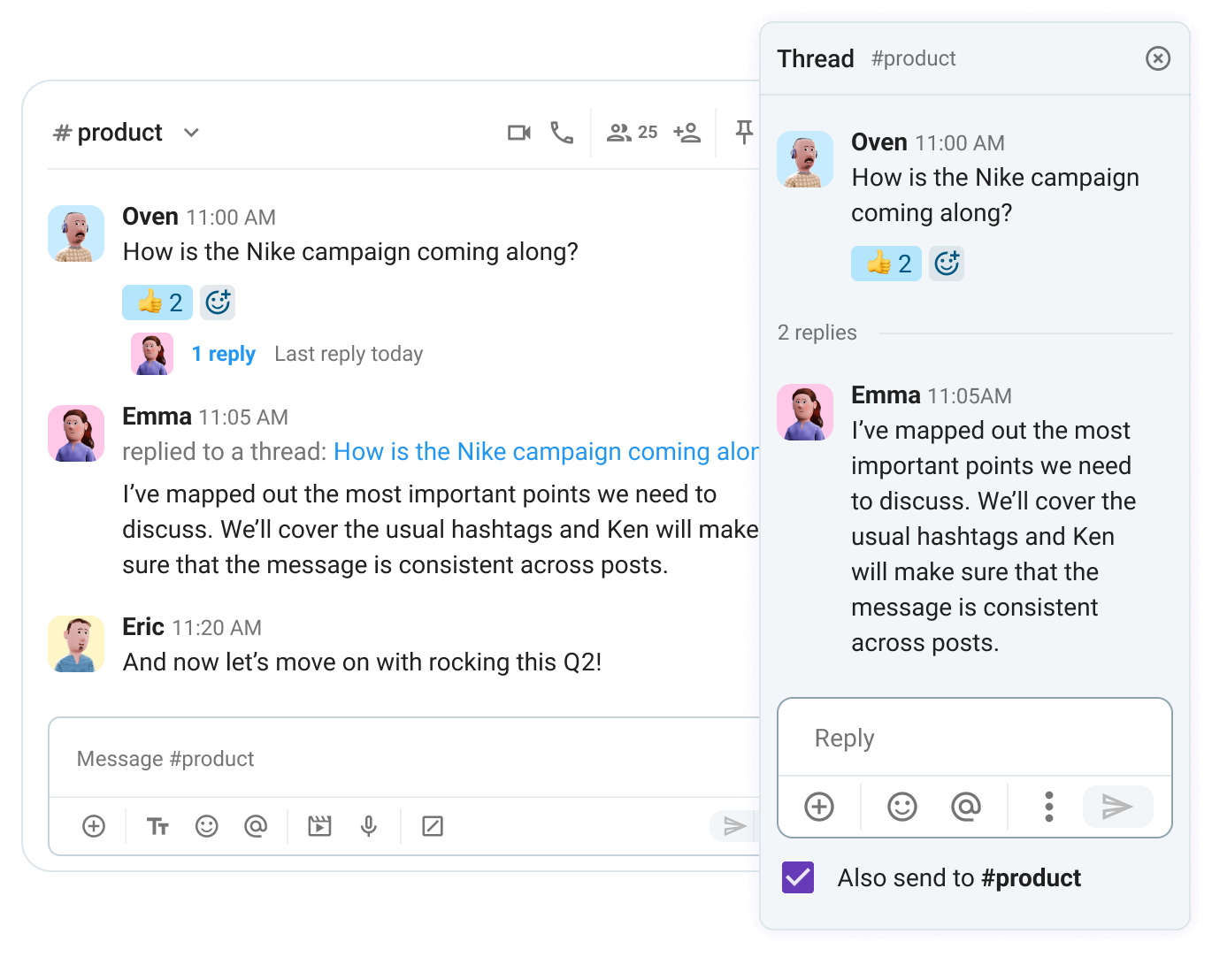
Run asynchronous standups that work
But, what happens when you need to show, not tell? When you, for example, need to explain a complex spec or give design feedback?
You can switch to short video messages in Pumble that let you explain things clearly without scheduling yet another call. This is a much faster, more personal means of project communication, letting remote teams cut meetings down to size.
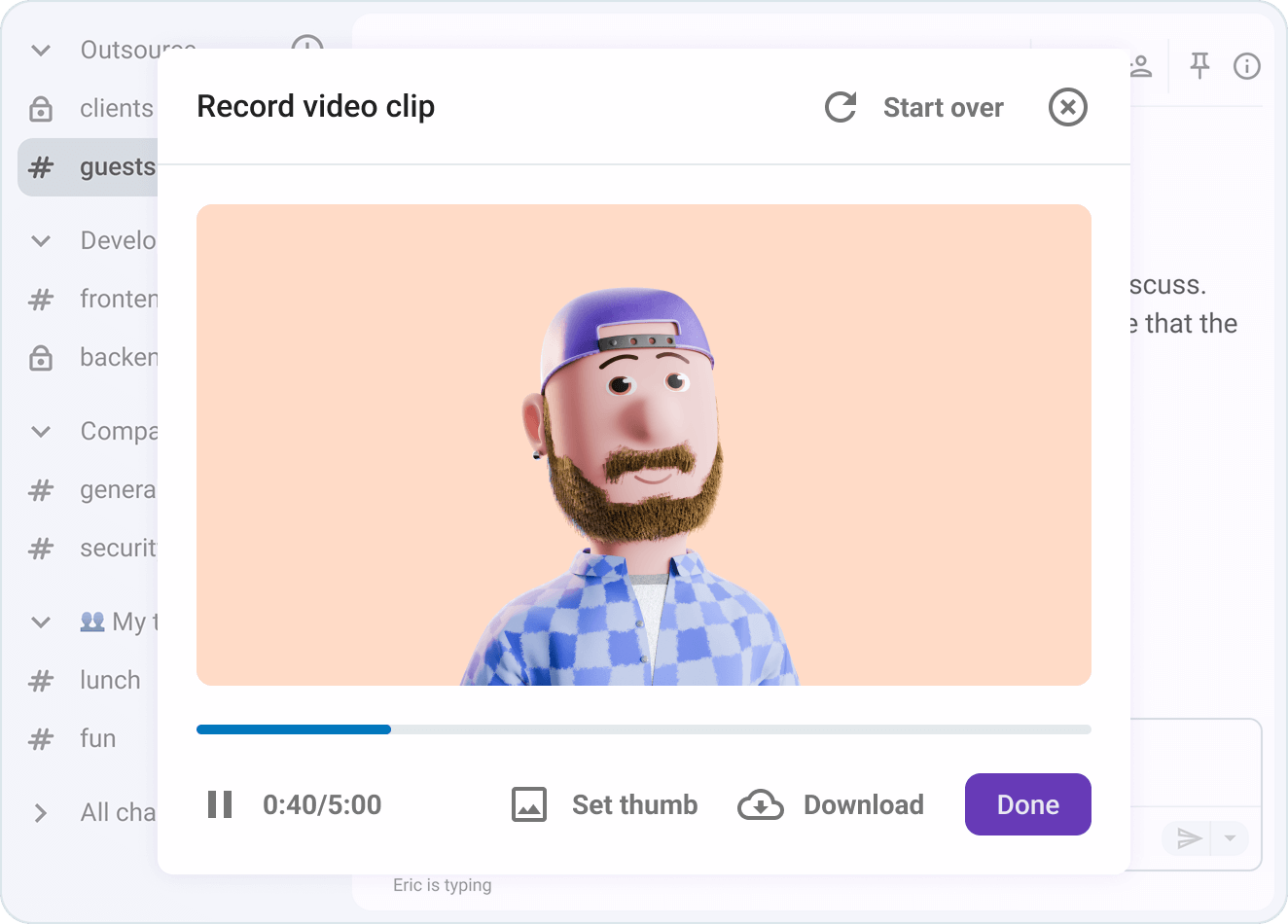
Use Pumble by CAKE.com and turn your project management communication from chaos to clarity
For project managers, having the “why” behind decisions at their fingertips makes all the difference. Unlike other communication tools (not to name any names), which pose serious limitations such as deleting message history after some time for free users, Pumble keeps your full history, so context is never lost.
Pumble is a team collaboration software that comes with the price that makes sense. It’s more affordable than its close competitors and similar tools, while consistently offering more across all plans.
When comparing Pumble vs Slack for project managers, for example, cost is the biggest differentiator. Pumble is significantly more affordable, and often free, for teams that need guest access, long-term message history, and file storage.
At its core, a project manager’s job is to maintain alignment. Pumble by CAKE.com makes alignment possible by providing:
- The structure (channels),
- The context (unlimited message history), and
- The boundaries (guest access).
If you’re tired of chasing updates, digging through emails, and losing project history, it’s time to switch things up.
Stop losing project context. Organize your next launch with confidence.
Create your free Pumble workspace
How we reviewed this post: Our writers & editors monitor the posts and update them when new information becomes available, to keep them fresh and relevant.