 Published: January 8, 2026
Endless meetings and overly complicated procedures are a recipe for disaster for software development teams. As distractions stack up, how can you expect your team to build apps when their attention is constantly fractured?
Throwing in yet another tool to “streamline productivity” won’t do. What makes a tangible difference is software that stays in the background while quietly supporting the entire development lifecycle. While some collaboration tools for software teams turn into attention-stealing distractions, Pumble by CAKE.com sets the stage for code-first collaboration and communication.
Use it to:
- Build fail-proof technical systems,
- Stop worrying about overhead costs, and
- Create a permanent log of all technical decisions and bug-fixes.
Without further ado, here’s a play-by-play on how software development teams use Pumble.
#1 Centralize the dev lifecycle with integrations
Pumble is primarily a team communication app, but for software development teams, communication must encompass developer platforms and repositories.
This is where traditional instant messaging apps fall short. They offer enough features for non-technical back-and-forths and the occasional video call, but their functionalities aren’t robust enough to manage code. The result? Dozens of open tabs and countless hours lost to context switching.
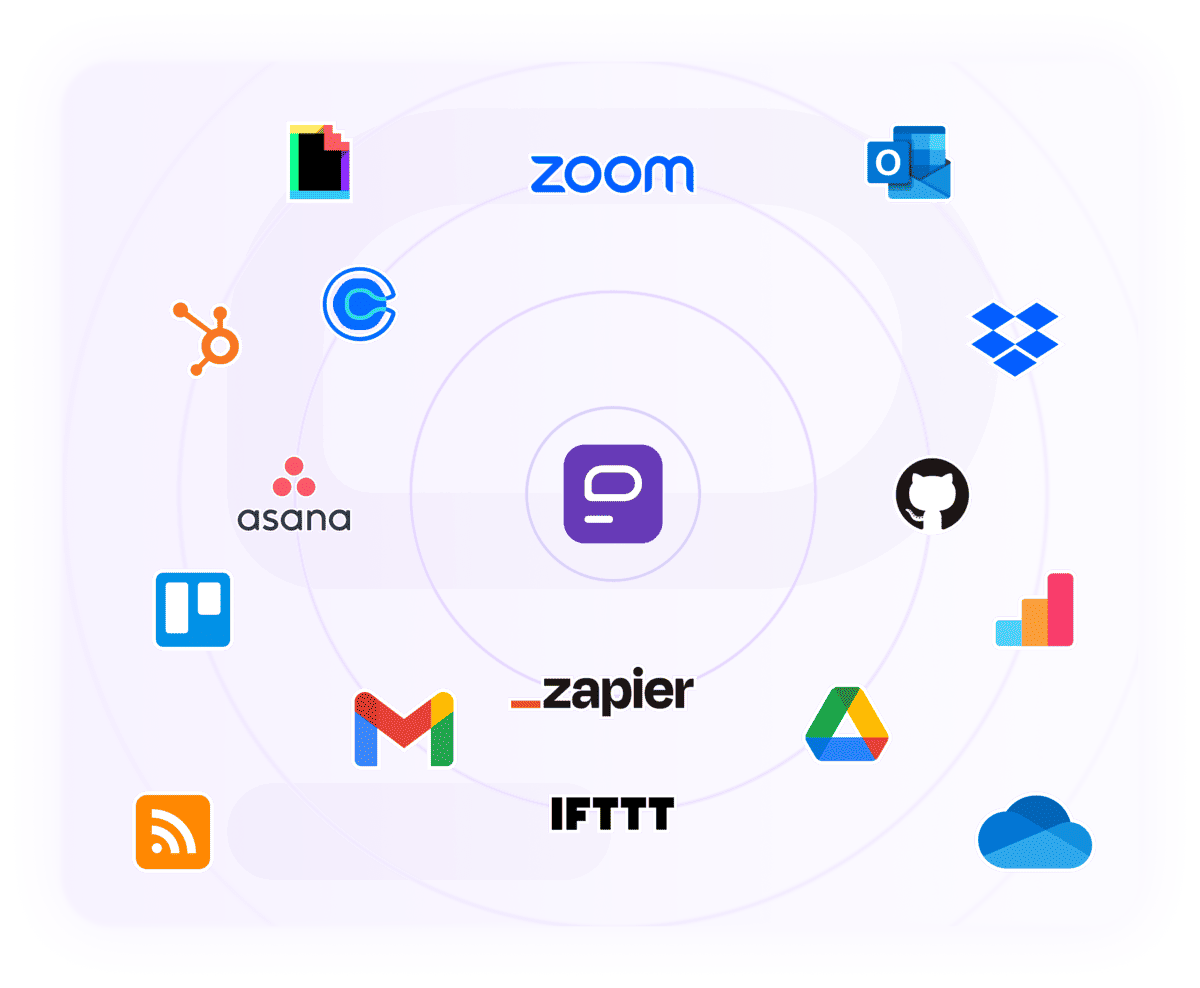
Fortunately, integrations make it easier to tap into your team’s productive power. All critical processes — from planning to deployment — happen without hiccups when you use developer tools in tandem with Pumble. To make high-quality code a daily occurrence, you can leverage:
- The GitHub integration: View pull requests (PRs) via direct messages in Pumble, complete with link previews. Go a step further and receive updates on all activity — including code reviews and status updates — in a dedicated #development channel.
- Webhook integrations: Use incoming webhooks to post messages from other apps directly into Pumble. This real-time communication is vital for services like Jenkins, allowing you to closely monitor pipeline executions.
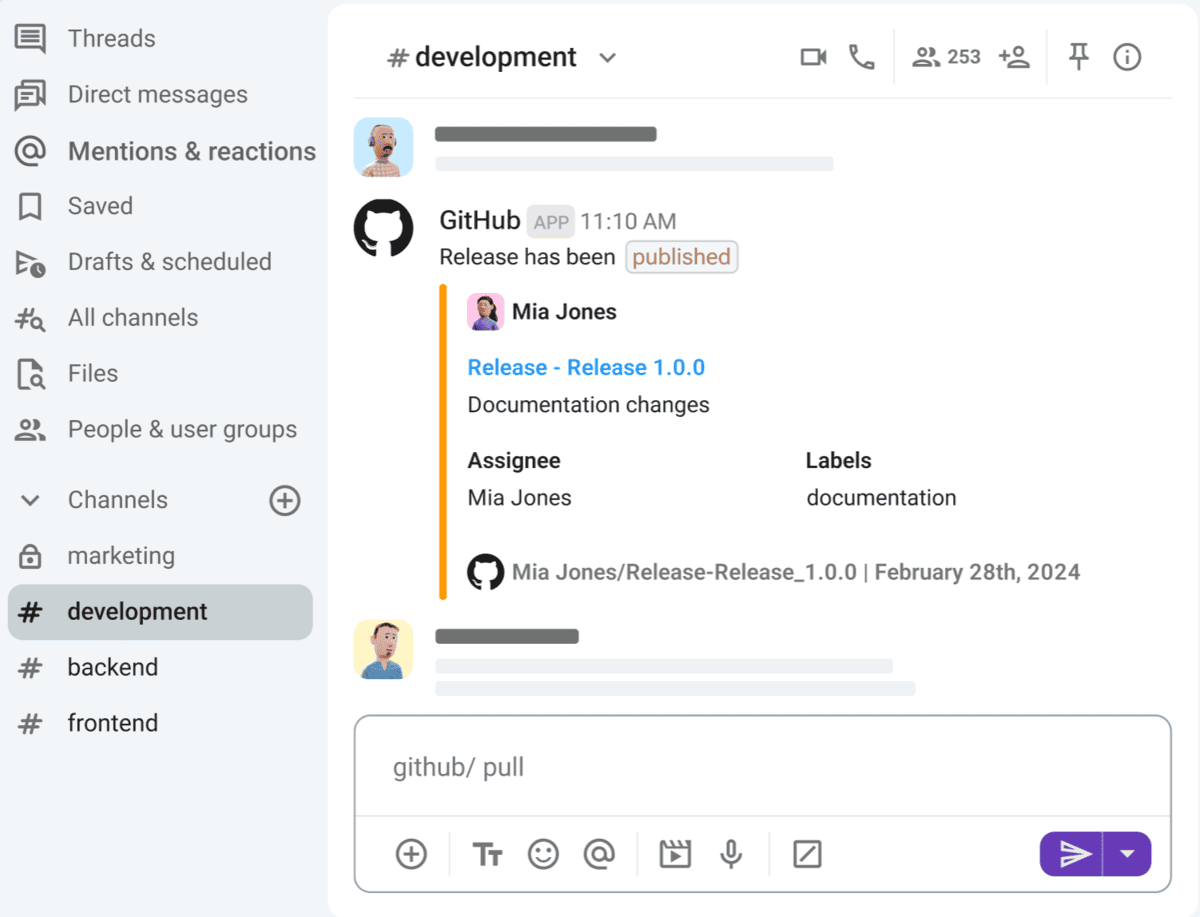
Integrations like these allow Pumble to adapt to your unique workflow. Should you need more custom add-ons, you can build your own and publish them on the CAKE.com Marketplace.
🎓 PUMBLE PRO TIP
Think of Pumble as the command center for all your work processes, holding developer and collaboration tools together. To create a simple yet efficient tech ecosystem, add Plaky and Clockify, Pumble’s sister products, and take care of time tracking and project management in one fell swoop. For more information, check out this resource:
#2 Build a code-first communication stack
Without features built specifically for engineers, organizations suffer dire consequences, including:
- Lower output,
- Delayed product and feature launches,
- Longer testing and iteration periods, and more.
Perhaps the most important feature you’d expect to see is code snippets.
In Pumble, code snippets allow users to:
- Send specific parts of their code,
- Exchange configuration files, and
- Share log files.
In teams where several programmers are working on a single feature or bug, the ability to quickly share frequently used code eliminates repetitive typing.
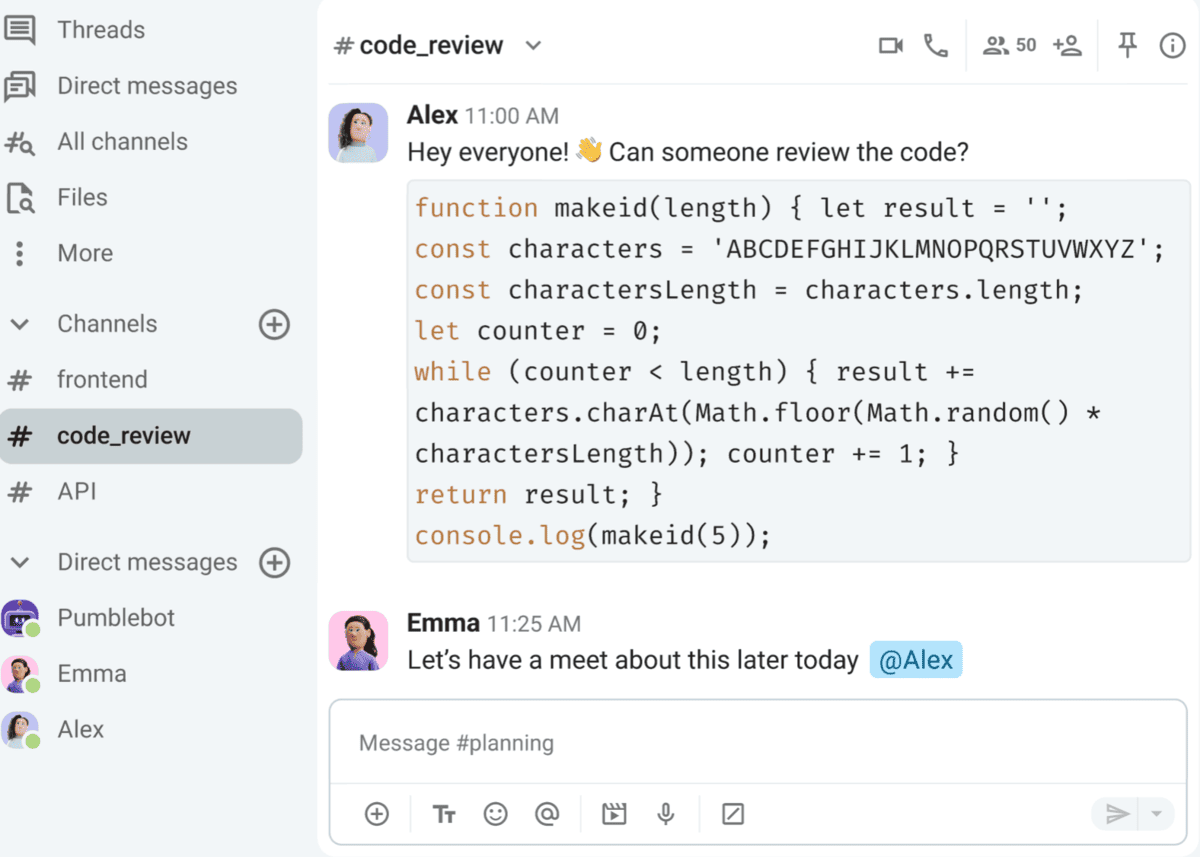
For shorter snippets, the code button or manual backticks work perfectly. However, for longer strings of code, the code block option is more convenient. These may seem like simple formatting tricks, yet details like these matter for readability and speed.
When it comes to sharing log files, a common concern with workplace communication software is file storage. Pumble offers shared storage across its paid plans, so running out of space isn’t an issue. Here’s how the storage breaks down:
- Free Plan: 10 GB for the whole workspace.
- Pro Plan: 10 GB per user seat.
- Business Plan: 20 GB per user seat.
- Enterprise Plan: 100 GB per user seat.
Try Pumble for generous storage
🎓 PUMBLE PRO TIP
For more information on how to leverage Pumble’s features to create a productive workspace for software development teams of all sizes, check out this guide:
#3 Run scrum ceremonies asynchronously
If you were to ask remote workers what’s the key to better collaboration, chances are most would reply “fewer meetings.” It’s no wonder, as we usually need 25% longer to complete our primary tasks after suffering through a distraction.
And in software development, distractions such as frequent meetings aren’t something many teams can afford. Flexibility and connection thrive when you free workers of a strict schedule, and reducing meeting overload is the first step.
Not all status updates require a group video call. Instead of sitting through a daily sync, move your stand-ups to a dedicated Pumble channel. This ensures that, regardless of location or time zone, every team member has timely insight into the project’s progress.
In fact, channels and threads are solid replacements for many types of meetings. Whether you need a quick check-in or a spontaneous brainstorming session, a thread can hold all that information in one tidy space. As Pumble organizes all responses under the original message, each team member can review the threads at their own convenience.
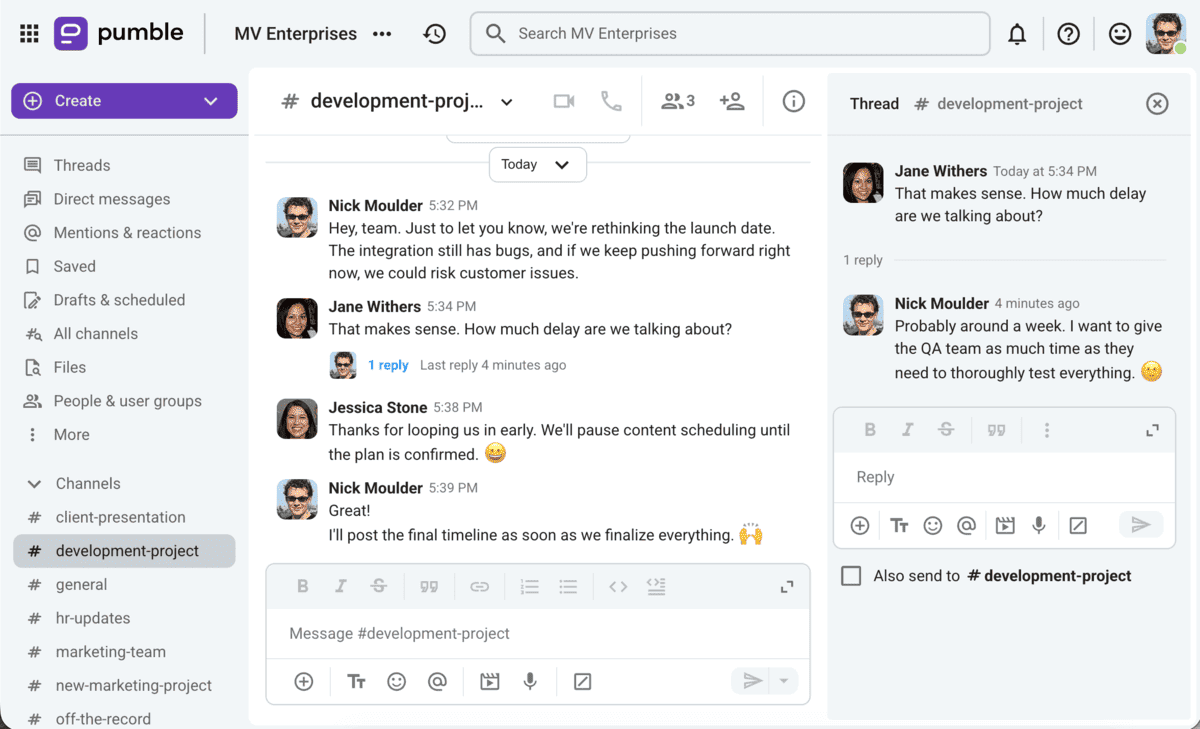
Moreover, channels are a handy place for agile sprint planning. You can stick to video conferencing to formalize your plans, but use channels for talking about:
- Progress updates,
- Common pain points, and
- What changes are needed.
Channel-based communication promotes transparency. With a documented archive of everyone’s activity, the team effectively eliminates duplicate work.
🎓 PUMBLE PRO TIP
Check out this post to learn about additional Pumble features that might help you put an end to unwanted meetings:
#4 Streamline incident management
Unfortunately, war rooms — or more plainly, business headquarters — can quickly turn erratic. The phone lines are constantly buzzing with disgruntled users, while customer support agents try to put out the fires.
Amidst the noise, you still need to get in touch with the developers to report the incident. Simply put, it takes too long to address the issue. You have no control over interruptions, and how can you guarantee that everyone tasked with resolving the incident will get the right information?
Thanks to channels in Pumble, all kinds of teams can reduce incidents and downtime by:
- Optimizing troubleshooting: Response teams can bring in more developers as backup, without pausing their efforts. Pin incident summaries in the channel, and all newcomers will be able to access these messages.
- Improving existing processes: No need to look for a designated note-taker and worry about human error. Channels automatically preserve everything from screenshots and texts to videos and audio files. Thus, Pumble’s unlimited message history turns channels into a permanent record of team activity. After an incident has passed, return to a channel to see which actions had positive outcomes, and which processes need refinement.
Turn channels into permanent archives
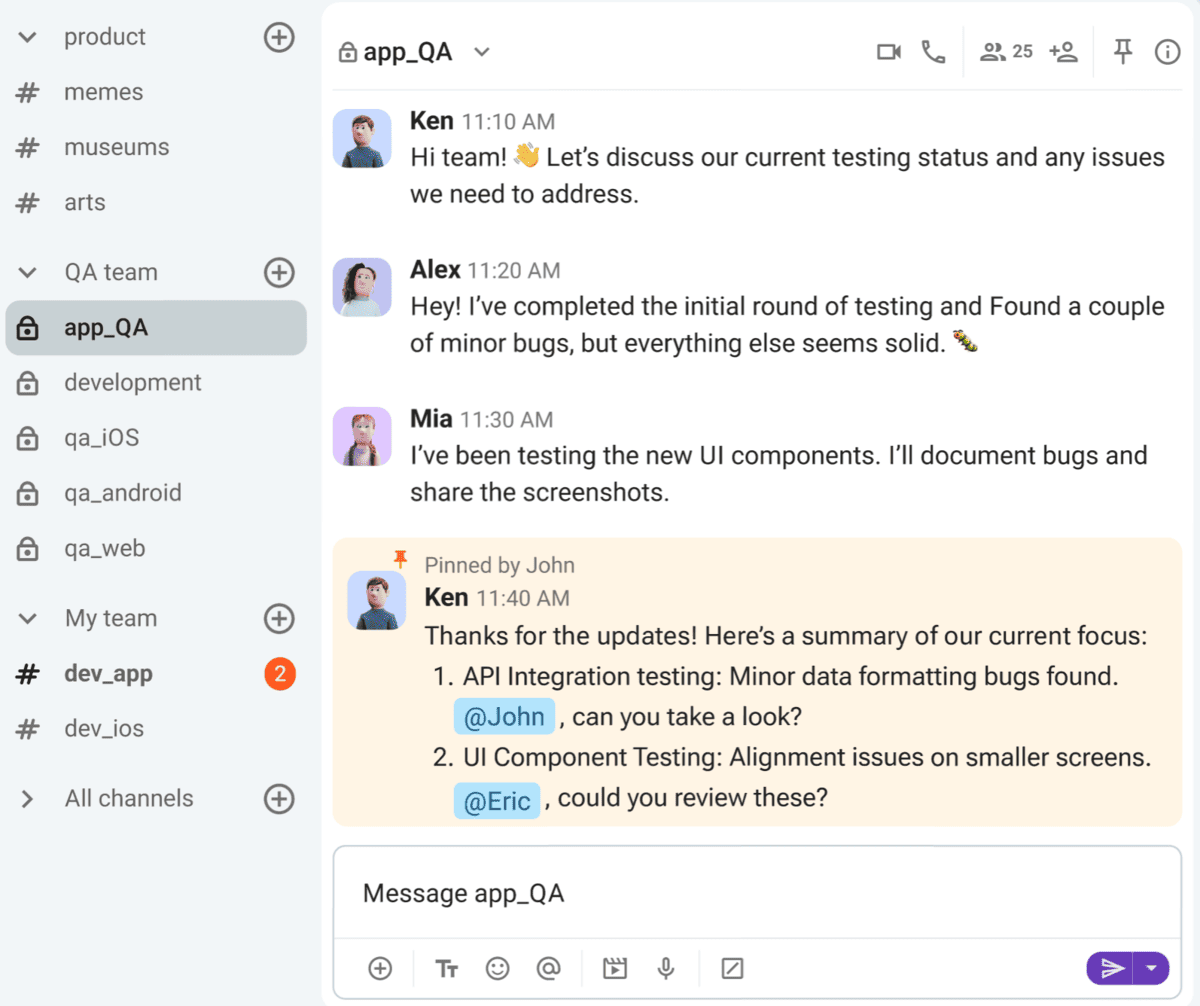
Another benefit of using channels is how easy it is to mobilize different teams. In high-stakes situations, cross-functional collaboration requires high incident visibility — exactly what a channel like #app_QA, for example, provides.
Not all incidents can be solved with asynchronous communication, though. Unresolved incidents are a nightmare for both developers and end users, and immediate video and voice calls are effective for tying up loose ends. You get that same rush of solving a bug with coworkers in the office, minus the tedious commute.
🎓 PUMBLE PRO TIP
The day-to-day processes of engineering involve many people, from QA testers and software architects to solution engineers and even clients. That’s usually where the wires get crossed — communicating with clients or external collaborators. When daily collaboration is complex by default, seamless internal and external communication is a lifeline. That’s why features like guest access help carry the load of client and vendor communication. To learn more, head to this guide:
#5 Protect your deep work & flow state
While some lines of work — like administration or customer service — don’t necessarily involve long stretches of deep, uninterrupted focus, software development does.
After all, programming isn’t simply sitting at a computer and mindlessly typing away lines of code. In the end, what it comes down to is building, improving, or maintaining durable software — an impossible task without high levels of concentration.
Many business communication apps inadvertently become enemies of concentration, what with their noisy notifications.
Only with customizable notifications can you build a schedule that protects your flow state and decide whether to:
- Mute channels: Pick which channels are important and which diminish your focus.
- Activate Do Not Disturb Mode: Pause all alerts for some much-needed peace and quiet.
- Create a notification schedule: Customize your schedule to protect the times when you’re most productive (i.e., pause all notifications up to 10 p.m. and get your most urgent work done until then).
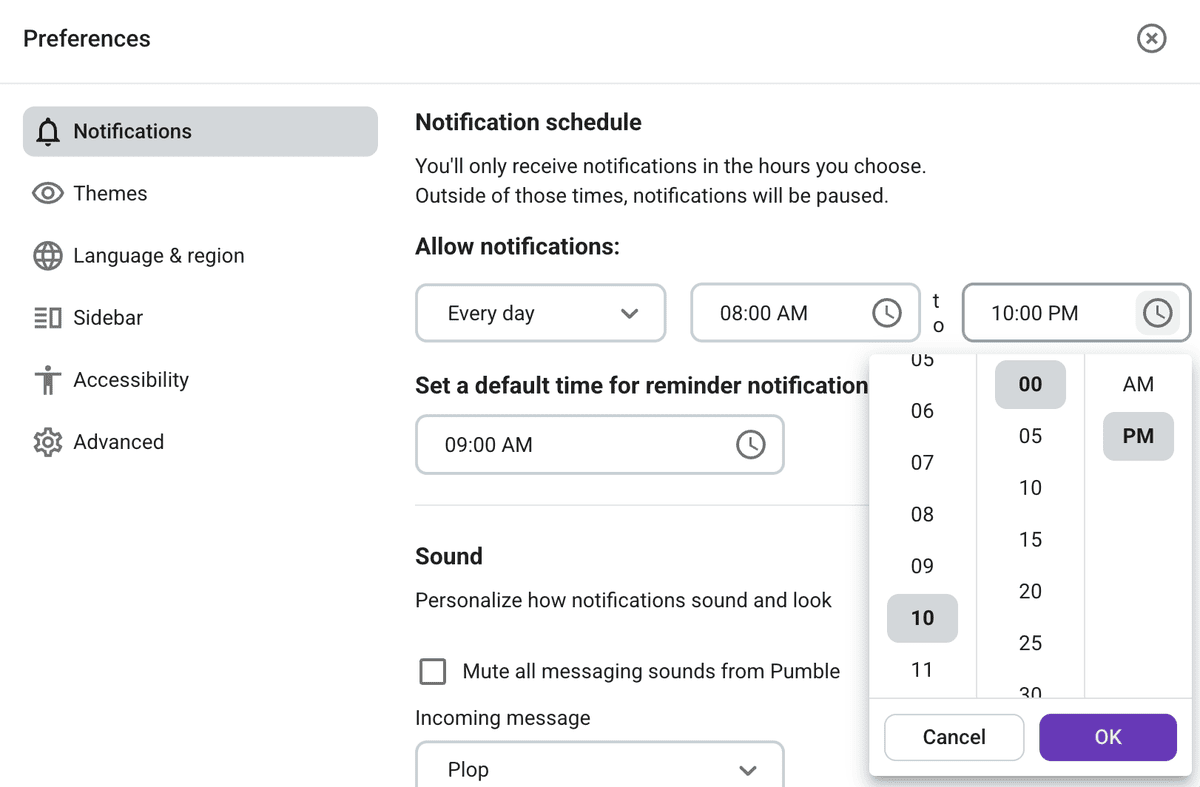
The above functionalities aren’t mere nice-to-haves, but necessities. According to Microsoft’s research, interruptions at work happen as frequently as every two minutes. And two minutes between interruptions is not nearly enough time to recover or get any work done.
🎓 PUMBLE PRO TIP
Don’t leave your flow state up to chance. Learn how to achieve more with deep work here:

Build better, chat less with Pumble by CAKE.com
Software development teams don’t need more tools. They deserve a centralized digital headquarters to:
- Unify all procedures from planning to deployment,
- Manage incidents, pipelines, and code reviews,
- Conduct sprints and agile planning, etc.
Write clean code without the extra fluff of distractions.
How we reviewed this post: Our writers & editors monitor the posts and update them when new information becomes available, to keep them fresh and relevant.