

At first, offices connected through phones and fax machines. Next came email. And then, email stayed.
It has remained widely used for good reason. For most people, email feels familiar, and it’s also great for formal communication. Still, it has a few shortcomings that can slow down modern teams and workflows, both of which require fast, efficient communication.
The solution is simple — replace email with team chat apps. But, how does a tool like Pumble by CAKE.com close the email gap? Most importantly, what are the benefits of bringing internal and external communication to the same place?
Vamos descobrir.
- In many industries, email is the standard choice for external communication, although it hasn’t proven nearly as successful as an internal tool.
- Pumble by CAKE.com is a user-friendly platform packed with features like channels, DMs, and video conferencing, making it the perfect email alternative for internal communication.
- Additional features — threads, pinned messages, screen sharing, and saved items — give the app a distinct edge in the Pumble vs. email debate.
- While some internal communication tools struggle to bridge the gap into external collaboration, Pumble’s guest access provides a secure way to bring freelancers, vendors, and clients together into one centralized workspace.
Why email is failing internal collaboration
Email probably isn’t going anywhere anytime soon, but it does come with innate operational inefficiencies, including overlooked messages and forgotten drafts. This can further lead to:
- Chaos — Email threads embody everything people dislike about email. As more responses come in, the CC chaos gets worse. Instead of forming a structured conversation, the endless threads resemble a stack of disorganized papers you forgot to staple together.
- Clutter — Unless you know the exact subject line or email address of the sender, you’ll lose at least a couple of minutes sifting through incoming mail.
- Detachment — Email feels too impersonal, especially when it comes to internal collaboration. Everyday interactions with coworkers typically demand a more engaging solution.
Not to mention that, according to Microsoft’s 2025 Work Trend Index, the average professional gets around 117 emails each day.
Thus, it’s no wonder most growing teams eventually outpace email. If you’re fast approaching that tipping point, here’s what you can do to move past the overwhelming email volume.
Overcome email overload: 4 real-world problems Pumble by CAKE.com solves
Although email successfully delivers your message to the recipient, the whole discussion can feel impersonal and robotic. By the end, you might even find you stopped paying attention along the way.
Fortunately, there’s an alternative. Team communication apps like Pumble offer a chance to reintroduce a friendlier, more streamlined way of talking, especially in remote and hybrid workplaces.
Now, what email hiccups can you resolve with Pumble and its generous features?
#1 Eliminate “reply-all” chaos with organized channels
More often than not, email threads turn into a maze. You can pinpoint the start of a conversation, but as more participants respond, the thread gets tangled. Soon enough, you’re scrolling back and forth to see whether that approval you needed got lost in the noise.
This makes complete sense. Email wasn’t designed for organizational compartmentalization but for basic electronic messaging.
So, what if you could have messaging without sacrificing structure?
Use Pumble’s Channels as your first stepping stone to creating a transparent, structured environment without the inbox clutter.
As the structural baseline of your workspace, channels provide the perfect opportunity to categorize all your work across specific:
- Projects
- Teams
- Collaborators
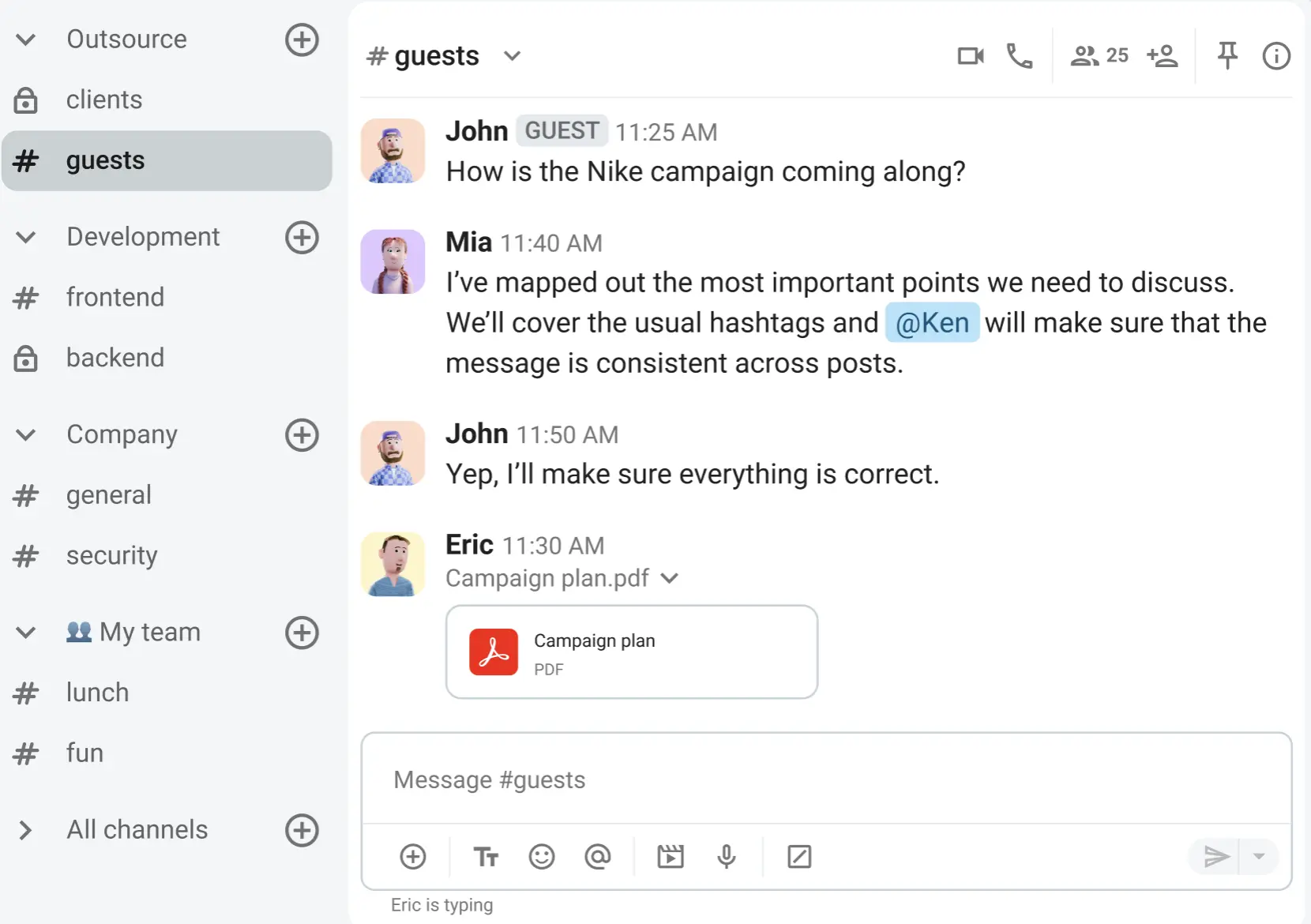
Within the channels themselves, you have even more options for keeping things neat and organized. For example, the channel description is the very first thing a user sees upon joining, making it an excellent spot to summarize the exact purpose of the space.
Next up are Pinned messages. Once pinned, important updates, files, and links stay at the top of your channels — and, more importantly, at the forefront of everyone’s mind.
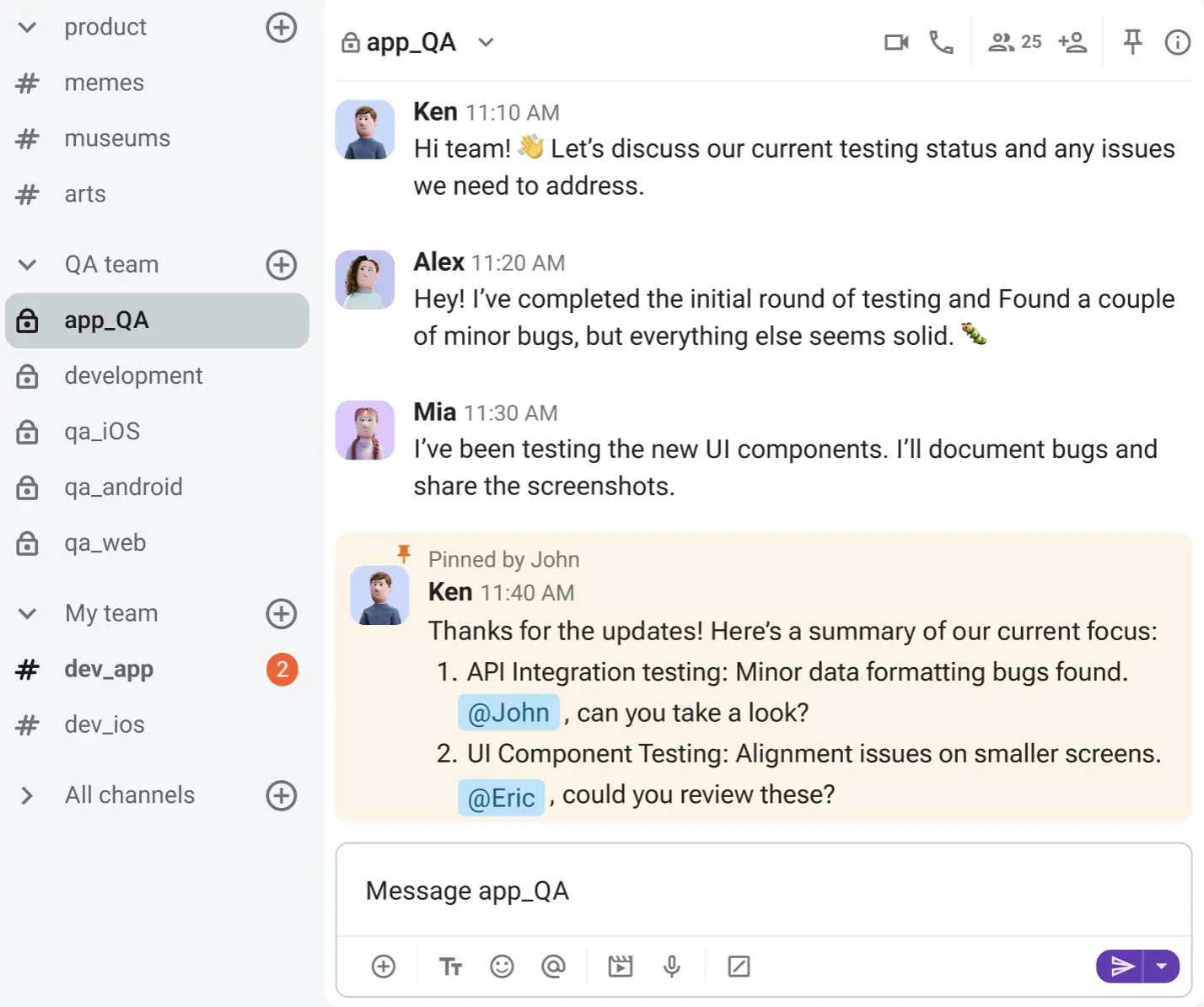
The sprawl of modern work slows down even the best of teams. The transparency and visibility within channels counteract that drag, bringing data, projects, and communication out in the open.
🎓 DICA PROFISSIONAL PUMBLE
To learn more about what you can do with channels in Pumble, check out this guide:
Collaborate in Pumble channels
#2 Detangle conversations with threads
Although email doesn’t provide channels, it does have email chains. The logic behind them is sound — for 2 participants exchanging a few emails, the chain stays relatively easy to navigate. However, adding a few more people to the conversation leads to multiple topics that will quickly muddy the initially clear email chain.
Alongside channels, Pumble’s threaded replies allow users to engage in focused side conversations without spamming the rest of the workspace.
Available in both channels and DMs, threads stack incoming replies directly underneath the original post. The result? Multiple discussions unfolding at the same time, without bleeding into each other.
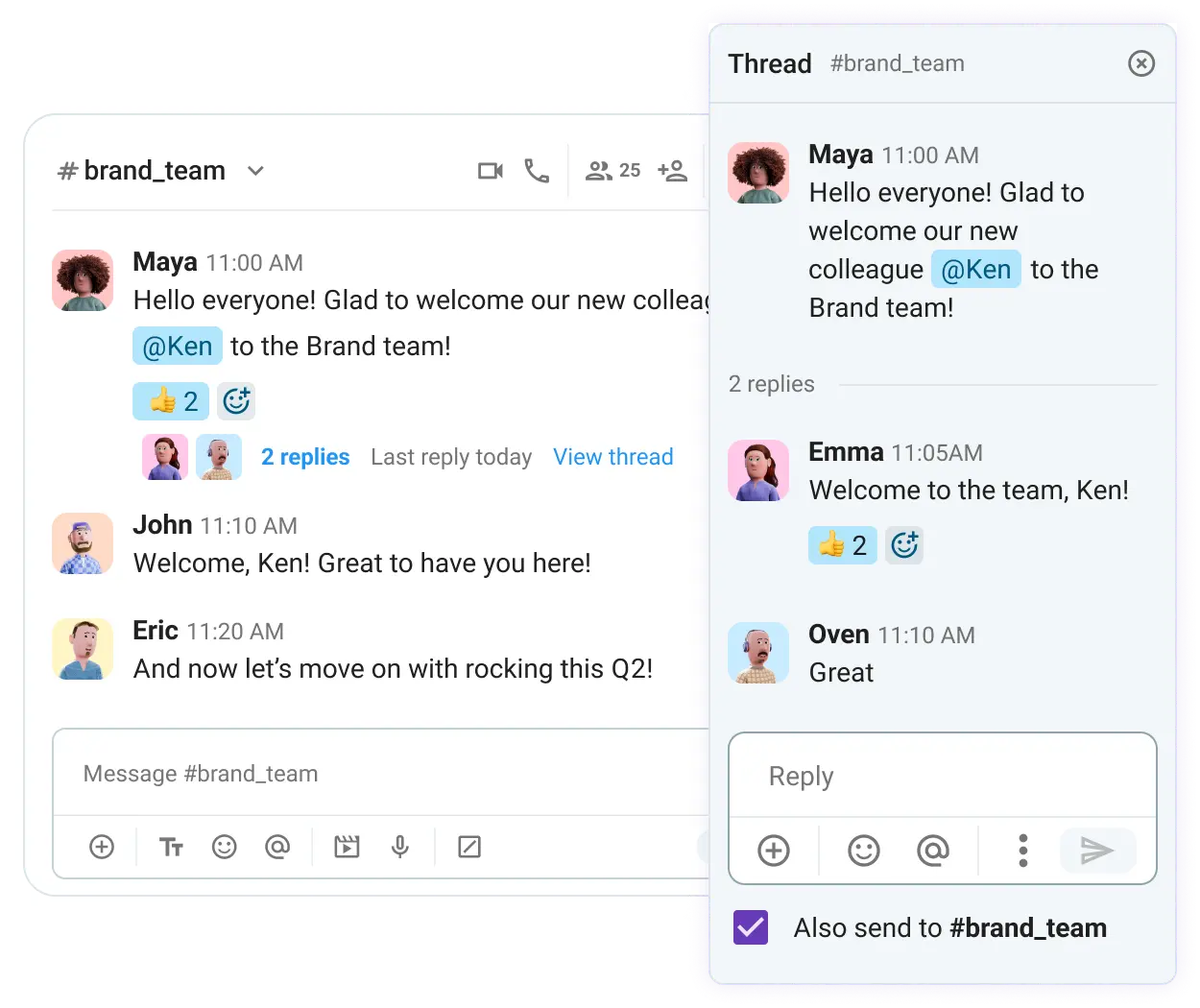
Another plus is how easy it is to make a response within a Pumble thread more visible. To keep up with personal to-dos and projects of interest, you can choose to be notified about new replies. However, when a message deserves the attention of other team members, one tap is all it takes to also send it to the entire channel.
One way to think of channels is as folders for your business communication. But you can keep messages and the threads beneath them as saved items, too. All saved items are easily available, indicated by the bookmark icon in your sidebar.
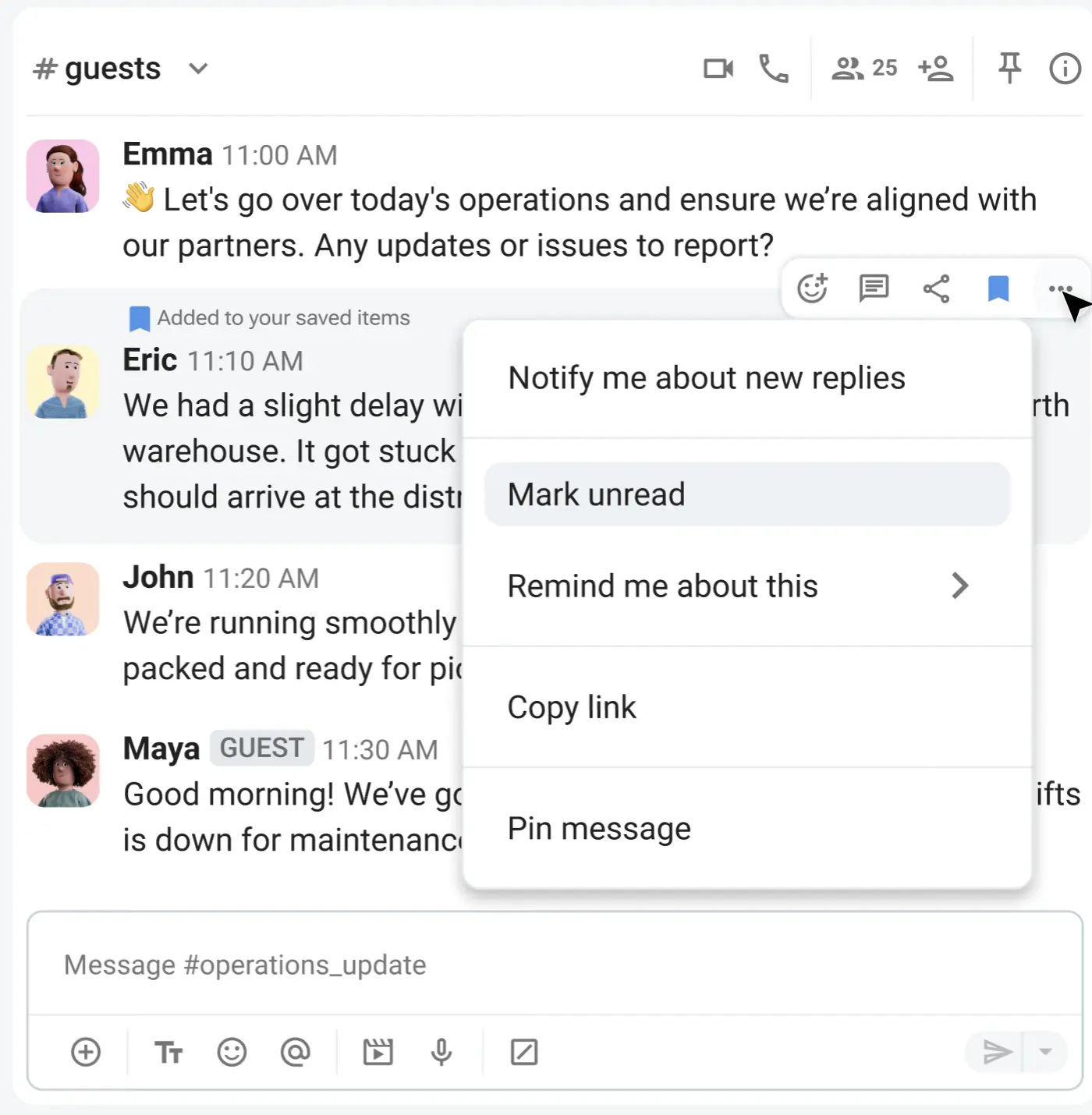
Whether you want to double-check a report sheet or review someone’s presentation, you won’t have to look far at all.
🎓 DICA PROFISSIONAL PUMBLE
Pumble by CAKE.com is one of the most user-friendly internal communication tools on the market, making it a perfect platform to help overcome email overload. For even more tips on how to streamline communication in Pumble, head to this resource:

#3 Never lose attachments with centralized file sharing & search
While email comfortably lands in the category of business messaging, it has had trouble rising up the ranks of team collaboration software. And file sharing has a lot to do with it.
Email excels at being a personal digital directory. It houses all files you sent and received, and for the most part, these files are easy to retrieve — as long as you remember to star the relevant emails.
But that’s just a single email account. What about the files that live exclusively in the inboxes of your teammates?
Many remote teams use Pumble as a digital HQ because it unifies files that would otherwise lie scattered across individual inboxes. With Pumble, all shared files comprise a sort of company brain you can access from your sidebar.
You can type a file name or keyword for precise results, or apply dedicated search filters to further refine your search.
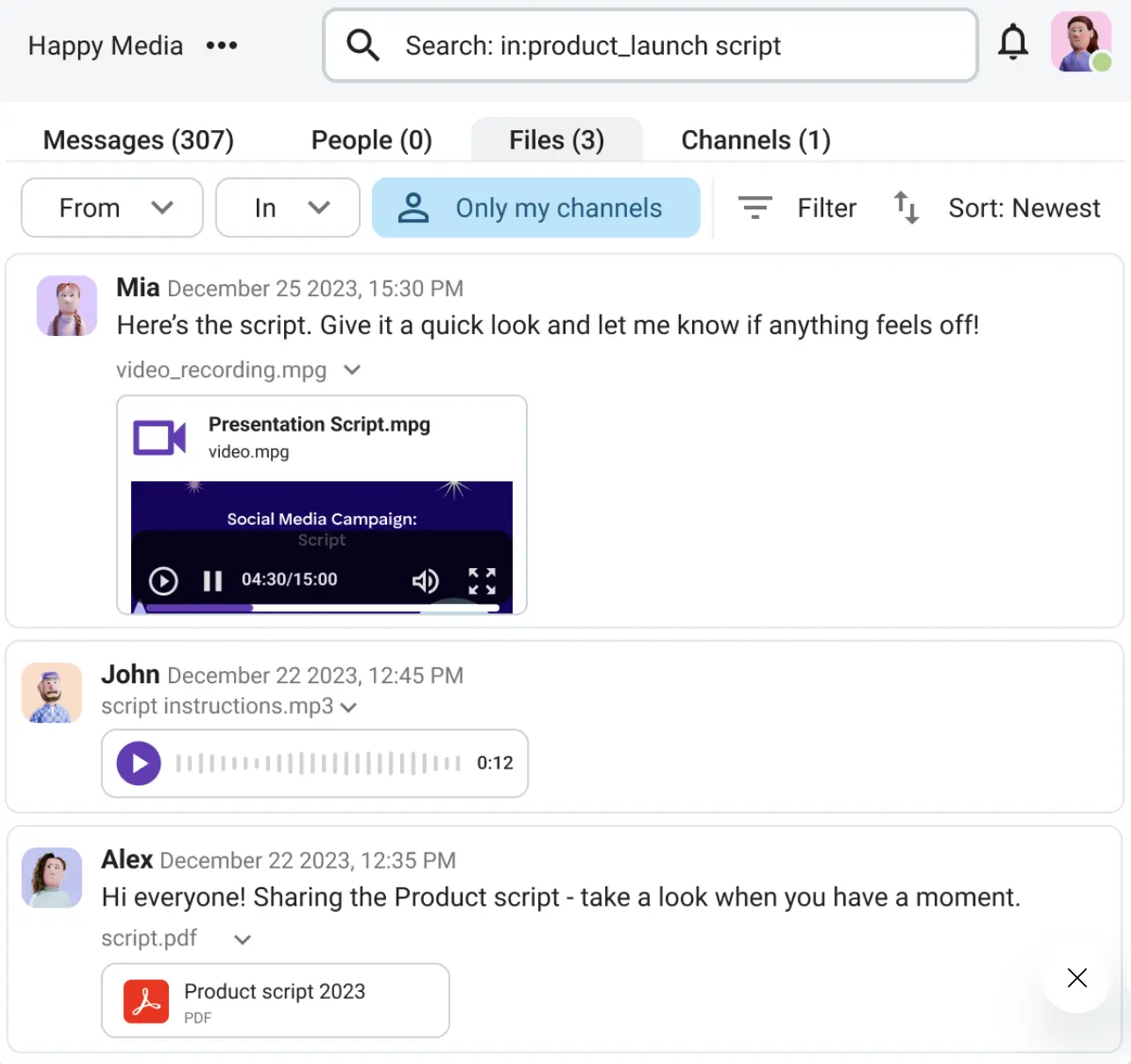
Not to mention how effortless it is to share anything from documents and spreadsheets to videos and presentations. You can do so directly within:
- Canais
- 1:1 messages
- Group chats
All this shared knowledge becomes historical data, which is instantly accessible straight from your sidebar.
Turn your DMs into a knowledge base
#4 Combat slow response times with real-time conversations
Email has gained a bad reputation for being too slow and wedging distances between people. Sometimes, that’s not too bad, as that same distance gives us ample time to craft a well-thought out response. But not all teams can afford sluggish execution.
Plus, in agile decision-making, quick and informed choices are what drives work forward. That’s why Pumble is perfectly suited for collaborative communication — it brings together the slower pace of asynchronous communication with swift, real-time messaging.
And, don’t worry, notifications in Pumble are designed to keep you informed without stalling serious work. They’re customizable, so you get to decide which updates are worth following up on, and which can wait. The balance stays intact — everyone’s in the loop without delaying productivity.
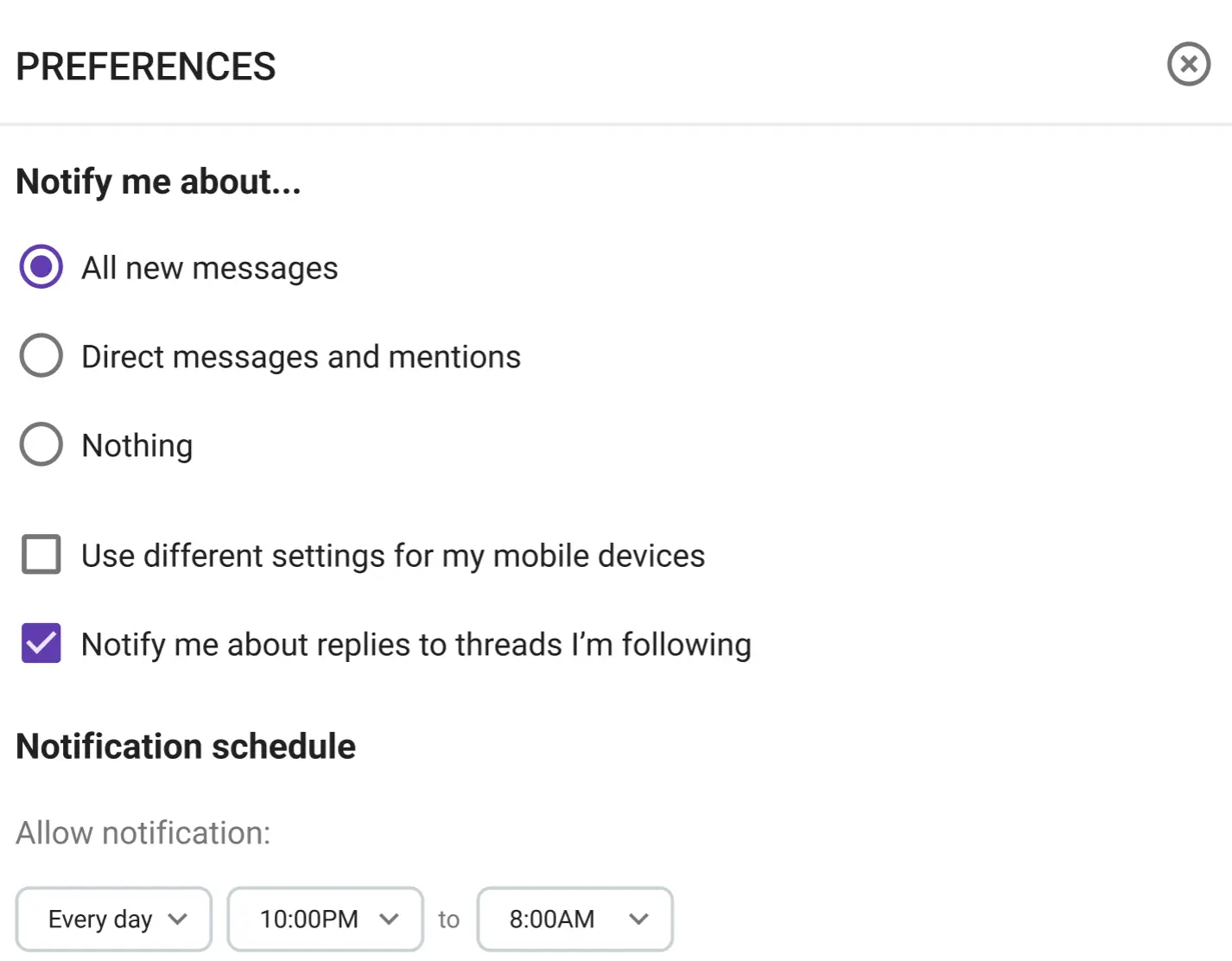
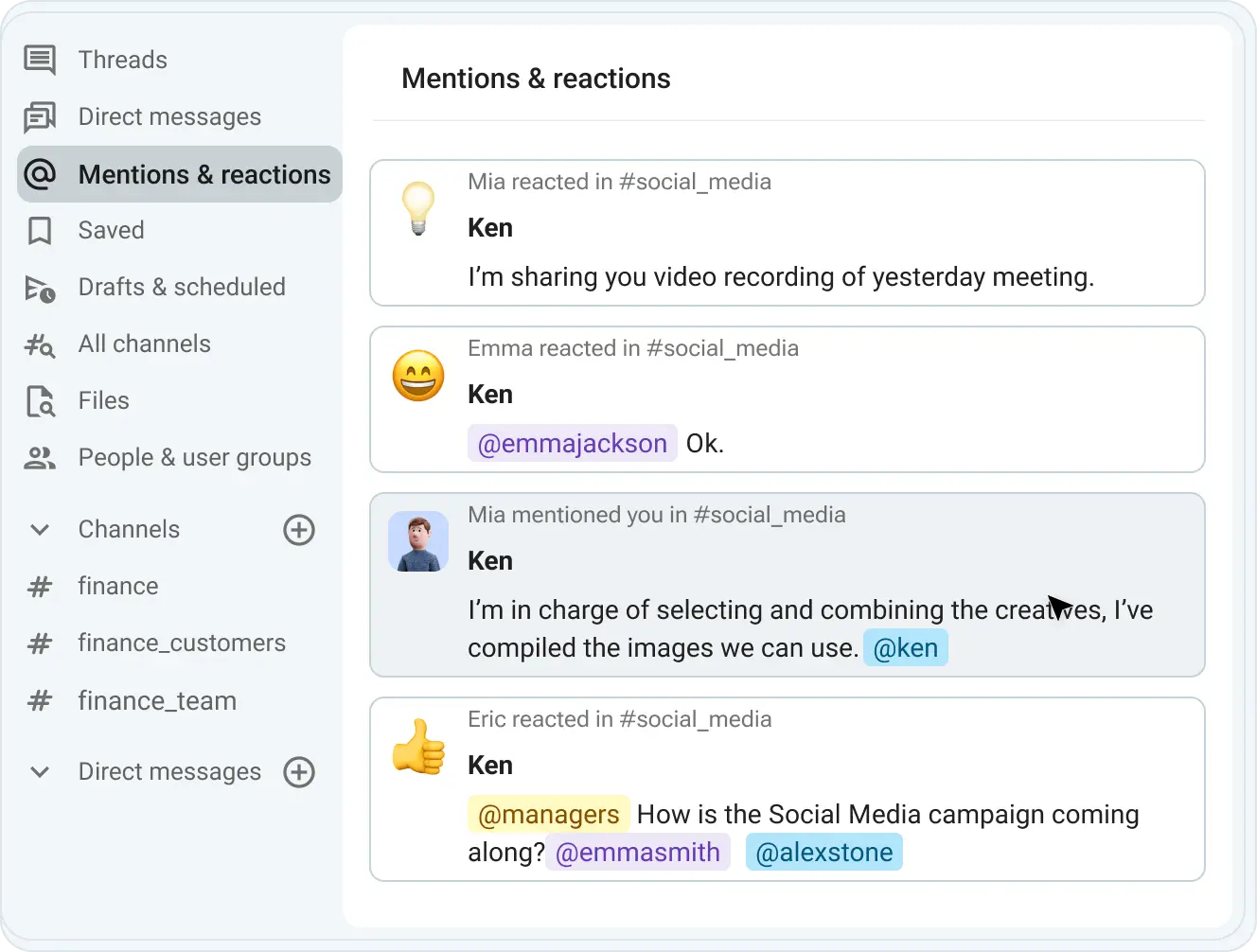
Mentions are another Pumble feature that facilitates instant alignment. If you need someone’s input or attention, why risk interrupting them while they’re elbows-deep in their tasks? Use @mention in a direct message, channel, or thread, and the ensuing ping will give them a gentle nudge.
While mentions are excellent for peaceful, non-urgent collaboration, video calls are there when your team needs immediate connection.
Pumble’s built-in Video conferencing gobbles up the distance between remote and distributed teams. In-call options, which include blurred backgrounds, emoji reactions, messages, and screen sharing, further promote face-to-face, collaborative spirit.
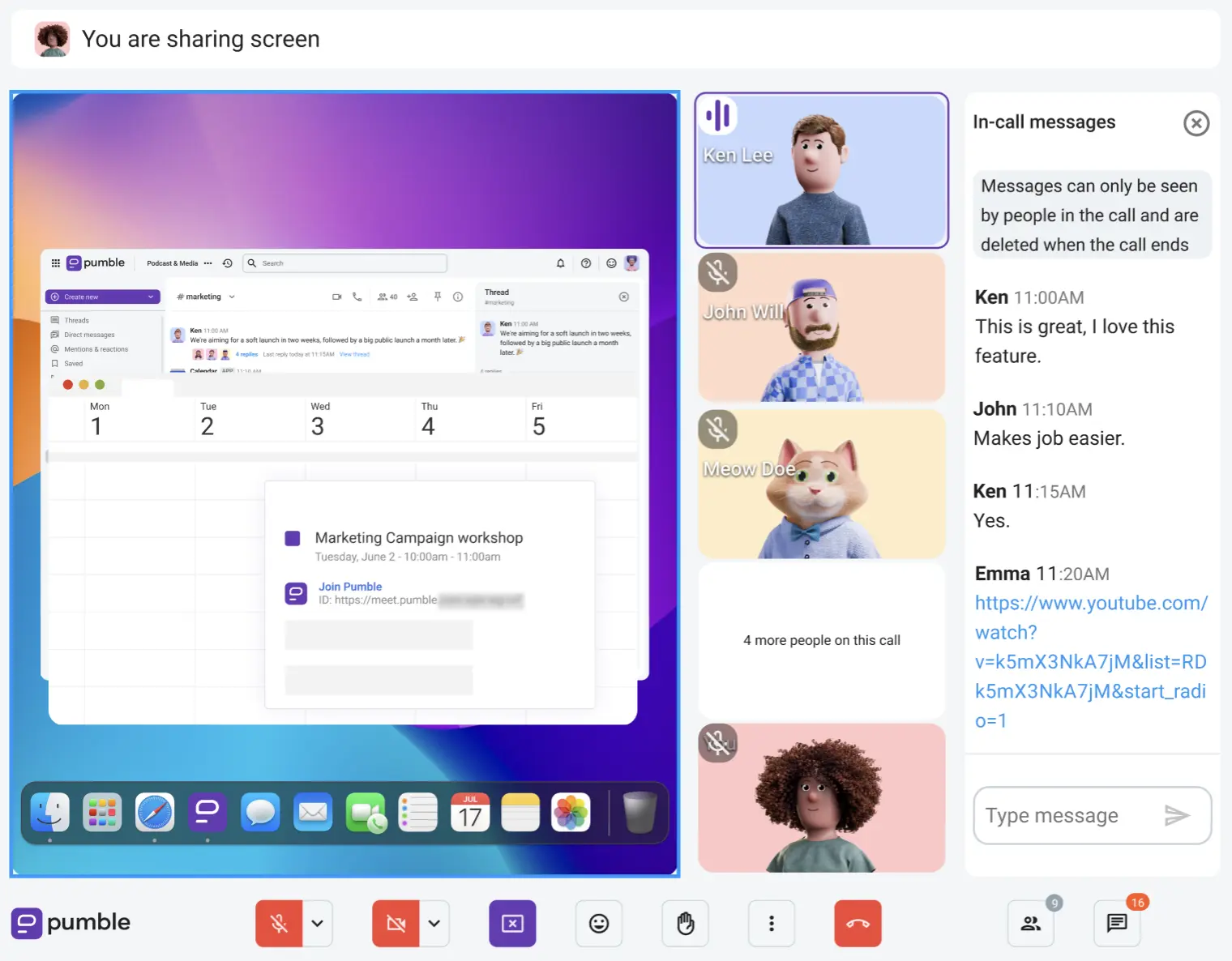
All meeting attendees can:
- Participate in the discussion
- Build stronger working relationships
- Decrease the possibility of miscommunication
In a world where it’s essential to switch between instant replies and calm communication, Pumble provides plenty of options. Mentions, scheduled messages, and video clips will take care of low-stakes tasks. On the flip side, video or voice calls help everyone stay on the same page, without leaving the Pumble app.
Melhore a comunicação com o Pumble
Bridging the gap: Integrations and guest access
For all the benefits of team collaboration tools, email remains popular and genuinely helpful for connecting with external collaborators.
And historically, organizations have struggled to improve workflows by streamlining both internal and external communication.
Pumble closes this loophole with integrations — which bring all your most used apps to your Pumble workspace — and guest access.
Thanks to the Emailer integration, going from your email account to Pumble and back again is a thing of the past. This makes the day-to-day easier for teams that manage email-heavy workloads to track:
- Inquiries
- Notificações
- Atualizações
The Gmail integration also makes it possible to keep an eye on your inbox without neglecting internal communication. You can forward emails to a DM space, especially if they’re not relevant to your entire team.
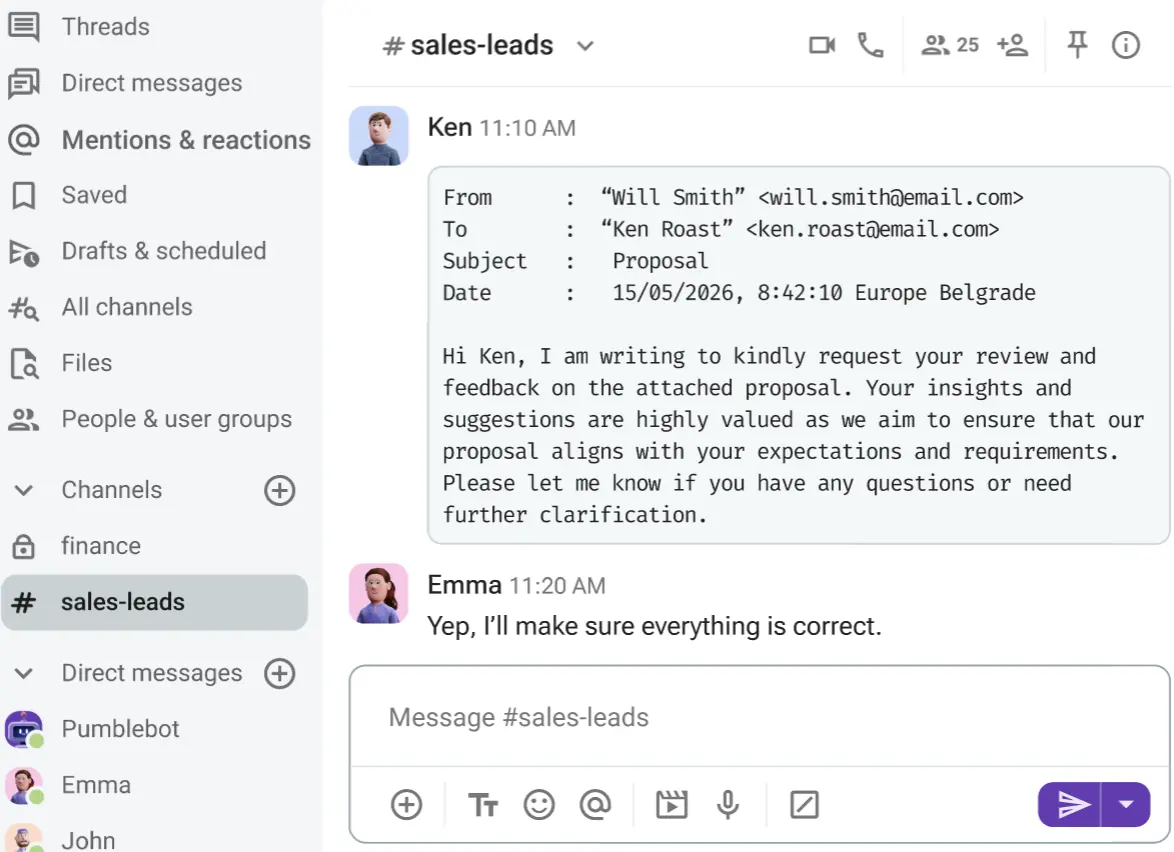
However, when you need to consult colleagues about a customer response or inquiry, it’s best to forward the email to the appropriate Pumble channel.
Pumble doesn’t just integrate with email, either. Other popular integrations include:
- AI Assistant
- Google Drive
- Zendesk
Moreover, Pumble has native integrations with the time tracker Clockify and the project management app Plaky as part of the CAKE.com ecosystem. You can access all of these tools through the CAKE.com Productivity Suite. The productivity suite gives you enterprise-level access for all 3 apps under a single, affordable subscription.

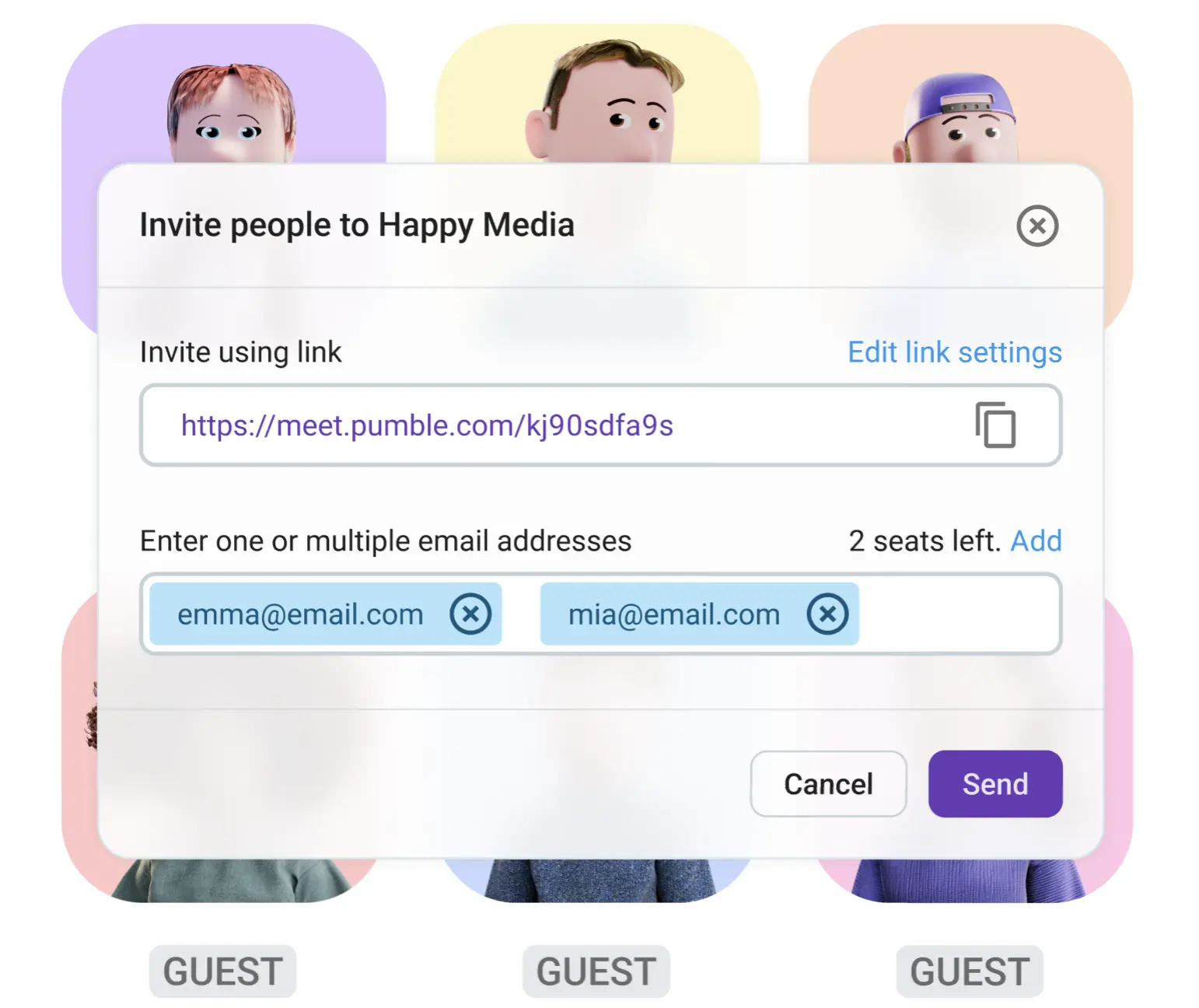
But tools aren’t the only asset you’ll need to futureproof your business. With guest access in Pumble, you can safely open up your digital workspace to external collaborators.
The feature allows you to grant limited access to guest users without increasing the pricing of your internal communication tool. For every paid seat on the Business and Enterprise plans, you can invite up to 5 single-channel guests. Multichannel guests, which can join multiple pre-approved channels, are typically brought on for long-term projects and are billed as regular users.
Connect without going over budget
🎓 DICA PROFISSIONAL PUMBLE
Guest access is handy for securely collaborating with external partners in channels and meetings without falling back onto email. To learn more about what you can do with this feature, check out this resource:
Perguntas frequentes
Why is team chat better than email for internal communication?
Team chat is far more suitable for internal communication because it fosters stronger cross-functional collaboration and creates a centralized, searchable workspace. For example, apps like Pumble by CAKE.com, which are equipped with instant messaging and video conferencing capabilities, allow teams to share real-time updates and track projects effortlessly in dedicated channels.
How do you reduce email overload in the workplace?
Key strategies for reducing email overload include encouraging employees to change their communication habits and shifting away from email-reliant internal communication. Updates and quick questions can instead turn into messages posted in a team channel or a direct message. Similarly, multi-paragraph emails can become a brief video or voice clip. This keeps information from getting stuck in someone’s inbox and transforms it into a searchable part of your collaborative workspace.
Can a communication tool completely replace internal emails?
Although a centralized communication tool like Pumble can make your internal communication less dependent on email, it likely won’t completely eliminate its use. Email is still widely used for corporate newsletters, formal documentation, and external outreach. On the other hand, instant messaging apps have taken over agile, day-to-day team communication.
How do you successfully transition a traditional team to a communication app?
Traditional teams used to conducting work over email will benefit from choosing an app with minimal friction, such as Pumble. A user-friendly interface lowers the reluctance to adopt new software, while establishing clear team guidelines on how to use channels, DMs, and threads can prevent confusion right from the get-go.
Move communication beyond email
Everyone is familiar with email, so switching to a different communication tool can feel a bit intimidating at first.
However, getting past that initial reluctance and transitioning to an organized internal communication hub is incredibly rewarding.
Pumble by CAKE.com makes the switch easy. The interface is sleek and intuitive, which makes for a frictionless adoption process. The app is packed with helpful features — including video calls, instant messaging, and channels — which help teams stay in sync from a single, centralized digital workspace.
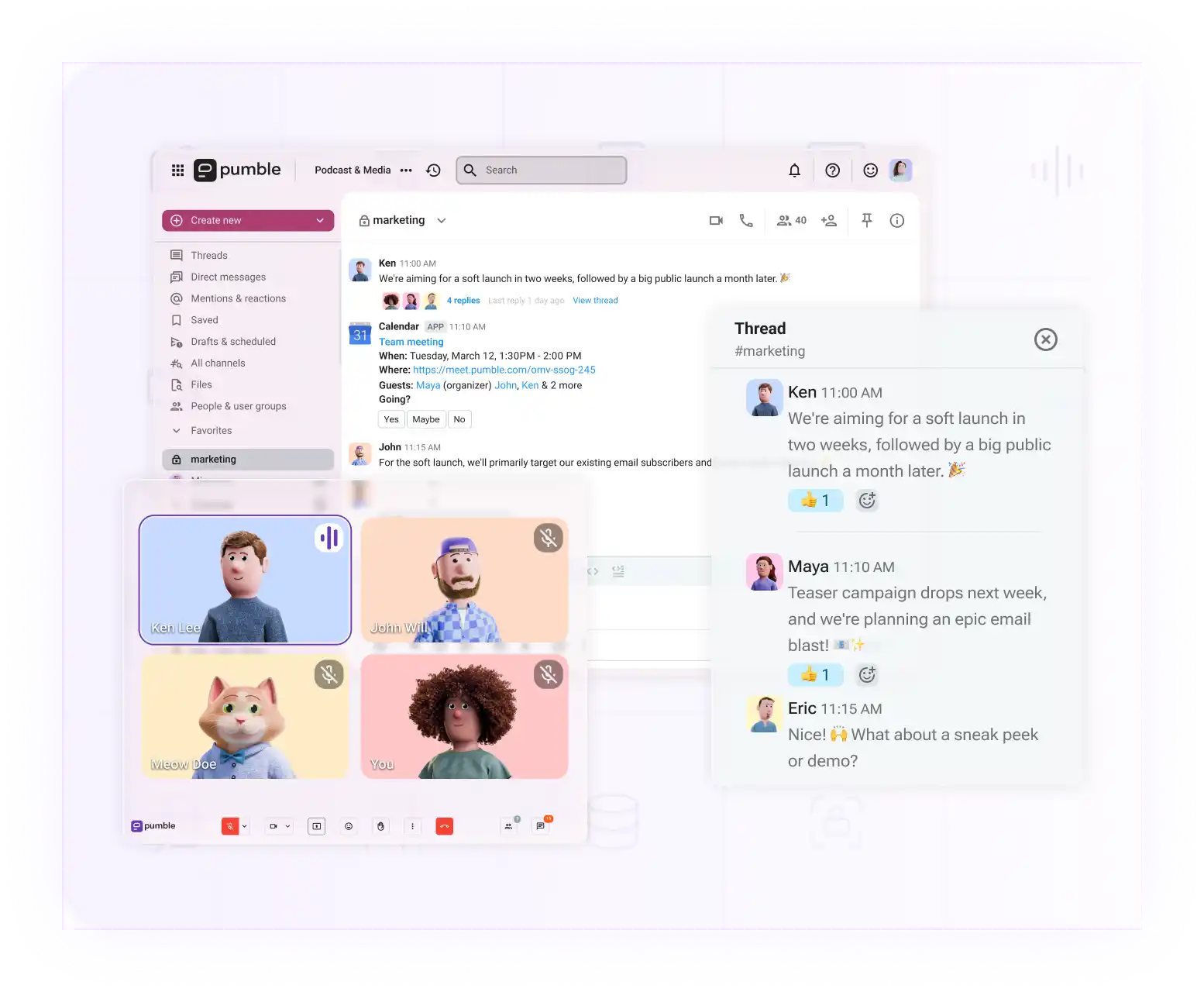
And for teams ready to simplify their external collaboration, guest access makes connecting with clients and vendors just as easy.
Don’t overcomplicate it. Bring conversations, files, and meetings into one unified place.
Comece a usar o Pumble hoje mesmo
Como avaliamos esta publicação: Nossos escritores e editores monitoram as postagens e as atualizam quando novas informações ficam disponíveis, para mantê-las atualizadas e relevantes.