Like most people, you’re probably aware of the power of first impressions.
However, our appearance and the first words we utter are only one part of the impact we have on others.
The final words we exchange during an interaction can have an even more lasting effect. And that applies to public speaking, too.
In 2026, the success of a presentation isn’t measured by the applause at the end, but by the action that follows. That’s why learning how to end a presentation has evolved from a simple thank you slide into a strategic transition toward collaboration.
Whether you’re presenting a quarterly report to stakeholders or delivering a creative pitch to a client, your final minutes are the most critical for retention and impact.
With that in mind, this article will walk you through:
- Things you should consider before drafting your conclusion,
- Tips for ending a presentation memorably,
- Mistakes you should avoid, and
- Phrases you can use to wrap up your speech.
But, before we discuss how to end a presentation, let’s establish why having an impactful conclusion is so essential.

Why your presentation end is actually a beginning
It’s tempting to treat the end of your presentation as the finish line and wrap things up, say thanks, and move on.
But that moment could be just where things start to take off. A strong closing shouldn’t necessarily be about shutting things down. It could actually be a perfect opportunity to open the door to what comes next.
You can think of it as a handoff rather than a sign-off. Whether you want your audience to make a decision or start a project, your presentation ending could serve as the nudge that points them in that direction.
Most presentations don’t stick
The harsh reality is that most of what you say won’t stay with people for long.
In fact, the research on learning retention shows that people forget up to 90% of presented information within a week. The idea dates back to 1885, when German psychologist Hermann Ebbinghaus introduced the “forgetting curve” — a model that illustrates how quickly we lose new information over time.
What this means for your presentation is that, without a memorable close, your key points can slip through the cracks almost instantly.
This is what creates the “retention gap.” You may have delivered valuable insights, but if you don’t bring them together in a way that truly lands, your message fades fast.
A well-crafted ending helps:
- Tie everything together,
- Reinforce what matters most, and
- Give your audience something concrete to walk away with.
Your ending is where action begins
For a long time, presentation endings were all about putting on a bit of a show. A powerful quote here, a dramatic pause there, and maybe a polished “thank you” slide, and we thought we were all set up.
And while those elements can still technically work, they often don’t go far enough. If you’re aiming for real impact, you should be less concerned with wrapping things up neatly and more about getting things moving.
In other words, instead of aiming for applause, aim for action. That means:
- Spelling out what happens next,
- Inviting people to follow up, or
- Directing them to continue the conversation elsewhere.
Now, let’s take a closer look at how you can achieve this.
Host engaging presentations on Pumble
How to end a presentation with a bang: 5 tips + examples
Now that we know why having an impactful conclusion is so crucial, it’s time to find the right way to successfully carry it out.
To that end, we have highlighted the top 5 tips that can help you wrap up your presentation:
- Reiterate the key points and your core message.
- Call to action.
- Keep the conversation going.
- Thank the audience.
- Ask for feedback.
Of course, many of these methods we’ll discuss can be combined.
Reiterate the key points and your core message
Making sure the audience remembers your main points is one of the most important objectives your conclusion should accomplish.
With that in mind, you should dedicate some time at the end of your speech to reinforcing what you were trying to say throughout your presentation.
Take it from Mark Beal, Assistant Professor of Professional Practice, Communication, at Rutgers University:

“Most audience members will not recall more than 3 messages. Some may only recall one or two. With that [in mind], an engaging and effective presentation should conclude with the 3 messages the presenter wants the audience to take away.”
In essence, you’ll want to summarize your presentation by reiterating up to 3 key points and then repeating your thesis statement.
To make your recap more impactful, you can sum up your key points into a two-minute video message and keep the absent stakeholders in the loop.
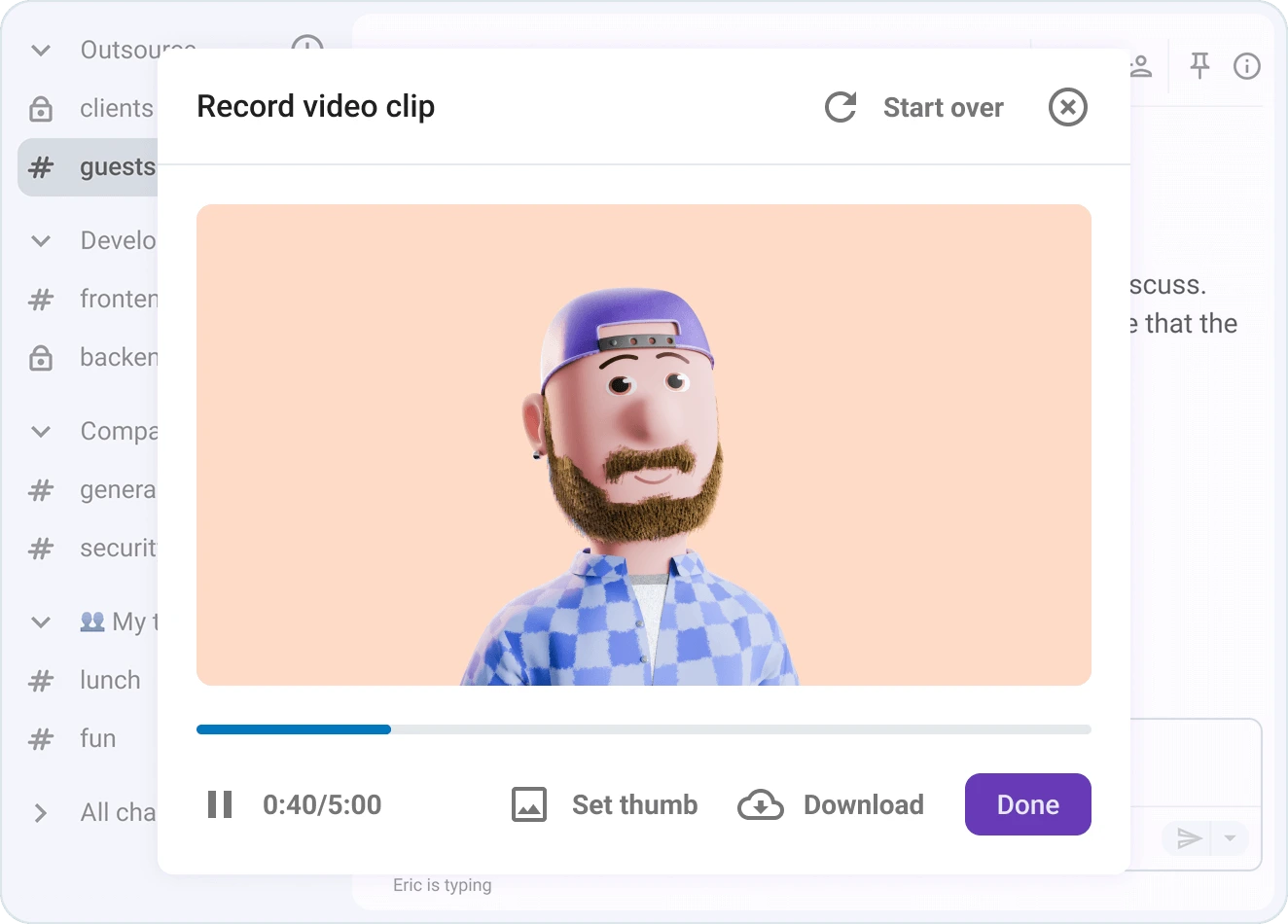
Record a short video message in your dedicated team collaboration software such as Pumble by CAKE.com, and use it to:
- Go over the highlights,
- Call out the big questions, and
- Highlight what’s coming up next.
This approach adds a more personal touch and helps people get up to speed quickly, without having to sift through the entire presentation deck.

Call to action
Once the presentation wraps up, the last thing you want is for all those great ideas to just sit on a shelf and gather dust. You need to find a way to direct your listeners to the next step.
According to the authors of “Communicating at Work,” there are two ways to deliver a call to action at the end of your presentation. Namely, you can either phrase it as:
- An appeal or a question (e.g., “If any of this sounds interesting, you can learn more by signing up for our newsletter through the link on the screen behind me.”), or
- A challenge or a demand (e.g., “Now, you can keep doing what you’re doing and getting lackluster results. Or, you can sign up for our newsletter to receive tips that will help you upgrade your strategy.”).
To ensure your suggested next steps take a more concrete form immediately, you can direct them straight to a task management tool such as Plaky, where you’ll lay out all the:
- Next steps,
- Responsibilities, and
- Deadlines.
This makes it easy for everyone to see what’s on their plate and jump right in.
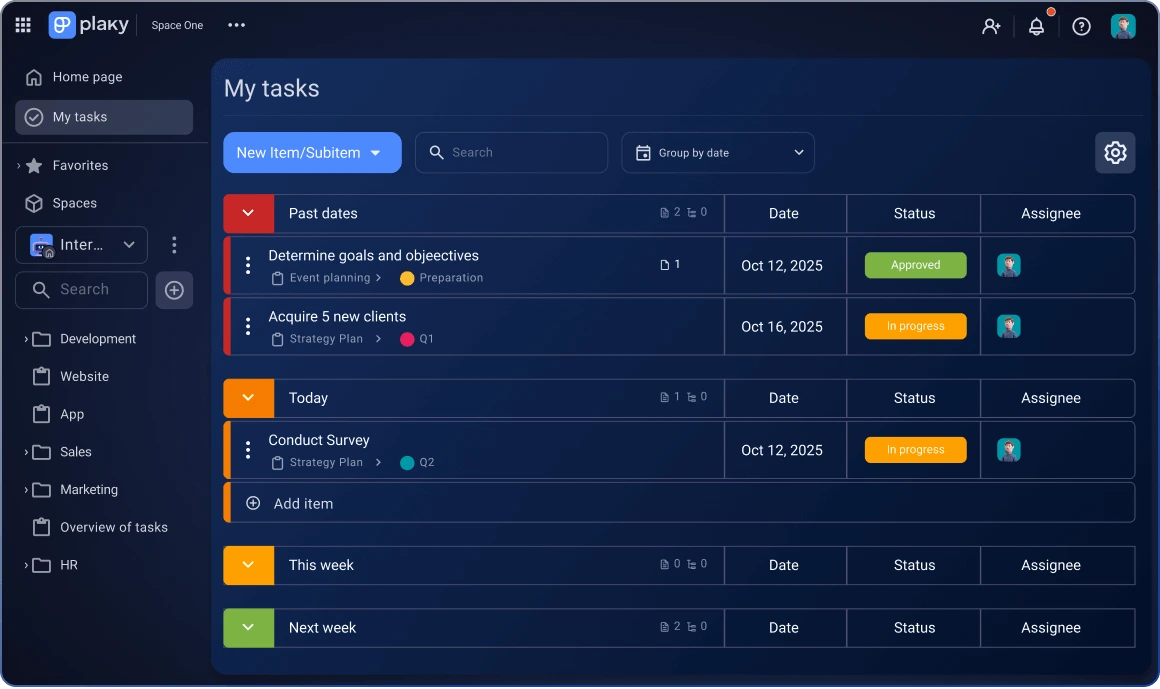
You don’t have to suffer through another annoying back-and-forth email exchange or try to piece things together later. Simply plug everything straight into the app, so everyone can view their tasks and start working.
The Plaky integration also lets you receive notifications directly in Pumble when someone completes a task. This means you can see updates right away, reducing back-and-forth between apps and making communication easier.
This lets you keep your team on the same page, monitor progress, and keep the momentum going. It’s a straightforward way to turn talk into action.

Call to action examples
Let’s take a look at a couple of call to action examples you can use in different scenarios.
- “Remember, even if you happen to open a phishing email, you’ll be able to deal with it easily by forwarding it to this email address. That’s the main thing you need to remember from this talk.”
- “I bet many of you could come up with even more creative ways to incorporate AI into your marketing campaigns. So, how about this: if you fill out the form I’m about to send you, I’ll check in with you in about 3 months. Those of you who succeed in using AI in a meaningful way will get a chance to share your insights on this very stage next year!”
- “We’ve covered a lot of ideas, strategies, and opportunities today, but none of it matters unless we take the next step. To make this simple and clear, we’ve organized everything for you in Plaky, our task management app. Inside, you’ll find your next steps, key resources, and a clear path forward so you can start making progress immediately. I encourage you, don’t wait. Open Plaky, review your tasks, and take that first step today. Let’s turn today’s ideas into real results. Thank you.”
Keep the conversation going
Business presentations often double as networking opportunities, for both presenters and audience members.
With that in mind, you might want to put your contact information on one of your closing slides.
For one, doing so would show the audience how they can get in touch with you after your presentation ends. After all, they may have additional questions or even interesting business opportunities for you.
On top of that, putting your contact information on the last slide is also a good way to remind the audience of your name and credentials.
Think of your contact slide as a sort of digital handshake, or a simple way to carry the conversation forward instead of letting it drop once the meeting is over.
So, instead of saying a quick goodbye and hoping people remember to reach out, you can give them a clear next step.
You can do this by pointing people to a dedicated channel in Pumble, for example. If you don’t want to juggle multiple emails and lose track of messages, you can invite your audience to join a dedicated Pumble channel where they can ask questions and share ideas. Moreover, this type of space lets you introduce collaborative follow-up strategies more naturally.
Even if your audience members aren’t part of your company or members of your workspace, they can still join using Pumble’s guest access.
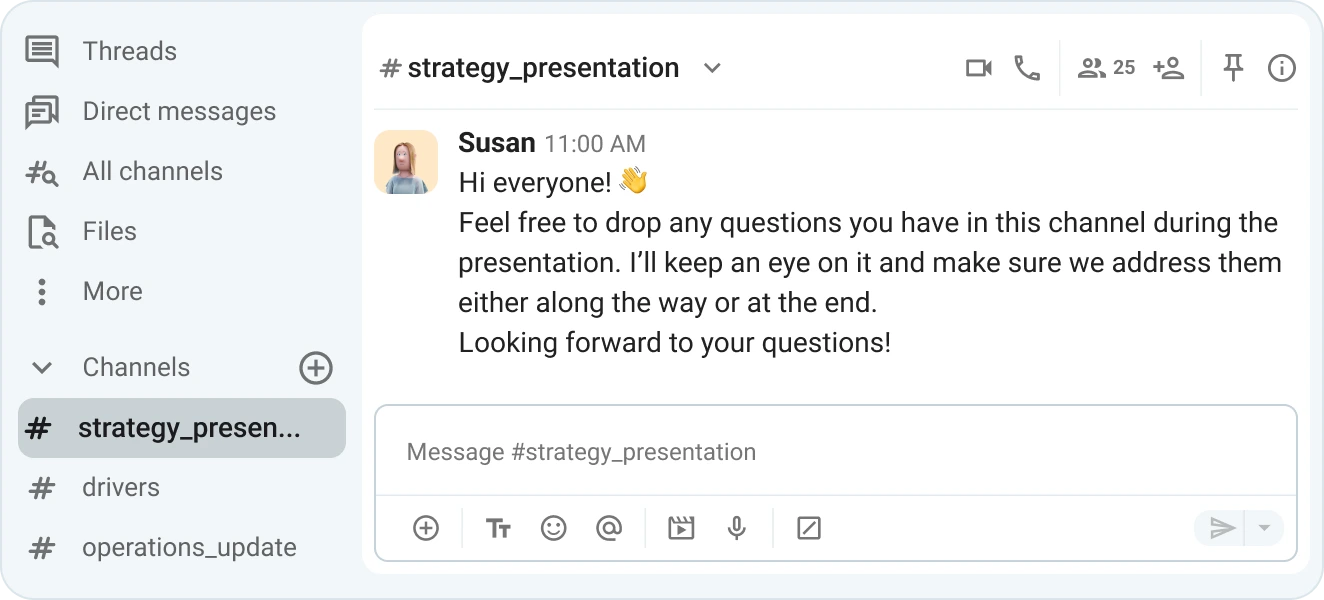
This way, you’re letting people reach out when they feel like it.
Keep the conversation going on Pumble
Phrases you can use to provide contact information
So, how can you encourage your audience to keep in touch? Well, you might say:
- “I’m always happy to answer any of your security or phishing-related questions on Pumble. You’ll find me by clicking the plus sign next to the direct messages section and searching my name, Nick Mulder.”
- “If you all have any follow-up questions for me or one of the experts I’ve spoken to, you’ll find all of our contact information on this slide.”
- “If anything pops up later, feel free to drop into our team channel on Pumble. I’ll be there and happy to chat.”
Thank the audience
Many presenters decide to include a “thank you” slide at the end of their presentations, but that slide doesn’t have to be there just to be there.
If you want to express appreciation and leave a lasting impression, consider turning your closing slide into a live extension of your presentation.
How?
You’ll need a simple tool like Pumble, which will do most of your work for you.
Instead of ending with static text on a yet-another-slide, you can direct your audience to a dedicated Pumble channel that hosts all key materials from your talk. Thanks to Pumble’s real-time file sharing, attendees can instantly access your slides, supporting documents, links, or templates.
Share files and documents in Pumble
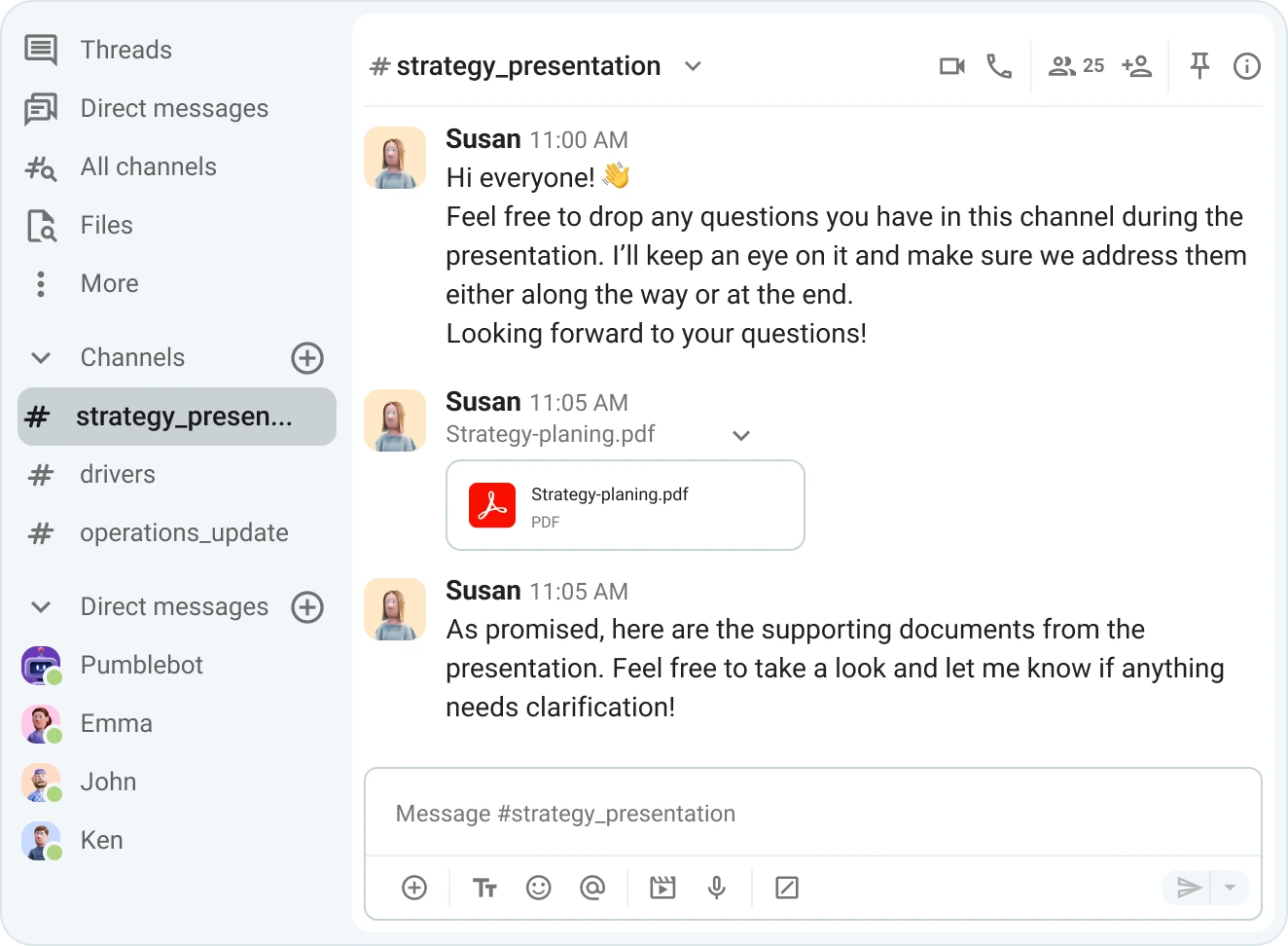
Even better, Pumble’s unlimited messaging history acts as an ongoing “source of truth.” This means your audience can revisit the discussion and share insights long after the presentation ends. It transforms your “thank you” from a one-time gesture into a continuous resource.
For example, your final slide could:
- Include a QR code or link to your Pumble channel,
- Highlight that all resources and updates will be shared there in real time, and
- Invite attendees to continue the conversation or ask follow-up questions.
Ask for feedback
Lastly, some speakers might benefit from knowing what the audience thinks about their delivery and other aspects of their presentation.
That’s why some of the experts we’ve spoken to suggest that conducting a brief survey of the audience could be a good activity to end a presentation with.
Mark Beal says that:
“Offering audience members the opportunity to take a concise survey at the conclusion of a presentation will result in valuable insights that will inform how to consistently evolve and improve a presentation.”
You could encourage this type of feedback by:
- Asking attendees to share their thoughts on your presentation after you step off the stage,
- Setting up a notebook near the door and asking people to jot down their thoughts as they exit,
- Having a suggestion box for hand-written feedback notes,
- Creating an anonymous survey online and linking to it on your presentation slides, or
- Inviting participants to continue the conversation in a dedicated channel using Pumble threads to dive deep and encourage more thoughtful input. For example, you can:
- Ask a question (e.g., “What’s one thing that could be improved?”) and instruct the attendees to reply in a thread,
- Create separate threads for specific aspects of your presentation to keep feedback organized, or
- Use threads to facilitate deeper discussions where participants can build on each other’s comments without cluttering the main conversation.
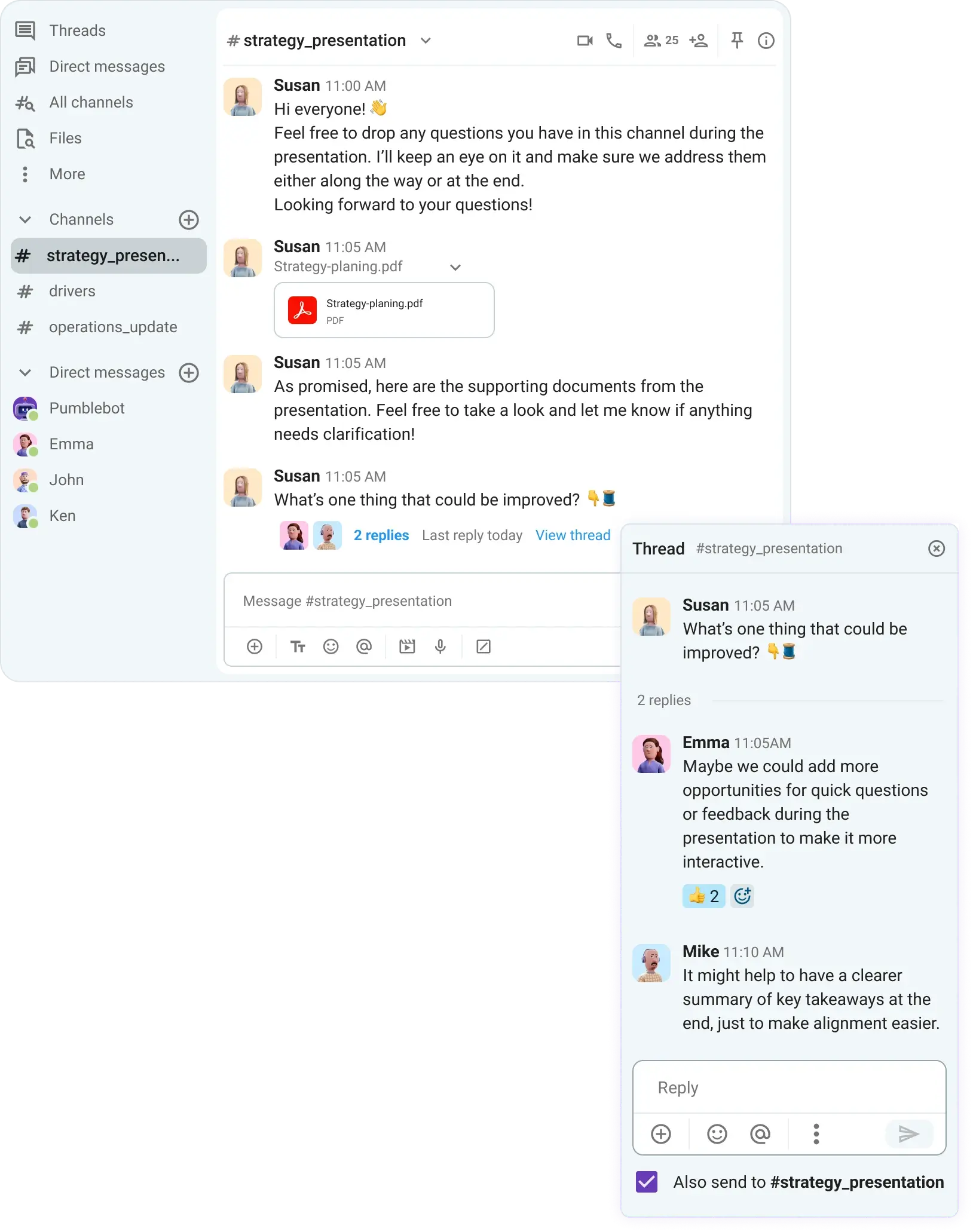
Structure your feedback in Pumble
The worst ways to end a presentation
Having gone through the best practices for how to conclude a speech memorably, we also wanted to include what are some of the mistakes speakers should avoid as they reach the end of their speech.
Here are the top 5 worst ways to end a presentation:
- Overloading your final slide. Slides are only there to accompany your speech — they shouldn’t be the main event.
- Settling for a lackluster closer. The audience will respond if you say something deserving of a response.
- Ending with a Q&A session. Have the Q&A portion right before your conclusion, so you’ll have time to reiterate your core message and proceed with a memorable closing statement.
- Not leaving time for any questions at all. To inspire engagement, you need to let the audience have a voice in your presentation.
- Going over your time. Don’t risk boring and alienating your audience.
Closing remarks for different scenarios
In the course of our research, we’ve found many practical phrases one might use to wrap up a presentation.
We even had experts send in their suggestions. For example, speaker, author, and editorial producer, Nadia Bilchik, says:

“I always end with a very quick summary of the content, a definitive call to action, and a reiteration of the benefits to the audience. Use this as your framework:
- What I have looked at today…
- What I am asking you to do…
- The benefits are…”
Let’s take a look at other phrases you might use at the end of your presentation based on the most common scenarios.
Sales presentations closing remarks
When closing a sales presentation, you’d want to make it memorable and simple, but also end with a clear call to action or emotional hook.
Here are some examples of what that may sound like:
- “If there’s one thing you take away from my presentation…”
- “In short, I’d like to highlight…”
- “To put it simply…”
- “In other words…”
- “I’m counting on you to…”
- “To wrap up/conclude…”
- “After this presentation, I’d like to ask you to…”
- “Please take a minute to…”
- “Next time you …, remember to …”
- “Let me leave you with this quote…”
- “That reminds me of the old saying…”
Strategy presentations closing remarks
Strategy meetings call for structured summaries and clarity on directions, as opposed to hard selling.
Keeping this in mind, here are our best suggestions on how to close a strategy meeting:
- “To recap, we’ve discussed…”
- “Throughout this presentation, we talked about…”
- “In summary, the goal of my presentation…”
- “In conclusion…”
- “In bringing my presentation to a close, I wanted to…”
- “If there’s one thing you take away from my presentation…”
- “In short, I’d like to highlight…”
Sync meetings closing remarks
Syncs and status meetings are about alignment and communication. So, make sure to keep it simple and open-ended.
Here are some ways to go about achieving this:
- “To recap, we’ve discussed…”
- “In summary…”
- “Feel free to reach out if you have any questions.”
- “For more information, head to the link on the screen.”
- “Thank you for your time/attention.”
- “I hope you found this presentation informative/useful/insightful.”
- “To wrap up…”
Remember: the last words you say should make it abundantly clear that your presentation has ended.
Hold effective meetings in Pumble
What should your final slide look like?
If you don’t want to leave your final slide blank, there are other ways to fill that space.
Mark Beal has a formula for his closing slides, saying:
“The final slides of my presentation include:
- A slide featuring 3 key messages/takeaways,
- A question and answer slide to engage the audience at the conclusion in the same manner a presenter wants to engage an audience at the start of a presentation, and
- A final slide including the presenter’s contact information and a website address where they can learn more information.
This slide can include a QR code that the audience can screenshot and access the presenter’s website or another digital destination.”
Between this suggestion and the many examples we have included throughout our guide, you ought to have a clear picture of what your final slide might look like.
Finish your presentations with a flourish on Pumble by CAKE.com
Knowing how to end a presentation effectively is a skill like any other — you’re bound to get better through practice and repetition.
To get the most out of your presentations, make sure to deliver them on Pumble.
Pumble — a team communication and collaboration app by CAKE.com — helps you create the most interactive, efficient presentations with:
- Seamless video conferencing, so you can share your knowledge with large audiences,
- Powerful screen-sharing for smooth presentation delivery,
- Simple video messages to summarize key points for absent stakeholders, and
- Useful channels and threads that keep feedback organized and the conversation going.