 Published: mai 21, 2026
For growing teams, adopting a new communication tool comes with financial risk and uncertainty whether the app will actually be used.
Among the options, many have freemium software limitations — plans that look good on paper but restrict basic usability behind paywalls.
Pumble by CAKE.com built its Free plan differently.
It serves as a free digital headquarters, providing teams with everything they need for organized, effective daily communication with no hidden costs.
By offering a complete set of core features, including free unlimited message history, Pumble ensures that your work is never slowed down by arbitrary limits.
Whether you’re a startup looking for quick coordination or a remote team needing asynchronous tools, read on to learn what you get with the Pumble Free plan and how to use it.

- Pumble’s Free plan includes unlimited users, channels, and message history, making it a practical long-term solution for many teams.
- Channels, direct messages, and threads help teams organize conversations and keep discussions focused.
- Built-in voice and video calls, along with voice and video messages, support faster and more flexible communication.
- File sharing, searchable history, and integrations help teams keep resources and workflows organized in one place.
- Teams of varying sizes and industries can use Pumble’s Free plan to centralize communication and support daily collaboration without additional costs.
What’s included in the Free plan?
Here’s a closer look at the core features included in Pumble’s Free plan and how they support everyday team communication.
Organize conversations with channels, DMs, and threads
Instead of having conversations scattered across multiple tools and wasting time searching for information, use Pumble by CAKE.com to centralize communication in one place.
Within Pumble, conversations can be organized into dedicated channels for specific topics.
Depending on how you set up your workspace, you can create channels for:
- Teams,
- Projects, or
- Clients.
For example, you can make a marketing channel for campaign updates or a product channel for feature discussions.
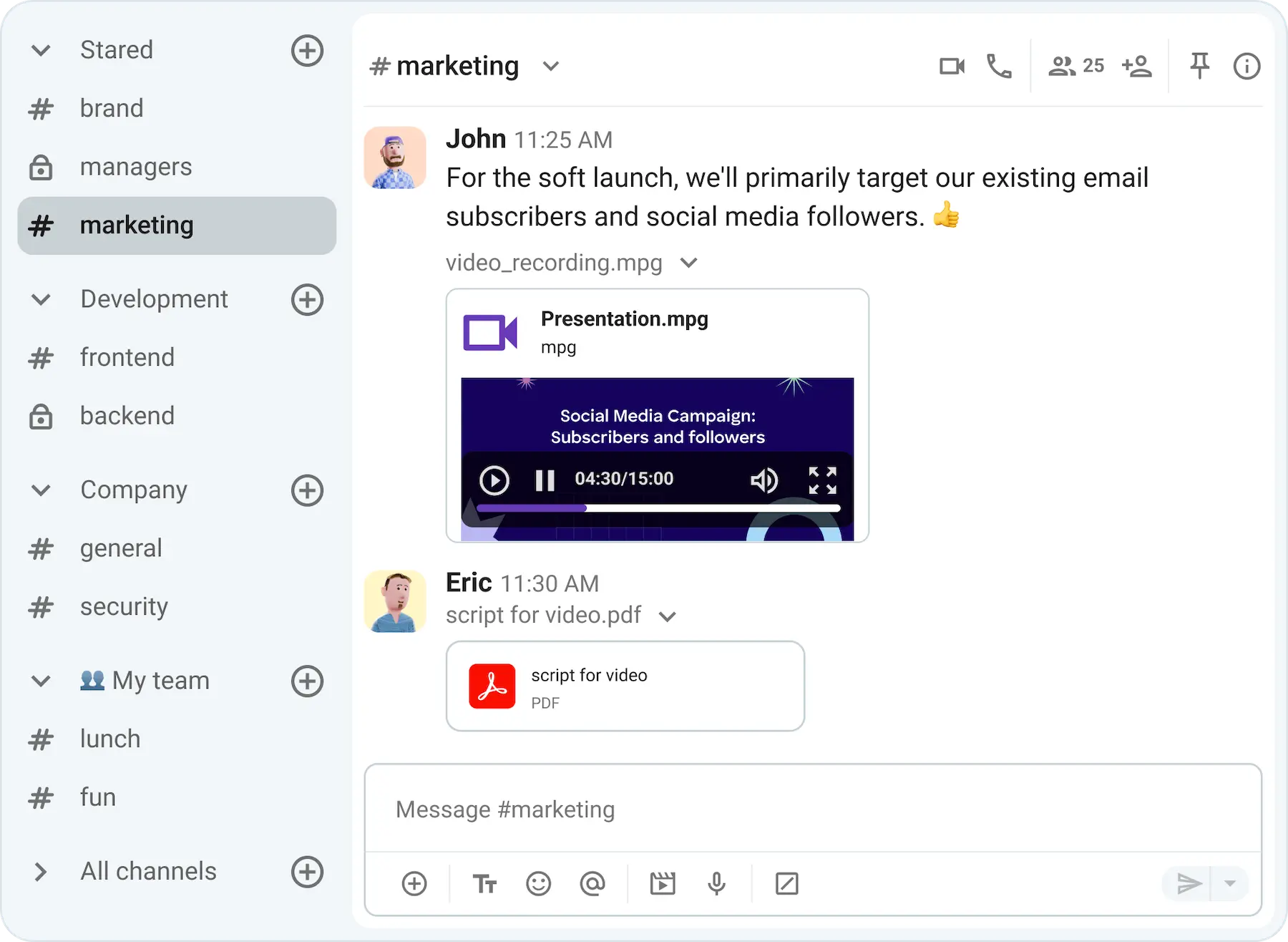
Channels can be:
- Public — open to anyone in your company to join, or
- Private — for sensitive conversations accessible only to invited members.
New channel members get access to the full conversation history, so they always have the context they need.
The Pumble Free plan allows for an unlimited number of users and channels to your workspace, giving your team room to grow before upgrading to a paid plan with more advanced features if needed.
Aside from channels, conversations can also be held in direct messages.
One-on-one DMs let you communicate directly and privately with team members. For example, to quickly message a colleague for approval or clarify something without involving the whole team.
If you want to message multiple people without creating a dedicated channel, you can use a group DM.
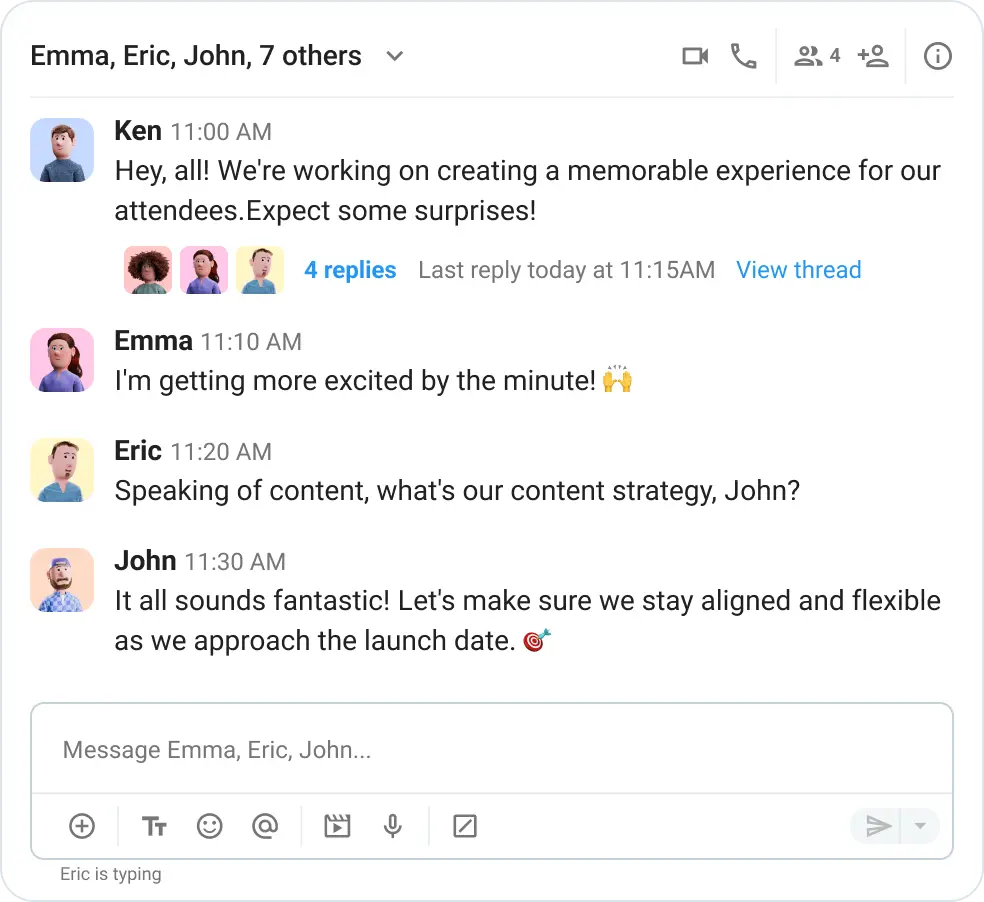
You even have a direct message with yourself, which you can use as a notepad to store notes and ideas.
In both channels and DMs, threads help keep discussions focused without cluttering the main conversation. They allow you to reply to a message in a separate window, keeping all replies organized and easy to follow.
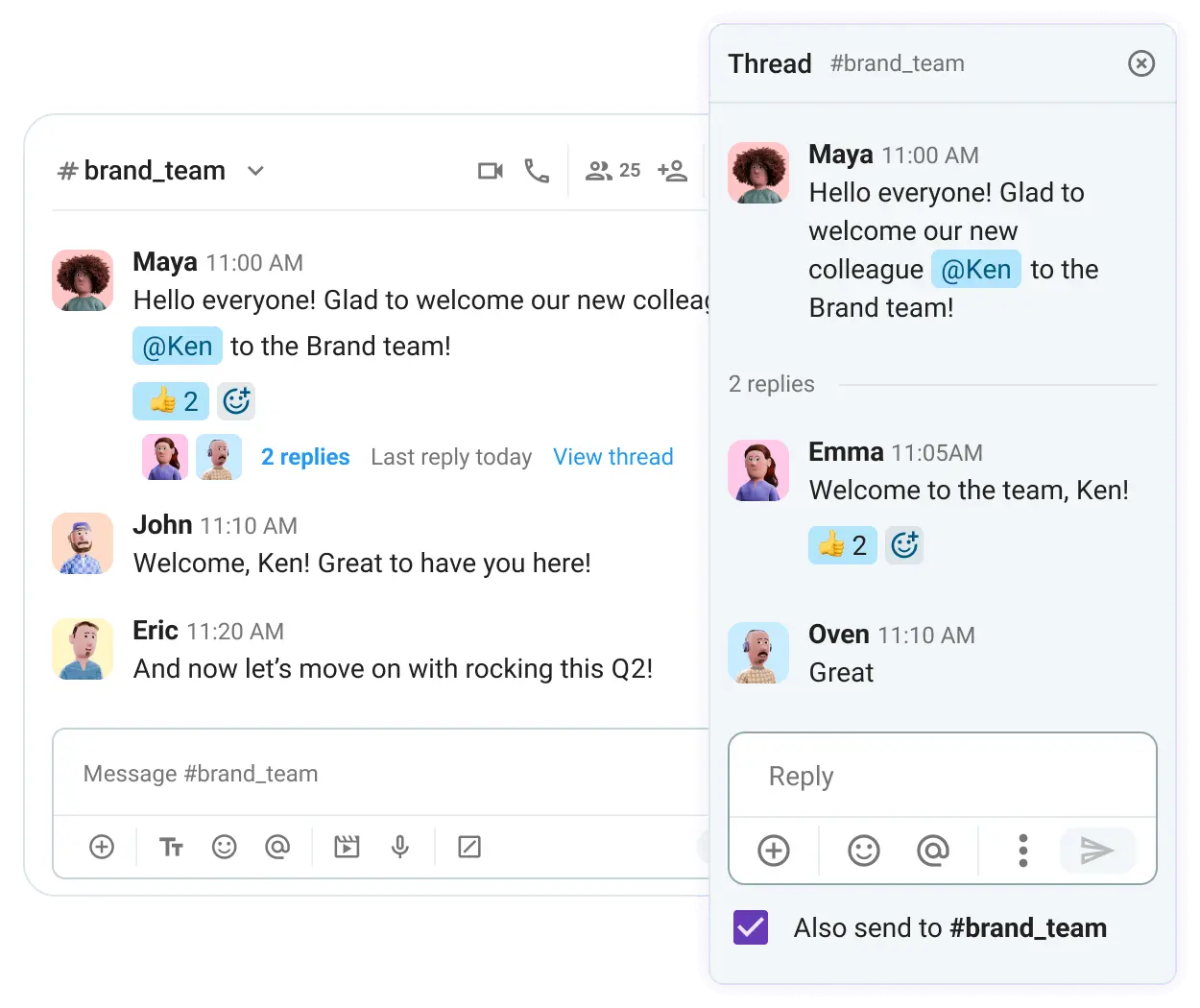
To make everyday communication easier to manage, you can:
- Pin important messages, such as onboarding resources, deadlines, or meeting notes, for quick access.
- Save messages to revisit important updates or tasks later.
- Draft messages and finish them when you’re ready to send announcements or longer updates.
- Format messages with bold text, code blocks, and bulleted lists to make important information easier to scan and understand.
- Quote messages to reply to a specific update or question while keeping the original context visible.
Keeping communication organized like this helps teams:
- Reduce confusion,
- Find information faster, and
- Collaborate more efficiently day to day.
Keep knowledge searchable with unlimited history and file sharing
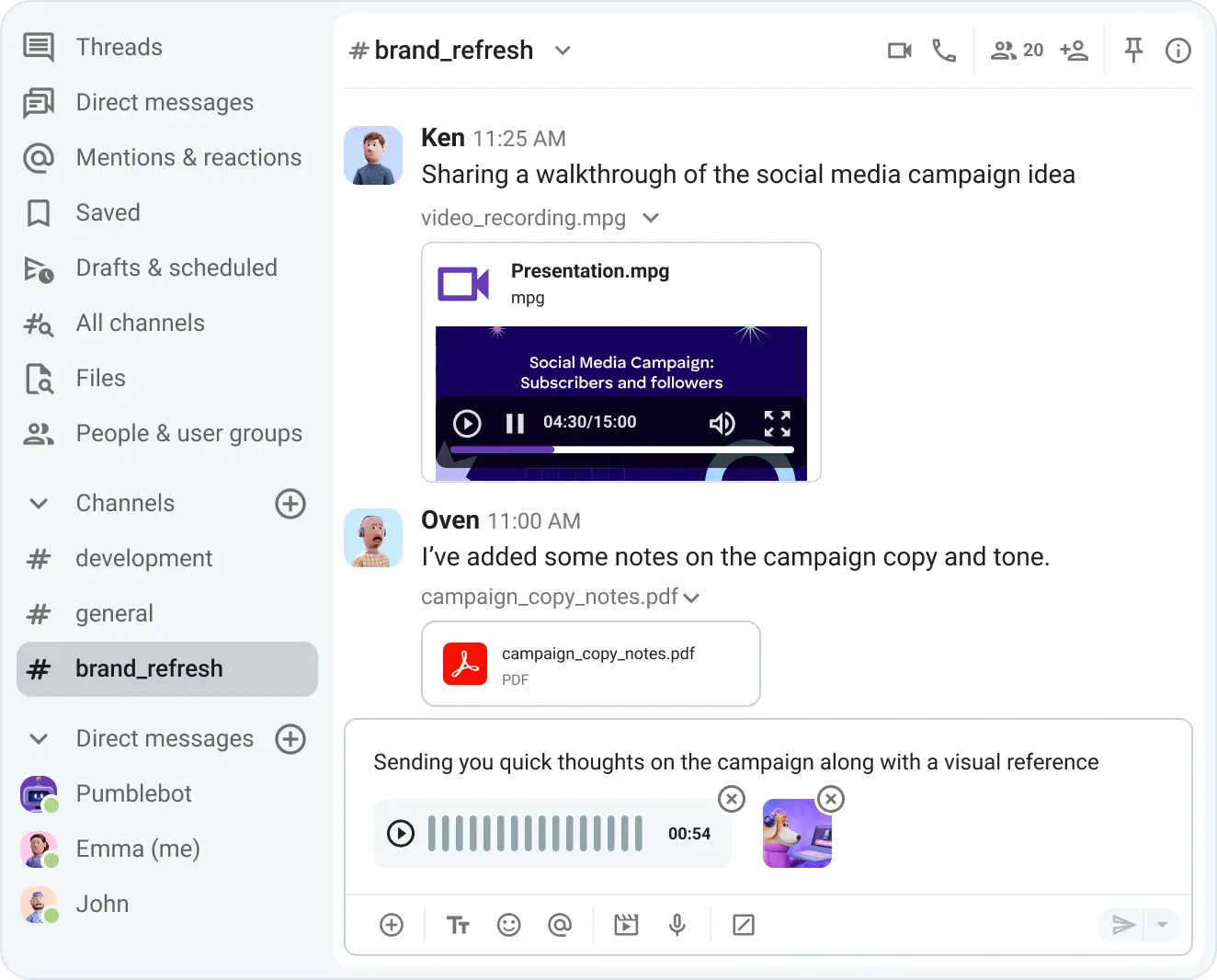
In Pumble, teams can share files directly in channels and DMs, making it easier to keep project documents, presentations, feedback, and other important resources in one place, alongside related conversations.
On all plans, shared files can be up to 512 MB (256 MB on the mobile apps), with the Free plan including 10 GB of total storage per workspace.
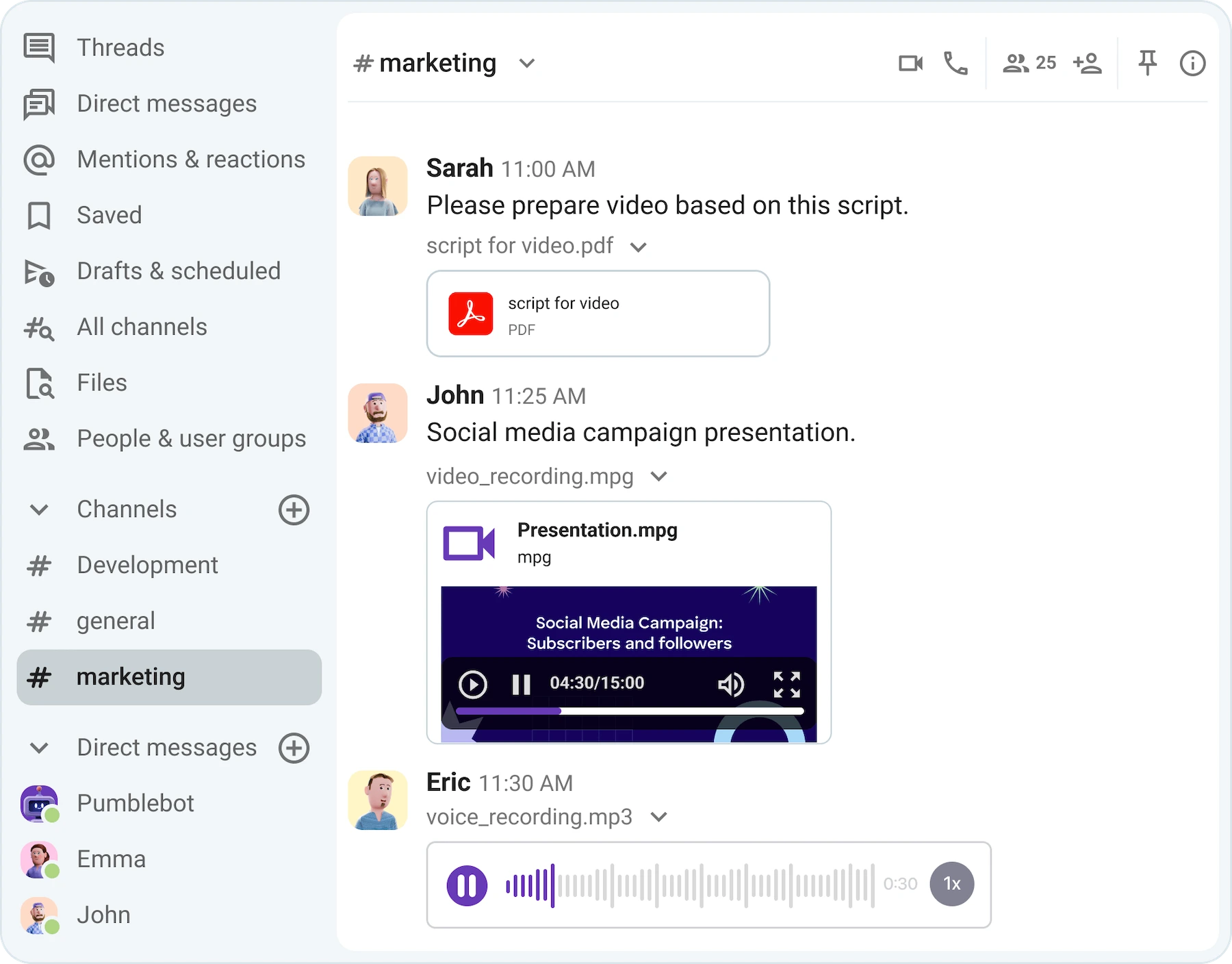
Even on the Free plan, Pumble can be used as your company’s one-stop knowledge base. All conversations and shared files are stored in your Pumble workspace forever, thanks to its unlimited message history.
When you need to find something that was shared, like a file from a past project or a link sent in a channel, you can use Pumble’s search function and its filters to quickly pull it up in seconds.
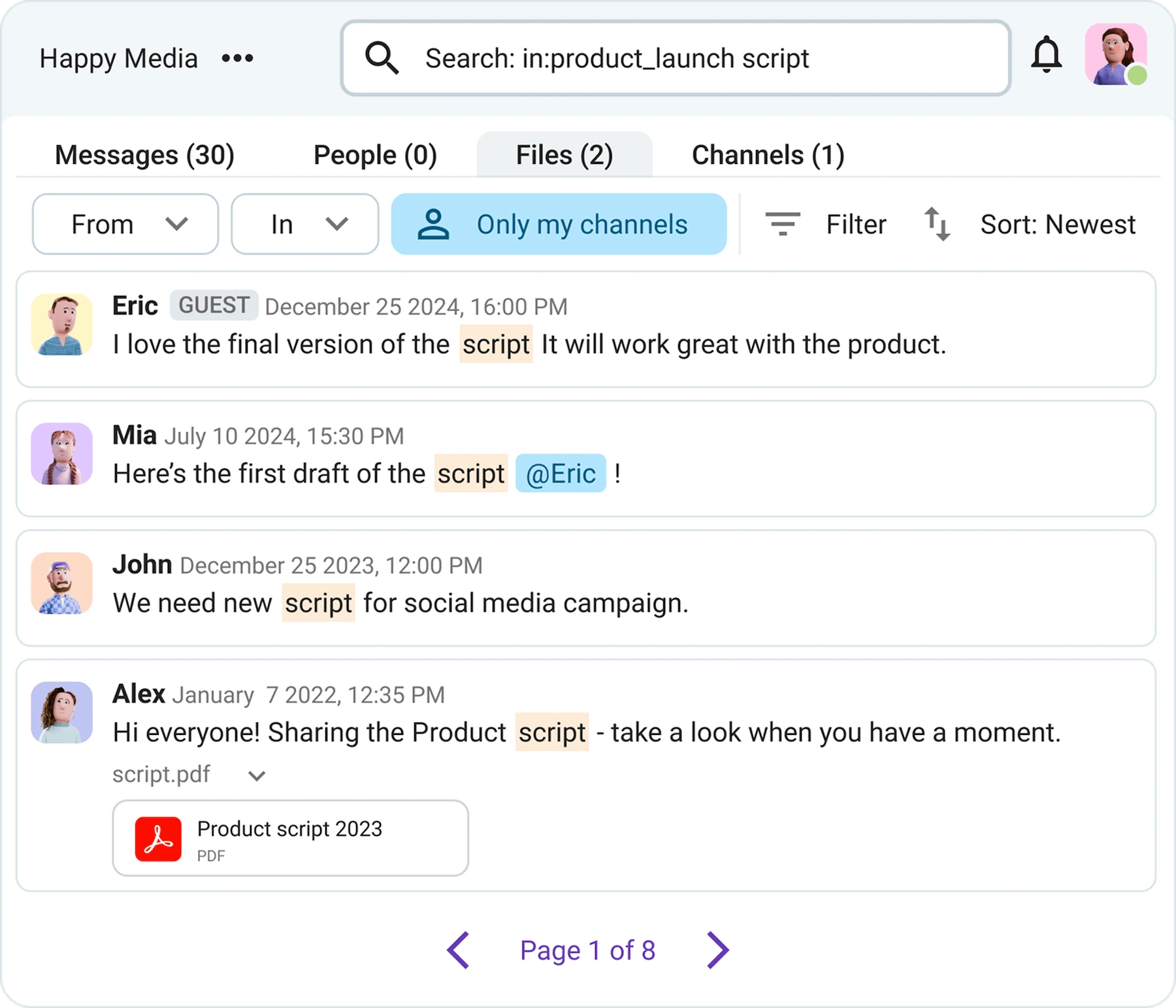
This long-term access helps teams maintain context over time, without worrying about older conversations or files disappearing after 90 days — a limitation many teams run into with other popular free communication tools.
With unlimited message history included, teams can always revisit key decisions, feedback, and shared resources whenever they need them.
Make a searchable knowledge base
Collaborate faster with built-in voice and video communication
When you’re short on time or something requires a longer explanation, you can skip messages and use Pumble’s voice and video communication instead.
In-person meetings in remote or hybrid teams can be replaced by Pumble voice and video calls, with no need to switch between apps.
The Free plan allows 1-on-1 calls with team members, making it easier to explain complex ideas and have more open, in-depth discussions.
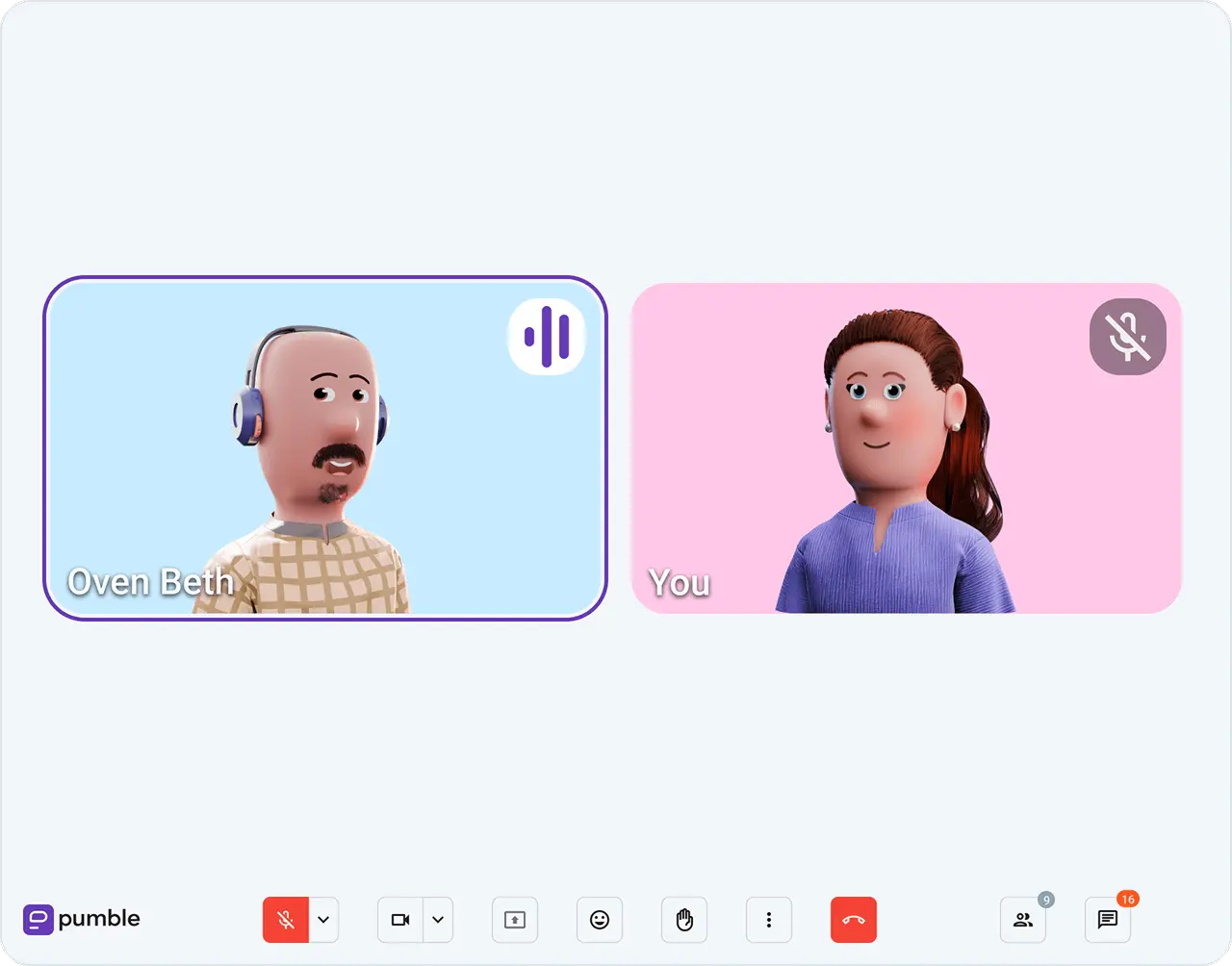
While in a video call, you can:
- Blur your background to maintain privacy,
- Remove background noise for clearer audio,
- Raise your (virtual) hand when you have a question or comment without interrupting the conversation,
- React with emojis to share feedback or acknowledge points in real time, and
- Use the in-call chat to send links or notes.
Pumble’s video and voice messages are another great way to communicate faster without needing to schedule a live call.
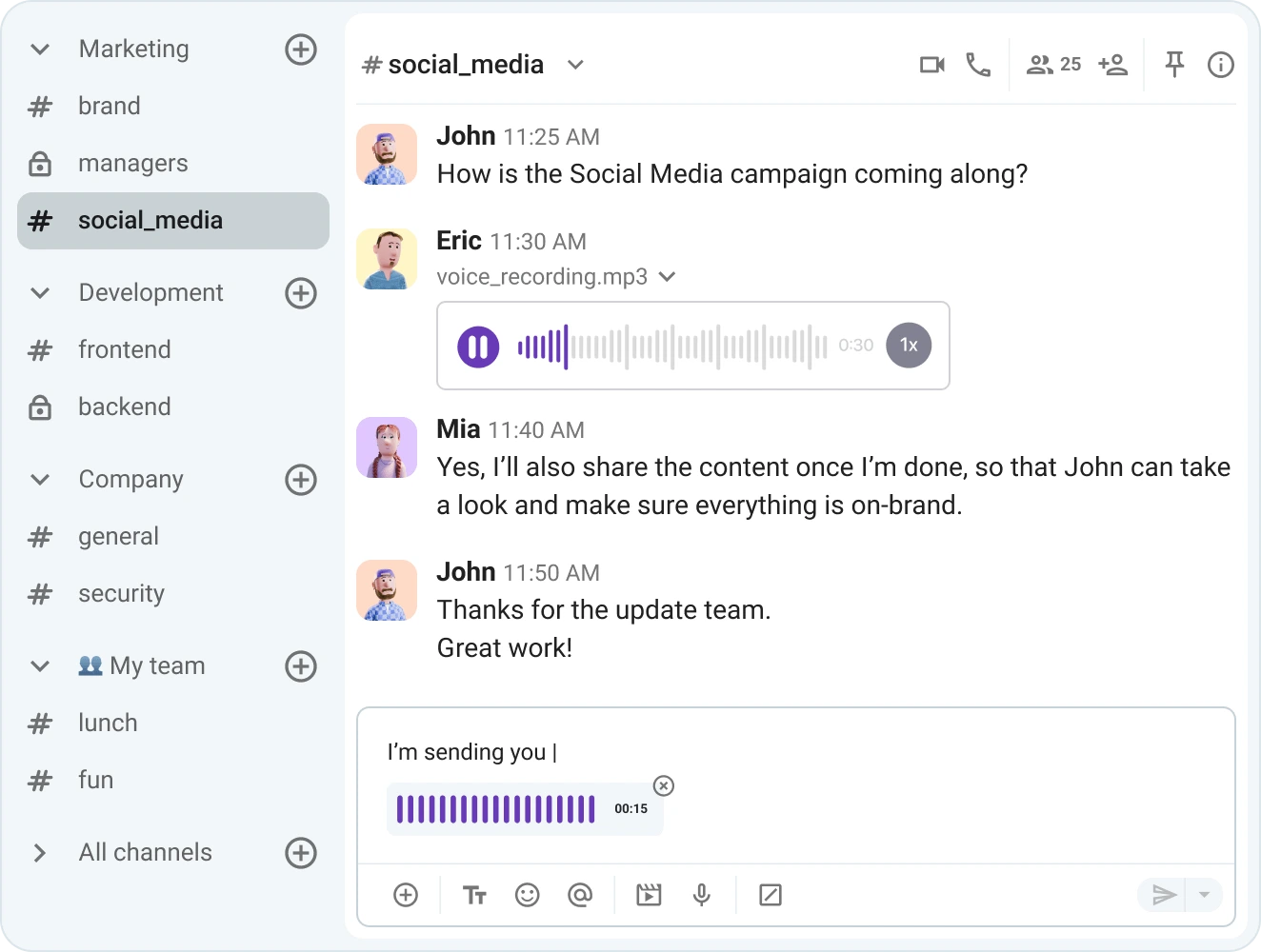
With them, you can:
- Turn a 30-minute meeting into a recorded message that teammates can watch or listen to whenever it suits them.
- Support asynchronous communication, which is especially useful for distributed teams working across different time zones.
- Send quick voice messages via mobile to share updates on the go without needing to type everything out.
To help teams stay on top of conversations and follow-ups, Pumble also includes:
- Message reminders — remind yourself about important messages, so you can follow up at a time that works better for you.
- Scheduled messages — write a message now and have it delivered at a specific time to make sure it gets the right attention.
Together, these features help teams communicate more naturally and choose the right way to connect depending on the situation.
Improve daily workflows with integrations
Aside from facilitating all your communication needs, Pumble can be connected to other tools teams already use in their daily work, helping them bring key updates into one place instead of switching between apps.
Pumble’s Free plan includes its native integrations with Clockify for time tracking and Plaky for project management. These tools are part of the CAKE.com ecosystem, and they are designed to work together to help teams keep communication, work tracking, and project updates in one place.
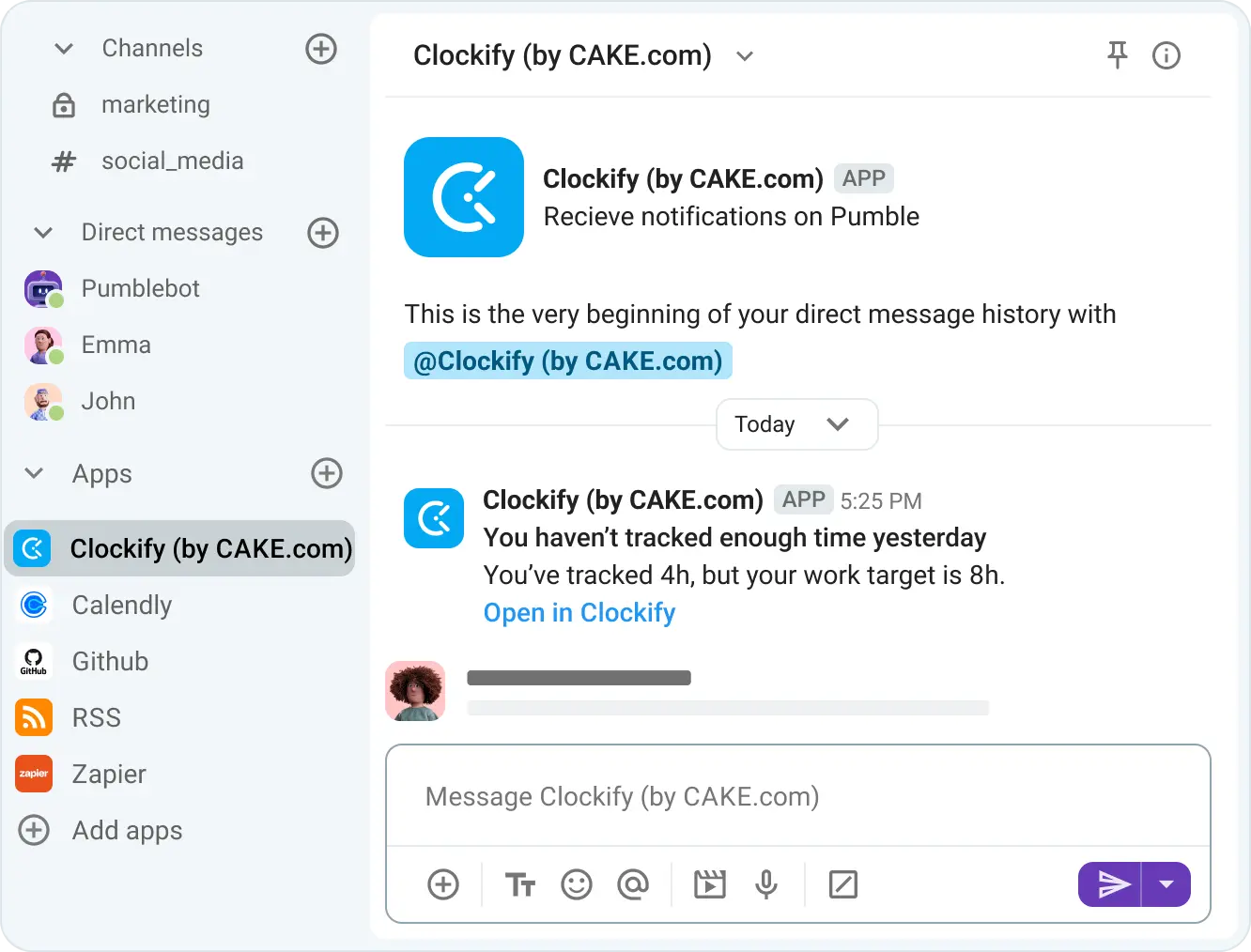
For example, you can receive Clockify updates like time tracking reminders, timesheet submissions, or approvals directly in Pumble.
With Plaky, you can get task updates, comments, and progress notifications without leaving your workspace.
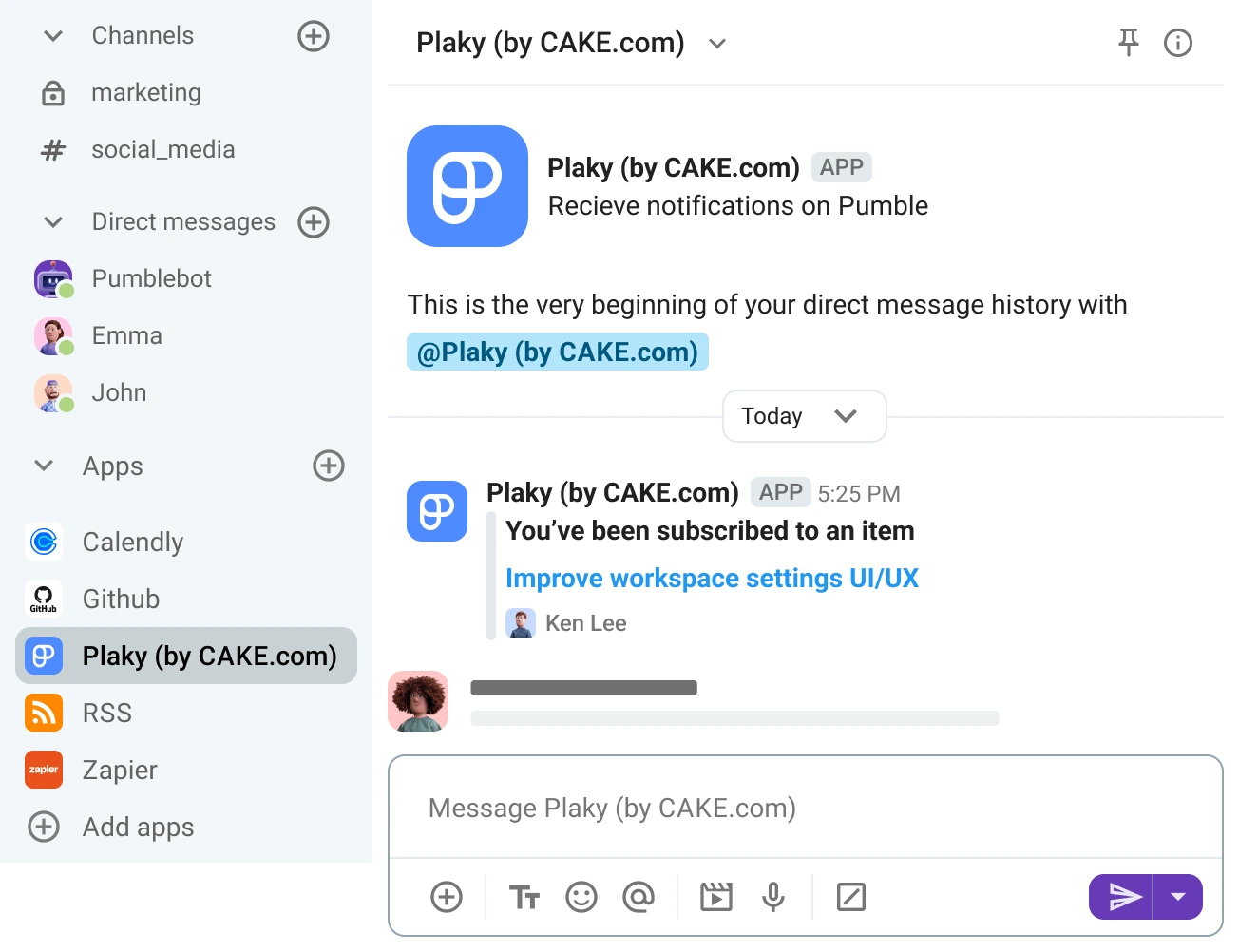

In addition, teams can connect up to 3 external integrations of their choice on the Free plan, such as tools for file storage, calendars, or email.
For teams with more specific needs, Pumble’s public API allows custom integrations, so teams can connect internal tools and adapt the platform to their existing workflows.
🎓 ASTUCE PRO DE PUMBLE
Stay on top of Pumble’s new and upcoming features and integrations:
How different teams use the Pumble Free plan
Different teams use Pumble’s Free plan depending on how they communicate and organize their work.
Here are some of the most common use cases.
Small teams and startups
Small teams and startups know how important it is to organize fast-moving communication early on.
With Pumble by CAKE.com, they keep conversations structured from the beginning by creating dedicated channels for teams, projects, or daily updates. That keeps everyone in the loop as work moves quickly.
Coordinating projects and tasks, discussing ideas, sharing files, and getting quick answers becomes much easier when everything is kept in one place.
For example, startups often use separate channels for product discussions, marketing planning, onboarding, or client communication, while using threads to keep feedback organized.
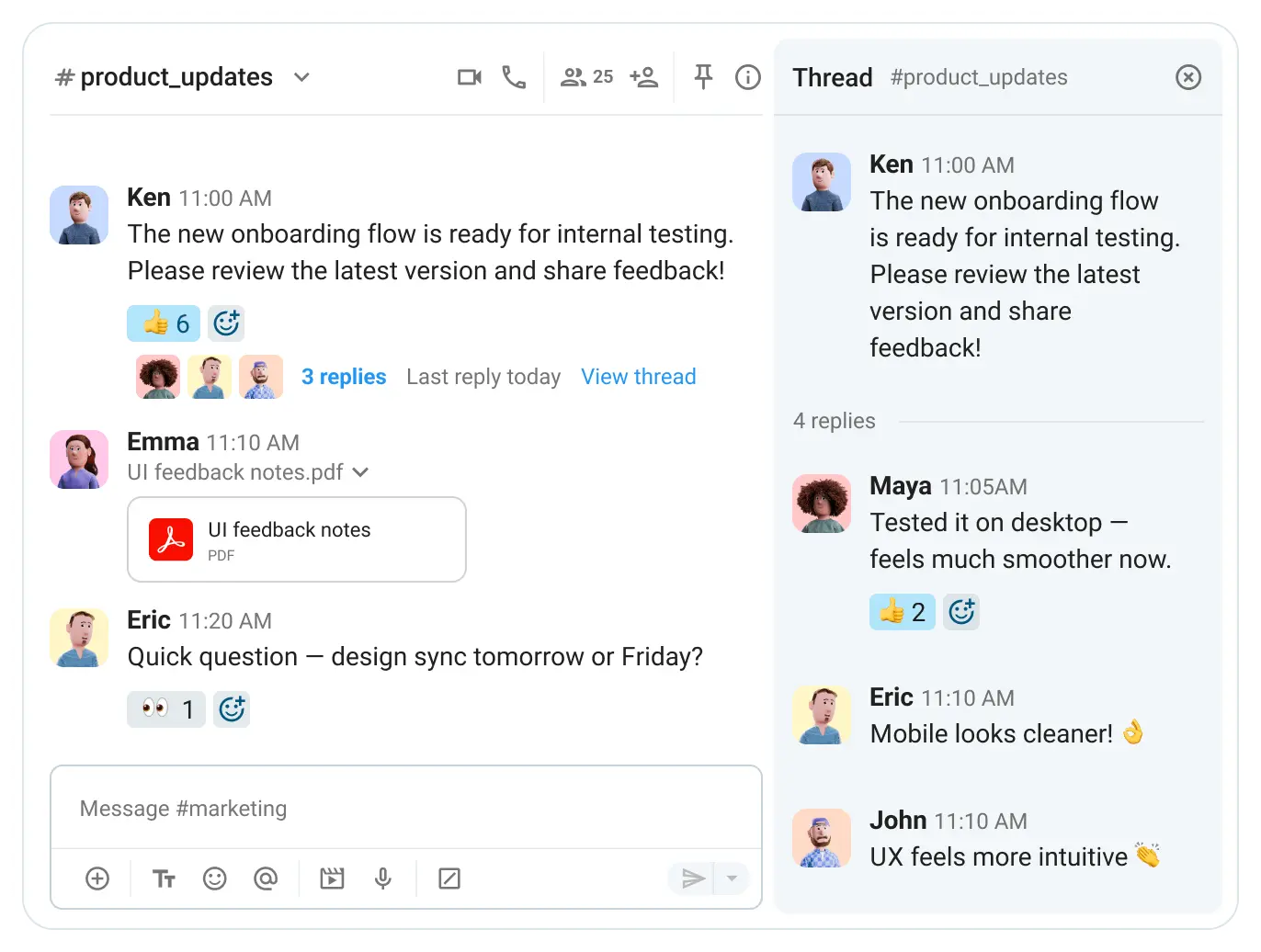
Plus, with Pumble’s Free plan allowing unlimited users and channels, teams can continue using it as they grow without immediately worrying about software costs.
Whenever they expand to the point of needing more advanced features or administrative control, they can upgrade to one of Pumble’s affordable paid plans.
Créer l'espace de travail Pumble gratuit
Freelancers and client collaboration
Freelancers working with multiple clients keep communication, project information, and feedback organized more easily with Pumble.
Dedicated channels for each client or project make it easier to separate conversations, store important files, and quickly search through previous discussions.
For example, freelance designers, marketers, or developers keep deadlines, shared assets, and client feedback organized within a single channel, instead of managing conversations across multiple apps and countless email threads.
Équipes à distance et distribuées
Being part of a remote or distributed team often means working across different locations and time zones.
With Pumble, remote teams can:
- Keep communication accessible and organized and
- Foster a more connected workplace.
Through voice and video messages, reminders, and scheduled messages, teams rely on asynchronous communication rather than live meetings and avoid interrupting each other’s schedules.
Additionally, having unlimited message history with all files, decisions, and discussions stored in one searchable place helps reduce unnecessary back-and-forth, repeated questions, and misunderstandings.
🎓 ASTUCE PRO DE PUMBLE
To learn how Pumble can be used best for different kinds of teams and industries, check out our resources:
Get started with Pumble by CAKE.com for free
The good news is that many teams can comfortably run on Pumble’s Free plan for a long time.
It gives enough functionality to build communication habits, set up workflows, and support daily collaboration without pressure or upfront cost.
Getting started with Pumble is simple:
- Sign up,
- Create your workspace,
- Invite teammates, and
- Start communicating immediately.
To make setup even smoother:
- Start with a small number of core channels, like #general, #projects, or #team_updates,
- Keep the structure simple at the beginning, and
- Encourage your teammates to use threads to keep conversations organized from day one.
Start using Pumble as your free team communication app and improve how your team collaborates.
Comment nous examinons cet article : Nos rédacteurs et éditeurs vérifient les articles et les mettent à jour lorsque de nouvelles informations sont disponibles, afin qu'ils soient toujours d'actualité.