
Running a small business is tough enough without the added stress of expensive software.
The good news? You don’t have to spend a dime to set up a functional, reliable tech stack.
I’ve sifted through countless options and narrowed it down to 10 free apps for small business owners that help you manage your operations, stay organized, and keep things moving — without hidden fees or limited trials.
To make the cut, each app had to be:
- Easy to use,
- Truly free (not just a short trial), and
- Practical for everyday business needs — from communication to bookkeeping.
Think of this as your go-to guide for building a powerful business toolkit at zero cost.
Let’s dive in.
Why trust us?
The apps we talk about are selected, tested, and written about by human reviewers who follow strict review and editorial guidelines. We pick solutions that are practical, purposeful, and can offer real value for the specific use case or business context we’re covering — while also being justified in their pricing. Our methodology is transparent, clear, and available to everyone:
Pumble by CAKE.com — Best for all-around team communication
Clear and effective communication is the cornerstone of productivity and time management in business. Before you add any other tool to your stack, you’ll need a reliable way to centralize all communication.
That’s where Pumble comes in. It’s not just another free app. Pumble is the foundational digital headquarters your business will build on.
Unlike many communication apps, Pumble’s free plan includes unlimited users and unlimited message history forever. This means that you can grow your team without extra costs and always access past conversations, files, and decisions.
Plus, Pumble is simple enough for non-technical teams to start using it instantly, yet powerful enough to support your business as it grows.
With its intuitive interface, you can keep every discussion, file, and idea in one place, without training or setup hassles.
Here’s what you get with Pumble’s free plan:
- Direct messages for private 1-on-1 or group conversations,
- Channels and threaded replies to keep discussions organized and on-topic,
- Cross-device functionality so you’re connected from anywhere,
- File sharing to send and receive documents with ease,
- Voice and video messages for fast, personal communication,
- 1-on-1 voice and video calls for urgent discussions, and more!
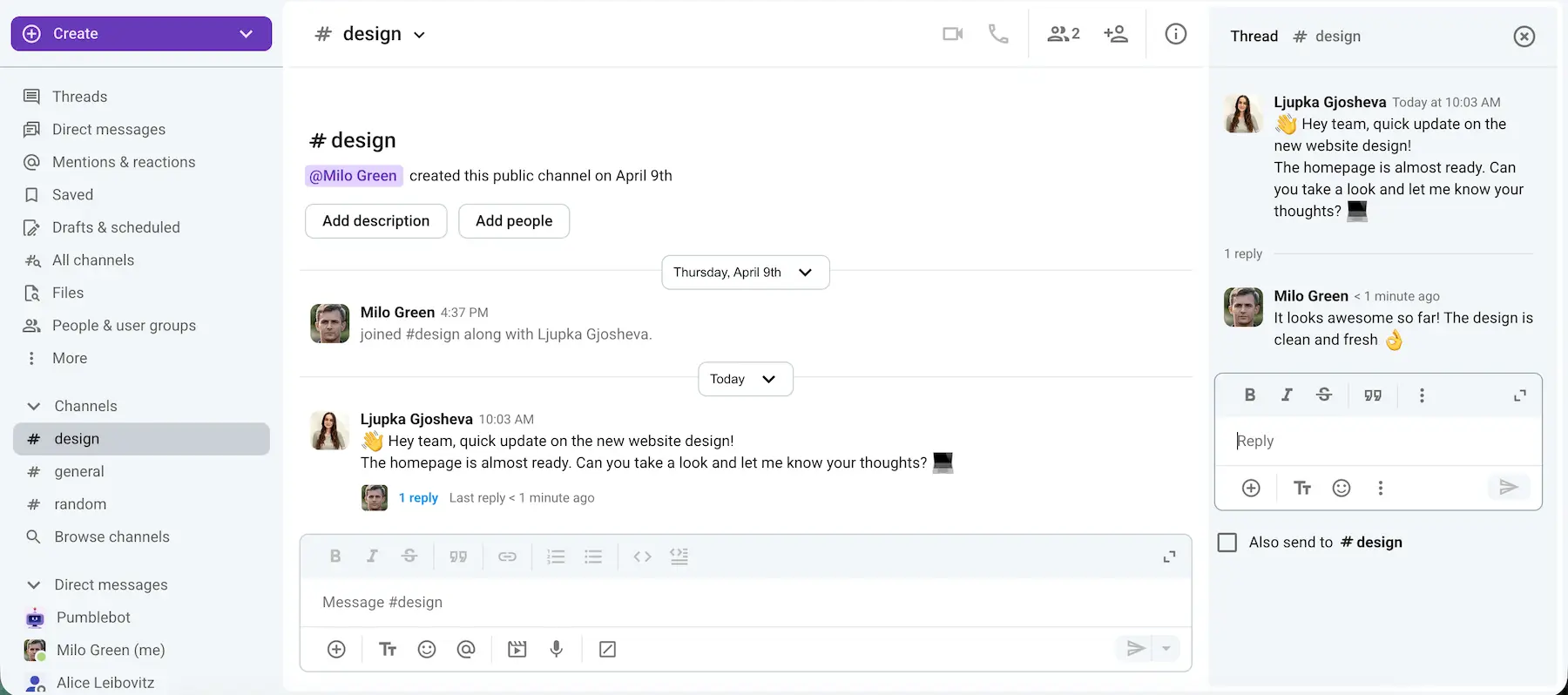
I use Pumble by CAKE.com daily, and one of the features I rely on the most is the search functionality. It makes finding important conversations or shared files incredibly quick and easy, which especially comes in handy when I’m deep into writing or researching. Over time, our team’s archive of messages and files has become a true knowledge base — a resource we return to again and again.
Pros:
- Unlimited message history — an extensive archive for your team’s discussions, allowing you to revisit important information anytime.
- 24/7, 100% human support, even on the free plan — which ensures that, if you need help, you get it quickly and efficiently.
- Strong security protocols — to keep your communication safe and private.
Cons:
- No read receipts yet.
What’s new in Pumble: The newest Pumble feature is the Analytics dashboard. This reporting tool gives you insights into how your team is actually using Pumble. With it, you can monitor channel activity, check individual engagement, and track video call usage.
Available for: Web, Mac, Windows, Linux, Android, and iOS
- Free plan available;
- Paid plans start at $2.49 per user per month, billed annually.
Make communication easy with Pumble
Plaky by CAKE.com — Best for project management
No matter the size of your business, keeping projects and tasks in order (even if you’re a one-person team) will help you avoid missed deadlines and client dissatisfaction.
Instead of writing things down or struggling to stay on top of all your ongoing projects based on memory alone, you need to use a project management software. That way, you’ll be able to delegate tasks in your team and have a clear and easily accessible view of all ongoing and future assignments.
Plaky is my go-to task management app that helps me:
- Work together with my team,
- Plan and track task progress, and
- Execute projects, all on one collaborative platform.
Plaky’s features allow you to:
- Organize to-dos and keep all information in one place,
- Create dedicated spaces for each project,
- Organize tasks into sections,
- Create items and subitems for each task,
- Set task information such as title, status, assignee, due date, links, etc, and
- Attach files.
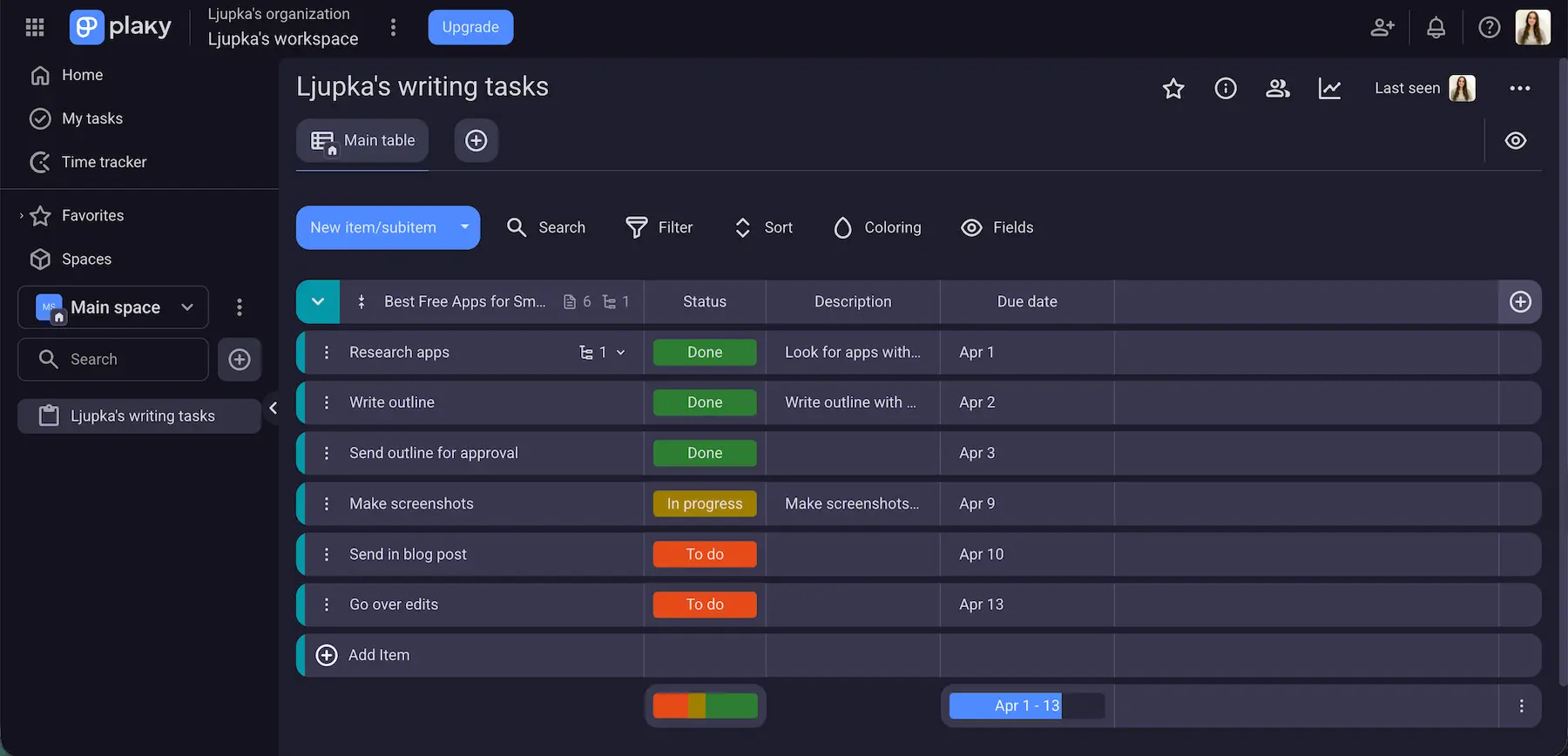
My team and I use Plaky for all assignments, but I also use it privately to break down my writing tasks for better time management and productivity. This helps me ensure I’m on top of all segments of writing a blog post, from research to edits.
Pros:
- Unlimited users, spaces, boards, and items — You can add as many people, projects, and tasks as you need, without worrying about limits.
- Ready-made templates for easy setup.
- Effortless collaboration through comments and the activity log.
- Quick access to crucial data thanks to intuitive design.
Cons:
- Limited integrations.
What’s new in Plaky: Plaky now offers Dashboards that simplify reporting and provide a clearer overview of your progress.
Available for: Web, iOS, and Android
Pricing:
- Free plan available;
- Paid plans start at $3.99 per user per month, billed annually.
Clockify by CAKE.com — Best for time tracking
The last thing you want to do when running a business is waste time. Whether it’s your own or your employees’, the workday can easily slip away, leaving you with much to do and no time left to do it.
That’s why keeping track of your working hours is crucial for productivity. It makes it easier to:
- Assess if time is being used valuably,
- See how much time certain tasks take, and
- Determine if you should shift responsibilities to maximize efficiency.
Using a time tracking tool will help you:
- Stay focused,
- Improve task management, and
- Ensure you’re making the most out of every hour.
Clockify is the gold standard for time tracking. You can track billable hours across multiple projects, while also making invoicing and profitability analysis simple and straightforward.
Clockify’s free plan provides:
- Time tracking — to monitor how much time is spent on tasks and projects, and
- Reporting — to analyze your time usage and productivity trends for one month.
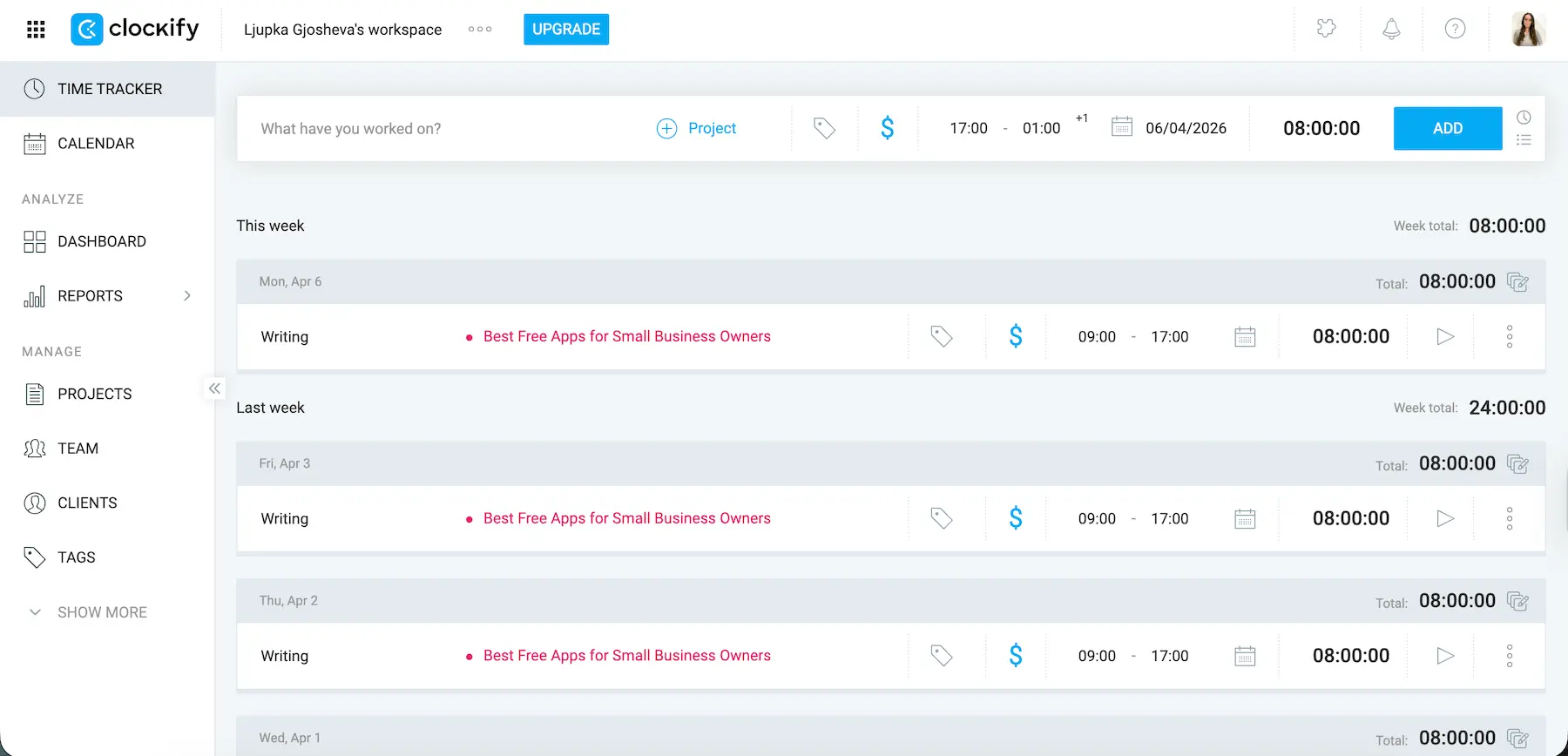
While working, I like to keep Clockify’s timer running in another tab. Watching the minutes pass helps me stay focused and productive, reducing distractions.
Sometimes, when stuck on an idea, I’m tempted to just walk away. But then I glance at the timer and realize I haven’t spent enough time working through the problem. More often than not, I push myself to give it another go. This simple habit has helped me build resilience and improve my work ethic.
Pros:
- Simple and intuitive interface — makes tracking time effortless, even for beginners.
- Accurate reporting — provides detailed insights to improve your workflow.
- Robust time tracking — gives a complete insight into your productivity.
Cons:
- Clockify is packed with features, but smaller teams might only use a fraction of its capabilities.
What’s new in Clockify: Clockify recently rolled out Activity monitoring to help organizations gather productivity data — such as activity and tool usage — and analyze team members’ performance.
Available for: Web, Mac, Windows, Linux, Android, and iOS
Pricing:
- Free plan available;
- Paid plans start at $3.99 per user per month, billed annually.

Canva — Best for design and creating marketing content
As you know, businesses have many design requirements, such as:
- Logos,
- Social media,
- Flyers,
- Presentations, etc.
If you’re not ready to hire a designer, Canva offers an easy way to express your brand’s creative potential.
Canva is a versatile design platform that empowers anyone, regardless of experience, to create stunning visuals. Its intuitive tools and professionally designed templates make it an excellent choice for small businesses looking to quickly create eye-catching content.
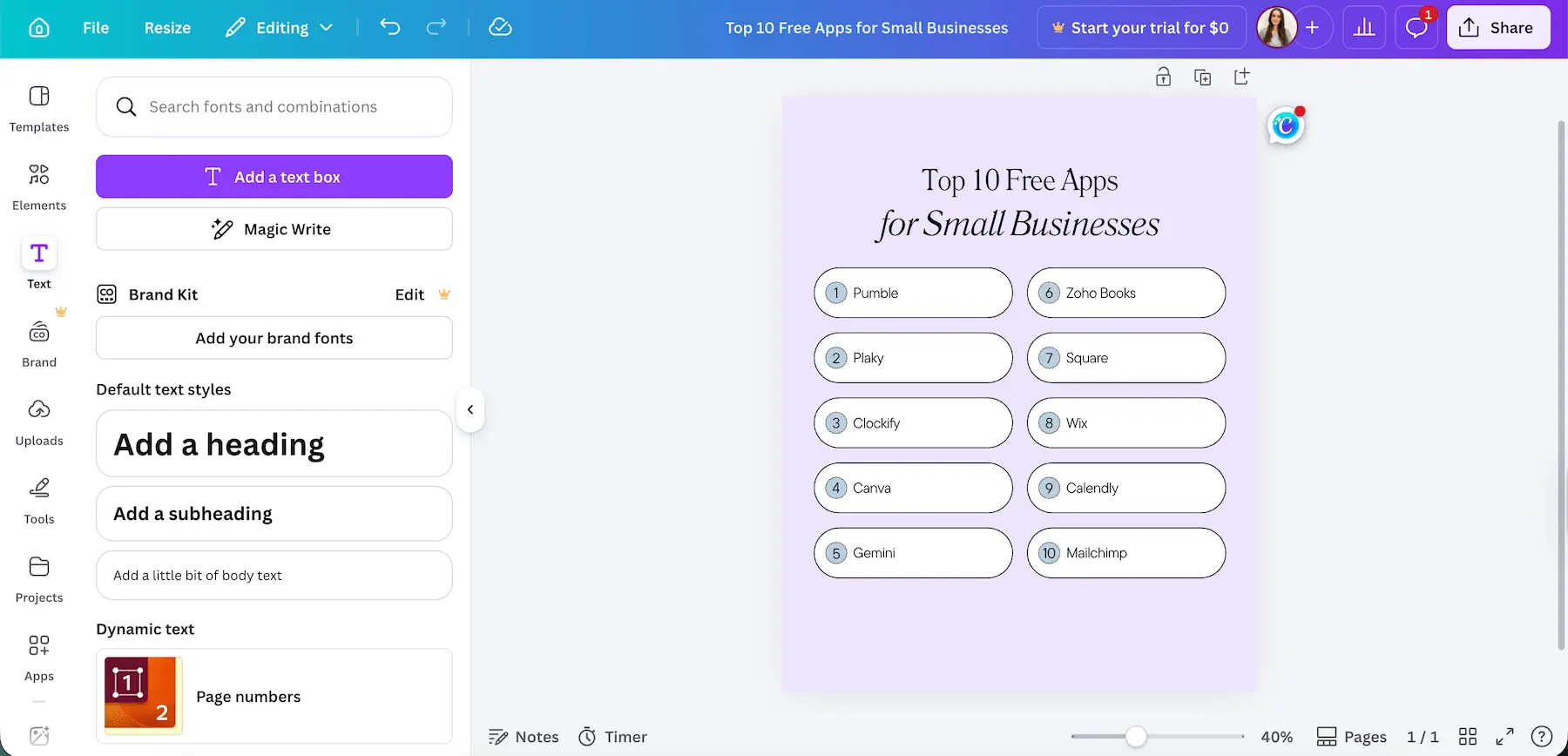
I’ve been using Canva for all my design needs for years. What stands out to me is how fast and simple it is. I love that I can find a template for almost any purpose, customize it, and have a polished design ready in minutes. It’s my go-to when I need professional-looking graphics without spending hours creating them from scratch.
Pros:
- Drag-and-drop interface — Easily create designs by simply dragging and dropping elements into place.
- Extensive library of photos, icons, and fonts — Browse and always find something to use for all of your creative projects.
- Collaborative features for teams — Multiple people can contribute to a team design.
Cons:
- Some premium elements are watermarked on the free plan.
- Limited customization compared to advanced design software.
What’s new in Canva: Canva’s new Magic Layers feature turns flat designs into editable, multi-layer layouts.
Available for: Web, Android, and iOS.
Pricing:
- Free plan available;
- Paid plans start at $15 per month for a single user, billed monthly; group plans start at $21 per month per user, billed monthly;
- Yearly one-time payment plans available with discounted rates.
Gemini — Best for AI assistance and automation
Business ownership comes with a lot of repetitive tasks like drafting emails, researching competitors, or creating reports. These can quickly eat into your day and distract you from focusing on growth.
Using an AI assistant is a great way to work smarter, not harder.
Gemini is currently one of the best-known business apps and acts as a virtual intern powered by generative AI, helping you:
- Draft content,
- Conduct research,
- Summarize documents, and
- Analyze data in minutes.
When integrated with your Google Workspace, Gemini becomes even more powerful. It enables no-code automation, allowing you to build AI-powered workflows (a series of automated steps that complete tasks for you) without any technical expertise. For example, you can:
- Automatically generate sales reports from data in Google Sheets,
- Draft personal responses to customer inquiries in Gmail,
- Summarize meeting notes in Docs, etc.
These automations help reduce manual work and keep your business running efficiently.
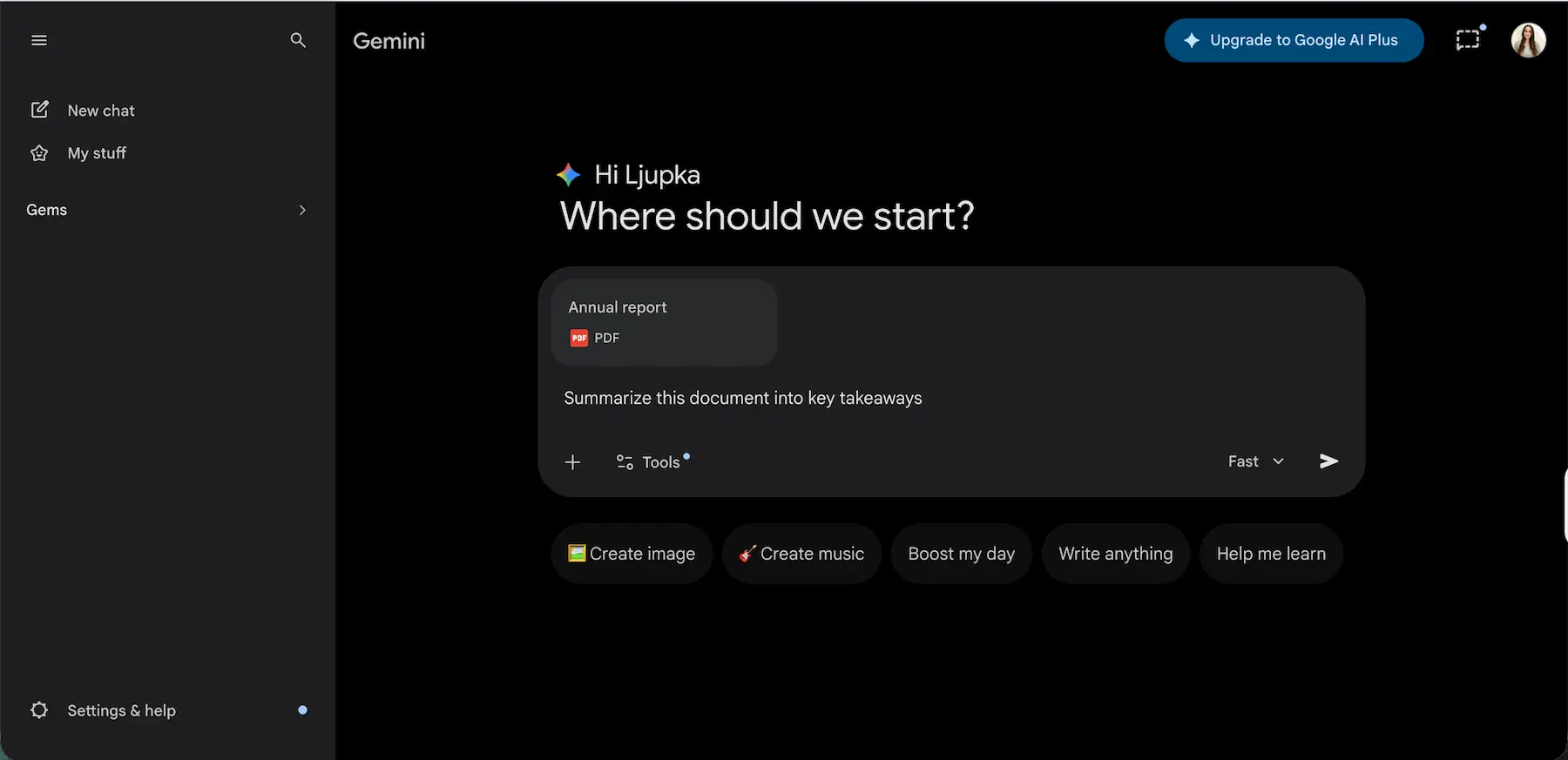
I’ve been using Gemini for everyday administrative tasks for some time now, and what stands out to me is how much time it saves. I especially like how quickly it can summarize long documents — it feels like having an extra team member on hand whenever I need support.
It’s worth noting that the free version of Gemini relies on your standard Google account storage, which is 15 GB shared across Gmail, Google Drive, and Photos. If you reach this limit, you’ll need to free up space or upgrade your storage plan to continue using it smoothly.
Pros:
- Generous free plan — Access a wide range of AI features without paying.
- Robust integrations with Google apps — Connect with Gmail, Docs, Sheets, and other apps to help automate tasks and manage data.
Cons:
- May occasionally produce inaccurate responses — Like any other AI, Gemini can make mistakes, so it’s a good idea to double-check or fact-check outputs.
- No dedicated storage in the free plan — Your Google account’s shared storage (standard 15 GB) could fill up quickly if you store a lot of files or chat history.
What’s new in Gemini: You can now import your personal context, preferences, and full chat history from other AI apps directly into Gemini.
Available for: Web, Android, and iOS.
Pricing:
- Free plan available;
- Paid plans start at $4.99 per user per month, billed monthly;
- Prices may vary by region.
Zoho Books — Best for accounting and bookkeeping
Marketing and productivity tools are important, but, as a business owner, you need to prioritize staying on top of your finances.
That’s why having a reliable accounting and bookkeeping platform is non-negotiable.
After researching various tools, I found Zoho Books to be a solid option for small businesses looking for an intuitive accounting solution.
Its free plan includes features like:
- Invoicing,
- Expense tracking, and
- Bookkeeping.
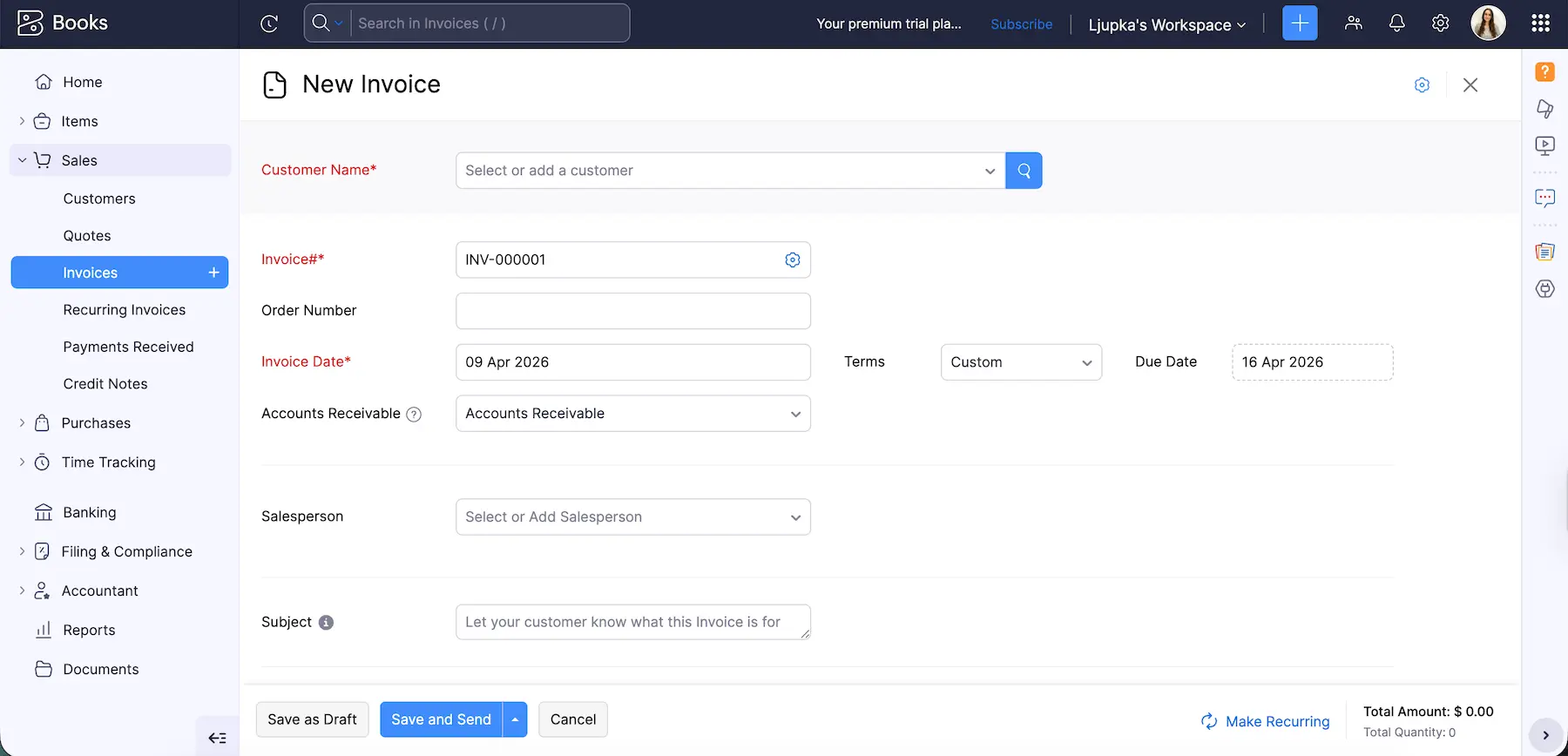
I appreciate how customizable the platform is. It allows you to add segments to match your business needs — whether it’s customer notes, terms and conditions on invoices, or setting up tailored invoice features before creating your first one. The organization and categorization of items also stand out, making everything easy to locate.
Pros:
- Multi-user collaboration — allows you to invite a single user to collaborate, ideal for a small team.
- Mobile access — to manage your finances on the go.
Cons:
- Limited number of clients — the free plan supports only up to 1,000 invoices annually, which might not be enough for growing businesses.
What’s new in Zoho Books: Zoho Books now offers advanced reporting tags, letting you categorize and filter transactions and line items with precision for clearer insights.
Available for: Web, Mac, Windows, Linux, Android, and iOS
Pricing:
- Free plan available;
- Paid plans start at $20 per user per month, billed annually.
Square — Best for payment processing
Running a small business means being ready to accept payments wherever your customers are — whether that’s in person, online, or on the go.
Square is a well-known payment processing platform that makes it easy to manage sales and get paid, without complicated setup.
It provides tools to:
- Accept payments via barcode scanning,
- Manage your inventory, and
- Process sales seamlessly.
Whether you’re running a pop-up shop, café, or retail store, Square simplifies the checkout process by letting you scan barcodes, input custom orders, and accept multiple payment methods directly through its app.
You can use Square for both online and in-person payments, making it suitable for a wide variety of businesses. Whether you’re selling digital products, physical goods, or services, Square provides the flexibility to cater to your specific business needs.
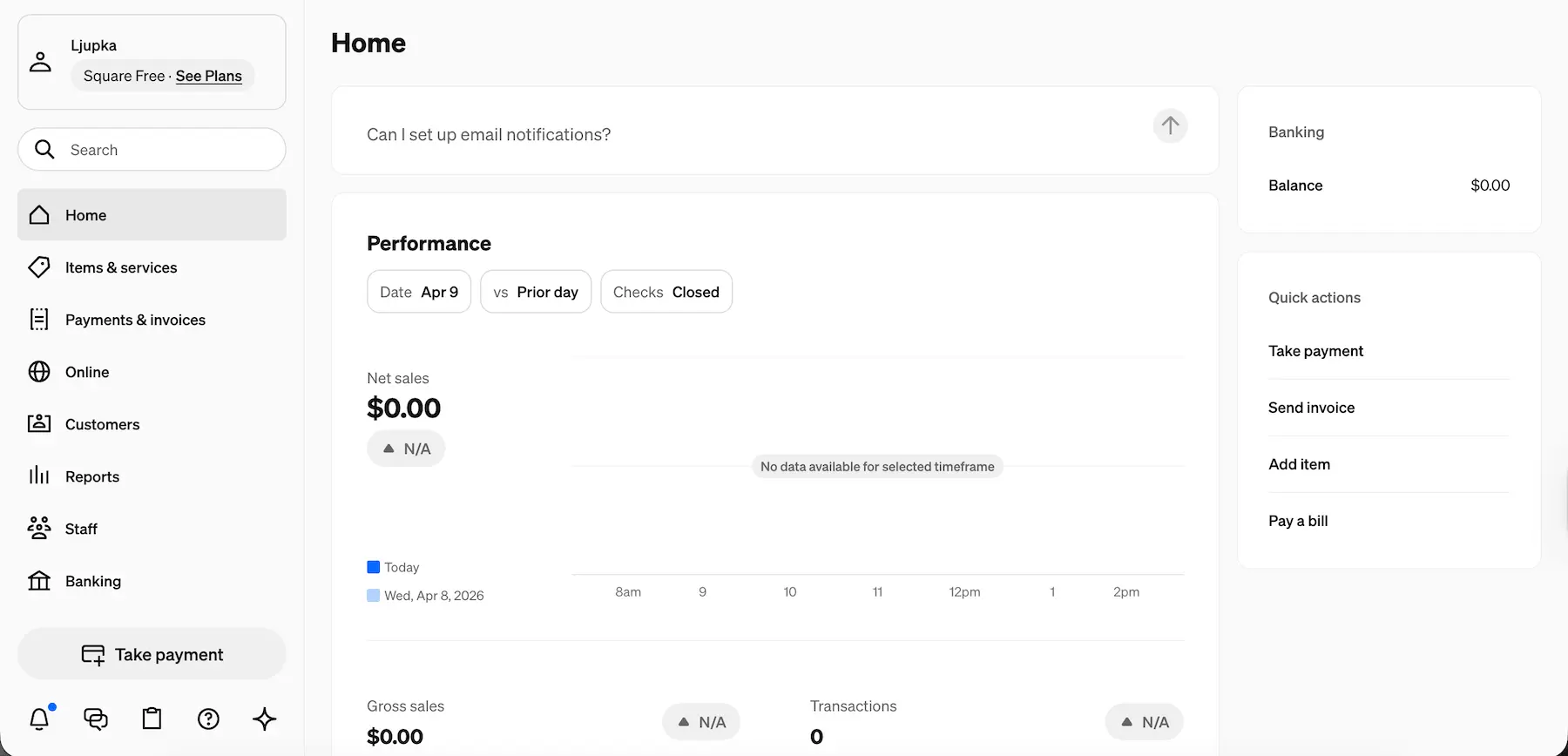
Although I couldn’t test out the actual payment processing, I liked that the setup process was quick and easy, requiring minimal effort to get started. The interface was clean and intuitive, which made navigating the app a smooth experience, even for someone who isn’t too tech-savvy.
Pros:
- Intuitive interface — makes it easy for you to quickly learn and navigate the platform.
- Clear view of your real-time sales data and history — helps you track performance and make informed decisions.
- Savings feature to automatically set aside a portion of your sales for expenses like taxes or emergencies — ensures you’re financially prepared for both expected and unexpected costs.
Cons:
- The processing fees are standard for the industry but might add up for small businesses.
What’s new in Square: Square’s new AI feature allows you to get answers, troubleshoot issues, and navigate features directly within the app.
Available for: Web, Android, and iOS.
Pricing:
- Free plan available;
- Paid plans start at $49 per location, billed monthly.
Wix — Best for website building
No matter your field of work, having a website is essential for showcasing your business and services.
While the thought of building a website might make you think of complicated coding, plenty of website-building platforms don’t require any programming knowledge. Of course, you have to choose a reliable option that lets you customize your online presence and drive more business.
My go-to platform for this is Wix. It’s an intuitive and easy-to-use tool, perfect for beginners and small business owners who want to create a professional site without technical skills.
While creating a website is free, you need to upgrade to a paid plan in Wix for things such as:
- A custom domain,
- More storage,
- Payment processing, and
- E-commerce.
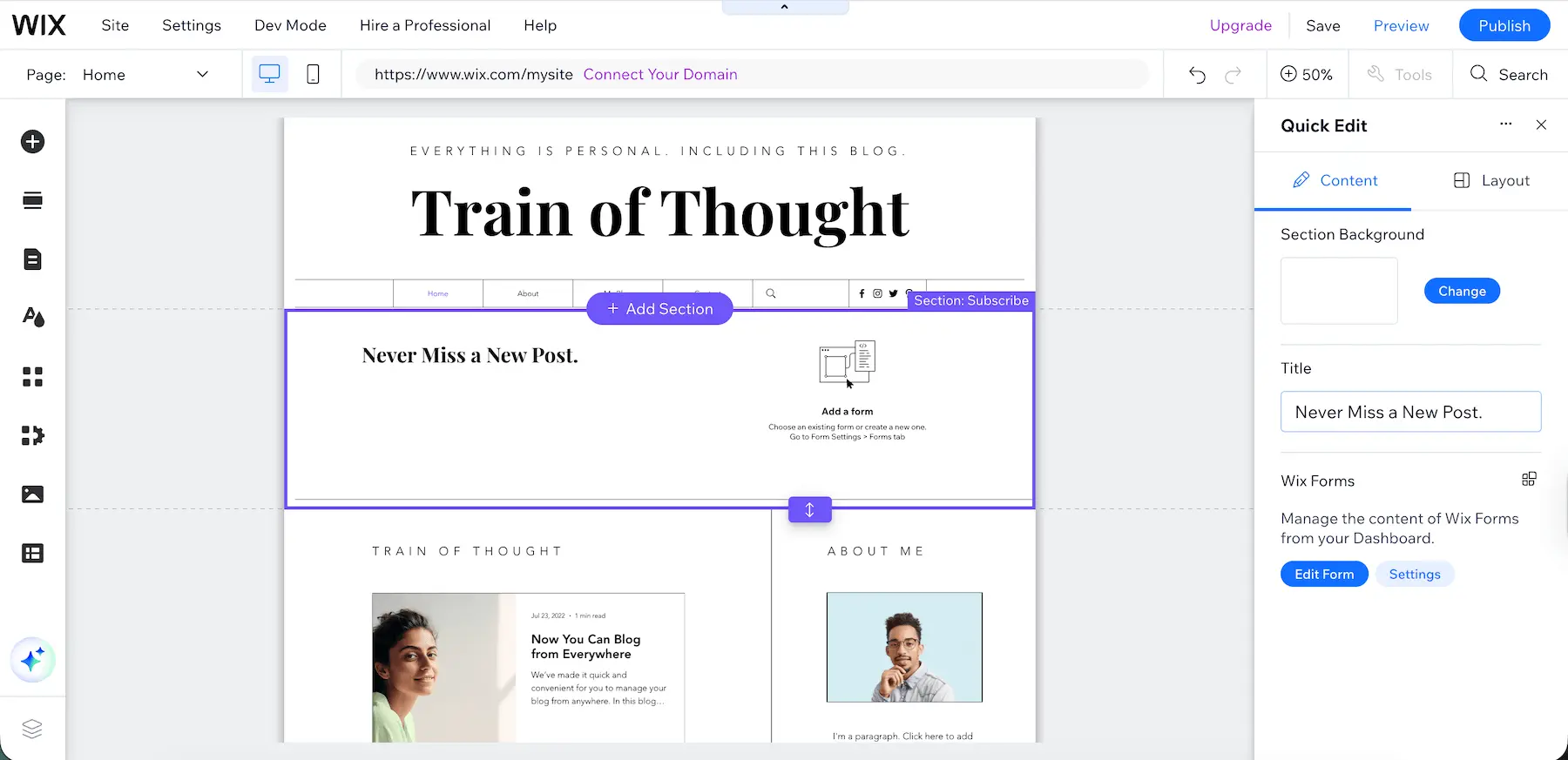
While testing Wix, I found that editing templates and building a website was very uncomplicated. I appreciated the pre-built templates, but also how much customization Wix offered to allow you to quickly create a professional site that fits your brand.
Pros:
- Easy-to-use drag-and-drop interface.
- Wide range of customizable templates.
- Lots of integrations.
Cons:
- A limiting free plan.
- At times, the platform can be a bit slow.
What’s new in Wix: Wix Harmony — a new AI-powered editor that can generate a complete website based on your business needs, helping you launch faster without starting from scratch.
Available for: Web, Android, and iOS.
Pricing:
- Free plan available;
- Paid plans start at $17 per user per month, billed annually.
Calendly — Best for meeting scheduling
If you have lots of meetings with clients or your team, Calendly can take the hassle out of scheduling.
It’s a self-service booking tool that eliminates back-and-forth emails by syncing with your real-time availability.
When you connect your calendar, it automatically blocks off times when you’re unavailable. Then, simply send your link, and clients and collaborators will be able to pick a time that works for both of you. Once booked, Calendly will automatically add the meeting to your calendar.
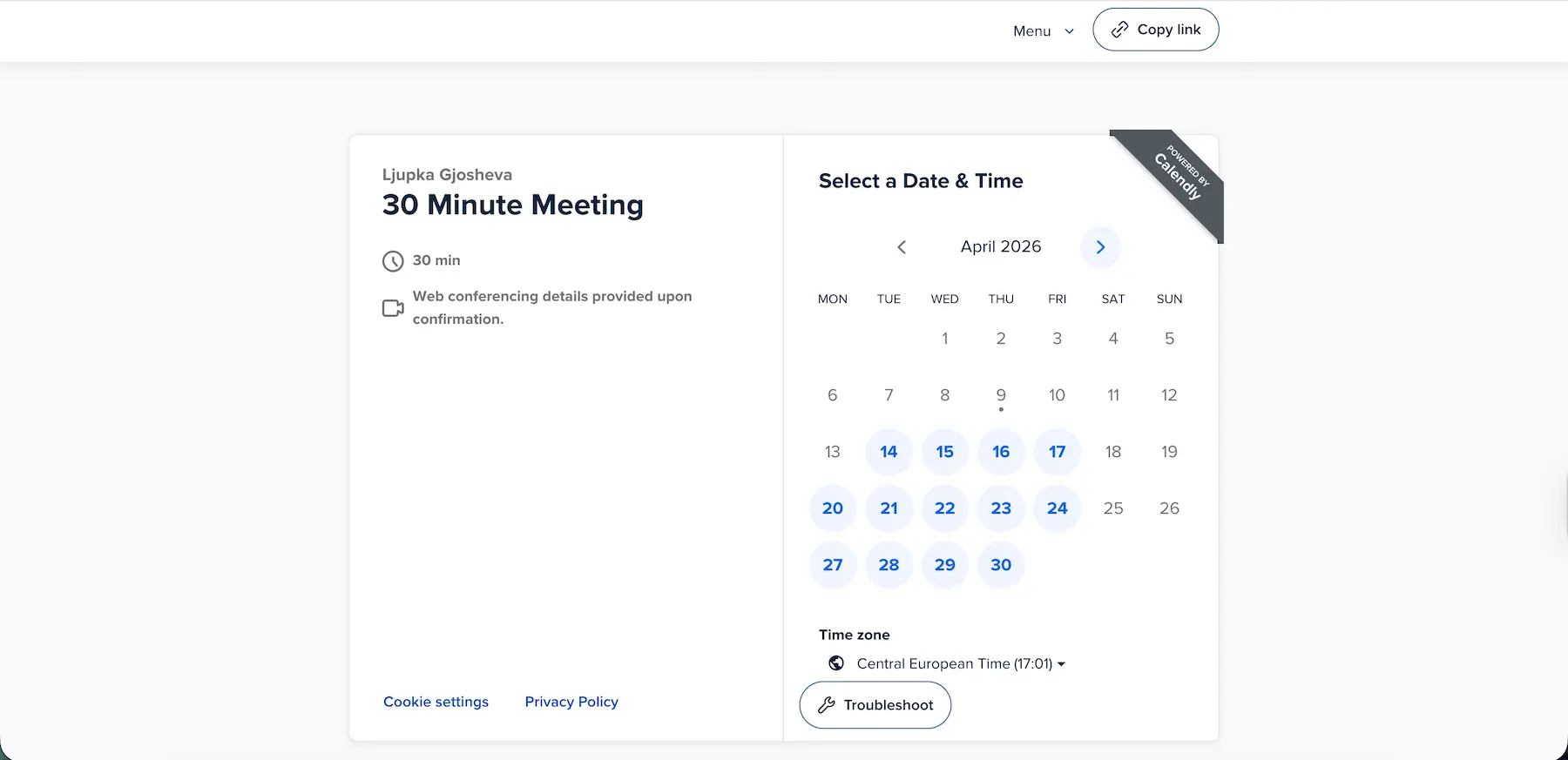
I found Calendly very easy and simple to use, and I appreciate that it solves that common scheduling headache.
One of my favorite perks is how well it connects to other apps I use, including:
- Calendar platforms, such as Google Calendar, Outlook, and Apple Calendar, and
- Team communication apps, such as Pumble, Zoom, Google Meet, and Microsoft Teams.
Integrate Calendly with Pumble
Pros:
- Self-service booking — Clients or team members can schedule meetings without emails.
- Real-time calendar sync — Avoid double bookings and stay organized.
- App integrations — Works with calendars and communication tools you already use.
Cons:
- Advanced features require a paid plan — Some options, like meeting reminders and multiple event types, aren’t available on the free plan.
What’s new in Calendly: You can now sell meeting packages, letting clients buy bundles of 1-on-1 sessions upfront and schedule them over time using a single custom link. This feature requires a higher Calendly plan and Stripe integration.
Available for: Web, Mac, Windows, Android, and iOS
Pricing:
- Free plan available;
- Paid plans start at $10 per seat per month, billed annually.
💡 PUMBLE PRO TIP
If meeting scheduling takes up a lot of your time and you want to explore other options, check out our list:
Mailchimp — Best for email marketing
Email marketing is last but not least when it comes to setting up your small business strategy.
It’s one of the most cost-effective ways to engage with your audience and drive sales, using emails to:
- Reach potential customers,
- Promote products or services,
- Raise brand awareness, and
- Build customer loyalty.
My top choice for this category, and one of the best free marketing apps, is Mailchimp — an email marketing platform that helps you create personalized emails, target the right audience, and optimize your strategy. It’s particularly useful for small businesses because it offers user-friendly tools for automation and insights, even in the free plan.
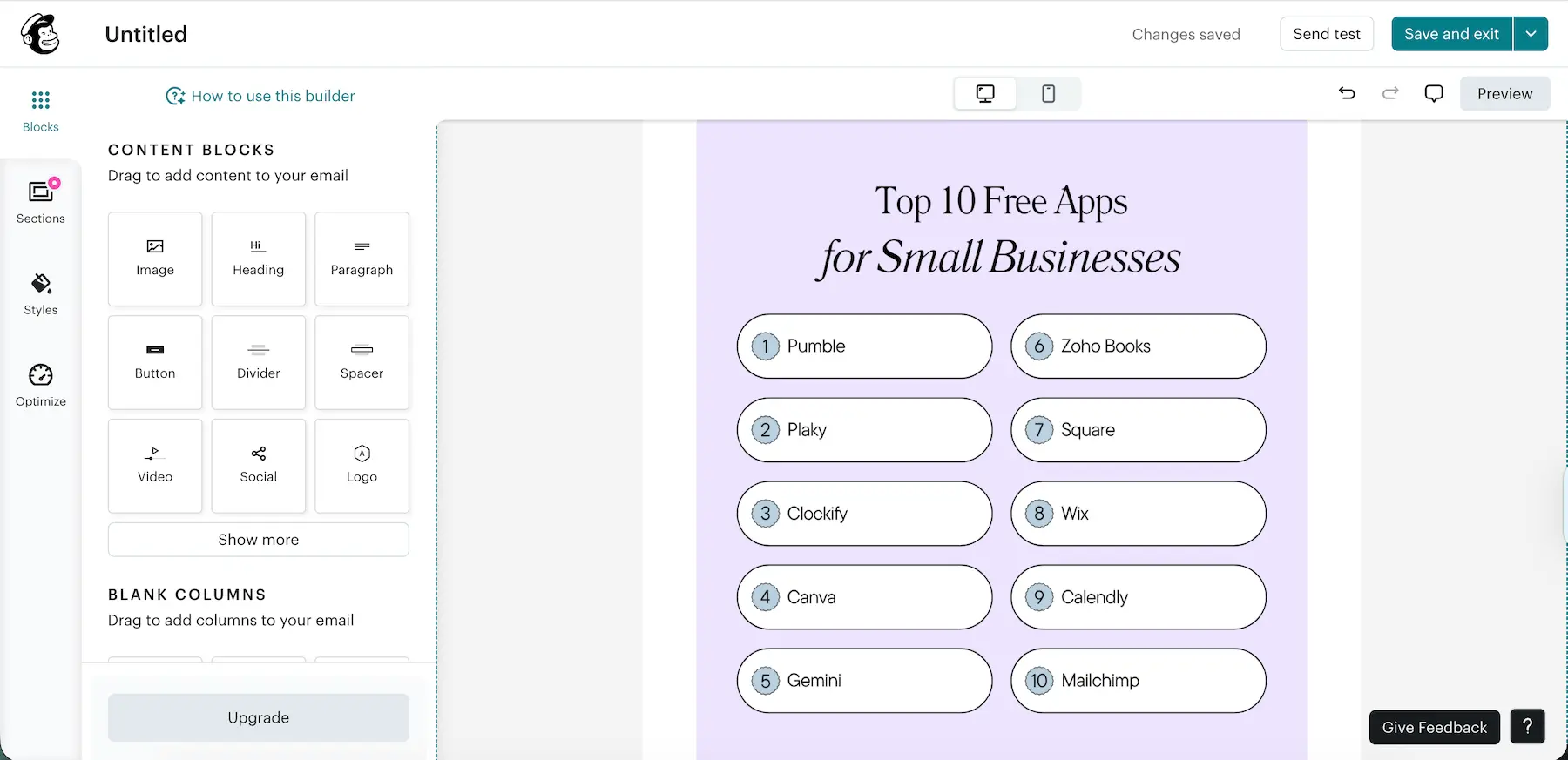
I enjoyed the easy drag-and-drop email editor that makes designing campaigns quick and straightforward. This is a great setup for someone without much design experience. The pre-built templates were also a great starting point, although only basic ones are included in the free plan.
Pros:
- Lots of integrations — to connect with your favorite tools.
- Surveys — to gather customer feedback directly through emails.
- Marketing Calendar — to visualize your schedule and keep track of campaigns.
- Creative Assistant — to generate designs to match your brand.
Cons:
- The free plan only allows you to add up to 500 contacts to your email list.
- The analytics dashboard can be overwhelming for beginners.
What’s new in Mailchimp: The Mailchimp Site Tracking Pixel powers revenue-generating, always-on automations by tracking customer behavior and using that data to trigger targeted marketing campaigns.
Available for: Web, Android, and iOS.
Pricing:
- Free plan available;
- Paid plans start at $10 per month for the first year (then $20 per month for every following year). Pricing is based on the number of contacts, not users.
Ditch email chaos — try Pumble
Set your business up for success with the right tools
Running a business can be stressful and overwhelming, but, thankfully, there are plenty of tools available to help streamline your day-to-day operations. That way, you can focus on what matters most — growing your business.
This roundup of the best free apps for small businesses will guide you on your journey to greater success. Give them a try to determine which ones fit your needs and work routine.
And, if you’re looking for the ultimate productivity suite, check out CAKE.com’s Productivity Bundle. Get Enterprise access to Pumble, Plaky, and Clockify at half the price and save another 20% for annual payments.
Give your productivity a boost. Try the CAKE.com Bundle.
How we reviewed this post: Our writers & editors monitor the posts and update them when new information becomes available, to keep them fresh and relevant.