
If you’re deciding between Pumble by CAKE.com or WhatsApp for your team communication, you’re in the right place.
I tested both apps and compared their pricing, features, and overall performance.
Spoiler alert: only one is truly built for business communication.
Let’s break it down.
Why trust us?
Human reviewers try out each app and follow strict guidelines while writing about the comparisons. We follow a transparent, clear, and systematic methodology, so that every review is objective and accurate.
Pumble vs. WhatsApp: Main features comparison
The main difference between Pumble and WhatsApp is that Pumble is built for team communication and collaboration, while WhatsApp is primarily designed for personal communication with friends and family.
Right from the start, WhatsApp requires you to sign in with a phone number. Unless you use a separate business number, this can blur the line between personal and professional communication by keeping everything in one view.
Pumble, on the other hand, serves as a digital headquarters where businesses can centralize team communication, collaboration, and shared knowledge in a dedicated workspace.
This difference in purpose continues to show throughout the features each app offers.
Here’s a detailed overview of how they compare.
| Features | Pumble | |
|---|---|---|
| Pricing | – Free (unlimited users) – Pro: $2.49 per user per month, billed annually – Business: $3.99 per user per month, billed annually – Enterprise: $6.99 per user per month, billed annually | – Free – WhatsApp Business API: per-message pricing, depending on the category and location |
| Interface | – Clean – Intuitive – Easy to navigate – Customizable sidebar and themes | – Unorganized – Difficult to navigate – Customizable themes and colors |
| Communication | – Direct messaging – Channels – Threads – Video & voice calls – Video & voice messages – Screen sharing – Guest access | – Direct messaging – Video & voice calls – Video & voice messages – Screen sharing – Disappearing messages – Status updates |
| Notifications | – DND and pause notifications – Muting channels/DMs – Custom notification schedules | – Muting chats/DMs – Notification previews |
| Search | Advanced; you can narrow down your search using several filters | Basic; hard to navigate |
| File sharing and storage | – File uploads up to 512 MB on desktop, and up to 256 MB on mobile on all plans – 10 GB per workspace in the Free plan – 10 GB per user in Pro – 20 GB per user in Business – 100 GB per user in Enterprise | – File uploads up to 2 GB – No storage; uses phone/cloud storage |
| Support | – 24/7, 100% human support (email, chat & phone), even on the free plan – Dedicated success representative for paid plans | – Help Center – Email support – AI chat support |
| Security | Advanced security | – Standard security – End-to-end encryption |
Now let’s compare each feature in more detail.

Pumble vs. WhatsApp: Both apps are free, but Pumble is built for business
With Pumble’s generous Free plan, your team can grow and stay connected without hitting limits. It includes:
- Unlimited users and channels
- Unlimited message history
- 10 GB of storage per workspace
- Direct messages
- Threaded conversations
- 1-on-1 video and voice calls
- Video and voice messages
- 24/7, 100% human support
In my opinion, Pumble’s free plan already provides everything you need for effective collaboration and productivity. It’s a great choice for startups or smaller teams that are not yet ready to invest in their business communication app.
If your team needs more administrative controls and advanced features, Pumble also has 3 paid plans to choose from:
- Pro: $2.49 per user per month, billed annually
- Business: $3.99 per user per month, billed annually
- Enterprise: $6.99 per user per month, billed annually
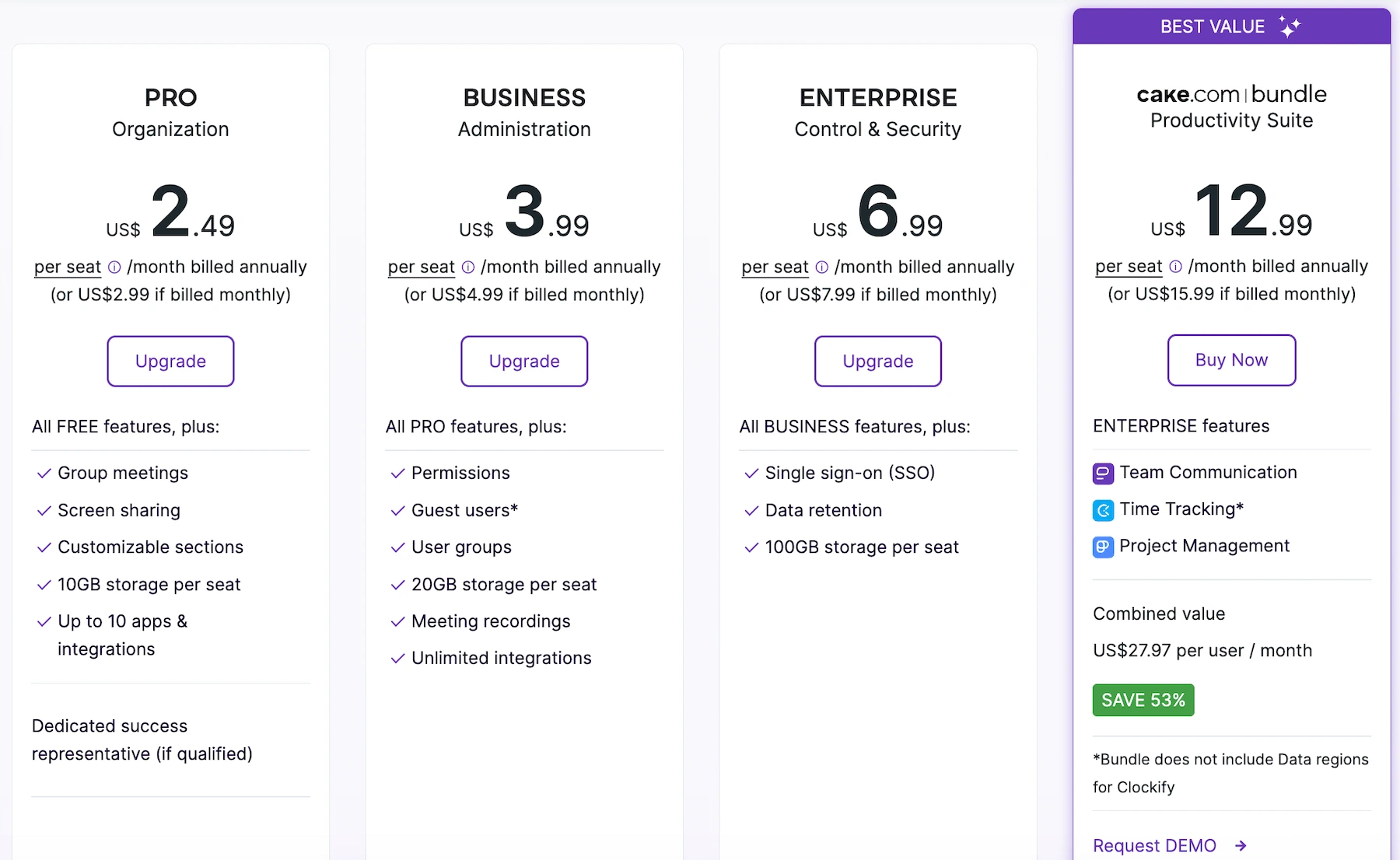
With Pumble’s paid plans come more advanced controls, higher storage limits, and additional collaboration features such as group meetings, guest access, and unlimited integrations.
WhatsApp, on the other hand, has two free versions — WhatsApp and WhatsApp Business App, while WhatsApp Business API has per-message pricing.
It’s important to understand that WhatsApp Business App and WhatsApp Business API are meant for business communication, not team collaboration. They are used by businesses for
- Product catalogs
- Customer outreach
- Promotional messaging
In this review, I will only be talking about the basic, personal WhatsApp app, since it’s the only version that realistically compares to Pumble for internal communication.
WhatsApp’s lack of paid plans may suggest it covers all needs for free, but in reality, it’s missing essential features required for effective team communication.
💡 PUMBLE PRO TIP
Too see how Pumble compares to other popular communication apps, check out our articles:
Pumble vs. WhatsApp: Pumble’s interface is more organized and easier to navigate
Even at first glance, Pumble looks much more business-oriented than WhatsApp. It has a clean, intuitive interface where everything is easy to find.
The sidebar combines channels, direct messages, mentions, drafts, files, and people into one view. You can keep everything expanded for quick access, or collapse sections for a tidier look.

You can also tailor the sidebar to fit your workflow. For example, I like to group channels by project and hide the sections I don’t use often to keep my workspace organized.
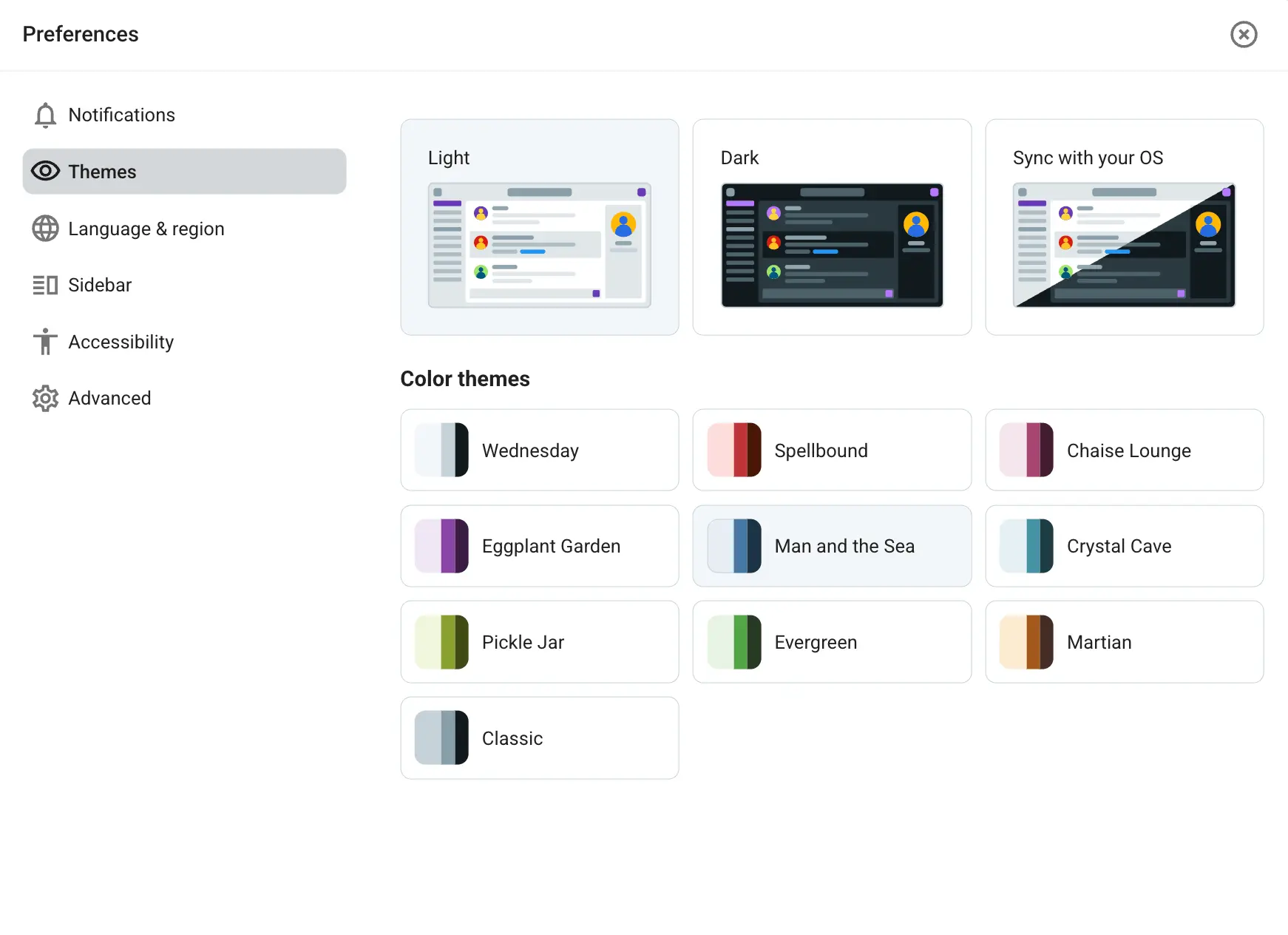
Additionally, you can customize Pumble’s appearance by choosing a light, dark, or device-synced theme and selecting from 10 different color combinations.
WhatsApp’s design is easy-to-understand, but it lacks organization.
From the sidebar, you can access:
- Chats
- Calls
- Statuses
- Archived
- Starred messages
However, there’s no strong system for grouping conversations. You can use the list feature, but it’s only available on the mobile app and still doesn’t match the practicality of Pumble’s channels.
The closest thing WhatsApp has to channels are Communities. They are used to link multiple related groups together, allowing you to:
- Organize chats by topics.
- Manage members.
- Send announcements.
As a member of a WhatsApp community on my personal account, I find this feature to be useful for casual hobby groups, school or parent groups, and similar informal use cases.
Communities are also only available in the mobile app, which is not typically where most business communication takes place.
There are also a few inbox filters in WhatsApp that you let you choose which chats to see:
- All
- Unread
- Favorites
- Groups
In terms of customization, you can:
- Switch between a light and dark theme.
- Choose from preset chat themes.
- Make your own combination of wallpaper and chat bubble color.
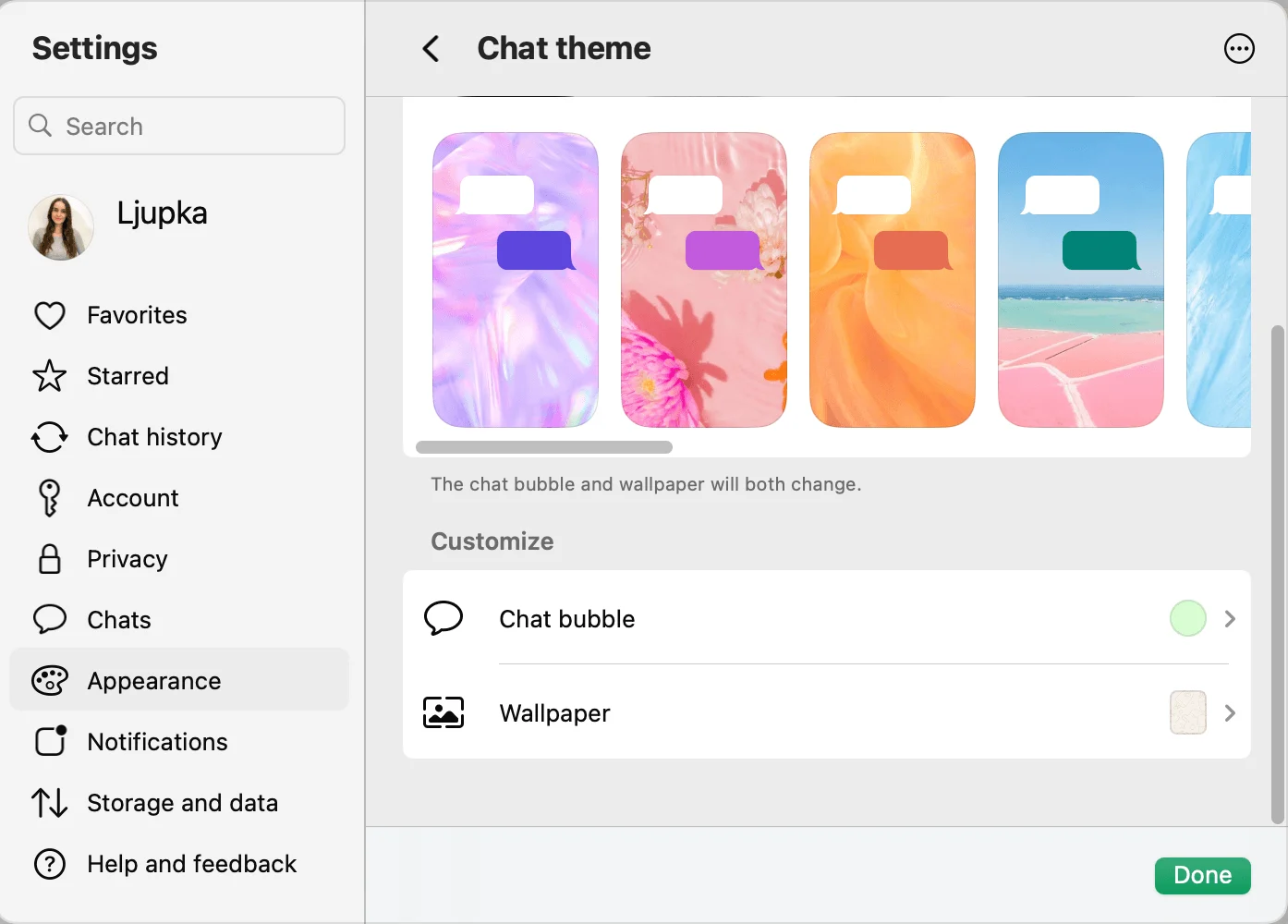
Despite its simplicity, WhatsApp’s interface can feel cluttered with all conversations displayed together along with previews of messages and media. For me, this made it feel more like one continuous feed rather than a structured workspace.

Pumble vs. WhatsApp: Pumble has more business-oriented communication options
Now, let’s compare what features both apps offer in what is probably the most important section — communicating with your team.
Text communication
Both Pumble and WhatsApp have:
- Direct messaging
- File sharing
- Mentions and reactions
- Pinned messages
- Saved messages
- Message formatting
The way pinned messages work differs between the apps.
In Pumble, pinned messages are highlighted in the conversation and stored in a separate section for easy access. You can pin up to 100 messages in a channel or DM.
In WhatsApp, pinned messages appear at the top of the chat and are limited to 3 at a time.
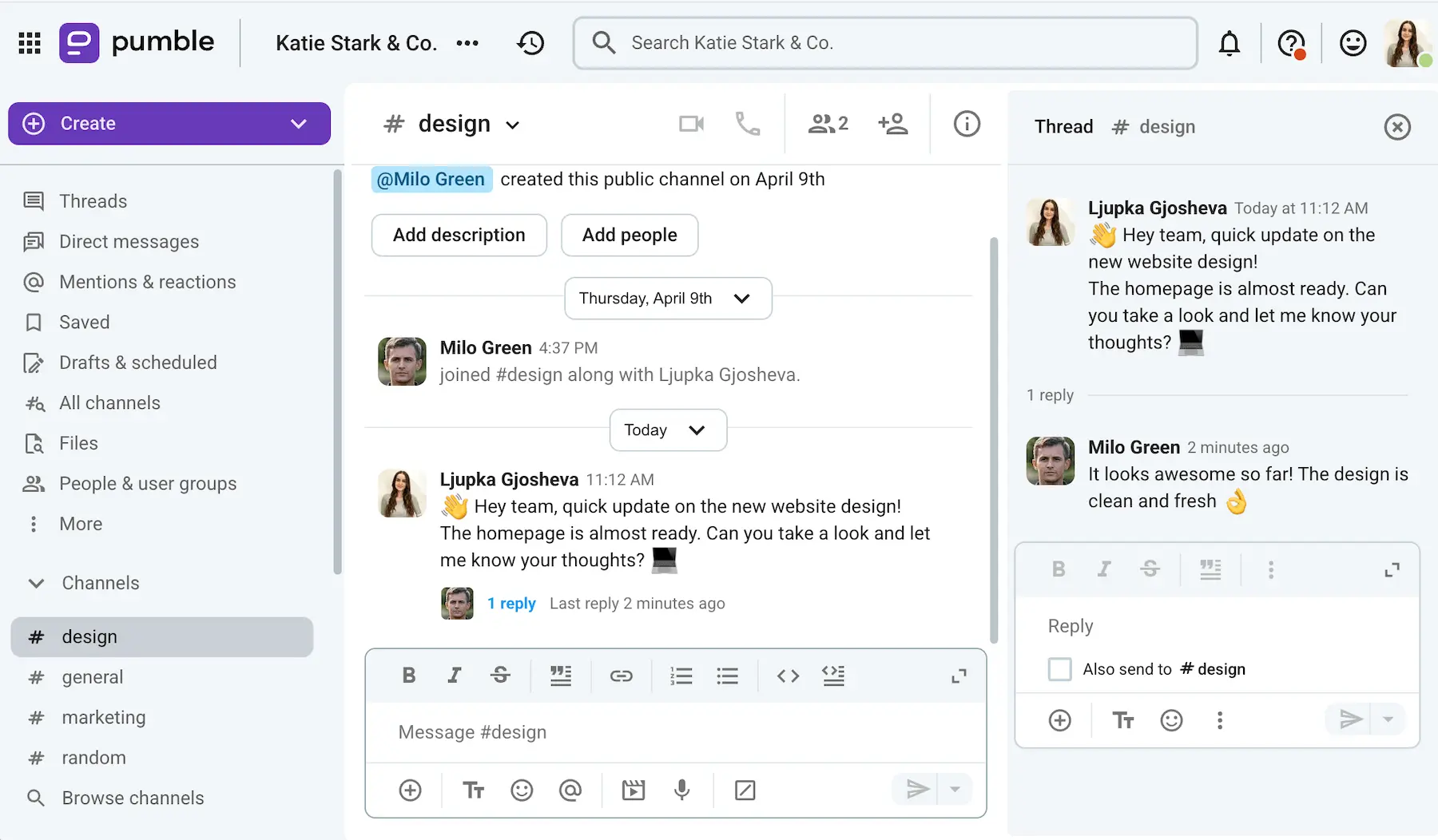
Some useful text communication features that Pumble offers and WhatsApp lacks include:
- Channels — Organize conversation in dedicated spaces by team, project, client, or topic.
- Threads — Keep replies grouped together to prevent cluttering the main chat and make discussions easier to follow.
- Scheduled messages — Schedule messages to be sent later so they reach teammates at the most appropriate time, making asynchronous communication easier.
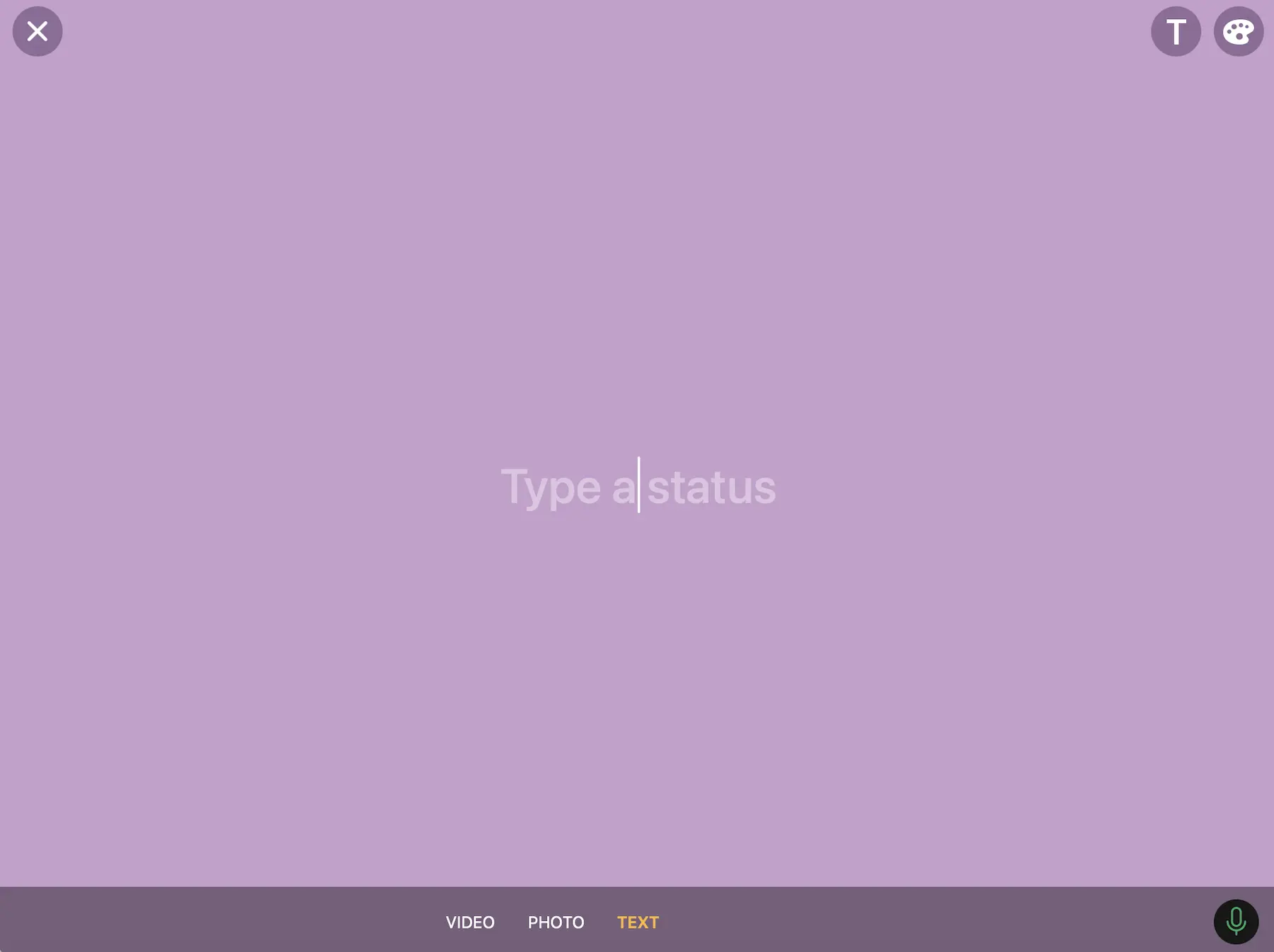
- Status and availability updates — Set a custom status for a period of your choosing so teammates can see whether you’re available.
Aside from the features they share, WhatsApp also includes:
- Location sharing — Share your live or current location to let others know where you are in real time.
- Disappearing images and messages — Send messages, photos, and videos that automatically disappear after a set period of time.
- Status updates — Share photos, videos, and text messages that disappear after 24 hours.
Video/voice communication
On its Free plan, Pumble offers 1-on-1 video and voice calls, with the limit reaching 100 participants on its Business and Enterprise plans.
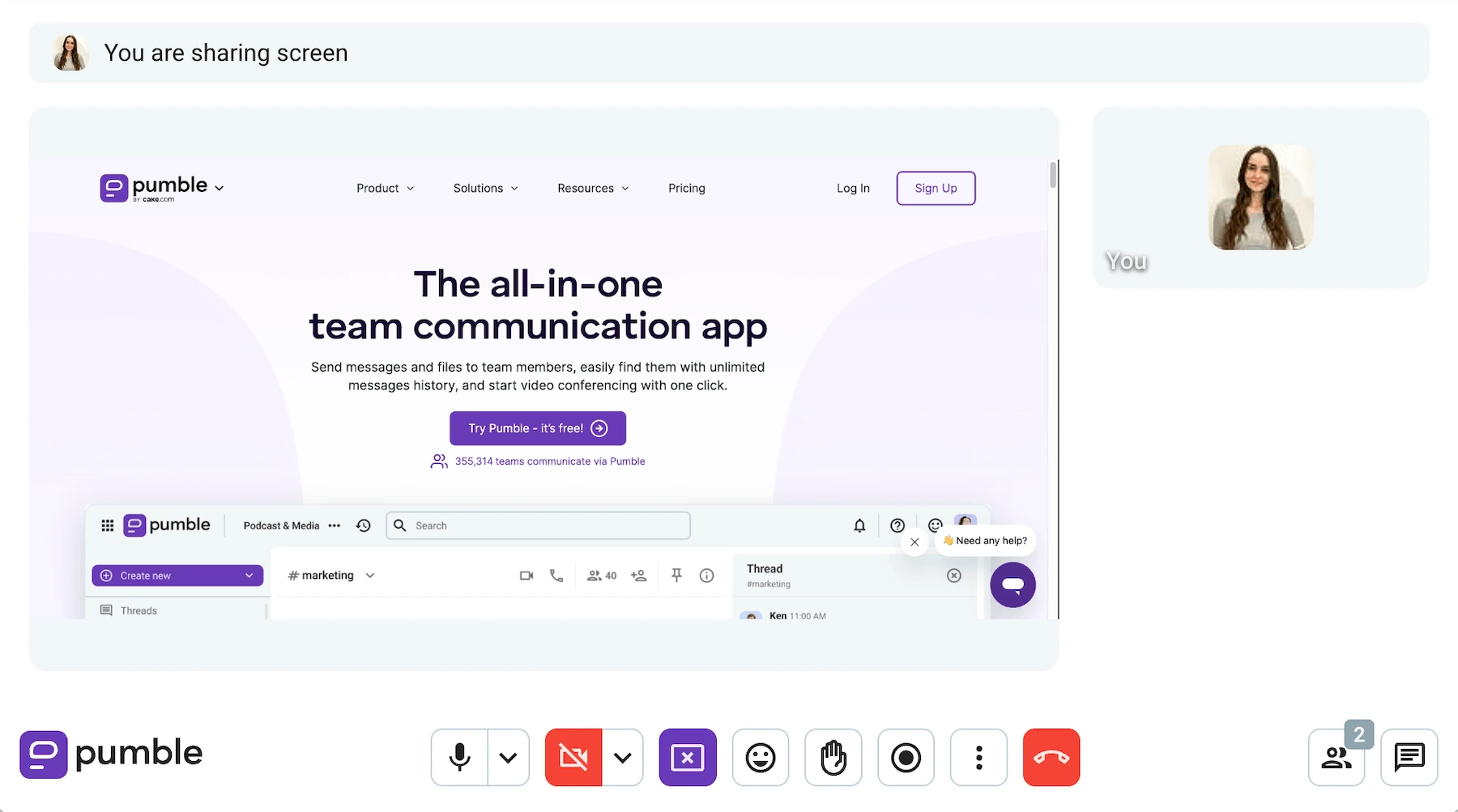
During a Pumble call, you can:
- Share your screen.
- Record the meeting.
- Send messages and links in the in-call chat.
- Raise your hand.
- React with emojis.
- Blur your background.
You can start calls directly from channels or direct messages, or schedule them through your calendar app, invite participants, and share a meeting link in advance.
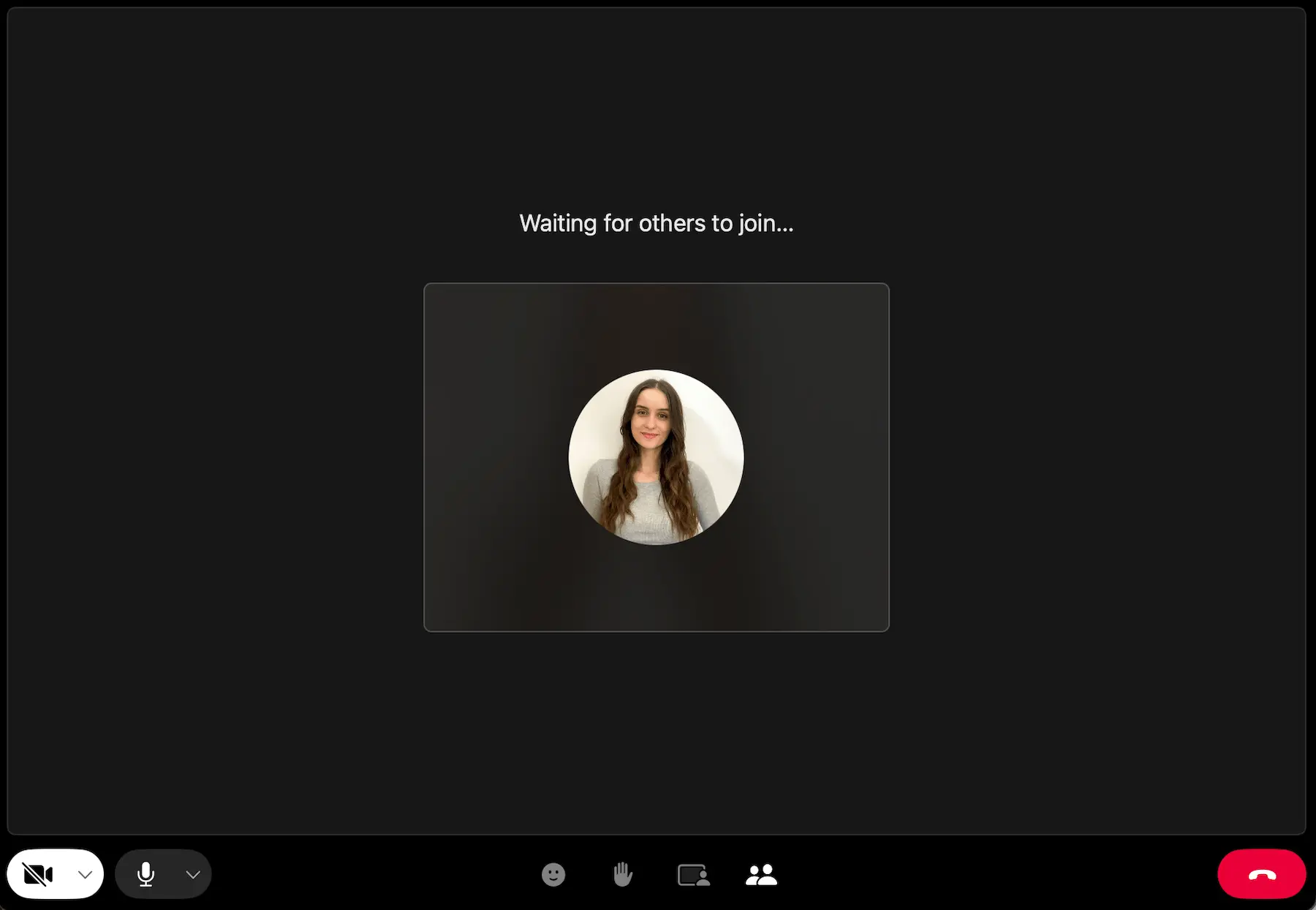
WhatsApp also offers video and voice calls for up to 32 participants.
During calls, you can:
- Share your screen.
- Raise your hand (in group calls).
- React with emojis.
- Choose from various filters, effects, and background options.
Additionally, you can open a chat while on a call to send important information or files, but it’s not an in-call chat, just the regular one you already have with whoever you’re in the call with.
WhatsApp also lets you schedule calls and send invitations directly through the app, which I found convenient when coordinating group calls.
When a full call isn’t necessary, both apps allow you to send video and voice messages.
In WhatsApp, video messages are limited to one minute. Pumble lets you record 5-minute long video messages and even include screen sharing, which is useful for demos and walkthroughs.
I personally like using voice messages for quick updates and feedback that teammates can listen to whenever it’s convenient for them.
This is probably the category where Pumble and WhatsApp differ the least, as both offer solid communication options.
However, Pumble’s communication features are more useful in a professional environment and provide more value for organizing team collaboration. WhatsApp’s additional tools are geared more toward casual conversations and personal communication.
💡 PUMBLE PRO TIP
If video conferencing is important for your business, here are our recommendations:
Pumble vs. WhatsApp: Pumble notifications are more customizable
Customizing my notification preferences is something I rely on heavily to make sure I don’t miss important updates while still being able to focus on work.
Pumble offers a wide range of notification settings. You can:
- Choose what you want to be notified about.
- Set a custom notification schedule for each day of the week.
- Mute sounds.
- Personalize notification sounds for messages and calls.
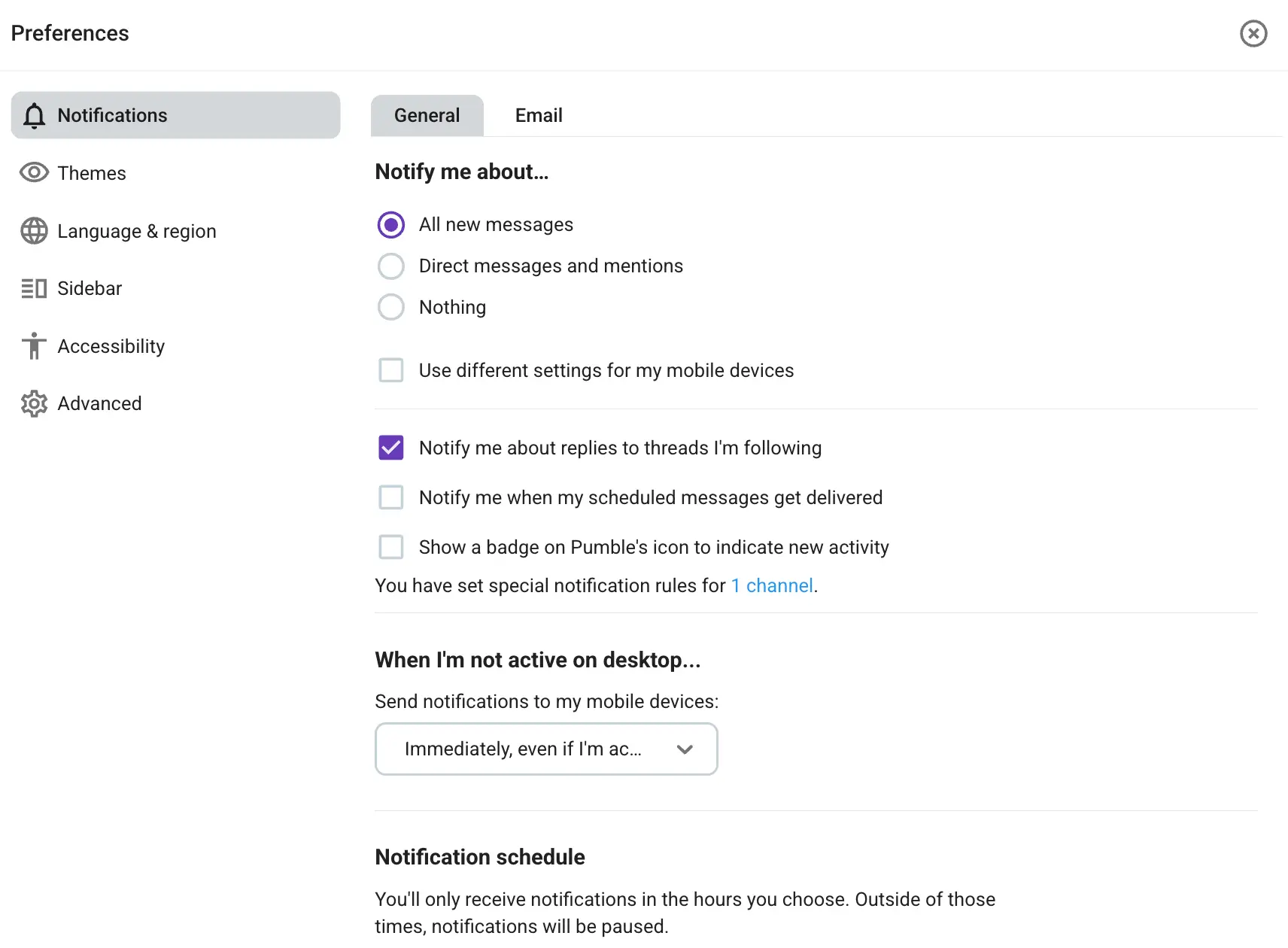
It also includes a Do not disturb mode that lets you pause notifications for a set period of time.
Additionally, you can mute individual channels and DMs, limiting distractions from less important conversations.
WhatsApp’s notification settings are more basic.
You can:
- Choose whether to receive message, group, and status notifications.
- Enable or disable sounds.
- Decide whether to show notification previews.
- Receive notifications for reactions.
For calls, you can choose whether to show notifications and play a ringtone for incoming calls.
Individual and group chats can be muted for 8 hours, one week, or indefinitely. Group chats also offer the option to receive notifications for all messages or only highlights such as mentions and replies.
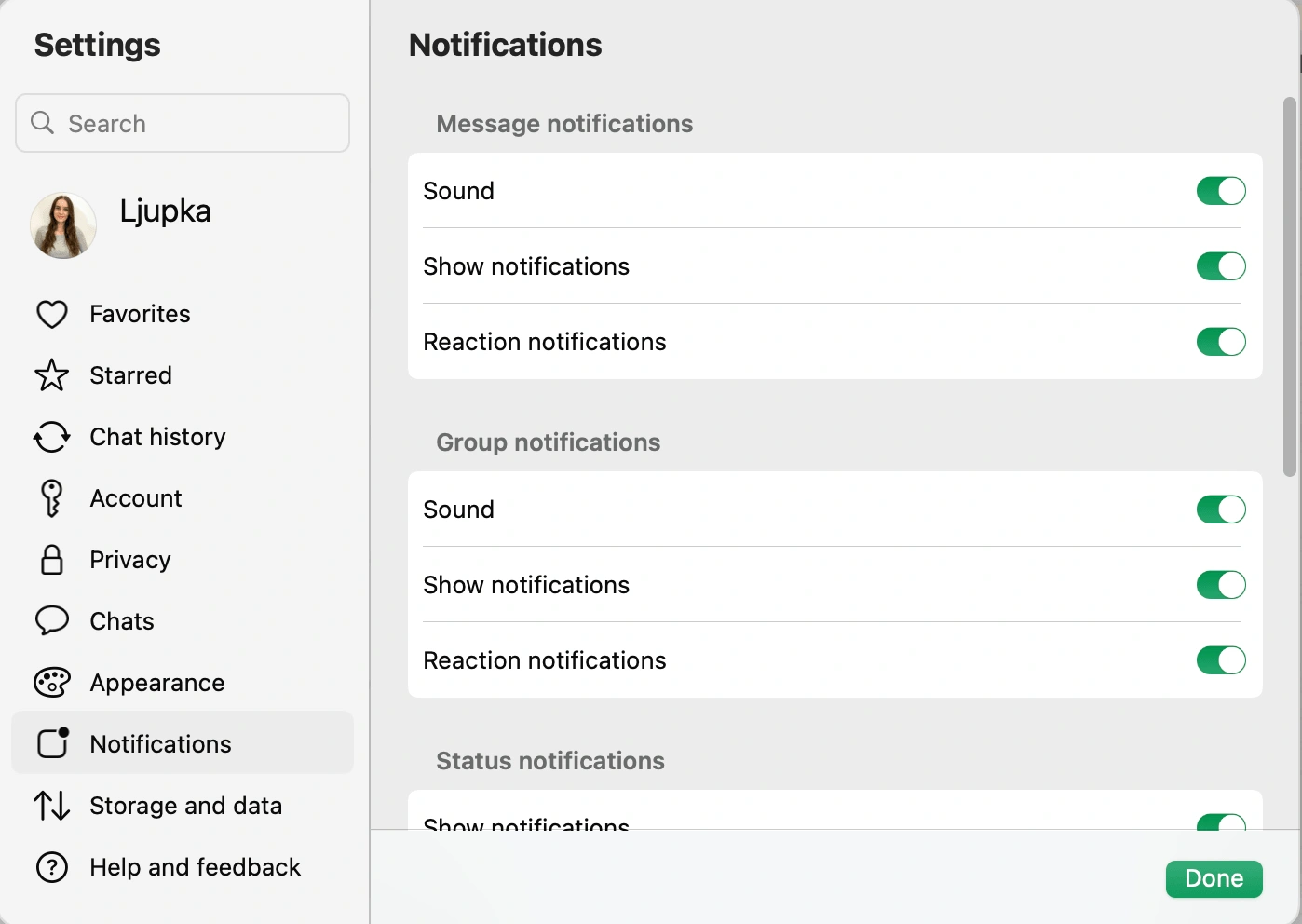
When comparing the two apps, I found that Pumble offers much more flexibility.
When trying to use WhatsApp for business, I often felt like there was no middle ground — I was either flooded with notifications all day long or muting chats and risking missing important info.
Pumble’s notification settings made it much easier to tailor alerts around my work day, which I think is especially valuable for teams working across time zones.
Reduce distractions with Pumble
Pumble vs. WhatsApp: WhatsApp allows bigger file sharing, but lacks built-in storage
When it comes to file sharing, both Pumble and WhatsApp let you send:
- Images
- Videos
- Documents
In Pumble, you can also share GIFs, text snippets, and meeting links, while WhatsApp allows you to share polls, events, contacts, and locations.
Pumble’s file upload limit is 512 MB on desktop and 256 MB on mobile across all plans.
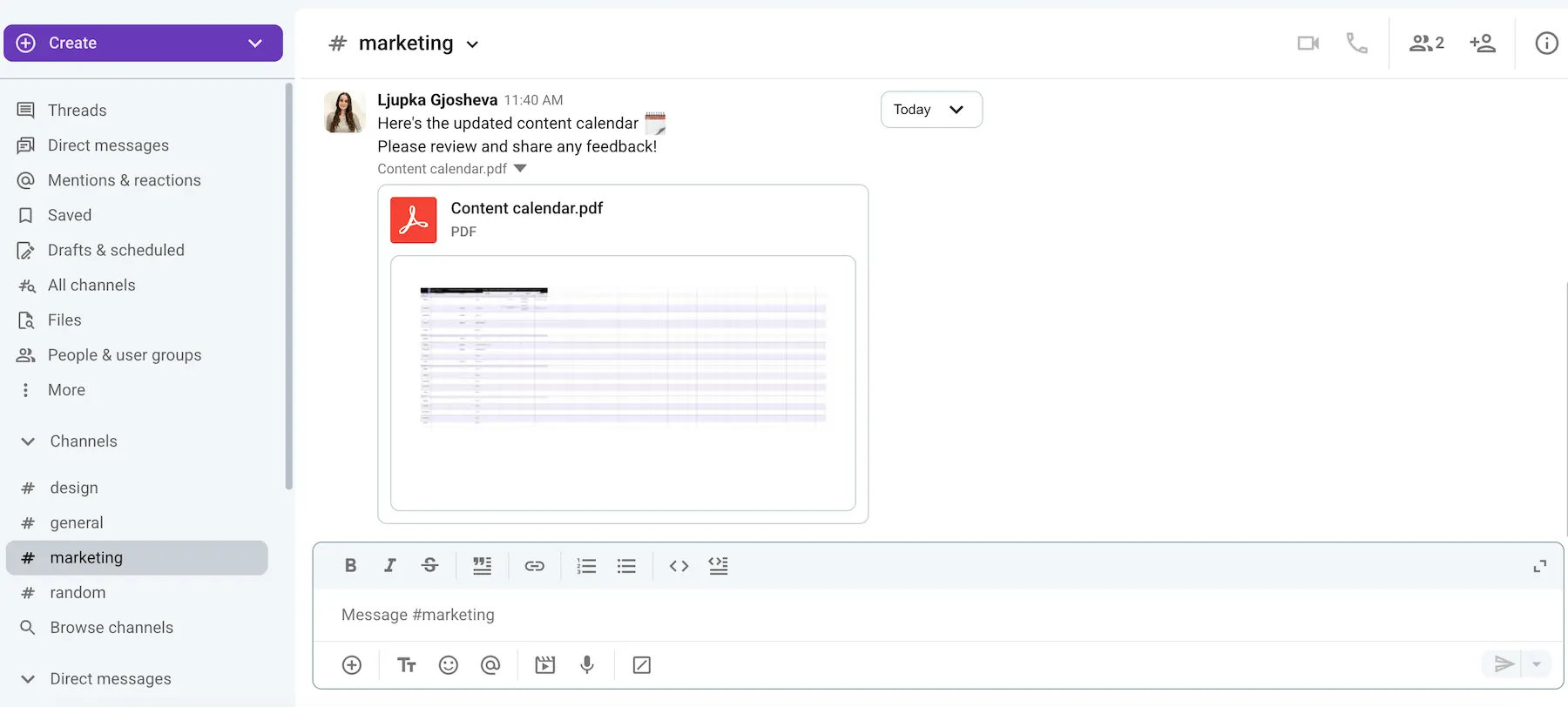
WhatsApp has a more generous limit of up to 2 GB, which could be beneficial for teams that frequently share large files.
However, the two apps take very different approaches to storage.
WhatsApp doesn’t provide dedicated storage space. Instead, shared files are stored on users’ devices. Over time, this can take up a significant amount of personal storage, especially in active group chats.
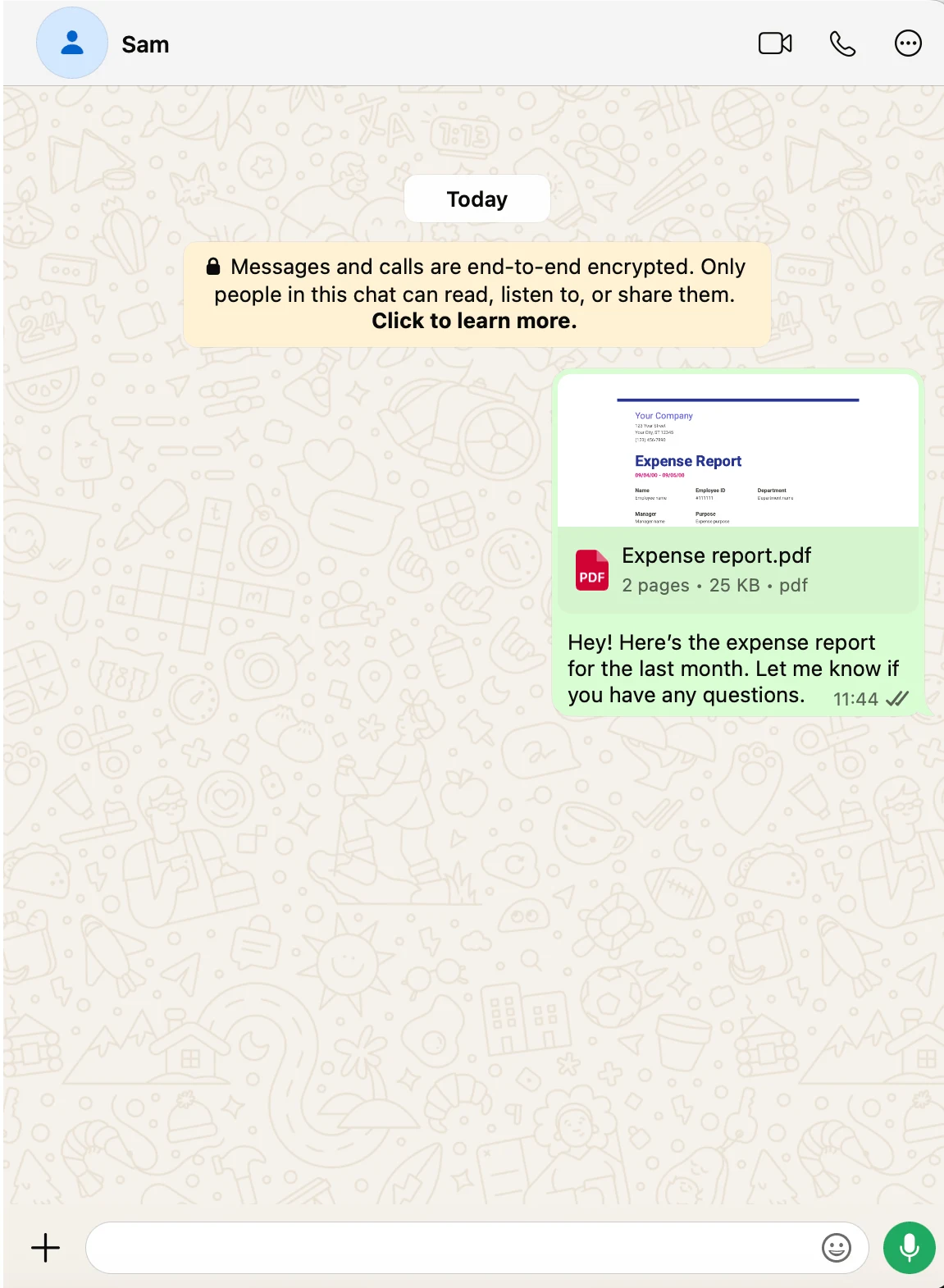
Pumble, on the other hand, serves as your company’s knowledge base and stores all of your conversations and shared files. Available storage limits scale depending on your plan:
- Free: 10 GB per workspace
- Pro: 10 GB per seat
- Business: 20 GB per seat
- Enterprise: 100 GB per seat
Personally, I find Pumble’s approach much more practical for business communication.
While WhatsApp’s larger file-sharing limit is useful for certain situations, having conversations and files stored in a dedicated workspace is more valuable for day-to-day collaboration and knowledge sharing.
💡 PUMBLE PRO TIP
Aside from Pumble, we’ve also compared WhatsApp to some other apps:

Pumble vs. WhatsApp: Pumble has more advanced search options
Having all of your team’s communication stored in one place is only useful if you can easily find what you’re looking for. Let’s see how effective the search feature is in Pumble and WhatsApp.
Pumble search
Pumble offers unlimited message history on all plans. This means that no matter when you join a workspace, channel, or direct message conversation, you have access to all previous discussions, decisions, and shared files.
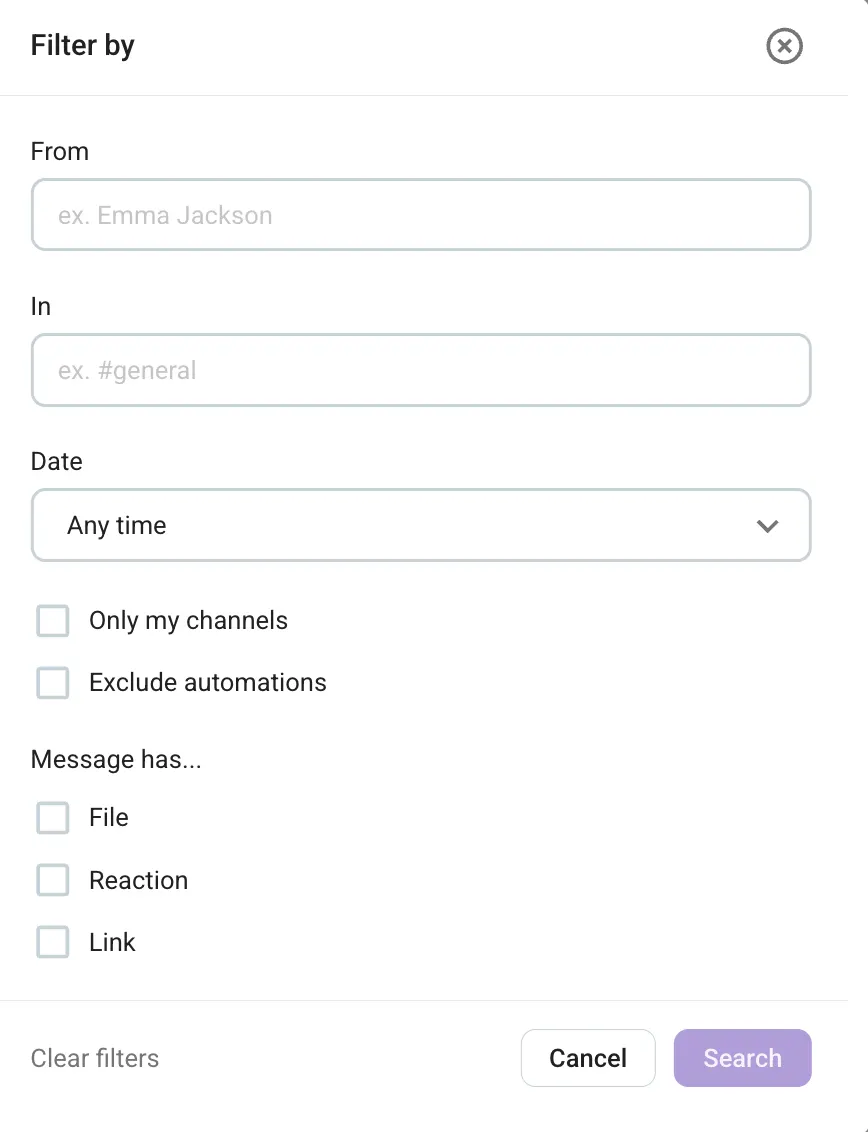
Finding information is easy, thanks to Pumble’s advanced search filters that allow you to narrow down results by:
- Sender
- Channel
- Date
- Whether it has a file, reaction, or link
This saves me a lot of time (that would otherwise be spent endlessly scrolling on a daily basis), so I can easily find what I need and continue on with my work.
Access all files and conversations
WhatsApp search
In WhatsApp, you can search conversations using a keyword and selecting a specific date within a chat.
It will highlight your keyword in each message, but you have to jump from one result to another instead of seeing all results together in one place. I found this very impractical, especially when searching through longer conversations.
When searching through all of your chats, you can filter results by:
- Photos
- GIFs
- Links
- Videos
- Documents
- Audio
- Polls
- Events
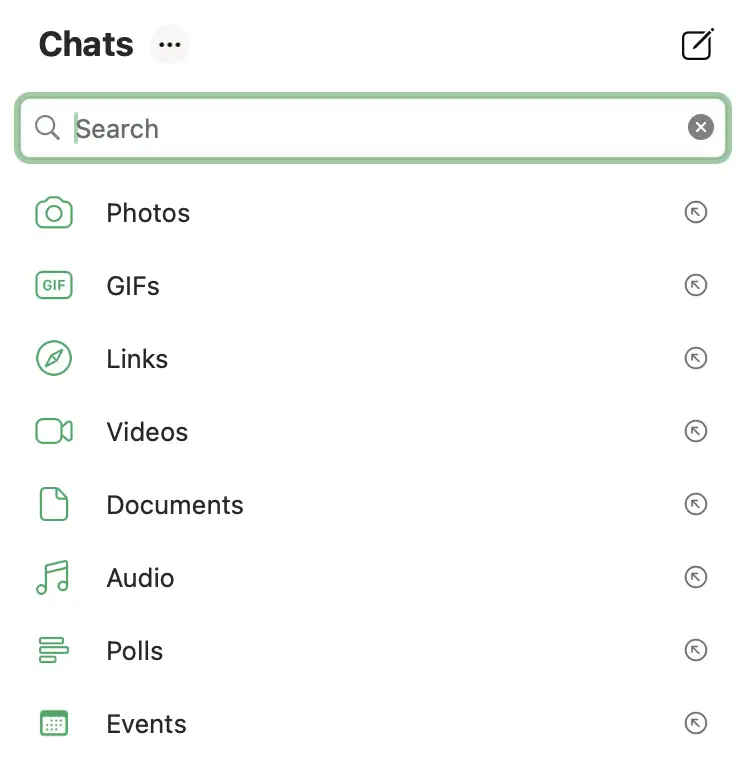
Clicking on one of the categories brings up all files of that type, and you can also add keywords to narrow down your search.
However, when I tested this out, I noticed that the search categories are not frequently updated, making it much less reliable than searching within a specific chat. It seems they have more work to do on this feature because right now it’s a bit limited.
Another important thing to keep in mind is that WhatsApp uses end-to-end encryption. As a result, when you’re added to a conversation later, you can’t access previous messages or files that were shared before you joined. While this approach makes sense from a privacy perspective, it can make collaboration much more difficult when new team members need context for ongoing work.
WhatsApp has introduced a new feature that allows group admins to share recent chat history with new members, but it’s limited to only sharing the last 25 to 100 messages.
For me, this is one of the areas where Pumble has a clear advantage.
Having access to your company’s full chat history and powerful search filters makes it much easier to:
- Find information.
- Understand past decisions.
- Get up to speed on ongoing projects.
Pumble vs. WhatsApp: Pumble has 24/7 human support, even on the free plan
With popular and well-developed apps like Pumble and WhatsApp, it’s unlikely that you will ever need to reach out to their support teams. However, in case you do, here’s what you can expect from each tool.
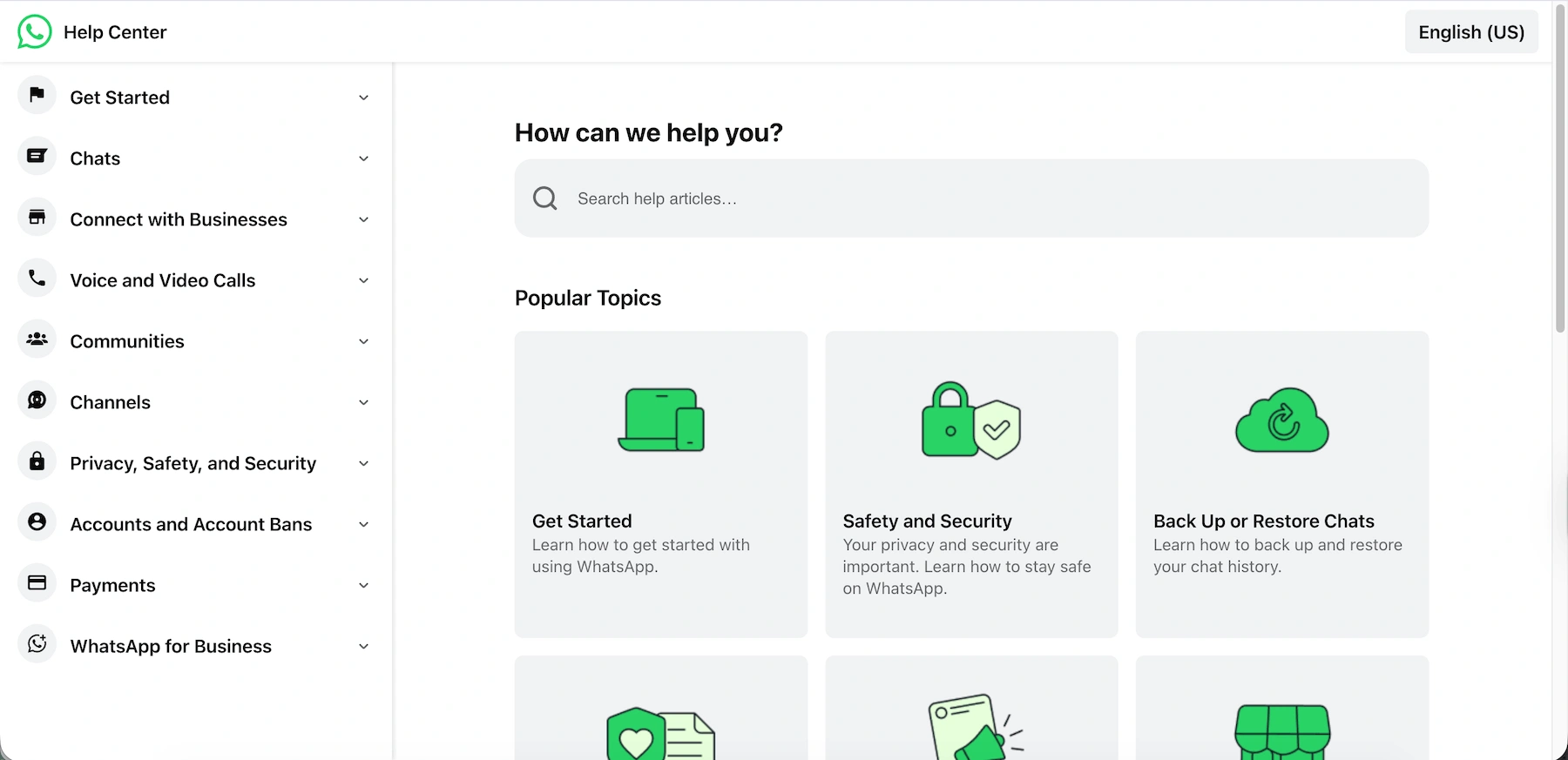
If you have trouble with WhatsApp, you can search for a solution through:
- The Help Center
- Email support
- Chat support (which may be AI generated)
WhatsApp, unfortunately, doesn’t offer direct human support, which is something I personally prefer when dealing with technical issues.
On the other hand, aside from its extensive Help page, Pumble also offers 100% human support, available 24/7 for free. This means that, no matter what plan you’re subscribed to, you can always reach a real person for quick and efficient help via email, chat, or phone.
For larger teams, there’s also a dedicated support representative, available from:
- 200+ seats in the Pro plan
- 120+ seats in the Business plan
- 70+ seats in the Enterprise plan
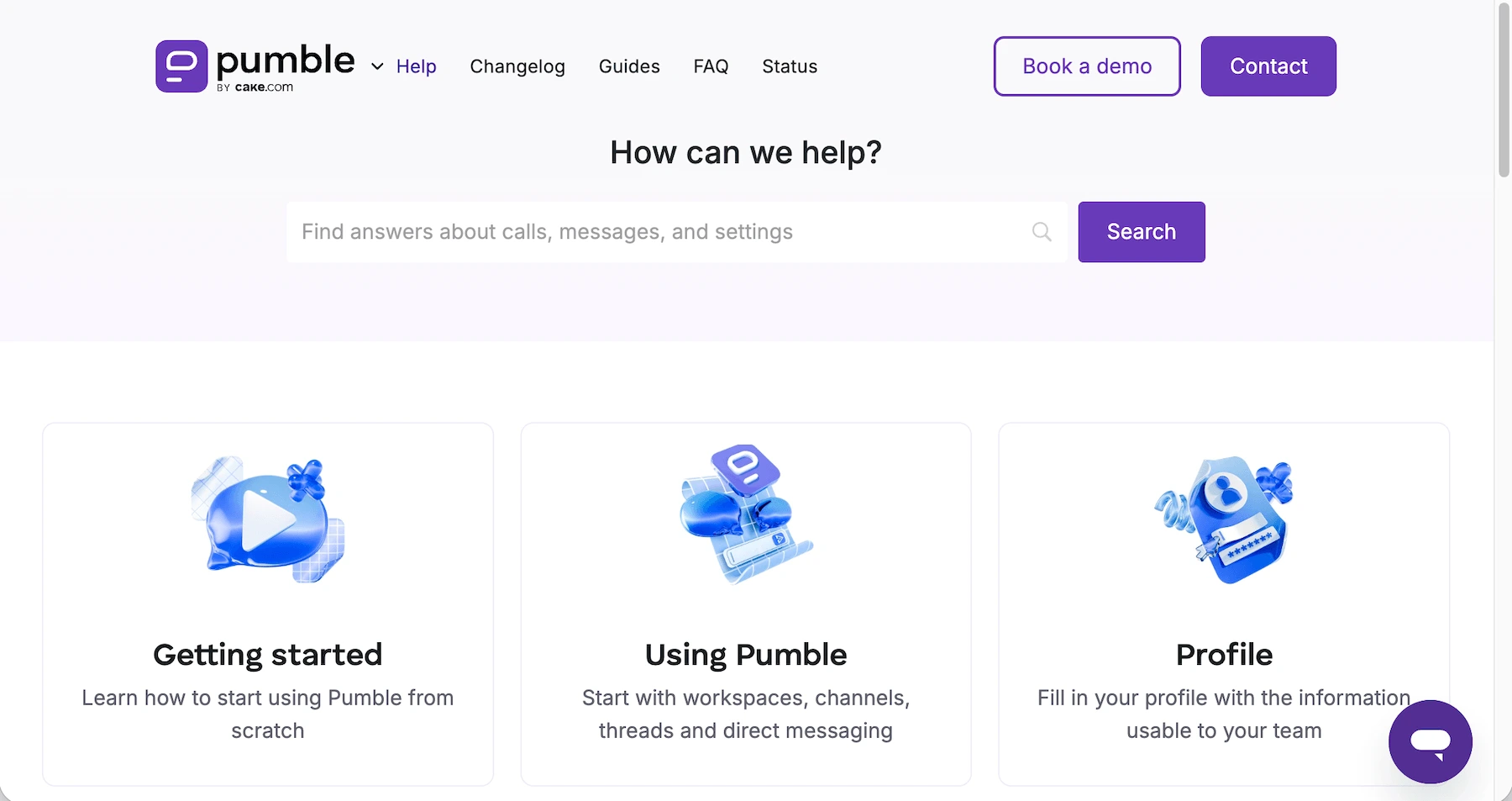
This is another category where Pumble is the clear winner, since it offers more accessible and personalized support even on its free plan.
Get free 24/7 support with Pumble
Pumble vs. WhatsApp: Pumble has enterprise-level security
Lastly, let’s look at how these apps protect your company data, conversations, and files.
Again, we see the pattern of personal use with WhatsApp vs. professional use with Pumble.
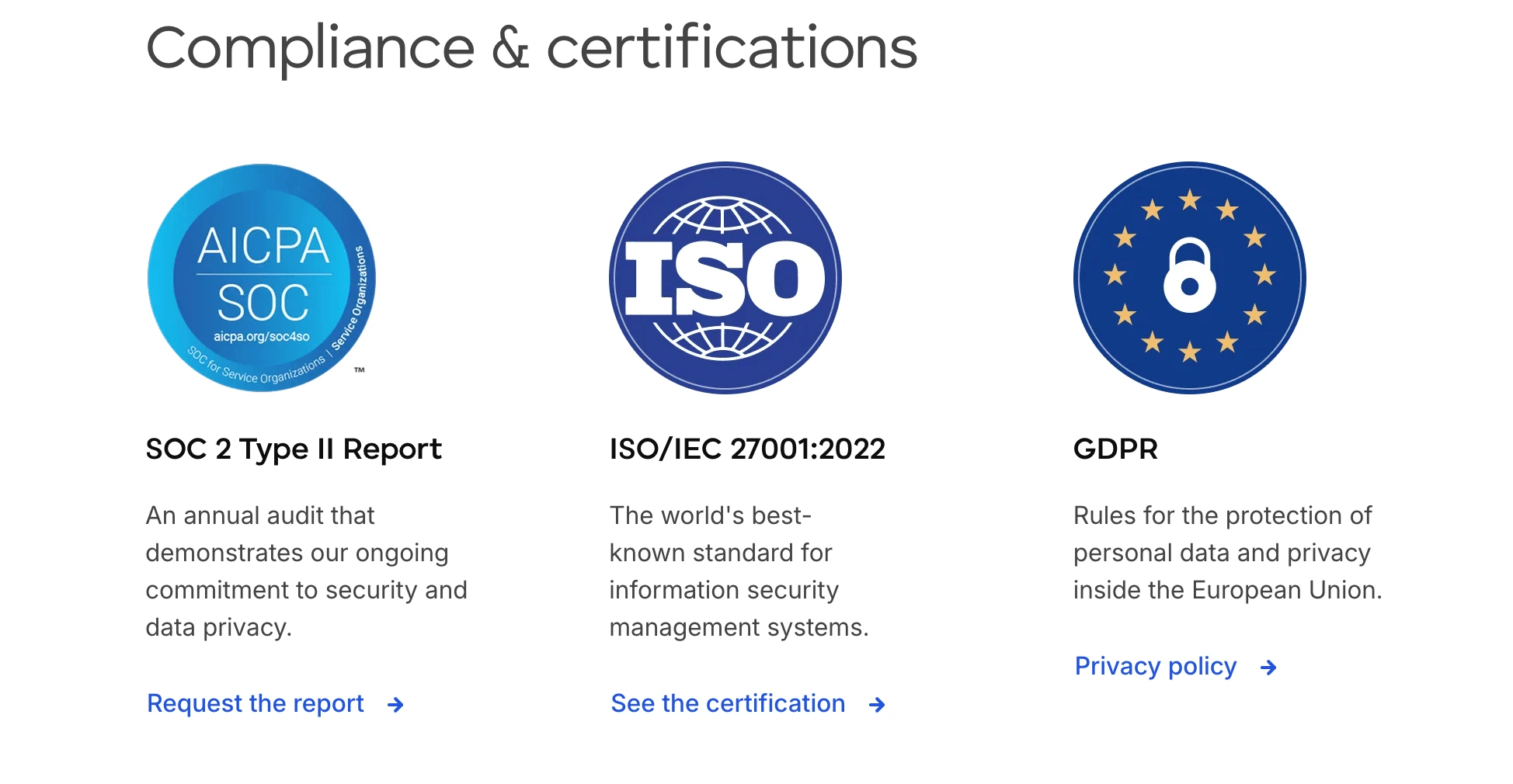
As part of the CAKE.com enterprise, Pumble places a strong emphasis on security and compliance. It’s ISO/IEC 27001:2022 and SOC 2 certified, GDPR compliant, and includes advanced security features such as:
- Multi-factor authentication
- Data encryption
- Granular admin roles and permissions
- Security assertion markup language single sign-on (SAML SSO)
- Custom centralized data retention settings
WhatsApp has strong end-to-end encryption enabled by default for messages, calls, and shared files. This ensures that only the intended participants can access the content. Messages are also protected by Signal encryption.
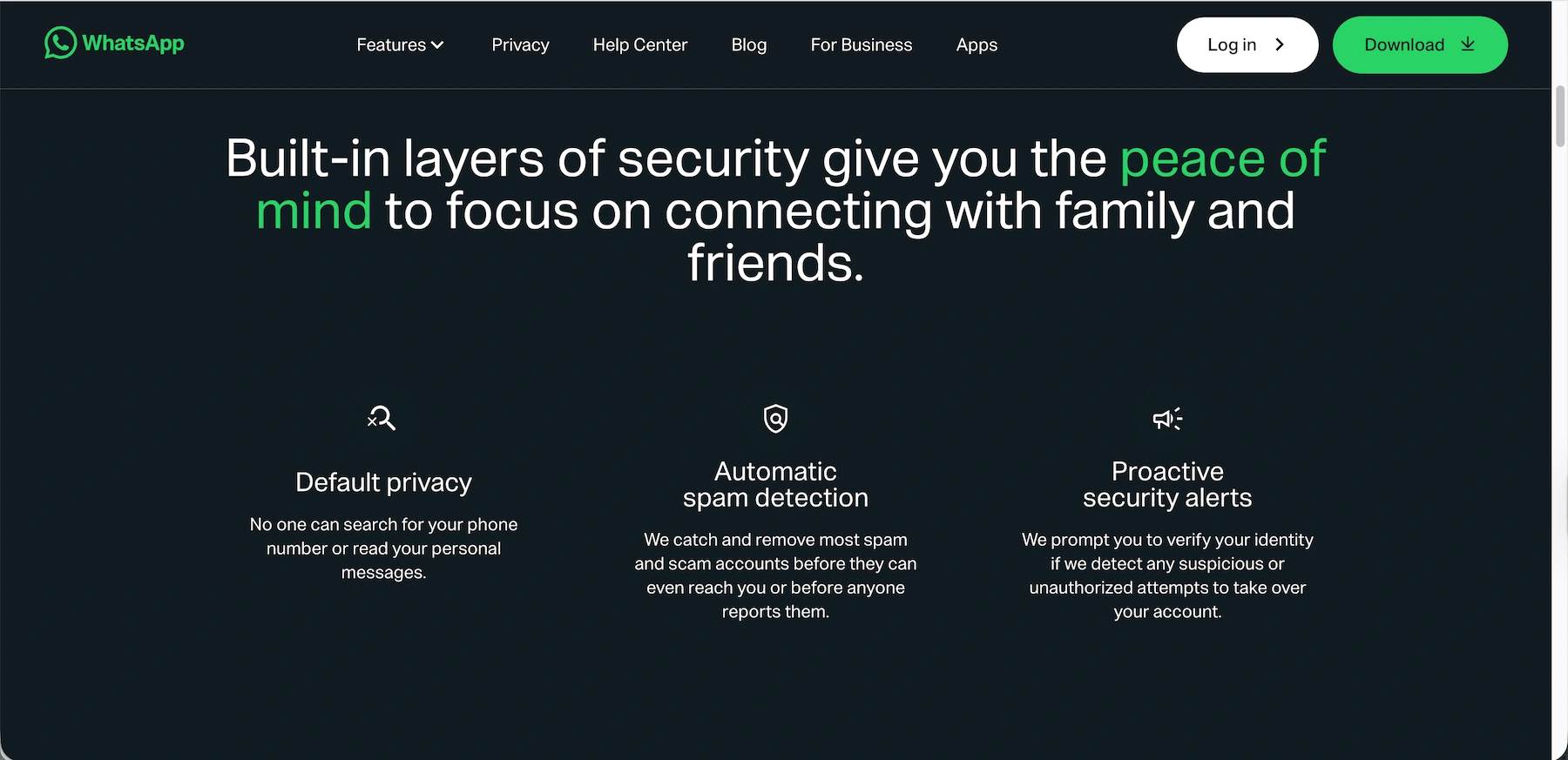
However, while WhatsApp does a great job of protecting personal communications, it doesn’t offer the same level of administrative control, compliance certifications, or business-focused security features that organizations often require. For teams handling company data, these additional protections can make a significant difference, so I would recommend opting for more secure alternatives to WhatsApp.
💡 PUMBLE PRO TIP
If you want to skip consumer-grade security and properly protect your data, these are our top picks:
Looking for professional team communication? Choose Pumble by CAKE.com
When it comes to informal personal use, WhatsApp works well. But, only Pumble by CAKE.com has the features needed to organize professional team communication and grow with your business.
Everything about Pumble is designed to help teams communicate and collaborate with ease and simplify their work rather than getting in their way.
If you’re looking for a tool that will support your daily workflows, keep everyone in the loop, and give access to all needed information, look no further than Pumble by CAKE.com.
Prevent disorganization and misunderstandings and protect your work-life balance while setting you team up for success.
How we reviewed this post: Our writers & editors monitor the posts and update them when new information becomes available, to keep them fresh and relevant.