
If you’re trying to choose between Pumble by CAKE.com or Rocket.Chat for your daily team communication, you’ve come to the right place.
I tested both apps and stacked up their pricing, features, and real-world performance to give you my unfiltered first-hand opinion.
The short version: only one of these tools can help you scale your team communication without the clutter and overly technical setup.
Let’s break it down.
Why trust us?
Human reviewers try out each app and follow strict guidelines while writing about the comparisons. We follow a transparent, clear, and systematic methodology, so that every review is objective and accurate.
Pumble vs. Rocket.Chat: Main features comparison
The primary difference is that Pumble is a centralized digital headquarters for team collaboration, whereas Rocket.Chat is a customizable, open-source team communication platform designed for self-hosting and omni-channel customer support.
Rocket.Chat can also be overwhelming to set up. As a non-techie, it took me hours to even figure out I needed help with the technical maintenance.
Pumble, on the other hand, is a more straightforward Rocket.Chat alternative that sets up in seconds.
Here’s a summary of how the two apps compare.
| Features | Pumble | Rocket.Chat |
|---|---|---|
| Pricing | – Free (unlimited users) – Pro: $2.49 per user per month, billed annually – Business: $3.99 per user per month, billed annually – Enterprise: $6.99 per user per month, billed annually | – Starter (free, self-managed) – Commercial (custom quote) – Government (custom quote) – Defence (custom quote) |
| Interface | – Clean – Intuitive – Easy to navigate – Customizable sidebar and themes | – Feature-dense – Cluttered |
| Communication | – Direct messaging – Channels – Threads – Video & voice calls – Video & voice messages – Screen sharing – Guest access | – Direct messages – Channels – Threads – External live chat integrations |
| Notifications | – DND and pause notifications – Muting channels/DMs – Custom notification schedules | – Secure push notifications – AI-powered summaries |
| Search | Advanced; you can narrow down your search using several filters | AI Intelligent Search (semantic intent-based) and advanced filtering |
| File sharing and storage | – File uploads up to 512 MB on desktop and up to 256 MB on mobile on all plans – 10 GB per workspace in the Free plan – 10 GB per user in Pro – 20 GB per user in Business – 100 GB per user in Enterprise | – Flexible Storage: Local or S3-compatible – Encrypted file sharing |
| Support | – 24/7, 100% human support (email, chat & phone), even on the free plan – Dedicated success representative for paid plans | – Community assistance – Help desk – 24/7 Mission-Critical Support |
| Security | Advanced security | – Zero-Trust Security – Self-hosting – E2EE– ABAC |
Now, let’s compare each feature in more detail.

Pumble vs. Rocket.Chat: Pumble’s Free tier is unrestricted
Pumble famously offers a generous Free plan, which keeps your teams connected and lets you grow without any limits. It features:
- Unlimited chat history
- Unlimited users and channels
- Direct messages
- Threaded conversations
- 1-on-1 video and voice calls
- Video and voice messages
- 10 GB of storage per workspace
- 24/7, 100% human support
I think Pumble’s Free plan is perfect for small businesses, providing core collaboration features at no cost.
However, if your growing team needs advanced functionalities or admin controls, you can upgrade to one of its 3 affordable, annually billed plans:
- Pro: $2.49/user/month
- Business: $3.99/user/month
- Enterprise: $6.99/user/month
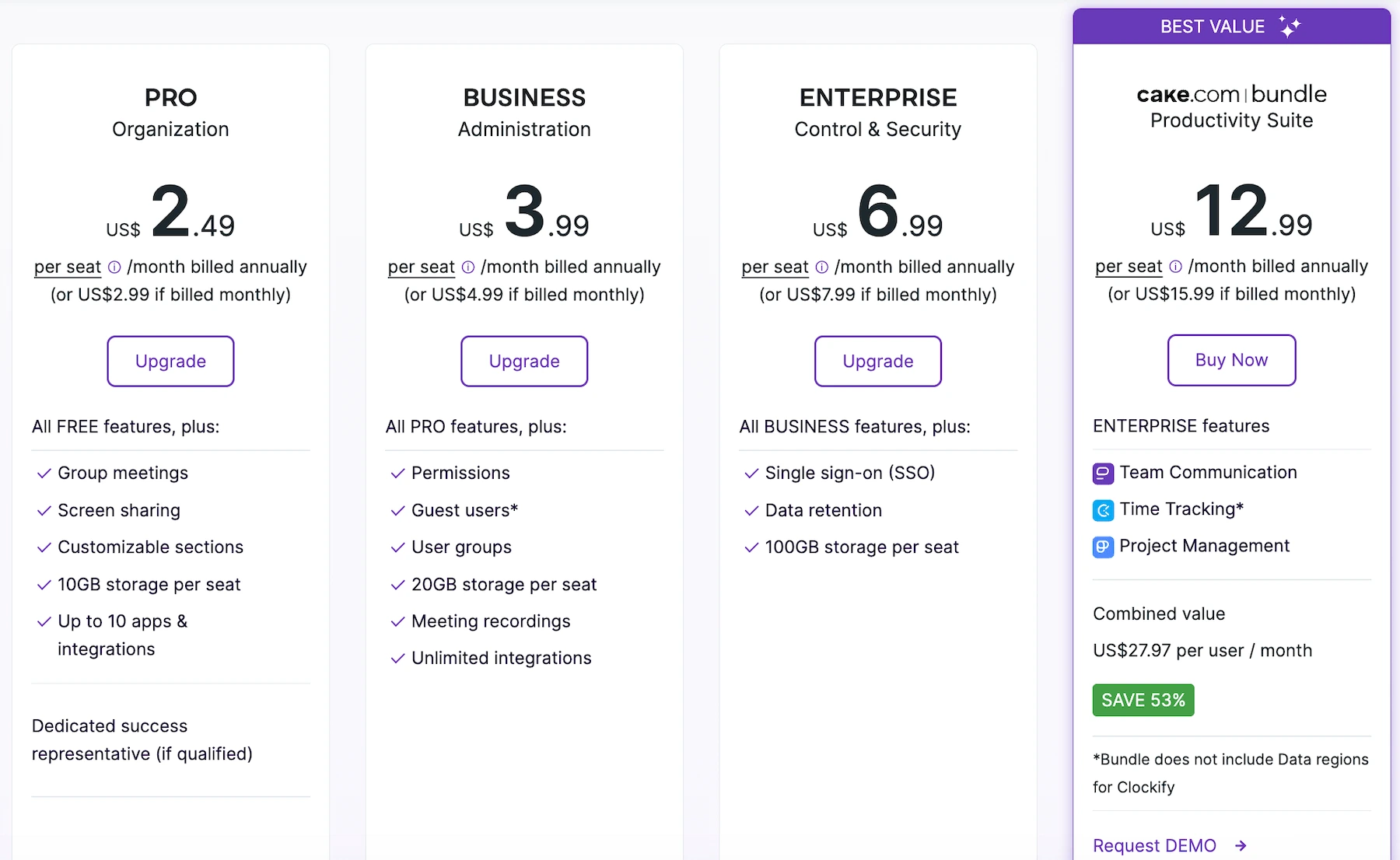
If you decide to go with one of the Pumble paid plans, you’ll get:
- Higher storage limits
- More advanced admin features
- Additional collaboration functionality such as group video conferencing with meeting recording, guest users, and unlimited integrations
Rocket.Chat’s free tier, on the other hand, is restricted to self-hosting, which means you need to account for significant IT resources when setting it up.
Their paid cloud plans use a per-user pricing model that scales with your team size. Rocket.Chat’s Commercial, Government, and Defense plans are meant for secure, scalable team collaborations in organizations that need:
- Role-based access control
- Matrix federation
- Compliance auditing
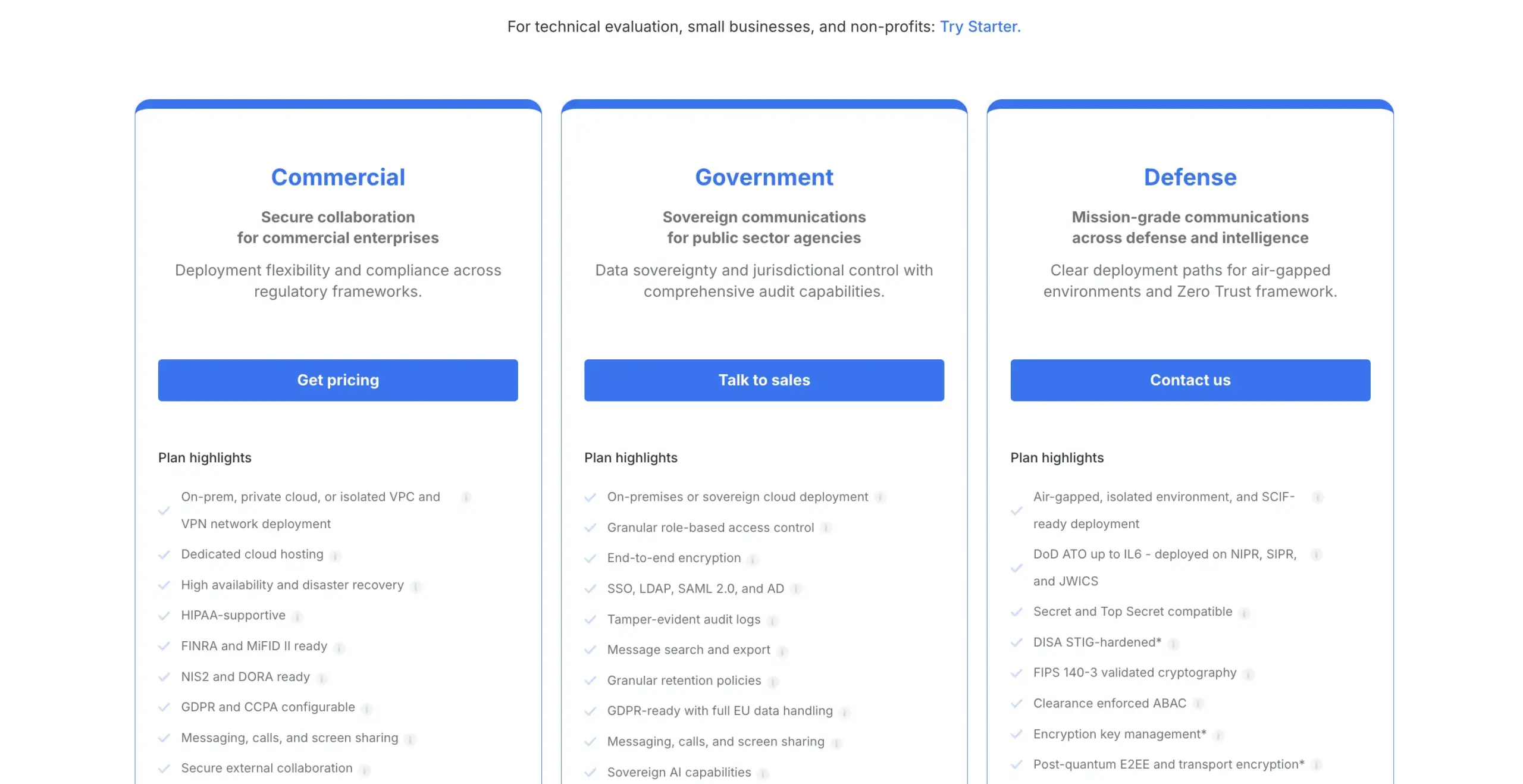
In this review, I’ll only be talking about the self-hosted Starter version, since it’s the only version that allows businesses to operate without monthly per-user fees.
From the looks of it, Rocket.Chat is only meant for enterprise budgets, as it doesn’t support the free cloud version. However, the self-hosted model lets you have complete data ownership if you’re willing to manage your own infrastructure.
💡 PUMBLE PRO TIP
To see how Pumble compares to other popular communication apps, check out our comparison posts:
Pumble vs. Rocket.Chat: Pumble’s interface is easier to use
Even at first glance, Pumble looks much more organized than Rocket.Chat.
The interface is clean and easy to navigate. Everything you need — from channels and direct messages to files and drafts — is in a single, unified sidebar.
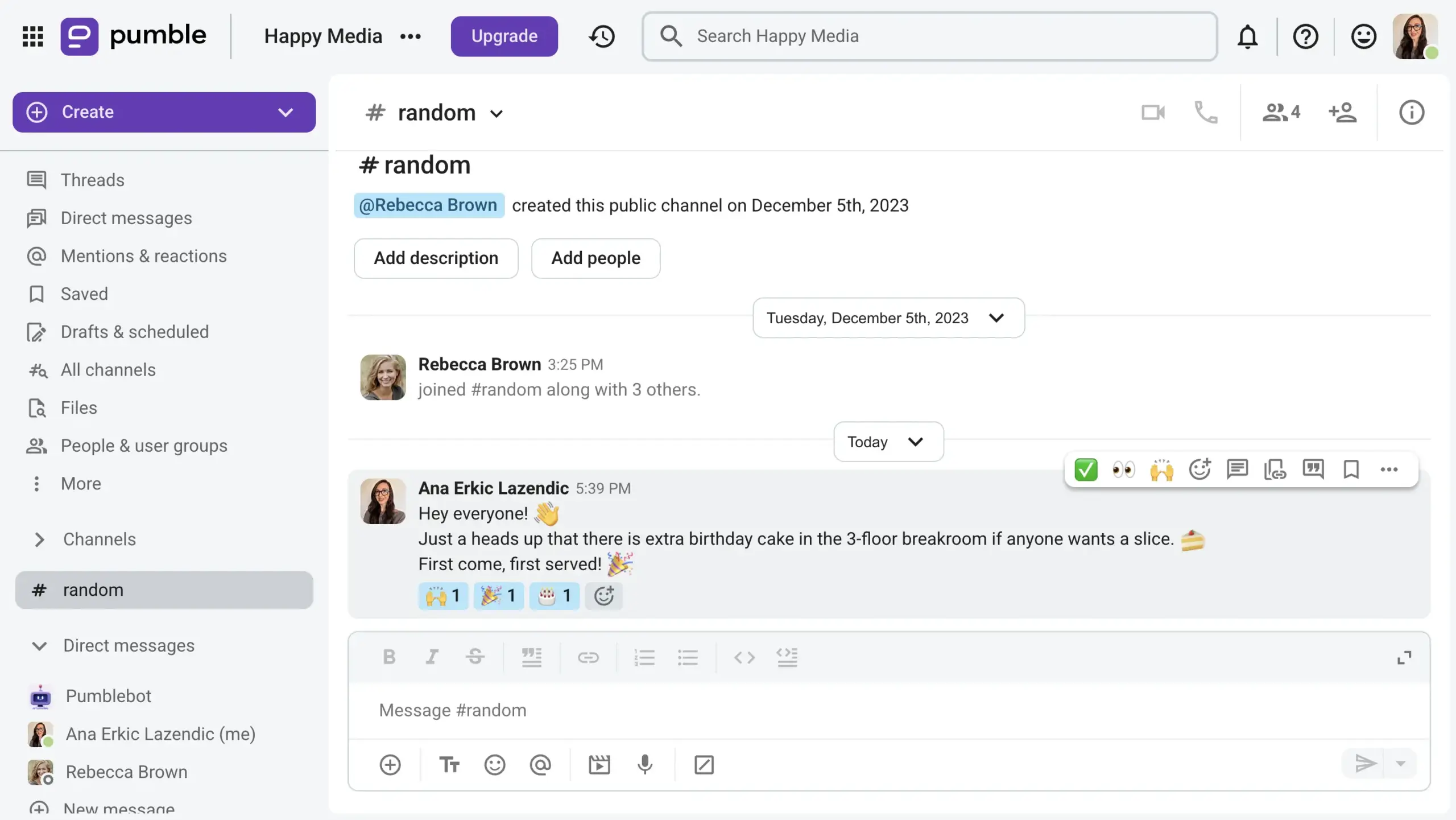
With a single click, you can expand sections for easy access, or collapse them to clear out the visual clutter. Personally, I love tailoring the sidebar by grouping my channels by project and hiding the sections I rarely touch.
Pumble also delivers a highly reliable mobile app that runs smoothly and keeps your teams connected on the go. I find it convenient to catch up on threads and reply to messages while I’m away from my desk.
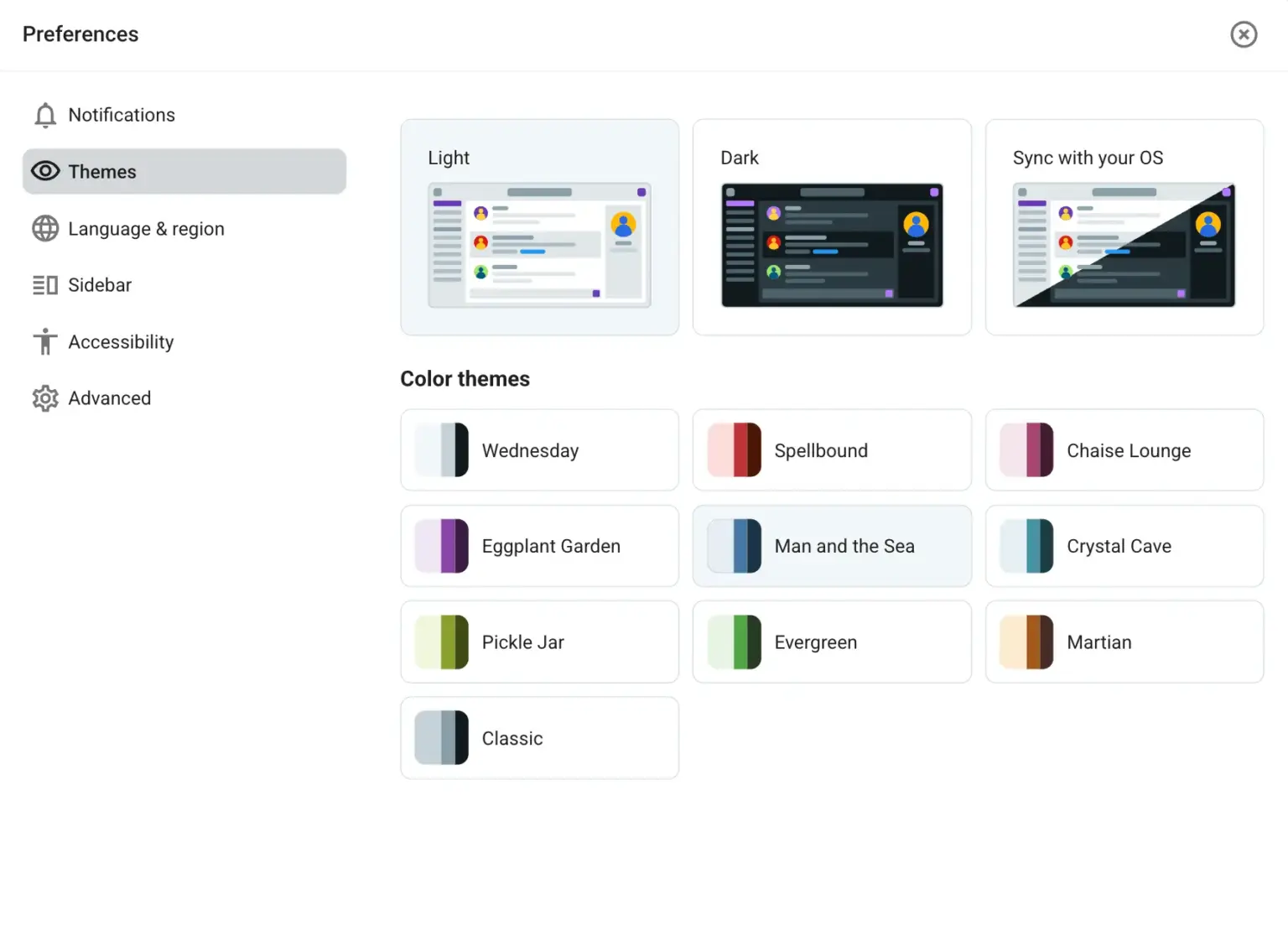
On top of that, Pumble also lets you customize the theme to match your style. You can choose between light, dark, or device-synced modes with 10 different color combinations.
Rocket.Chat’s design is flexible, but it can feel complex and cluttered for general communication.
From the sidebar, you can access:
- Omnichannel queues
- Team workspaces
- Public and private rooms
- Direct messages
However, there’s no strong system for effortless, out-of-the-box grouping. You can use custom white-labeling features, but these require substantial administrative setup and, in my opinion, still don’t match the immediate practicality of Pumble’s channels.
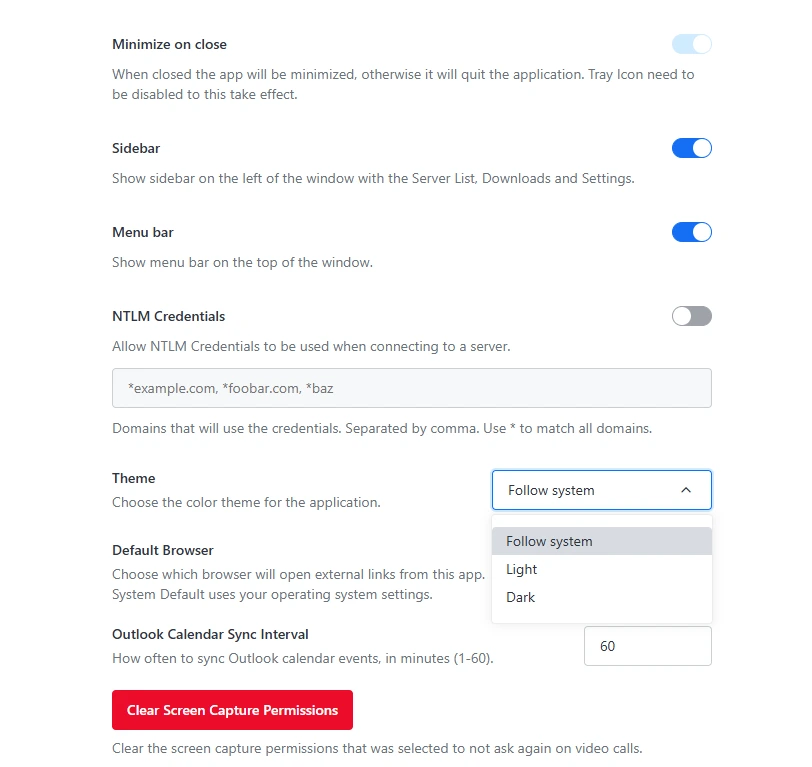
Rocket.Chat focuses heavily on advanced developer settings. These can be useful for tech-heavy teams, but, if you’re a regular business user like myself, it can get overwhelming quickly.
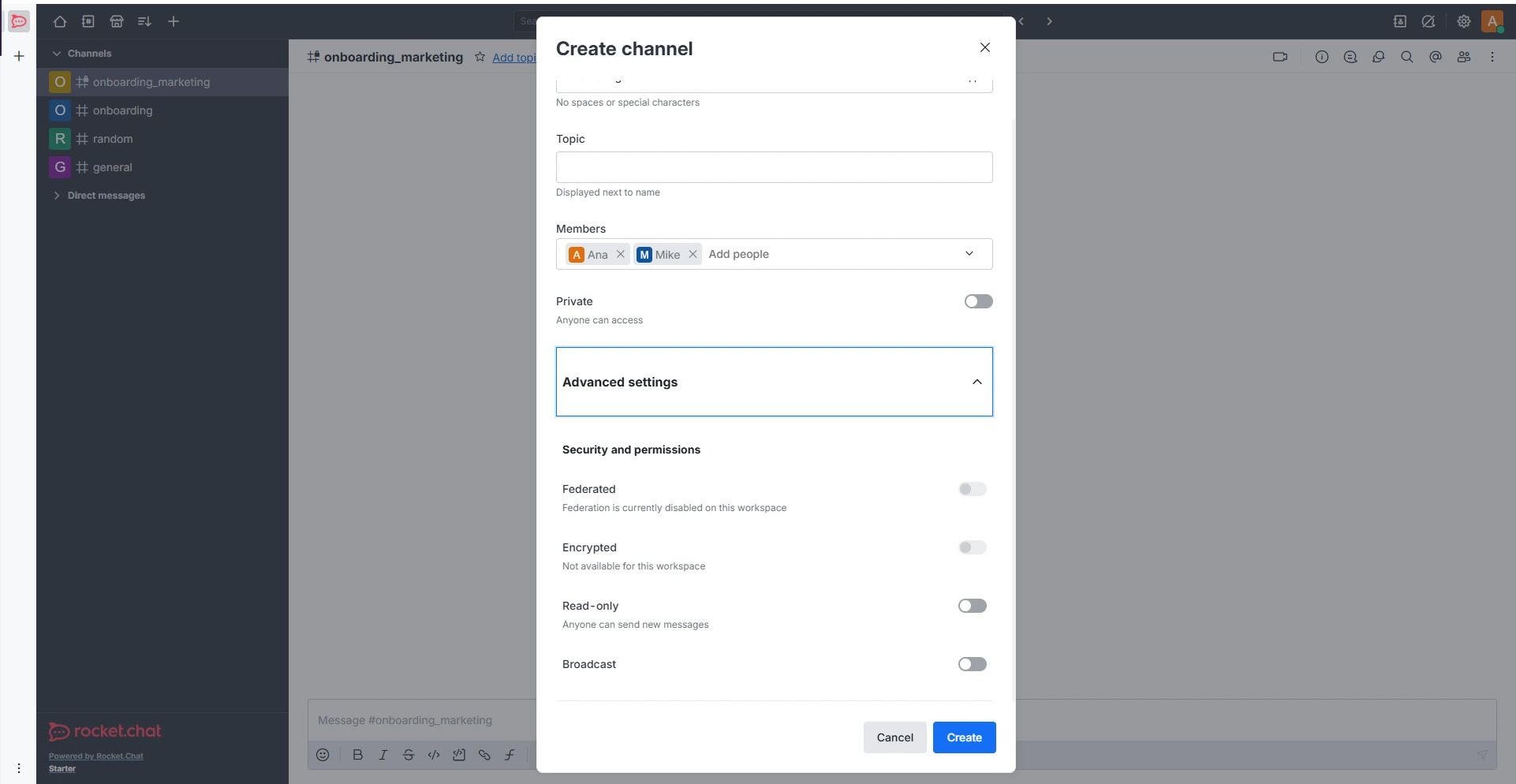
Despite its powerful features and settings, Rocket.Chat’s interface can feel cluttered with messaging, administrative alerts, and complex menus all displayed together. For me, this made it feel more like a technical dashboard rather than a structured workspace. This, combined with notorious mobile performance issues and bugs, makes it challenging to use Rocket.Chat on the go.
Keep your communication organized
Pumble vs. Rocket.Chat: Pumble has more business-oriented communication options
Now, let’s compare what features both apps offer in terms of team communication.
Text communication
Both Pumble and Rocket.Chat feature:
- Direct messaging
- File sharing
- Mentions and reactions
- Pinned messages
- Threads
The way communication is structured differs between the apps.
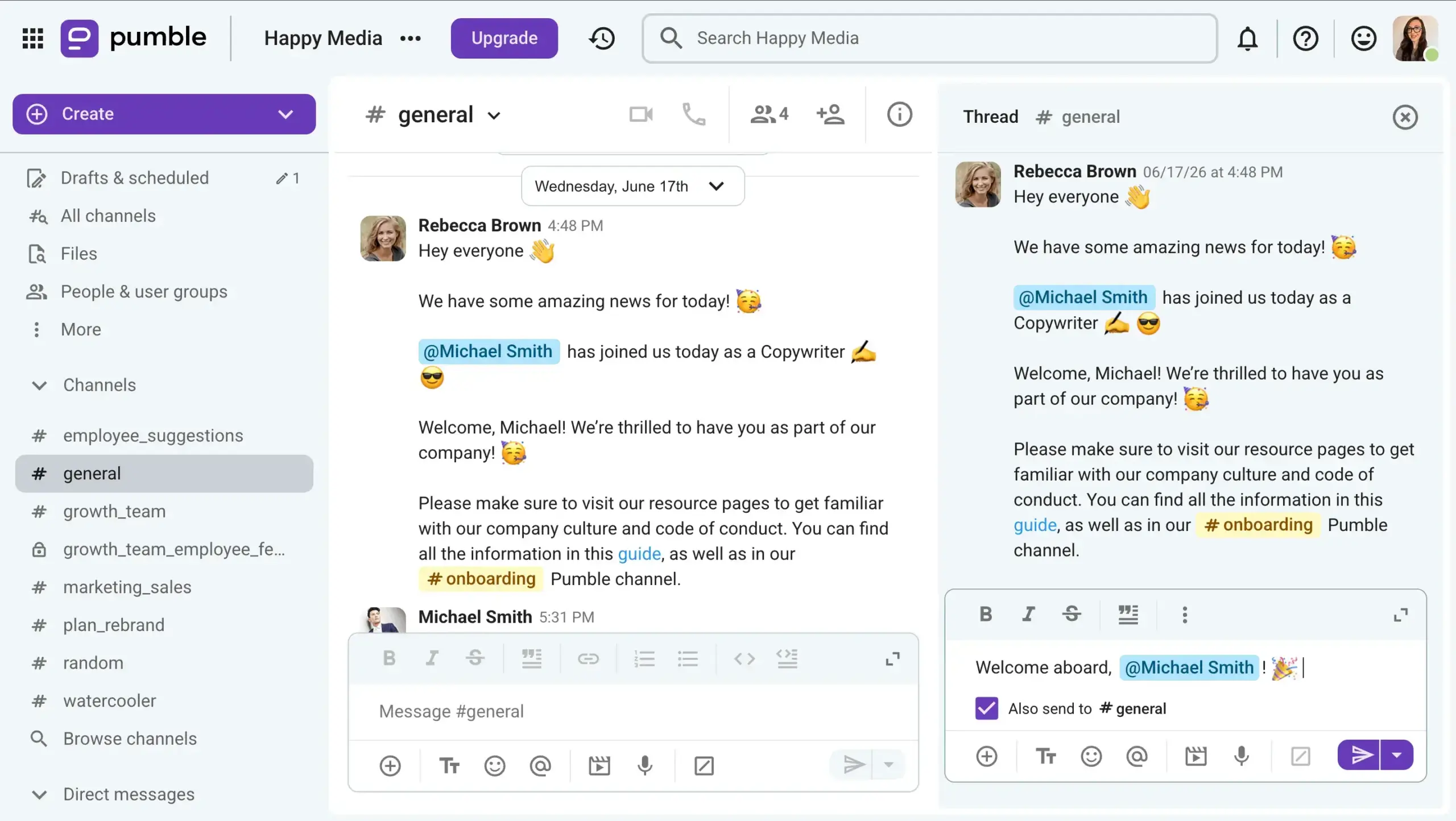
Pumble excels in organized, asynchronous communication. It offers scheduled messages to reach teammates at the most convenient time. Pumble also handles side conversations effectively with intuitive threaded messages that keep replies grouped together cleanly.
While Rocket.Chat also supports threads and channels, its core communication features suggest it’s built for more fast-paced live messaging. This communication flow implies that asynchronous discussions can get pretty disorganized. I feel that stepping away for an hour could cost you having an entire important conversation buried in busy channels. I can’t imagine having to hunt through lines and lines of message logs to find the beginning of a thread.
In my experience, Rocket.Chat can feel unintuitive for daily conversations because it lacks the basic conversational clarity we expect from modern messaging apps.
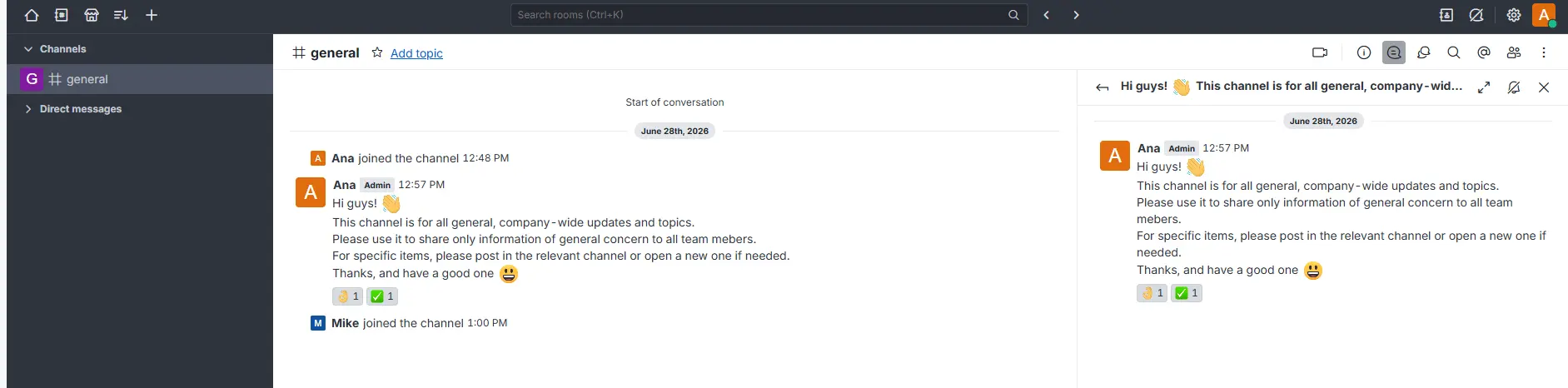
For starters, it doesn’t have standard message bubbles. Instead, everything appears as flat blocks of plain text against a gray layout. This makes it tough to tell where one person’s thoughts end and another’s begin.
To make matters worse, there is a weird self-identification issue. Messages you send look exactly the same as messages you receive, showing the same username format. Because your own texts don’t stand out visually as “You,” it takes a lot of mental effort if you need to scan through a fast, longer conversation.
Using Rocket.Chat on mobile comes with its own set of frictions. For example, if you press “Enter” on your phone’s keyboard, it immediately sends the message instead of creating a new line. This is frustrating whenever you need to type out a multi-paragraph update on the go.
Voice and video communication
Aside from text features, both apps provide options for live calls, but the user experience is completely different.
Pumble includes:
- Native voice and video calls
- Built-in screen sharing with annotations
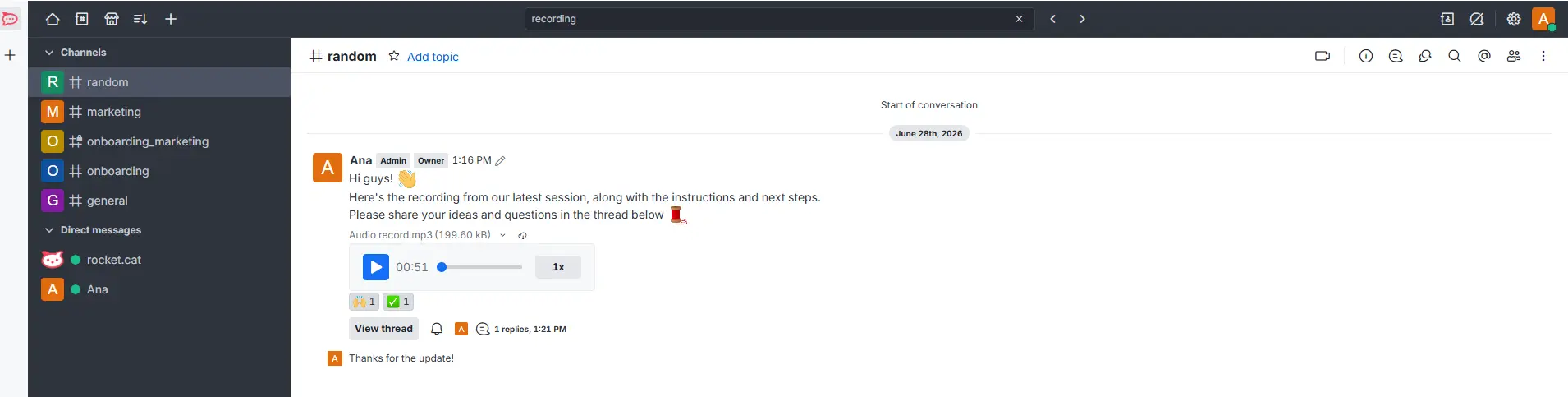
- 5-minute video and voice messages
- Meeting recording
- In-call chat
- Hand raising
- Emoji reactions
- Background blur
Pumble lets you host native video calls, share your screen directly within the platform, and use annotations to highlight important details to your team members.
You can also record video or voice messages, which are useful for asynchronous demos and walkthroughs, for example.
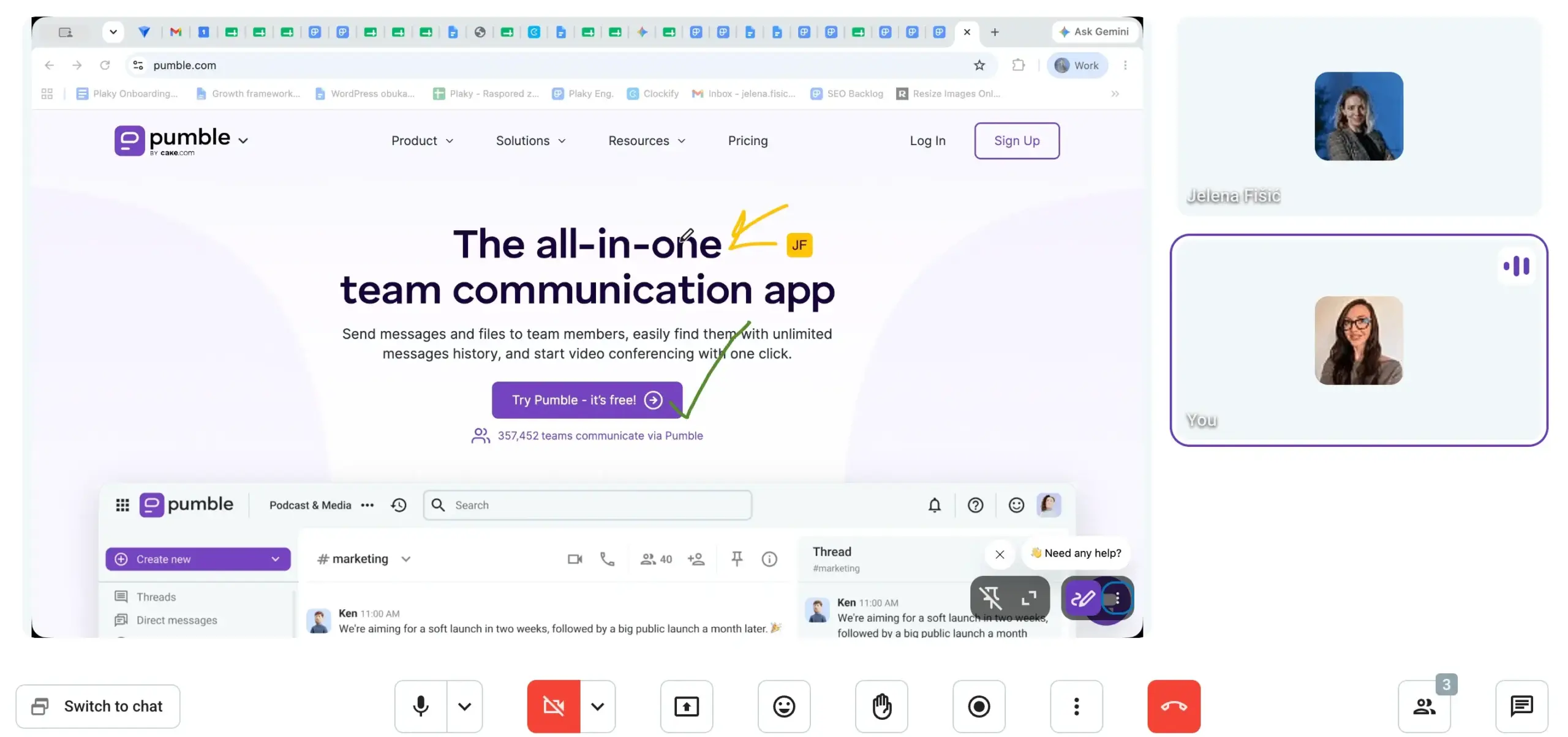
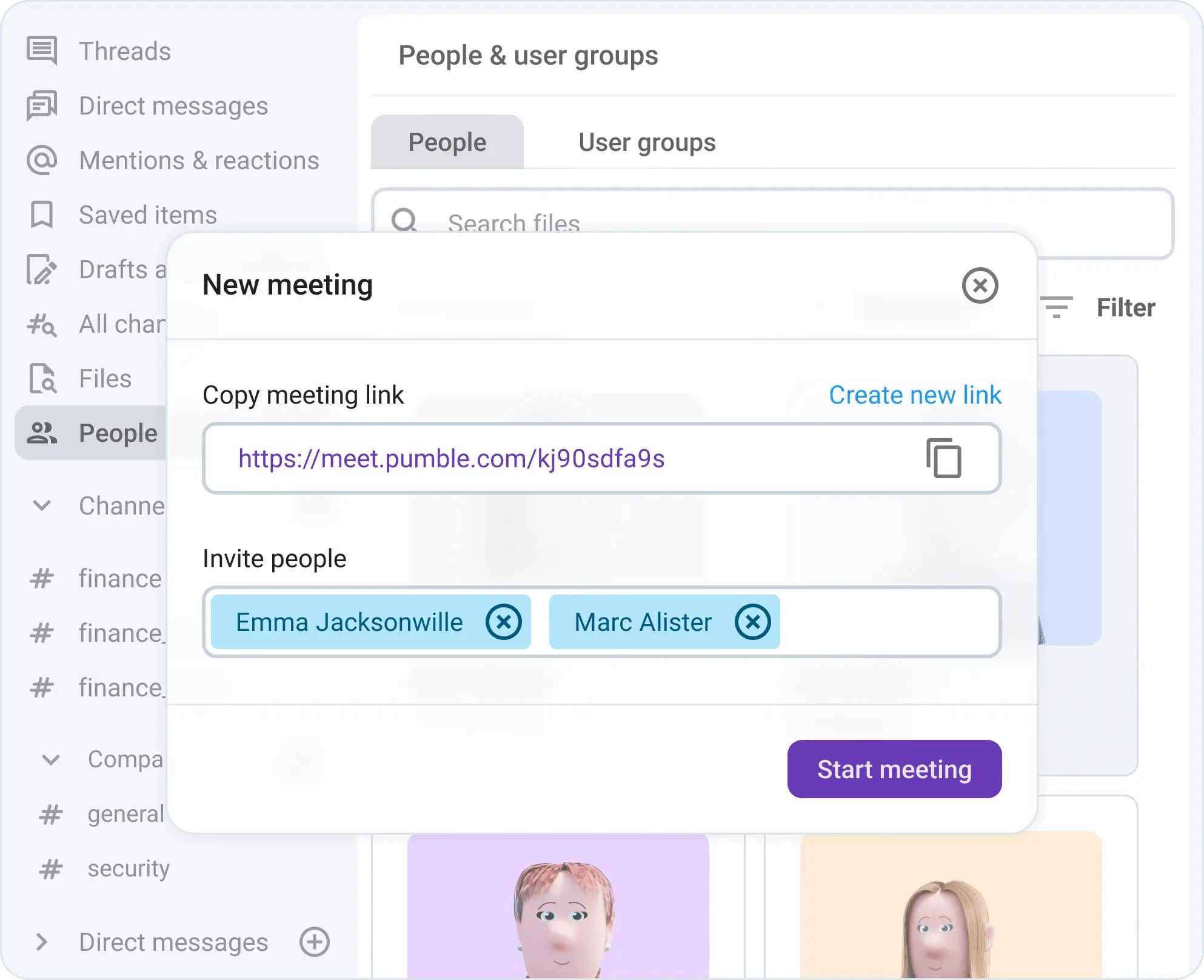
You can jump into a call straight from your DMs or channels, or plan ahead by scheduling a meeting in your calendar and sending out the meeting link.
In contrast, Rocket.Chat relies heavily on third-party integrations for video and voice functionality. To launch a video call in Rocket.Chat, you typically have to configure and connect external services like Google Meet.
You can still record audio and video clips, but depending on extra apps just to talk live makes it a lot less practical when you need to collaborate instantly.

Pumble vs. Rocket.Chat: Pumble has more reliable notifications and search
Managing how and when I receive alerts is critical for maintaining focus.
Pumble offers the reliability needed for a seamless workday with advanced notification settings, letting you:
- Set a precise, custom notification schedule for each day of the week.
- Choose exactly what triggers an alert, from all messages to mentions only.
- Customize distinct notification sounds for both messages and direct calls.
- Use a dedicated “Do not disturb” mode to pause all alerts instantly.
In addition to timing, Pumble allows you to mute specific channels or DMs to cut out background noise. This option saves me a ton of focus time when I need to engage in deep work.
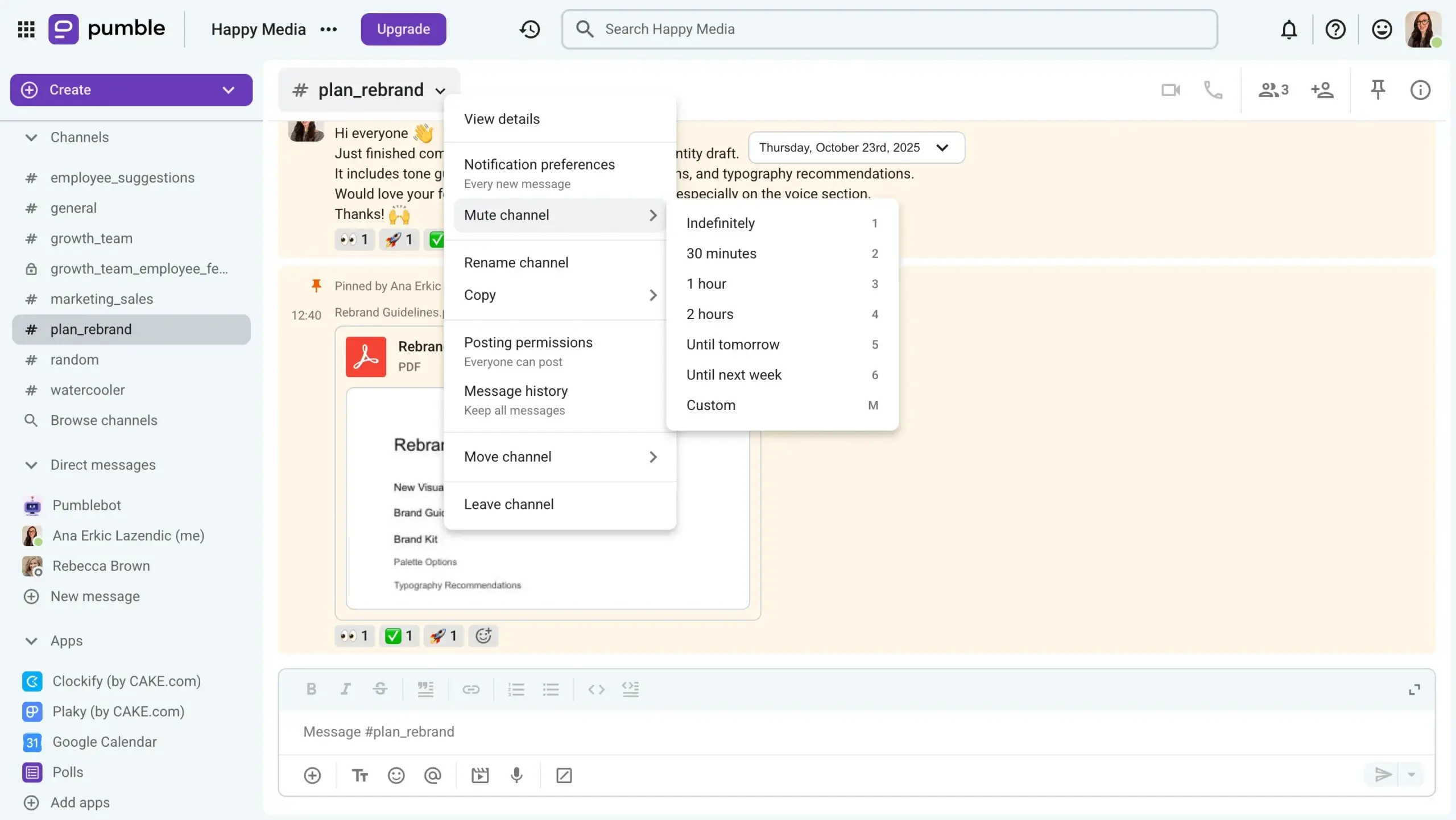
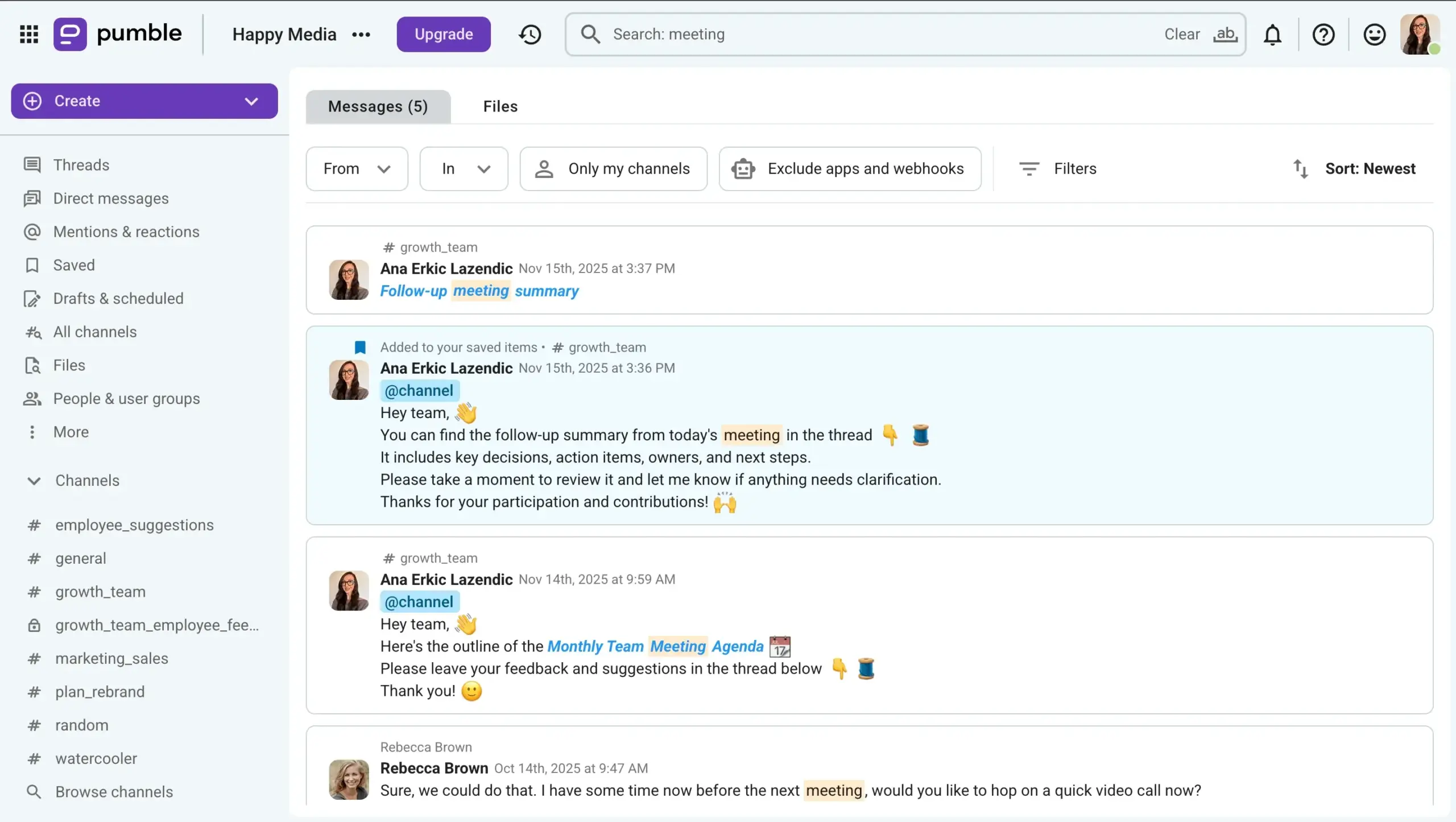
When you need to find past conversations, Pumble’s search functionality stands out by offering advanced filters, so you’ll never lose an important update. You can instantly narrow down results by specific modifiers like:
- Channels
- Senders
- Date ranges
- File types
Rocket.Chat’s notification system is less predictable and can feel random. In Rocket.Chat, you can:
- Configure global and per-channel alert preferences for mobile and desktop.
- Set up basic email digests for missed messages.
- Adjust sound alerts and counter badges for unread texts.
- Choose to receive alerts only for direct mentions or specific keywords.
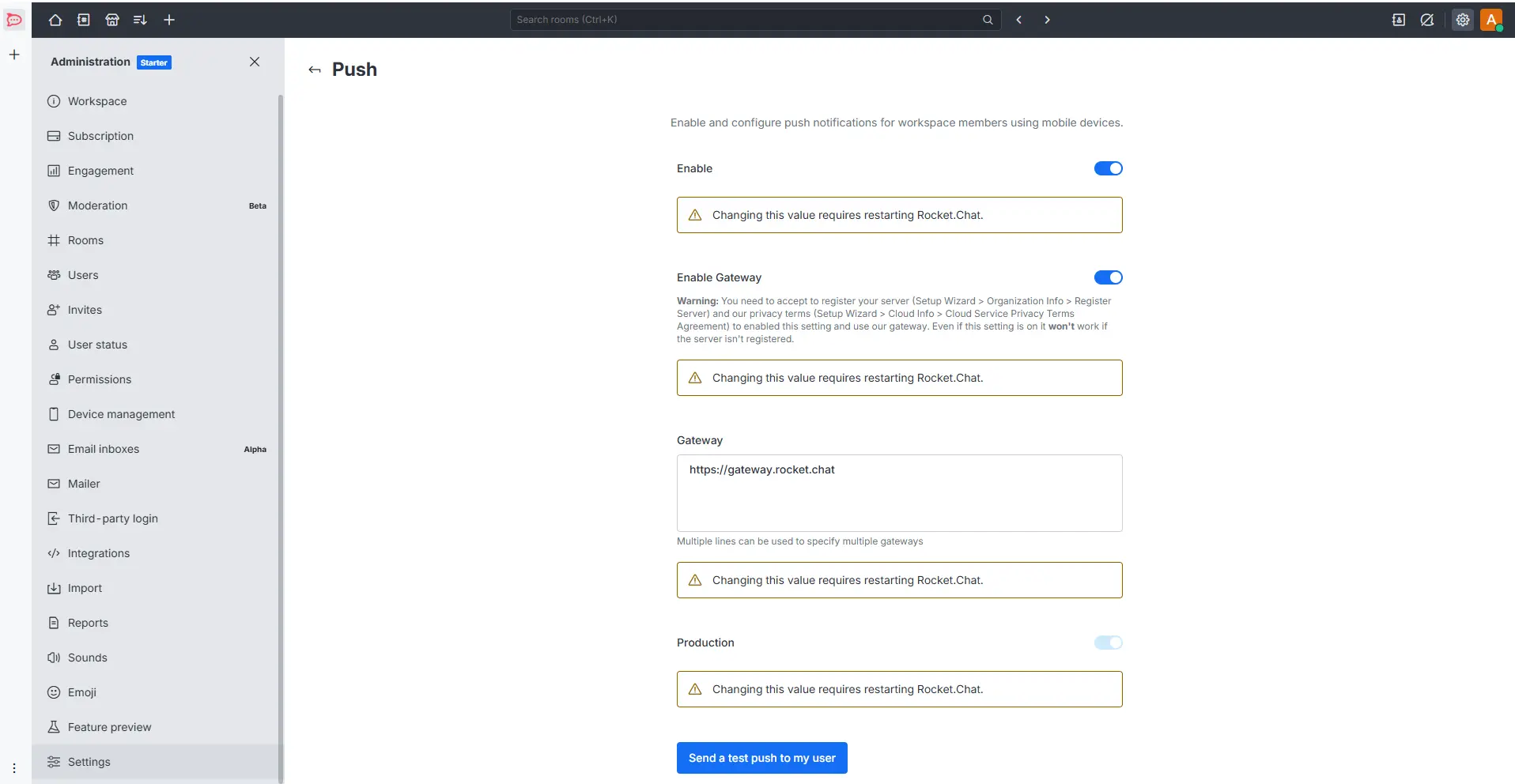
While Rocket.Chat offers standard muting and sorting options, I noticed that its notifications are less reliable. Sometimes, they’re delaying critical updates; another time, they’re failing to sync properly across devices.
Furthermore, while Rocket.Chat features a global search bar, its filter range is more basic, in my opinion. It takes more manual scrolling to pinpoint older files or specific conversations.
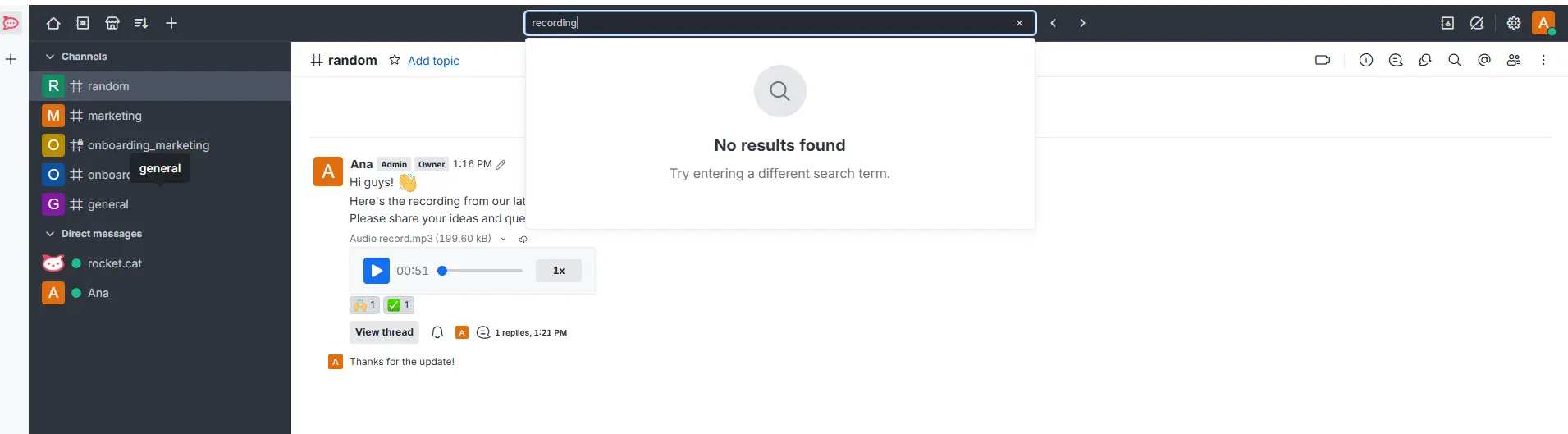
When comparing the two platforms, Pumble offers a far more stable and customizable experience. Rocket.Chat’s occasional alert glitches left me feeling anxious that I might miss an urgent team update.
Pumble’s reliable notifications and advanced search filters make it much easier to organize a chaotic workday and locate information fast.
Never miss an update with Pumble
Pumble vs. Rocket.Chat: Pumble delivers reliable storage, while Rocket.Chat suffers from severe transfer delays
Both Pumble and Rocket.Chat cover the basics of file sharing, letting you send:
- Images
- Videos
- Documents
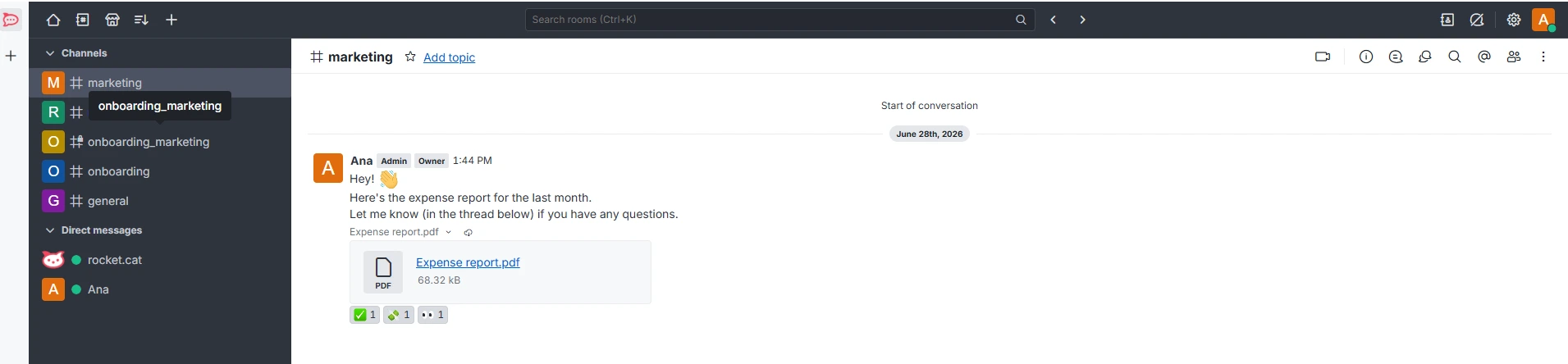
However, they differ slightly in the specific media types they prioritize. Pumble leans into daily workplace collaboration by letting you share GIFs, text snippets, and meeting links.
On the other hand, Rocket.Chat focuses on media and field flexibility, supporting audio files, live chat attachments, and location data.
If you’re uploading large files via Pumble, keep in mind its upload limits:
- 512 MB on desktop
- 256 MB on mobile
Rocket.Chat technically allows server administrators to configure larger custom file limits. This initially sounds ideal for teams dealing with large media assets. However, my experience was different. Almost every time, I had to wait for 10 minutes to download a file, regardless of how small or large it actually was.
The infrastructure and storage capability of the two apps create a completely different user experience.
Rocket.Chat relies heavily on your self-hosted server capacity, meaning performance can tank drastically if the underlying architecture isn’t flawlessly optimized.
Pumble, on the other hand, serves as your company’s knowledge base and stores all of your conversations and shared files on their own infrastructure.
Available storage limits in Pumble depend on your plan:
- Free: 10 GB per workspace
- Pro: 1 GB per seat
- Business: 20 GB per seat
- Enterprise: 100 GB per seat
I see Pumble’s approach as much better suited for business communication.
While Rocket.Chat promises flexible administrative settings, its ongoing download delays make it a massive bottleneck. I think teams would appreciate Pumble’s stable, instantaneous file access more.
Pumble vs. Rocket.Chat: Pumble has 24/7 human support, even on the free plan
As both Pumble and Rocket.Chat are polished and reliable, you’ll rarely need to contact customer care.
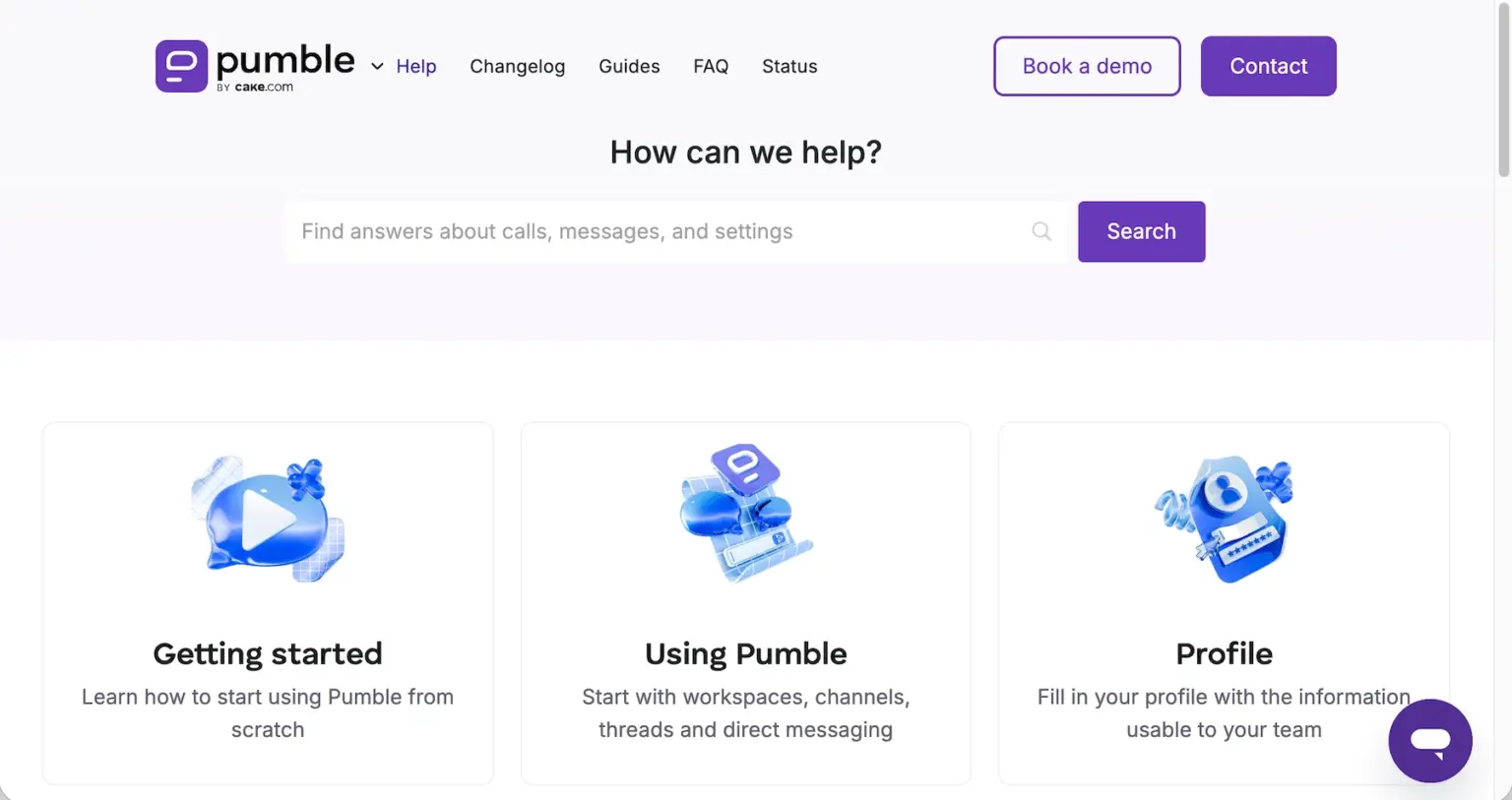
However, if an issue does pop up, Pumble takes a seriously helpful approach by offering entirely free, 100% human support 24/7 across all its plans, in addition to its extensive Help page. Whether you’re on their free tier or one of paid subscription plans, you can easily connect with a live assistant over email, chat, or phone to resolve any issues instantly.
For larger organizations looking for personalized assistance, Pumble also offers a dedicated customer representative for workspaces that meet any of the following user minimums:
- Pro plan: 200+ seats
- Business plan: 100+ seats
- Enterprise plan: 70+ seats
Conversely, if you have trouble with Rocket.Chat, you can search for a solution through:
- The Documentation Index
- Community Rocket.Chat forums
- The public community server chat channels (such as #support)
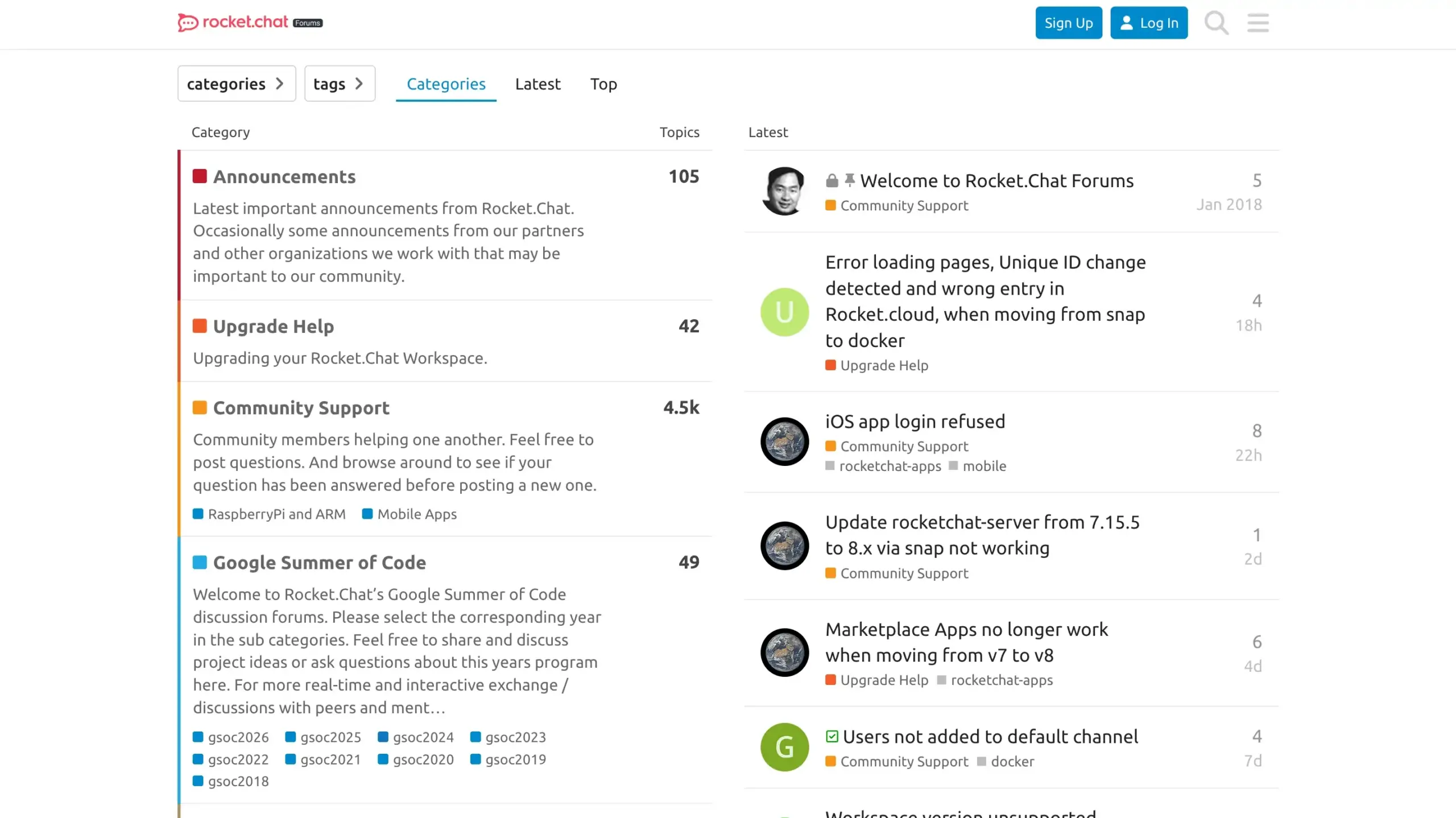
Rocket.Chat, unfortunately, restricts its direct ticketing and desk portal to paid users. They don’t offer direct human customer support to free Starter tier users, leaving them to rely entirely on self-help options and peer forums. This is highly impractical in my book, especially when you’re dealing with urgent technical issues.
Get free 24/7 support with Pumble
Pumble vs. Rocket.Chat: Pumble delivers enterprise security, while Rocket.Chat requires manual server adjusting
Finally, let’s see how each platform keeps your company data, conversations, and files safe.
Again, just like with their core features, there’s a pattern of simple convenience with Pumble versus a complex architecture dependent on administrative setup with Rocket.Chat.
As part of the CAKE.com ecosystem, Pumble takes security and compliance seriously. It is ISO/IEC 27002:2022 and SOC2 certified, GDPR compliant, and includes advanced security features such as:
- Data encryption
- Custom centralized data and context retention settings
- Multi-factor authentication
- Granular admin roles and permissions
- Security assertion markup language single sign-on (SAML SSO)
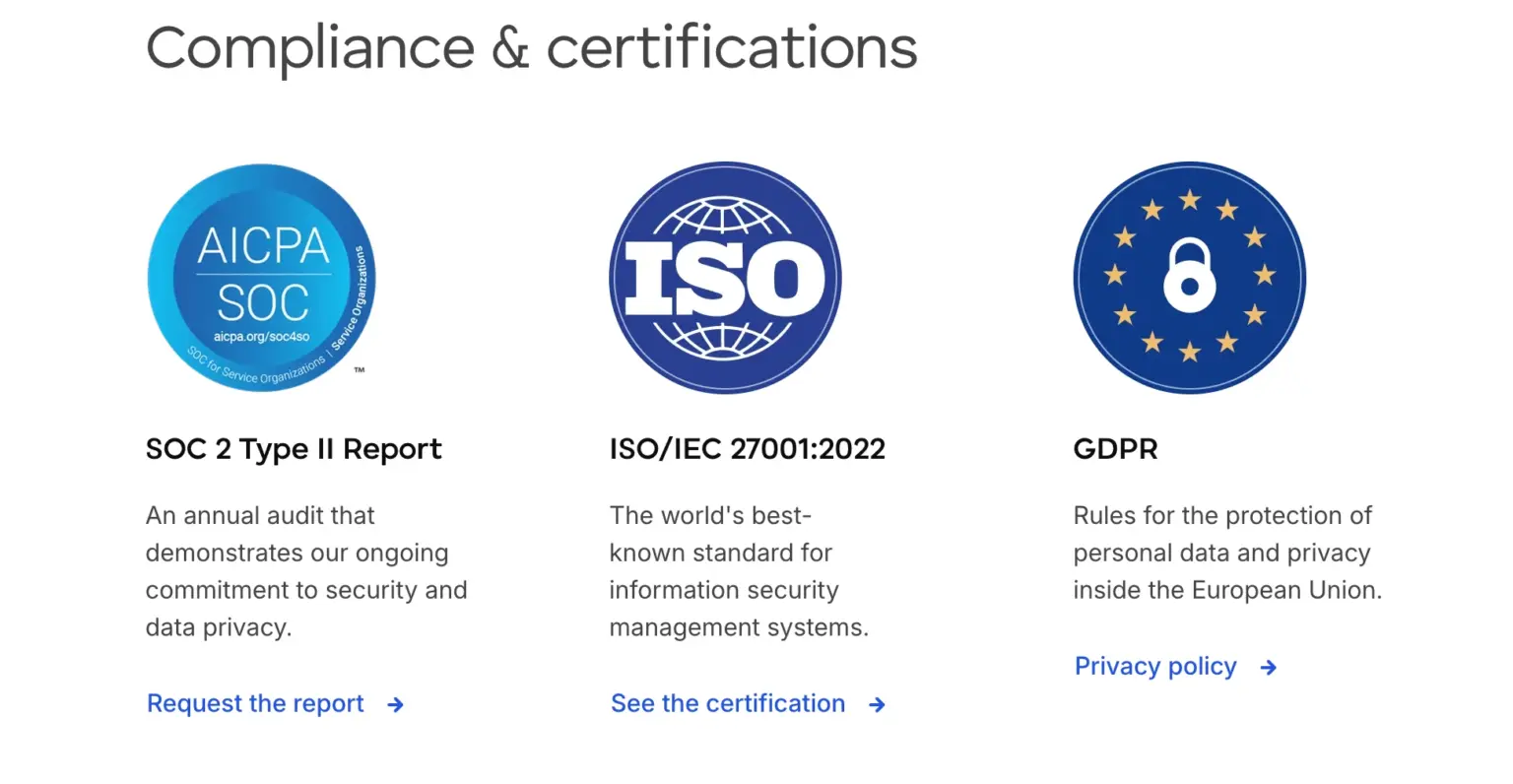
Rocket.Chat is also a highly secure collaboration software and boasts its own SOC 2 Type II attestation alongside ISO 27001 certification. It matches Pumble by offering SAML SSO identity management, multi-factor authentication, and end-to-end encryption capabilities.
However, because Rocket.Chat is frequently self-hosted or run on-premises, achieving this level of enterprise security requires your own IT team to manually configure, update, and adjust the server environment. If your host server isn’t flawlessly optimized, it opens up vulnerabilities that you’re responsible for patching.
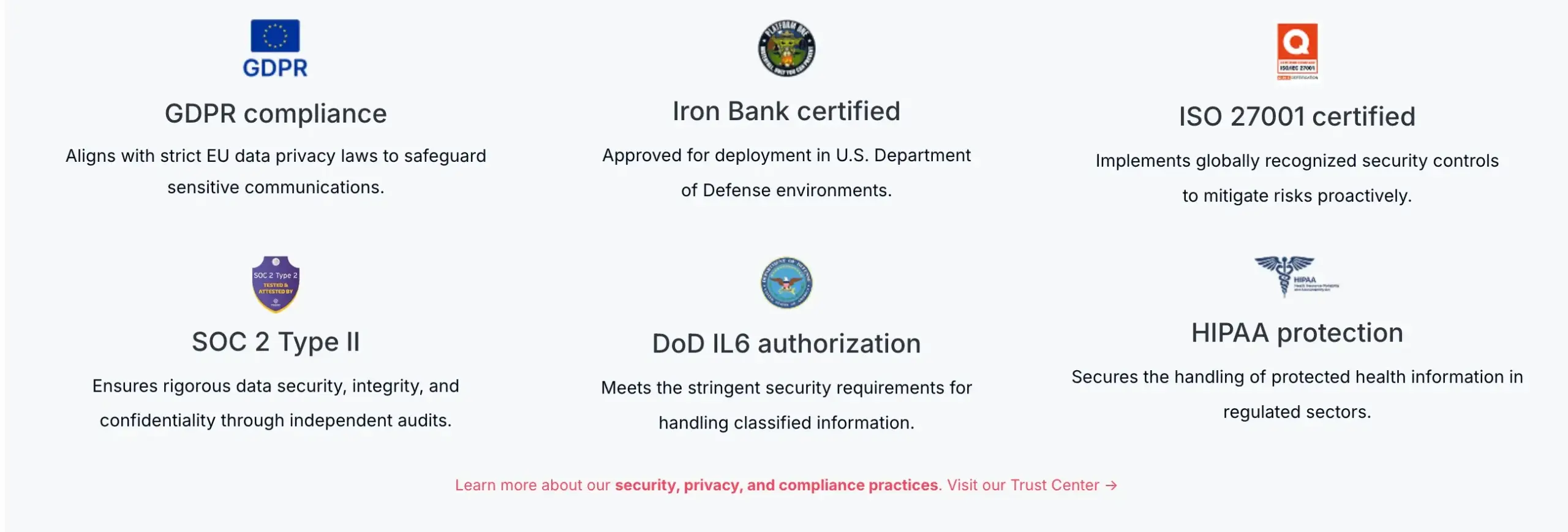
Pumble, on the other hand, handles all of this security infrastructure automatically on its cloud architecture, giving you enterprise-grade protection with zero maintenance overhead.
💡 PUMBLE PRO TIP
To see how Rocket.Chat compares to other apps, check out our comparison posts on the blog:

Looking for an efficient and simple team communication app? Choose Pumble by CAKE.com
When it comes to highly customized, self-hosted infrastructure, Rocket.Chat has its place.
However, only Pumble by CAKE.com has the reliable performance, built-in cloud stability, and 24/7 human support needed to organize professional team communication without the technical headaches.
Pumble is designed to help teams communicate and collaborate effortlessly, simplifying your workday rather than getting in your way with server bugs or frustrating file download delays.
If you’re looking for a business communication software that will support your daily workflows, keep everyone updated, and give you reliable, instantaneous access to all needed information, then Pumble is the better solution for you.
Eliminate technical bottlenecks while protecting your team productivity.
How we reviewed this post: Our writers & editors monitor the posts and update them when new information becomes available, to keep them fresh and relevant.