
If you’re wondering how to cancel a meeting professionally, just stick to the tried-and-true formula:
- Notify the attendees as soon as possible.
- Sincerely apologize.
- Briefly explain.
- Ask to reschedule.
- Thank them for their understanding.
If you still need more clarity, check out our guide to calling off your professional engagements and even reducing the number of meetings you have.
Or, if you’re pressed for time, just copy the meeting cancellation email and message samples below.
- Making and keeping commitments is the best way to build trust with your professional contacts.
- There are many reasons you might have to cancel an appointment, including conflicting schedules, a lack of preparation or agenda, travel issues, and personal issues.
- If you have to cancel a meeting, you should apologize, explain your reasoning, and thank the attendees for their patience.
Meeting cancellation email templates (with instant message versions)
If you’re looking for a professional meeting cancellation email template you can copy and paste, you’ve come to the right place.
Below, you’ll find meeting cancellation email samples as well as short message examples you can use to cancel a meeting when:
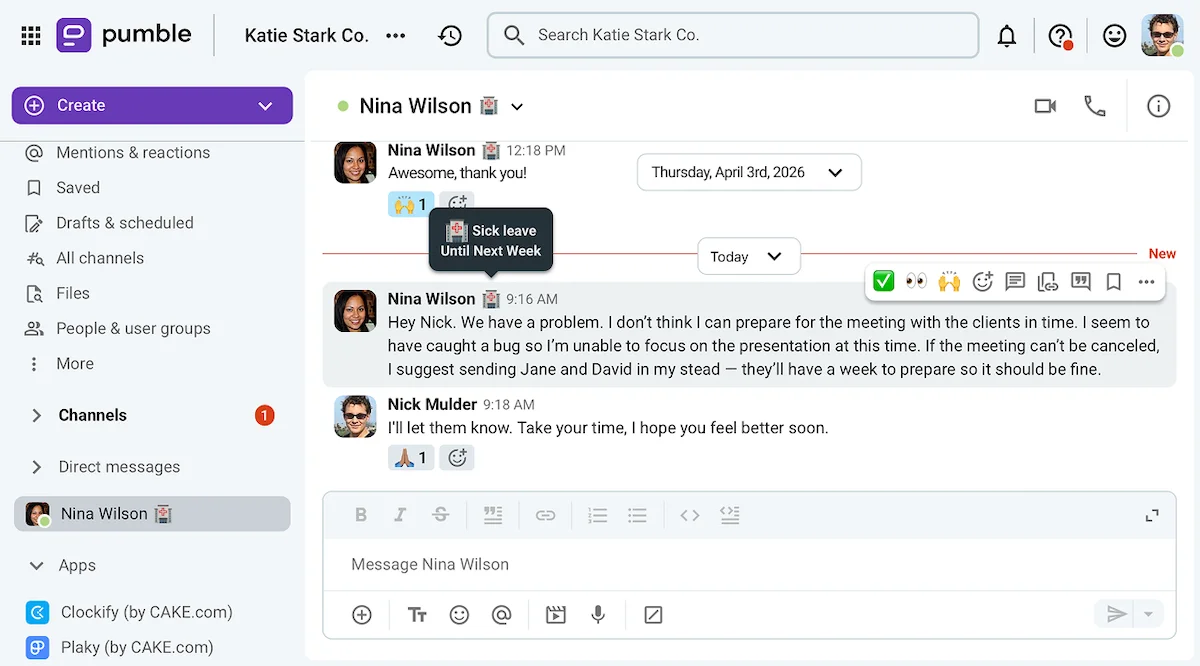
- You’re ill or otherwise medically indisposed.
- You have a family emergency.
- There’s a scheduling conflict.
- The meeting isn’t necessary or lacks an agenda.
- You’re canceling a meeting with external clients or collaborators.
Just choose the template you want, edit it, and send it off.
Meeting cancellation email sample: Medical reasons
Subject: Canceling upcoming meeting due to medical reasons
“Dear team,
I apologize for sending that last-minute meeting cancellation email.
Unfortunately, I will not be able to attend the meeting due to medical issues.
I’m sorry to everyone who prepared diligently. Please send me the materials we would have discussed over email instead.
Thank you for your understanding.
Sincerely,
[Your name]”
If you’re not feeling well, there’s no need to go into details over why you can’t attend a meeting. A vague statement would do the trick.
And, if you’re sending the message through a team communication app like Pumble by CAKE.com, you can make it even shorter, as in the example below.
“Hey team. I’m sorry I had to cancel our meeting today, I’m not feeling well. Please send me any materials you’d like me to look at, and I’ll try to go over them when I feel better. Thank you for your understanding.”
Meeting cancellation email sample: Family emergency
Subject: Canceling meeting due to a family emergency
“Hello everyone,
I’m afraid I won’t be able to attend the upcoming meeting on [topic], as I’ll be dealing with a family emergency for [the rest of the day/week/foreseeable future].
I’ve attached the materials I prepared for the meeting.I would be happy to reschedule to discuss them at a later date if needed.
Thank you for your understanding.
All the best,
[Your name]”
Most people will understand your wanting to skip a meeting to deal with a death or sickness in your family.
Since the topic of family emergencies is usually pretty personal, you can keep it vague, only offering a timeline of your return.
And, if you’re notifying the meeting participants through a business messaging app, you can send the following message.
“Hello everyone. It looks like we’ll have to cancel today’s meeting, as I’m dealing with a family emergency. Here are the materials I’ve prepared. I’ll reach out about rescheduling the meeting when I can. Thanks!”
Communicate with coworkers on Pumble
Professional meeting cancellation email template: Scheduling conflicts
Subject: Canceling meeting due to scheduling conflicts
“Hello team,
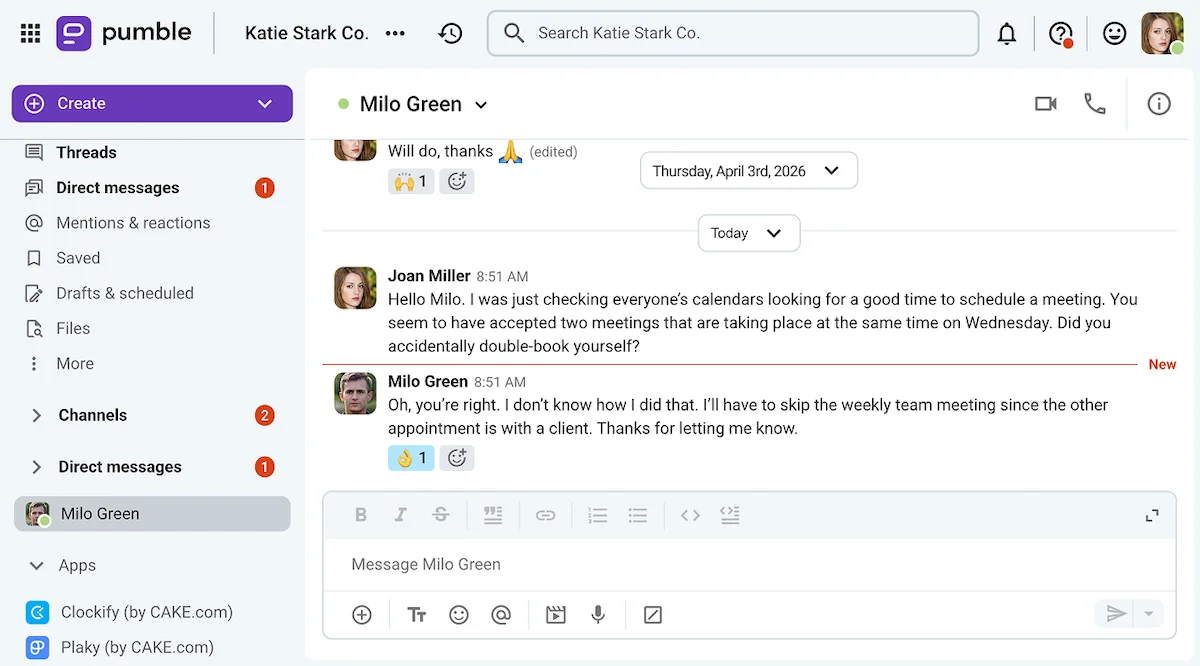
Some of you have let me know that our meeting on [topic] coincides with other appointments.
Sorry about that. I’ll cancel the meeting until we agree on a suitable time for everyone.
Thanks for letting me know.
Best regards,
[Your name]”
The template above would work well if you need to cancel your meeting due to the unavailability of one or more participants.
But, that’s not the only kind of scheduling conflict that may lead to the cancellation of your meeting.
For example, if you’re canceling a meeting due to a holiday, you might have to send a message like the one below.
“Hey all, I wanted to let you know that I’m canceling this meeting due to the holidays. It should disappear from your calendars now. When we come back from vacation, we’ll find a better time for it. Until then, have a nice day.”
Professional meeting cancellation email sample: No agenda
Subject: Canceling [name of the meeting]
“Dear team,
It’s come to my attention that the meeting we were supposed to have on [day] doesn’t have an agenda attached to it.
With that in mind, I’ve decided to cancel the meeting until we have something specific to discuss.
Feel free to reach out if you disagree with my decision.
Thank you for your cooperation.
Respectfully,
[Your name]”
If you see that a meeting lacks an agenda or is generally unnecessary, you can also cancel it by sending a simple message like the one below.
“Hello, team! I’ve noticed that the meeting we have on the calendar tomorrow doesn’t have an agenda attached. I propose we cancel the appointment, unless anyone disagrees.”
💡 PUMBLE PRO TIP
If your team finds it difficult to create agendas for every meeting, you can make the process easier by having them use a template:
Client-facing business meeting cancellation email template
Subject: Canceling upcoming meeting
“Dear [title or name of the client liaison],
I’m afraid I won’t be able to make it to the meeting on [date] at [time], due to an unavoidable [private matter/unexpected engagement].
Would it be possible to reschedule for another day? I would be available on [propose suitable dates and times.]
I apologize for the inconvenience.
Respectfully,
[Your name]”
When communicating with clients, you have to compose your messages more carefully so as not to damage your company’s reputation.
On top of that, you’ll be less likely to cancel through a short message, unless your clients have guest access to your employee communication app.
If that is the case, though, you could also send something like the message below.
“Hello everyone. I’m afraid I won’t be able to make it to the upcoming meeting due to some unforeseeable circumstances. Would it be possible to reschedule?”
However, you could also do your best to keep the appointment by sending someone else in your stead.

5 reasons you might need to back out of a business meeting
The reasons to cancel an appointment can be pretty diverse — though some of them are better than others.
So, what is a good excuse to cancel a meeting?
Well, most of the justifications we offer to meeting organizers and attendees fall into one of the following categories.
#1 Conflicting schedules and work emergencies
Have you ever committed to being in a meeting only to realize that other work responsibilities will prevent you from joining it? It happens to the best of us.
Just let the other meeting participants know as soon as you realize you won’t be able to make it, and you’ll be good to go.
#2 Lack of preparation
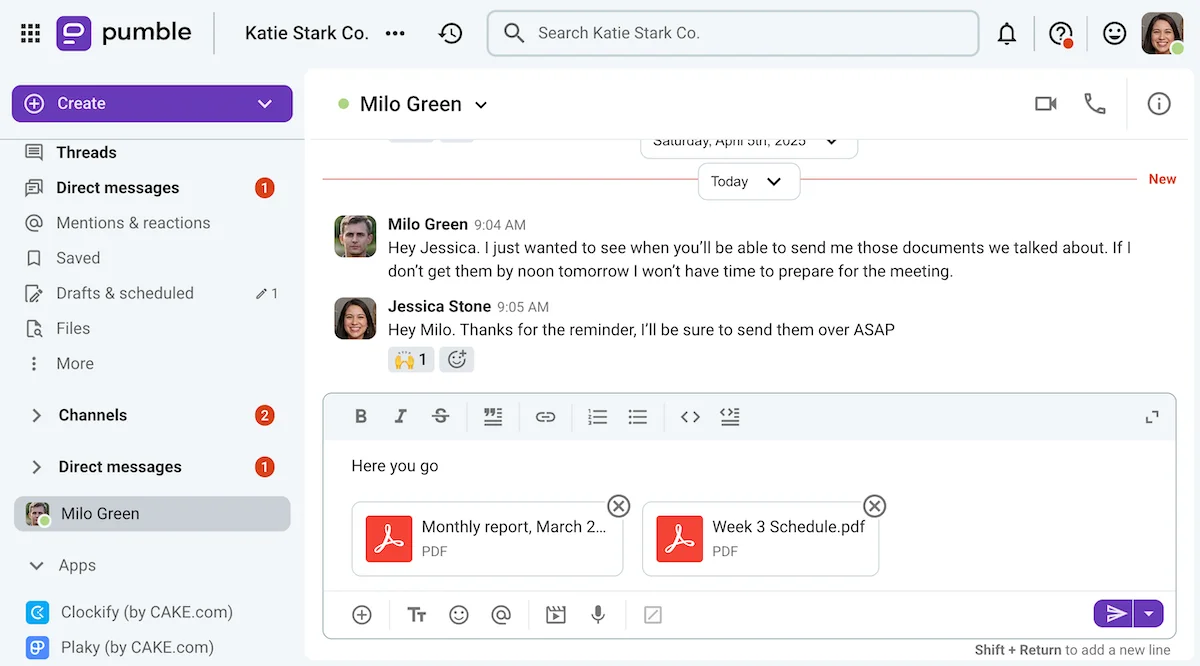
In an ideal world, all of us would have ample time and resources to prepare for each upcoming meeting. Sadly, that often isn’t possible.
Still, if you’re scheduled to participate in a meeting that requires serious preparation, canceling or postponing would be less unprofessional than showing up unprepared.
Share files securely through Pumble
#3 Lack of an agenda
Meetings without a set agenda can quickly go off the rails as participants indulge in idle chit-chat.
So, if you prefer having more effective meetings, you can make a point of canceling the ones without a meeting agenda.
#4 Travel issues
In-person meetings that take place outside of the office can get sidetracked due to transportation mishaps.
Whether it’s rush hour traffic holding you captive on the other side of town or unscheduled airplane delays keeping you in another city, travel issues happen.
Unfortunately, these problems often lead to last-minute meeting cancellations, so you should try to avoid them by planning ahead.
#5 Personal issues
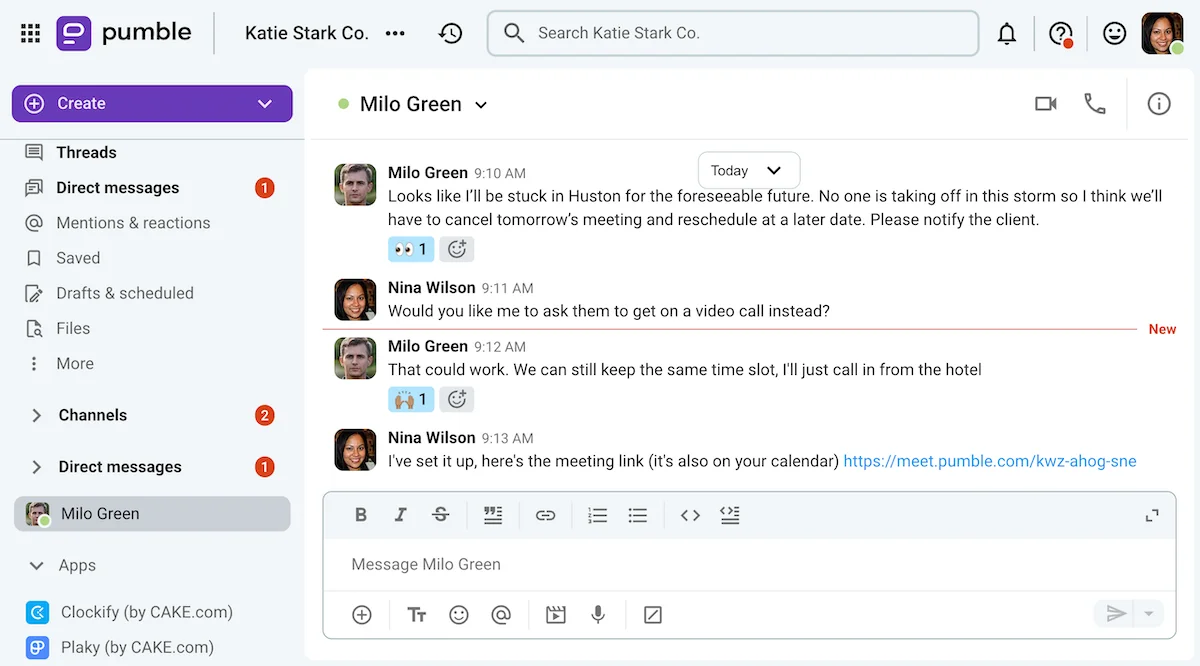
Last but not least, there are many personal reasons to cancel an appointment, such as medical issues and family emergencies.
These reasons usually necessitate a last-minute cancellation, but that isn’t always the case. For example, scheduling vacations may affect your meetings, as shown in the example below.

How to politely cancel a meeting: A step-by-step guide
If you want to know how to professionally cancel a meeting, just follow our simple guide:
- Act quickly.
- Apologize.
- Explain.
- Reschedule (or ask for the meeting notes).
- Show your gratitude.
Let’s see how these steps can play out in real life.
#1 Send a message as soon as you realize you can’t make it
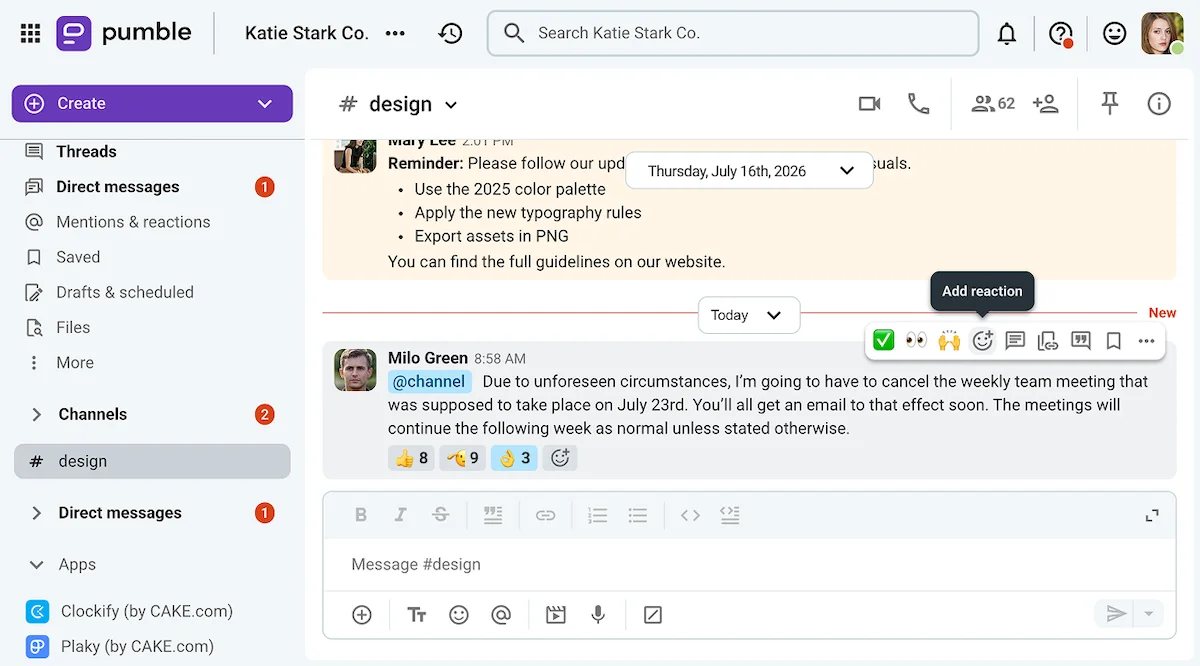
If you want to cancel a meeting, it’s best to do it as soon as you decide it needs to go.
Ideally, your meeting participants should be notified at least a full day in advance. You can:
- Cancel external or more formal meetings via email.
- Cancel more casual team meetings via internal communication software like Pumble by CAKE.com.
- Use the phone for last-minute cancellations.
Just be sure to follow up with a more formal written apology for the cancellation at your earliest convenience.
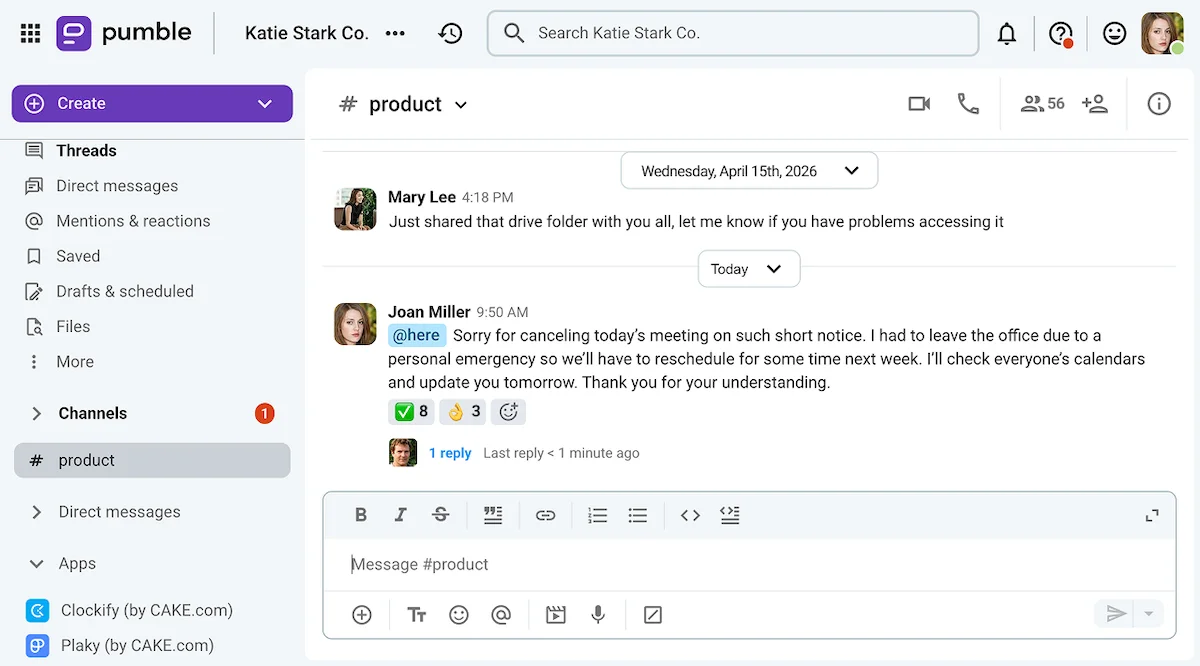
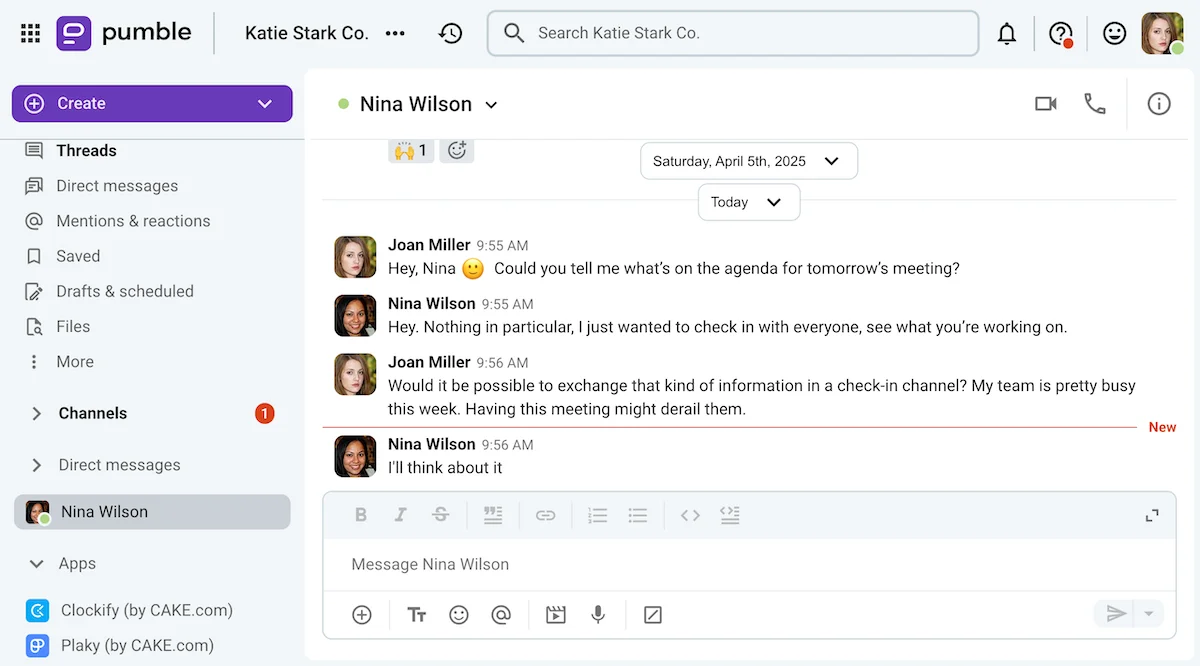
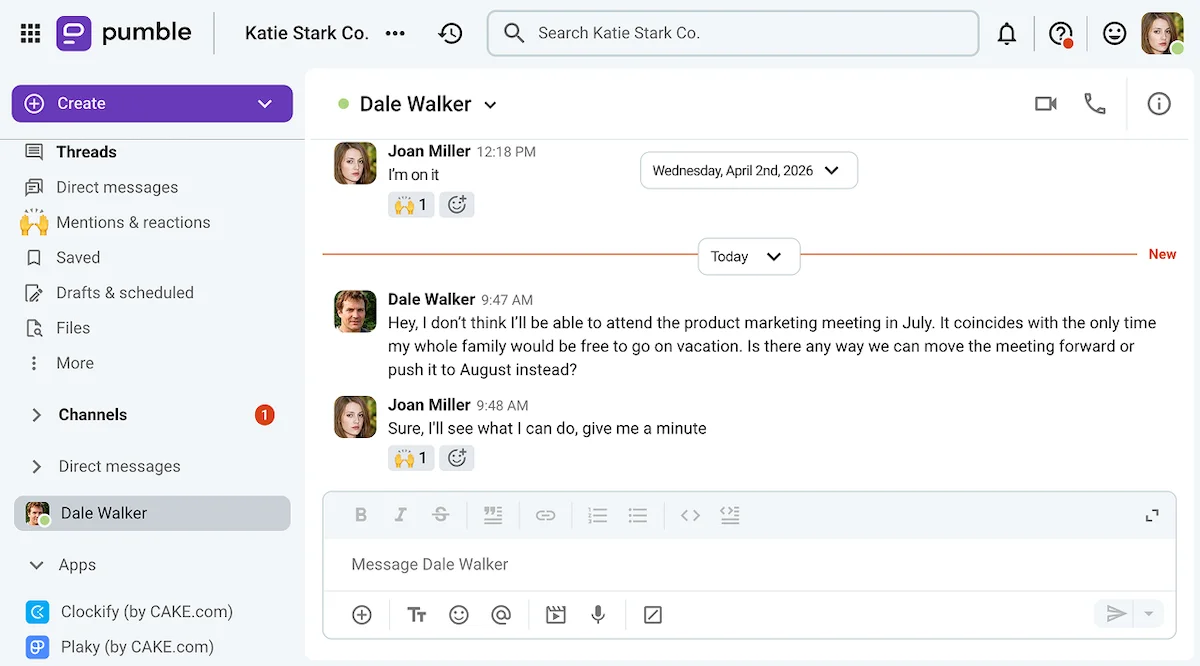
In the example above, Joan sent her apology to her department’s Pumble channel and addressed it to its online members.

#2 Apologize and notify the attendees
- “I appreciate your taking the time to meet with me. Unfortunately, I won’t be able to attend the meeting due to a personal emergency.”
- “I understand how important this meeting is, but I’m afraid I won’t be able to make it.”
- “I apologize for the short notice, but I need to let you know that I can’t participate in the upcoming meeting on content strategy.”
The examples above can be used to start your meeting cancellation email or message with a sincere yet professional apology.
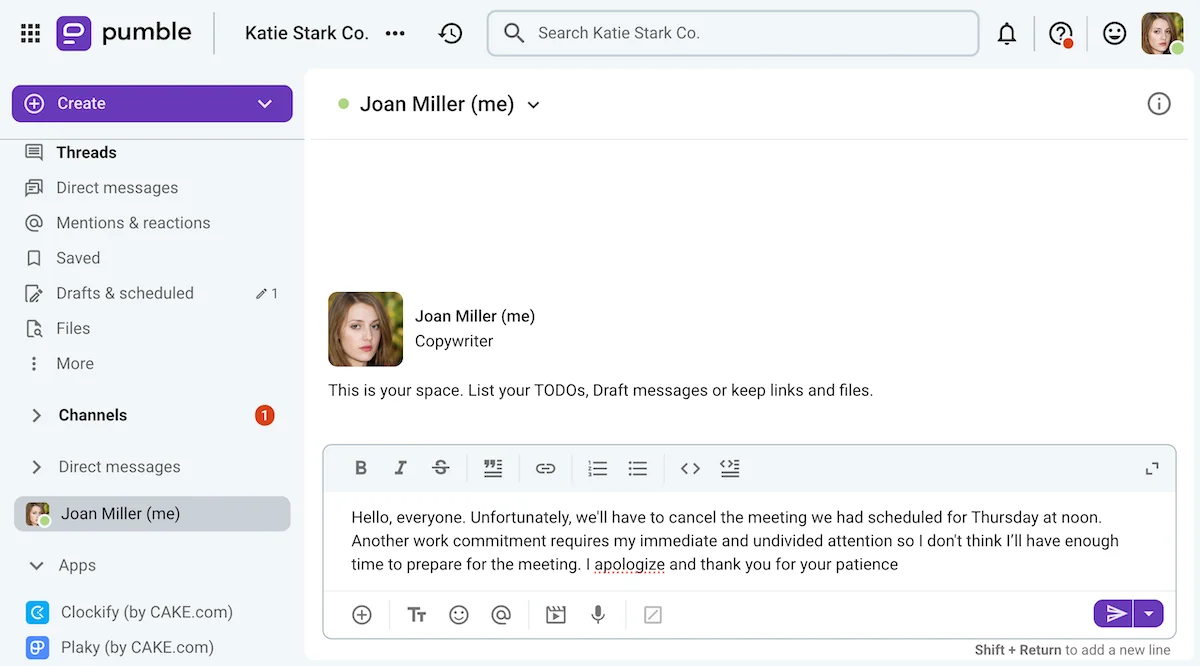
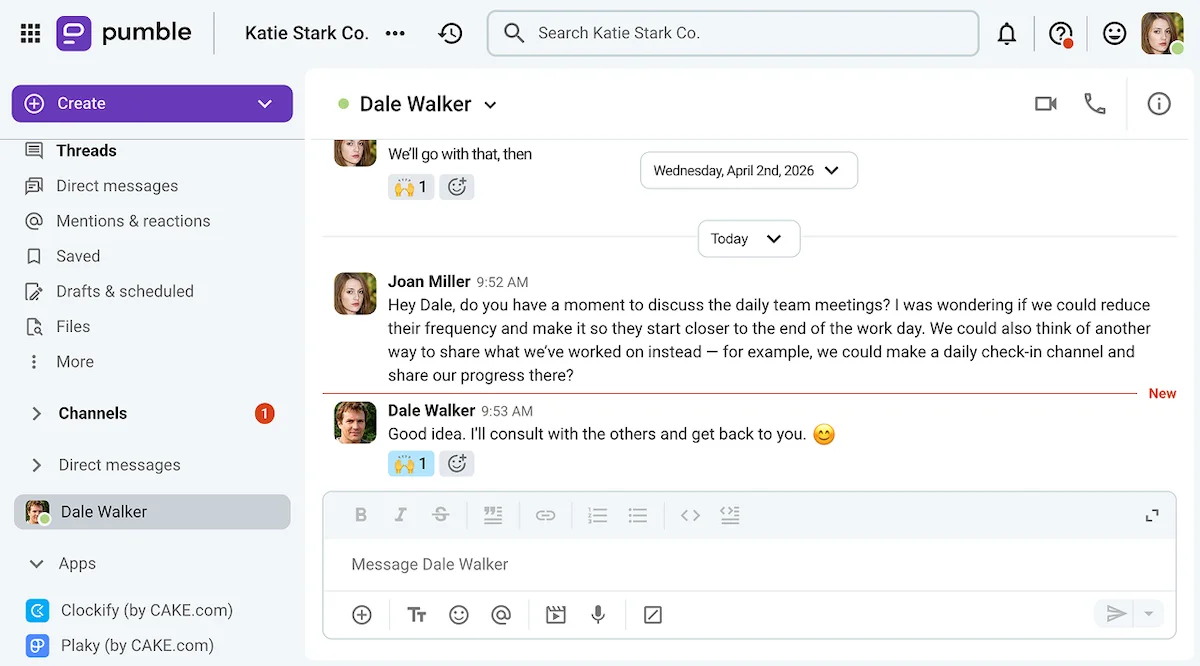
If you’re canceling via a team communication app like Pumble, you can draft your message on your “me page” before sending it to the group chat or channel you have with the meeting participants.
That way, no one will see your typo-ridden first draft — or the indicator that is visible to others while you’re typing.
#3 Explain why you can’t make it
- “Since the meeting intersects with a holiday, I suggest that we postpone it until after everyone is back at work.”
- “Due to the unclear agenda of this meeting, I suggest that we cancel it until we have a better idea of the topics we’d like to discuss.”
- “I didn’t realize my earlier appointment would be on the other side of the city. Looking at my schedule now, I don’t think I’ll be able to make it back to the office on time for the Wednesday meeting.”
Once you’ve notified the participants that the meeting will be canceled or at least postponed, it’s time to justify your decision.
As with any kind of professional communication — it’s best to keep your explanation short and concise.
To that end, you could even offer a more vague excuse such as: “Something has come up.”
Just know that, if you overuse these types of vague excuses, someone will eventually ask you to go into further detail.
Reach out to your team on Pumble
#4 Ask to reschedule
- “Would it be possible to have this meeting tomorrow around the same time?”
- “I’m sorry, but I’m afraid we’ll have to reschedule this meeting. Could you please share your team’s calendar with me so I can find a time that works for all of us?”
- “I’d be grateful if we could reschedule this meeting. I’m available Wednesdays and Thursdays between 2 and 4 p.m.”
If you’re looking to postpone or reschedule a meeting, your message should include suggestions of an alternate time slot the meeting could take up instead.
You could either ask to see the participants’ work calendars or offer your own to the meeting organizer instead.
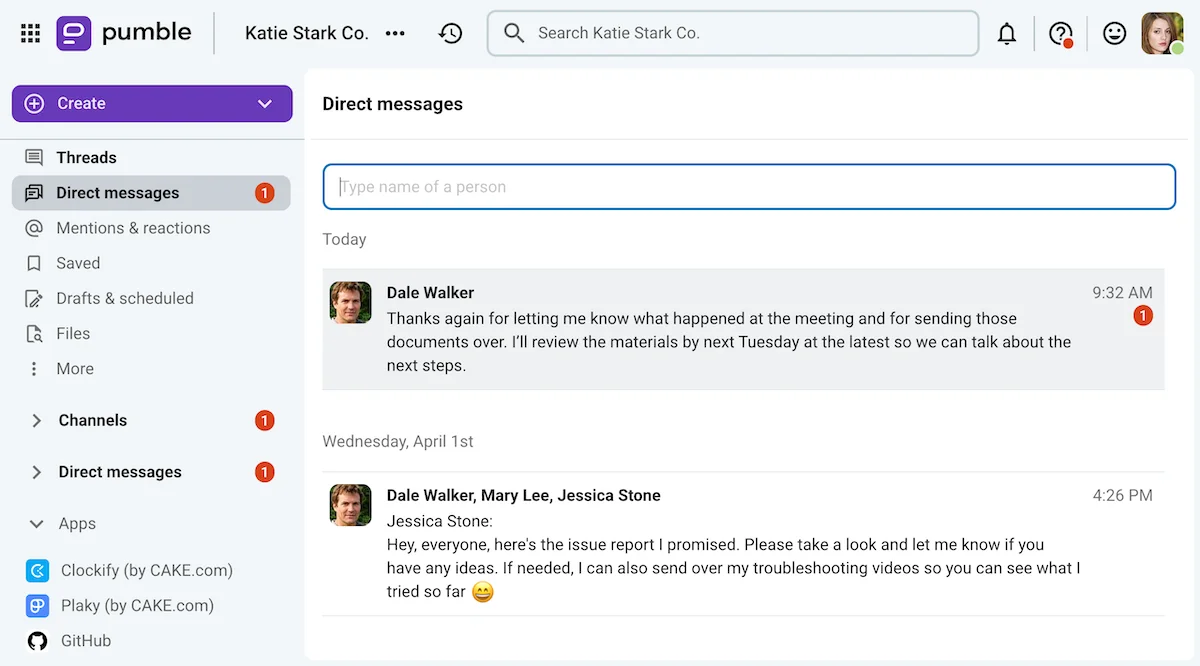
#5 If the meeting proceeds without you, request the meeting notes
- “Do you mind sending me the meeting minutes after you’re done?”
- “Please keep me informed of the decisions that were made during the meeting.”
- “Could you fill me in over the phone after the meeting?”
- “Please email me the pertinent documents after the meeting.”
- “Could you please record the meeting and send me the audio/video file later?”
If the meeting you need to skip takes place without you, you can also ask to see the:
- Meeting notes
- Presentation materials
- Meeting recording
Whether it’s having someone send you the meeting presentation through direct messages or filling you in through voice or video calls, make sure your absence from the meeting doesn’t leave you out of the loop.
#6 Thank the meeting organizer and attendees
- “Thanks in advance.”
- “I appreciate your understanding.”
- “Thank you for your patience.”
When you message someone in hopes of backing out of a meeting, you’re basically leaving them no choice but to agree.
To offset that potential point of conflict, you can end your message by thanking the recipients for their patience and understanding.
For future reference: 3 tips for canceling fewer meetings
At the end of the day, repeatedly canceling business meetings is not the best way to build trust in your professional relationships.
So, what can you do to reduce your rate of meeting cancellation?
#1 Make the most of your calendar
Making the most of your calendar app is the best way to avoid double-booking yourself or not setting aside enough time to work on other tasks.
Specifically, time-blocking your calendar can help you sort out your schedule by letting you clearly label the hours you’ll spend in meetings, as well as:
- Focus on work tasks
- Enjoy your PTO and vacation days
- Be out of the office for public holidays
On top of that, time blocking lets other people who have access to your calendar see when you’re free to take a meeting.

#2 Don’t confirm attendance if you have potential scheduling conflicts
Using the same calendar platform as the rest of your professional circle allows you to RSVP to upcoming events within the app.
Whether you’re on iCloud, Google Calendar, or Microsoft Outlook, you’ll be able to respond to your meeting invites with a simple “Yes,” “No,” or “Maybe.”
So, if you’re not sure whether you’ll be able to attend a meeting, make it known by selecting the appropriate response.
If necessary, you can also send a message explaining yourself to the meeting organizer and other participants.
#3 Consider if the meeting is necessary in the first place
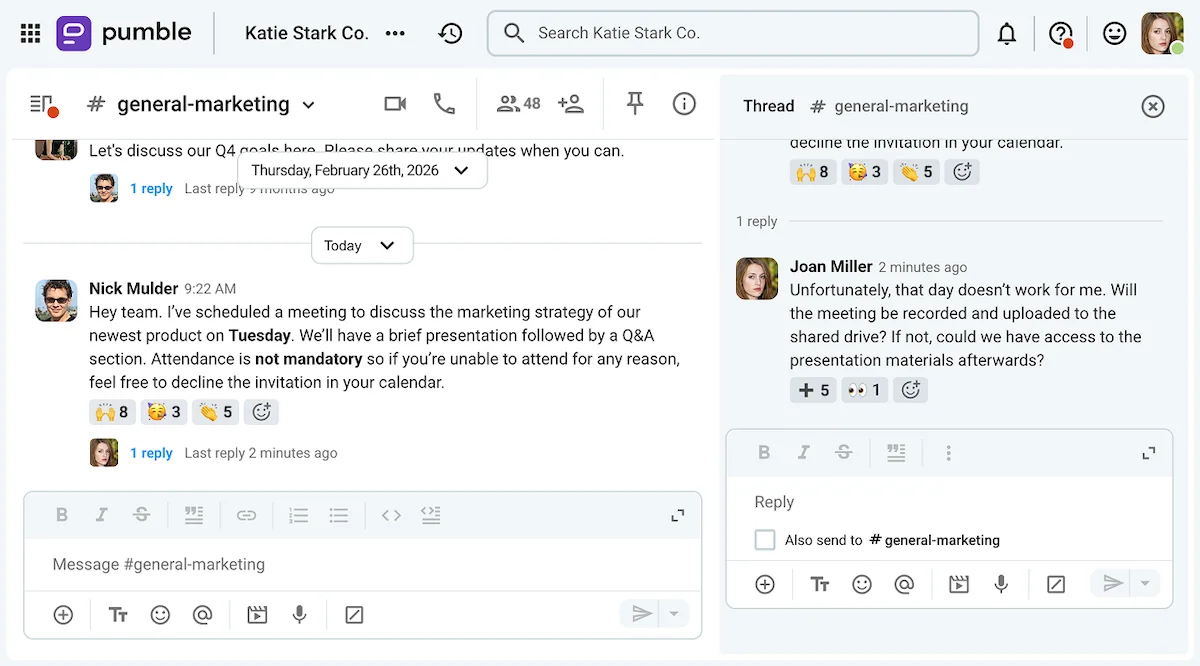
Not every topic deserves a meeting — particularly not an in-person one.
So, if you’re someone who gets to decide whether a meeting will take place or not, consider alternatives like:
- Having virtual meetings via video conferencing
- Screen sharing in video messages to troubleshoot issues quickly
- Using polls to reach a consensus about something
- Sharing information through written reports
Even if you’re not the meeting organizer, you could still influence what’s considered meeting-worthy in your company.
💡 PUMBLE PRO TIP
If you’re looking to cut down the number of meetings you have on your schedule, take advantage of these Pumble features:
Frequently asked questions about canceling meetings
How do you politely cancel a meeting?
If you want to cancel a meeting politely:
- Respect the attendees’ time by notifying them as soon as possible.
- Sincerely apologize for the cancellation.
- Briefly explain your reason for the cancellation.
- Thank the recipients of your message for their understanding.
How do you professionally say you have to cancel a meeting?
You can ask to cancel a meeting using those very words — “I’m afraid we’ll have to cancel this meeting.” The phrase itself isn’t unprofessional.
Just add a brief explanation of why you feel the cancellation is necessary and use slightly more formal language to deliver your message, if you’re worried about seeming unprofessional.
How to cancel a meeting last minute professionally?
If you’re looking to cancel a meeting at the last minute without coming across as unprofessional, apologize and offer to reschedule or postpone instead.
That will show that you’re still interested in hearing about the topic the meeting was supposed to be about.
How do I apologize for cancelling a meeting?
If you’re sending a quick message, you can offer a casual apology: “I’m sorry for canceling this meeting on such short notice.”
But, if you’re cancelling a client-facing meeting via email, you should deliver a more formal apology: “I apologize for the inconvenience, but I’m afraid I’ll have to cancel this meeting.”
What is a good excuse to cancel a meeting?
Though people could always question the validity of your excuse, you might decide to cancel a meeting due to:
- Scheduling conflicts
- Work emergencies
- A lack of preparation
- A lack of agenda
- Travel issues
- Medical issues
- Family emergencies
Schedule and cancel meetings easily with Pumble by CAKE.com
Making and keeping commitments is the best way to build trust with your professional contacts. But, if you do find yourself having to back out of an appointment, we hope this guide taught you how to cancel a meeting professionally and politely.
At the end of the day, if your team uses a professional communication and collaboration app like Pumble, you’ll be able to schedule, host, or cancel meetings easily.
Pumble lets you:
- Create meeting links to set up or join virtual meetings with a single click.
- Connect the app to Google Calendar to manage and share Pumble meet details with other meeting participants.
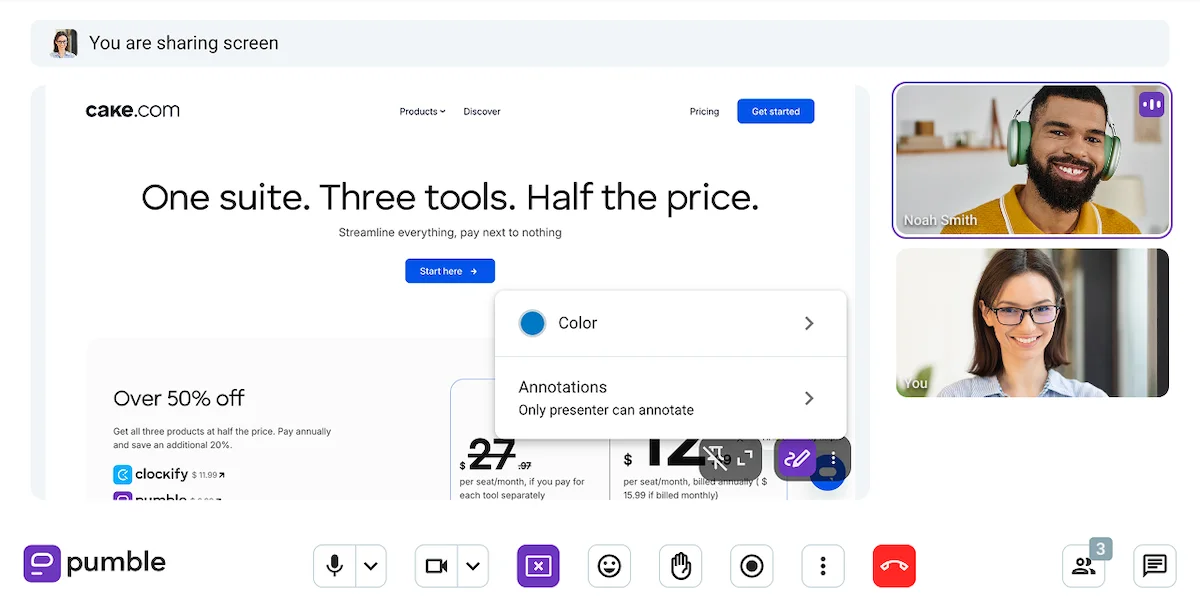
- Enjoy a variety of meeting features, including the in-meeting messages, screen sharing, meeting recording, annotations, and more.
Experience everything Pumble has to offer.
How we reviewed this post: Our writers & editors monitor the posts and update them when new information becomes available, to keep them fresh and relevant.