No matter whether you work in-office, remotely, or practice a hybrid work model, you simply must have a team chat app.
Choosing the right business communication platform can be overwhelming, yet it is essential for effective communication and collaboration.
So, to make your choice a bit easier, in this blog post, we compare two of the most popular business messaging apps on the market — Mattermost and Rocket.Chat.
First, we’ll provide you with an overview of both platforms’ features.
Then, we’ll compare the two apps’ following categories:
- Pricing plans,
- Interface,
- Communication,
- Notifications,
- Search,
- File sharing and storage,
- Integrations,
- Support, and
- Security.
In the end, we’ll reach a verdict, see which team chat app is better — Mattermost or Rocket.Chat — and help you reach an informed decision about the best team chat app for you.
Let’s dive right in!
Why trust us?
Human reviewers try out each app and follow strict guidelines while writing about the comparisons. We follow a transparent, clear, and systematic methodology, so that every review is objective and accurate.
Mattermost vs Rocket.Chat: Main features comparison
Mattermost and Rocket.Chat differ primarily in their approach to workflow integration, security models, and interoperability.
While Mattermost is often recognized for its streamlined, DevOps-centric collaboration and broad integration ecosystem, Rocket.Chat provides a flexible environment with specialized strengths in secure external federation and multilingual support. Both platforms have advanced search and notification systems, with Rocket.Chat focusing on AI-assisted intelligence and Mattermost prioritizing structured, mission-critical workflows.
You can see and compare the main features of both Mattermost and Rocket.Chat in the table below.
| Features | Mattermost | Rocket.Chat |
|---|---|---|
| Pricing | – Starter/Free (Up to 10k messages, 10GB free storage) – Professional $10 per user, per month – Enterprise — contact Sales | – Starter: Free (Self-managed essentials) – Pro: Custom quote (Scaled teams) – Enterprise: Tiered by mission requirements |
| Interface | Clean, advanced customization | Clean, intuitive, and fully white-labelable |
| Communication options | Communication and collaboration through: – Channels, – Playbooks, and – Boards | Chennels, Native Matrix Federation, and Native P2P Voice/Video |
| Notifications | Advanced notification configuration | Secure push notifications + AI-powered summaries |
| Search options | Advanced filtered search options Search within documents | AI Intelligent Search (Semantic intent-based) and advanced filtering |
| File sharing and storage options | Starter plan: 10GB for a team Professional: 250GB for a team Enterprise: unlimited file storage for a team | Flexible Storage: Local or S3-compatible; includes encrypted file sharing |
| Integrations | 5 integrations limit in the free plan, 600+ integrations in paid plans | Customizable integrations: Supports custom and pre-built apps, webhooks, APIs; Proprietary knowledge base integration to run sovereign AI |
| Support | Email/Help Desk FAQs/Forum Knowledge Base Chat Customer success teams in paid plans | Community assistance Help desk 24/7 Mission-Critical Support |
| Security | Standard security Self-hosting | Zero-Trust Security: Self-hosting, E2EE, and ABAC |

After we’ve got you acquainted with both apps’ main features, it’s time for a more detailed comparison.
Mattermost vs Rocket.Chat pricing plans 0:1
First things first — pricing plans.
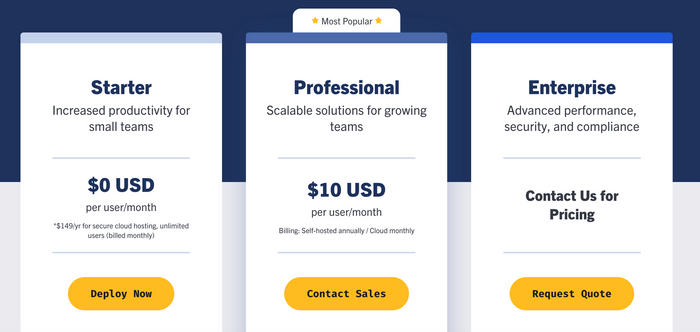
If you need a communication and collaboration solution for a smaller team, you should consider Mattermost’s freemium version — Starter plan — which includes:
- One workspace for your team,
- Unlimited users, channels, playbooks, and boards,
- 10GB file storage across the platform,
- 1:1 calls with screen share option, and
- Access to your last 10,000 messages.
If your needs are greater, you can use one of the two paid plans — Professional or Enterprise.
For $10 per user/month, the Professional plan might be a good solution for growing teams, as it offers a number of features, including:
- Unlimited workspaces,
- 250GB file storage across the platform,
- Group calls with screen share,
- Unlimited message search and history, and
- Guest accounts.
There’s also their Enterprise plan, which offers a more secure solution, advanced features, and compliance.
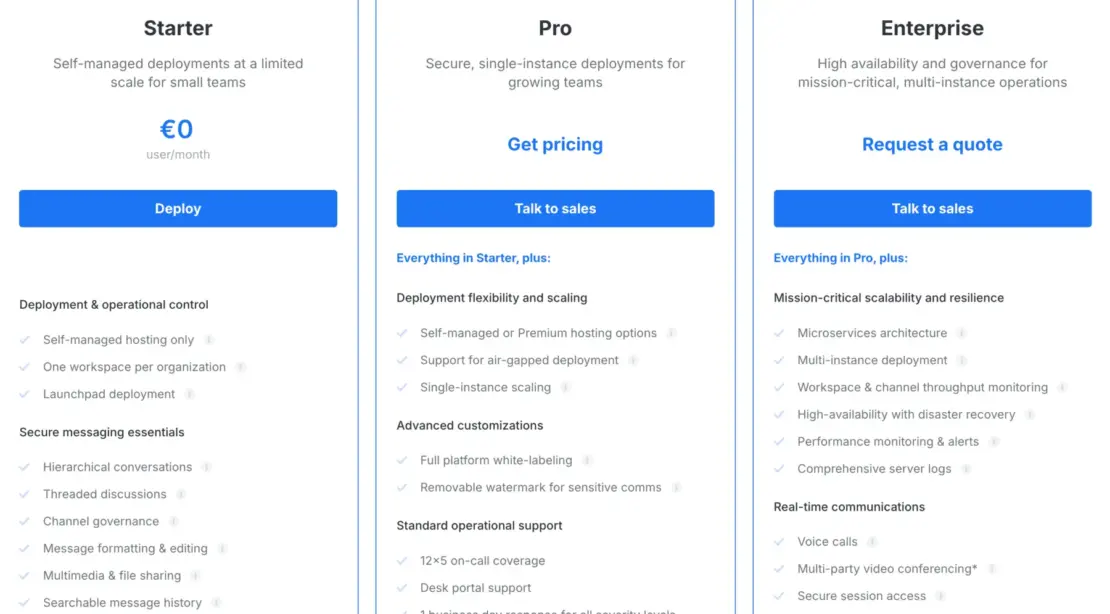
Rocket.Chat provides three primary tiers: Starter, Pro, and Enterprise.
The free Starter plan includes essential features like unlimited messaging history, end-to-end encryption, and matrix federation for up to 25 users.
The Pro plan is designed for scaling teams and adds white-labeling rights and standard support.
For organizations with mission-critical needs, the Enterprise plan offers advanced features like Sovereign AI, Voice calling, and Attribute-Based Access Control (ABAC) to ensure maximum security. Pricing for Enterprise is tiered based on specific deployment needs and active contact volume. If you require even more specialized functionality, Rocket.Chat offers various add-ons to tailor the platform to your exact requirements.
While both platforms provide extensive feature sets, Rocket.Chat remains a highly competitive choice due to its flexible entry points and lower total cost of ownership.
Here’s an overview of both apps’ pricing plans:
| Pricing plans | Mattermost | Rocket.Chat |
|---|---|---|
| Free plan | Yes | Yes |
| Free trial | Yes | Yes |
| Cheapest paid plan | $10 | $7 |
| Overall impression | ⭐⭐⭐⭐ | ⭐⭐⭐⭐⭐ |

💡 Pumble Pro Tip
If you need a more affordable but equally satisfying communication and collaboration solution, try Pumble.
Mattermost vs Rocket.Chat interface 0:1
User interface is an important factor in deciding which communication platform to choose.
For an ultimate user experience, your platform of choice should be intuitive, user-friendly, and aesthetically pleasing.
So, let’s see what Mattermost and Rocket.Chat have to offer on this front.
We’ll start with Mattermost.
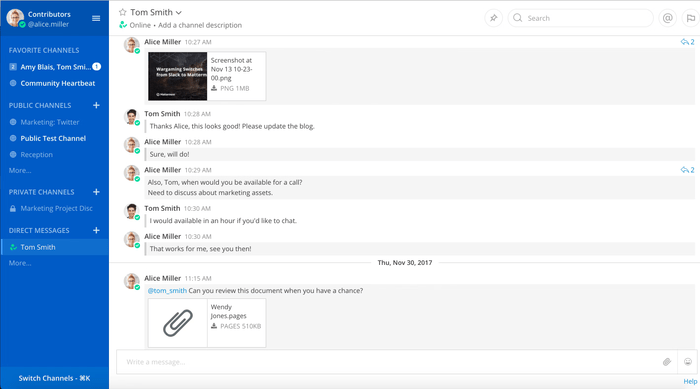
Mattermost has a clean, intuitive interface.
It offers various customization options, including choosing different themes and modifying the sidebar to your liking, for a fuller user experience.
Aside from that, Mattermost enables support for 16 languages — a pretty convenient feature for distributed teams around the globe.
Furthermore, Mattermost’s interface offers white labeling so you can customize fonts and on-screen text.
It’s time we check out what options Rocket.Chat’s interface offers.
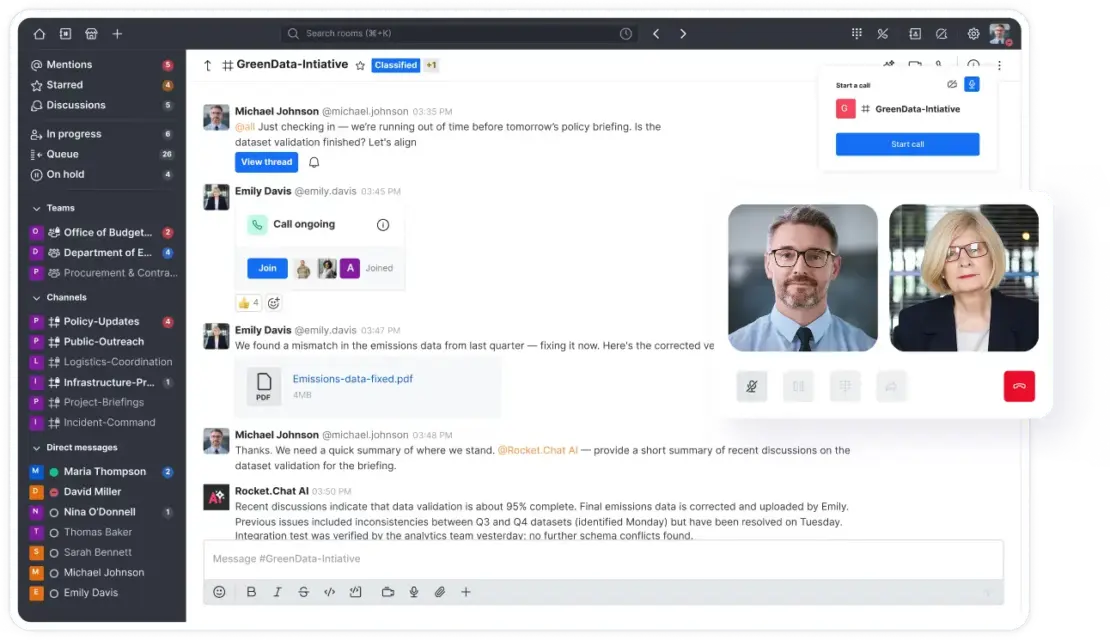
Namely, Rocket.Chat’s interface is also very clean and intuitive.
As an open source software, Rocket.Chat allows you to customize its:
- Colors,
- Content,
- CSS, and
- JavaScript.
Furthermore, Rocket.Chat offers support for 63 languages, and improved product content in Spanish, French, German, Japanese, Portuguese, and Arabic.
Thanks to more options for customization and support for more languages, Rocket.Chat wins the medal in this round.
| Interface | Mattermost | Rocket.Chat |
|---|---|---|
| Layout | Clean | Clean |
| Customization | Advanced | Advanced |
| Overall impression | ⭐⭐⭐⭐ | ⭐⭐⭐⭐⭐ |
Mattermost vs Rocket.Chat communication 1:0
Although both Mattermost and Rocket.Chat help you avoid team silos by offering you group messaging in private and public channels, there is an added bonus for Mattermost.
Namely, Mattermost enables you to organize your team communication and collaboration in:
- Channels,
- Playbooks, and
- Boards.
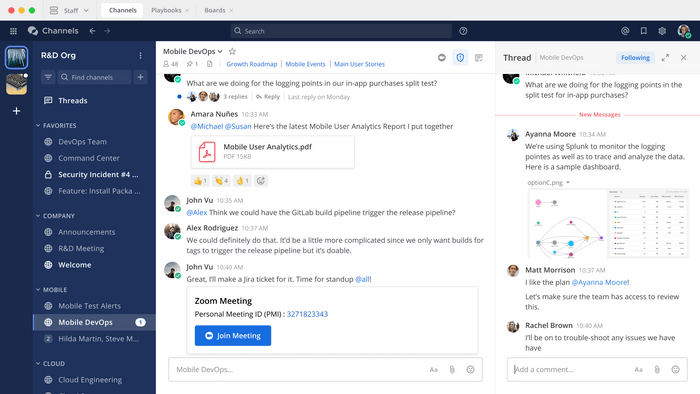
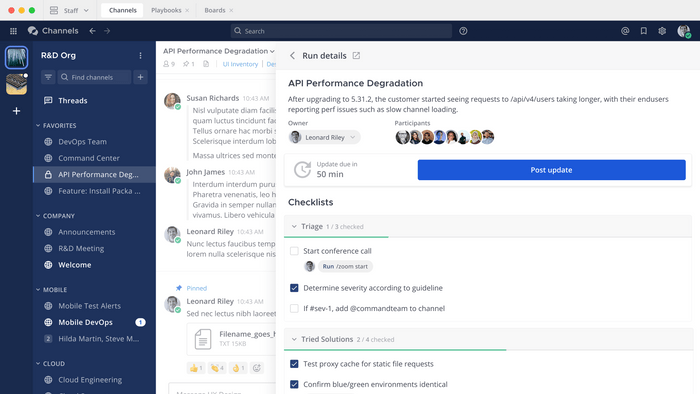
Mattermost has a great solution for streamlined collaboration — Playbooks — pre-built configurable checklists that make sure you and your teammates never forget your tasks or deadlines again.
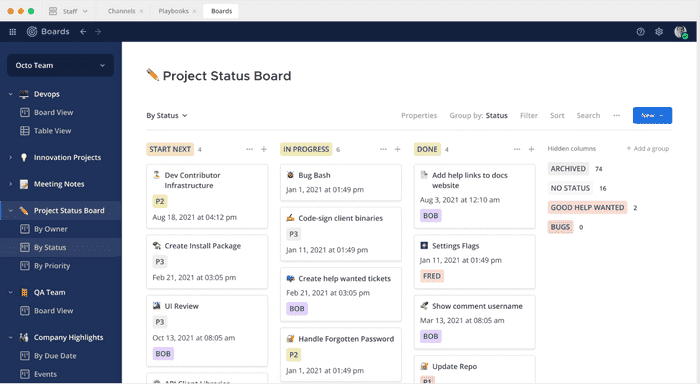
Additionally, Mattermost helps you improve your workflow via Kanban boards — they enable you and your team to easily manage tasks and projects.
Let’s move on to Rocket.Chat, which also boasts a plethora of options for a more pleasant communication experience.
Among other things, this platform enables you to:
- Communicate in private or public channels,
- Follow or unfollow threads,
- Easily share your files,
- Enjoy unlimited chat history,
- Message people outside of Rocket.Chat, and
- Share your location.
Share files with no limits — try Pumble
Both Mattermost and Rocket.Chat are excellent options for asynchronous communication.
However, thanks to its more developed structure for easier communication and collaboration — channels, playbooks, and Kanban boards — Mattermost takes the crown in this category.
| Communication | Mattermost | Rocket.Chat |
|---|---|---|
| Chat history | 10,000 most recent messages with the free plan | Full messaging history |
| Mentions and reactions | Yes | Yes |
| Threads | Yes | Yes |
| Channels | Private and public | Private and public |
| Message formatting | Standard | Standard |
| Emojis and GIFs | Yes | Yes |
| Overall impression | ⭐⭐⭐⭐⭐ | ⭐⭐⭐⭐ |
Mattermost vs Rocket.Chat notifications 1:0
It’s not easy to strike that fine line between being distracted by notifications and missing important messages on your communication platform of choice.
However, there is a solution — configuration of the notifications according to your preferences.
Fortunately, both Mattermost and Rocket.Chat offer customizing options, so let’s dive into details — starting from Mattermost.
Mattermost notifies you in cases when:
- You get a message,
- Someone mentions you,
- Someone sends a message to a channel you’re a member of, and
- Someone uses keywords you configured.
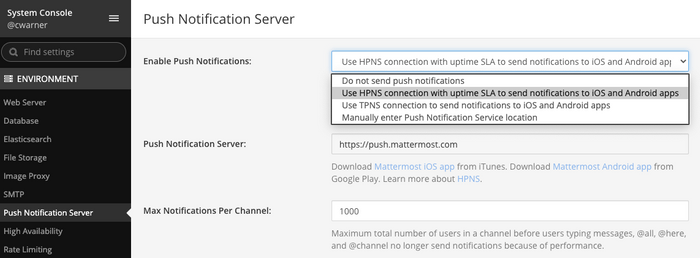
Rocket.Chat uses secure push notifications and AI-powered conversation summaries. This allows users to catch up on long threads instantly with a single click, significantly reducing notification fatigue compared to traditional alerts.
For teams that work across time zones, an especially useful feature is the Do Not Disturb (DND) mode, which Mattermost has among its built-in options.
Rocket.Chat doesn’t offer this option, but since its notifications are customizable, you can add it.
So, since Mattermost offers a more advanced notification configuration, it is the winner in this category.
| Notifications | Mattermost | Rocket.Chat |
|---|---|---|
| Notification configuration | Advanced | Basic |
| DND mode | Yes | No |
| Mute channels and direct messages | Yes | Yes |
| Overall impression | ⭐⭐⭐⭐⭐ | ⭐⭐⭐ |
Mattermost vs Rocket.Chat search 1:0
If the communication tool of your choice doesn’t have adequate search capabilities, it may cost you your time, nerves, and your productivity.
Luckily, both Mattermost and Rocket.Chat help you avoid these problems, by offering you good search options.
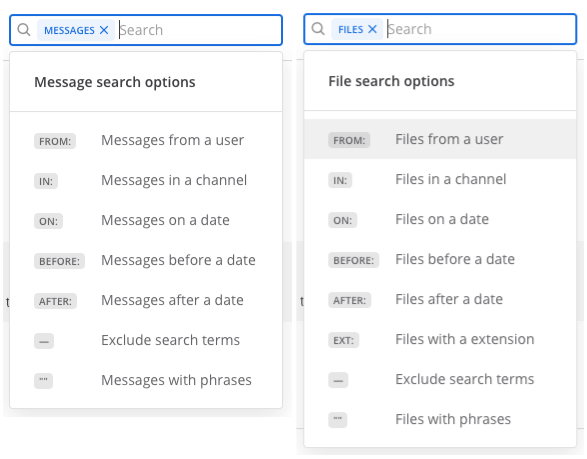
Mattermost allows you to search:
- Messages,
- Replies, and
- All the files in your conversation history.
Aside from that, various search modifiers are at your disposal, such as:
- Exclusion symbol (-) — allows you to exclude from results all the posts containing a word of your choosing.
- Hashtags (#) — if you need to search for messages with a specific hashtag.
- Quotation marks (?) — if you need to search for a specific term.
You can also search messages:
- From a specific user,
- From a specified date, or
- Sent before and after the specified date.
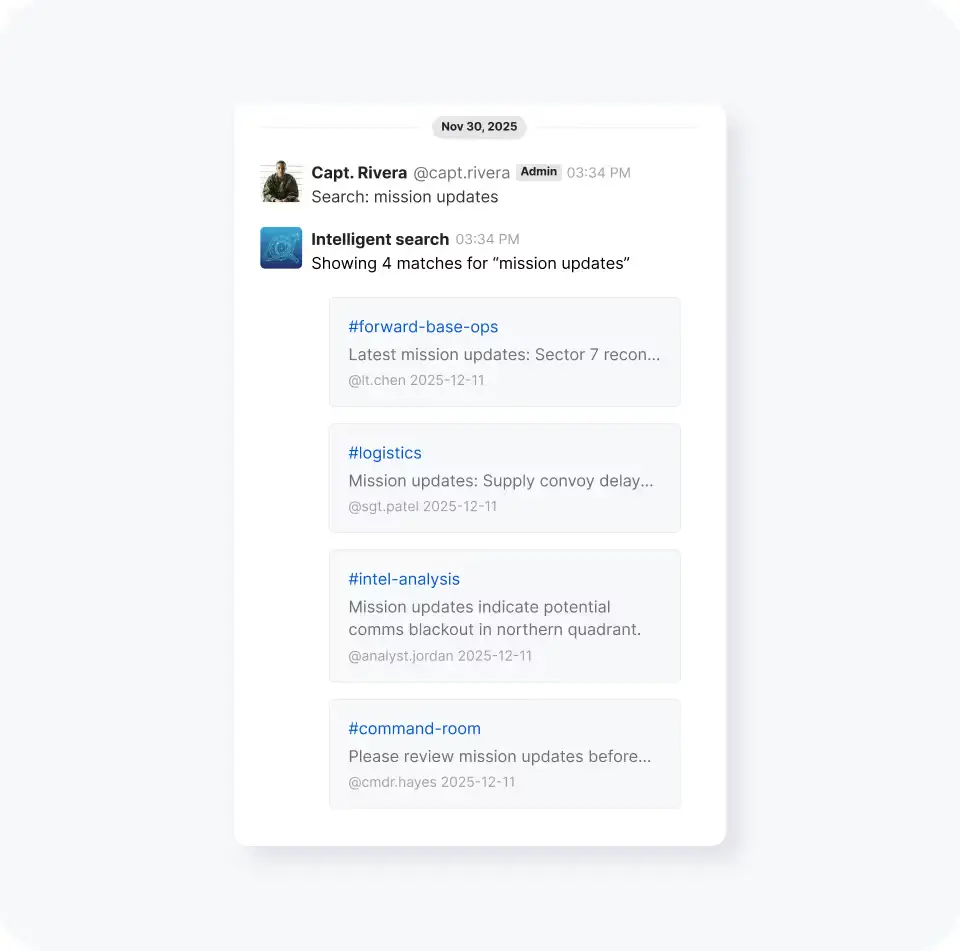
Rocket.Chat features ‘Intelligent Search.’ Unlike standard keyword filters, this uses semantic AI to understand user intent, finding relevant information across all rooms even if the specific keywords don’t match.
The winner in this category is Mattermost because it offers more nuanced search options.
| Search | Mattermost | Rocket.Chat |
|---|---|---|
| Message and channel search | Yes | Yes |
| File and people search | Yes | No |
| Filters | Yes | Yes |
| Overall impression | ⭐⭐⭐⭐⭐ | ⭐⭐⭐⭐ |
Explore Pumble’s advanced Search feature
Mattermost vs Rocket.Chat file sharing and storage 1:1
File sharing is an integral part of our workdays and an absolute necessity for good collaboration.
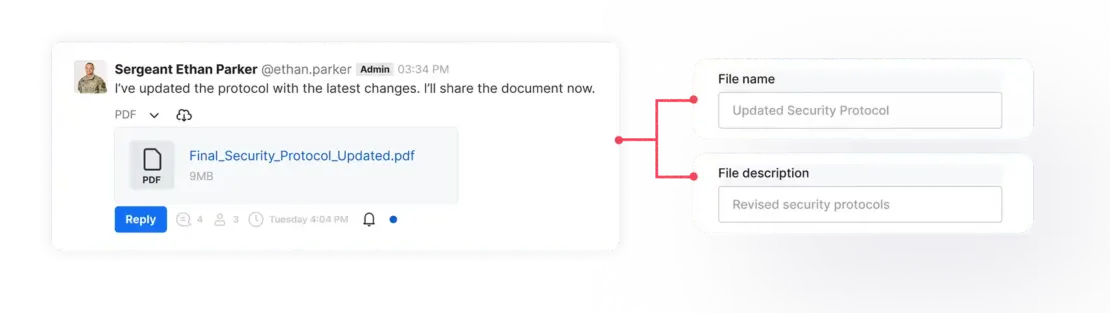
Mattermost enables you to share up to 10 files per post, with the default maximum file size of 100MB.
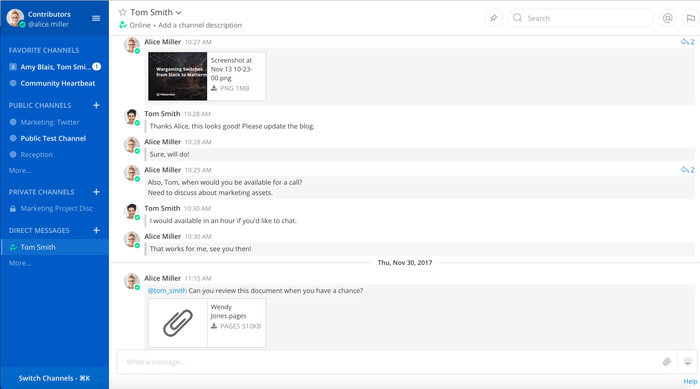
At the same time, Rocket.Chat allows you to share:
- Files,
- Documents,
- Photos, and
- Videos.
Speaking of storage in their free plans, Mattermost offers 10GB of storage.
Furthermore, the most affordable Mattermost paid plan ($10 monthly per user) offers you an impressive 250GB of storage.
Rocket.Chat, on the other hand, uses external storage.
Since both apps offer good file sharing and storage options, in this category, we have a tie.
| File sharing and storage | Mattermost | Rocket.Chat |
|---|---|---|
| Free file storage | 10GB per workspace | No information available |
| Secure file sharing | Yes | Yes |
| Overall impression | ⭐⭐⭐⭐⭐ | ⭐⭐⭐⭐⭐ |
Mattermost vs Rocket.Chat integrations 1:0
Third-party integrations are crucial for a better remote work experience and a streamlined workflow.
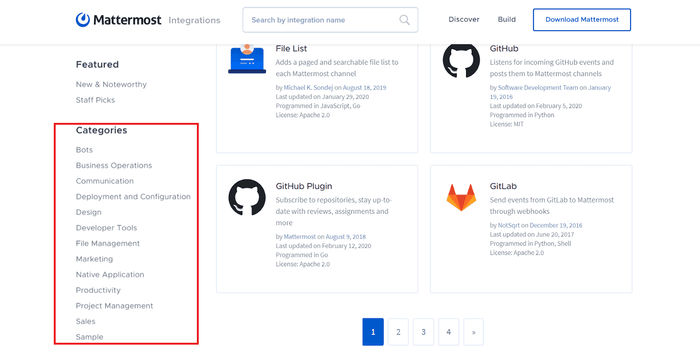
Mattermost boasts more than 600 integrations with plugins, extensions, and bots.
However, in the free plan, Mattermost offers only 5 integrations.
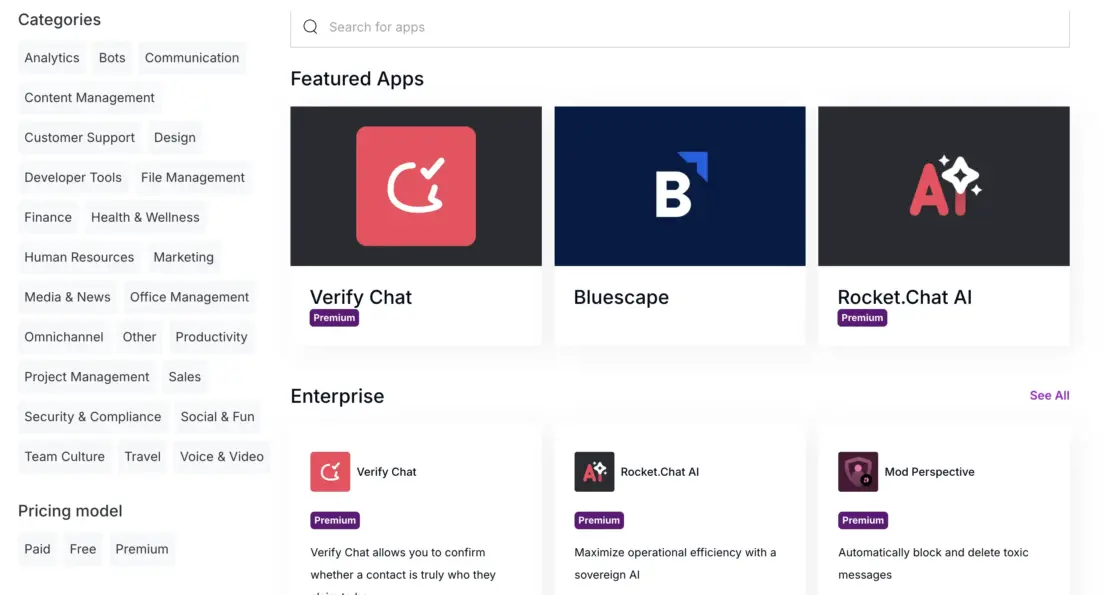
On the other hand, Rocket.Chat integrates with more than 100 apps in 26 different categories.
Thanks to a greater number of integrations, Mattermost is the winner in this category.
| Integrations | Mattermost | Rocket.Chat |
|---|---|---|
| Number of integrations | Over 600 integrations with other apps | Over 100 integrations with other apps |
| Overall impression | ⭐⭐⭐⭐⭐ | ⭐⭐⭐⭐ |

Mattermost vs Rocket.Chat support 1:1
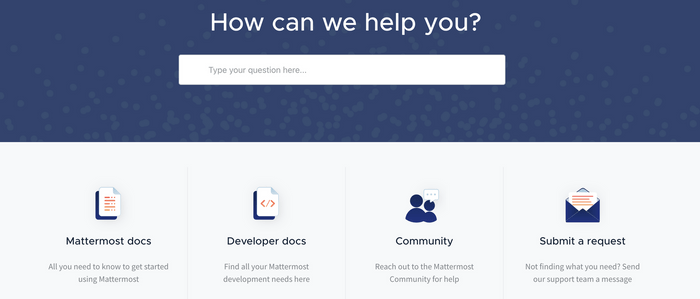
In its free plan, Mattermost offers a standard support system, including:
- Email/Help Desk
- FAQs/Forum
- Knowledge Base
Moreover, in its paid plans, Mattermost offers more serious support:
- Business hours support (in the Professional plan), and
- Guaranteed support 24/7, with a 4-hour response time (in the Enterprise plan).
Available add-ons in the Enterprise plans include:
- Premier support — Mission-critical 24×7,
- US-only based support, and
- Dedicated virtual secure cloud deployment (Cloud).
On the other hand, in its free plan, Rocket.Chat offers:
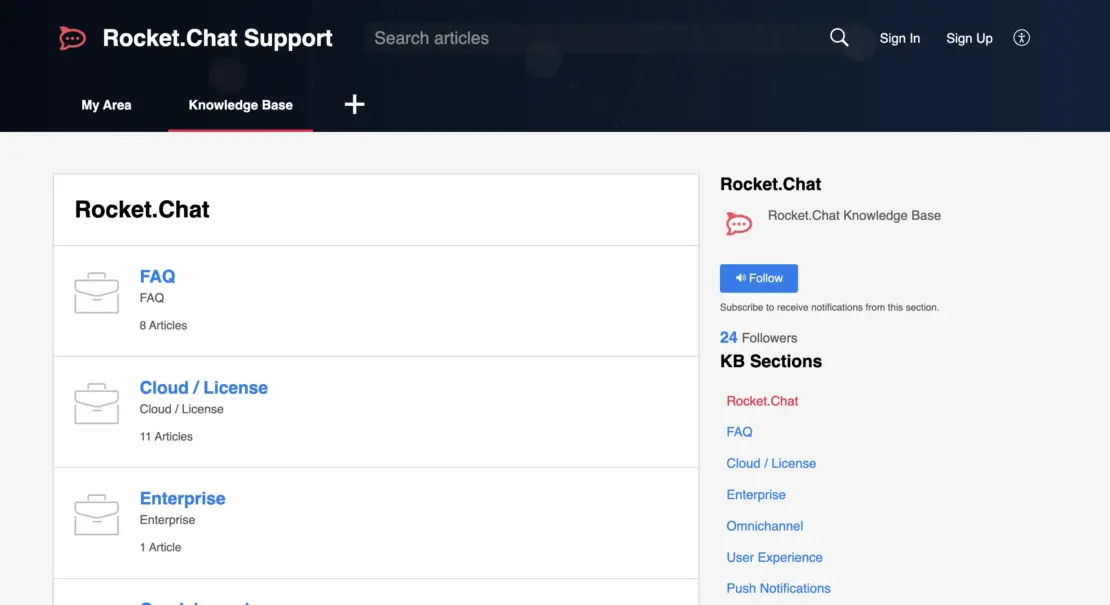
- Peer-to-peer community assistance, and
- Help desk/Knowledge base.
Rocket.Chat’s Enterprise plan comes with an additional Web support portal.
Moreover, among Enterprise add-ons are:
- Phone & email support,
- 2-hour high-priority tickets, and
- Dedicated CSM.
Both Mattermost and Rocket.Chat provide you with outstanding support, including customer success teams. That is precisely why we have a tie in this category.
| Support | Mattermost | Rocket.Chat |
|---|---|---|
| Customer support | Advanced | Advanced |
| Knowledge base | Yes | Yes |
| Customer success teams | Yes | Yes |
| Overall impression | ⭐⭐⭐⭐⭐ | ⭐⭐⭐⭐⭐ |
Mattermost vs Rocket.Chat security 1:1
Last but not least — security — a vital feature for communication and collaboration.
Aside from supporting encryption-in-transit and encryption-at-rest, Mattermost is compliant with:
- HIPAA
- FINRA
- SOC 2 Type I
- GDPR
- CCPA
On the other hand, Rocket.Chat is also audited against compliance and assurance programs, such as:
- ISO/IEC 27001:2022
- SOC 2 Type II
- GDPR & LGPD
- HIPAA
- FINRA
- FedRAMP (Authorization Ready)
- NIST 800-53 & 800-171
- DoD IL6 / IL7 (US Defense Impact Levels)
Both apps offer a self-hosted option.
In this category, we have a draw, as both apps go to extreme lengths to keep your data secure.
| Security | Mattermost | Rocket.Chat |
|---|---|---|
| Two-factor authentication | Yes | Yes |
| Advanced security | Yes | Yes |
| Data encryption | Yes | Yes |
| Self-hosting | Yes | Yes |
| Overall impression | ⭐⭐⭐⭐⭐ | ⭐⭐⭐⭐⭐ |
Mattermost vs Rocket.Chat Verdict 7:5
All that’s left is to crown the winner of this showdown — Mattermost.
| Features | Mattermost | Rocket.Chat |
|---|---|---|
| Pricing (user/month) | 0 | 1 |
| Interface | 0 | 1 |
| Communication | 1 | 0 |
| Notifications | 1 | 0 |
| Search | 1 | 0 |
| File sharing and storage | 1 | 1 |
| Integrations | 1 | 0 |
| Support | 1 | 1 |
| Security | 1 | 1 |
| Total score | 7 | 5 |
We did our part — gave you a detailed comparison of Mattermost and Rocket.Chat and crowned the winner.
Although both these apps offer attractive features, Mattermost triumphed over Rocket.Chat as a slightly better choice.
Namely, Mattermost provides you with a more elaborate structure for communication and collaboration — it offers channels, playbooks, and boards.
Additionally, Mattermost enables you with a more advanced notification configuration, search options, and a greater number of integrations.
However, this doesn’t mean you have to choose either of these two communication platforms.
There are other options.
Looking for a Mattermost or Rocket.Chat alternative? Try Pumble
If neither Mattermost nor Rocket.Chat fit your communication needs, you should consider Pumble, a business messaging platform.
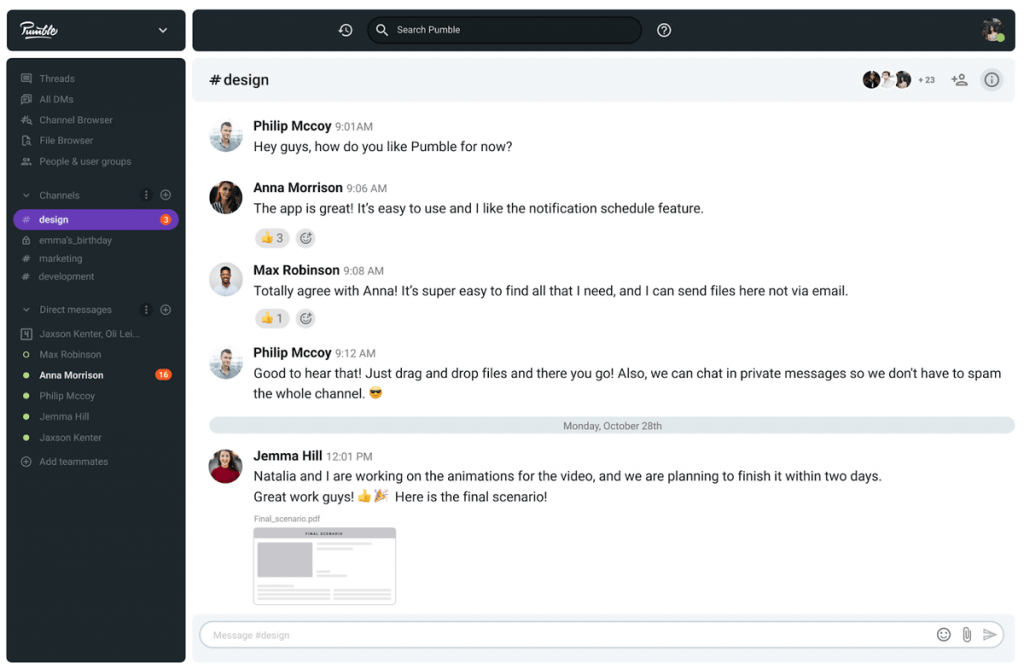
Among other features, Pumble offers you:
- An intuitive, user-friendly interface,
- Unlimited users and chat history for free,
- Customizable notifications,
- Guest access,
- Voice and video calls, as well as
- 10GB of free storage space per workspace.