
Is your team ready to leave the casual, social chatting environment of Discord for a more professional experience of a tool built for business?
Discord is quite a practical tool that’s wildly popular, especially among gamers. But is it really a great fit for professional use?
Managing a collection of Nitro accounts, scrambling for server boosts, and trying to maintain your business on a platform that was built for something else entirely is a tiring job.
So, is it better to just opt for a seat-based tool with enterprise features that can serve as your digital HQ? That’s what we’re here to explore.
For my Pumble vs. Discord 2026 edition, I tested both Discord and Pumble by CAKE.com — a Discord alternative built for business, designed specifically to help teams communicate, collaborate, and stay organized in a professional setting.
Let’s take a closer look at how these two apps compare and which one can bring more value to your business.
Why trust us?
Human reviewers try out each app and follow strict guidelines while writing about the comparisons. We follow a transparent, clear, and systematic methodology, so that every review is objective and accurate.
Pumble vs. Discord: Main features comparison
Right from the start, the most obvious difference between Pumble and Discord is the purpose they were built for.
Discord’s primary audience has always been gamers. It was originally created so friends could easily chat while playing video games. While it’s increasingly being used for business communication in small teams and startups, the question remains — is it really suited for that?
Although Discord offers helpful chat and call features, its overall structure and integrations are geared toward community building rather than business workflows.
Its decision from February 2026 to make the platform “teen by default” made things worse. Even though they postponed the global roll out of teen safety features and age verification for “the second part of 2026”, this decision made the possibility of using Discord for business in 2026 a slim one.
On the other hand, Pumble was built for business team communication, making it a much better fit for your professional needs.
Security is another area where these two platforms differ. Pumble follows strict protocols for information security, risk management, and data privacy. Meanwhile, Discord is built for casual use and provides fewer security and compliance safeguards.
Here’s a detailed comparison of Pumble’s features against Discord’s offerings.
| Features | Pumble | Discord |
|---|---|---|
| Primary use | Professional teams for businesses communication and secure workplace collaboration | Social groups for building communities and gaming |
| Pricing | – Free – PRO: $2.49 per seat per month, billed annually – BUSINESS: $3.99 per seat per month, billed annually – ENTERPRISE: $6.99 per seat per month, billed annually | – Free – Nitro Basic $2.99* per user per month (or $29.99 per user annually) – Nitro $9.99* per user per month (or $99.99 per user annually) * Prices may vary depending on localized plans |
| Interface | Clean, business oriented, easy to navigate | Game-centric design, lots of potential distractions |
| Communication | – Direct messages – Channels – Threads – Video & voice calls – Screen sharing – Video & voice messages – Guest access | – Direct messages – Channels – Threads – Video & voice calls – Screen sharing – Video & voice messages –Community servers |
| Notifications | – DND and pause notification – Muting channels/DMs – Custom notification schedules – Reminders | – DND and pause notifications – Muting channels/DMs/servers |
| Search | Advanced; you can narrow down your search using several filters | Advanced; you can narrow down your search using several filters |
| File sharing and storage | – Uploads up to 500 MB (all users on the web and desktop apps) – Uploads up to 250 MB (all users on the mobile app) – Unlimited file storage | – Uploads up to 10 MB (free plan) – Uploads up to 500 MB (Nitro plans) – Unlimited file storage |
| Integrations | Business-centric integrations designed to improve workflow | Several gaming-related native integrations, bots, and webhooks |
| Support | – 24/7 support (email chat phone) even on the free plan – Dedicated success representative for paid plans | – Standard support – Only self-service resources |
| Security | Advanced security | Standard security |
Now that we’ve glanced at the overview, let’s look at each feature and what it offers for effective team communication.

Pumble vs. Discord: Pumble gives you more for your money
Let’s start with the most important factors we all consider when choosing a communication app — how much money you’ll spend and what you’ll get for the price.
Both Pumble and Discord offer free plans, but are they enough? And, are the paid upgrades worth it?
Pumble has a generous free plan, which includes:
- Unlimited users,
- Unlimited message history,
- 10 GB of storage per workspace,
- Video and voice messages,
- 1:1 voice and video calls, and more.
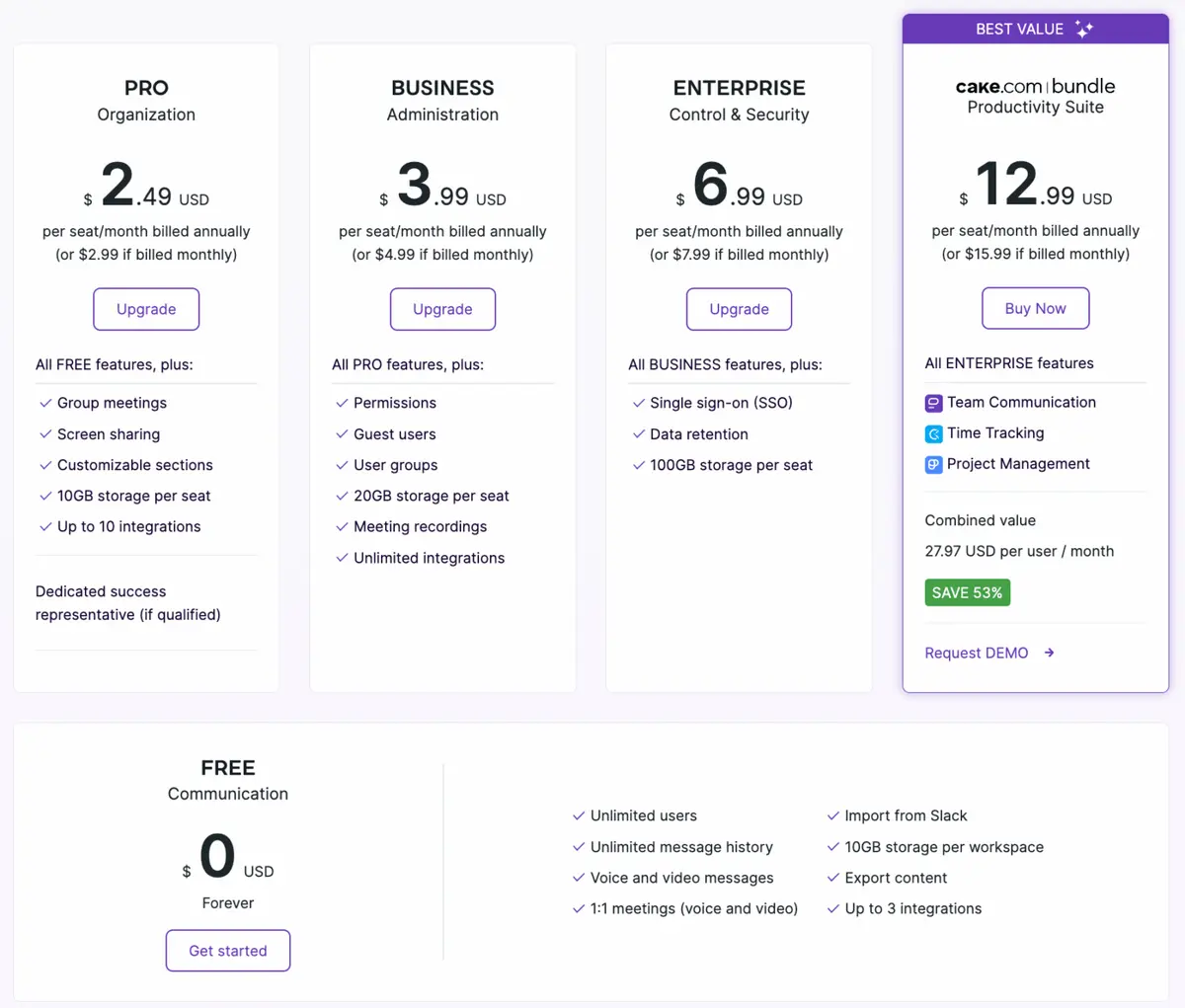
If you decide to upgrade, Pumble’s PRO plan costs $2.49 per user per month (billed annually). It includes all the free features, plus:
- Group meetings,
- Screen sharing,
- 10 GB of storage per seat, and
- Additional integrations.
This plan provides a sustainable model for growth, offering everything a growing small business might need — including advanced admin controls and 24/7 human support.
Pumble also offers two additional paid plans:
- BUSINESS — $3.99 per user per month (billed annually), which includes advanced administrative user management features.
- ENTERPRISE — $6.99 per user per month (billed annually), designed for organizations that need greater control and enhanced security features.
Affordable and scalable — try Pumble
Discord’s free plan includes:
- Unlimited users,
- Unlimited file storage,
- Up to 100 servers,
- Group voice calls, and
- Video calls for up to 25 people.
When it comes to Discord pricing, you have two paid plan options:
- Nitro Basic – $2.99 per user per month, and
- Nitro – $9.99 per user per month.
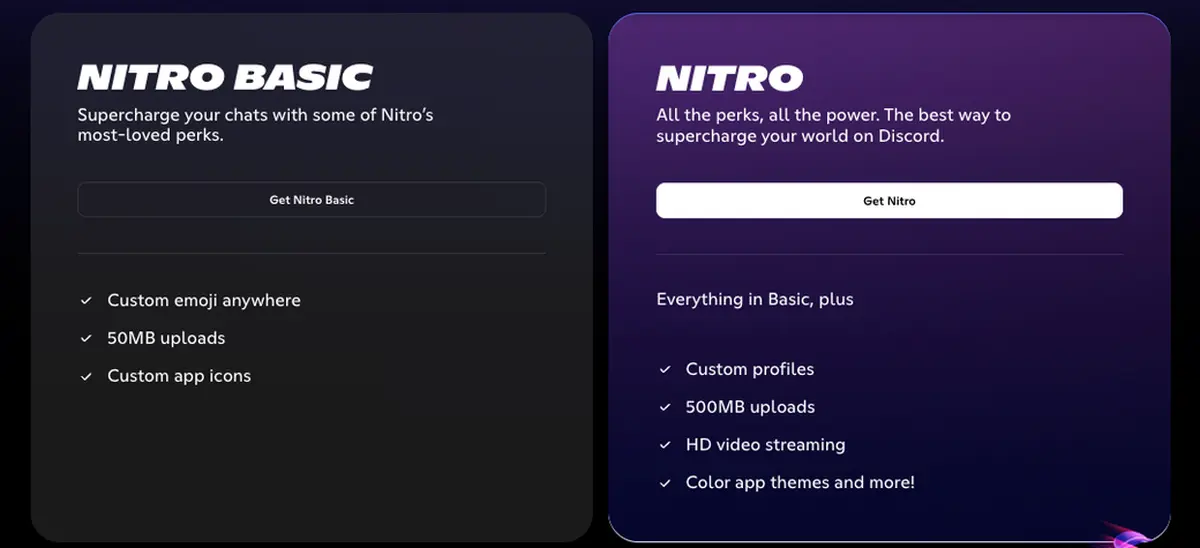
Aside from larger file uploads, Discord’s paid plans offer limited functional upgrades for professional use. Most of the extra perks are cosmetic and individual — things like custom stickers, emojis, HD streaming, and backgrounds.
So, upgrading to a paid plan on Discord won’t help you meet any organizational needs.
It’s also worth noting that Discord’s prices vary by location and currency, so be sure to check the rates in your region before committing to an upgrade.
After comparing the pricing plans of both apps, I can safely say that Pumble and its work-focused features are a better investment for an improved workflow, giving you a lot more bang for your buck.

Pumble vs. Discord: Discord has a game-centric design, while Pumble’s interface is easier to navigate
From the moment you open Discord, it’s clear it was built for gamers. The design, marketing, and even the terms it uses — like “servers” and “Nitro” — all have a playful, game-like feel.
From Discord’s perspective, these are great tools that help users get immersed in the platform. However, from a user standpoint, these “tools” cause too much noise on Discord’s servers, which only increases the daily cognitive load of a working professional.
Discord’s layout includes:
- Sidebars,
- Notifications,
- User roles, and
- Channel categories.
But your direct messages are kept in a completely separate menu from your servers. So, if you’re switching between private chats and group channels, you have to jump back and forth.
I understand that this reflects Discord’s original purpose — as it was essentially designed for groups of friends to stay on a voice call while playing video games.
Those users typically don’t need separate private chats, so they don’t really care where chats are positioned relative to voice channels. However, professionals do. Because of that, I found this particular feature exhausting and confusing for work use.
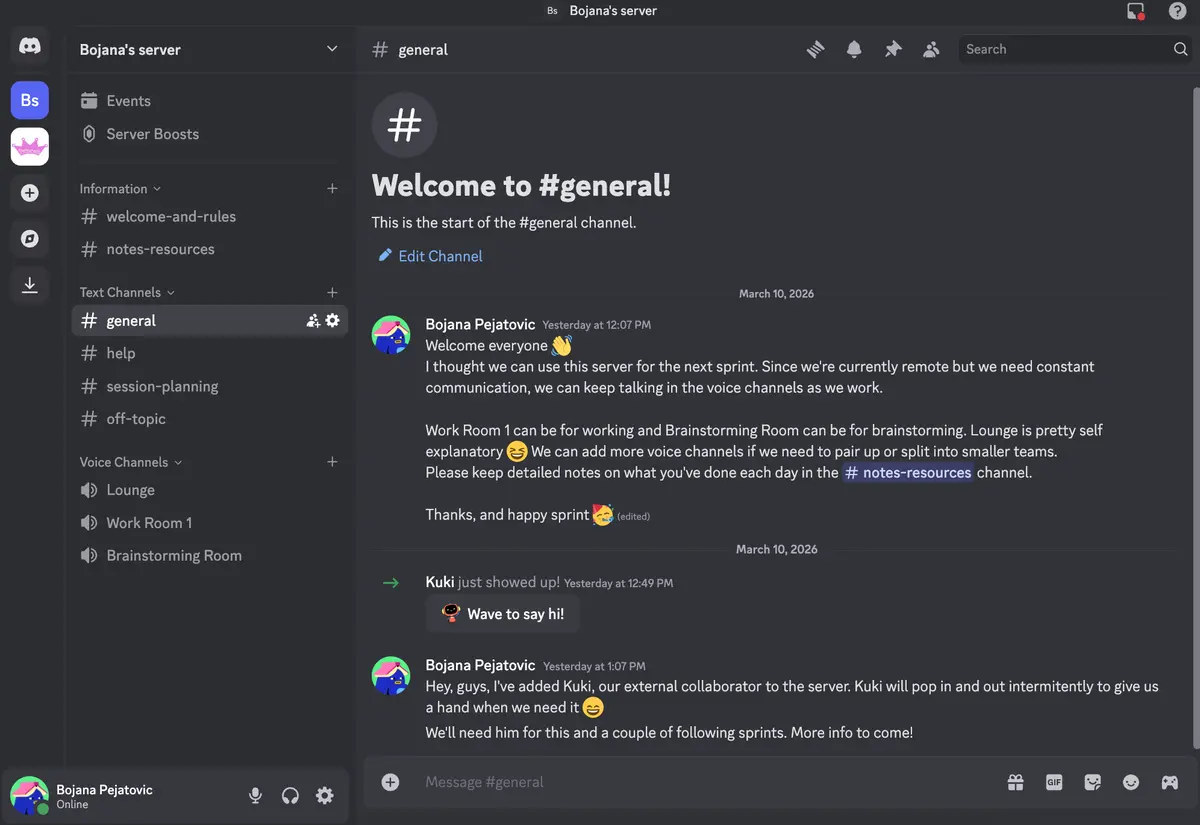
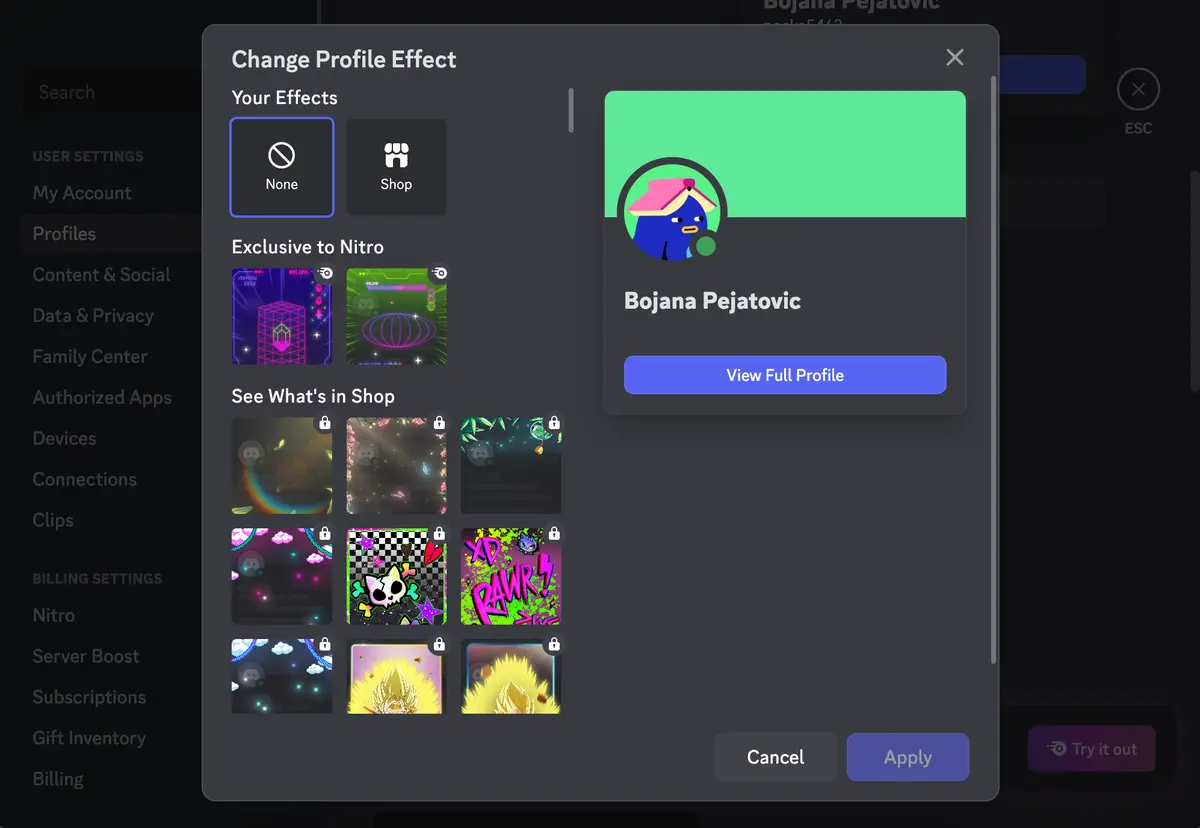
When it comes to appearance, Discord offers one light and 3 dark themes. Paid plans unlock extra color themes, custom app icons, and decorative profile options. I appreciate the ability to adjust spacing and scaling in the interface, but that’s more of a nice-to-have than a must.
Unlike Discord, Pumble keeps everything in one place. Its clean, minimal design makes it easy for me to find what I need.
The sidebar houses all your channels, direct messages, mentions, drafts, files, and people in one view. There’s no need to go back and forth like you would on Discord.
You can also customize your Pumble workspace — for example, you can group channels by project or hide sections you don’t use often. I find this helpful for keeping my workspace organized and making it easier to focus on my tasks.
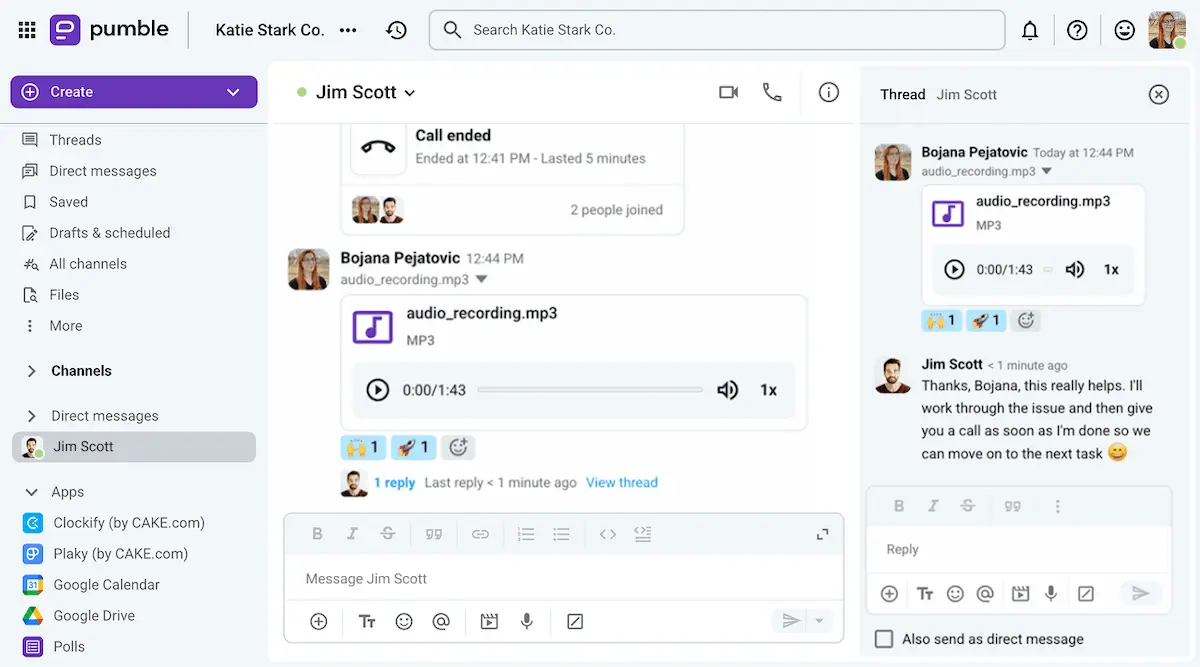
Pumble also lets you choose your theme, whether you prefer light, dark, or one of 10 color combinations.
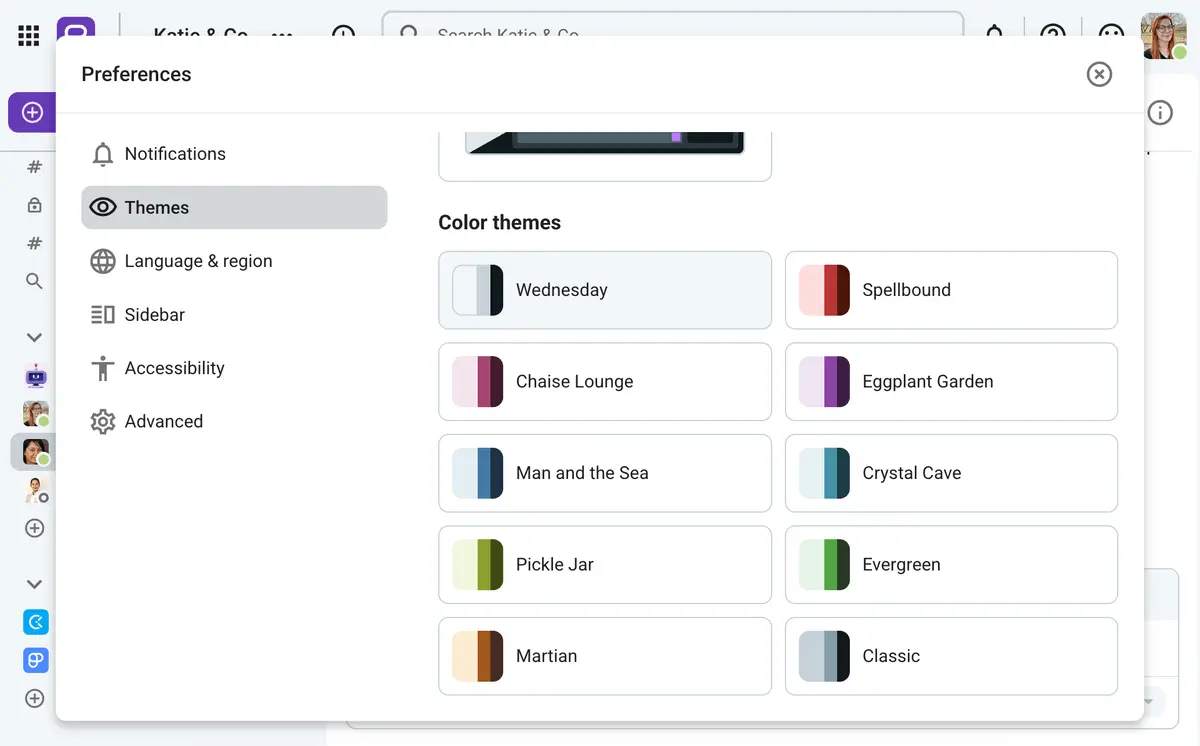
All in all, I much prefer Pumble’s interface over Discord’s. Its sleek, professional look makes it easy to navigate the app without any distractions, letting me focus on deep work.
💡 Pumble Pro Tip
Are you interested in getting a more detailed look into all of Discord’s features? Then check out our deep-dive review below:
Pumble vs. Discord: Pumble keeps professional communication organized, while Discord focuses on casual chats
Both Pumble and Discord offer strong communication tools, but they take different approaches.
Discord features more casual, free options for video and voice calls, which work well for social chats. While that could work for some teams for internal communication, Discord can turn into a real stumbling stone when it comes to external communication — especially client communication.
Pumble, on the other hand, is designed to keep team conversations organized and easy to manage and client communication streamlined and professional.
Let’s take a closer look at how each app handles text and video and voice communication.

Text communication
When it comes to text communication, both apps are robust, but Pumble offers a few advantages that make it better suited for professional use.
Pumble allows an unlimited number of channels, while Discord limits the number of servers to 500.
Both apps support an unlimited number of users and unlimited message history, so you can access old conversations and files without restrictions — making your communication app double as a knowledge base.
Most importantly, both apps also offer threads to organize discussions and minimize distractions. However, Discord threads on the free plan automatically archive after 3 days of inactivity. Even in boosted servers, threads can’t stay active for longer than 3 weeks.
This is debilitating for professional teams. Imagine not being able to come back to a conversation or check on information shared a mere month ago.
In contrast, Pumble’s threads remain available forever. The app doesn’t archive any messages, making ongoing conversations easier to follow. You can go back to a threaded (or any other) conversation from however far back — it will always be there.
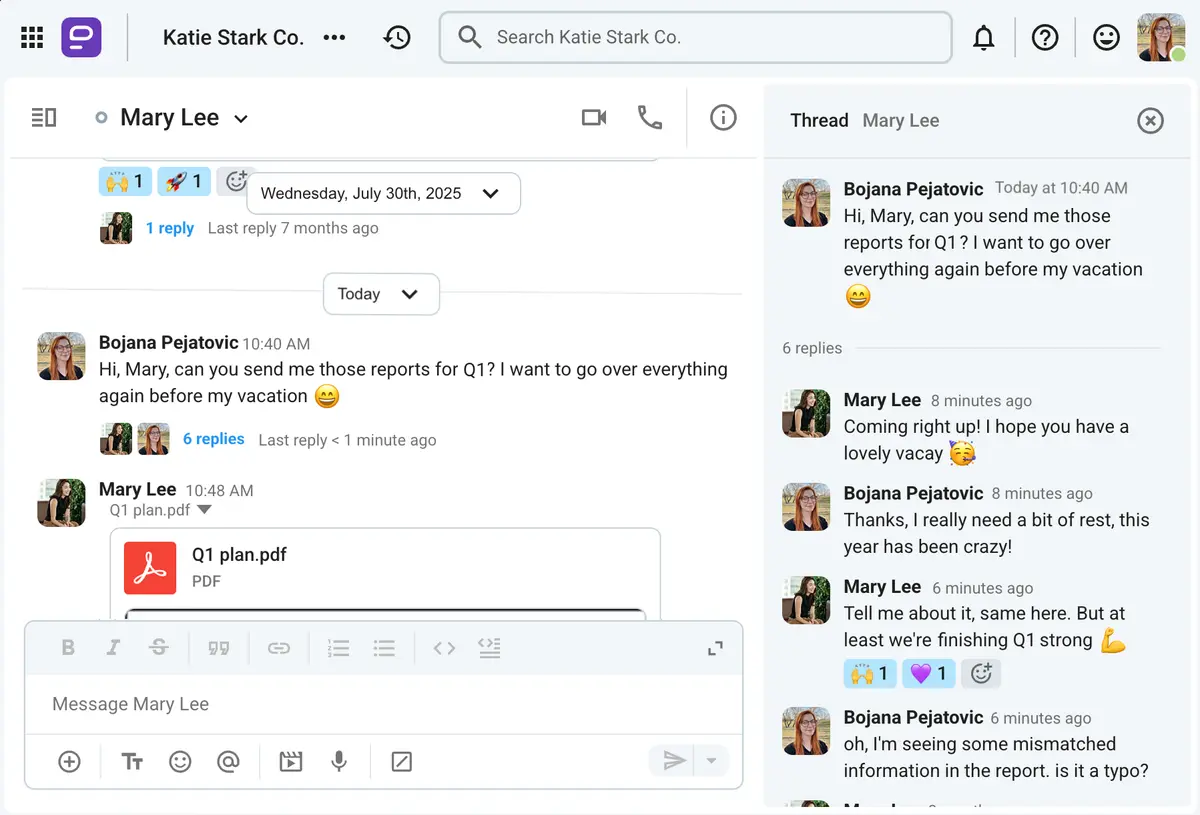
Get free message history with Pumble
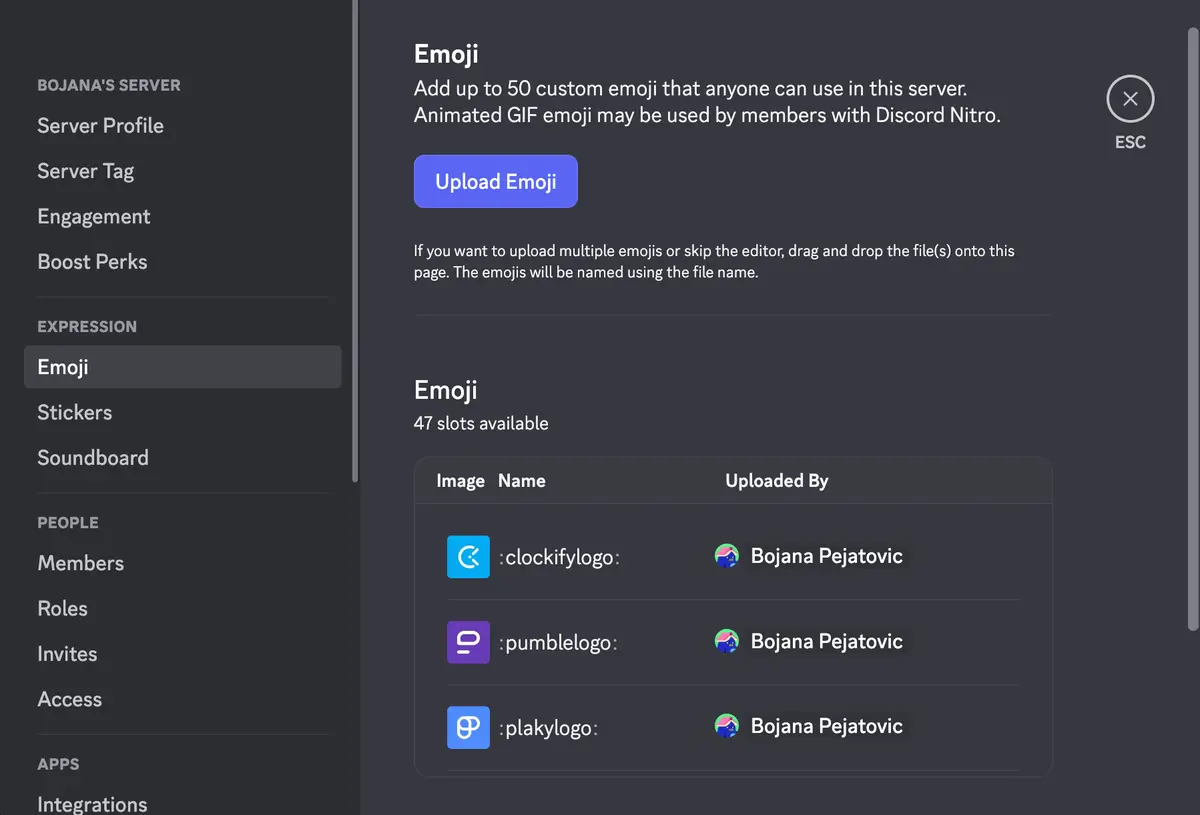
Furthermore, Pumble includes features like mentions and reactions and custom emojis, which add a fun touch to conversations. Discord offers similar capabilities, but you can only add 50 custom emojis on Discord if you’re on the free plan — there’s even a counter that lets you know how many slots you have left, as you can see in the image below.
Pumble also supports more pinned messages — up to 100 compared to Discord’s 50 — allowing important information to stay visible and easily accessible.
Overall, Pumble’s approach to text communication keeps conversations more organized, professional, and easy to navigate.
Video and voice communication
Both Pumble and Discord offer ways to connect through voice and video.
In their free plans, Pumble allows 1-on-1 voice and video meetings, while Discord offers group voice calls and video calls for up to 25 participants.
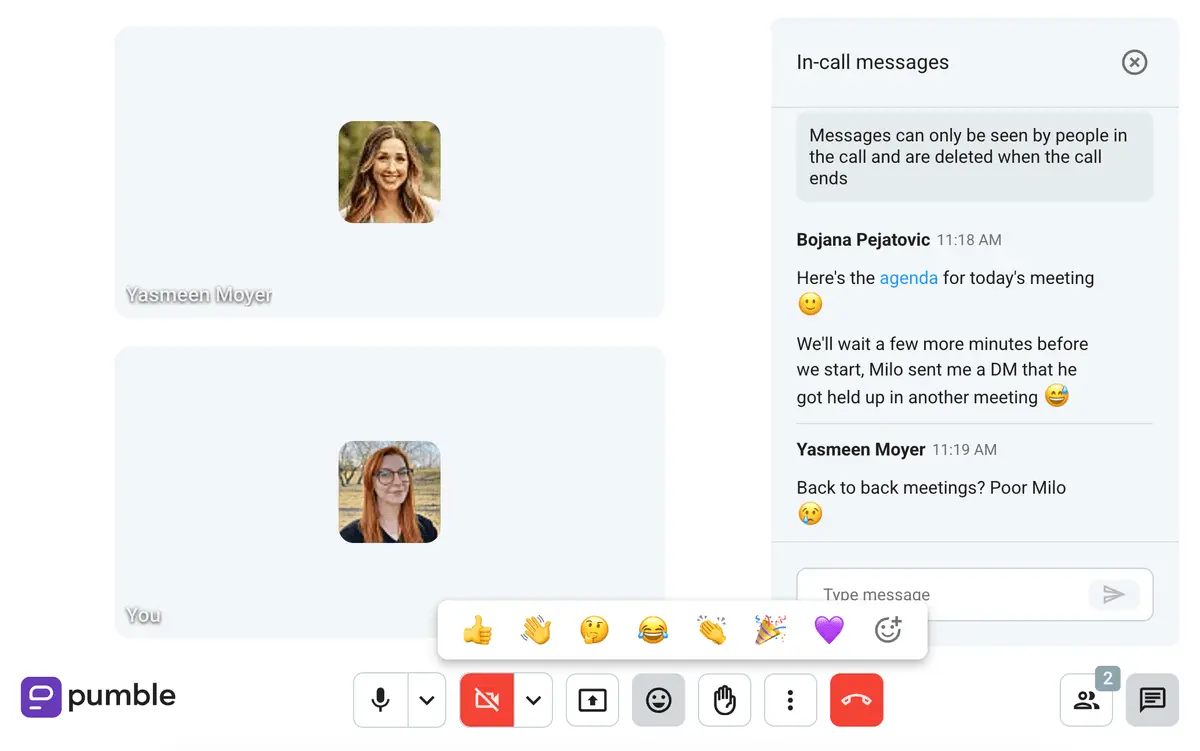
This might seem enticing at first, but Discord’s video call limit doesn’t increase with paid plans, leaving you stuck with a maximum of 25 participants, which can be quite limiting. What are teams of more than 25 members supposed to do during team meetings? Go into meetings in shifts?
Pumble, on the other hand, allows up to 100 participants in meetings, depending on the paid plan you choose.
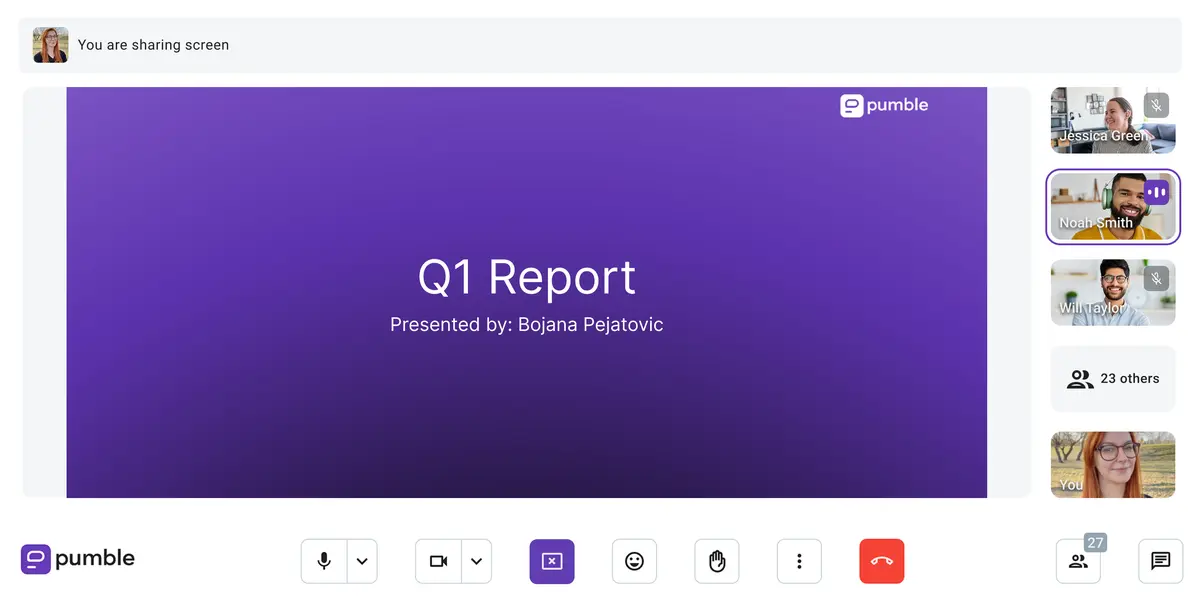
I will give credit where it’s due and say that Discord allows more than one user to share their screen during a voice call. Although it can be overwhelming to those who aren’t used to it, multistream can come in handy during troubleshooting meetings or tutorial meetings in small teams.
Still, I’d gladly go without multistream capabilities if it meant getting something my team actually needs that Discord doesn’t offer on any plan — meeting recording. Discord still doesn’t support video recording, which also means there’s no cloud storage for meeting recordings. This can be frustrating if you need to keep important discussions on file for future reference.
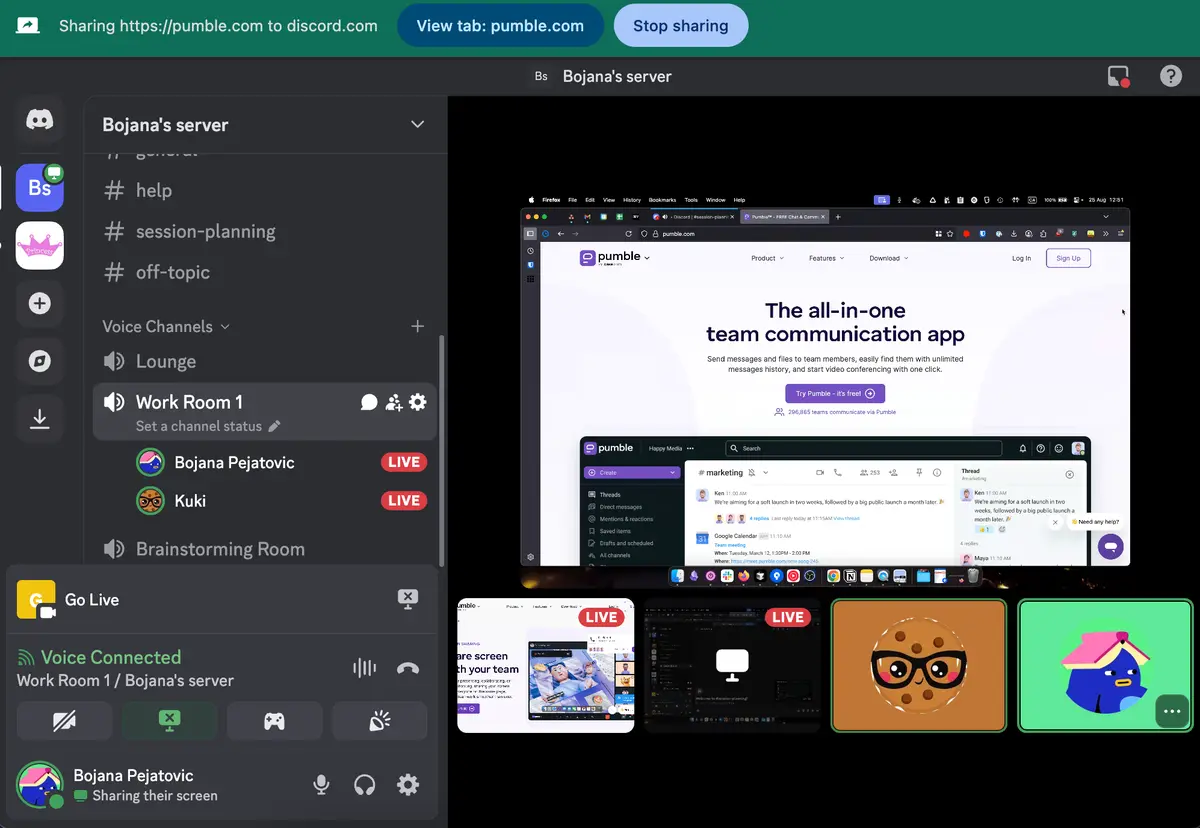
Discord also provides voice channels for instant drop-in chats, but I think those are more suited for gamers than professional teams.
Both apps support voice messages, but Pumble goes further by enabling video messages. These are especially useful when you want to explain something in detail without having to jump on a call.
I use them quite often when communicating asynchronously with my global team — not all of us are available for calls at the same time, so explaining things via video messages saves us the trouble of fishing for an available meeting slot in everyone’s calendars.
With these features, Pumble offers a more practical and professional approach to voice and video communication compared to Discord’s more casual, gamer-focused options.
Pumble vs. Discord: Pumble has more advanced notification options
When I’m working, I need to stay focused without being pulled into a side quest with every ping or alert. Fine-tuning my notification preferences helps me block out distractions while still staying on top of important updates.
Both Pumble and Discord let you:
- Mute specific channels and users,
- Customize notifications for each channel,
- Set different notification preferences for desktop and mobile, and
- Use the Do Not Disturb mode to pause notifications when you need uninterrupted time.
Discord also lets you mute entire servers and even has the option of a robot voice to read your notifications to you — a fun extra for gamers, but not particularly relevant in most professional settings.
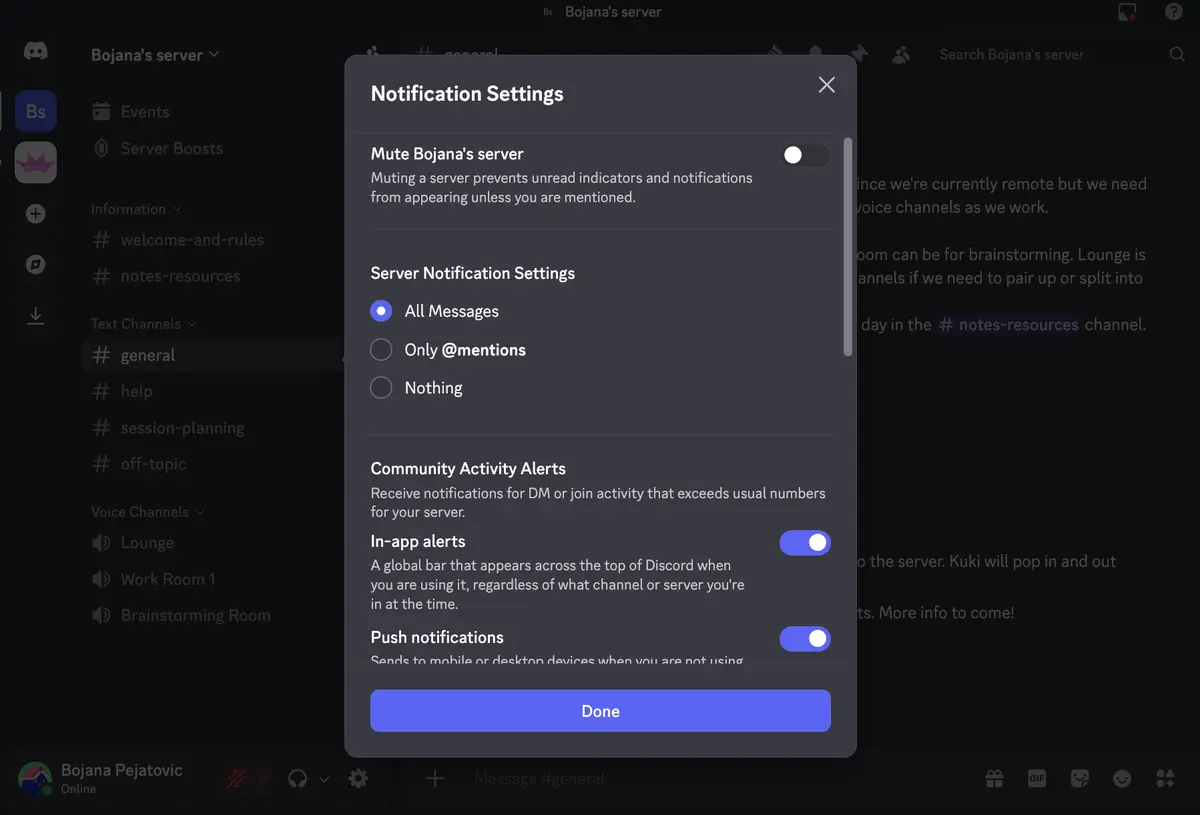
Pumble, on the other hand, offers features that feel tailor-made for workplace productivity.
You can create a custom notification schedule, which I find invaluable for maintaining my work-life balance. Simply set the times you want to receive notifications for each day, and they’ll stay paused outside of that window.
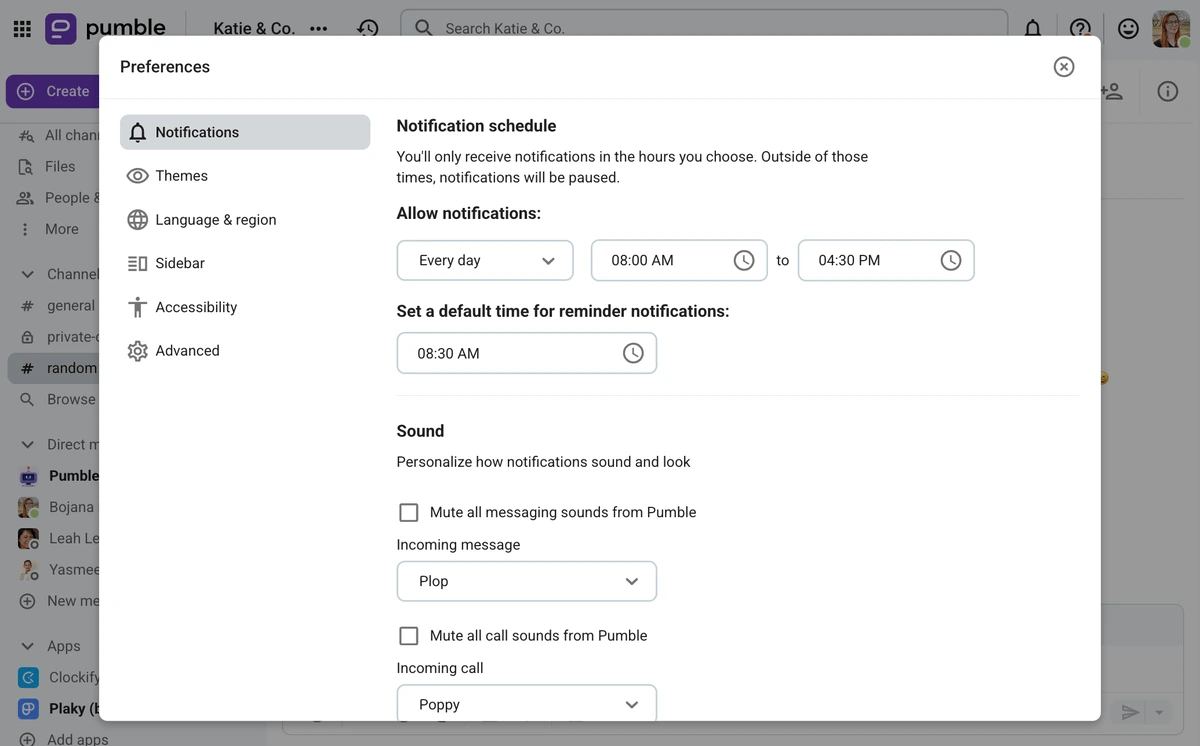
You can also customize notification sounds for messages, incoming calls, and outgoing calls, so you instantly know what’s coming in without checking your screen.
Limit distractions with Pumble
Pumble vs. Discord: Both apps have similar advanced search options
When catching up on older conversations or trying to track down an important file, I rely heavily on search filters to find what I need, without wasting time scrolling.
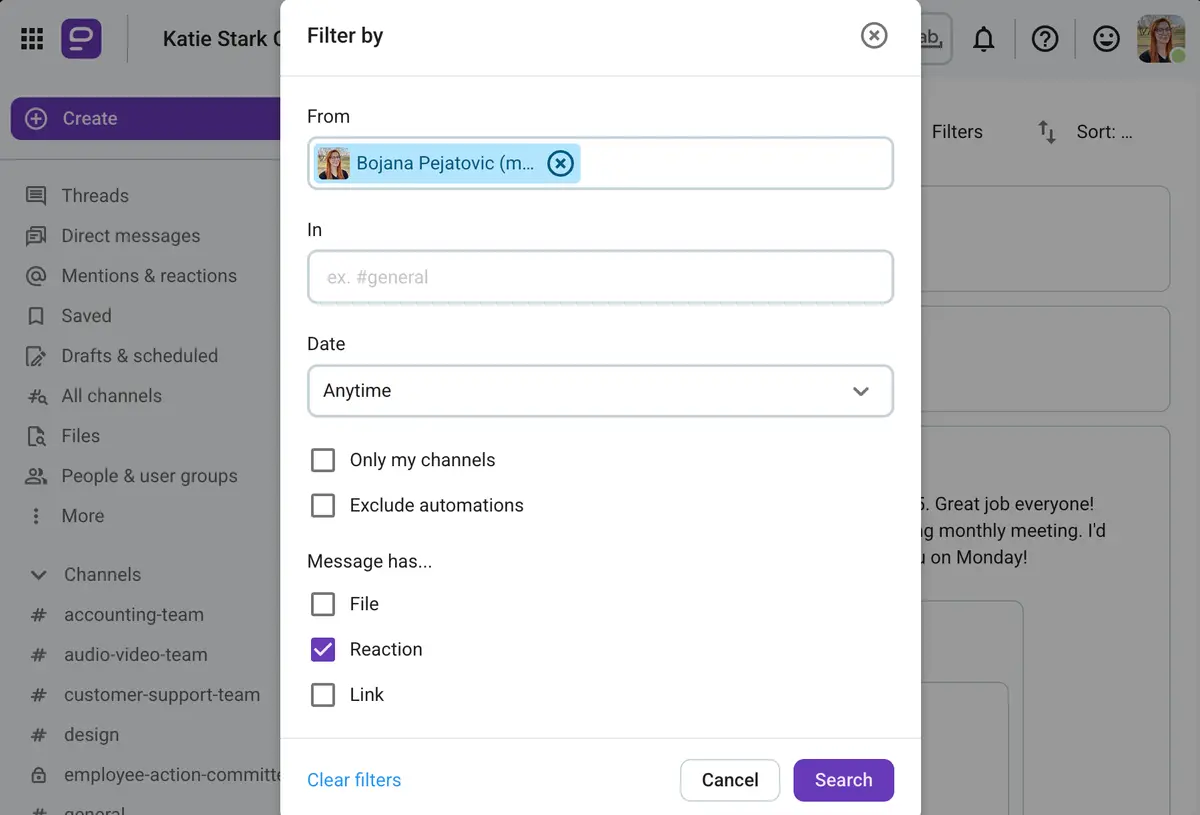
For this, both Pumble and Discord offer unlimited message history and access to all your files. They let you filter results based on:
- The sender,
- The channel or conversation the message was sent in,
- The date range, and
- Whether it contains files, links, or reactions.
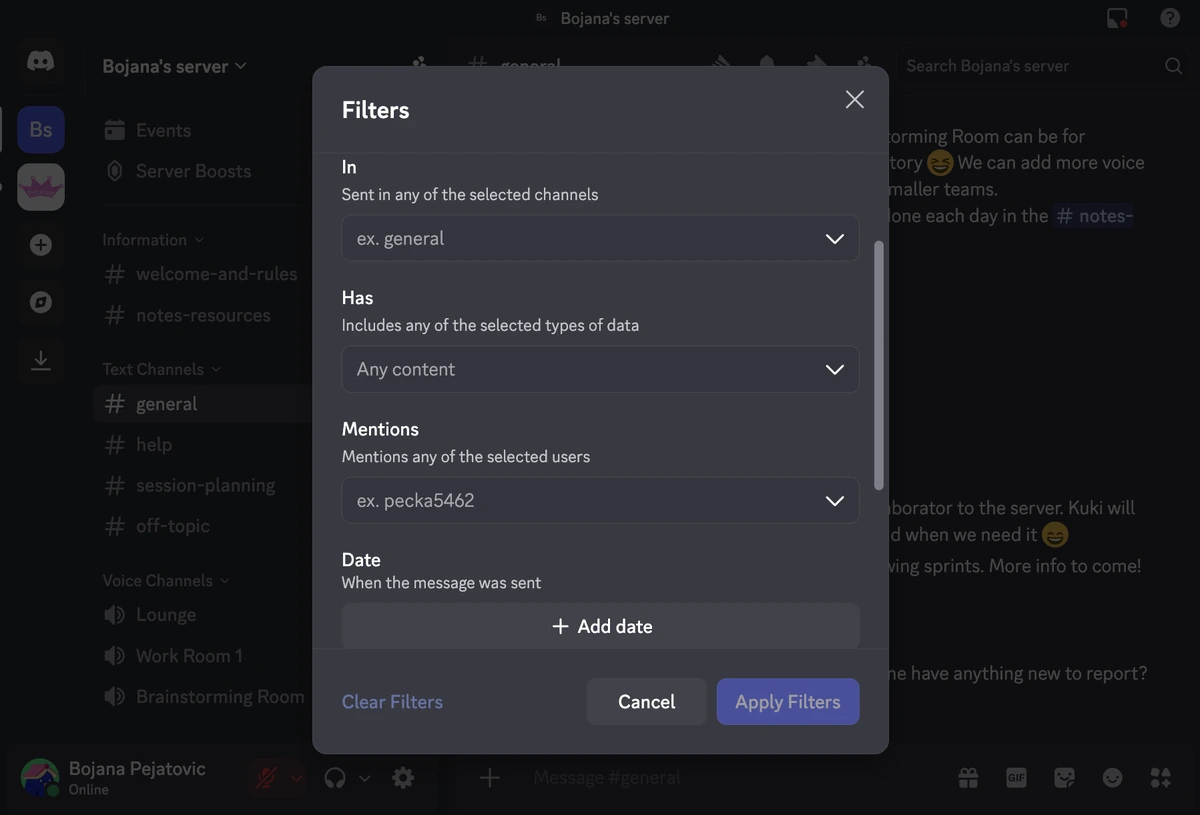
With these filters, I can quickly pull up exactly what I’m looking for and get back to work.
Both apps seem to be evenly matched when it comes to search capabilities, but Pumble has an additional feature, which is to sort the results of your search query by relevancy or from newest to oldest or vice versa. This is something Discord is yet to implement.
Pumble vs. Discord: Both apps have unlimited storage, but Pumble allows much bigger file sharing for free
Both apps offering unlimited storage is a huge perk, but the real difference shows when you look at their file-sharing limits.
On Discord’s free plan, you can only send files up to 10 MB. If you pay for Nitro, the most expensive plan, that limit jumps to 500 MB.
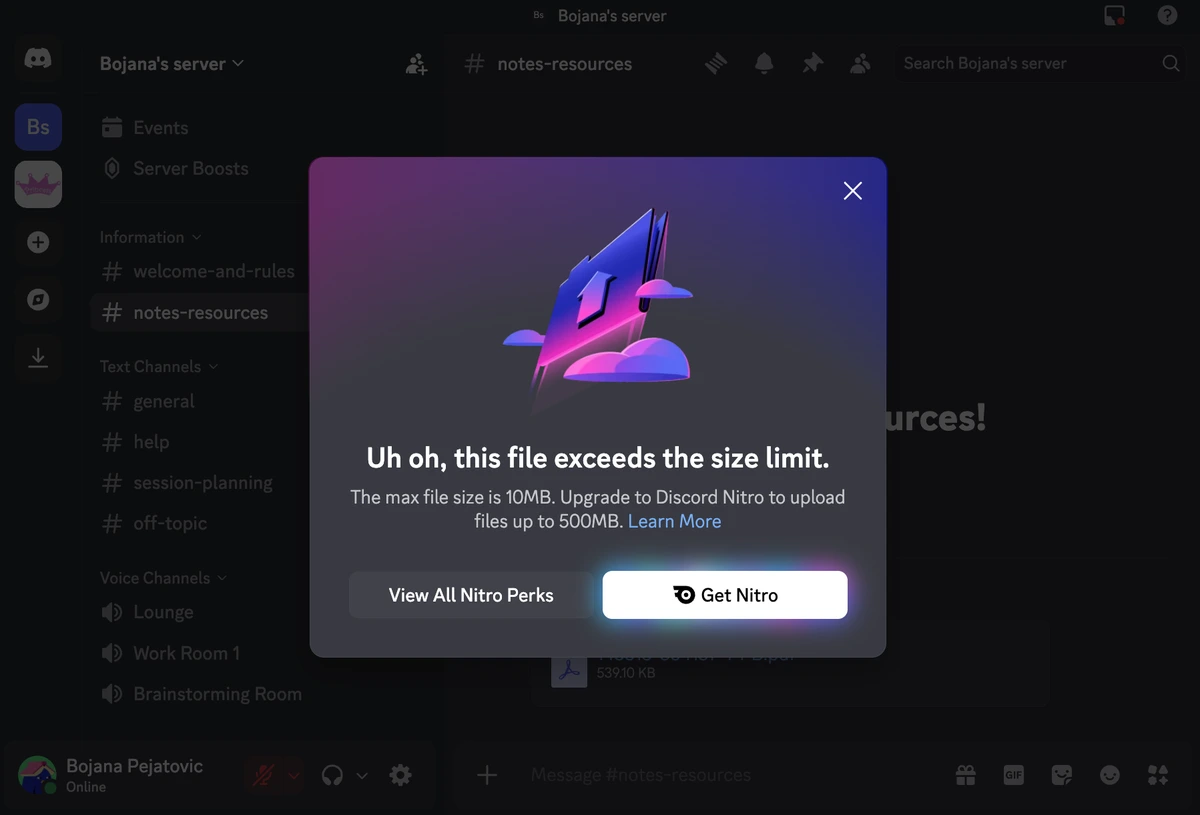
Alternatively, without opting for Nitro, if multiple users boost your server, you can unlock Level 2 and Level 3 perks. This means everyone in the server can send files up to 50 MB and 100 MB, respectively — which is still less than Pumble’s limit of 500 MB on the desktop and web apps and 250 MB on the mobile app.
That extra space for file sharing in Pumble makes a big difference when I’m sharing high-quality images, detailed PDFs, or video clips, since I don’t have to compress or split them.
Pumble has another advantage over Discord: a dedicated space that stores all documents, files, audio and video messages, and anything else shared within a workspace. Discord doesn’t offer a convenient hub like this, which makes it much harder to use it as a true digital HQ.
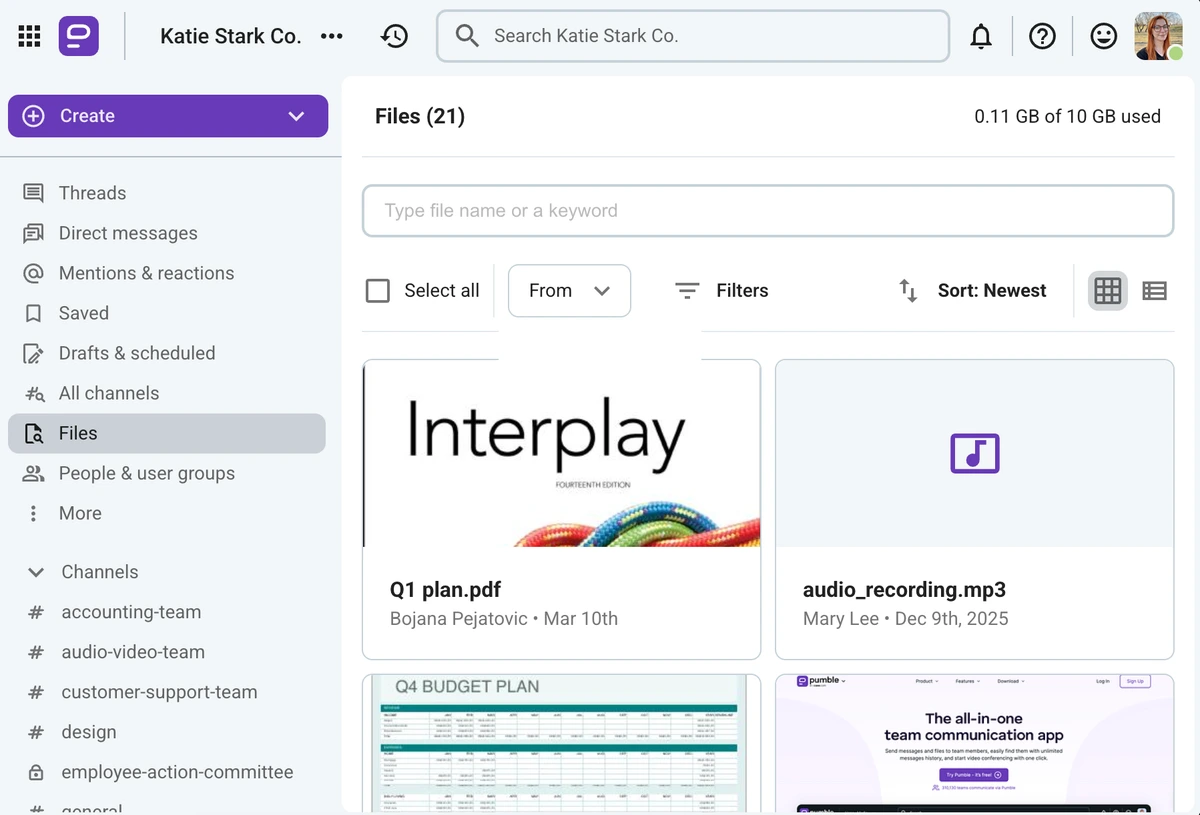
Share bigger files over Pumble
Pumble vs. Discord: Pumble offers work-related integrations, while Discord keeps it niche with gaming apps
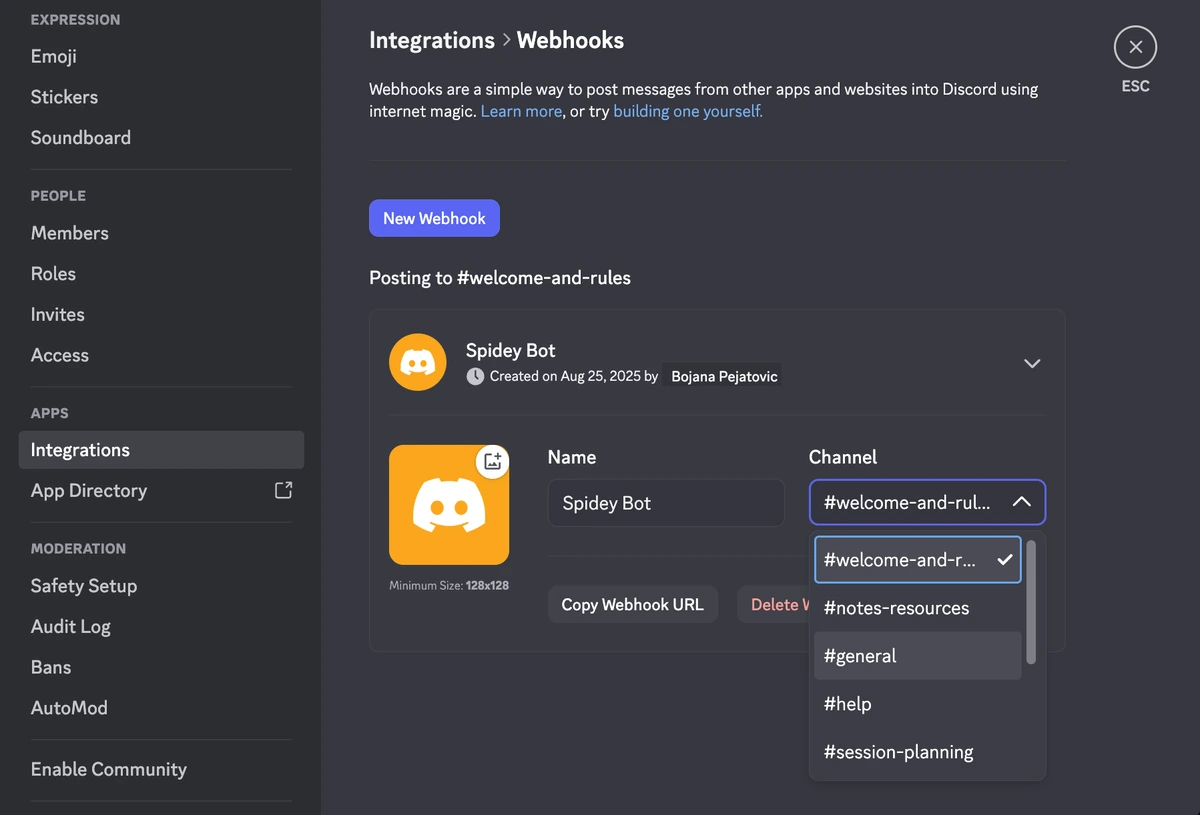
Discord doesn’t really integrate with any work-related tools. Instead, it focuses on connecting your personal account to gaming platforms like Twitch and Steam, as well as social media and entertainment services like Facebook, Spotify, and YouTube.
On the server side, you can connect with third-party apps via webhooks or add some of the many popular Discord bots to make your server more fun and interactive — but none of these are designed to support a professional workflow.
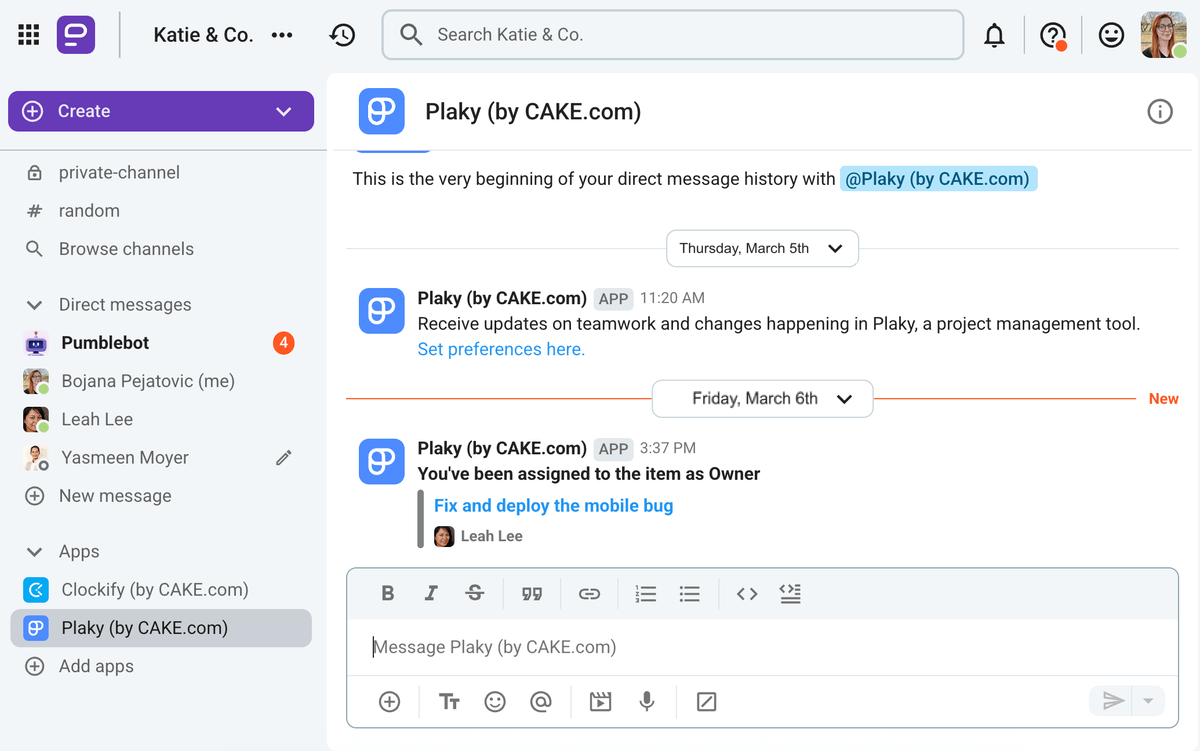
Meanwhile, Pumble integrates with popular work apps your team is probably already using, and its integration catalog keeps growing. What’s more, Pumble is a product of CAKE.com — the same team behind Clockify (a time tracking app) and Plaky (project management software). So, the app integrates with its two sister products seamlessly.
I use all 3 apps daily to keep communication, task management, and productivity running smoothly.
You can get access to the ENTERPRISE plan of each app by subscribing to the CAKE.com Bundle, which gives you the best version of all 3 tools at a fraction of the regular price.
Additionally, with the CAKE.com Marketplace, you can build and publish custom Pumble add-ons to fit your team’s exact needs.

Pumble vs. Discord: Discord only has self-service resources, while Pumble offers 24/7 human support for free
Support is another area where Pumble and Discord differ significantly.
Discord doesn’t provide direct support for any of its plans, free or paid. You’re left to rely on its Help Center, which is extensive, but that means you’re on your own when trying to solve an issue, no matter how much you pay.
This was frustrating for me because I much prefer talking to a person to find a solution rather than rummaging through endless pages of information.
Pumble, on the other hand, offers 24/7 human support, even on the free plan. You can reach support agents via phone, email, or chat at any time.
As you move to higher paid plans, support improves further. You get a dedicated success representative when your team exceeds:
- 200 seats on the PRO plan,
- 120 seats on the BUSINESS plan, or
- 70 seats on the ENTERPRISE plan.
With this level of support available around the clock and scaling with your team’s needs, Pumble clearly comes out ahead in this category.
Get 24/7 human support on all plans
Pumble vs. Discord: Discord is less controlled, while Pumble has advanced and reliable security
Security is a critical factor when discussing sensitive business information, and it’s another area where these two apps differ.
Discord encrypts data in transit, but its setup is tailored for casual use, not corporate settings. What’s more, ensuring secure chatting wasn’t a real priority up until recently — the Discord E2EE March 2026 mandate was a little bit too little too late.
Direct messages require you to approve friend requests before someone can contact you, and communities rely on roles, reporting tools, and bots for moderation. It lacks enterprise grade security and compliance options such as GDPR, HIPAA, or ISO 27001 and SOC 2 compliance.
Pumble, in contrast, is built for professional teams with security as a top priority.
It is GDPR compliant and certified for ISO/IEC 27001:2022 and SOC 2, following strict protocols for information security, risk management, and data privacy.
Pumble also includes advanced security features like:
- Multi-factor authentication,
- Data encryption,
- Granular admin roles and permissions,
- Single sign-on (SSO), and
- Custom data retention settings.
These safeguards make Pumble a far more secure platform for handling sensitive business communication, giving teams confidence that their information is protected.
Need professional and secure communication? Go for Pumble by CAKE.com
Overall, Discord is great for communities, but growing businesses need a platform built for professional work.
Pumble delivers on that promise with:
- Advanced security,
- Work-focused features, and
- A clean, distraction-free interface.
From unlimited message history and large file sharing to 24/7 human support and integrations with tools your team already uses, Pumble makes team communication organized, efficient, and secure. That’s what makes it one of the most ideal Discord alternatives for startups and well-established businesses.
If your goal is to keep your business communication professional and protected, Pumble is the platform to help your team level up.
So, don’t wait until your workday gets overcomplicated because you’re still trying to use Discord for business in 2026.
Create your digital HQ in Pumble today!
How we reviewed this post: Our writers & editors monitor the posts and update them when new information becomes available, to keep them fresh and relevant.