
Modern teams require more than text messaging to stay in touch. Consequently, it’s become essential to keep an eye out for advanced features with enough power to support a growing business.
This is often the trickiest part. Many platforms are expensive to begin with, and those features you need? They’re likely locked behind a paywall.
Because of this, for the last few years, I’ve been using Pumble by CAKE.com, an app with no hidden fees where work feels simple. Recently, I’ve also seen chatter about another app catering to remote and hybrid teams — Chanty — and wanted to see how the platforms compare.
So, what happens in a Pumble vs. Chanty run-in? Which should you pick as your new, easy-to-use digital collaboration hub?
Let’s find out!
Why trust us?
Human reviewers try out each app and follow strict guidelines while writing about the comparisons. We follow a transparent, clear, and systematic methodology, so that every review is objective and accurate.
Pumble vs. Chanty: Features comparison
Pumble and Chanty help small businesses escape endless paid upgrades found in many popular team chat apps. But, does either have a free plan that can keep up with growing teams?
Pumble does, offering unlimited message history and users even on the free plan. For this reason, the app has positioned itself as a reliable Slack alternative, minus the sneaky paywall ceiling.
On the other hand, Chanty provides a unique feature usually missing from similar collaboration software — centralized Kanban boards for task management.
So, what are the main differences between Pumble and Chanty?
The apps differ in terms of:
- Pricing: When billed annually, Pumble’s pricing starts at $2.49 per user per month, compared to Chanty’s $3.
- Free plan constraints: Both have an unlimited, searchable messaging history, plus 1:1 voice and video calls. However, Chanty’s free plan has a hard limit of a maximum of 5 users, making it more suitable for microteams just starting out.
- Collaboration approach: Pumble turns team communication into the backbone of collaboration, going beyond messaging with guest access and video conferencing. Meanwhile, Chanty focuses on task-oriented communication, with integrated task management for teams.
The bottom line is that both apps prioritize no-fuss business communication — it just comes down to picking the one that doesn’t put unnecessary limits on your team.
The below table summarizes our Pumble vs. Chanty comparison.
| Features | Pumble | Chanty |
|---|---|---|
| Pricing | — FREE: Unlimited users & message history — PRO: $2.49/user/month — BUSINESS: $3.99/user/month — ENTERPRISE: $6.99/user/month | — Free: Up to 5 users — Business: $3/user/month — Enterprise: Pricing available upon request |
| Interface | — Familiar and intuitive — Customizable sidebar and themes | — Simple — Limited customization options |
| Communication features | — Channels — Threads — Mentions and reactions — Pinned and saved messages— Scheduled messages — Video conferencing and audio calls — Voice and video messages | — Public and private chats — Channels — Voice messages — Scheduled and disappearing messages — Voice and video calls |
| Task management | Available via Plaky integration | Built-in Kanban boards & Teambook |
| File sharing and storage | — FREE: 10 GB per workspace — PRO: 10 GB per user — BUSINESS: 20 GB per user — ENTERPRISE: 100 GB per user | — Free: 20 GB per team — Business: 20 GB per user — Enterprise: Custom storage |
| Integrations | — Core apps like Gmail, GitHub, Google Calendar, Zapier, AI Assistant — Clockify and Plaky | Popular integrations include Zapier, Google Drive, OneDrive, YouTube |
| Support | 24/7, 100% human support on all plans (email, phone, chat) | — Community support (on the free plan) — 24/7 (on paid plans) |
| Security | Advanced | Solid |
Now, it’s time for the feature-by-feature deep dive.

Pumble vs. Chanty: Pumble’s free plan feels more complete
One of the first things we examine when choosing a workplace communication app is the pricing.
Although both apps have free and paid plans, Pumble is more affordable.
Pumble’s no-cost plan has solidified its position as a powerful free Slack alternative, as it provides:
- Unlimited message history and users,
- 10 GB of storage per workspace, and
- Data importing from Slack.
When transitioning from Slack to Pumble a few years ago, I was pleasantly surprised to find many of Slack’s paid features available in Pumble for free. Making the switch was easy and both real-time and asynchronous communication kept running smoothly.
Unhappy with Slack? Try Pumble
Should you decide to scale your team with Pumble, the PRO plan costs $2.49 per user/month (billed annually) and unlocks:
- Group calls (voice and video),
- More integrations,
- Screen sharing, and more.
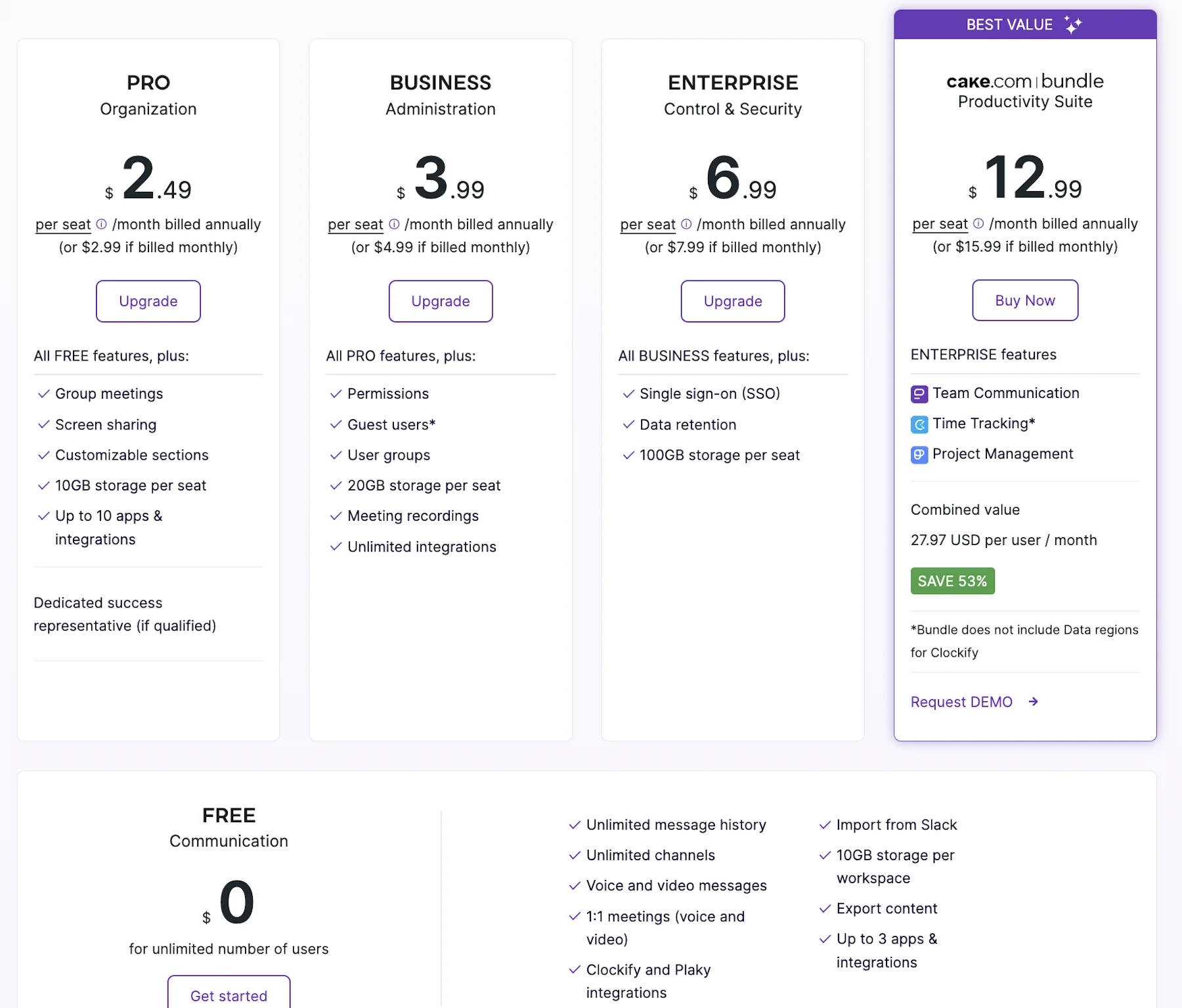
Pumble has two additional plans:
- BUSINESS: Priced at $3.99 per user/month, it includes Pumble features from the PRO plan, plus meeting recordings, 20 GB of file storage per user, guest access, and more.
- ENTERPRISE: Costs $6.99 per user/month, and, besides having access to features from the BUSINESS plan, users can manage access using SAML SSO (single sign-on) and enjoy 100 GB of cloud storage per seat.
Given that there’s some overlap between Pumble and Chanty features, we come to an important question — is Chanty still free for unlimited users? Sadly, the free plan can host up to 5 team members, although it does offer:
- Unlimited private and public chats,
- Searchable messaging history, and
- 20 GB of team storage.
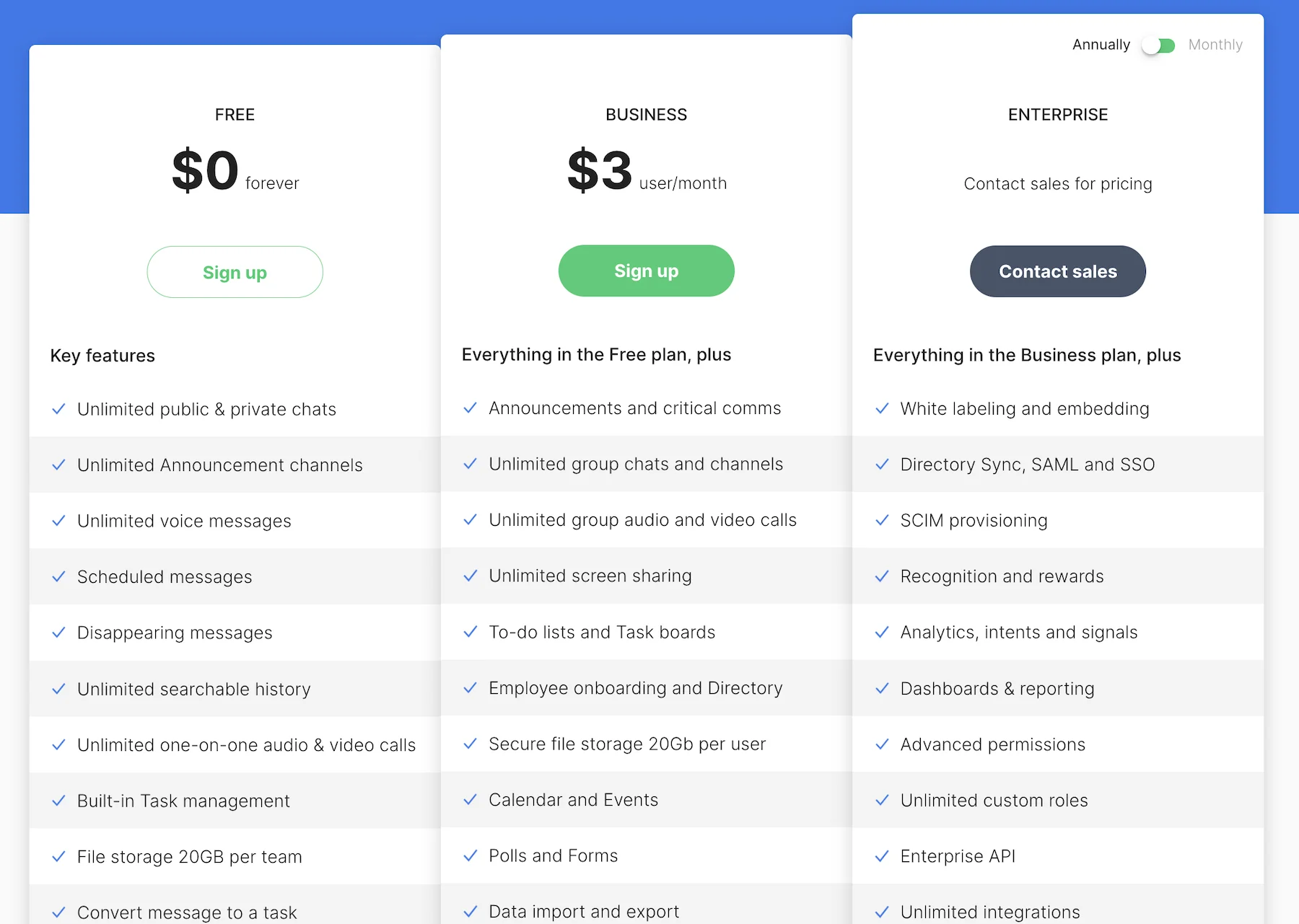
Like Pumble, Chanty provides unlimited message history across all plans. Unfortunately, once you’re ready to scale beyond 5 team members, the no-cost plan starts to resemble a “freemium” model nudging you toward a paid tier:
- Business: Priced at $3 per user per month (billed annually), it comes with additional features, including audio/video conferencing, group channels, and team messaging.
- Enterprise: Pricing is available upon inquiry. This subscription brings users custom permissions, advanced dashboards and reporting, and custom data retention policies.
Both apps are affordable, but Chanty could bring additional costs to budget-conscious teams that exceed the 5-user limit on the free plan.
In contrast, Pumble won’t penalize you for bringing on more colleagues, so scaling your team comes with no unexpected cost spikes.
No frills, no limits — try Pumble
💡 PUMBLE PRO TIP
Need a free collaboration tool that lets you connect with more than 5 users? Discover the best option:
Pumble vs. Chanty: Chanty has a simple UI, but Pumble is more customizable
When it comes to the user interface, both apps have an uncomplicated design.
Chanty’s basic design flattens the learning curve for new users. If Chanty is your introduction to asynchronous communication software, you’ll probably have no problem getting into the swing of things.
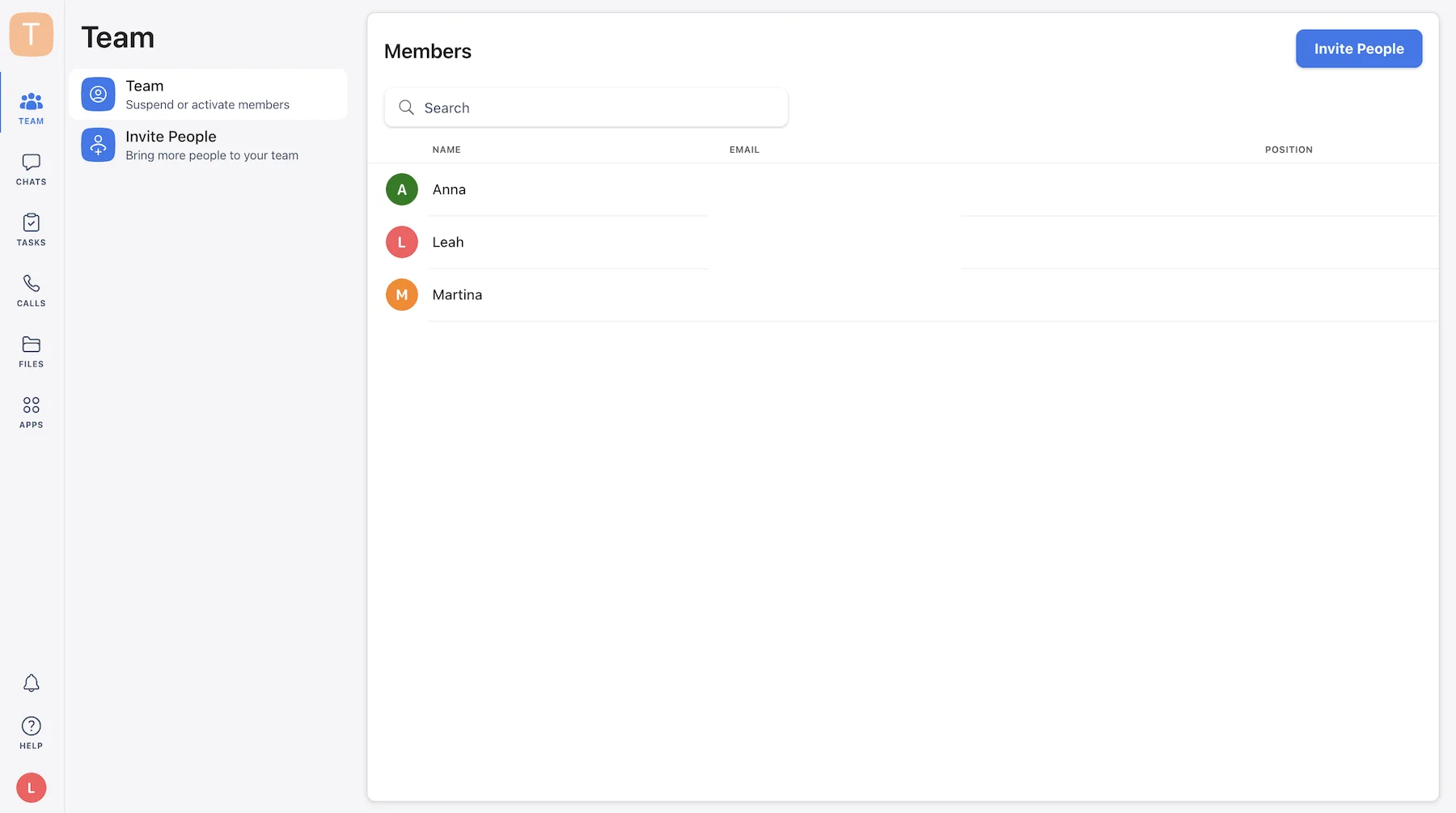
After completing the registration process, which only took a few minutes, I was presented with the left-hand section of the app, where I found my:
- Team, which lets me manage team activity, invite new members, and suspend or activate users,
- Chats, with conversations that are either private, involving select team members, or public, with new members added automatically when they join the workspace,
- Tasks, which gives me the option to organize my tasks into columns and categorize them how I see fit,
- Calls, to make phone calls from within the app,
- Files, which gives me an overview of shared files in either Table or Card view, and
- Apps, which allow me to quickly find available and installed integrations.
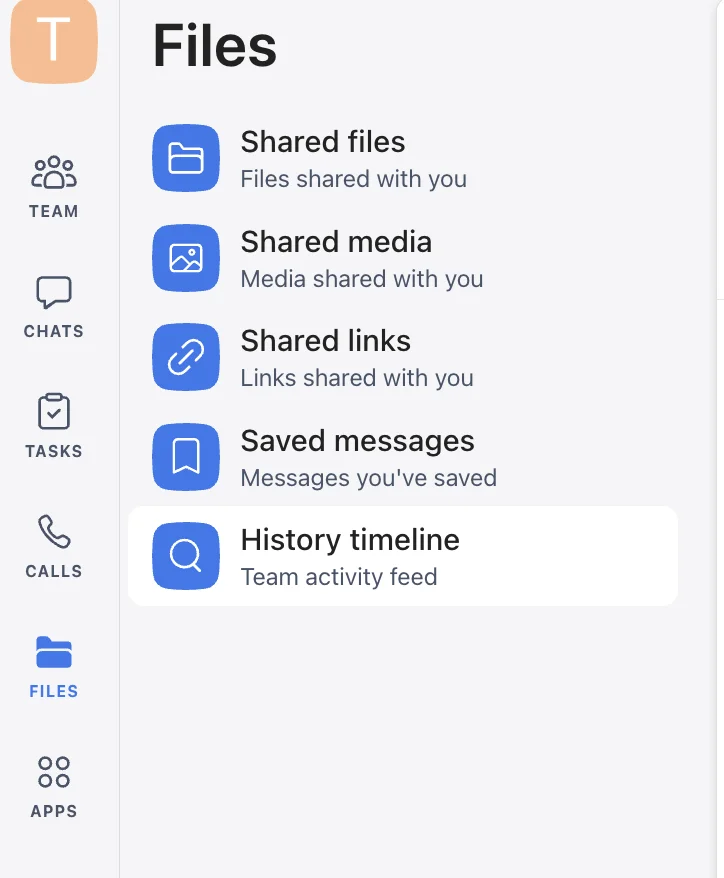
The layout is much simpler than most popular apps, so finding what you need takes no time at all — a big plus in my book.
The downside is that you might find the interface slightly unappealing, especially if you’re already used to more customizable business communication apps.
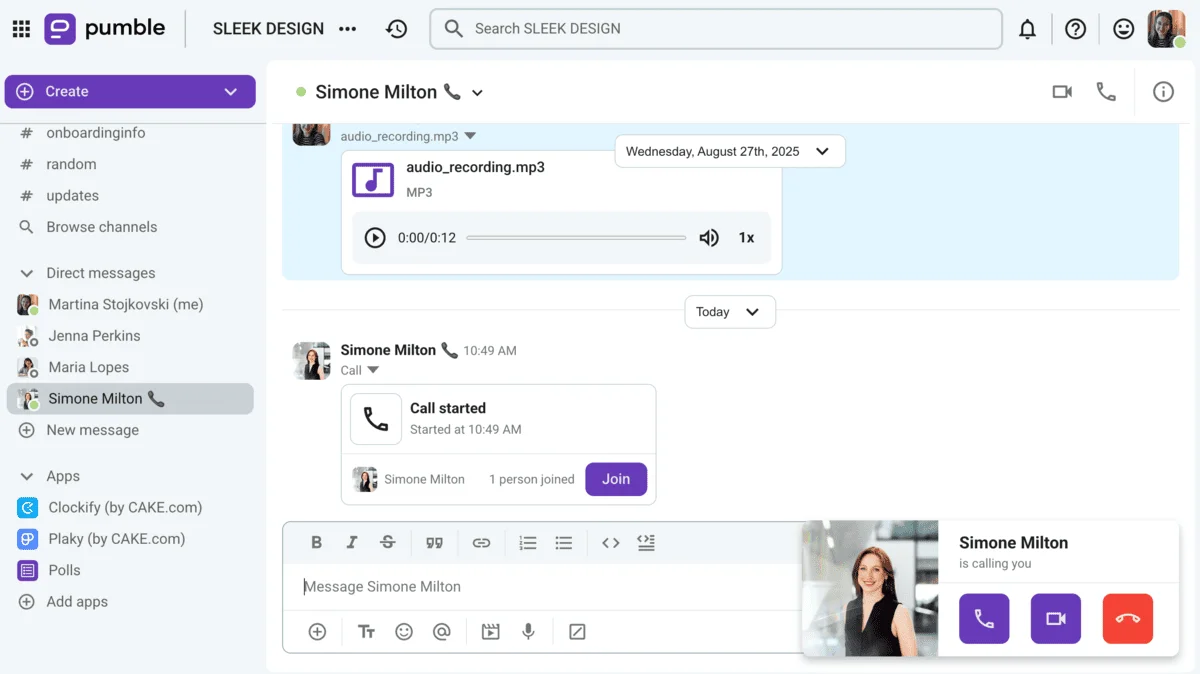
Pumble also keeps its UI simple while having a design that feels intuitive and familiar. Using the customizable sidebar is straightforward, and I always have a bird’s-eye view of my:
- Channels,
- Mentions and reactions,
- Threaded conversations, and
- Direct messages.
The logical layout keeps my workspace clutter-free and eliminates the need for long, drawn-out employee onboarding — at least it did for me. The design choices bring team communication into focus, rather than overly complex features.
Plus, you can further organize your sidebar into sections containing relevant channels. For teams working across multiple channels, a well-organized sidebar prevents disarray and confusion.
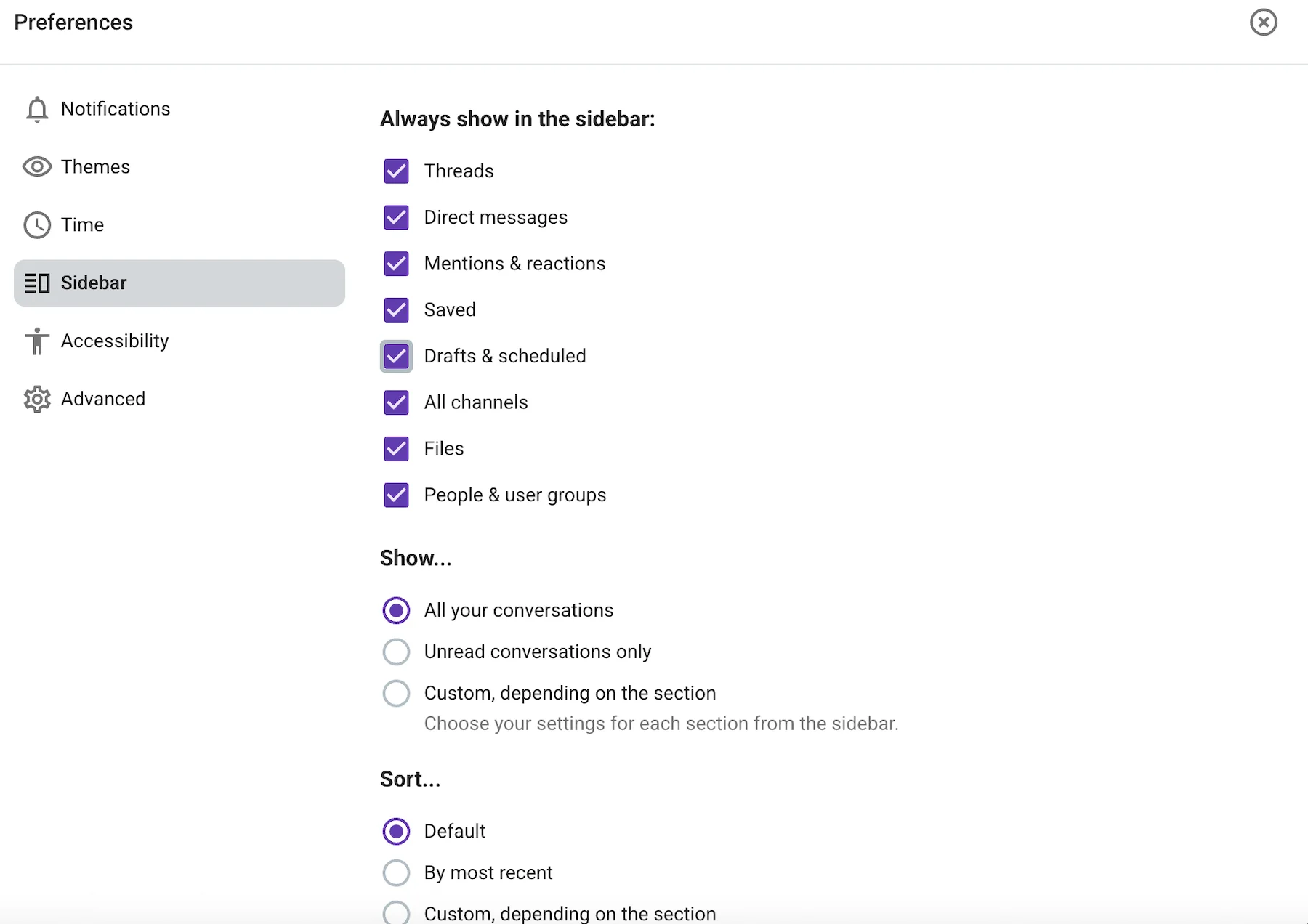
In my opinion, Chanty’s barebones simplicity makes sense for non-technical teams. Conversely, Pumble’s interface makes it possible to keep track of multiple teams and projects with greater ease.
💡 PUMBLE PRO TIP
Our comparison focuses solely on Pumble and Chanty. However, you might be curious how these apps compare to other collaboration tools. For more information, check out this page:

Pumble vs. Chanty: Pumble is a more well-rounded communication app
Speaking of team communication, that’s where Pumble shines.
I find threaded conversations particularly useful, especially in tandem with public and private channels. Each team or project can have a dedicated channel, keeping your digital HQ tidy and organized.
Threads are one of the main features behind this simplicity and ease — they sort all relevant replies beneath the original message, so your team discussions won’t spill out to the rest of the channel.
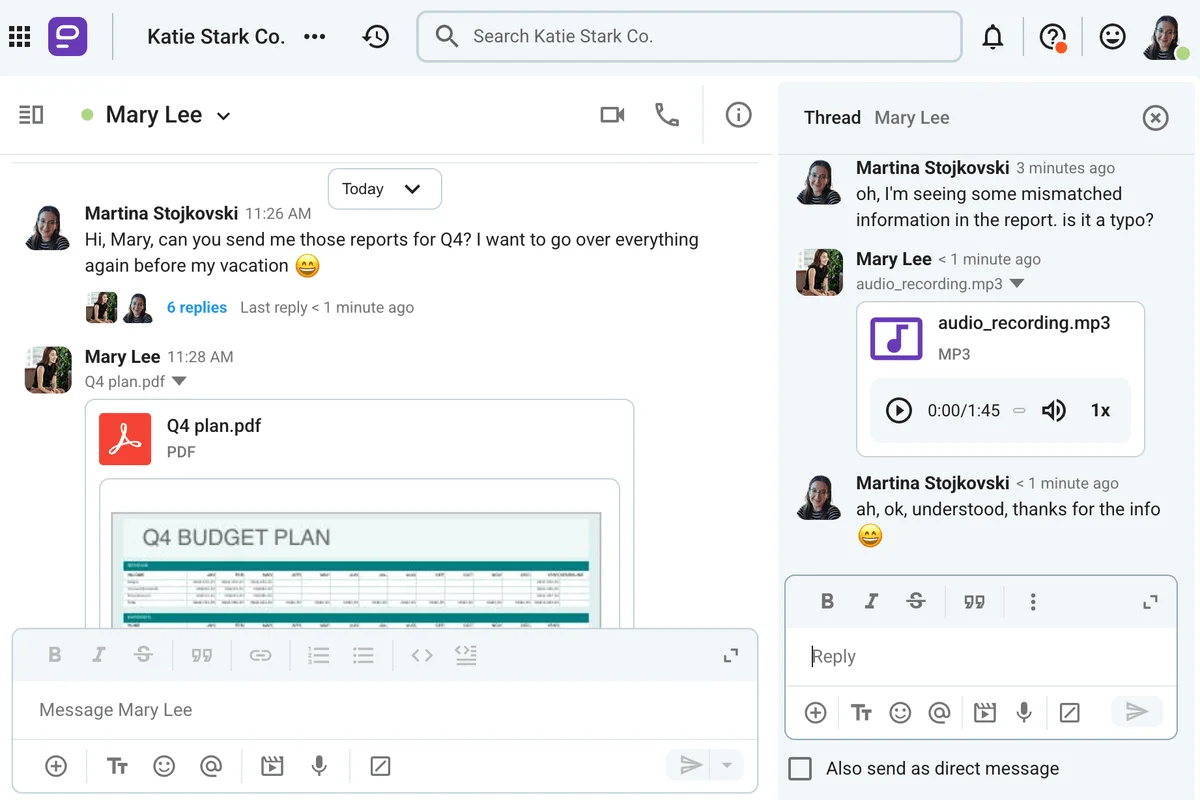
You can further streamline your communication with:
- Pinned and saved messages,
- Reminders,
- Emoji reactions, and
- Scheduled messages.
I appreciate not having to launch a separate video conferencing tool just to join business meetings. Whether I’m working from home or a coworking space, I can count on Pumble to:
- Display in-call messages,
- Blur my background,
- Provide emoji reactions, and
- Apply noise cancellation.
I was happy to see Chanty offers similar functionalities, including:
- Team chat,
- Channels,
- Threads,
- Message editing and formatting, and
- Saved messages.
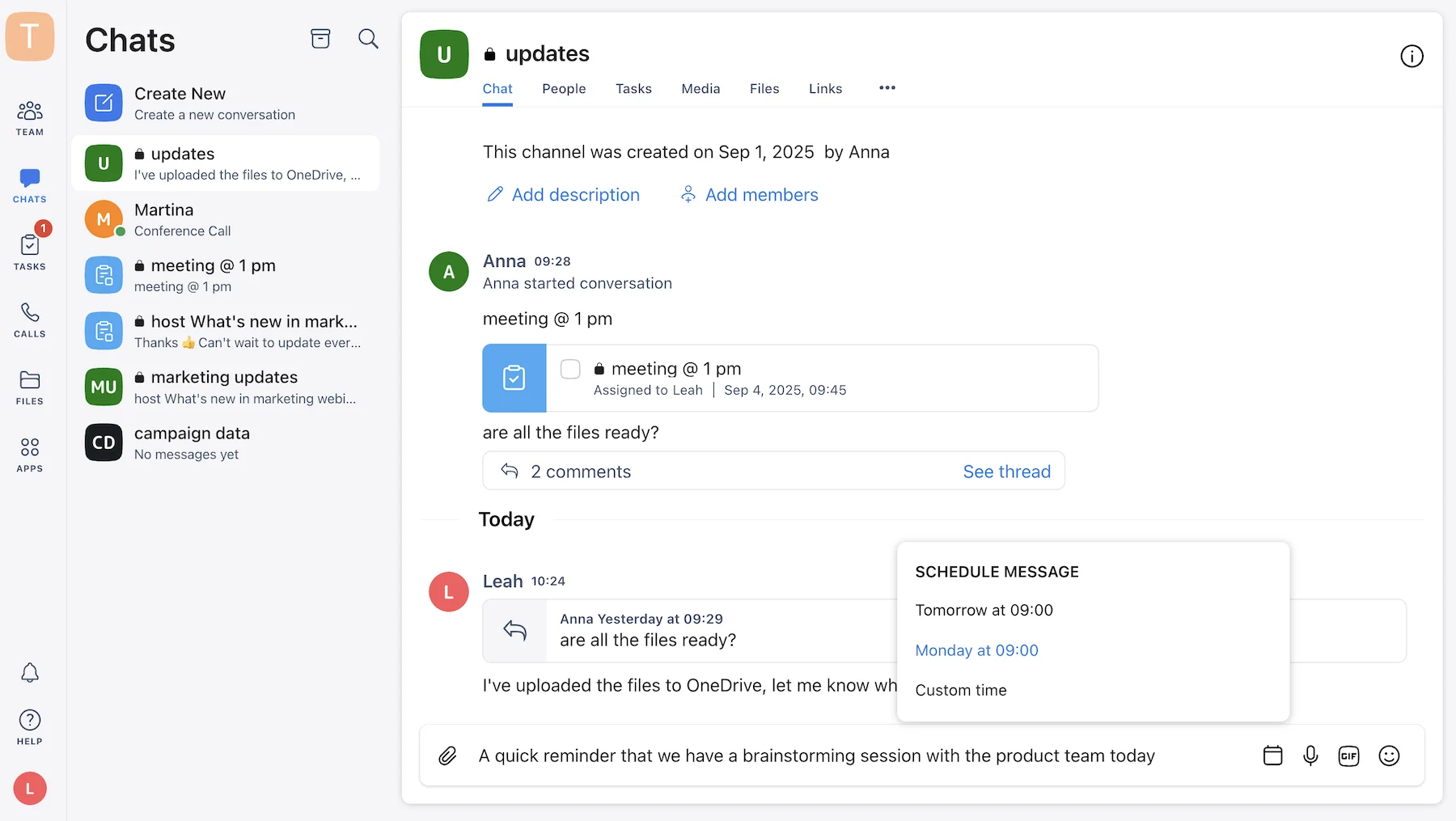
One thing that stood out to me in Chanty is that both DMs and channels are grouped together in the Chats subsection. Most business messaging apps separate messages and channels, which is a layout that works best for me. Still, once I got used to this design choice, there was no confusion or aimless scrolling.
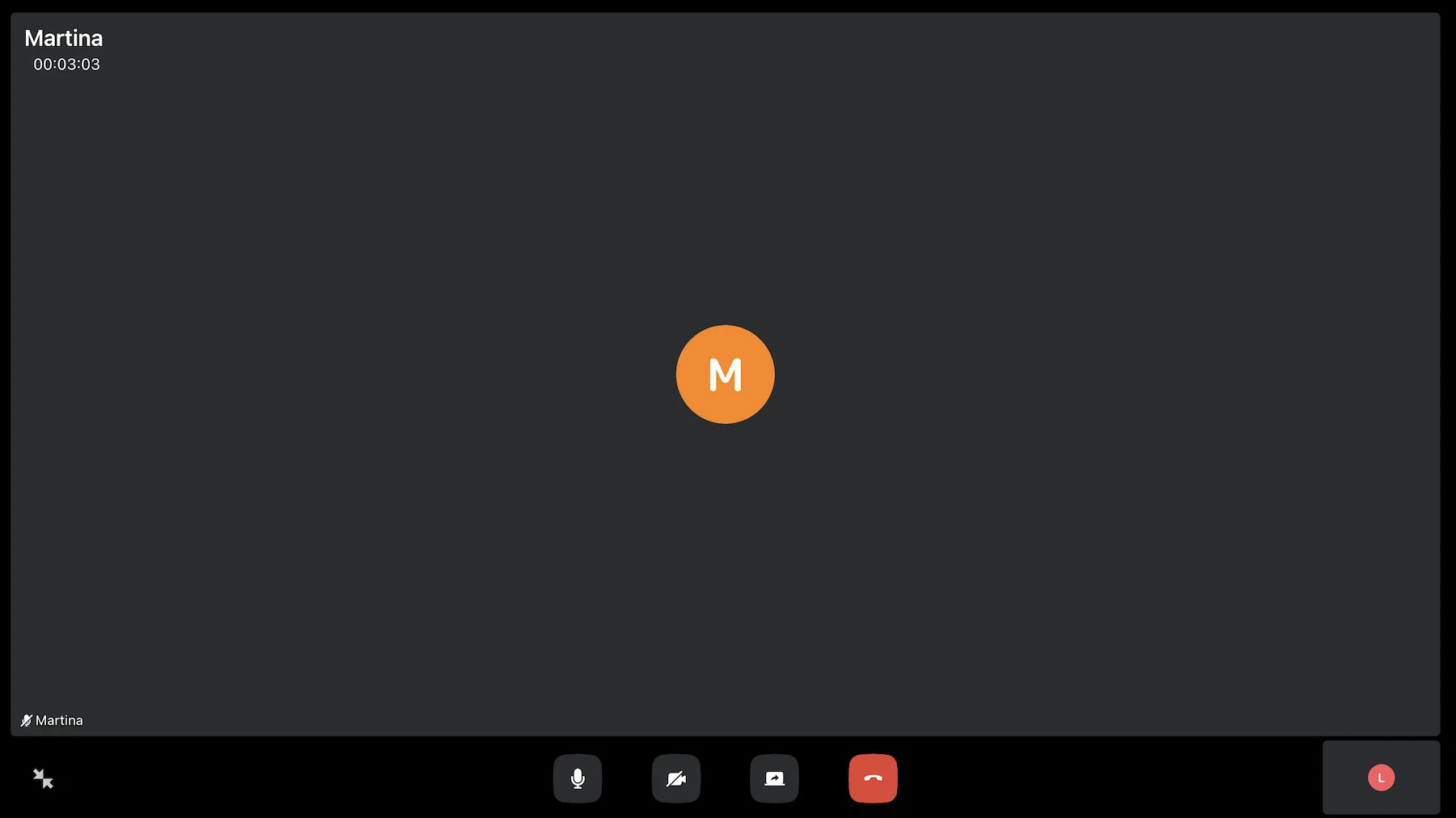
It’s obvious that Chanty began as a messaging-first platform, but I would have liked to see a “Settings” button and live chat during 1:1 meetings. I could share my screen and disable the audio and video feeds — that was it.
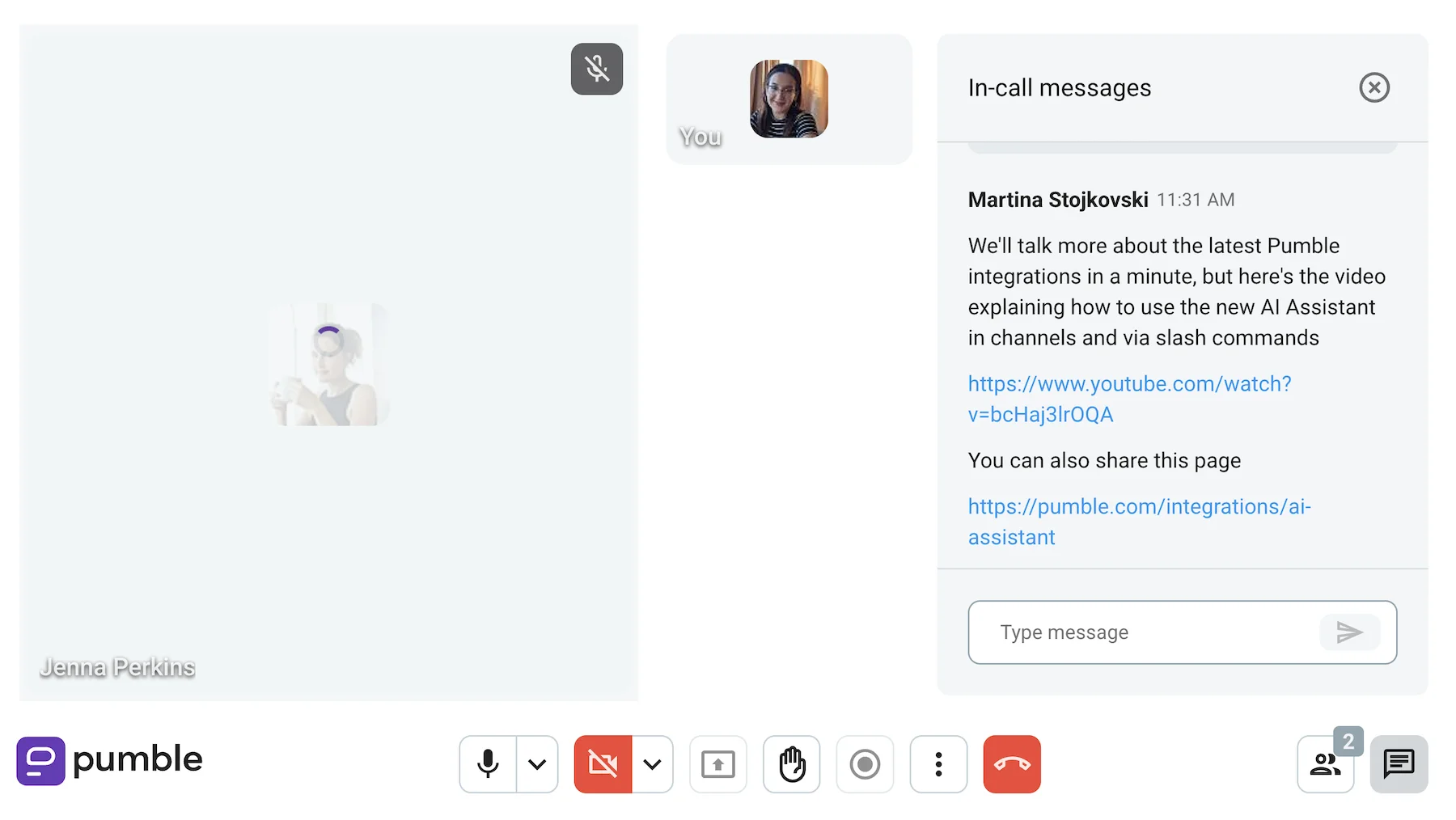
Pumble also includes 1:1 video calls in the free plan, and the “Settings” button is clearly visible. This lets me quickly switch between cameras and microphones. More importantly, I can send in-meeting messages to share links or insights.
Run effective meetings in Pumble
Ultimately, both apps have the features necessary for effective communication. Teams that don’t hold many meetings can choose either. Organizations with more frequent meetings should probably pick Pumble for a better experience.
💡 PUMBLE PRO TIP
Looking for a comprehensive team communication app to complete your tech stack? Head to this roundup to see our top picks:
Pumble vs. Chanty: Chanty brings integrated task management for teams
In terms of project and task management, Chanty boasts more native features.
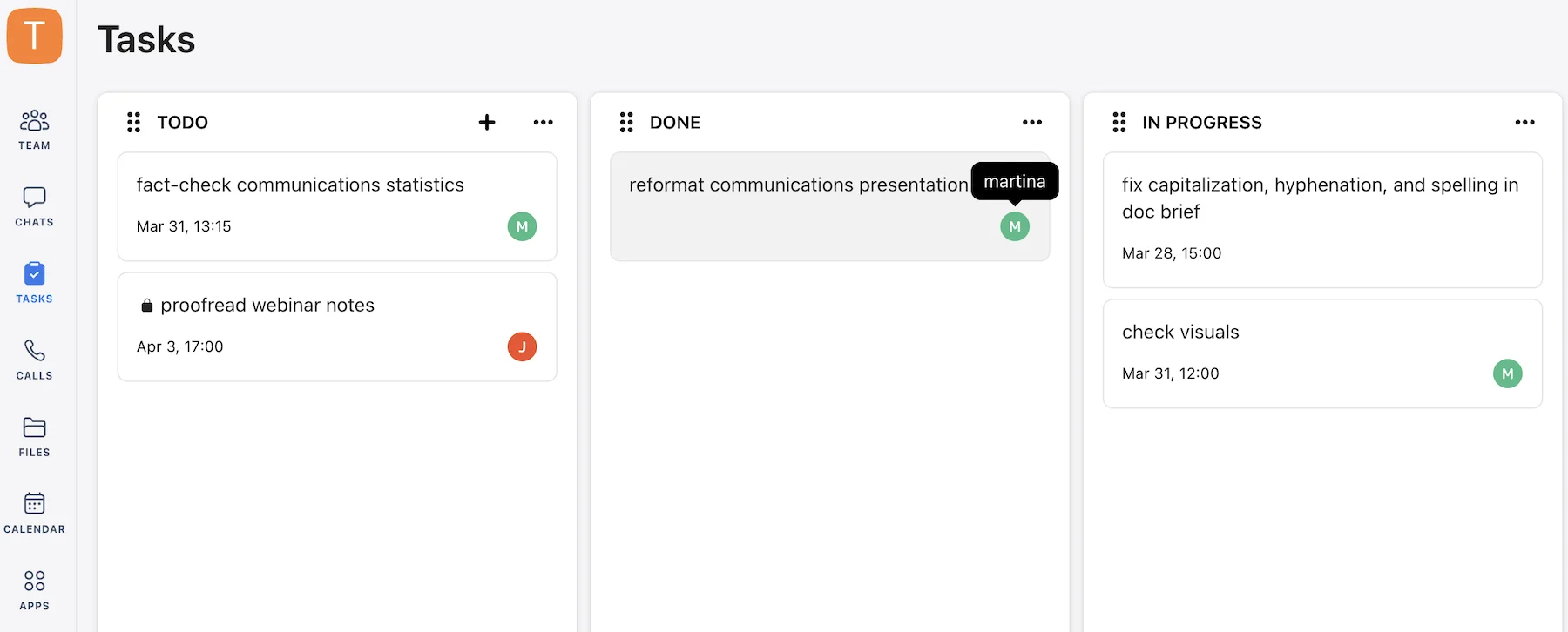
I was able to access these features on the free plan, which was a plus, and had no trouble:
- Turning messages into tasks,
- Switching between Kanban boards and List view,
- Assigning tasks to team members, and
- Tracking activities through my History timeline.
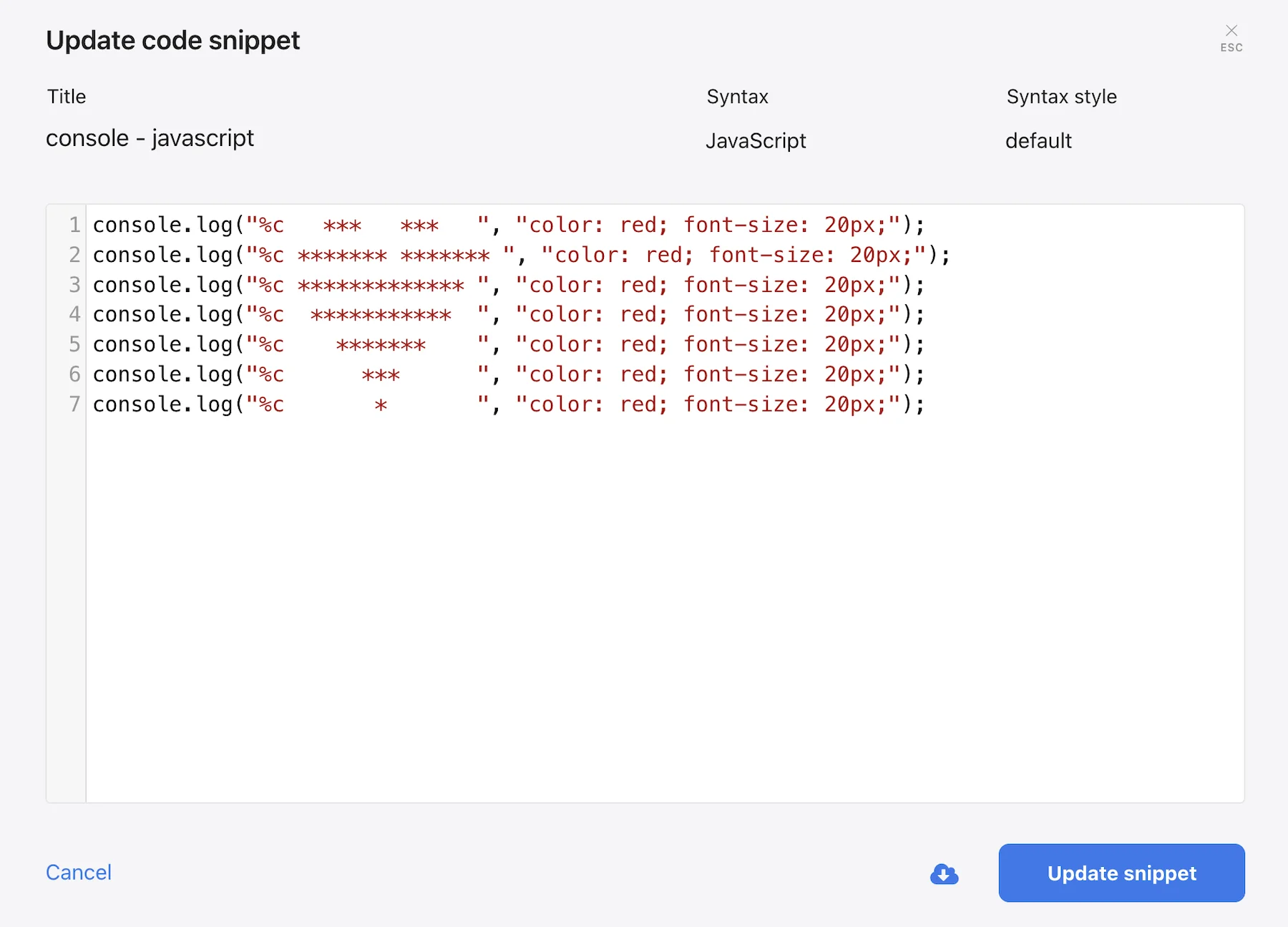
I could also send code snippets using Chanty’s code editor, which was a nice touch. The editor reportedly supports over 50 programming languages and might help with your first serious coding project.
Are these Chanty features useful? Definitely. Is this enough to completely eliminate the need for full-fledged project management software? Probably not.
Unlike Chanty, Pumble features don’t extend into task management. This doesn’t mean you can’t manage a project in Pumble from start to finish — Pumble covers that via its free integration with its sister software, Plaky.
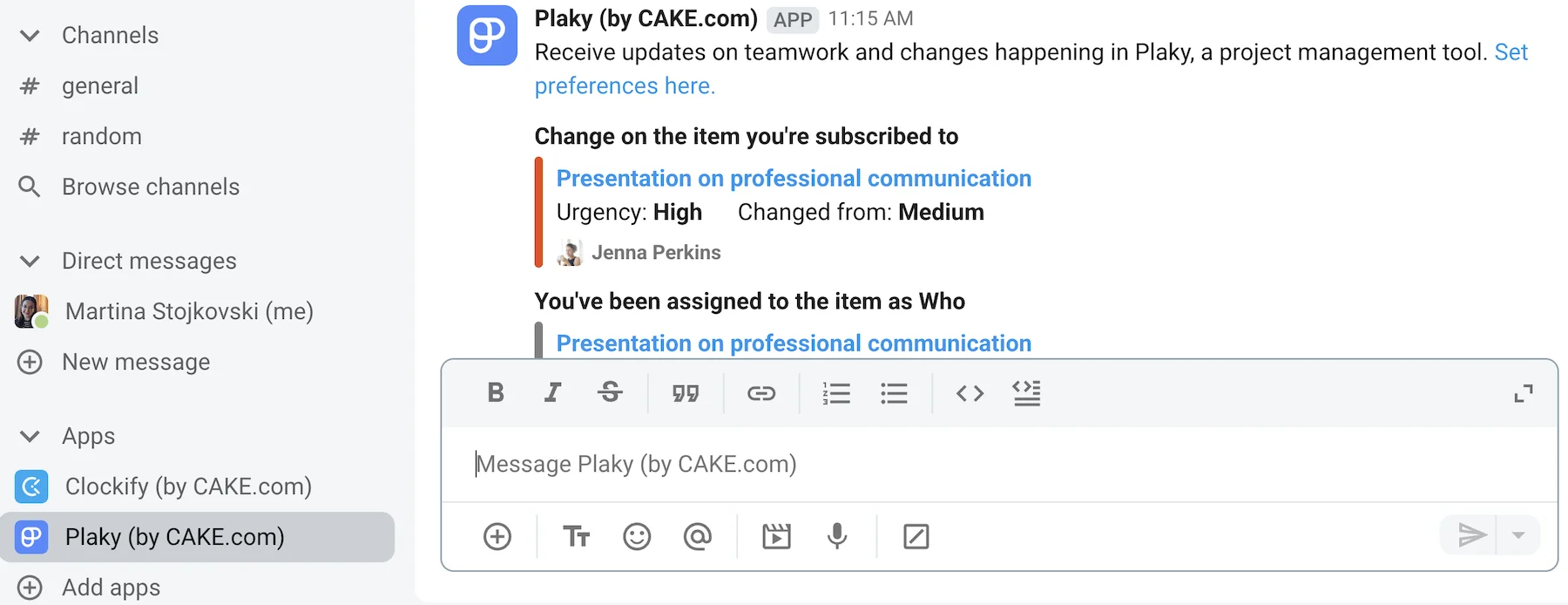
Instead of going from one app window to the next, connecting Plaky to your workspace brings everything to your DMs, including:
- Comment notifications,
- Item notifications, and
- Subscription notifications.
Get projects done with Pumble & Plaky
For short-term to-do’s, like sending reminders, organizing project updates, or setting up standup meetings, I personally like to use saved and recurring messages.
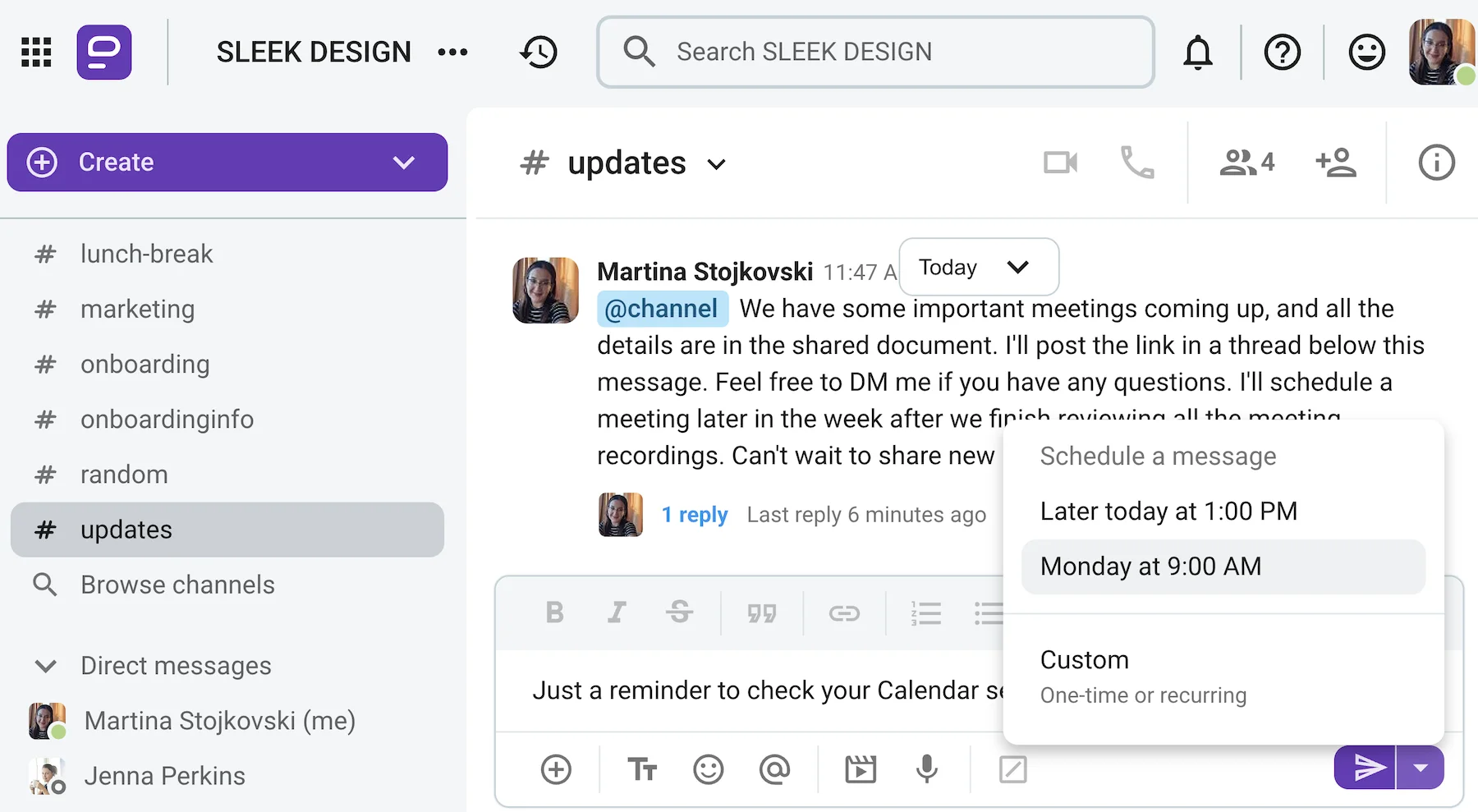
In the end, Chanty’s features in this category — the Kanban boards in particular — are nice to have, but they won’t expedite workflows for highly technical teams.
Pumble, although without native task management features, can be used effectively for task organization. For more demanding work, Pumble pairs up nicely with Plaky and other integrations.
💡 Pumble Pro Tip
Interested in seeing a thorough overview of what Chanty brings to the table? Take a look at our detailed review:
Pumble vs. Chanty: Chanty has limited integrations, while Pumble has access to a growing marketplace
Both Pumble and Chanty integrate with a select number of third-party apps. I don’t mind having a narrower choice, since too many integrations can quickly pile up and turn into workplace distractions.
The question is, how much can you achieve with the integrations available to you in each app?
Right off the bat, you’ll notice that Chanty has multiple integrations preinstalled, including:
- Zapier,
- Google Drive,
- Dropbox, and
- OneDrive.
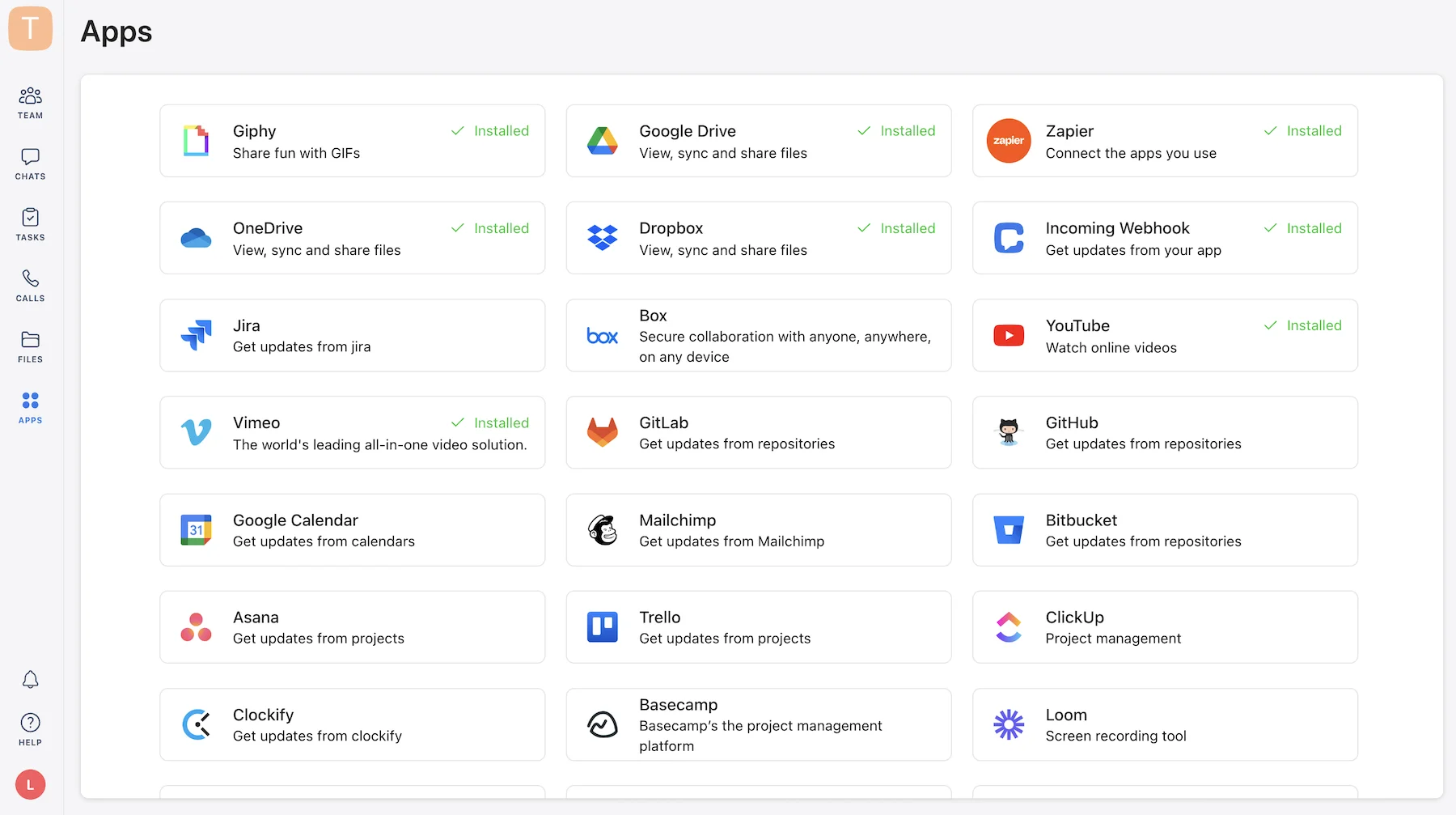
In theory, you can use Zapier to connect Chanty to thousands of apps and automate parts of your workflows. But, most of the available integrations in Chanty focus on productivity and file management.
It would be nice to see some variety, with a handful of integrations covering multiple categories. Should you decide it’s worth going for a paid plan, you can reach out to Chanty and request a custom integration.
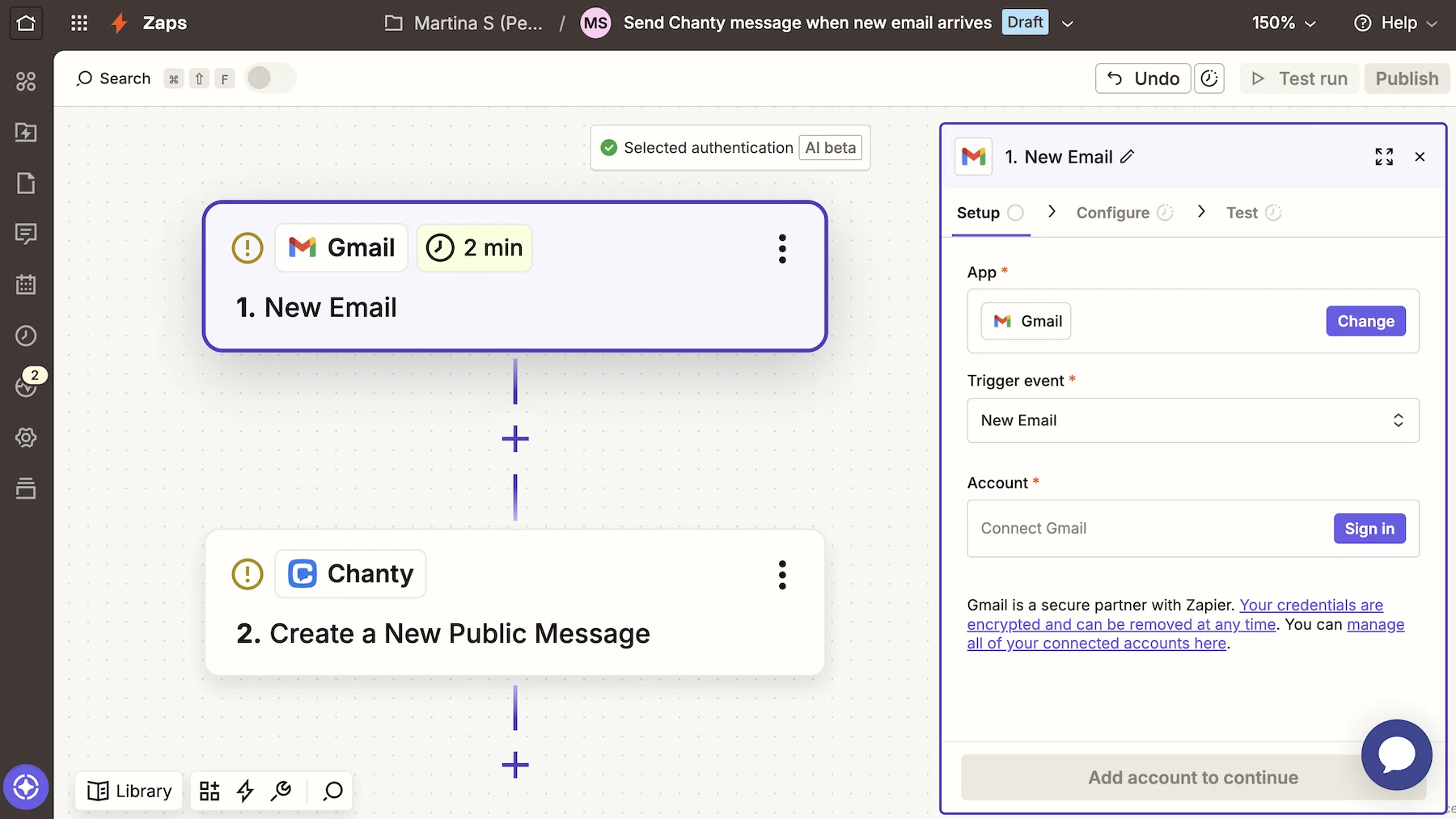
Similarly to Chanty, Pumble doesn’t overwhelm users with an abundance of third-party options. Some of its core integrations include:
- Gmail,
- Calendly,
- AI Assistant,
- Zapier, and
- Zoom.
However, what makes Pumble stand out from other communication software is that it’s part of the Productivity Bundle by CAKE.com. This means it integrates seamlessly with Clockify and Plaky, forming a powerful trio that covers:
- Time tracking,
- Project management, and
- Employee communication.
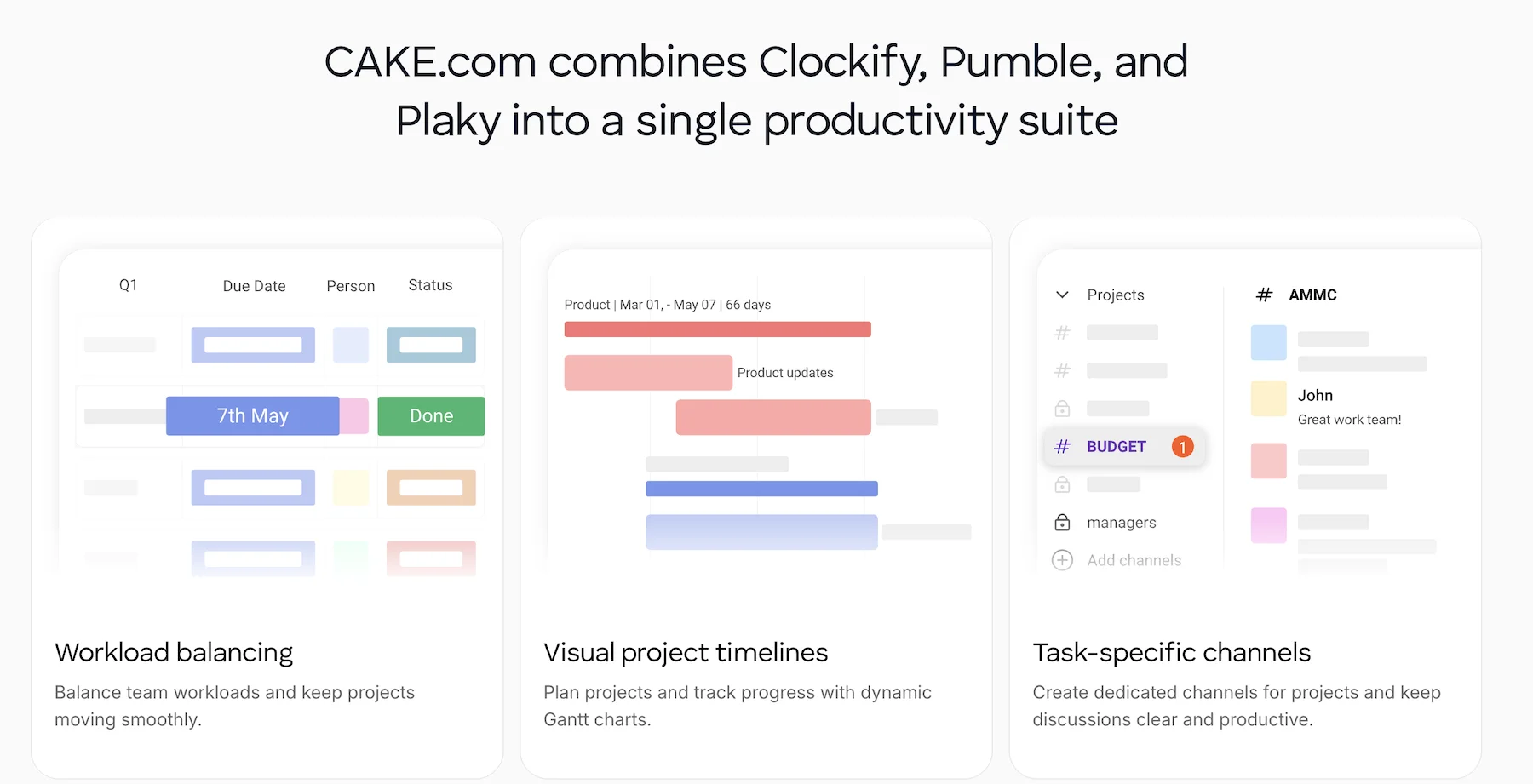

I get a lot of use out of the Pumble–Plaky integration. No time’s wasted wondering what’s happening with a task or project, and I get to follow along every step of the way, without closing Pumble.
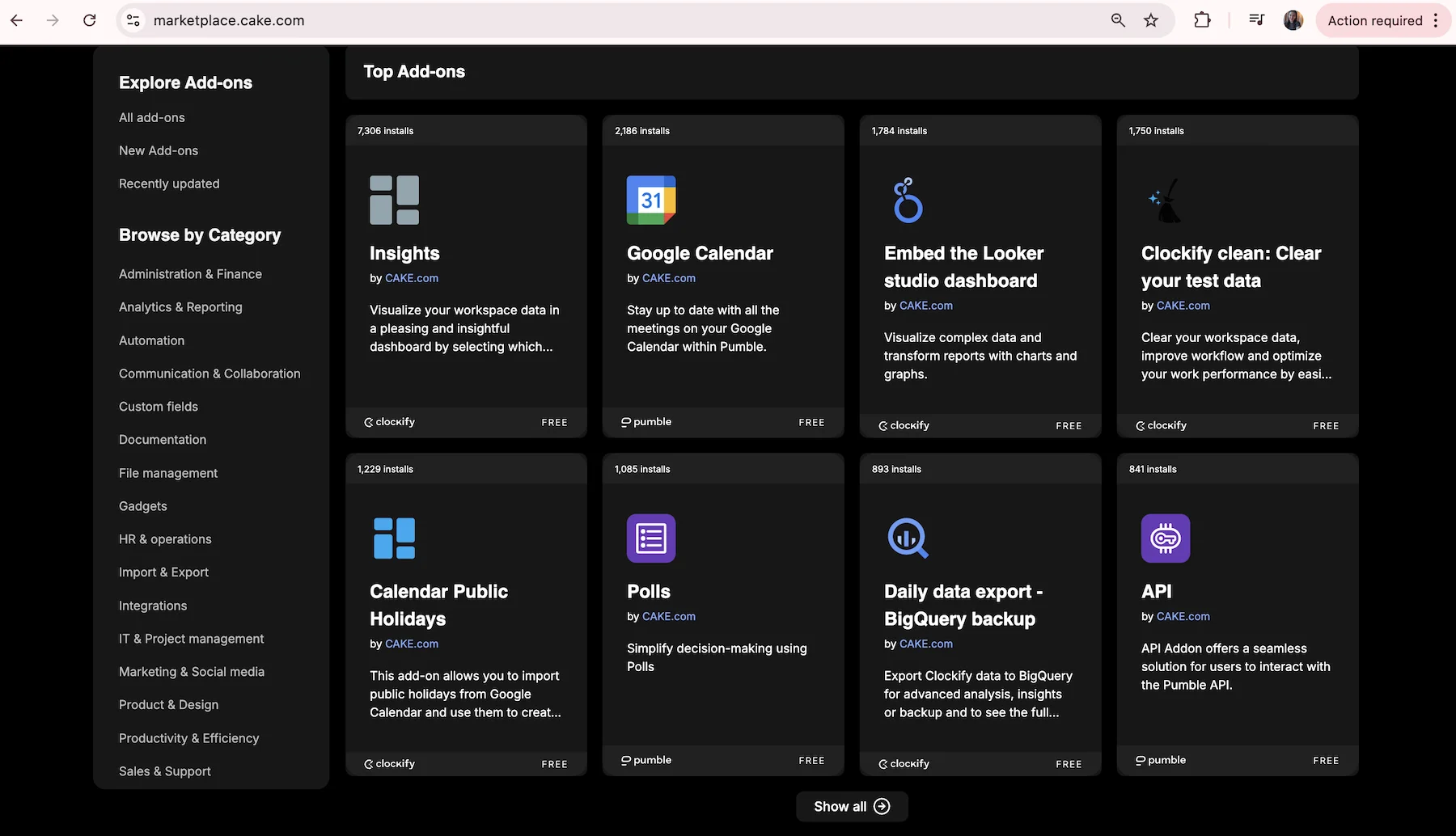
Another perk is the CAKE.com Marketplace, where you can access additional integrations or even upload your own add-ons.
Build your own add-ons in Pumble
Unless you use a dense toolstack, Chanty likely has everything you need. If you want to create a specialized homebase for your internal apps, Pumble greatly smooths out the process.
Pumble vs. Chanty: Pumble has outstanding 24/7, all-human customer support
Whether you’re a free user or paying customer, you deserve stellar customer support. Otherwise, your user experience crumbles.
Chanty provides support across all plans, but the level of priority and care users will receive may differ.
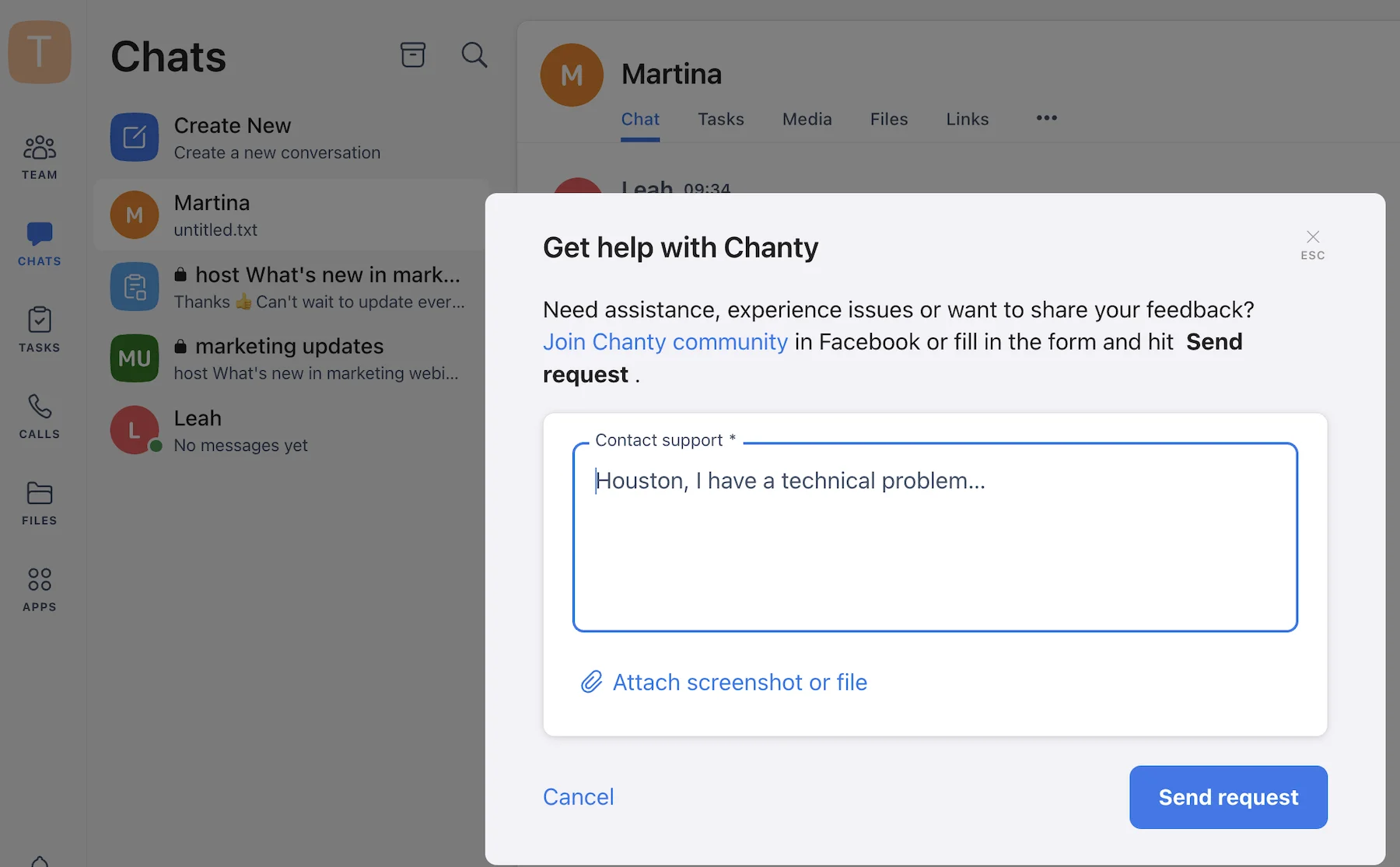
Community support is available on the free plan, so you can resolve issues by submitting a ticket or browsing Chanty’s help pages. Submitting a ticket takes no time at all, although the Help Center isn’t as extensive as I would have hoped.
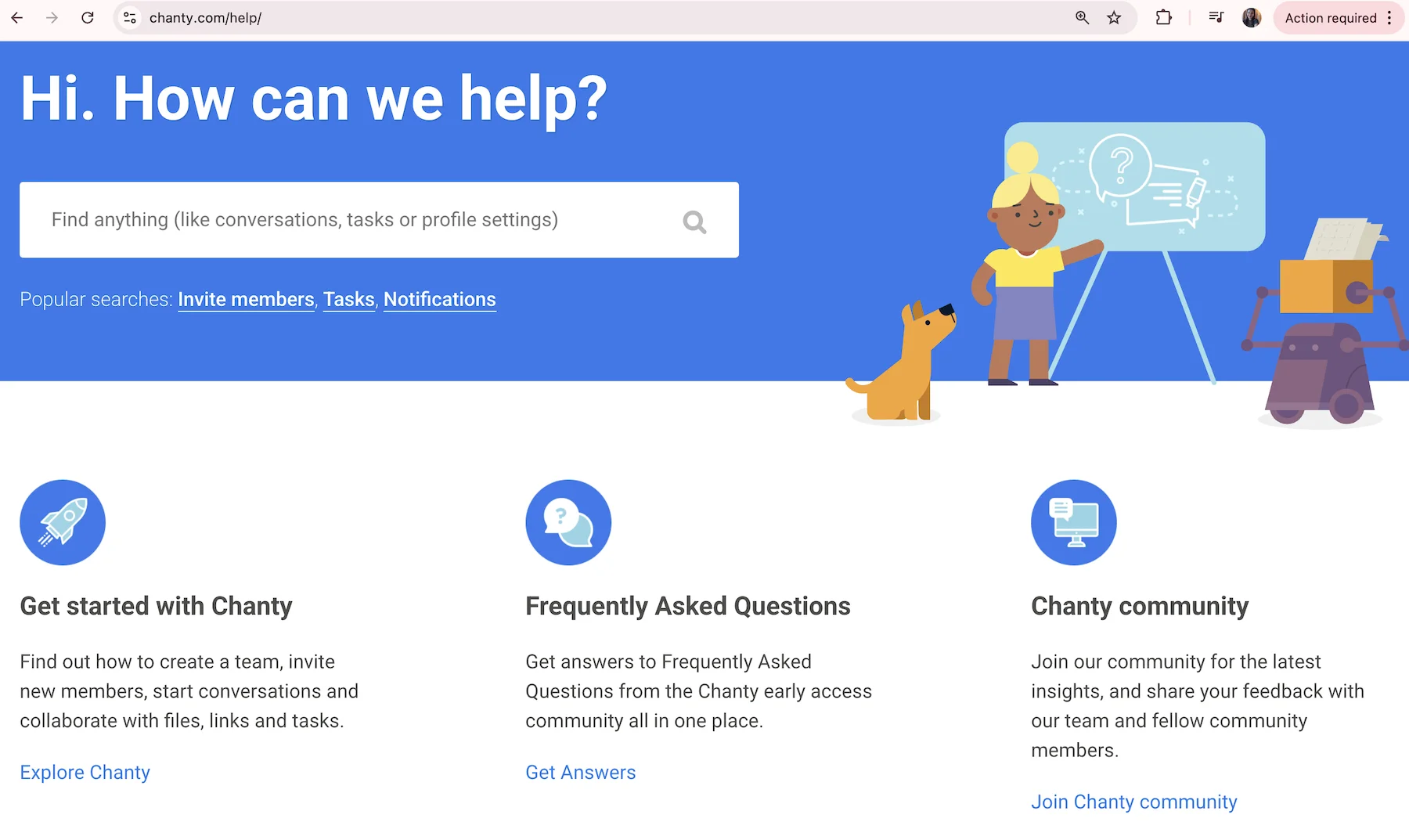
The Help & Support button also has a link to a Facebook community help group. It seems to be inactive though, with no recent updates or inquiries.
Business plan users have access to a 24/7 support line, while enterprise users get a:
- Dedicated support line,
- Service-level agreement, and a
- Customer success manager.
Submitting a problem ticket doesn’t always cut it, which is why Pumble has several ways users across all plans can ask for support. In addition to the exhaustive help pages, you can reach a support agent via phone or email, any time of day and night.
I personally get frustrated when AI bots give me the run around. Knowing that another person is on the other end, trying to resolve my issues, is reassuring.
The onboarding process also reflects this tailored approach, as qualifying customers can work with a dedicated success representative to get the most out of their Pumble experience.
As a result, Pumble takes the lead here.
Receive 24/7 human support in Pumble
Pumble vs. Chanty: Pumble is better equipped for external collaboration
While only 5 people can be part of your free Chanty workspace, you can upgrade your knowledge and information sharing strategies by inviting 2 guest users.
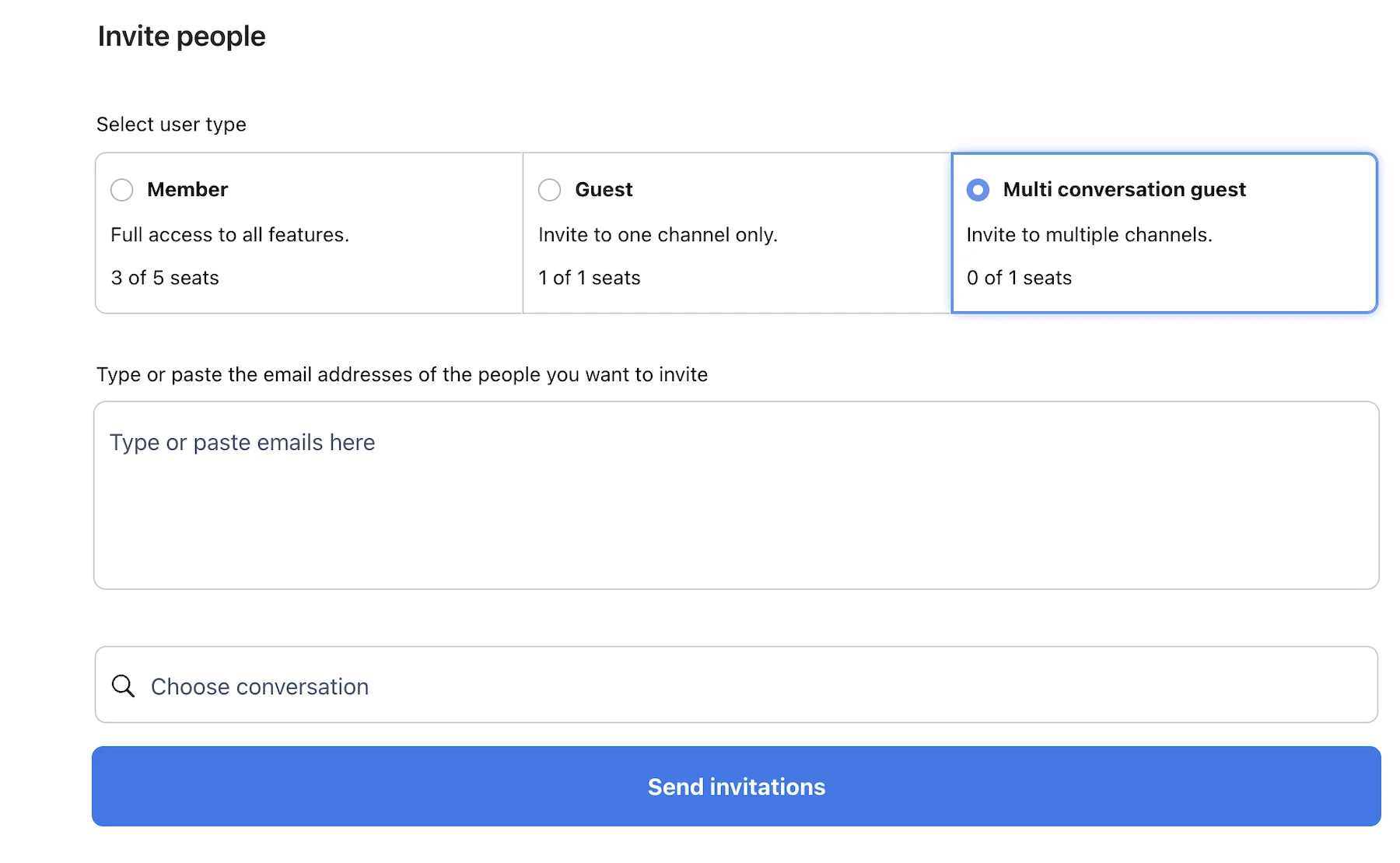
You can add 1 single-conversation guest and restrict their access only to the channel you’ve selected. Clients, customers, and contractors don’t need to know every nook and cranny of your organization and can stick to chats that pertain to them.
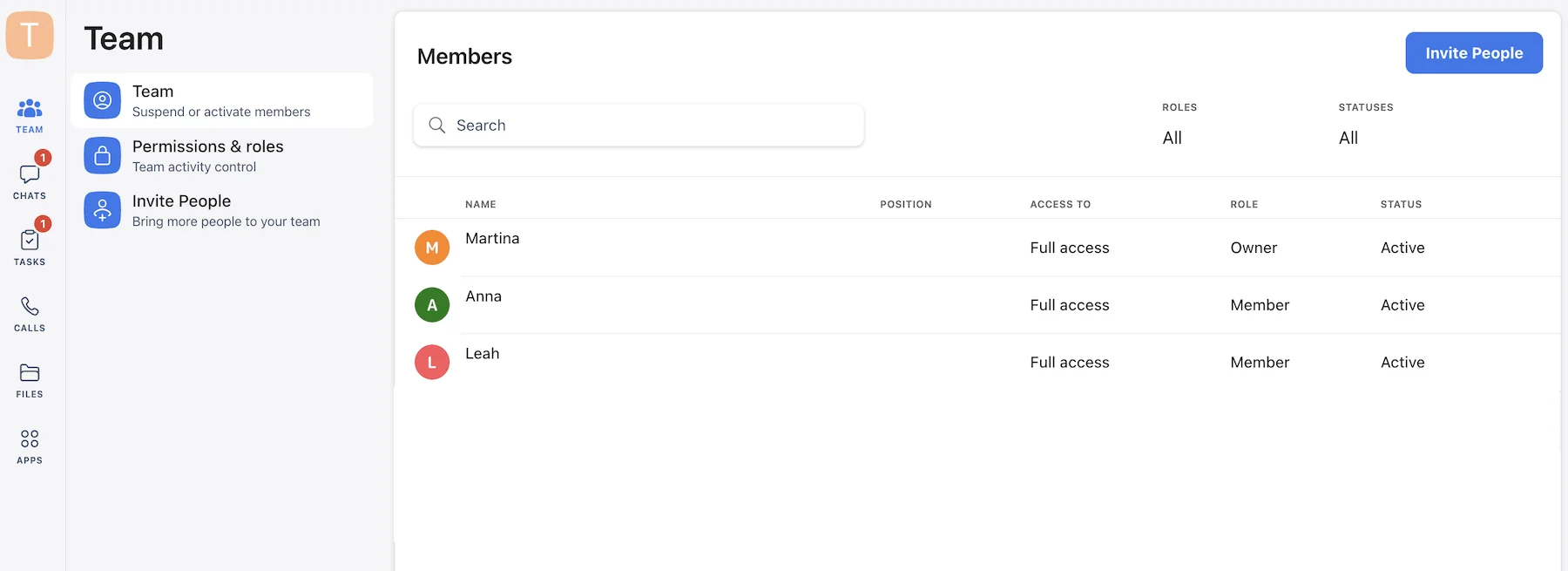
As you’ve probably guessed, multi-conversation guests have more access to your workspace. This Chanty feature works best for teams that occasionally need to bring in a consultant or contractor.
Inviting guests is a breeze, although I had to manually remove these accounts once they were no longer needed. The Business plan seems more suitable for businesses with multiple external collaborators, as it offers 3 guest accounts per member.
Moving onto Pumble, the app also categorizes guest accounts into single-channel and multi-channel guests. Thus, you have full control over what invited guests get to do and access in your digital space.
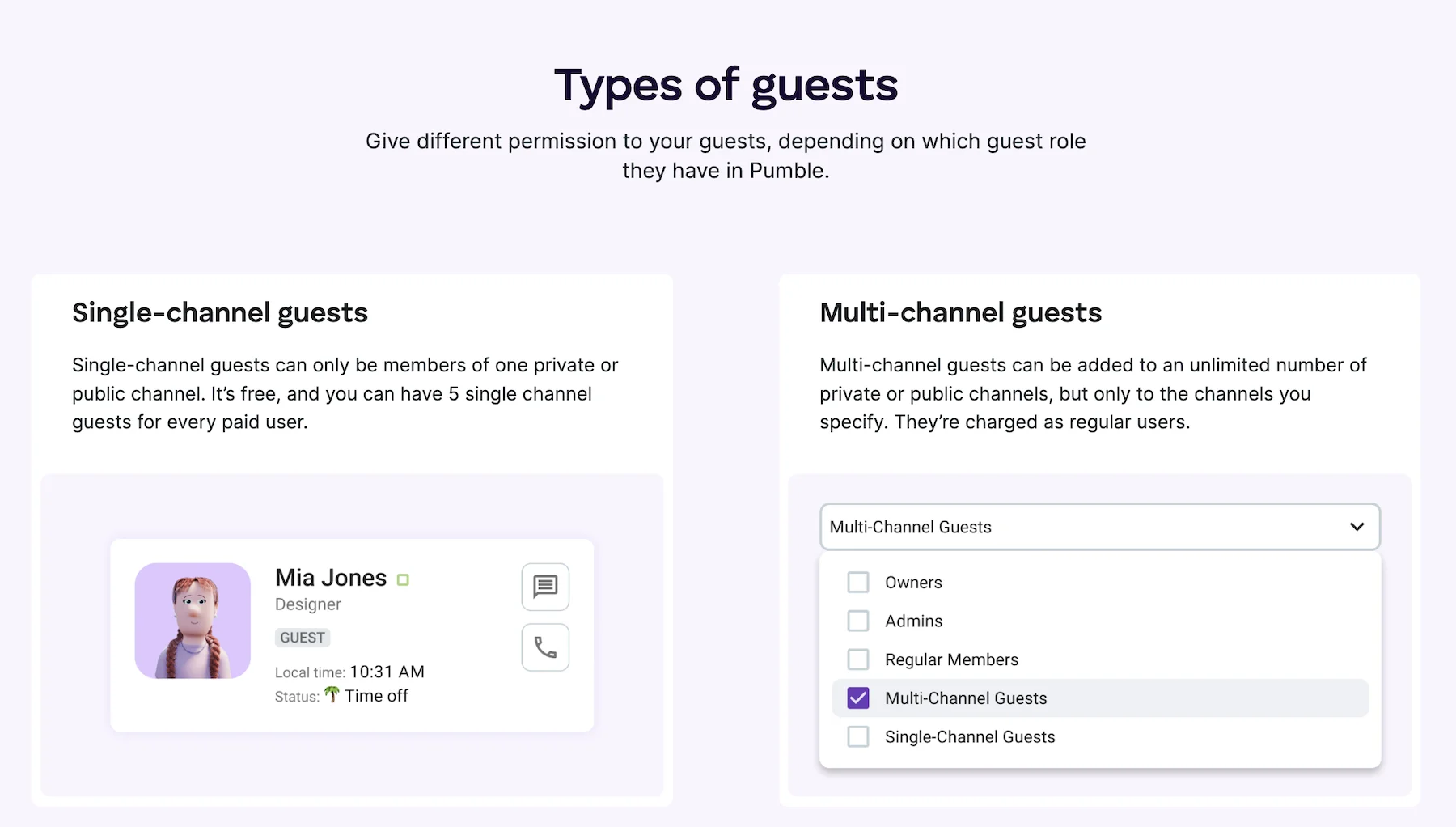
For every paid user, you can invite up to 5 single-channel guests for free, while multi-channel accounts are billed as regular users. So, for agencies and teams handling client-heavy work, Pumble can carry the load.
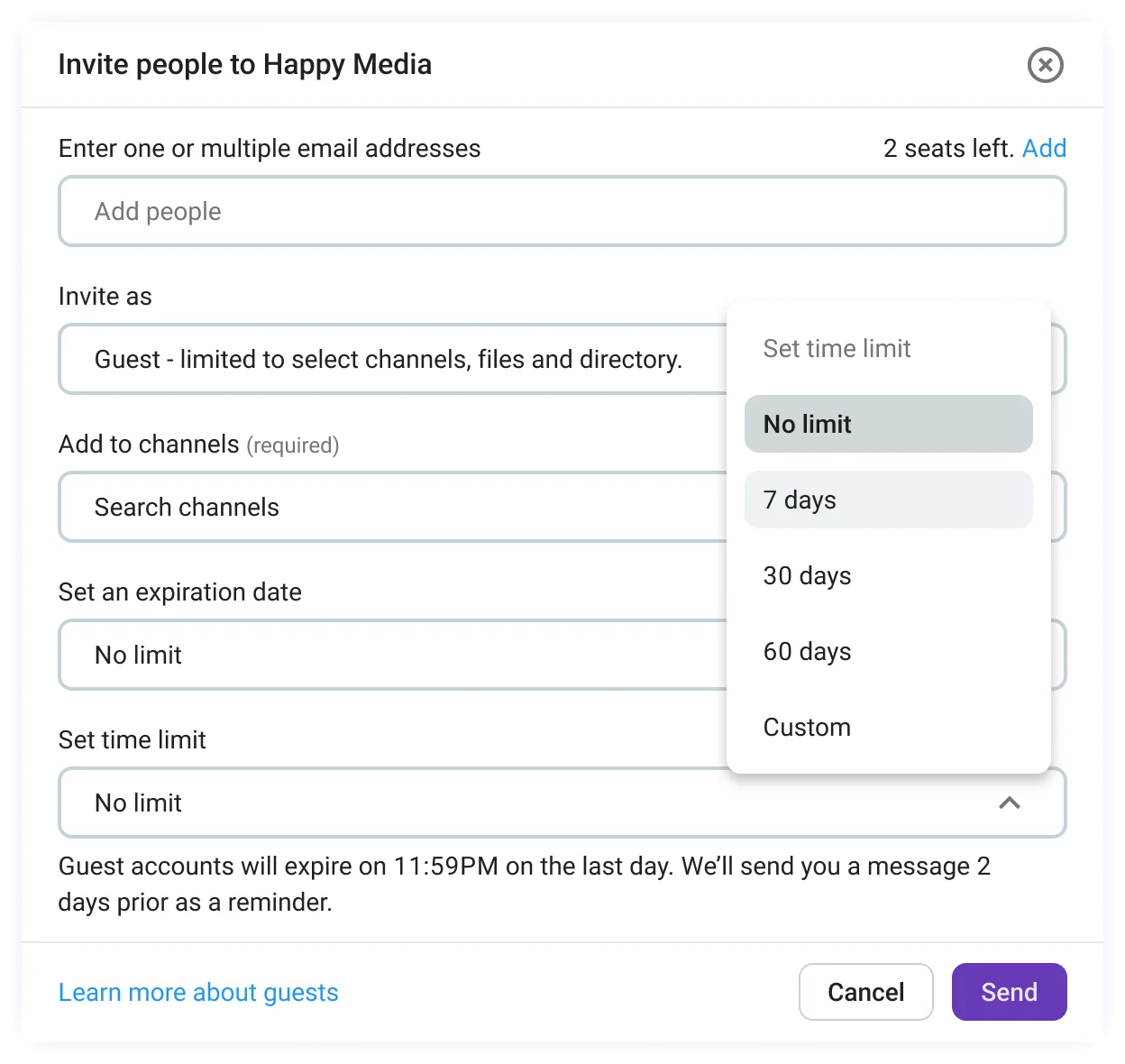
Pumble also gives you more customization. Namely, you can set an expiration date for time-limited collaborations. Once the specified date comes around, the guest access will automatically expire and keep your info locked tight.
For this Pumble vs. Chanty round, you’ll have to weigh the pros and cons. If you work with the occasional external collaborator, Chanty can handle that pressure. However, small to mid-size businesses looking to bring in more contractors or clients will have more use of Pumble.
💡 PUMBLE PRO TIP
To learn how you can leverage this Pumble feature to your advantage, see this post:

Pumble vs. Chanty: Pumble follows strict security protocols
Without a secure business messaging app, it’s only a matter of time until the wrong people get their hands on your data. Fortunately, that’s something neither Pumble nor Chanty users have to worry about.
Whenever I logged into Chanty, the app would send me a unique passcode I had to enter before rejoining my workspace. If you’ve ever forgotten your password, this is a much safer and convenient option.
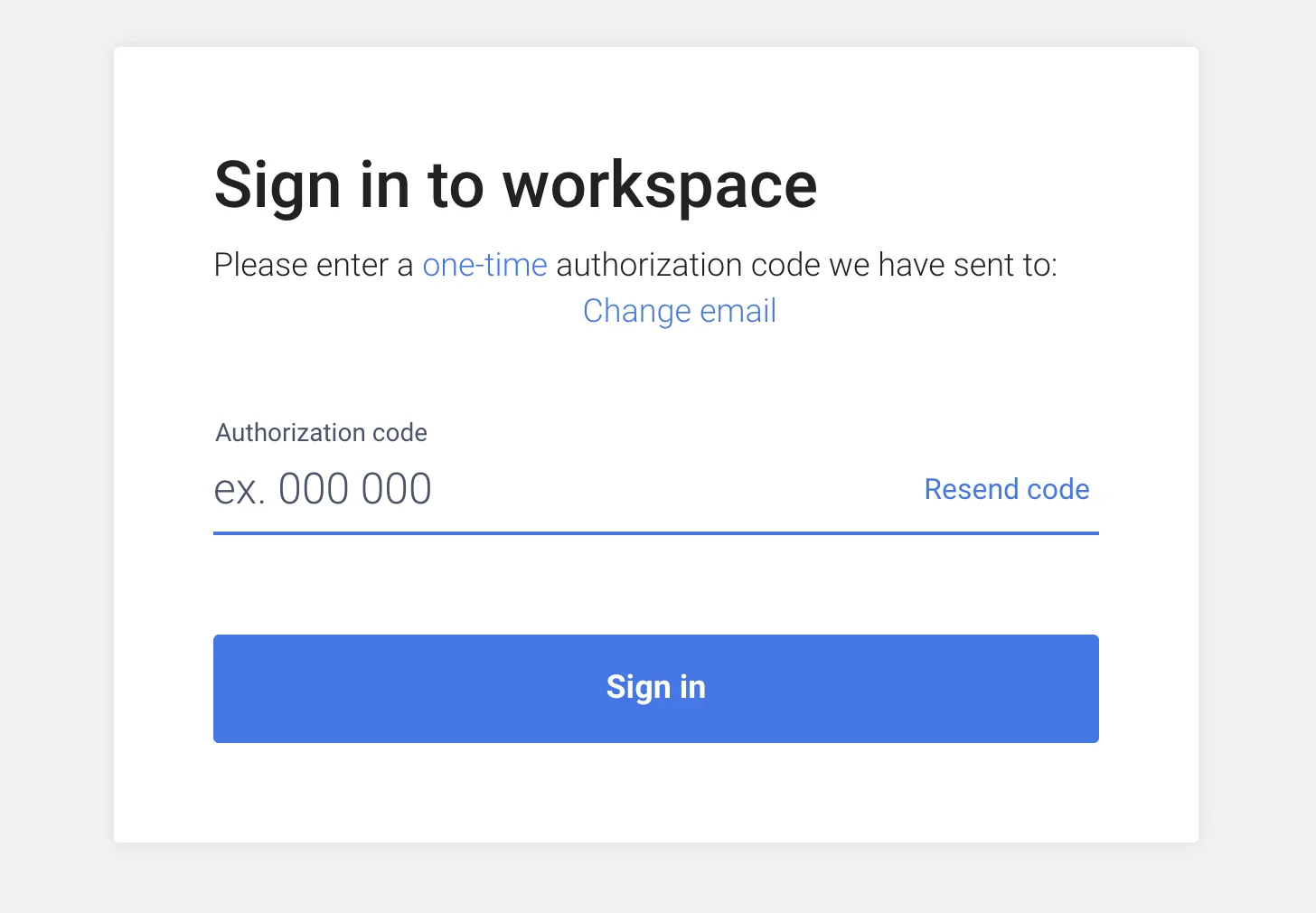
Chanty bolsters security using forward secrecy and AES-128-GCM encryption.Thanks to forward secrecy, information exchanged before a vulnerability incident stays safe and untouched. With past conversations secure, the AES-128-GCM encryption ensures that data being transmitted in the moment remains unchanged.
Other safeguarding measures seem to cater to the healthcare industry, with IP allowlisting permitting access only to authorized IP addresses. Alongside security measures like E2EE encryption, this feature guarantees HIPAA compliance.
Pumble, on the other hand, has SOC 2 certification, meaning it adheres to strict security practices to safeguard customer data. Moreover, Pumble boasts ISO/IEC 27001:2022 certification, so users can enjoy enterprise-grade security.
Create a secure workspace in Pumble
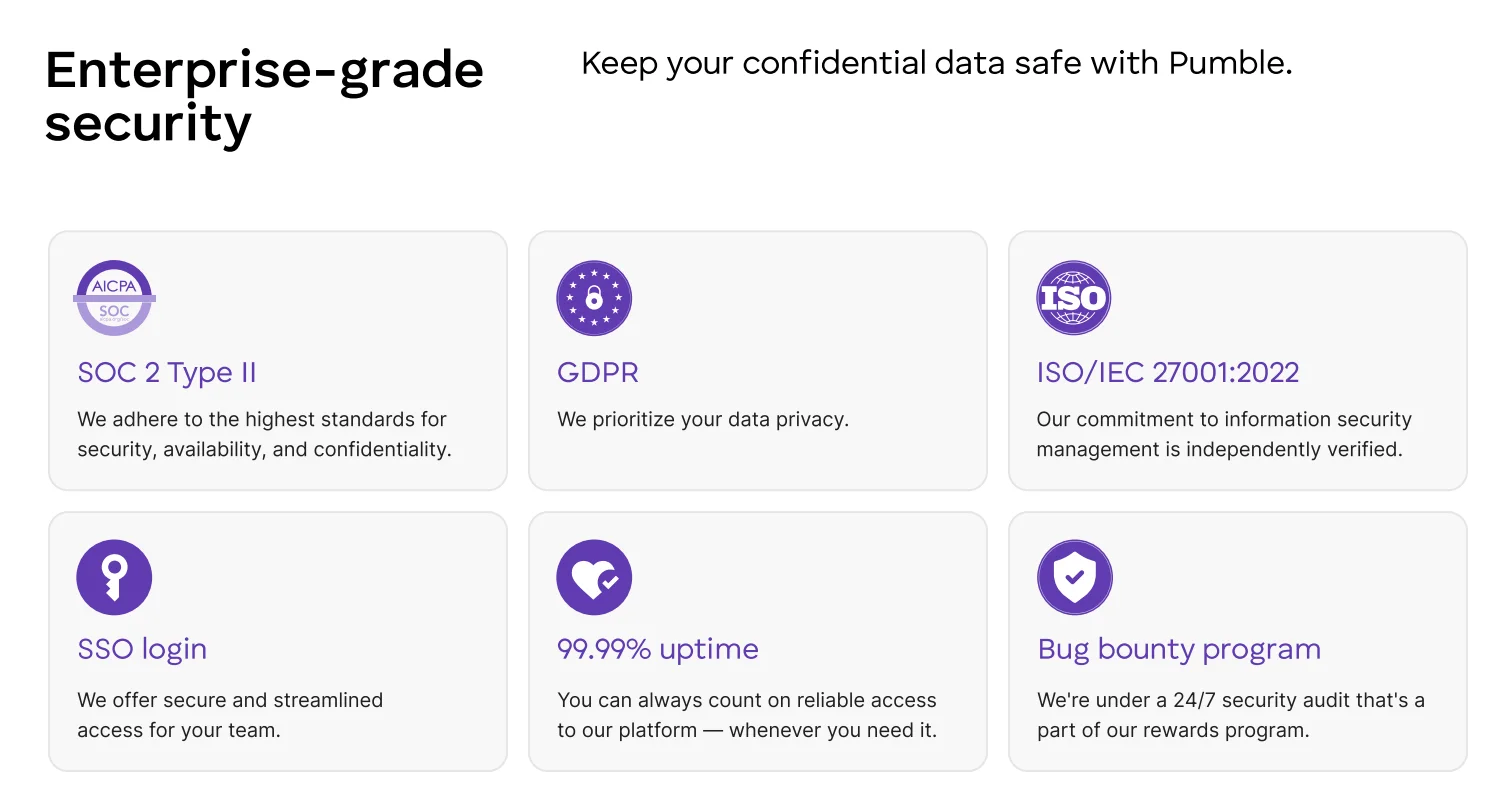
Besides these certifications, Pumble has additional options for users looking for advanced security measures, including:
- Data encryption,
- Custom data retention, and
- Detailed roles and permissions.
Interestingly, Pumble welcomes users taking a more proactive approach toward security. CAKE.com’s Bug Bounty Program rewards anyone who discovers and reports a security issue or vulnerability within Pumble, Plaky, or Clockify, helping to maintain the integrity of the entire product suite.
These efforts mean that Pumble’s design is inherently GDPR compliant, a must for companies adhering to European data protection laws.
Taking all of this into consideration, Pumble gets extra points as the collaboration tool with top-notch security.
Make the switch to Pumble by CAKE.com
Finding a communication tool that will stick is hard. Not only does it need to make work more productive, it should also help teams:
- Have a better virtual experience,
- Welcome new members without hitting a paywall, and
- Access a robust feature set that accommodates growing businesses.
Chanty is a good entry-level app, but the solid features might not make up for the 5-person limit on the free plan.
However, Pumble meets and exceeds all the criteria we’ve listed. By using one comprehensive app, you can:
- Send messages with no restrictions,
- Invite new users without having to empty out your pockets for an upgrade, and
- Host video and voice calls.
Pumble is the smart choice for modern teams, whether you’ve just landed your first big client or are thinking of scaling operations.
Use a simple app for serious work.
How we reviewed this post: Our writers & editors monitor the posts and update them when new information becomes available, to keep them fresh and relevant.