



Have you noticed how frequently you keep in touch with colleagues and collaborators? Messages, calls, meetings — it’s all moved online, making it easier than ever to stay connected.
But just because you’re communicating, doesn’t mean you’re doing it right. In fact, the latest workplace communication statistics indicate that businesses lose between $9,284 to $30,000 per employee per year due to poor communication.
In a world where collaborative communication should be simple, such losses are disheartening.
So, which collaboration barriers are the most common team productivity killers? And how can a business communication tool like Pumble by CAKE.com help you overcome them?
Let’s find out.
- Collaboration barriers are common when you have to toggle between multiple pieces of software each workday. Pumble by CAKE.com eliminates the need for fragmented tools and introduces a suite of powerful communication and collaboration features.
- Share knowledge in channels, and promote transparency across the entire team with threaded conversations.
- Take advantage of unlimited message history across all Pumble plans, and transform your workspace into a searchable knowledge base.
- Leverage Pumble’s full range of communication features, from direct messages and voice calls to video conferencing and recorded clips.
#1 Information silos and departmental walls
According to Grammarly’s productivity research, employees are struggling with perpetual connectivity — or the constant flow of messages and notifications. The volume increase is unsurprising, as professionals are using more communication channels than ever before. The options — which include email, phone calls, instant messaging apps — seem never-ending.
Instead of streamlining collaborative efforts, this variety has caused more problems. Namely, over 50% of employees report that internal communication is one of the biggest issues they face. And for many teams, information silos are a roadblock they just can’t remove.
Take a marketing team as an example. As a rule, their day-to-day operations — from launching campaigns to conducting competitor research — are full of messages and catchups. This non-stop stream of notifications can be overwhelming, and without structure, many small groups are left isolated in direct messages. The result? Bottlenecks that turn into duplicate work and project delays.
The good news is that Pumble by CAKE.com was created with collaboration in mind. As a result, many teams rely on it as their digital HQ to break down team silos.
Channels, one of Pumble’s most well-known features, go a long way in organizing projects and information. Each team or project can have a separate channel, with clear communication rules pinned at the top. Thus, channels become collaborative spaces where members can send messages and files out in the open, boosting cross-functional transparency.
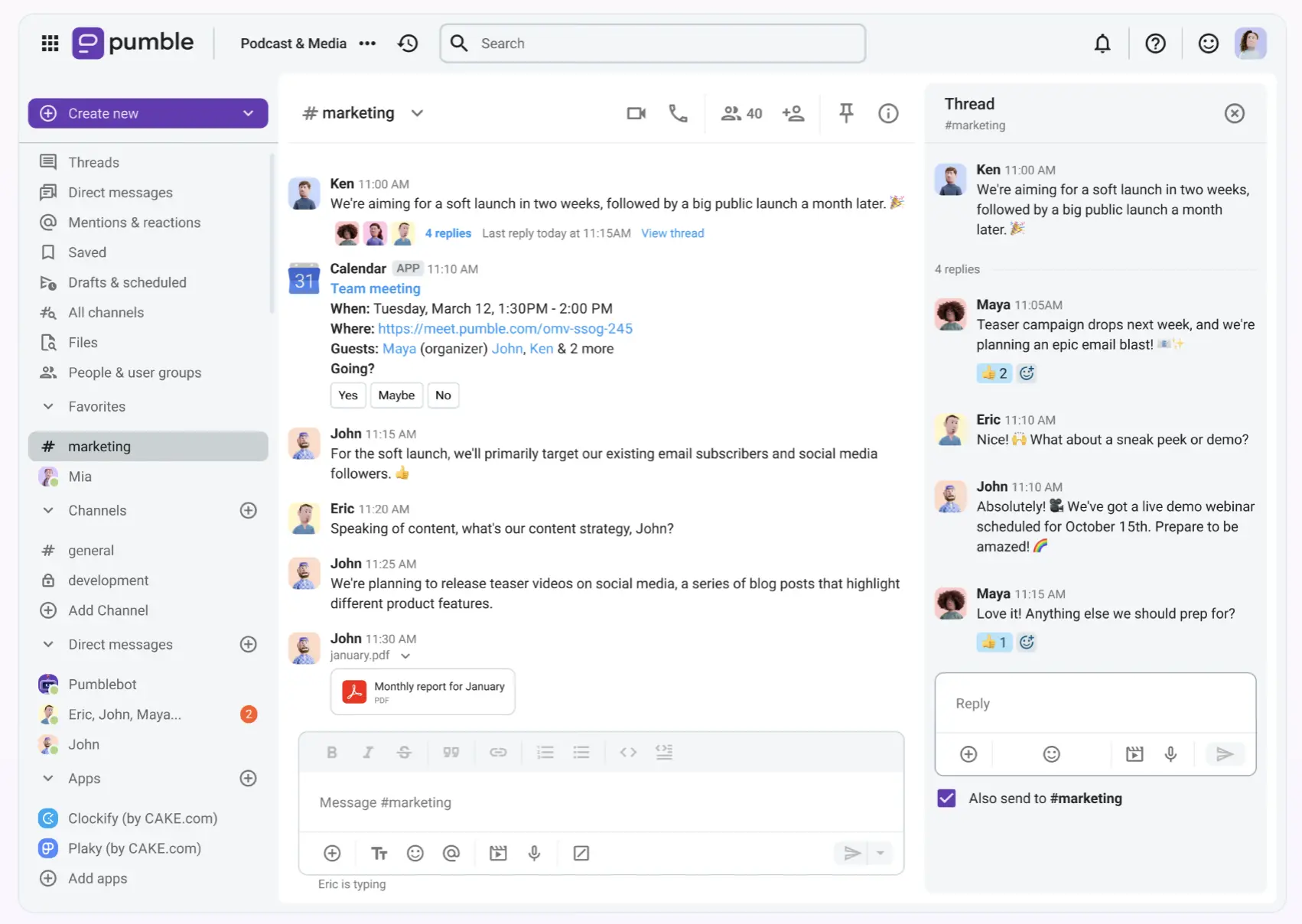
Rather than letting important information collect dust in your email inbox, move it into channels and encourage open, project-specific collaboration.
Forget email chaos, try Pumble
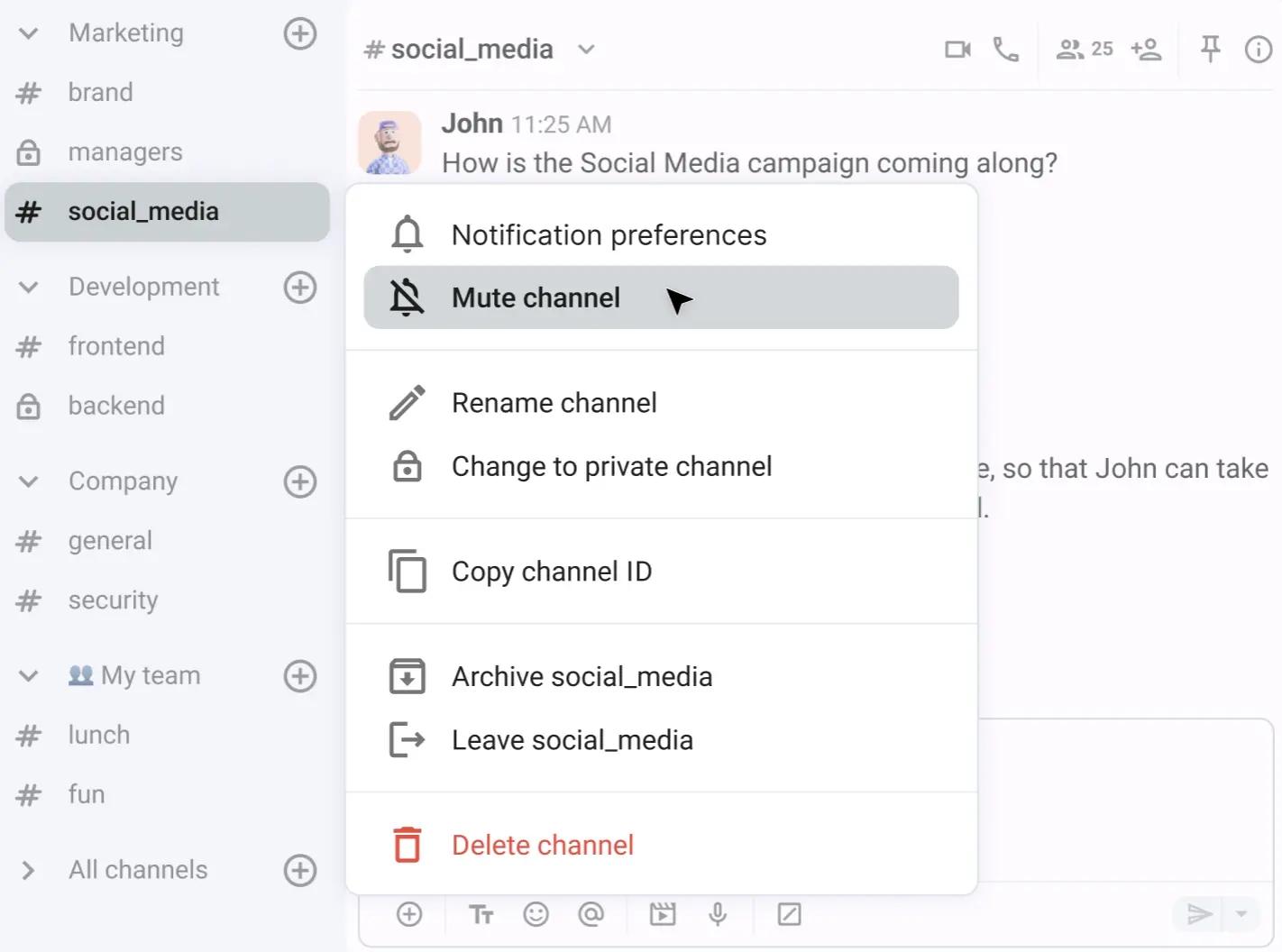
And if a channel gets too loud and starts distracting you? Temporarily mute it to set aside time for deep work.
Moreover, you can adjust the layout to your liking by customizing the sidebar and housing channels and DMs in custom sections.
🎓 PUMBLE PRO TIP
Marketing teams aren’t the only ones who benefit from using Pumble. Here’s how different teams leverage the app’s features:
#2 Scattered discussions and chat chaos
Another symptom of a communication breakdown is having multiple conversations about the same topic within a single chat.
Picture this — you ask your manager to remind you about a deadline. Your manager responds, but the chat keeps moving as other team members chime in. A few hours later, a coworker asks the exact same question you did. The problem is that your original question — and your manager’s response — have been buried under more recent replies and were completely missed.
Sadly, it’s easy to get confused and drum up unnecessary disruption when teams constantly rehash old discussions.
Not to mention, without a structured system, employees can easily pick up bad communication habits and waste time on low-impact tasks, such as:
- Needlessly scrolling through chats to find information
- Waiting for answers that have already been shared
- Overcommunicating just to appear busy
Pumble’s thread replies reintroduce that much-needed structure into the mix. Threaded replies put a stop to meandering conversations that hide the information you really need. Instead, they allow teams to engage in focused, context-rich discussions without clogging the main channel feed.
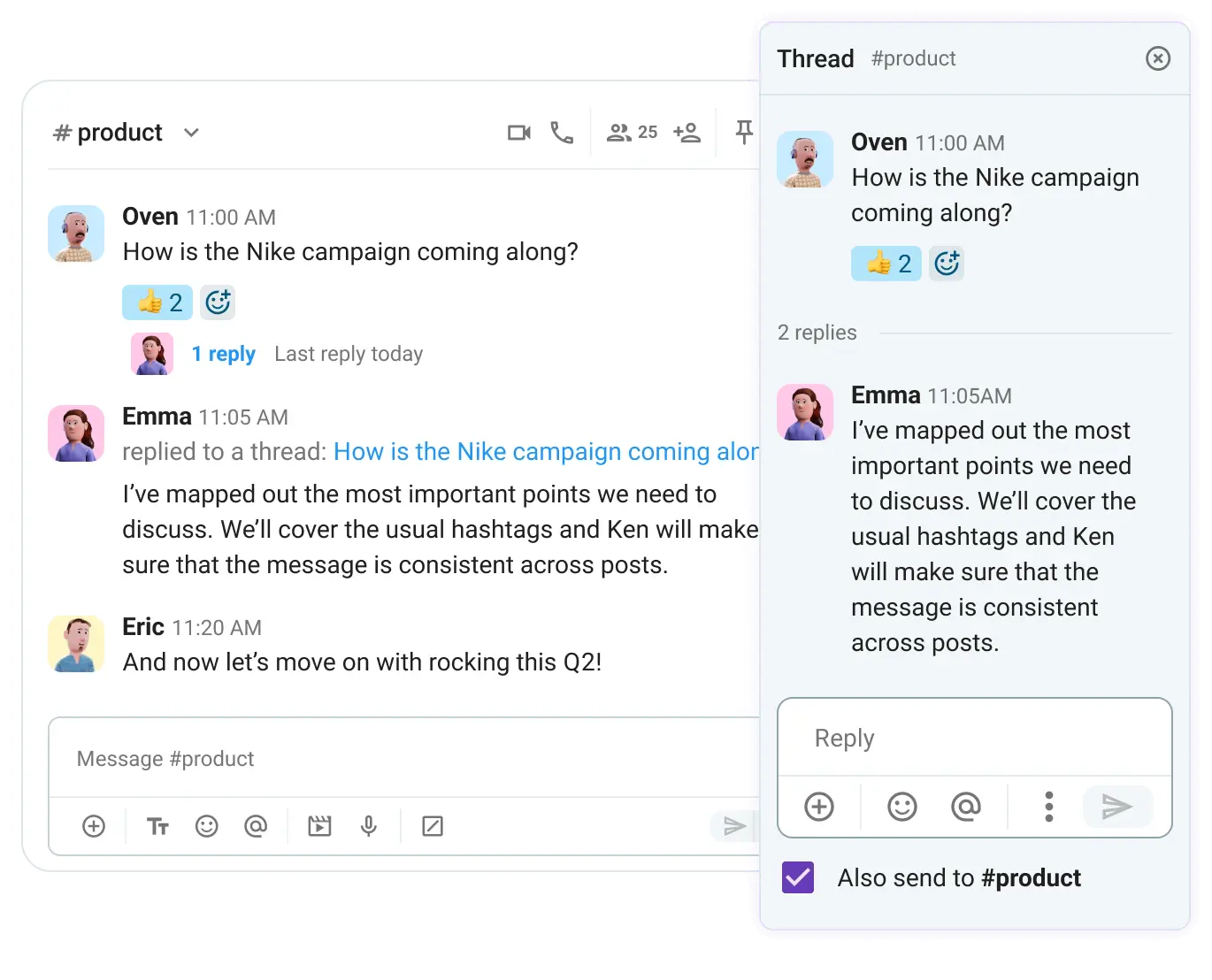
Since threads keep all related replies neatly tucked under the original post, your team can:
- Have multiple parallel conversations without them blurring into each other
- Follow specific topics without having to mute entire channels
- Quickly find key details, regardless of when they were originally sent

#3 The external collaboration gap
For a long time, many project-based service firms grappled with the challenge of external collaboration. Email just wasn’t cut out for connecting tools, information, and people.
Even today, the issue persists, because buying full seats for external stakeholders in many legacy team messaging apps is simply too expensive.
Rather than settling for email chaos, you can use Pumble’s guest access to work side by side with external partners and optimize your guest seat management. It’s a safe way to communicate and collaborate with people outside your organization without compromising security.
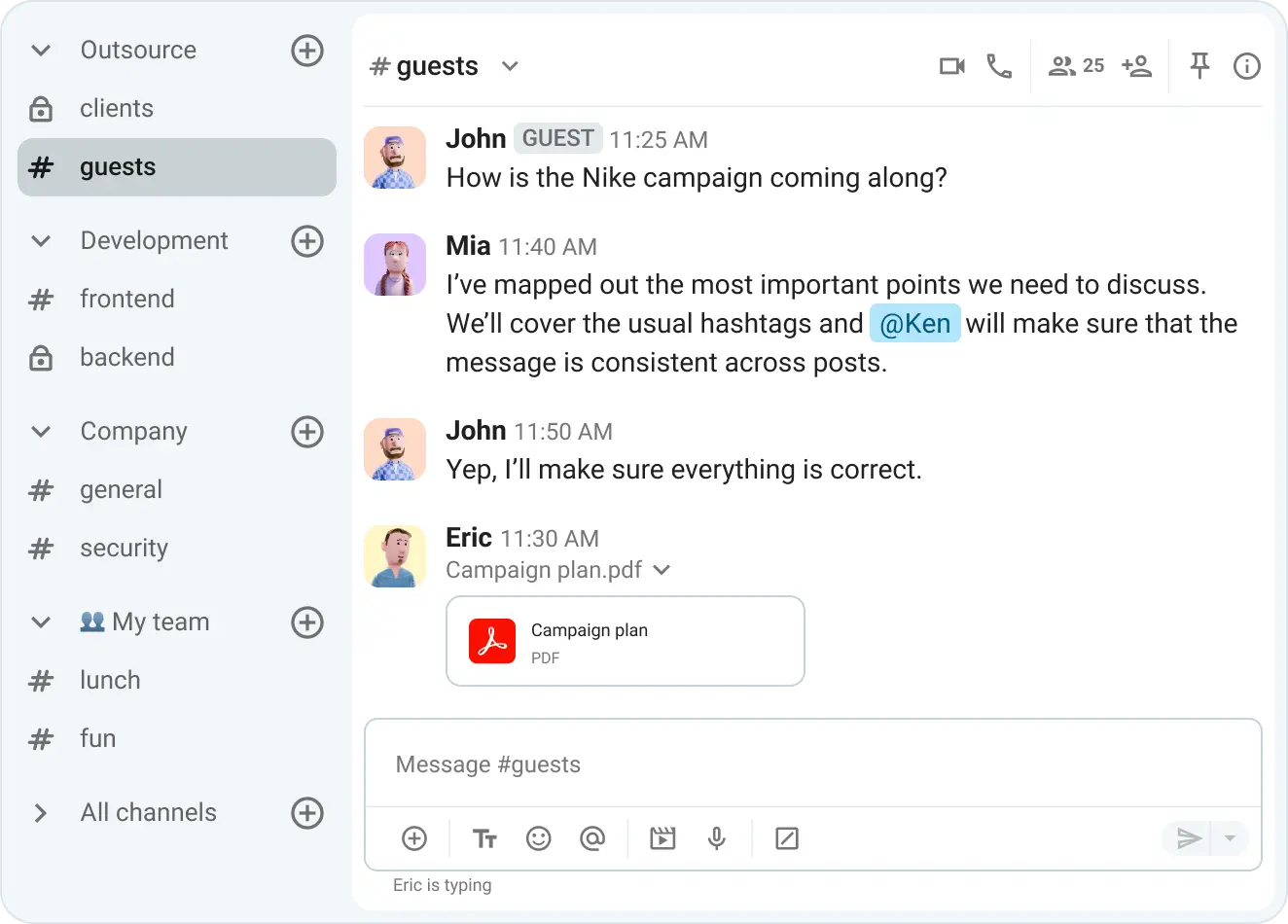
Depending on the nature of your project, you can invite two types of guests:
- Single-channel guests — Users who can join just one specific private or public channel.
- Multi-channel guests — Users who can become members of multiple, pre-approved channels.
The bottom line is that you have the final say over what your guests can see, do, and access within your workspace.
But not all stakeholders need a full-fledged guest seat. Some just need to attend a few video calls from time to time. In these cases, external meeting access keeps everyone — including people without a Pumble account — up to speed. Invite anyone you want via an invitation link link and allow them to join your video conference without any hassle.
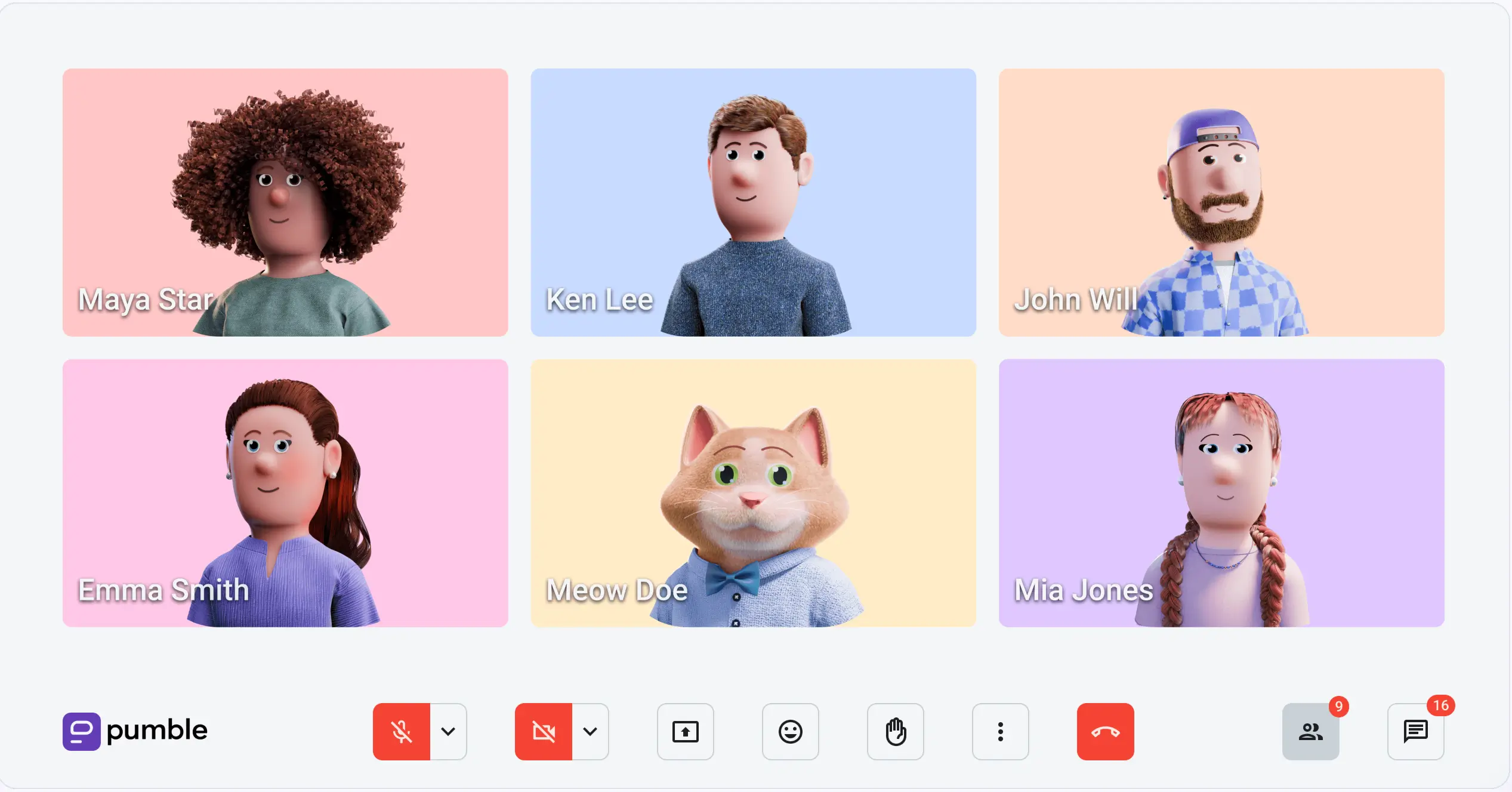
Once you permit guests to join a call, they can use the same in-meeting features as regular users, including:
- In-call messaging
- Hand raising
- Emoji reactions
🎓 PUMBLE PRO TIP
Learn how to get more out of collaborating with vendors, freelancers, and customers in Pumble:
Make guests part of the team in Pumble
#4 Context loss and paywalled history
Context is a defining feature of centralized communication. Not only does it remove ambiguity, but it also speeds up decision-making processes and streamlines cross-functional collaboration.
So, why do so many communication apps put conversation history behind a paywall?
For example, users on Slack’s free plan have to work around a 90-day limit on message and file history. In the long run, their options are either to upgrade to gain access to older messages or move to a Slack alternative.
Try an affordable Slack alternative
Fortunately, Pumble doesn’t have a history limit, nor does it impose prohibitive costs on teams as they grow — and this is true across all Pumble plans. As a result, even if you’re on the free tier, the unlimited message history preserves historical context and turns your workspace into a permanent, searchable business archive.
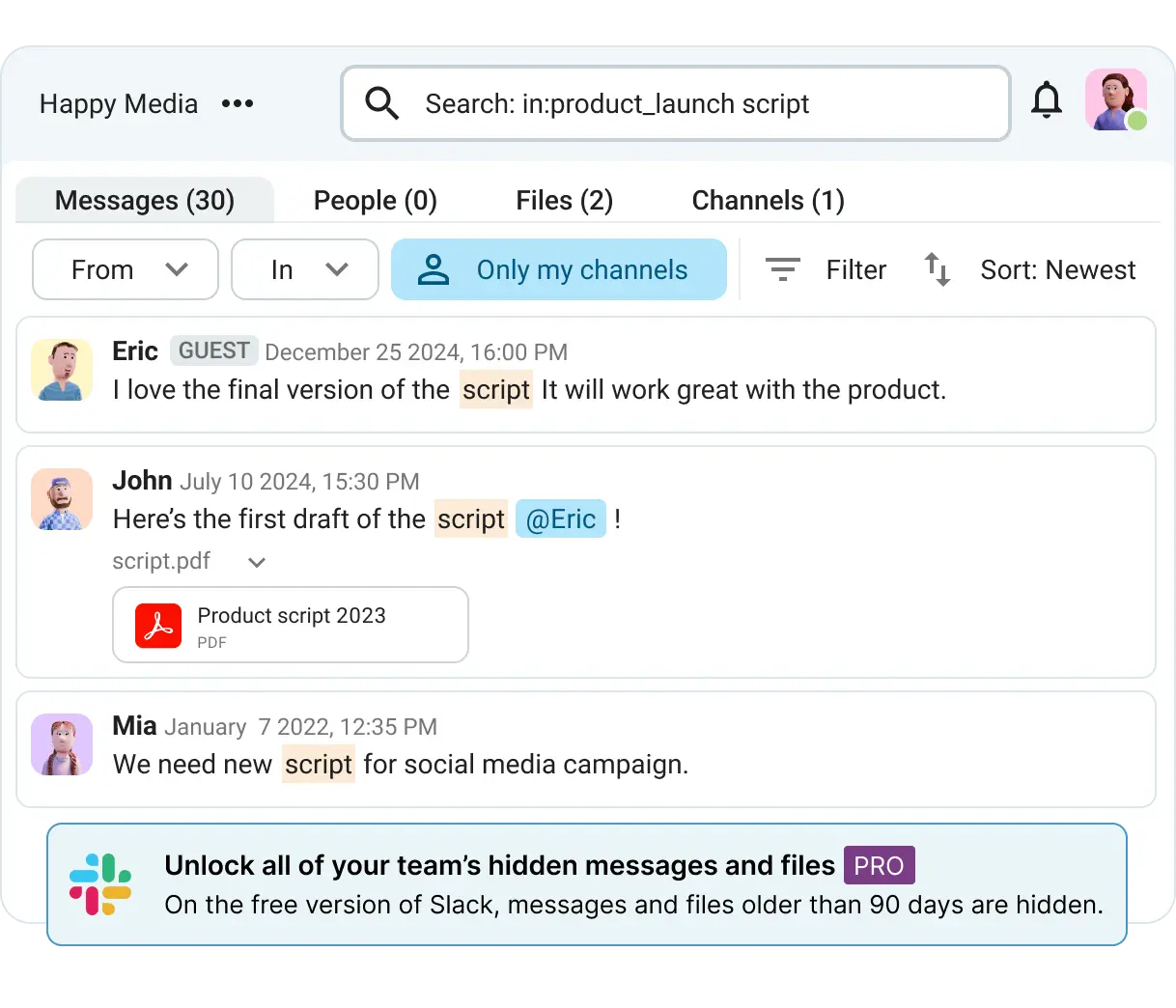
The search function in Pumble takes this unlimited history a step further. Type in what you need and use the filters to narrow your search. The precise results will keep the exact messages and files you want on hand, every single time.
#5 Remote communication friction
When it comes to remote work, productivity is a common concern. Will my software be able to keep up with my workload? How well will the team coordinate their efforts? Most importantly, will we have to schedule even more meetings just to stay connected?
Even small businesses struggle to stay on top of projects via direct messages alone, so why not give asynchronous communication a go?
Luckily, Pumble is packed with features async-first teams love.
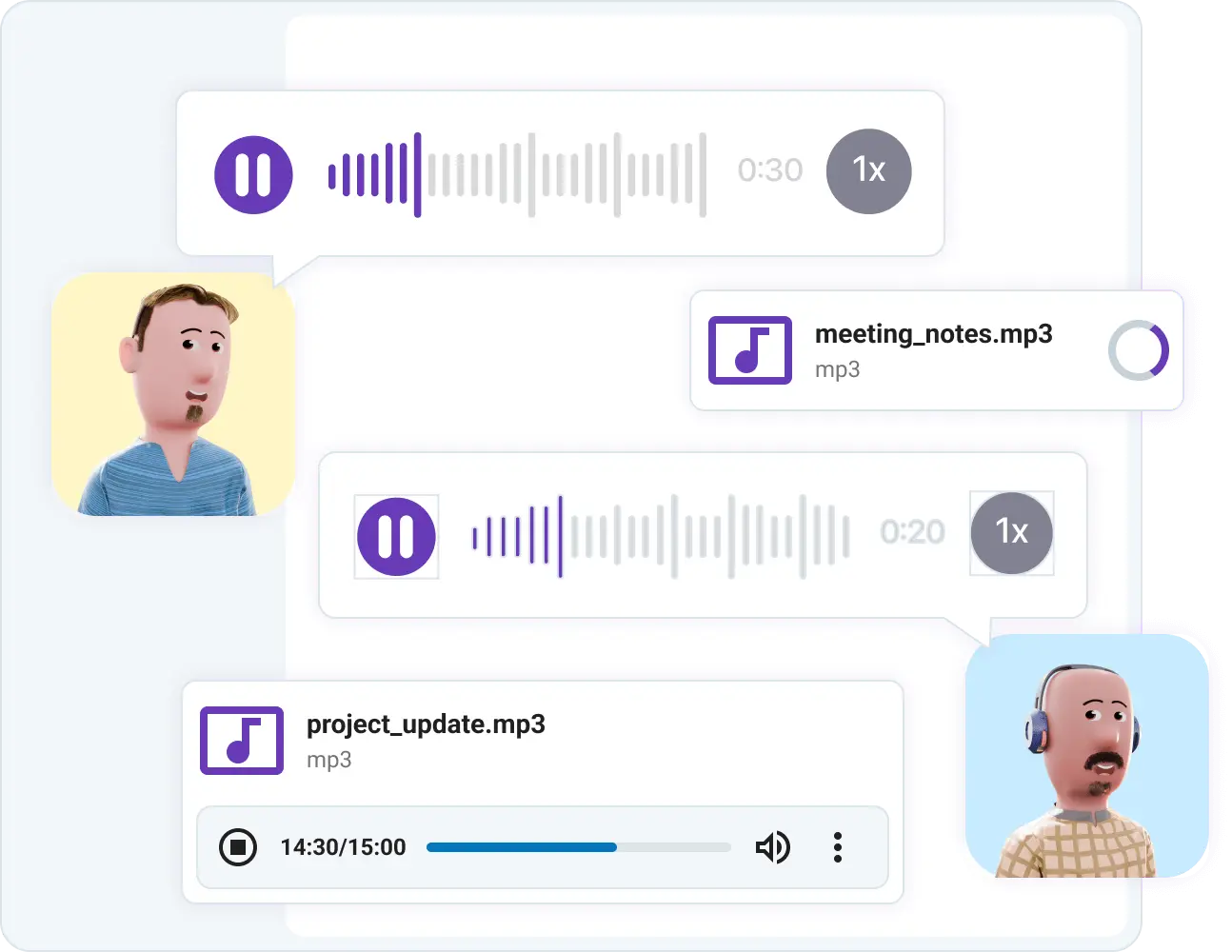
Don’t overcomplicate things with constant video conferencing. Share a voice recording directly with a channel or chat, and give teammates the opportunity to talk things through in the threads.
Scheduled DMs are handy, too. Rather than staying overtime to talk with a colleague in a different time zone, consider when you’d like the message to reach them. Your DM will arrive at the specified time, while you’ll get to keep that much-deserved work-life balance.
Scheduled messages can do more than just deliver text. For more context, you can add:
- Files
- Voice recordings
- Video clips
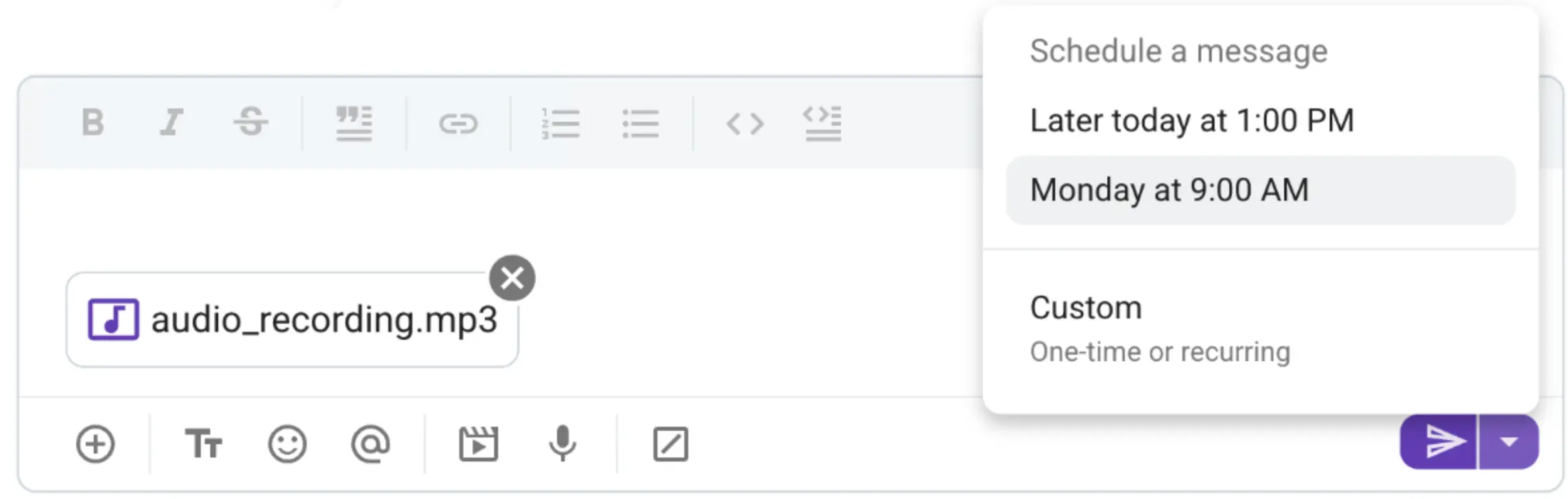
So, whatever your core message is, the accompanying attachment will make sure it hits home.
Additionally, productivity goes hand in hand with deep work. And being constantly available can accidentally encourage coworkers to ping you at all hours of the day, even when your tasks demand peace and quiet.
Plus, what if you’ve gone to grab a bite or have connection issues? Seeing a mountain of notifications upon your return is far from ideal.
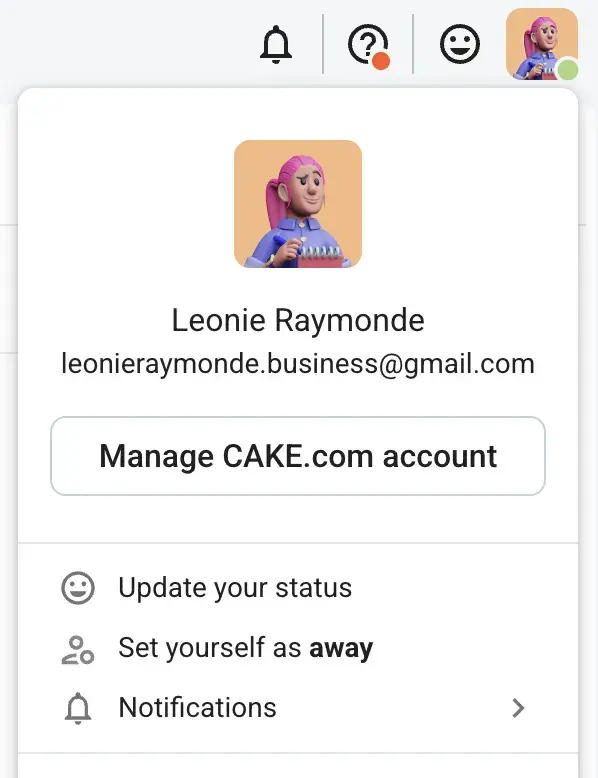
Manually set your availability and minimize distractions during meetings or dedicated focus time. You’ll reclaim your time while your coworkers will know not to expect an immediate reply.
🎓 PUMBLE PRO TIP
For more tips on how to master remote work, check out this guide:

FAQs
What are the most common barriers to effective team collaboration?
Siloed communication, a lack of context, disorganized conversations, and lackluster software are among the top barriers to effective communication. If these issues remain unaddressed, they can contribute to a culture of confusion where no one can find the right information.
How much money do companies lose to poor communication?
The State of Internal Communication Report from Axios HQ estimates that companies lose between $3,640 and $37,440 per employee each year due to poor communication.
Grammarly’s findings point in the same direction. Productivity losses amount to an average of $9,284 per employee annually, reaching as much as $9.3 million for every 1,000 employees.
How do you break down information silos between departments?
You can prevent information silos from forming by adopting software built for transparent communication. An app that brings together messaging, video conferencing, and external collaboration — just like Pumble by CAKE.com — standardizes cross-functional interactions and keeps teams connected.
What is the best way to collaborate securely with external clients?
Rather than struggling through fragmented email chains and phone calls, you can work closely with external clients inside your Pumble workspace via guest access. Invite them to securely collaborate across designated channels, DMs, video calls, and more.
Break down barriers with Pumble by CAKE.com
The trouble with many communication apps is that they push you into an “always-on” mindset while making you wade through fragmented knowledge. On top of that, costs can rack up quickly, especially when it’s time to scale your team.
Pumble’s value-first approach removes these communication barriers, while keeping costs at bay. The Pumble pricing plans are structured to support teams of different sizes. The Free plan is a powerful launching pad for small teams, while the paid plans offer advanced features that accommodate businesses ready to take the next step.
With channels, unlimited messaging history, and unlimited users available across all tiers, it’s no wonder so many companies trust Pumble to improve their collaboration.
Experience the difference firsthand.
How we reviewed this post: Our writers & editors monitor the posts and update them when new information becomes available, to keep them fresh and relevant.