


Users of Pumble by CAKE.com know it for being a handy business messaging tool. But focusing on only this aspect of the app could mean missing out on numerous nifty features.
These might come in handy as your team outgrows simple messaging. Think about it — as more members come onboard, can chatting alone guarantee teamwork?
Not necessarily.
Fortunately, Pumble’s advanced features, available in the Pro, Business, and Enterprise plans, have what it takes to support growing teams. From communication and collaboration perks to video conferencing, here’s what you can expect when you scale your business with Pumble.
Communication features: Cut the noise & protect focus
Communicating exclusively via text will do for small departments. However, once your group chat exceeds 10 people, notifications just keep coming, and not everyone’s focus will hold up. The noise can be particularly loud for:
- Startups,
- Agencies with multiple clients,
- Remote and distributed teams, and
- Large organizations.
Serious work requires concentration, and with Pumble’s advanced notification management, you can build a schedule that works for you, not against you. For example, you can:
- Mute noisy channels,
- Turn on Do Not Disturb mode,
- Change your notification sounds, and more.
Not every message is urgent, so after configuring your notifications, you’ll receive updates only about the projects and tasks you care about.
Another downside of typing is that it’s time-consuming.
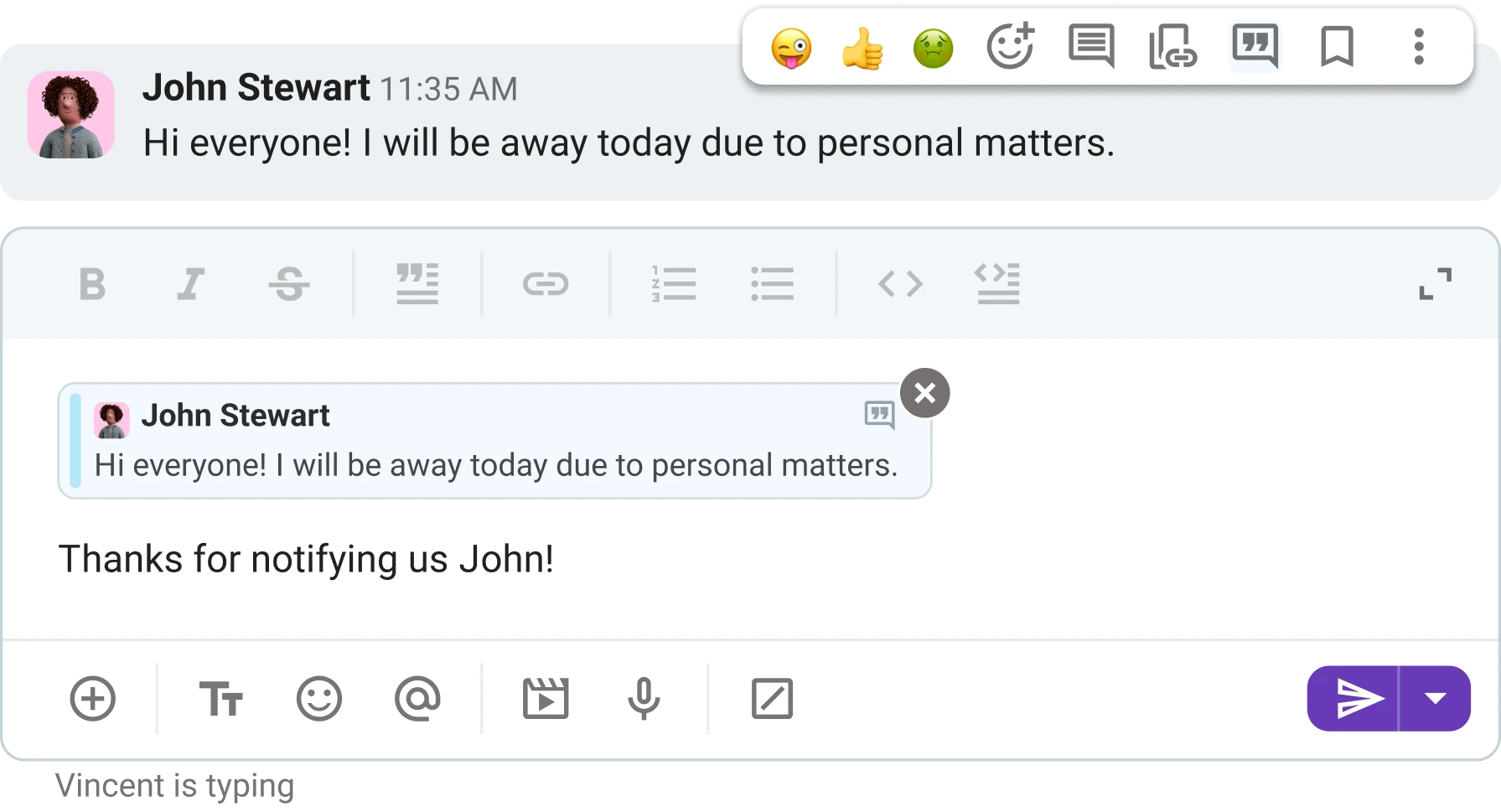
Don’t waste time retelling someone else’s message in your chat. Use the quote block option to retain context without losing steam. This feature works across all channels, 1:1 conversations, and group chats, and is available to all users, even those on the free plan.
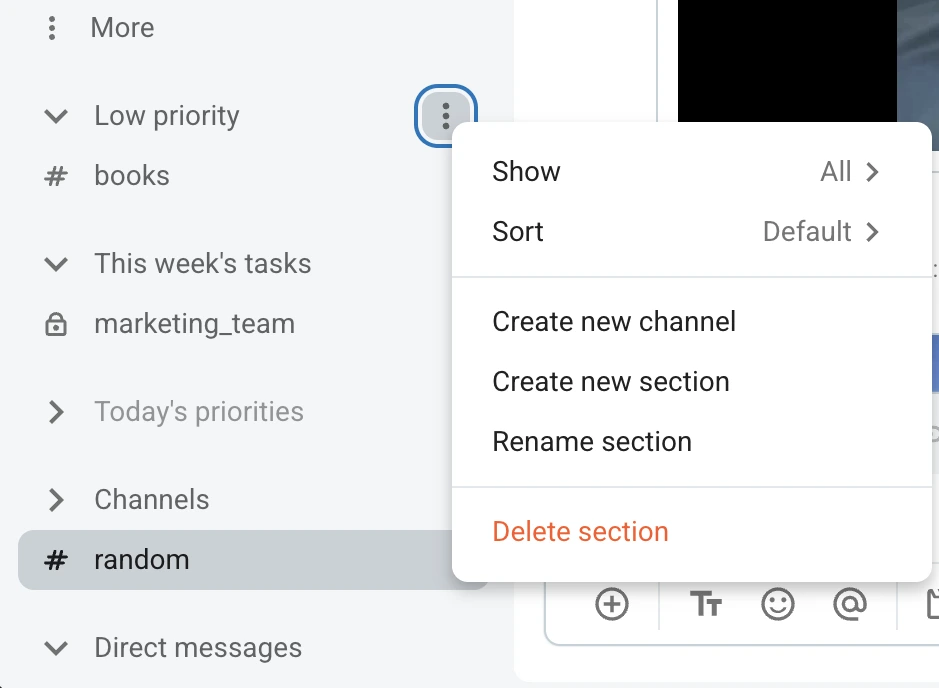
Speaking of channels, that’s where most Pumble users communicate and collaborate. And as the number of projects and clients increases, so does the number of channels. The good news is you can use two quick fixes — organizing your sidebar and adjusting posting permissions.
For a clear overview, house all related channels under custom sections that make sense for you and your team.
This way, there’s no endless scroll when looking for a specific channel. Simply collapse the appropriate section in your sidebar and find the space you’re looking for.
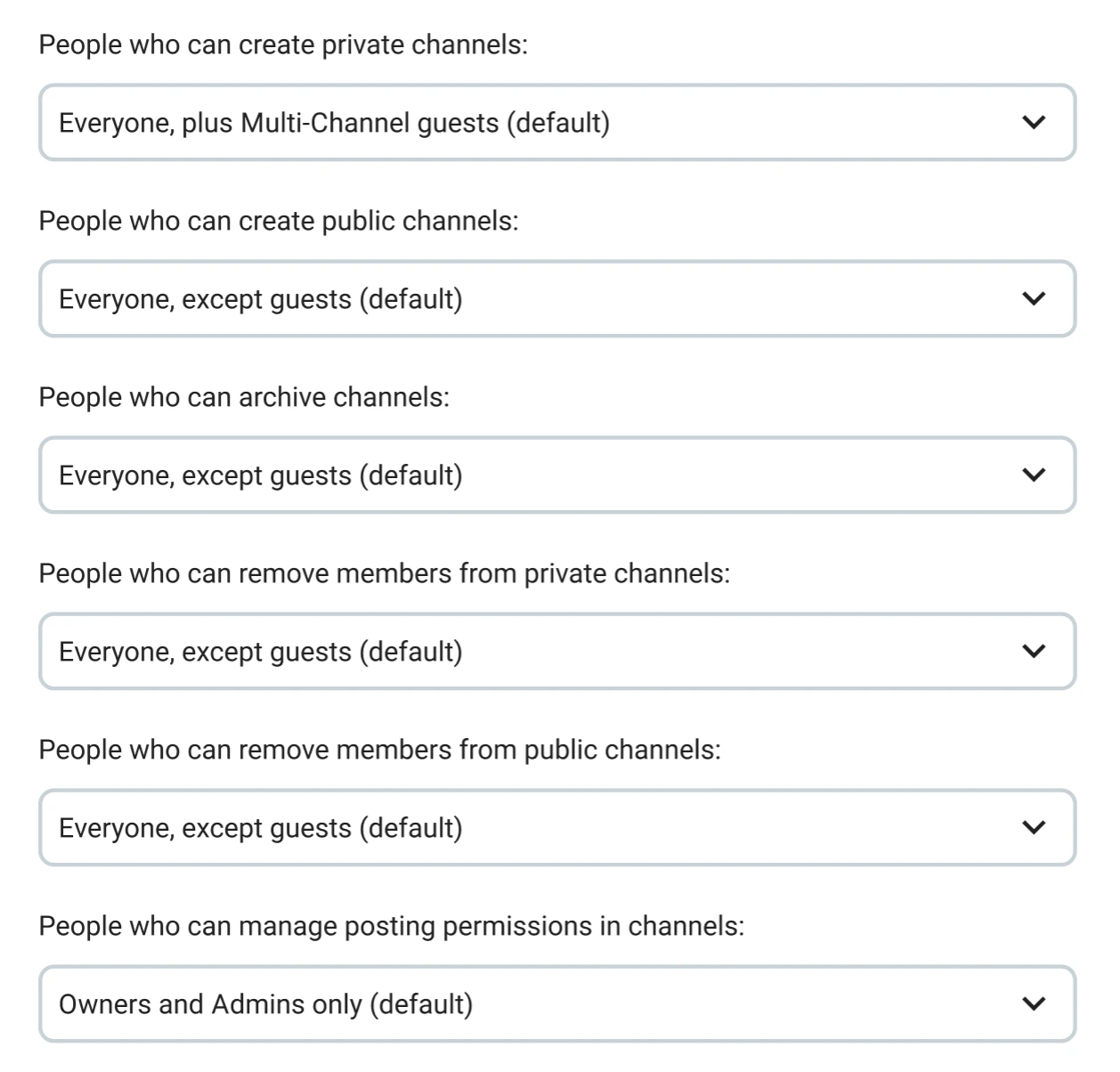
To further reduce pings in channels, workspace Owners and Admins can tweak channel posting permissions. This measure will encourage teams who overuse posting in channels to stay on-topic and create a calmer online environment.
Simplify communication with Pumble
🎓 PUMBLE PRO TIP
For more tips on how to structure channels, check out this guide:
Collaboration features: Break down information silos
With communication all tidied up, it’s time to streamline collaboration. Sadly, one of the biggest obstacles to successful collaboration modern teams face is working in silos.
When teams work in silos, they have limited interactions with other departments. As a result, coworkers become increasingly isolated, which can lead to:
- Repetitive work,
- Lack of growth, and
- Operational ineffectiveness.
This is where knowledge sharing comes in handy.
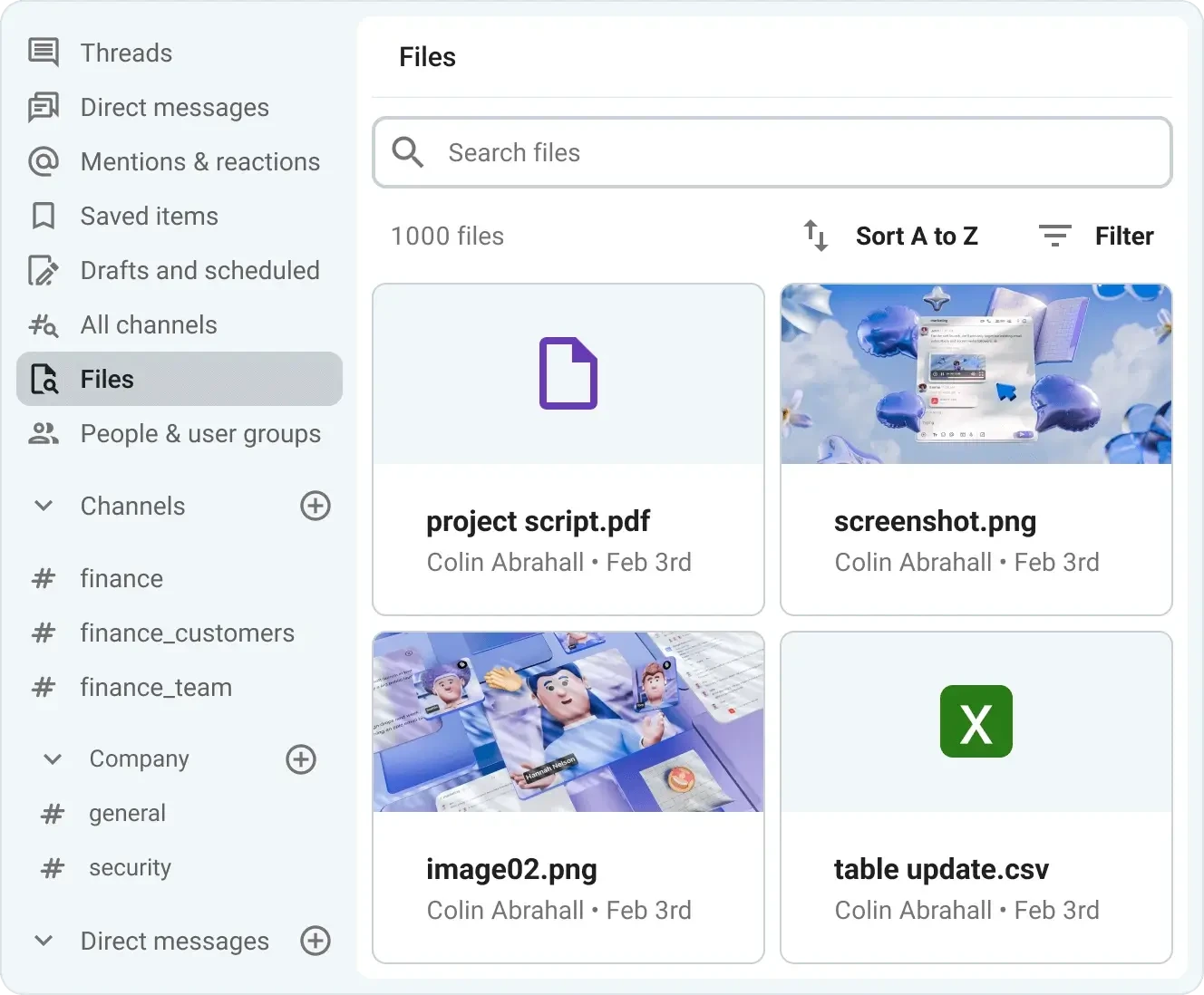
The first step is knowing where to find information — images, videos, documents, and other files uploaded to Pumble. That’s why the Files section is easy to spot in the sidebar.
Then, you can either tap the Select All option or select the items of your choice to bulk:
- Share,
- Delete, or
- Download.
Ongoing collaboration isn’t just about keeping in touch via messages. That’s part of it, but innovative, creative solutions happen once employees have access to critical information, even though they may be working across different teams.
Pumble’s searchable, unlimited messaging history, which is available across all plans, makes this free flow of information possible. The app applies your search filters to comb through direct messages and channels, bringing up all matching items.
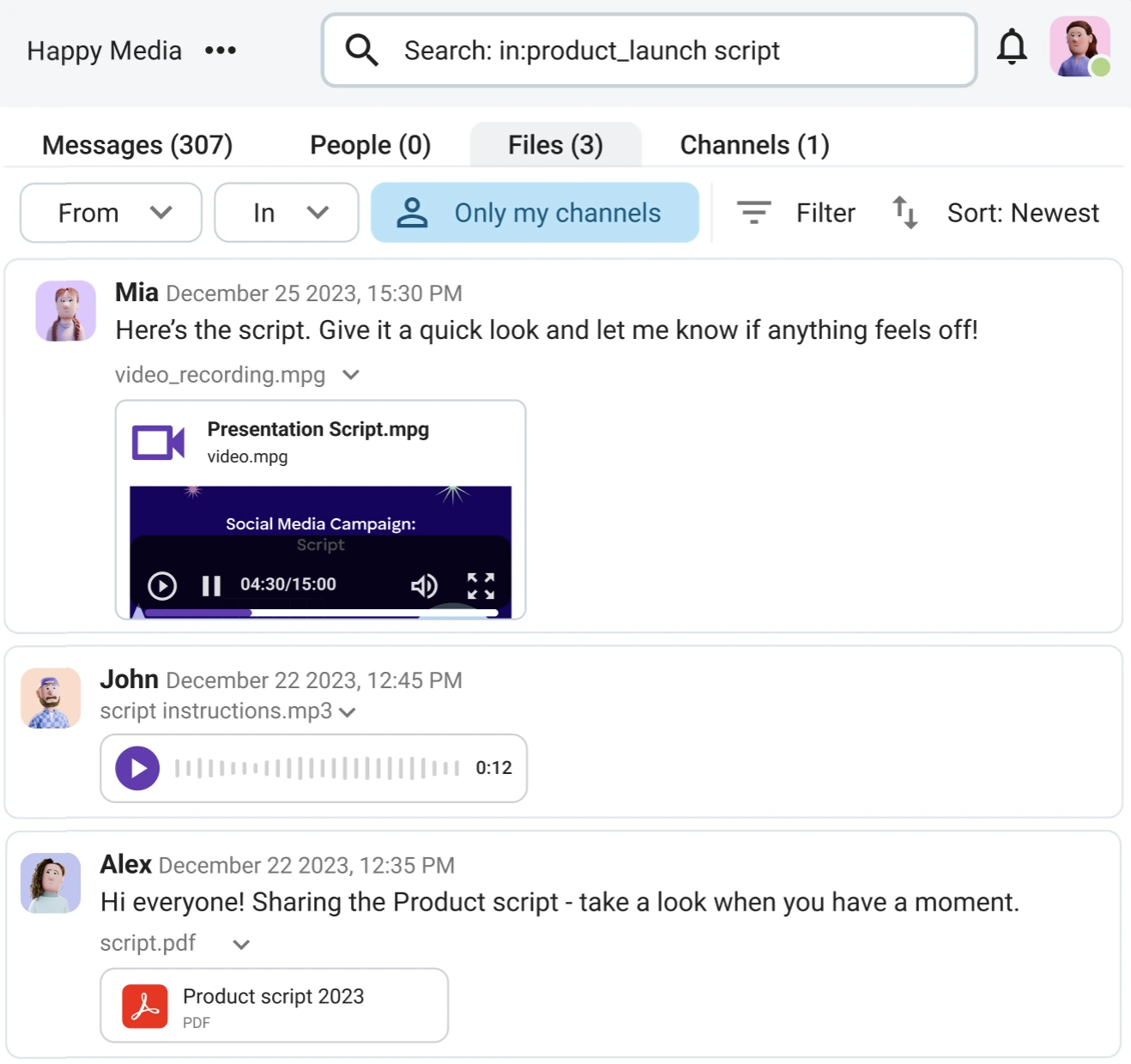
Taking advantage of these features creates a collaborative culture and encourages team members to break information silos.
Putting a stop to siloed communication also entails rethinking client collaboration. Calls and emails aren’t optimal solutions — too many details can be missed, forgotten, or miscommunicated.
That’s why many Pumble users enjoy the guest access feature — by inviting customers or clients, they can effectively extend their workspace, making sure that everyone’s operating from the same command center.
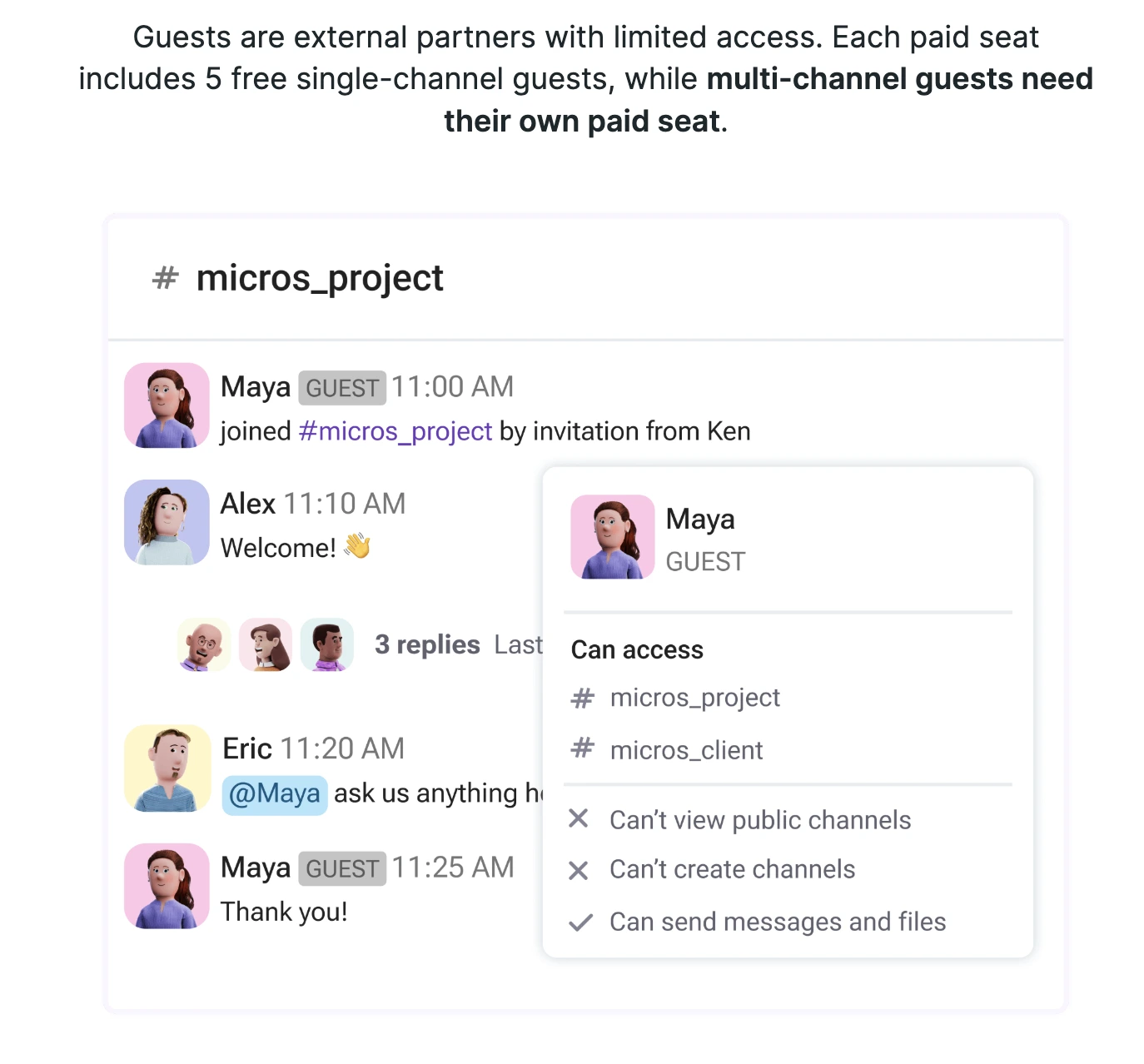
You can use this feature on a need-to-know basis. If you’ve got new users who only need insight into one project or channel, they can become single-channel guests. For long-term collaborations, it’s helpful to grant multi-channel access and ensure complete alignment.
🎓 PUMBLE PRO TIP
Want more collaboration hacks? Find them here:

Meeting features: End app-switching fatigue
Overloading your computer with multiple business apps rarely has positive outcomes. In fact, when it comes to group video and voice calls, it usually leads to:
- Distorted audio quality,
- Unresponsive video, and
- Mysteriously muted participants.
Upgrading to one of Pumble’s paid plans resolves these hiccups. While the no-cost version provides effortless 1:1 calls, group voice and video meetings help everyone gather round without the hassle of finding a big enough in-person space.
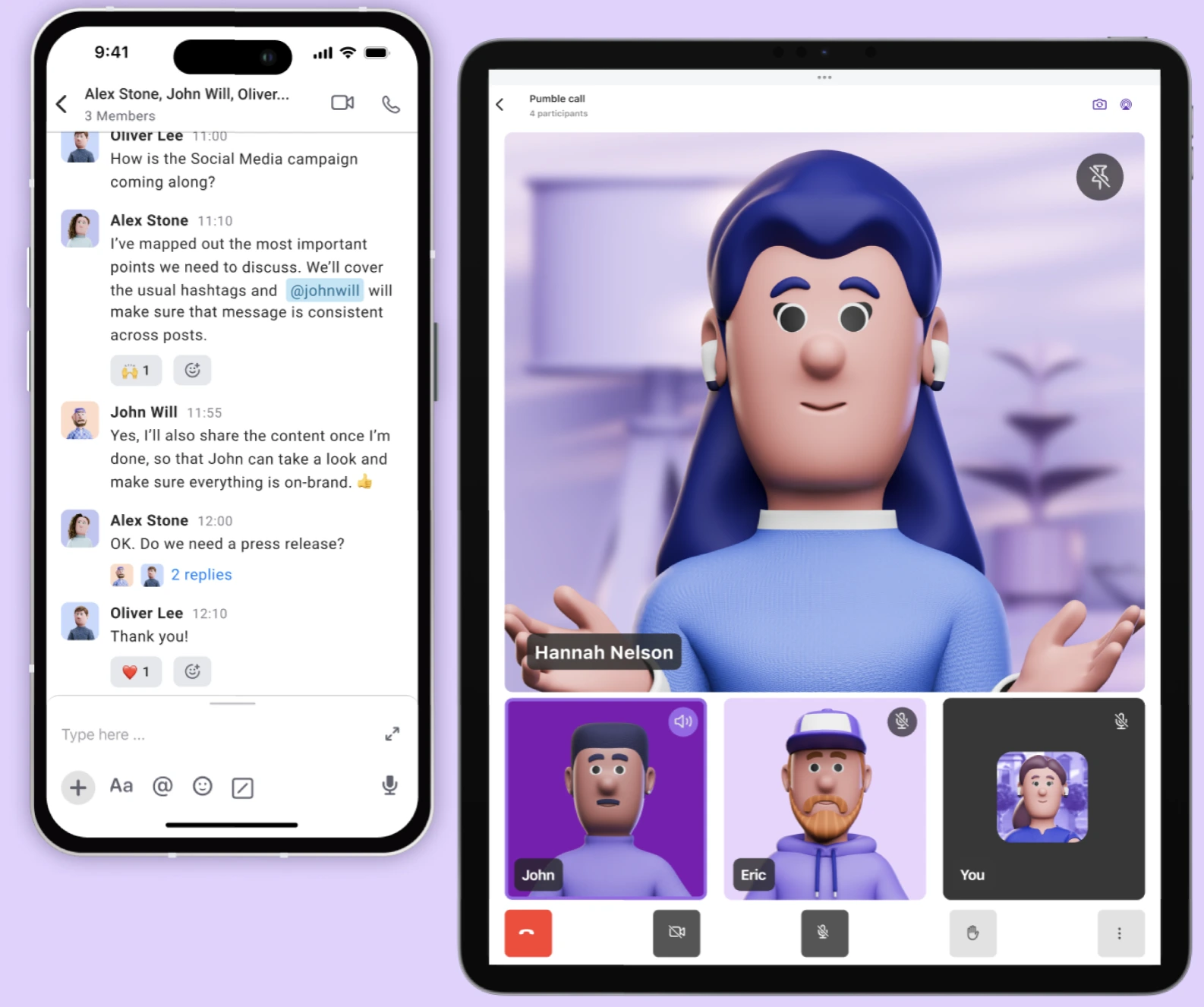
Pumble’s group video conferencing is particularly valuable for:
- Running team meetings: Spontaneous catch-ups, progress reports, quarterly planning sessions — meet with your team exactly where they’re at, in Pumble.
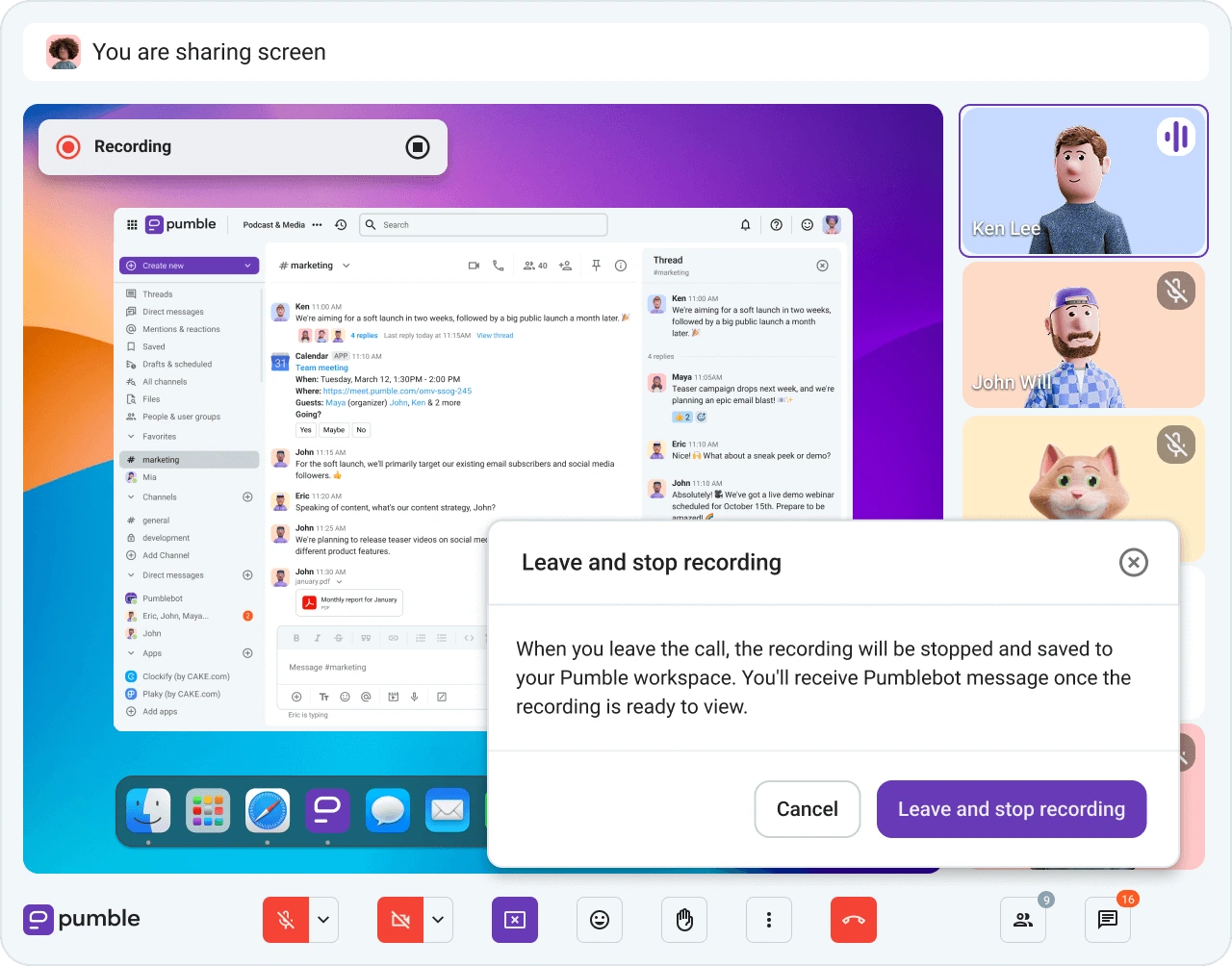
- Organizing client presentations: Whether you work in marketing, sales, consulting, or any other industry, Pumble’s easy-to-navigate interface will allow you to share your screen and send in-meeting messages for deeper collaboration.
- Onboarding new users or customers: Make sure newcomers know their way around and have no problem joining, scheduling, or running meetings. Similarly, give your sales team an easy way to connect with customers. Pair video conferencing with guest access, and have guest users join calls while keeping other parts of your workspace off-limits.
Although meetings have a bad reputation for being too long and unnecessary, it’s just a matter of not overdoing it and implementing asynchronous communication. Direct messages, file sharing, and recorded voice or video messages are enough to get most teams through the usual workday.
There are ways to make those urgent, unavoidable meetings more interactive, too. Besides sending in-call messages, attendees can:
- Raise their hand to ask questions,
- Change their backgrounds, and
- Use emoji reactions to express their opinions.
🎓 PUMBLE PRO TIP
Take a look at how to make the most out of video conferencing:
Workspace management features: Scale and secure your business
Each workspace member has a role, which determines the scope of what they can do in Pumble. The available roles are:
- Owner — retains total control over the entire workspace, can transfer ownership to another user.
- Administrator — can send or revoke invitations, create new channels, and manage account roles.
- User — can create channels and participate in them but cannot access and manage administration settings.
- Guest — can access only pre-selected channels, not the entire workspace. Available on the Business and Enterprise plans.
For workspace Owners and Administrators, Pumble serves as a digital HQ for steering everything in the workspace in the right direction. The granular administrative controls grant you the ability to adjust:
- Messaging permissions: Determine who can use @here and @channel mentions.
- Channel permissions: Manage posting permissions, including who can archive or delete channels.
- Invitation permissions: Allow only Admins or Owners to send out invites to new members.
This level of detail has a twofold function. First, it ensures that the workspace stays organized, even as the number of users increases. Second, it’s an additional security layer that enforces strict access control and data protection.
Pumble’s security measures are already top-notch, backed by independent and internationally recognized certifications. This demonstrates Pumble’s commitment to adhering to the latest global security standards.
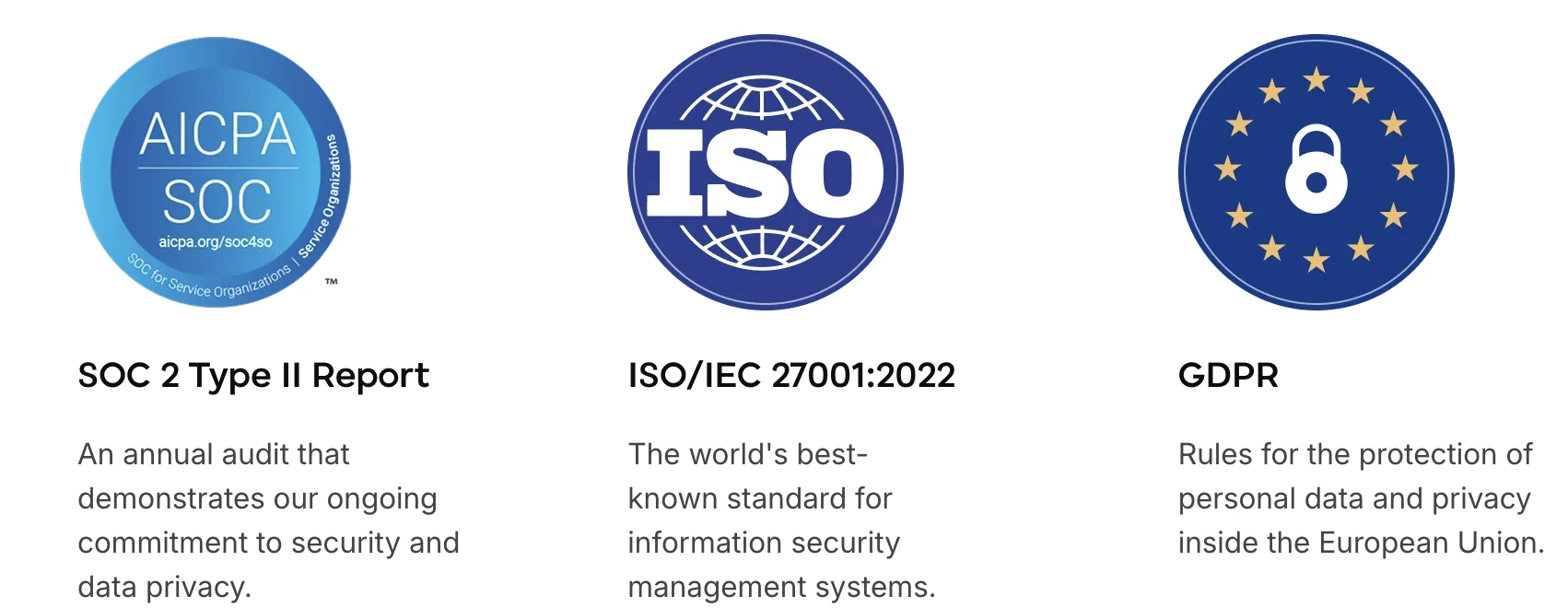
Coupled with advanced admin controls, these security protocols create a safe digital environment for all teams working in Pumble by CAKE.com.
FAQs about Pumble’s advanced features
Let’s go over some frequently asked questions about Pumble’s features and plans.
If you have additional questions, feel free to contact us.
How can I try out the paid features?
Pumble’s 7-day free trial gives you the opportunity to take all of the app’s features on a test run. You can activate the trial via the Upgrade button in the top left corner of your workspace. No credit card is required.
What are the benefits of upgrading to one of Pumble’s paid plans?
Upgrading brings users more features and integrations, all of which can help teams make even greater productivity savings. Some of the most popular Pumble paid plan features include group meetings, increased storage, and meeting recordings. Moreover, all qualifying customers receive a dedicated success representative.
Does Pumble have group video calls?
Group video calls are available in the Pro, Business, and Enterprise plans.
Additionally, the CAKE.com Bundle gives users Enterprise access to 3 products — Clockify, Plaky, and Pumble — at a reduced price. As a result, users of the Bundle plan can enjoy all of Pumble’s advanced features, including group video calls, complete with screen sharing and call recording.

How do I manage user permissions in Pumble?
In Pumble, user permissions depend on role-based access and admin controls. The roles within Pumble — Owner, Administrator, User, and Guest — each have a specific set of permissions. You can upgrade or downgrade user permissions from the Workspace Settings section.
Tap into Pumble’s full potential
Pumble’s generous free version is the foundation of our paid plans. No matter which subscription you choose, you’ll still be able to invite an unlimited number of users to your workspace.
So, what’s the catch?
There isn’t one. Pumble’s paid plans are affordable and won’t lock you into an expensive commitment you can’t wiggle out of. Moreover, their purpose is simply to provide growing, ambitious teams with upgraded functionality.
Try it for yourself and scale team communication today!
How we reviewed this post: Our writers & editors monitor the posts and update them when new information becomes available, to keep them fresh and relevant.