


In 2026, remote work has settled into a standard operating model, along with hybrid systems where you split your hours between the office and your home.
At the same time, many companies are slowly increasing their office requirements, creating what’s called hybrid creep.
As a result, teams now have to stay connected and aligned whether people are in the office or at home.
While various channels like emails and conference calls still play a role in team communication, chat apps have become the central hub for most teams.
The best team chat apps help teams:
- Communicate quickly,
- Keep conversations organized, and
- Maintain accessible message history.
In this article, I’ll highlight the benefits, drawbacks, and key features of 13 best business messaging software solutions to help you find the best one to suit your needs.
Let’s dive in!
Changelog:
July 2026: Microsoft Teams changed its pricing plans. We updated the post to reflect these changes.
Why trust us?
The apps we talk about are selected, tested, and written about by human reviewers who follow strict review and editorial guidelines. We pick solutions that are practical, purposeful, and can offer real value for the specific use case or business context we’re covering — while also being justified in their pricing. Our methodology is transparent, clear, and available to everyone:
Top 13 team chat apps: Overview
Before we get into the detailed reviews of our top 13 picks for secure team communication tools, here’s an overview of each app’s standout features, pricing, and what they’re best for:
| Team chat app | Best For | Pricing | Biggest advantage | Free message history limit |
|---|---|---|---|---|
| Pumble by CAKE.com | Remote and distributed teams | – Free plan available – Paid plans from $2.49 per user per month | – Comprehensive free plan with powerful features – Unlimited message history and users | No message history limit |
| Microsoft Teams | Enterprise organizations with a lot of members | – Free plan available – Paid plans from $4 per user per month | Excellent integration of various Microsoft 365 tools | No message history limit |
| Mattermost | Large organizations in need of increased data security | – Free plan available – Paid plans from $10 per user per month | Great data security | Last 10,000 messages |
| Discord | Informal conversation and audio communication | – Free plan available – Paid plans from $2.99 per user per month | Easy installation | No message history limit (search is capped to ~10,000 latest messages) |
| Slack | Distributed and remote teams | – Free plan available – Paid plans from $8.75 per user per month | Simple and effective | Message history is limited to 90 days |
| Google Chat | Professionals who are dependent on other Google apps and tools | – Free plan available – Paid plans from $7 per user per month | Great integration with other Google apps | No message history limit |
| Twist | Companies that look for more than email and less than Slack | Paid plans from $6 per user per month | Easy installation | Message history is limited to one month |
| Flock | Companies looking for a budget-friendly alternative to Slack | – Free plan available – Paid plans from $4.50 per user per month | A lot of third-party integrations | Message history is limited to the most recent 10,000 messages |
| Rocket.Chat | Small teams in need of strong data protection | – Free plan available – Paid plans from ~$4–$8 per user per month | Great data protection | No message history limit |
| Zoho Cliq | Companies looking for a budget-friendly and efficient team chat app | – Free plan available – Paid plans from ~$1.16 per user per month | Easy setup | No message history limit (search is capped to the most recent 10,000 messages) |
| Wire | Professionals looking for a simple and safe team chat tool | – Free trial available – Paid plans from ~$7 per user per month | End-to-end encryption | No message history limit |
| Chanty | Teams with a more structured workflow and clearly defined individual tasks | – Free plan available – Paid plans from $3 per user per month | Cost-effective paid plans | No message history limit |
| Ryver | Companies that are looking for a team chat app that can serve as a task management tool too | Paid plans from $4 per user per month (for more than 12 users) or $69 a month for 12 users | Basic task management actions | No free plan |
Pumble by CAKE.com — All-in-one team chat app with free persistent chat history
Pumble by CAKE.com is a versatile team chat app designed to enhance communication and collaboration.
As a UCaaS (Unified Communications as a Service) tool, Pumble provides a centralized platform for keeping teams connected and productive, with powerful features such as:
- Messaging,
- File sharing,
- Voice calls, and
- Video conferencing.
Its robust free plan makes it a great option as a team communication app for small businesses, especially remote and distributed teams. In the free plan, you get:
- Unlimited users,
- Unlimited message history, and
- Unlimited search.
Pumble stands out as one of the few free messaging apps for professional use that don’t delete or restrict your chat history.
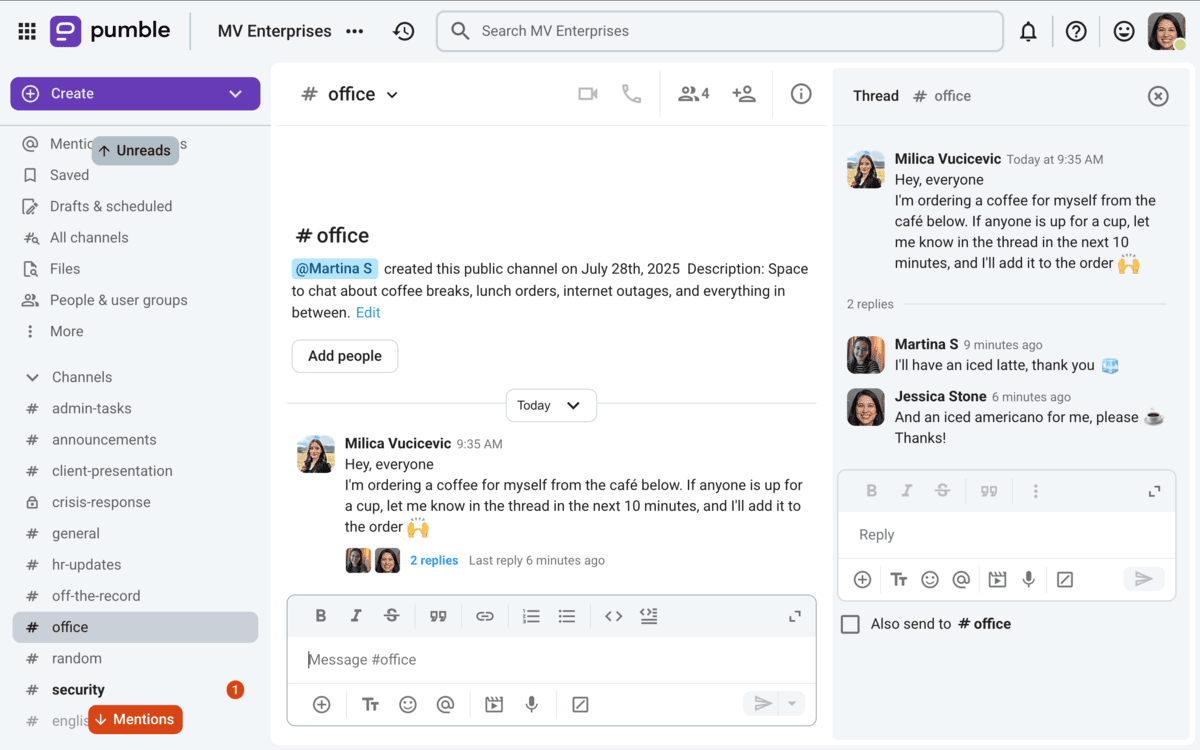
I’ve been using Pumble with my team for a couple of years now, and it has completely transformed the way we collaborate as a remote team. The app is incredibly easy to set up, and onboarding new team members takes no time at all.
What I love most is how intuitive the interface is, making it simple for everyone to adapt quickly.
Whether it’s sharing files, chatting in threads, or jumping on a video call, Pumble has become an indispensable part of our workflow.
Boost team communication with Pumble
Key features:
- Versatile messaging — Communicate via direct messages, private or public channels, and threaded discussions to keep conversations organized.
- Knowledge sharing — Easily share files, images, and documents with the drag-and-drop functionality and preview options.
- Video calls and screen sharing — Host effective team meetings and collaborate visually.
- Guest access — Invite external stakeholders to participate in specific channels or conversations.
- Cross-platform compatibility — Accessible on Windows, Mac, Linux, Android, and iOS devices.
Pros:
- Unlimited message history and user count on the free plan.
- Simple and intuitive interface for quick adoption.
- High-level security with SAML-based SSO.
- Affordable Pro plan for enhanced features.
Cons:
- No read receipts for messages.
Available for: Web, Windows, Mac, Linux; Android, iOS
Pricing:
- Free plan — Includes persistent chat history, user count, and core features.
- Paid plans — Start at $2.49 per user/month.
💡 Pumble Pro Tip
Curious about what’s next for Pumble? We’ve recently rolled out multilingual support, zoom controls in meetings, and some important integrations. To see what’s coming up next, check out our Pumble roadmap:
Microsoft Teams — A powerhouse for communication and collaboration
Microsoft Teams is a robust team chat app and communication tool designed to streamline team collaboration and messaging.
It stands out for its tight integration with the Microsoft 365 suite, making it a good choice for organizations already using Microsoft Office products. From group chats to enterprise-scale virtual events, Teams supports a wide range of use cases for modern businesses.
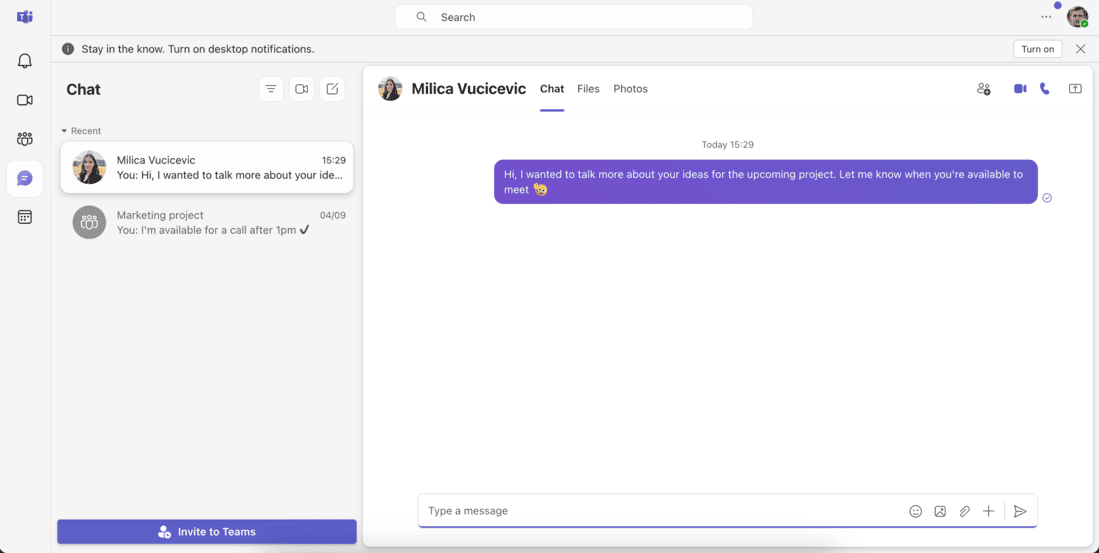
While testing Microsoft Teams, I found that fully leveraging its potential works best for teams already familiar with the Microsoft ecosystem.
Also, the limited free features, such as the 60-minute meetings with up to 100 participants, could present a challenge to teams that don’t have the budget for more.
While on the topic of pricing for Microsoft Teams, it’s important to note that they have increased their prices from July 2026. The Business Basic plan will go from $6 to $7 per user per month, and the Business Standard plan will go from $12.50 to $14 per user per month.
Key features:
- Versatile communication tools — Includes direct messaging, group chats, private channels, and threaded conversations.
- Video and audio conferencing — Schedule and host virtual meetings, webinars, or large events with ease.
- Microsoft 365 integration — Work effortlessly with tools like Word, Excel, OneDrive, and SharePoint.
- Collaboration features — Share files, assign tasks, and manage projects all within the app.
- Third-party integrations — Connect with over 2,500 apps and services for extended functionality (available in premium plans).
Pros:
- Great integration with Microsoft Office 365 tools.
- Good for enterprise teams with extensive collaboration needs.
- Supports large-scale virtual events (Town Hall feature).
Cons:
- Limited private channels in an organization.
- Free plan lacks advanced features, such as guest access and extended video calls.
- The complexity of features can overwhelm users unfamiliar with Microsoft products.
Available for: Web, Windows, Mac, Linux; Android, iOS
Pricing:
- Free plan — Limited features, including basic messaging and group chats.
- Paid plans — Included in Microsoft 365 packages, starting at $4 per user per month for Microsoft Teams Essentials, with options for higher-tier plans that unlock more features.
💡 Pumble Pro Tip
To see how Microsoft Teams compares to other popular team communication apps, check out our comparisons:
Mattermost — The secure team communication solution
Mattermost is a team chat app built with data security and privacy at its core.
As a self-hosted platform, Mattermost offers organizations full control over their communication and collaboration data, making it a popular choice for industries handling sensitive information, such as healthcare, government, and law.
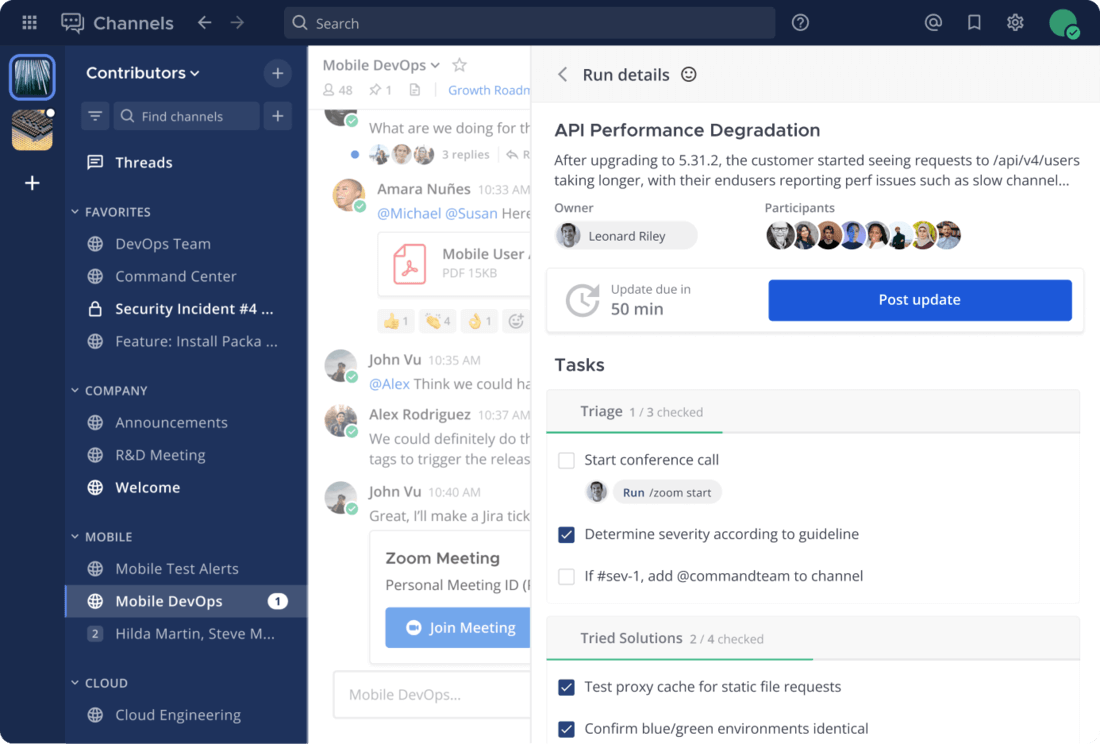
While its self-hosted nature and focus on data security are impressive, the setup process is more complex than other team chat apps — you need to contact their sales team to be able to set up an account.
Furthermore, the features in the free plan are limited and the paid plans are on the pricier side, with the cheapest plan starting at $10 per user per month.
Key features:
- Secure team communication — Self-hosted platform ensures complete control over all data.
- Standard chat functionality — Supports channels, direct messaging, unlimited message history, and threaded conversations.
- Audio calls and screen sharing — Allow for visual collaboration with team members.
- Enterprise-grade tools — Compliance reporting, e-discovery resources, and enhanced auditing options.
- Customizable platform — Developers can extend functionality with webhooks, custom integrations, and slash commands.
Pros:
- Good data security and privacy features.
- Full control over hosting and data management.
- Reliable compliance reporting and auditing tools.
- Unlimited message history.
Cons:
- Paid plans are relatively expensive, starting at $10 per user per month.
- Requires more technical expertise for setup and maintenance.
Available for: Web, Windows, Mac, Linux; Android, iOS
Pricing:
- Free plan: Includes core communication features such as unlimited message history, channels, and basic messaging.
- Paid plans: Start at $10 per user per month, offering advanced features like compliance reporting and premium support.
💡 Pumble Pro Tip
Check out how Mattermost compares to other team communication apps:
Discord — A flexible communication app with standout audio features
Discord is a versatile communication app offering text messaging, voice and video calls, and basic file sharing.
Originally designed for gamers, Discord has gained popularity as a team chat app among smaller teams or organizations looking for an informal and audio-focused communication tool.
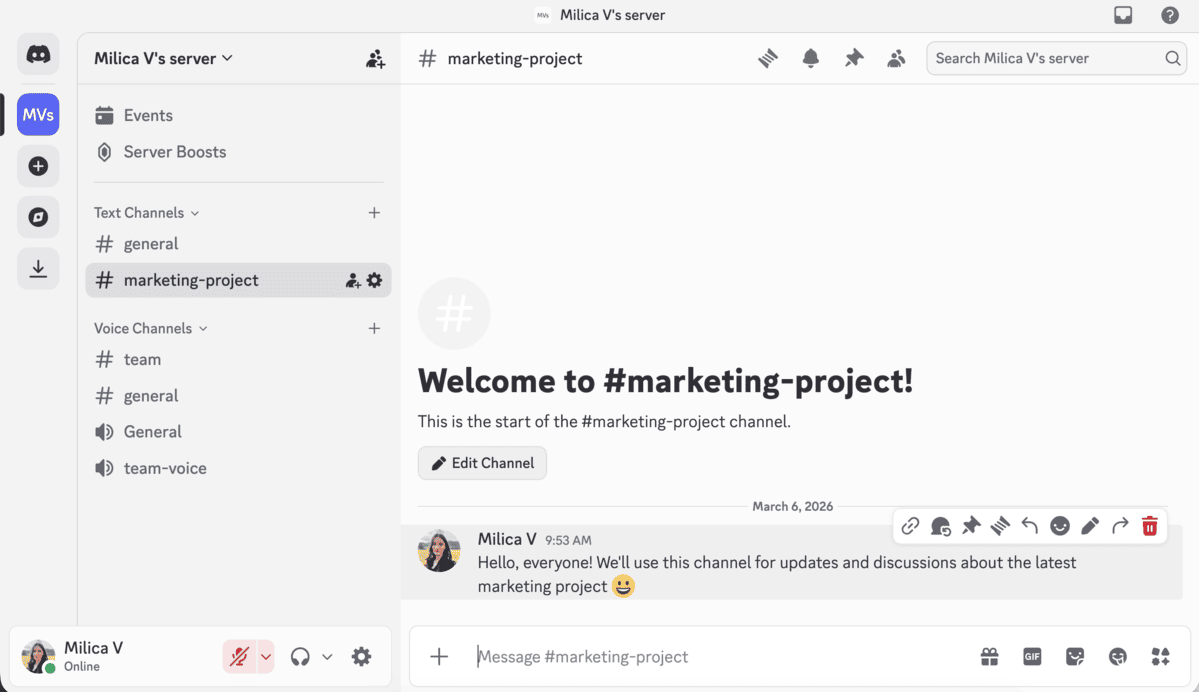
With Discord’s free plan covering all essential features, it provides a budget-friendly option for teams.
I’ve personally been using Discord for a while, and although its audio quality and ease of use are great, I find that channels can become cluttered when dealing with larger groups.
Also, in a professional setting, the lack of some essential features could pose a problem.
For example, the search options are limited, and I often have issues trying to find what I’m looking for. Also, Discord lacks enterprise grade security and compliance options such as GDPR, HIPAA, or SOC 2 compliance.
However, recently, Discord has rolled out end-to-end encryption to audio and video calls, but text messages and files remain unencrypted.
Additionally, Discord has recently announced they will start implementing mandatory age-verification procedures with ID and face scans to ensure no underage users are accessing age-restricted content. Although this may sound positive, it brought about a lot of concerns regarding privacy, so it has been delayed to sometime later in 2026.
All in all, for teams that need “always on” voice communication, Discord offers a reliable and fun alternative to traditional business chat tools.
Key features:
- Text and voice communication — Engage in group chats, voice calls, or video conferences with ease.
- Channel organization — Create dedicated channels for specific topics or teams.
- Bot integration — Enhance functionality with bots to connect Discord to popular tools.
- Screen sharing — Present ideas or collaborate visually during calls.
- Customizable experience — Personalize server settings, roles, and permissions.
Pros:
- Easy installation and user-friendly interface.
- Good audio features with minimal lag.
- Free plan includes most core functionalities.
- Customization options for servers and roles.
Cons:
- Direct messages are not saved on the company’s server, posing potential security concerns.
- Lacks work-specific features compared to other team chat apps.
- Security and privacy concerns due to data breaches and age-verification procedures.
- Text channels can become disorganized in larger teams.
Available for: Web, Windows, Mac, Linux; Android, iOS
Pricing:
- Free plan — Offers core communication features, including unlimited messaging, voice and video calls, and file sharing up to 50 MB.
- Nitro plans — Start at $2.99 per month, increasing file upload limits and adding customization options like higher-quality video streaming.
💡 Pumble Pro Tip
For some Discord alternatives, check out our list of the best team communication apps that can be a good alternative to Discord:
And for an in-depth review of Discord, check out the post below:
Slack — The most popular team chat app
Slack is one of the most used group chat apps and one of the first of its kind.
It introduced instant messaging as a business-friendly alternative to email, with features like:
- Text messaging,
- File sharing, and
- Voice/video calls.
Slack also supports extensive third-party integrations, making it a go-to app for teams that need plenty of integrations.
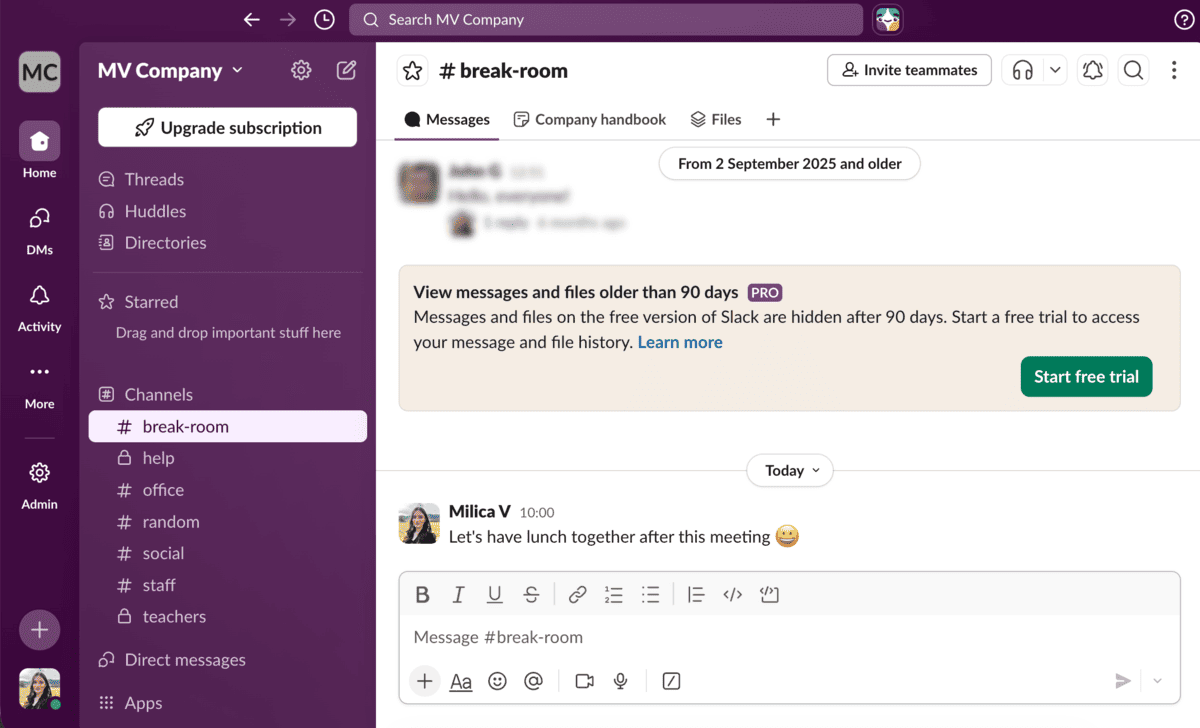
I’ve used Slack in some professional settings, and its simplicity and effectiveness have always stood out to me as a huge benefit. The customization options and integrations with tools like Google Drive and Microsoft Teams are useful.
However, I’ve found that the free plan is limiting — among other things, it limits your message history to 90 days and you only get 10 integrations.
Furthermore, Slack’s paid plans are expensive compared to other team chat apps. And, there’s no way around paying the full price for your entire team.
For example, if you were planning on purchasing one license as an administrator, and having your team on the free plan, that’s not possible. You need to purchase at least 3 licenses to be able to use Slack’s paid plans — even if you’re a two-person team.
So, if you’re budget-conscious, you might want to explore other free or more affordable group chat apps for work.
Unlimited history — free in Pumble
Key features:
- Real-time messaging — Keep teams connected via channels, direct messages, and threaded conversations.
- File sharing and storage — Easily share documents, images, and other media files.
- Video calls and screen sharing — Collaborate visually during team meetings or presentations.
- Third-party integrations — Connect with over 2,400 apps, including Google Chat, Trello, and Microsoft Teams.
- Canvas feature — A new addition for gathering all relevant information about a channel or project in one place, ideal for onboarding or quick reference.
Pros:
- Simple, user-friendly design.
- Extensive third-party integrations.
Cons:
- Free plan is restrictive, offering limited message history and features.
- Paid plans are among the most expensive on the team chat app market.
Available for: Web, Windows, Mac, Linux; Android, iOS
Pricing:
- Free plan — Includes limited features, such as a 90-day message history and only 10 integrations.
- Paid plans — Start at $8.75 per user per month, offering advanced features like unlimited message history and integrations.
💡 Pumble Pro Tip
To see how you can save ~65% on your Slack subscription with an affordable Slack alternative, check out the following link:
Google Chat — A seamless extension of the Google Workspace ecosystem
Google Chat is a straightforward team chat app designed to integrate effortlessly with other Google Workspace tools.
While it offers essential messaging features, its real strength lies in its tight connection with apps like Google Meet, Google Docs, and Google Drive, making it a good option for teams already relying on Google’s suite of tools.
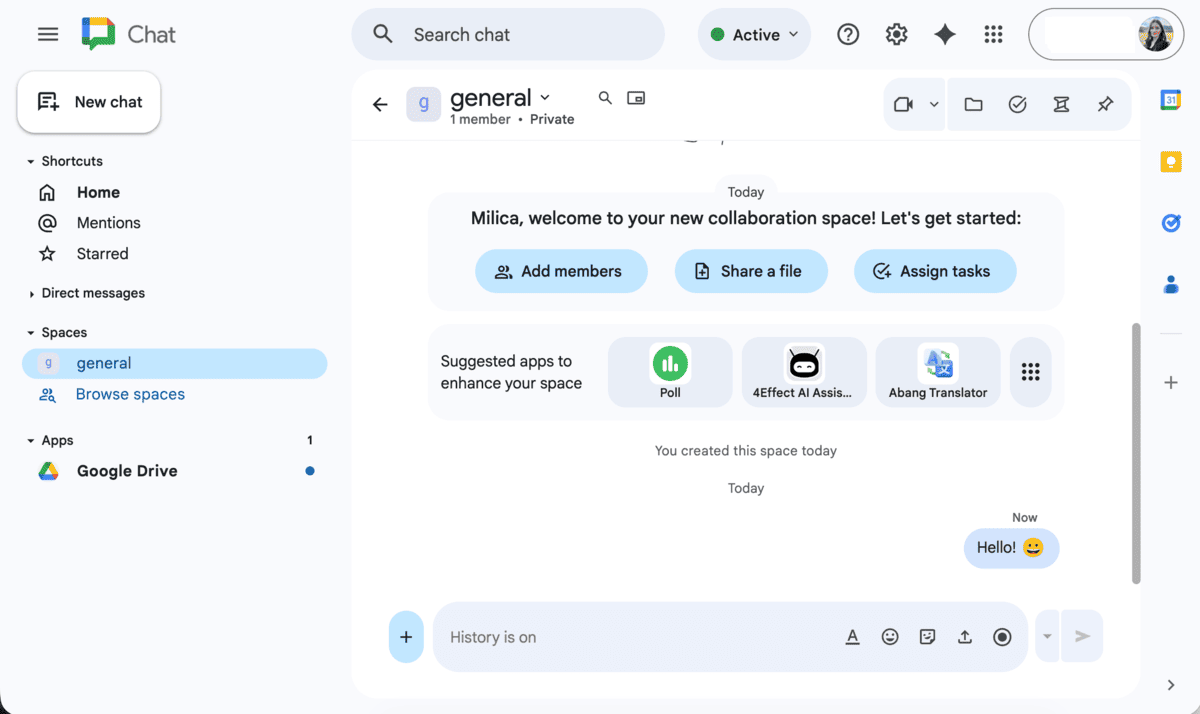
I’ve used Google Chat as part of a Workspace subscription, and the integration with Google Calendar and Google Drive made managing projects much easier.
You also get native AI Gemini integration for smart replies and message summaries — although the integration is somewhat limited on the free plan.
However, not a lot of people use Google Chat, and that may be a problem when you’re working with clients or external collaborators.
Plus, I found the interface less visually appealing and somewhat basic compared to other group chat apps. But, for teams prioritizing functionality over aesthetics, Google Chat is a solid choice.
Key features:
- Messaging options — Communicate via group chats, direct messages, and channels (known as Spaces).
- Google Workspace integration — Seamlessly connect with Google Docs, Drive, Meet, Calendar, and more.
- Third-party app support — Integrate tools like Asana, Jira, and Zendesk for enhanced functionality.
- Gemini AI — Offers proactive suggestions, conversation summaries, and actionable insights.
- Cross-platform availability — Syncs across desktop and mobile devices for consistent access.
Pros:
- Great integration with Google Workspace tools.
- Simple and efficient for teams already using Google’s ecosystem.
- Supports third-party app integrations to extend capabilities.
Cons:
- Interface is not as polished or visually appealing as those of competitors.
- Limited user database may be a problem for teams working with external collaborators or clients.
- Basic functionality may not meet the needs of more advanced users.
Available for: Web, Windows, Mac, Linux; Android, iOS
Pricing:
- Free plan — Available as part of a free Google account with basic features.
- Paid plans — Included in Google Workspace subscriptions, starting at $7 per user per month, offering additional features like advanced security and admin controls.
💡 Pumble Pro Tip
For an in-depth and honest review of Google Chat, check out our post:
And, for a detailed comparison between Google Chat and Pumble, take a look at our post:
Twist — A calm and focused team communication app
Twist is a team chat app designed to promote asynchronous communication and reduce the urgency often associated with real-time messaging apps like Slack.
With an interface reminiscent of email, Twist encourages structured conversations, making it ideal for teams that prioritize focus and organization. It doesn’t show status bubbles, so you don’t have to worry about looking active and you can focus on your work.
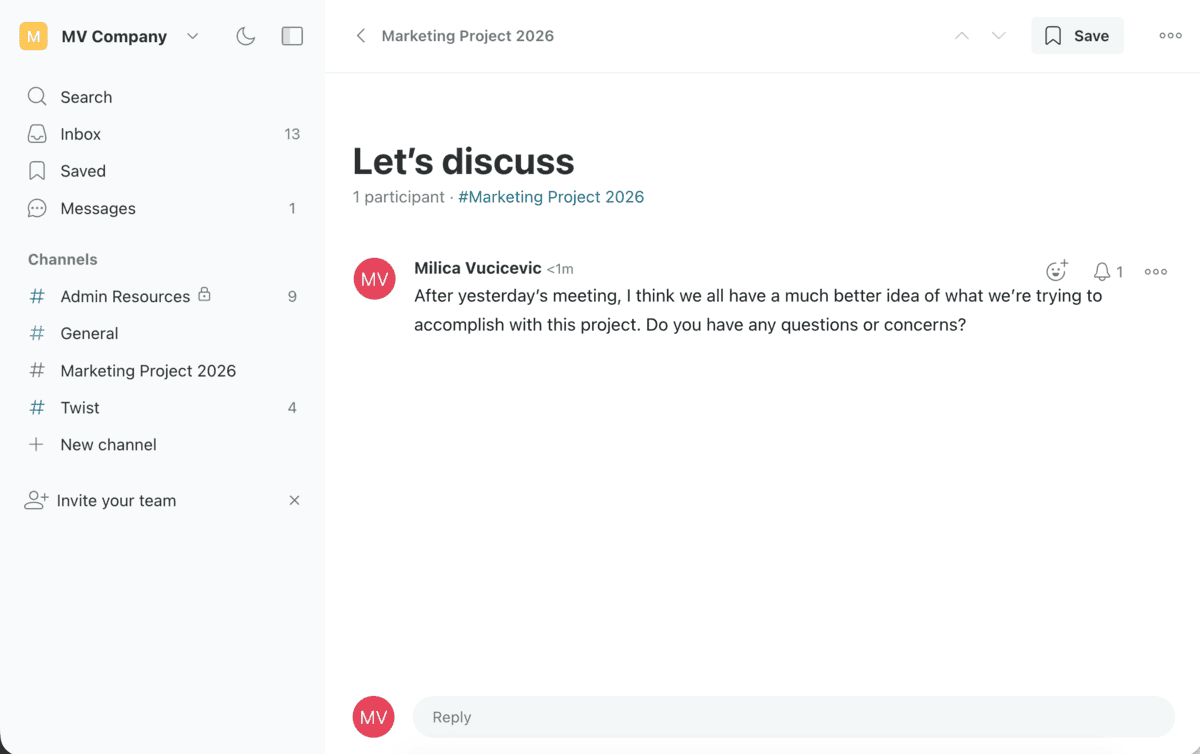
While trying Twist, I found its email-like structure a refreshing change to other team chat apps.
It was also easy to install, which made onboarding seamless.
However, the lack of audio/video call features and its unsuitability for fast-paced communication limit its versatility compared to other team chat apps.
Additionally, Twist limits your message and comment history to only one month in the free plan. If you want to access older messages, you’ll have to purchase a paid plan.
Key features:
- Threaded conversations — Conversations are structured with email-like subject lines to keep discussions organized.
- Focus-friendly interface — Designed to minimize distractions and foster deep work.
- Customizable channels — Group your favorite channels together for easy access.
- Out-of-office settings — Notify others when you’re unavailable and reduce unnecessary interruptions.
Pros:
- Simple installation and easy onboarding.
- Promotes asynchronous communication for distributed teams.
- Organized thread structure helps focus on key discussions.
Cons:
- No audio/video call or screen-sharing features.
- Not ideal for teams requiring fast-paced, real-time communication.
- Message history is limited to one month.
Available for: Web, Windows, Mac, Linux; Android, iOS
Pricing:
- Free plan — Includes core features like threaded messaging and customizable channels.
- Paid plans — Start at $6 per user per month, unlocking advanced options like increased file storage and priority support.

💡 Pumble Pro Tip
For a detailed comparison between Twist and Pumble, follow the link below:
Flock — A budget-friendly team communication tool
Flock is a team chat app designed to combine the simplicity of Slack with the functionality of Microsoft Teams.
It offers a variety of communication and collaboration tools, including:
- Messaging,
- Video calls, and
- Task management features.
Its affordability makes it an appealing option for teams seeking cost-effective group chat apps for work.
Along with communication features, you get integrated to-dos, project boards, and notes.
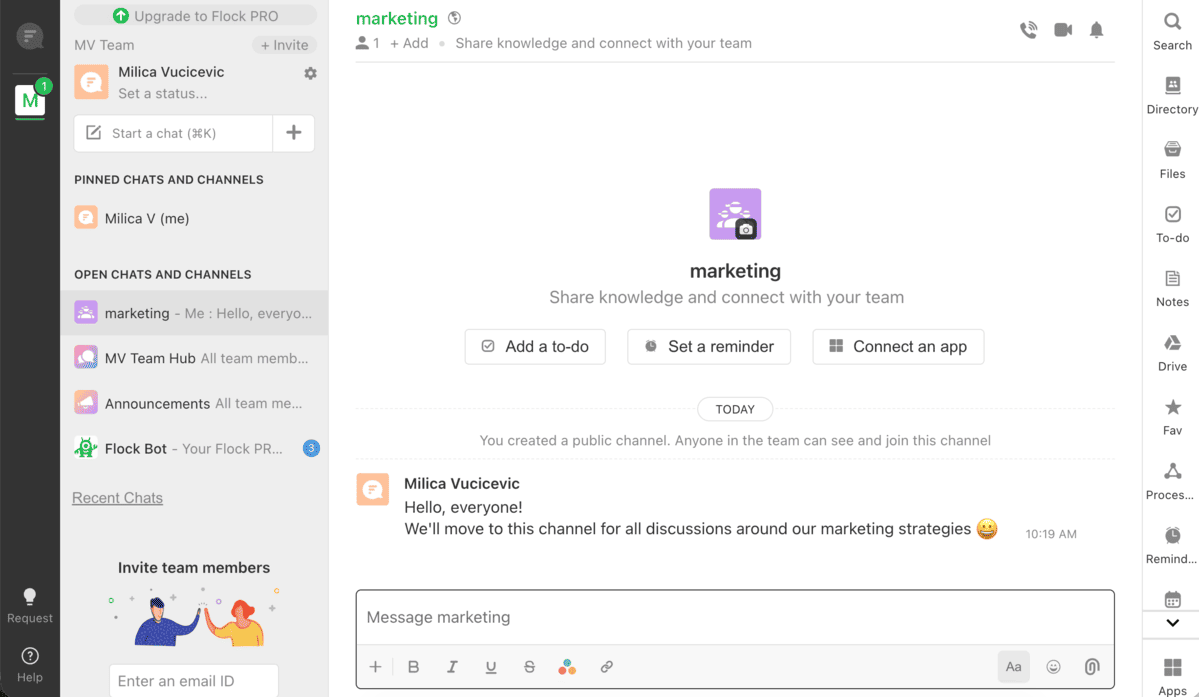
During my review of Flock’s features for this text, I appreciated its integration with third-party apps and productivity tools like task lists and reminders, but I found the interface a bit overwhelming. It was a bit confusing trying to create channels, and the buttons were sometimes slow to react.
For smaller teams, the mix of features might make the interface feel cluttered compared to other chat tools for work.
Key features:
- Messaging options — Includes direct messages, group chats, and channels for team communication.
- Task management tools — Create and track tasks, set reminders, and jot down notes within the app.
- Video calls and screen sharing — Host virtual meetings with ease.
- Third-party integrations — Connect with productivity tools like Google Drive, Trello, and Asana.
- Searchable message history — Quickly locate past conversations or shared files.
Pros:
- Wide range of third-party integrations.
- Affordable pricing compared to competitors like Slack.
- Built-in productivity tools for task management and notes.
Cons:
- Busy and somewhat confusing interface.
- Lacks the advanced features and scalability of Microsoft Teams.
Available for: Web, Windows, Mac, Linux; Android, iOS
Pricing:
- Free plan — Includes messaging, basic collaboration features, and integrations.
- Paid plans — Start at $4.50 per user per month, offering advanced features like enhanced admin controls and larger video call capacities.
💡 Pumble Pro Tip
In you want a more detailed look into how Flock compares to Pumble, check out our comparison post:
And for an in-depth look at Flock, read our honest review:
Rocket.Chat — An open-source team chat with strong data privacy
Rocket.Chat is an open-source team communication app that offers both self-hosting and SaaS options, with a strong emphasis on data protection.
It uses end-to-end encryption and complies with relevant data privacy standards, making it a top choice for teams with stringent security needs. Rocket.Chat is even authorized for use in the US Department of Defense up to IL6, so you can rest assured your messages are safe.
The interface and features are similar to Slack, but with more advanced capabilities that cater to technically adept teams.
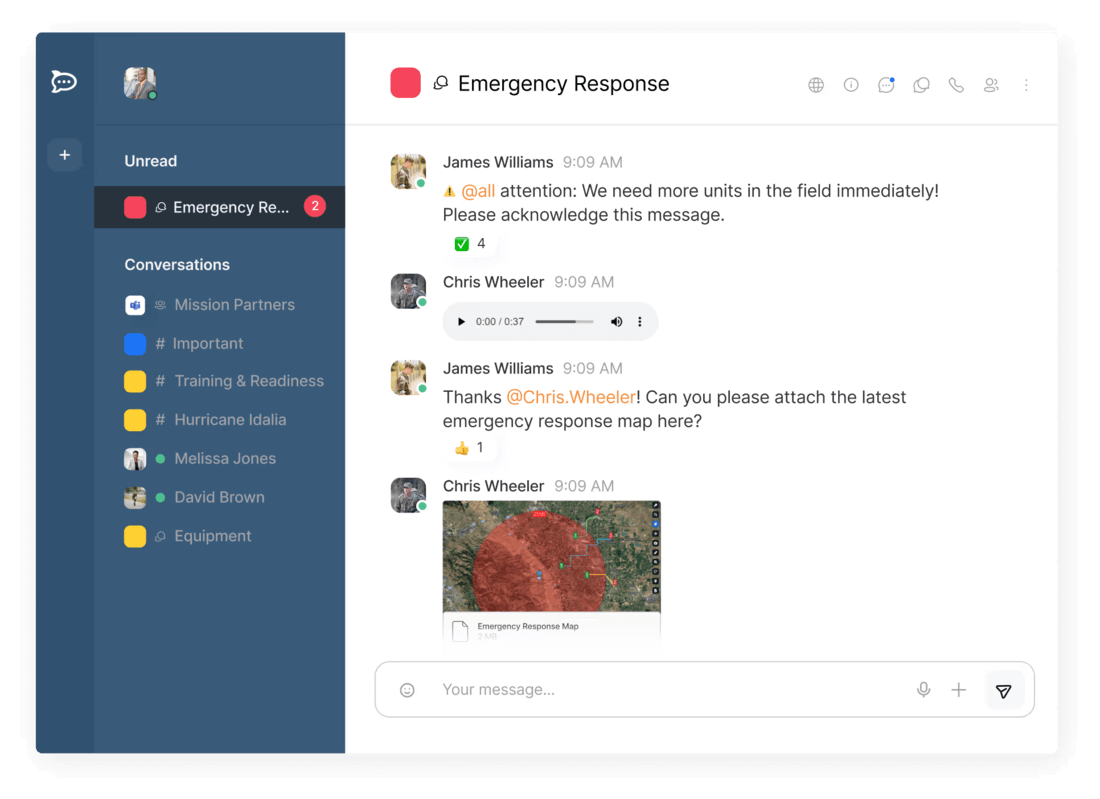
While Rocket.Chat’s extensive feature set is appealing, the setup process is quite complex, especially for users who are not as tech-savvy. You need to get in touch with their sales department to set up your account, even if you just want to try out their free plan.
The advanced options, while valuable, can make navigating the basic chat functionalities somewhat challenging. Overall, Rocket.Chat is well-suited for teams that prioritize security and have the technical resources to manage its setup.
Key features:
- Self-hosting option — Full control over data and infrastructure.
- End-to-end encryption — Strong focus on data privacy and security.
- Advanced features — Offers capabilities for tech-savvy teams.
Pros:
- Excellent data protection and privacy features.
- Flexible hosting options (self-hosted or SaaS).
Cons:
- Complex setup process, especially for non-technical teams.
- Some advanced features make basic functions harder to navigate.
Available for: Web, Windows, Mac, Linux; Android, iOS
Pricing:
- Free plan — Available with basic features, including self-hosting options.
- Paid plans — Rocket.Chat doesn’t publicly list prices for their plans on their website — you need to get in touch with their sales team to figure out pricing for your team.
Zoho Cliq — A budget-friendly team chat tool with a unique multi-column design
Zoho Cliq is a team communication app that combines standard chat features with a distinctive multi-column interface.
While the design may feel overwhelming at first, its practicality and ease of use become apparent with time.
The app offers typical messaging capabilities like text chat, audio/video calls, and screen sharing, but its standout feature is the ability to view multiple conversations at once. This makes it good for teams managing several threads simultaneously.
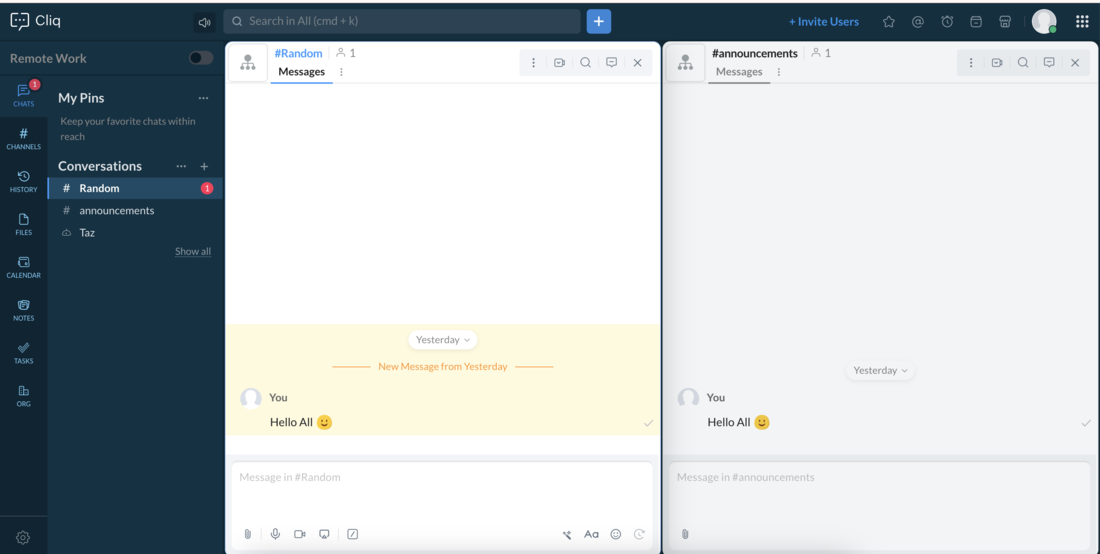
Also, Zoho Cliq is one of the most affordable team chat options available, with a pricing model that becomes more cost-effective as more users join.
However, you have limited message history, with only the last 10,000 messages being available. Also, you have a cap of 100 participants in channels.
There’s no cap on users in Pumble
Key features:
- Multi-column design — View multiple conversations at once for a better overview.
- Standard communication tools — Includes text chat, audio/video calls, and screen sharing.
- Zoho integration — Works well with Zoho’s project management and CRM tools.
- Affordable pricing — Sliding pricing scale that reduces costs as more users join.
Pros:
- Easy to set up and navigate after the initial getting used to.
- Unique multi-column design boosts productivity.
- Affordable pricing, especially for larger teams.
- Zoho Cliq is deeply integrated with other Zoho products.
Cons:
- Initial interface can feel complicated for new users.
- Limited integrations outside the Zoho ecosystem.
- Limited message history and channel participants.
Available for: Web, Windows, Mac, Linux; Android, iOS
Pricing:
- Free plan — Available with basic features.
- Paid plans — Affordable sliding scale, becoming cheaper as more users join. The cheapest plan starts at around $1.16 (€1.80) per user per month (with a minimum of 10 users).
Wire — A privacy-focused team chat app
Wire is a communication app that prioritizes user privacy and security, offering end-to-end encryption and other privacy features like disappearing messages.
Originally designed for personal use, Wire has shifted its focus to team collaboration, providing essential communication tools like text messaging and video conferencing.
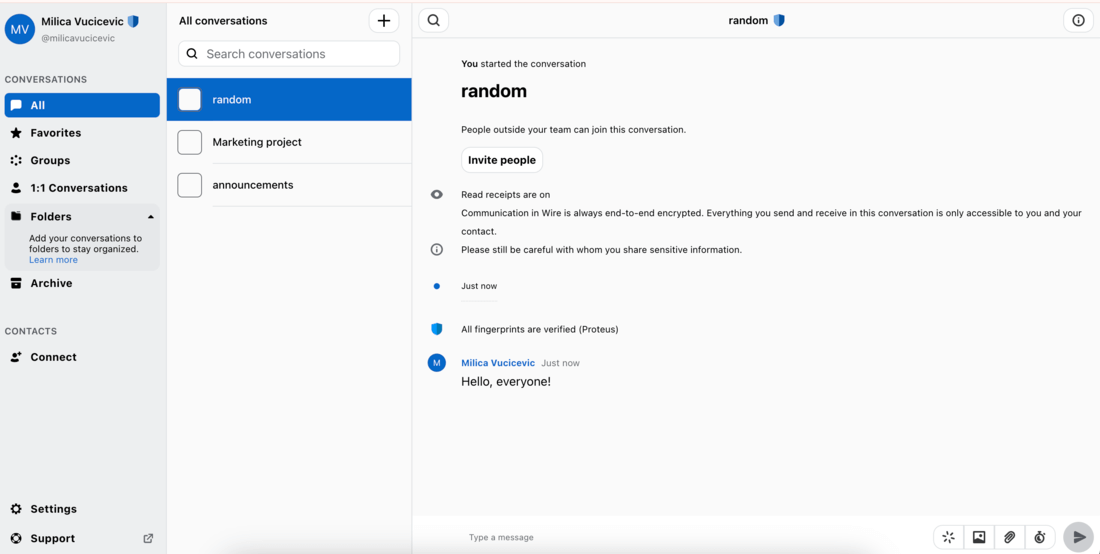
While Wire’s commitment to security is impressive, I found the interface to be a bit too basic, and the mobile app was plagued with bugs during setup and usage.
Despite these issues, Wire’s new “Guest room” feature — allowing secure communication with external parties without them needing an account — is a standout.
Overall, Wire is best suited for teams that prioritize privacy and are willing to overlook minor technical glitches.
Key features:
- End-to-end encryption — Ensures secure team communication.
- Ephemeral messages — Time your messages to disappear after a certain period.
- Guest room — Secure communication with external parties without an account.
- Standard communication tools — Includes text messaging, video calls, and file sharing.
Pros:
- High-level data security and privacy features.
- Guest room feature for seamless external communication.
Cons:
- Interface may feel too basic for some users.
- Bugs and setup issues, particularly with the mobile app.
Available for: Web, Windows, Mac, Linux; Android, iOS
Pricing:
- Free plan — Available with essential features for small teams.
- Paid plans — Pricing is based on team size and advanced features, including additional security and customization options. The cheapest paid plan starts at around $7 (€7.45) per user per month.
Chanty — A cost-effective team messaging solution
Chanty is a straightforward team messaging app that sets itself apart by emphasizing task-oriented communication.
Rather than just serving as a general chat tool, Chanty organizes conversations around specific tasks, making it a good choice for teams with clearly defined objectives and workflows.
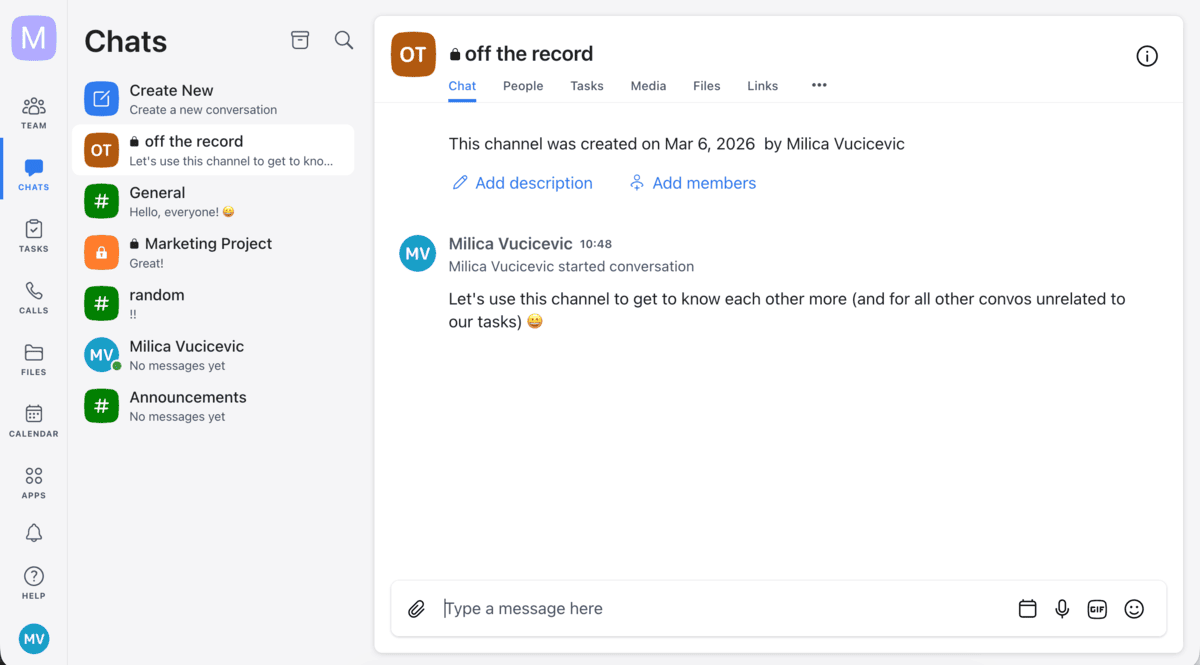
The app also incorporates AI-powered search and navigation features, making it easier to find relevant messages and tasks.
However, Chanty’s integration with third-party apps could be more robust. While it works well for teams looking for a simple, cost-effective communication tool with a focus on tasks, its limited app integrations may be a drawback for teams relying on other productivity tools.
I found Chanty’s paid plans to be competitively priced, making it an attractive option for teams seeking value without sacrificing core features.
It’s best suited for teams with a structured workflow that need a lightweight communication tool to keep everyone on track.
Key features:
- Task-oriented communication — Conversations are centered around specific tasks for clearer focus.
- AI search and navigation — Helps quickly locate important messages and tasks.
- Basic integrations — Works with popular tools, though third-party support is limited.
Pros:
- Cost-effective tool with solid, affordable paid plans.
- Task-focused communication helps teams stay organized.
- Easy-to-use interface and intuitive design.
Cons:
- Limited third-party app integrations.
- Not a full-fledged task management solution.
- Free plan allows up to 5 users.
Get unlimited users with Pumble
Available for: Web, Windows, Mac, Linux; Android, iOS
Pricing:
- Free plan — Available with limited features.
- Paid plan — Starts at an affordable price point of $3 per user per month, offering more advanced features like unlimited integrations and storage.
💡 Pumble Pro Tip
If you want a detailed review and an honest look at Chanty as a professional communication tool, take a look at our post:
Ryver — A unified team chat and task management solution
Ryver is a team communication app that combines messaging and task management into a single, efficient platform.
While it offers essential chat features like direct messages, private team channels, and public forums, its standout feature is its integration of task management tools within the same interface.
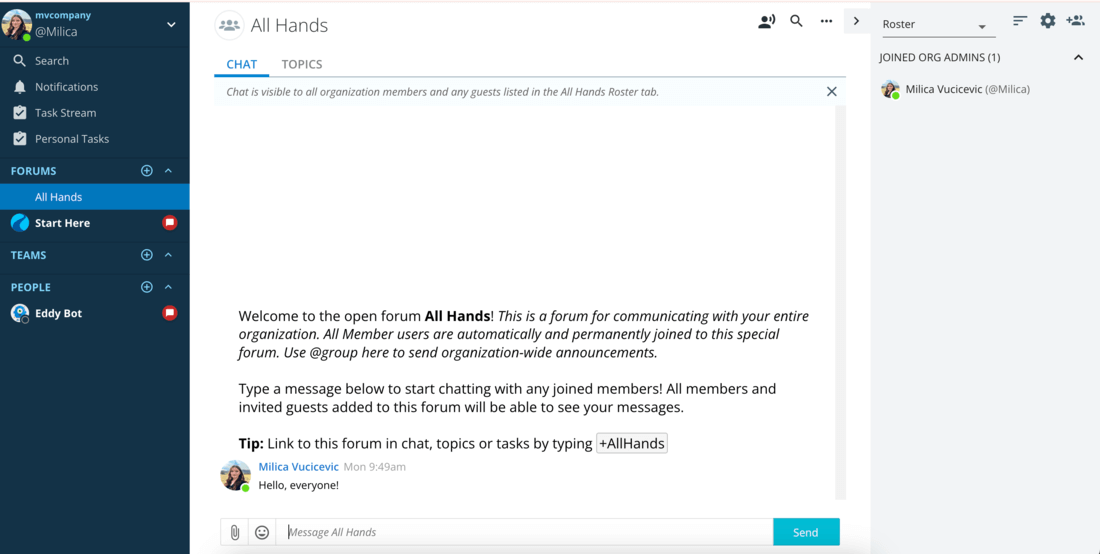
As a messaging app, Ryver divides conversations into:
- People (direct messages),
- Teams (private group channels), and
- Forums (public channels).
The app also organizes chats by “ongoing conversations” and “topics”, allowing teams to structure discussions around specific subjects. Though video and audio calls are available, they are still in beta and not fully refined.
Hold no-glitch meetings in Pumble
Ryver’s task management capabilities are even more basic. It functions more like a detailed to-do list rather than a comprehensive project management tool, which may limit its usefulness for more complex workflows.
I found Ryver’s lack of a free plan, beyond a short trial period, to be a drawback. Additionally, deactivating the account can be a complicated process.
Key features:
- Team chat — Includes direct messages, private team channels, and public forums.
- Task management — Basic task management tools for tracking to-do lists and assigning tasks.
- Video and audio calls — Still in beta for team communication.
- Structured conversations — Organize chats into ongoing discussions and topic-based threads.
Pros:
- Combines chat and task management in a single app.
- The interface is simple and easy to navigate.
- Useful for teams looking to keep conversations and tasks in one place.
Cons:
- Lacks a free plan beyond the trial period.
- Basic task management may not meet the needs of more advanced teams.
- The account deactivation process is overly complicated.
Available for: Web, Windows, Mac; Android, iOS
Pricing:
- Free trial — Available, but no permanent free plan.
- Paid plan — Paid plans start at $4 per user per month for more than 12 users or $69 per month for up to 12 users (which comes to $5.75 per user per month).
What makes a team chat app great?
A great team chat app seamlessly addresses a team’s communication and collaboration needs while ensuring efficiency and ease of use.
Though specific preferences vary, top-notch apps share common attributes:
- User-friendliness — Simple navigation and intuitive design for users; easy setup and role management for admins.
- Solid structure — Logical communication organization, including private chats, group channels, and organization-wide discussions.
- Cost-effectiveness — Affordable pricing or added value that justifies the expense.
- Cross-platform availability — Compatibility with major desktop and mobile platforms for uninterrupted connectivity.
- Data security — Adherence to data protection standards, with options like self-hosting for enhanced privacy.
- Work-related features — Tools like video conferencing, task management, integrations, and smart notifications to boost collaboration.
Choosing the best app involves balancing these essentials with your team’s unique needs.
💡 Pumble Pro Tip
If you want to boost your team’s collaboration, check out our list of top picks for collaboration tools:
How to choose the best one for your team?
To choose the best team chat app, focus on the features and scalability your team needs:
- Video calls — Ensure flawless functionality, especially if video calls are a major part of your workflow.
- Scalability — Consider your team size and future growth, as some apps limit participants in calls.
- Third-party integrations — For IT teams, prioritize apps with extensive integration options and future compatibility.
- Budget — Opt for a paid plan that enhances communication and fits within your financial constraints.
Ultimately, the right app should streamline communication and boost team productivity.

Empower your team with the right communication tools
From enhancing collaboration to keeping your projects on track, the team chat apps in this list are designed to simplify communication and boost productivity.
However, not all are created equal. Some offer more than others, and it’s up to you to decide which one brings you and your team the most value for your money.
Pumble by CAKE.com offers you an all-in-one communication tool with a generous free plan — you get unlimited message history and users at no cost.
And, if you decide to upgrade to a paid plan, Pumble’s pricing is still very affordable, especially when you compare it to other tools in the same category.
Save up to 65% on your budget while keeping 100% of your data.
How we reviewed this post: Our writers & editors monitor the posts and update them when new information becomes available, to keep them fresh and relevant.