

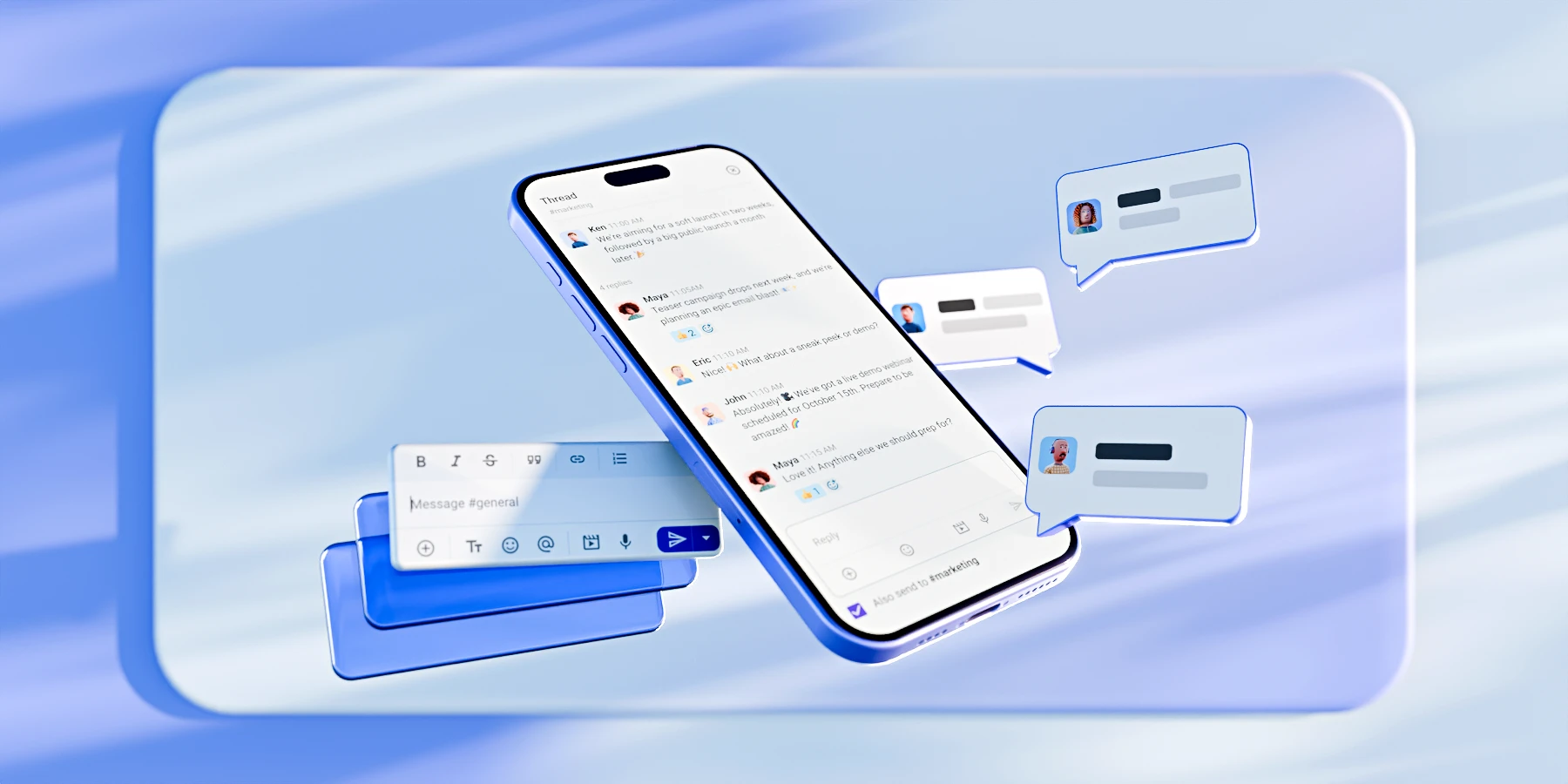
Instant messaging has become a defining feature of the modern workplace — think about how many messages you’ve sent and received in the past few days alone.
But it’s no longer just about chatting. When done right, instant messaging for business becomes the foundation for teamwork, enhanced productivity, and faster decision-making.
That’s why it’s important to choose a business communication app that can organize day-to-day conversations and replace email. Let’s dive into how you can do exactly that with Pumble by CAKE.com.
5 ways Pumble instant messaging drives business results
Poor communication has a huge impact on our daily working lives because team members can:
- Feel disconnected from each other and the company,
- Become disengaged,
- Quickly move on from their positions, and more.
That’s why small and medium-sized teams use Pumble to create an environment of flourishing employee engagement. How can you do the same and build a workspace where people communicate, listen, and collaborate?
Here’s our blueprint.
#1 Replace internal email
For a long while, email was the go-to for both external and internal communication. Yet, how many times can you send “Warm regards” before losing track of the original topic? Not that many — especially since email isn’t exactly known for being a structured, permanent archive.
Pumble, by contrast, is a trusty email alternative. Teams lose steam when they’re constantly struggling to find old threads, but Pumble’s user-friendly interface puts these issues in the past.
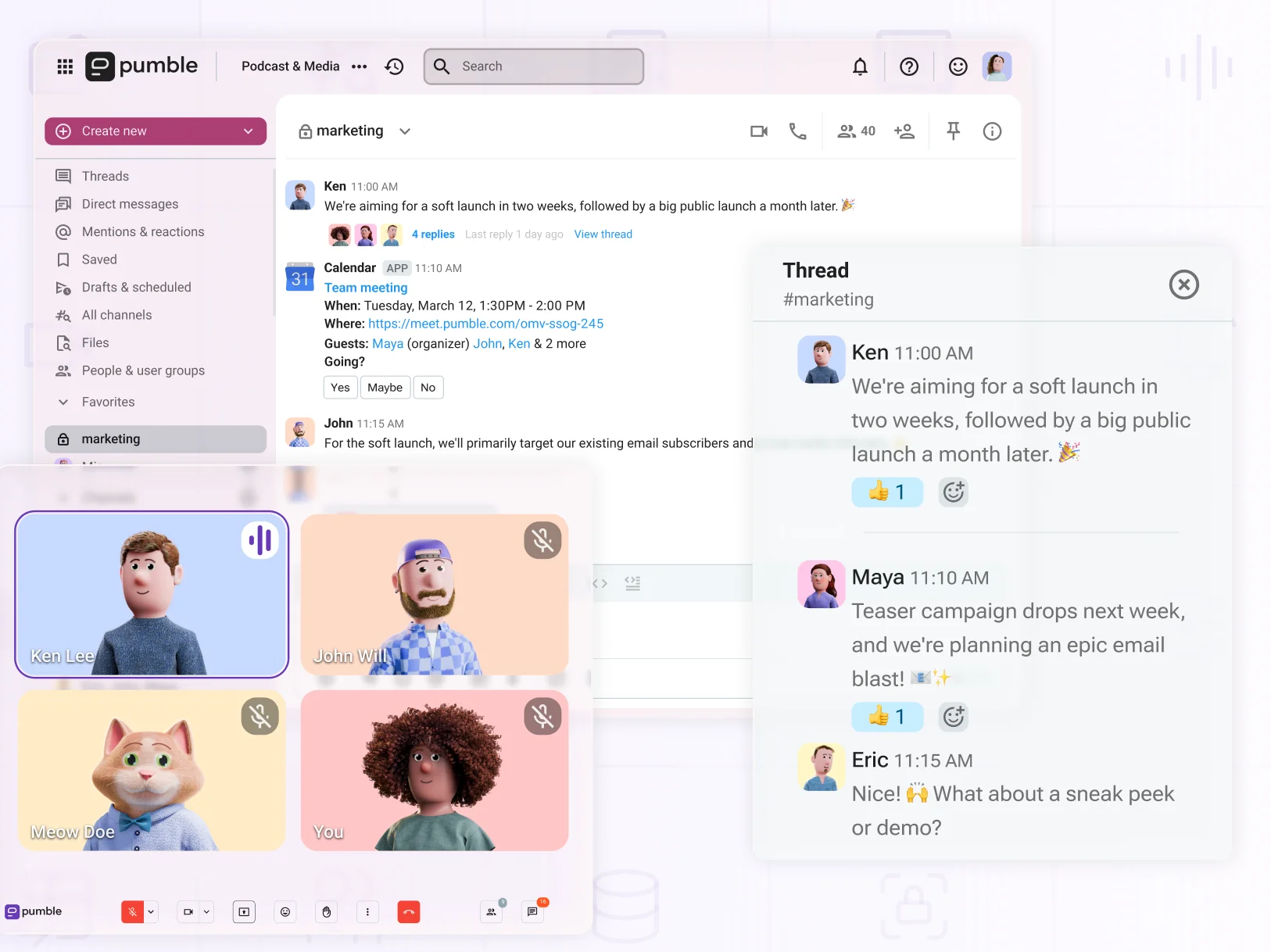
Your virtual workspace is easily scannable. A quick glance at the sidebar and you’ll have an overview of your teams, projects, and conversations.
This is where work happens, so there’s no need to open a separate tab just to message a coworker. You can both keep an eye on your respective tasks and stay in sync — no pesky internal emails required.
Now, what about emails from vendors or clients that you need to share? Should you fall back into old habits and hope you’ve CC’d the right people?
No. Simply connect Gmail to Pumble, forward messages, and forget about cluttering your inbox.
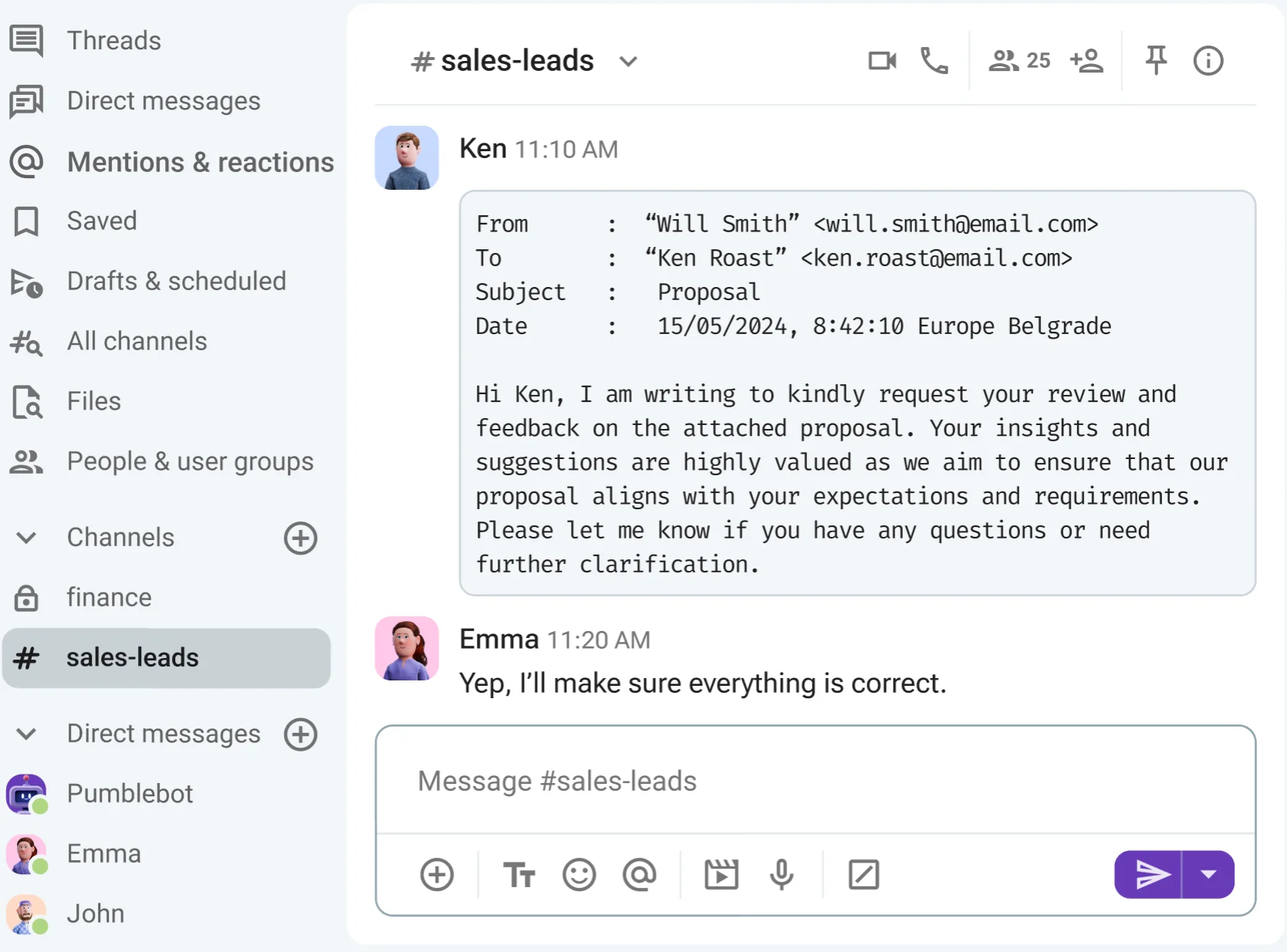
Whether you need advice on how to answer a customer or just want a pair of fresh eyes, you can share the email in a DM or channel. The message stays visible and you get instant feedback. Additionally, if you use another provider, the Emailer integration takes care of that too.
Fed up with email? Give Pumble a go
🎓 PUMBLE PRO TIP
If you’re unsure whether Gmail makes a difference for your team, don’t settle. Replace internal email with one of our top alternatives:
#2 Organize work in channels
The major draw of instant messaging for business is speed. Yet, timely responses don’t amount to much without structured team collaboration — and nothing brings structure to projects, teams, and tasks like channels.
Think of channels as dedicated hubs for specific topics, where members can discuss new ideas, share documents, and make group decisions with no needless back-and-forth.
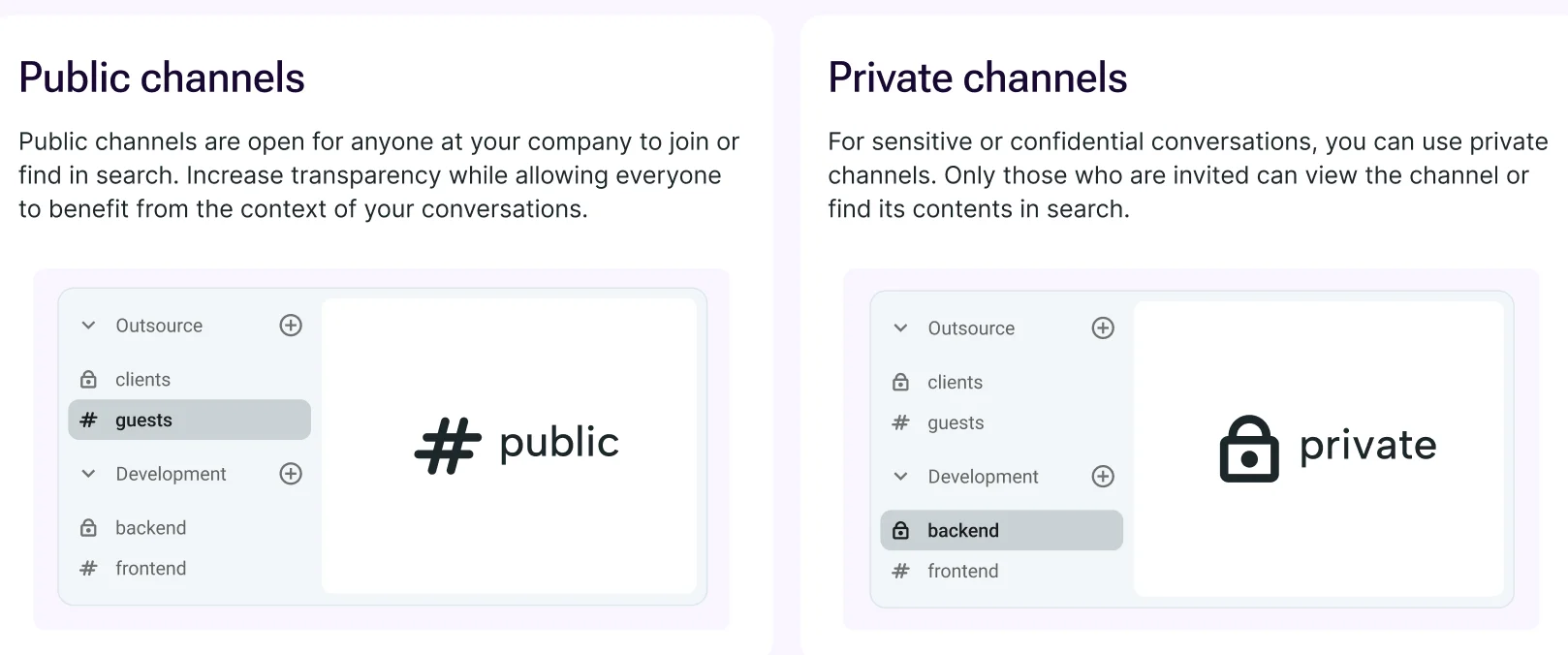
Channels in Pumble can be either public or private. As a general rule, public channels work best for messages that demand high transparency, such as meeting summaries, workflow changes, and project updates. Private channels are more suitable for departments that require confidentiality, such as HR, Legal, and Finance.
When it comes to transparency, pinned messages highlight the most important information, links, or files shared within a channel. Simply tap the pin icon at the top of a channel to see all the essential details at a glance.
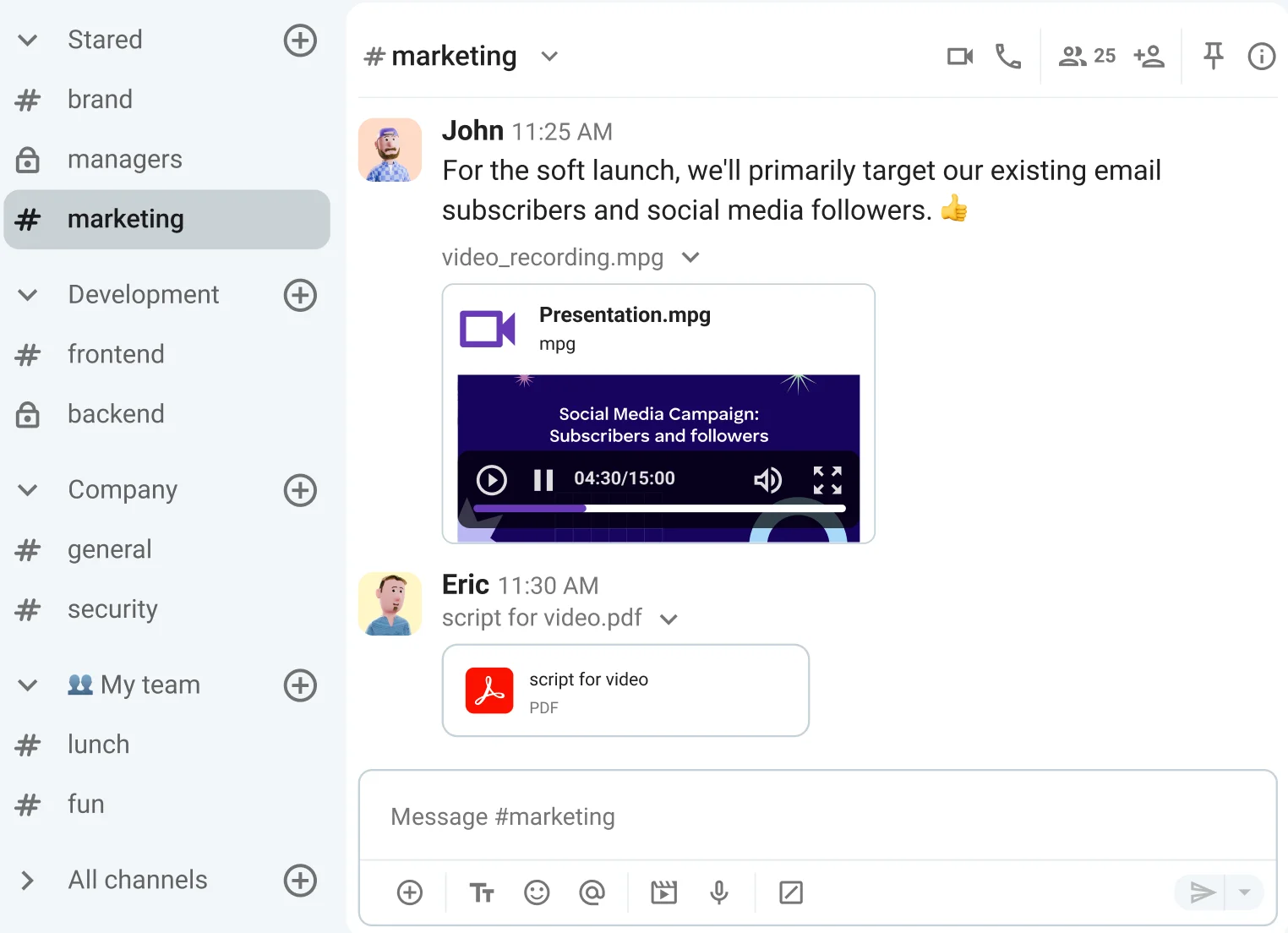
Another benefit of channels is that they aren’t limited to text.
While team members can exchange messages, you can also reintroduce face-to-face collaboration via video and voice calls. Connect with your team directly within a channel, follow up post-meeting, and share notes — all without ever opening a separate video conferencing platform.
Improve collaboration with channels
🎓 PUMBLE PRO TIP
For more information on how to make the most of channels in Pumble, check out this guide:
#3 Use threaded conversations
One of the main issues with traditional instant messaging and email is message overload. As new replies come in, they push back earlier messages. Soon enough, you’re not sure where one conversation ends and another begins.
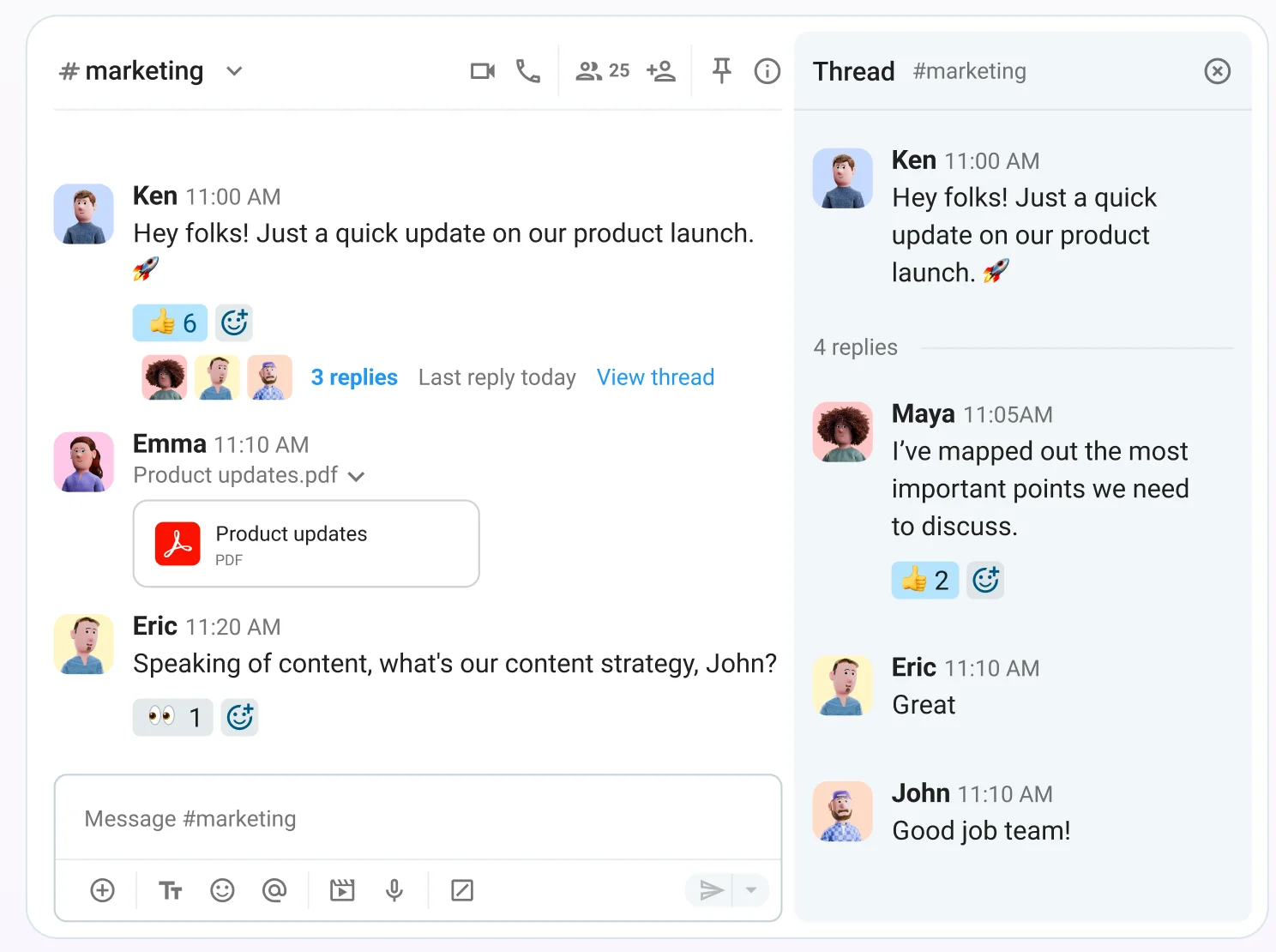
Fortunately, threaded discussions preserve order and make every exchange easy to follow. The central message remains clearly visible, while subsequent replies are stacked beneath it. As a result, threads are the most efficient way to improve contextual communication and avoid cluttering channels with unnecessary noise.
But what about threaded replies that contain critical information that demands more visibility?
In such cases, tap the checkmark under the message and you can also send it to the channel, creating a separate post that will capture the attention of fellow channel members.
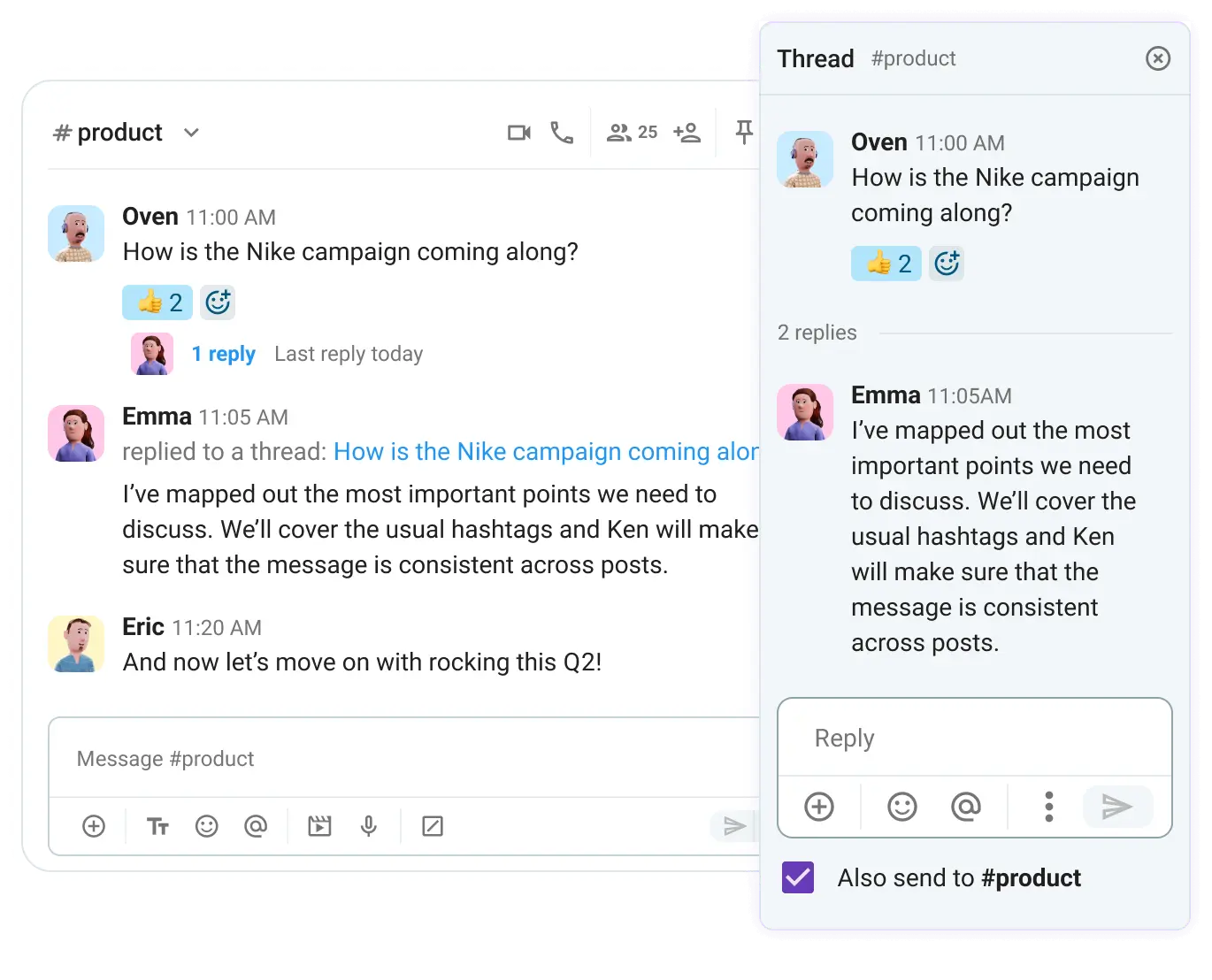
Overusing threads can lead to potential drawbacks, though. Instead of eliminating distractions, you could inadvertently waste time reading through old threads. Thus, your team should follow a few guidelines to ensure threads promote cross-functional collaboration, such as:
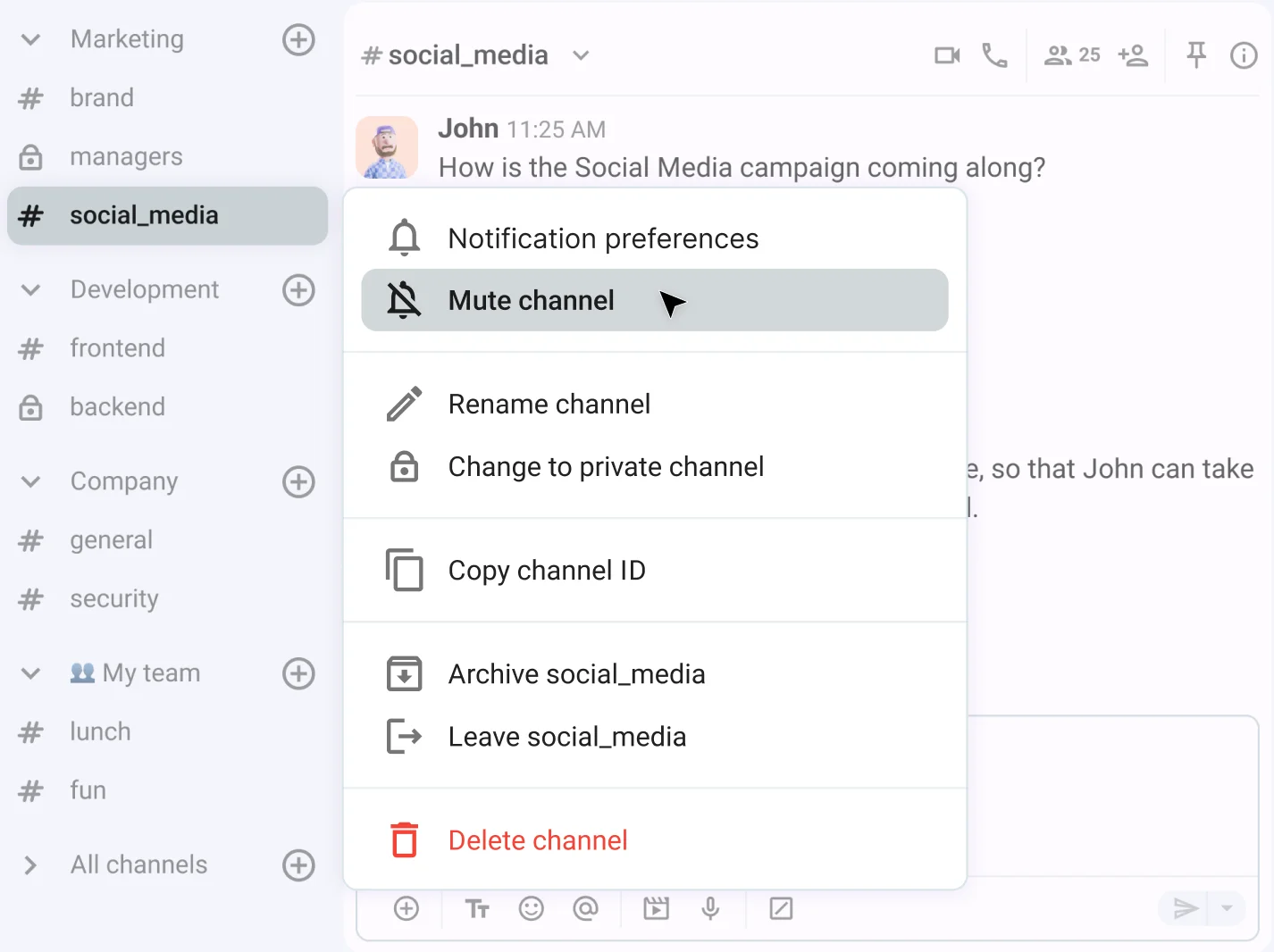
- Turning off notifications about replies in older threads,
- Muting non-work-related channels,
- Regularly using the search function, and
- Using Do not disturb mode for moments of complete silence.

#4 Solve problems in real time
Before the rise of remote work, informal office chats were the fastest way to sync with teammates. But with more employees working from home, solving problems in real time requires a different approach.
Instant messaging bridges the gap between on-site and remote teams, reestablishing the connection and spontaneity that used to be exclusive to the office.
Even better, there’s no danger of interrupting someone when they’re in deep work mode. If your message reaches a coworker while they’re tying up loose ends, they can respond the moment they wrap up — keeping the workflow fluid and undisturbed.
In Pumble, channels and threads turn different types of meetings into productive, organized conversations. You can use them to:
- Host virtual office hours,
- Review stakeholder feedback,
- Run daily standups,
- Conduct project or team status check-ins, and more.
Because you aren’t limited to text, you can also record your screen or send voice messages to ensure your point is as clear as possible.
🎓 PUMBLE PRO TIP
What makes business communication apps like Pumble by CAKE.com stand out is that they combine instant messaging with video conferencing. If you notice your team has been struggling with a few too many meetings, it’s easy to scale back thanks to Pumble’s messaging features. To see exactly how to cut down, check out this blog post:
#5 Improve knowledge sharing & onboarding
Unfortunately, hiring the right people doesn’t guarantee project success. The question of employee onboarding plays an important role in how well new hires will adapt to the company culture.
So, does your digital HQ provide sufficient information about tools, tasks, and workflows right from the get-go?
It’s essential to emphasize cross-team alignment and make sure new hires are aware of the different kinds of teams they could end up collaborating with. In companies with multiple teams, this can be a struggle — unless you use the right team chat software, that is.
The great thing about Pumble is that each message you send — including every file, link, and document — becomes part of your permanent “company brain.” A keyword or two is all you need to search through all:
- Public channels,
- Private channels, and
- Direct messages.
Get unlimited history with Pumble
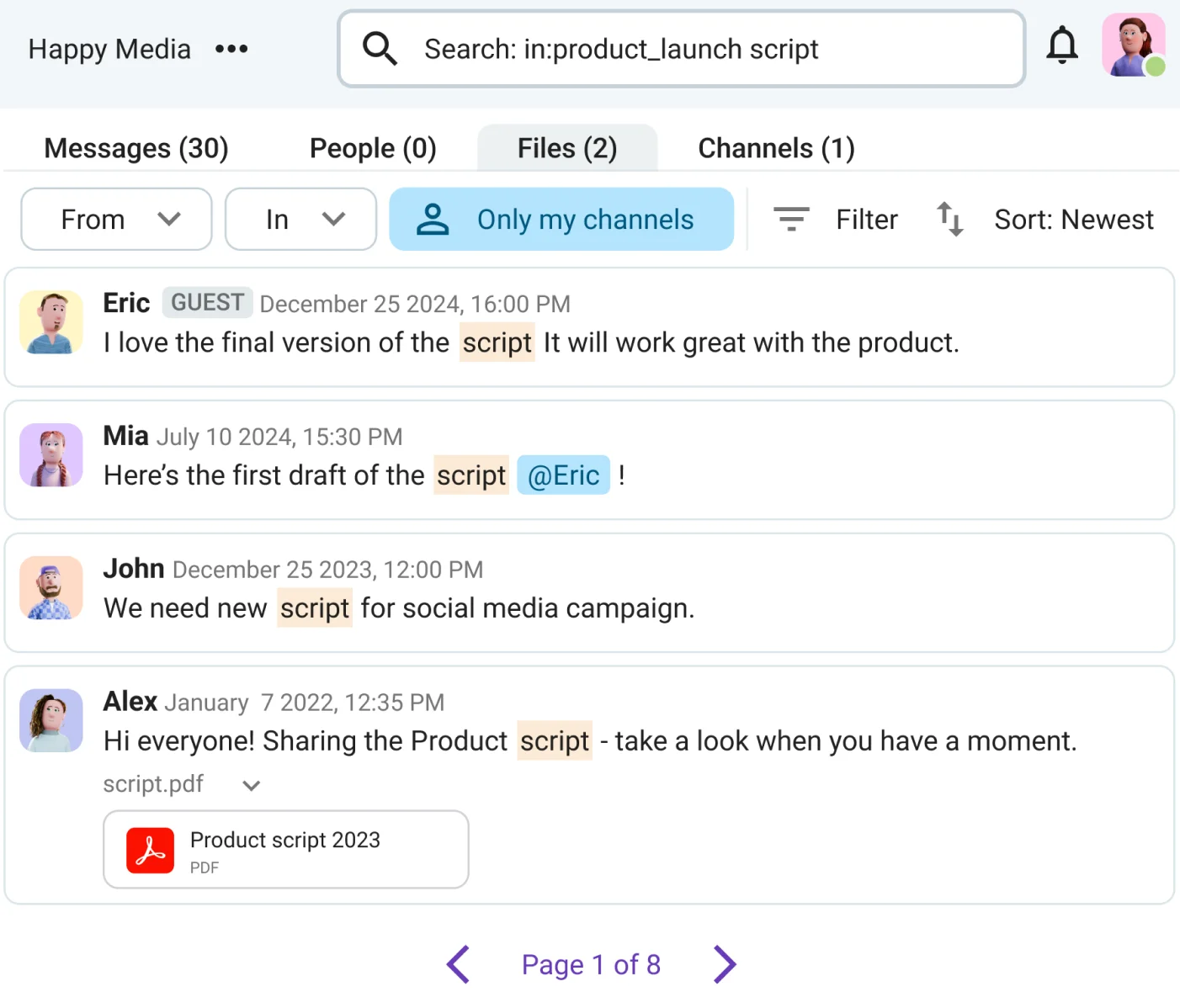
Feeling like taking another look at the client spreadsheet you shared two months ago? Select a start and end date for your search, and let Pumble sift through the data until it finds what you need.
🎓 PUMBLE PRO TIP
To learn how HR teams manage the employee life cycle in Pumble, check out this guide:
Best instant messaging practices for remote and distributed teams
Structured team collaboration isn’t a result of a piece of software. Rather, it occurs due to the intentional implementation and adoption of a reliable workplace communication tool.
Here are two of our favorite time-tested practices.
#1 Master asynchronous team messaging
Instant messaging is especially valuable for connecting global teams working across different time zones and continents. Coordination isn’t always easy with distributed teams, but you can add forethought to your communication by using:
- Scheduled messages,
- Custom statuses,
- Threads, and
- Channel prefixes.
You might be finishing your workday while a teammate halfway across the world is just brewing their morning coffee. Instead of staying up late to catch them online, you can schedule a message to facilitate a project handoff without chipping away at your personal time.
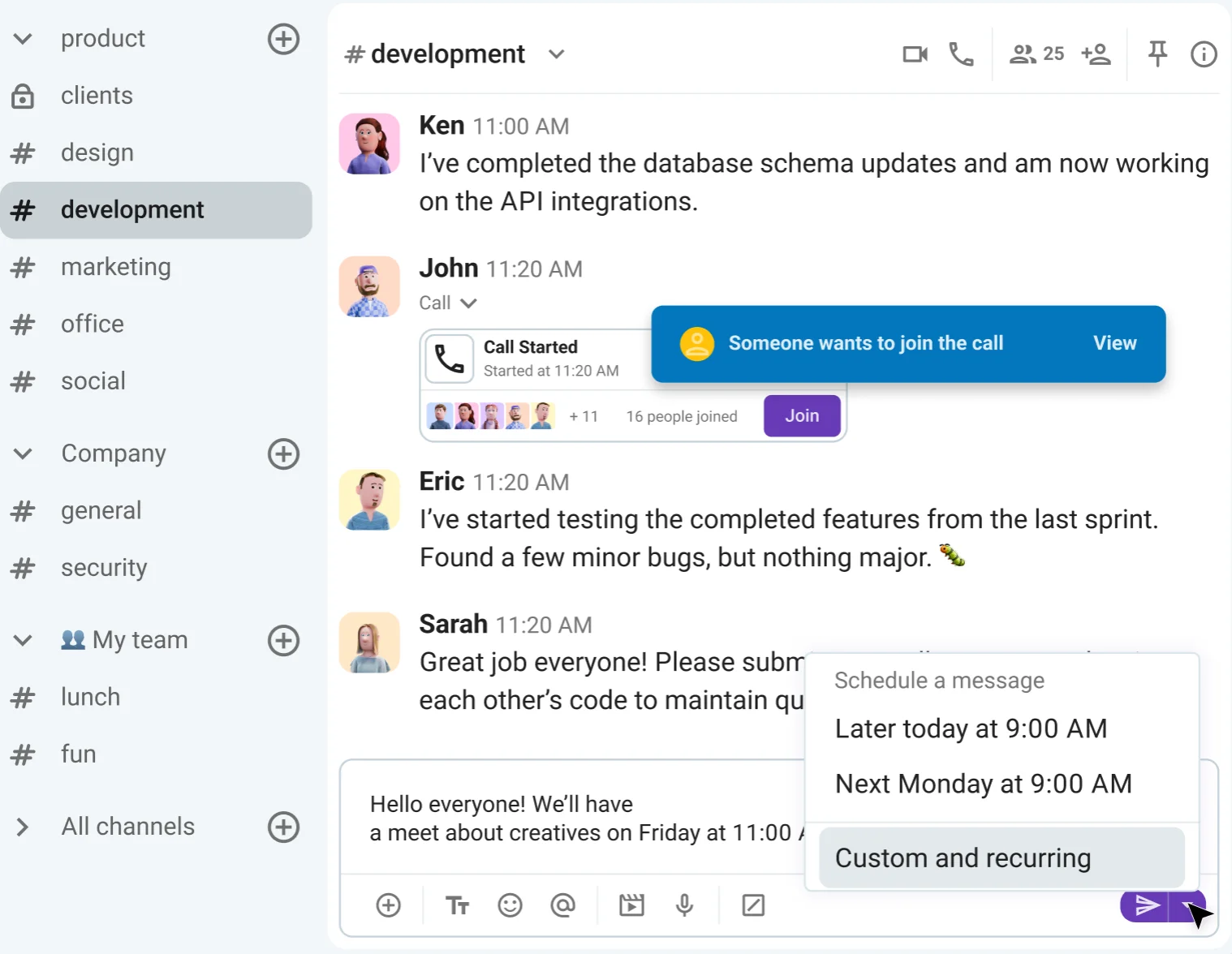
Custom statuses in Pumble also let you know exactly what coworkers are up to. You can hold off on pinging them if you see they’re out of office or on a lunch break. As soon as their profile icon turns green, you’ll know they’re back and ready for real-time communication.
On the flip side, channels are perfect for asynchronous conversations where not every message requires an urgent reply. Whether you’re in the office, at home, or on-site at a warehouse, you can stay clued in. As a situation develops, all channel members can follow the progress in threads, regardless of their location.
Thus, even when you’re not all online at the same time, the team stays aligned.
#2 Promote cross-team alignment
Speaking of alignment, how do you ensure the same cohesion across different departments?
To succeed, you need a digital command center that brings collaboration, efficiency, and teamwork together in one place.
Most importantly, you need one that won’t make you stay glued to your laptop to keep in touch with distributed teams. Pumble’s mobile app keeps information accessible no matter where you are.
For example, imagine the Sales team is about to join a meeting with a promising new client but can’t find the latest marketing pitch on their devices. Luckily, once their user group is mentioned in a quick message, the Marketing team can send over the slide deck instantly.
No matter who you need to reach, the Pumble app effectively shortens the distance between teams.
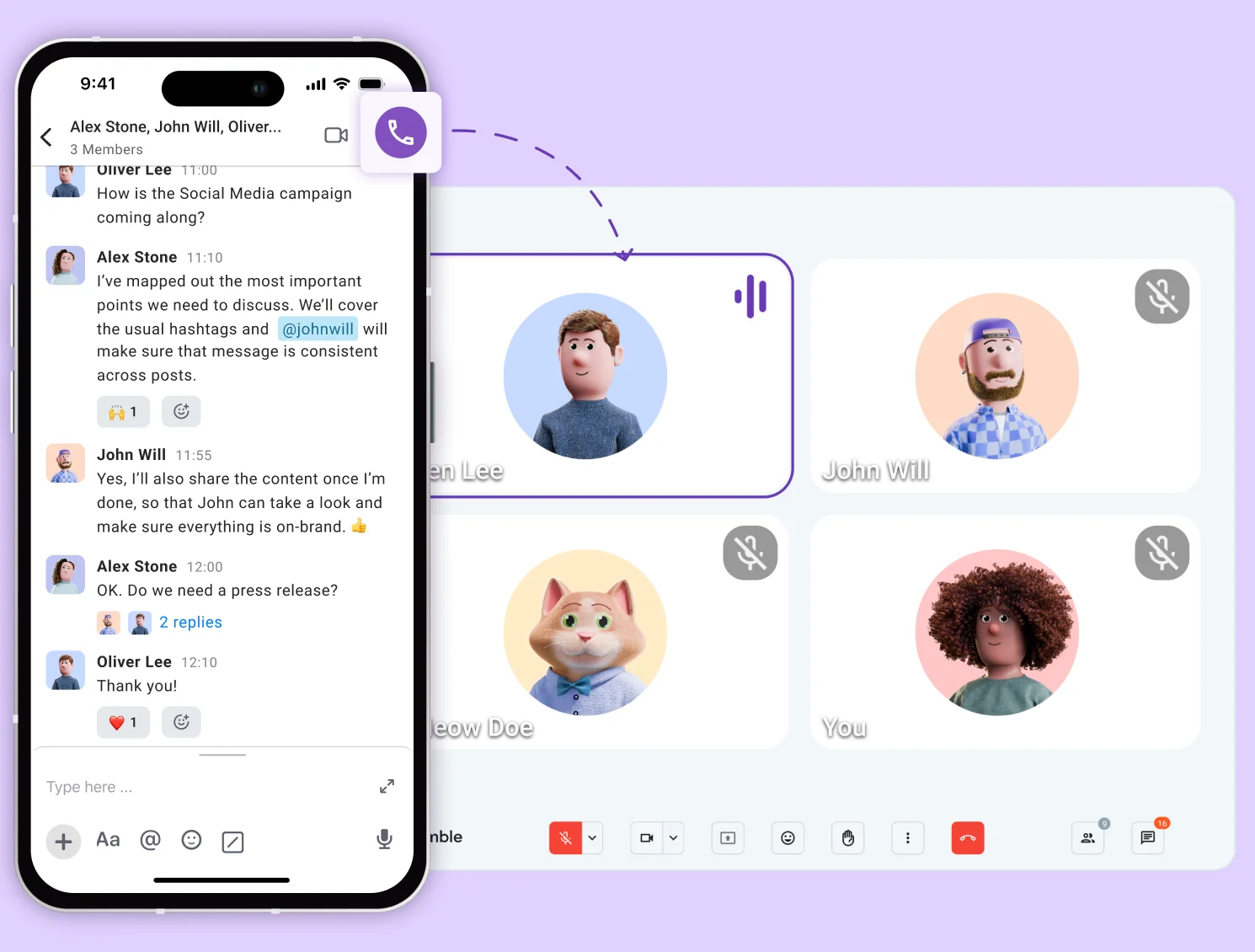
While mobile apps help maintain steady contact, it’s easy for communication to spiral into overuse. To keep daily work efficient, many businesses encourage the use of shared channels. By bridging the gap between different teams — like Marketing, Product, and Design — everyone can join forces and address issues the moment they crop up.
Think about the hassle you’d face without instant messaging in channels. You’d be stuck managing multiple 1:1 and group DMs, hoping you remembered all the most important details.
Channels let you contribute, ask questions, share updates, and stop team members from getting lost in the inbox.
🎓 PUMBLE PRO TIP
Product teams, in particular, can benefit from instant messaging for business, as their work often involves coordinating with multiple departments. Here’s how Pumble can streamline this process from start to finish:
Transition your team to Pumble
Rise above the limits of both in-office and remote work. Distance means nothing when you have the best tools in your virtual toolbox. Switch to Pumble today and use instant messaging to push your work forward.
How we reviewed this post: Our writers & editors monitor the posts and update them when new information becomes available, to keep them fresh and relevant.