With over 200 million monthly active users, Discord is one of the most popular team chat apps on the market.
However, many teams that started out their professional communication journey on Discord are now looking for a more business-suited app for their internal and external communication.
That’s why I personally tested and compiled my list of the 18 best Discord alternatives for 2026.
Let’s dive in!
Why trust us?
The apps we talk about are selected, tested, and written about by human reviewers who follow strict review and editorial guidelines. We pick solutions that are practical, purposeful, and can offer real value for the specific use case or business context we’re covering — while also being justified in their pricing. Our methodology is transparent, clear, and available to everyone:
Why are teams leaving Discord?
On its face, Discord seems simple and without issue. Nevertheless, several concerns have recently come to light.
Discord calls are end-to-end encrypted, but text messages are not, which leaves conversations vulnerable in case of a data breach.
Unfortunately, that isn’t just a remote possibility. The app has recently come under scrutiny due to controversies such as safety problems, confidential data leaks, and data collection practices.
Additionally, in the second half of 2026, Discord also rolled out age assurance checks — to access sensitive or age-restricted servers, people must verify their age through a facial scan or photo ID. The change has raised additional privacy concerns.
Best Discord alternatives for 2026: A quick overview
I determined that apps similar to Discord should provide an uncomplicated user experience while offering what the platform lacks — secure data protection and updated features.
Let’s take a quick look at my 18 picks before getting into the detailed reviews.
| App | Best for | Standout feature | Price (per user per month, paid annually) |
|---|---|---|---|
| Pumble by CAKE.com | Organized all-in-one collaboration and communication | Unlimited message history, channels, and users even on the free plan | – Free – Paid plans start at $2.49 |
| Microsoft Teams | Microsoft 365 Business users | Microsoft 365 integrations | – Free – Paid plans start at $4 |
| Slack | Extensive integrations | 2,600+ third-party app integrations | – Free – Paid plans start at $7.25 |
| Flock | Useful team collaboration features | Project management lists | – Free – Paid plans start at $4.5 |
| Chanty | Task-oriented teams | Task management features | – Free – Paid plans start at $3 |
| Google Chat | Google Workspace users | Google Workspace integrations | – Free – Paid plans start at $7 |
| Troop Messenger | Secure business messaging | Burnout feature for self-destructing messages | – Free trial available – Paid plans start at $2.5 |
| Rocket.Chat | Strong data protection | Self-hosting for greater data control | – Free – Custom pricing |
| Element | Decentralized communication | Decentralized communication through the Matrix protocol | – Free – Custom pricing |
| Wire | Hyper-private communication | End-to-end encrypted communication | – Free – Paid plans start at $8.58 |
| Tox | Users that don’t want to share personal information | Peer-to-peer communication without requiring personal information | Free |
| Stoat | Open-source community communication | Open-source, Discord-like community servers | Free |
| TeamSpeak | Lag-free VoIP | Low-latency voice communication | – Free – Paid plans start at $53.99 per server per year |
| Mumble | Simple text, video, and voice communication | Positional audio for immersive voice chat | Free |
| Ventrilo | Minimal use of the CPU resources | Low CPU resource usage | Free |
| Steam Chat | Users of Steam games | Built-in integration with Steam’s gaming platform | Free |
| Casual messaging | End-to-end encrypted messaging and calls | Free | |
| Viber | Personal instant messaging and group calls | Voice and video calls alongside text and media messaging | – Free – Paid plan is $1.99 |

Best Discord alternatives for team collaboration & productivity
If you’re looking for apps like Discord that will allow your team to collaborate without a hitch, these are my top picks.
Pumble by CAKE.com — best for organized all-around communication
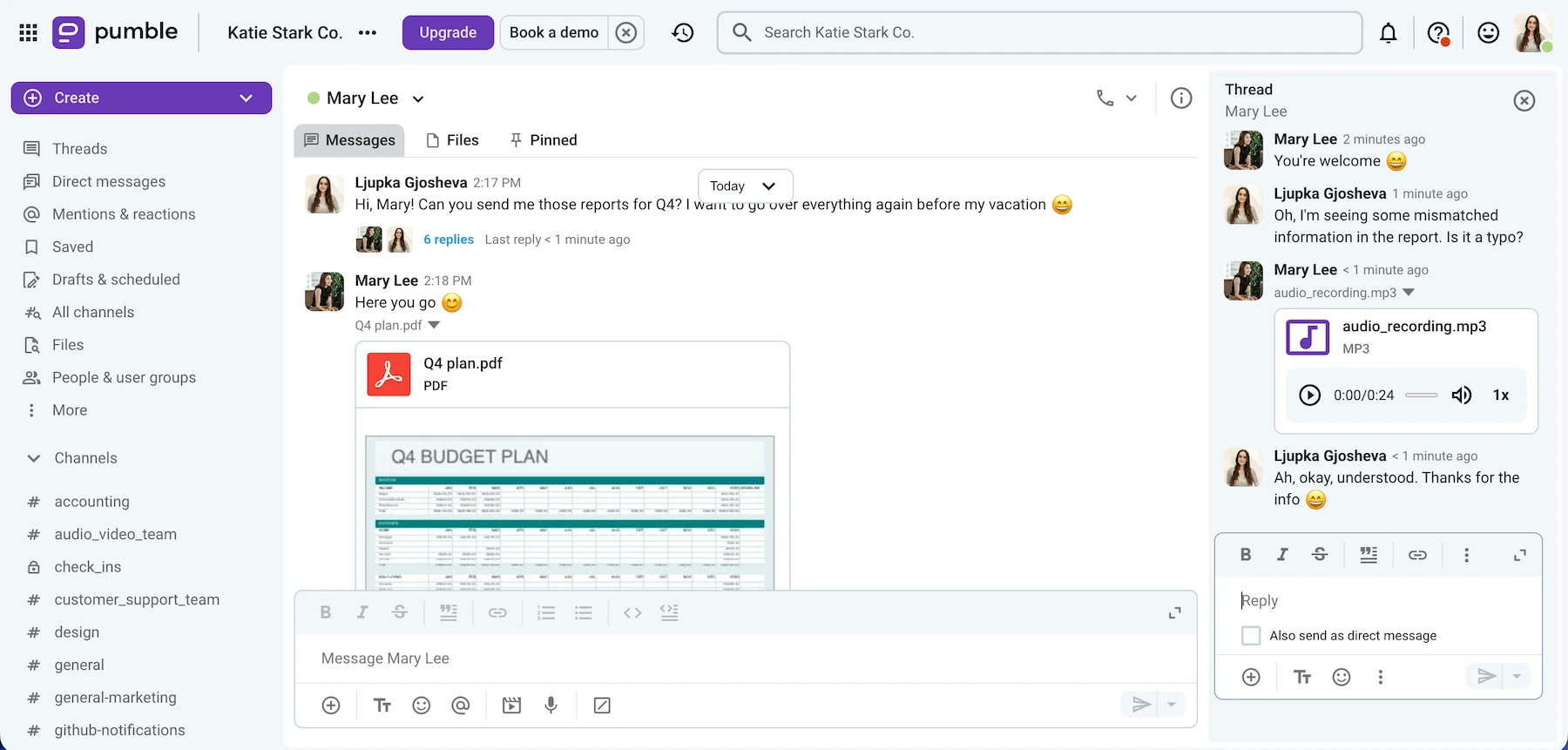
Pumble by CAKE.com is a comprehensive app that enables quick and effective team communication.
This easy-to-use Discord alternative is ideal for remote and hybrid teams looking to streamline and centralize communication.
Pros of using Pumble:
I appreciate that Pumble combines the best features of video conferencing and instant messaging apps. Thanks to its functionality, you can connect with coworkers through:
- Direct messages
- Audio calls
- Video calls
- Private and public channels
My team uses video calls for our weekly catch up meetings, and the screen sharing feature really elevates our experience. We also use the meeting recording feature to record group meetings for future reference.
For all other non-urgent communication, we stick to written communication via direct messaging or channel messages.
We can always continue our conversations in threads. All responses to a specific message are grouped underneath it in chronological order, which makes our interactions easier to follow.
And, when I need to retrieve older information, the search functionality comes in handy. Pumble by CAKE.com has unlimited message history, and all messages are stored forever and easy to find.
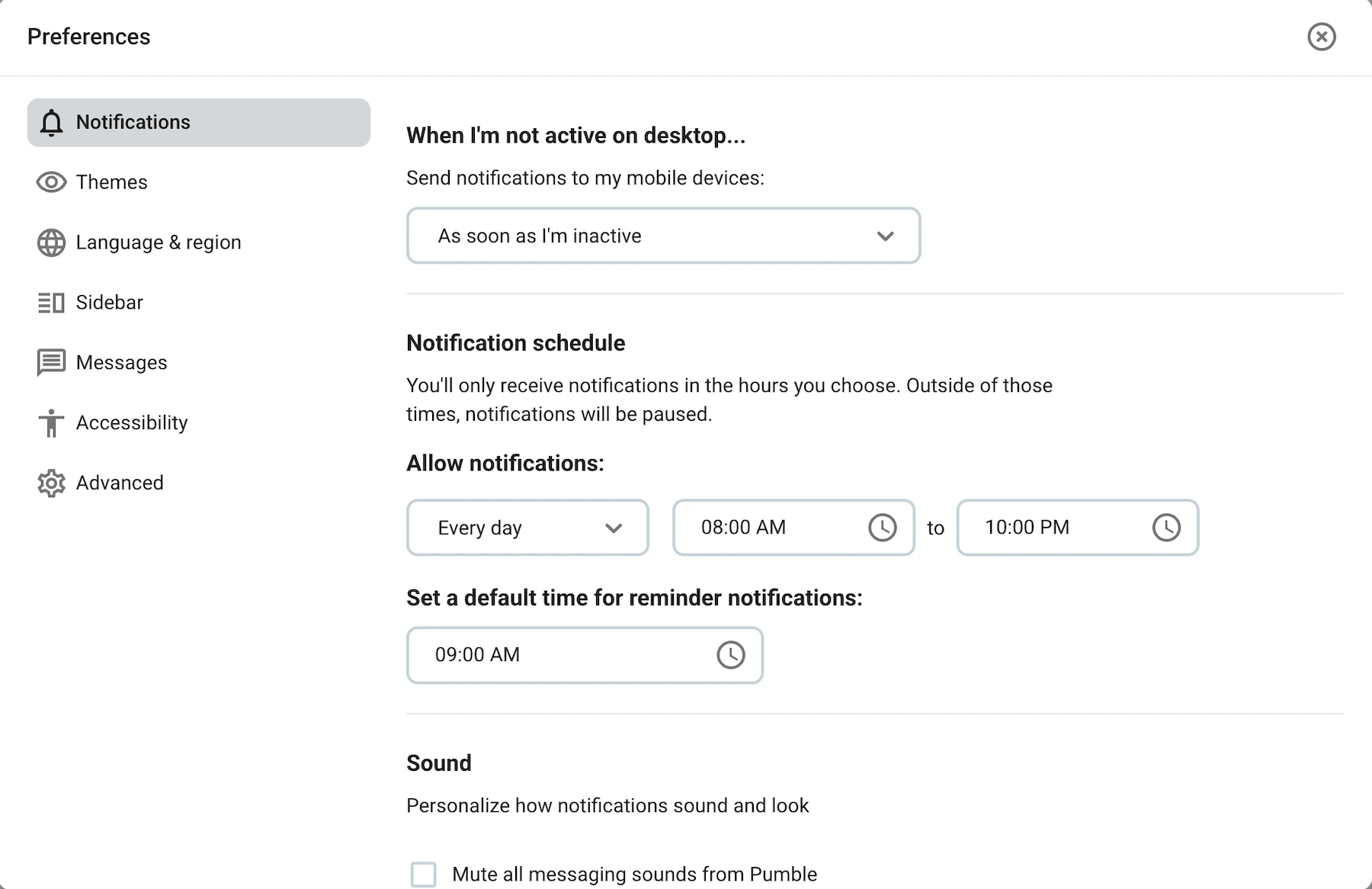
Pumble also keeps me more focused. The customizable notifications make sure nothing interrupts my work, and I can share files through the platform without launching any new apps.
Cons of using Pumble:
Currently, Pumble lacks read receipts.
Pumble has recently added Trello to its list of integrations. It’s also introduced Audit log, a new feature that tracks changes and user activity to help keep your organization secure.
Available for: Web, Mac, Windows, Linux, Android, and iOS
Pricing: Free plan available; paid plans start at $2.49 per user per month
💡 PUMBLE PRO TIP
Interested to see a more in-depth comparison of Discord and Pumble? Then check out the following post:
Microsoft Teams — best for Microsoft-oriented teams
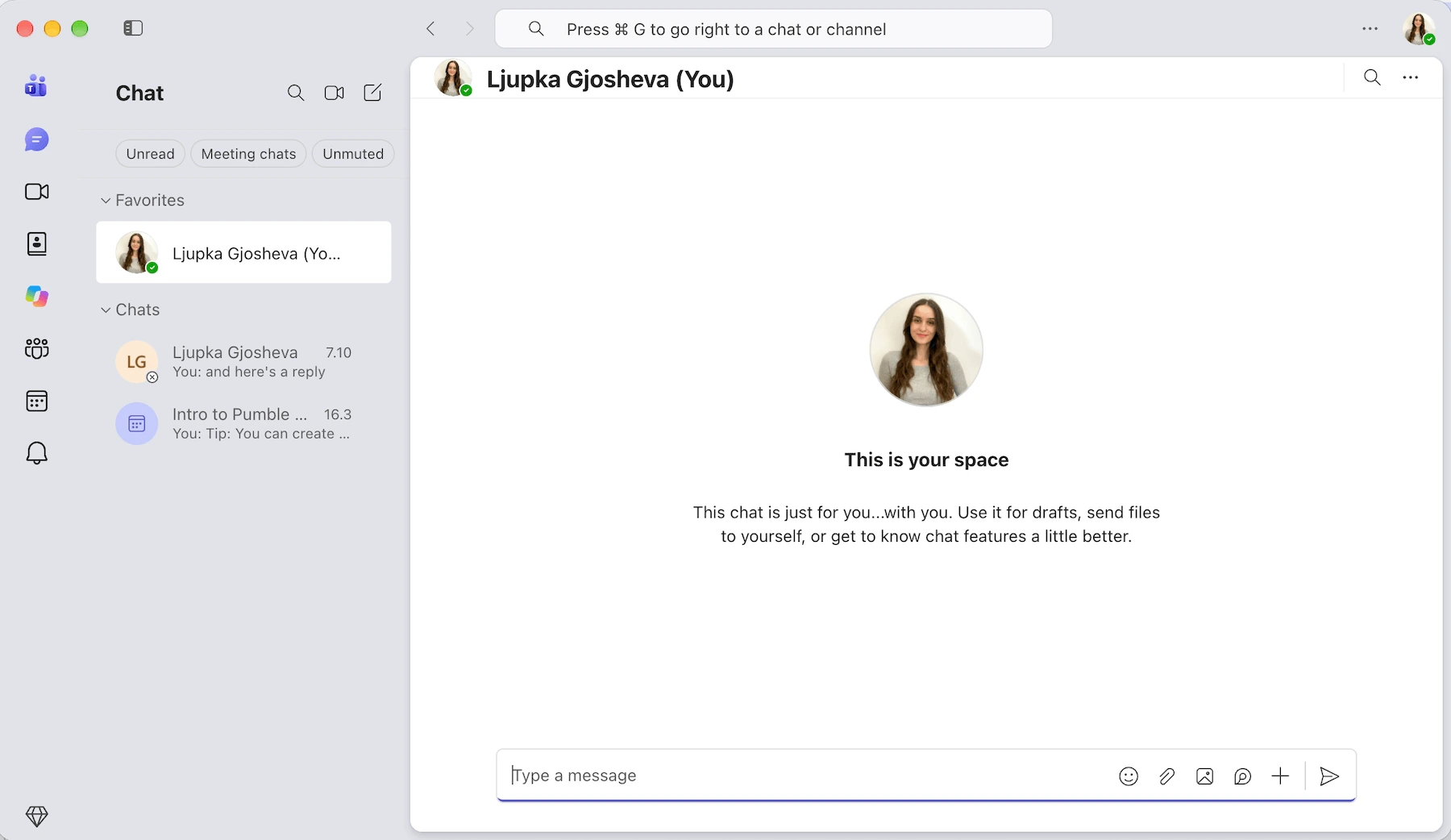
Microsoft Teams is one of the best alternatives to Discord for huge teams and enterprises — especially those who already use Microsoft products in their day-to-day.
Pros of using Microsoft Teams:
You get one of the most comprehensive offers on the market, as Microsoft Teams’ free plan includes:
- Audio and video calls (up to 60 minutes and 100 participants)
- Screen sharing
- Various integrations
Although I tested the free version, I know the premium plan also has some features that use AI to:
- Summarize presentations.
- Create chapter markers.
- Help you watch the parts of the conference you missed.
So, if you’re already part of the Microsoft ecosystem and want to test out AI features, this Discord alternative may be right up your alley.
Cons of using Microsoft Teams:
I mentioned that the free plan is solid, but it still leaves out a lot of features. For example, audio and video calls that are longer than 60 minutes and have over 100 participants only come with a paid plan. The same applies to advanced security measures.
Not to mention, Teams is most effective for Microsoft-oriented organizations — for everyone else, there are other more practical Teams alternatives.

What’s new in Microsoft Teams:
You can now Ask Copilot for more context about specific parts of a message in Teams chats.
Available for: Windows, Mac, Linux, Android, and iOS
Pricing: Free plan available; paid plans from $4 per user per month
💡 PUMBLE PRO TIP
For a more detailed comparison of Microsoft Teams and Discord as well as Microsoft Teams and Pumble, check out the following articles:
Slack — best for teams looking for third-party integrations
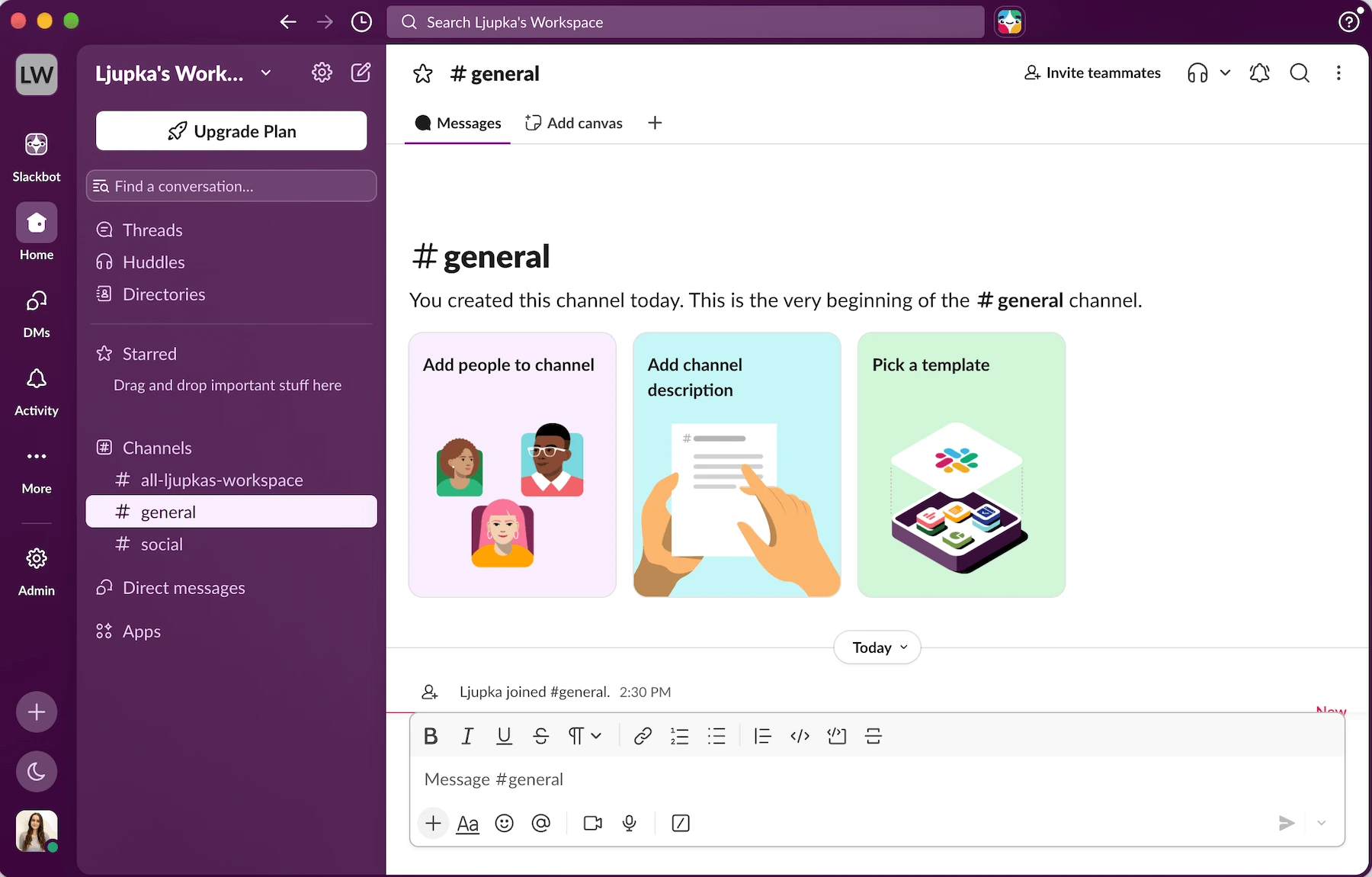
Slack is a popular team communication tool with the most integrations out of all the apps on my list.
Pros of using Slack:
Slack is easy to get the hang of and navigate, and its free plan allows for an unlimited number of users and channels.
With its free plan also come unlimited 1-on-1 Huddles, as well as Slack’s audio and video meetings with screen sharing.
Its high-quality video and audio makes it a good Discord alternative with additional collaboration features on its paid plans, such as:
- Canvases
- Lists
- Templates
Slack is also known for its catalogue of over 2,600 third-party app integrations, but it’s important to note that only up to 10 of those are available on the free plan.
Cons of using Slack:
The biggest Slack drawback is its 90-day file and message history limit on the free plan. Because of it, you lose all of your past conversations and shared files unless you upgrade to a paid plan.
Additionally, Slack’s steep pricing can rack up quite a check, especially for bigger teams. So, I wouldn’t be surprised if you find yourself stuck between the free plan limitations and high software bills.
What’s new in Slack:
Slack is expanding what AI assistants can do inside the app. The latest update allows them to create, read, update, and delete Slack Lists and records through the MCP Server.
Available for: Web, Mac, Windows, Linux, Android, and iOS
Pricing: Free plan available; paid plans start at $7.25 per user per month
Flock — best for teams that value collaboration features
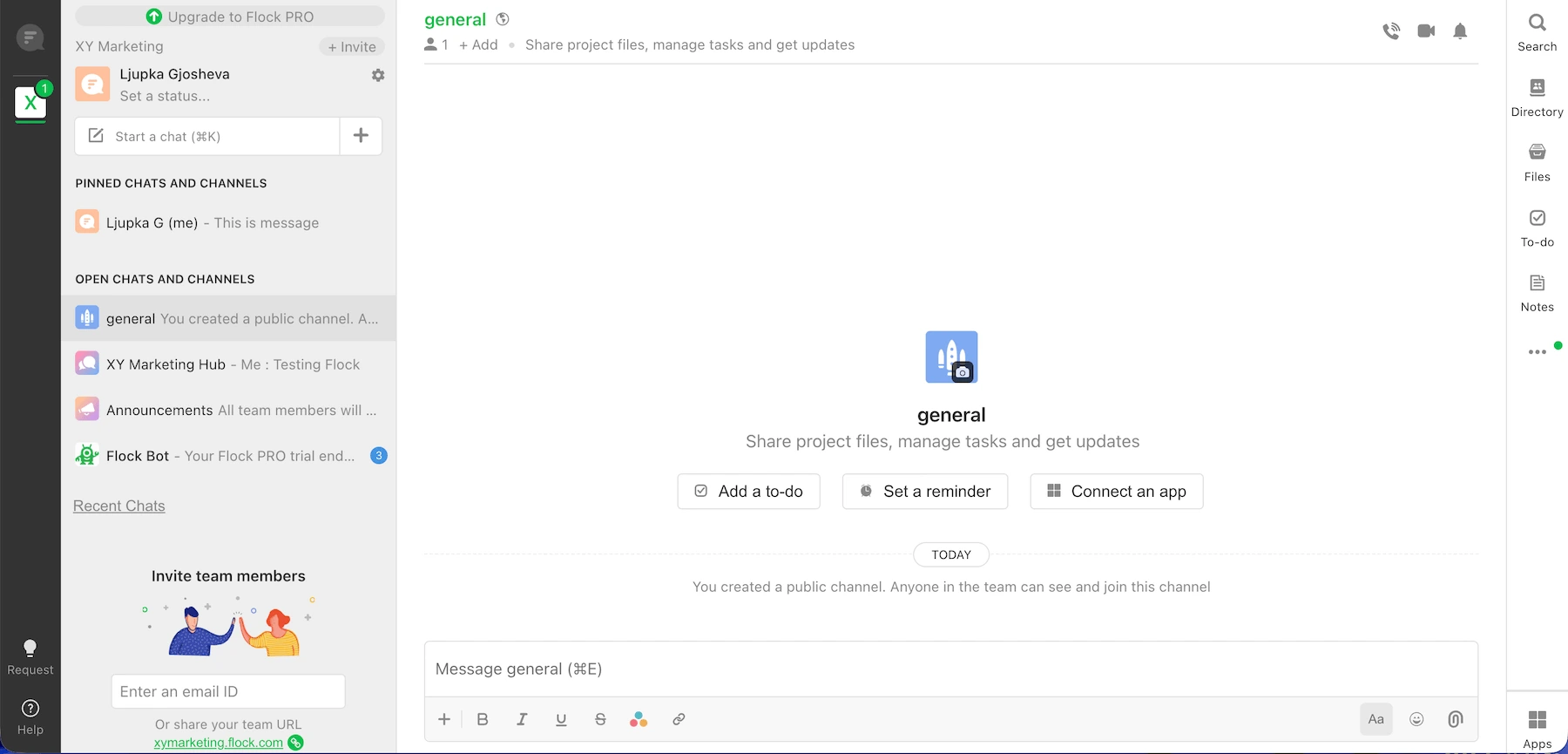
Flock is another team collaboration tool that boasts plenty of integrations with third-party apps.
Pros of using Flock:
Flock is easy to set up and use, and once you create your workspace, you can invite up to 20 people with a free plan.
One-on-one video calls are included, but you’ll have to purchase a paid plan if you want to schedule any audio or group video calls.
With Flock, you can improve collaboration with features such as:
- Notes
- Reminders
- Task lists
All of these are built-in, which spared me from a long and overdrawn download. Moreover, you can share notes, reminders, and to-dos via internal team messaging.
Cons of using Flock:
Although Flock offers great integration capabilities and useful collaboration features that make it similar to Slack, for example, its cluttered interface makes the user experience a bit overwhelming.
Another downside is the limited number of users and the limited messaging history on the free plan — free users only get access to 10,000 messages on Flock.
What’s new in Flock:
Most of Flock’s updates in recent years have been geared toward performance improvements.
Available for: Windows, Mac, Linux, Android, and iOS
Pricing: Free plan available; paid plans from $4.5 per user per month
💡 PUMBLE PRO TIP
For a more in depth review of Flock, read our article:
And, to see how Flock compares to Pumble by CAKE.com, check this one out:
Chanty — best for task-oriented teams
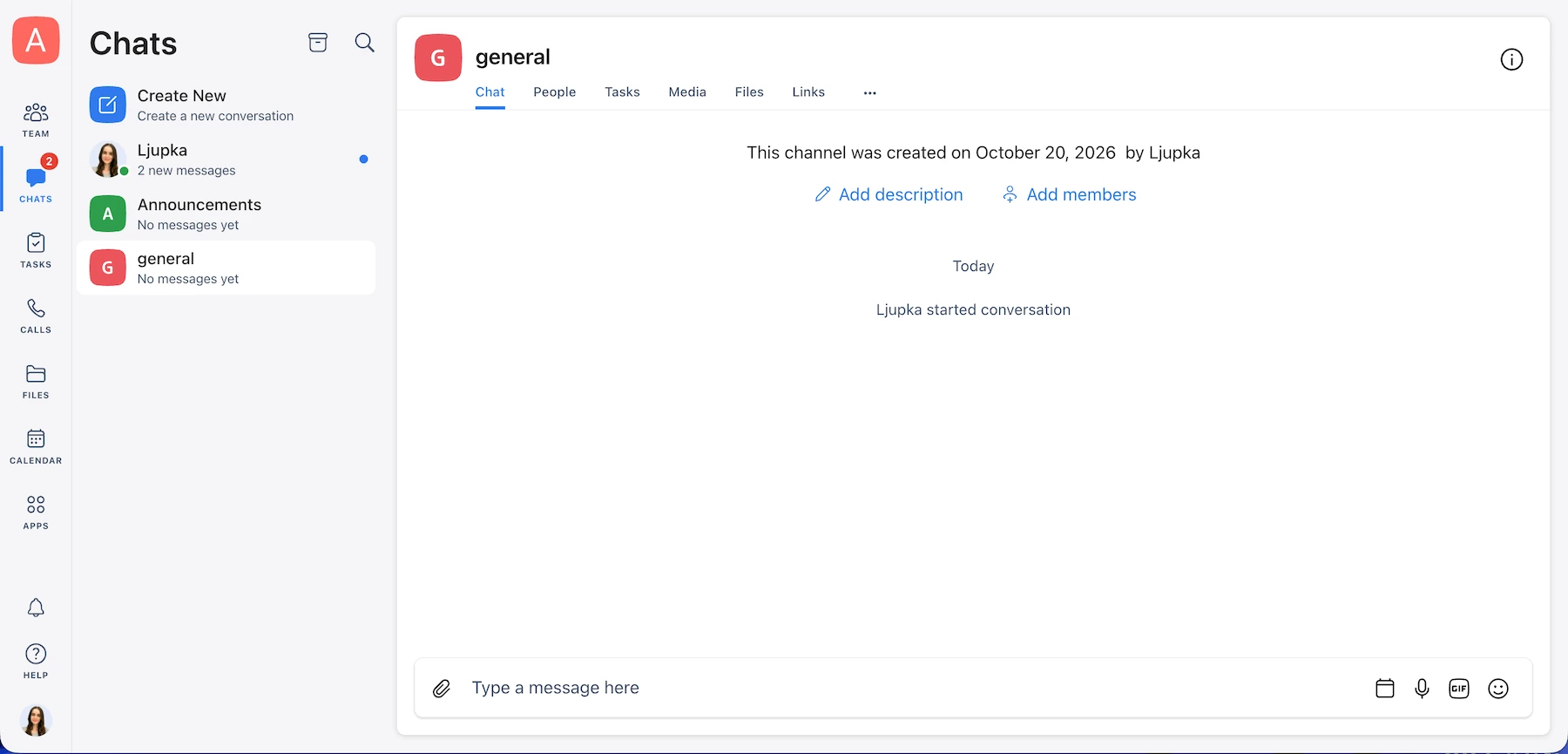
Chanty is a task-oriented collaboration platform meant to help businesses improve teamwork and real-time communication by prioritizing task management.
Pros of using Chanty:
Chanty was primarily designed for internal communication.
Features such as team chat, 1-on-1 video and voice calls, and searchable conversations are all available in the free plan. Using them is intuitive, and I was happy they added more structure to my conversations.
The task management feature, however, was the true standout. It lets you turn messages into tasks and assign them to specific team members. In addition to adding assignees, you can set due dates and make sure no deadline passes unnoticed.
Cons of using Chanty:
If you want to try Chanty’s free plan, I have some bad news — you can only create a workspace for up to 5 members, and group calls are available only in the paid plans.
Get unlimited members with Pumble
What’s new in Chanty:
Chanty’s most recent addition is the built-in calendar that allows teams to manage their schedules and deadlines from one centralized space.
Available for: Windows, Mac, Linux, Android, and iOS
Pricing: Free plan available; paid plans from $3 per user per month
💡 PUMBLE PRO TIP
At first glance, Chanty appears similar to both Pumble and Slack. But, there are differences between these platforms. To learn more about them, check out the following articles:
Google Chat — best for Google Workspace users
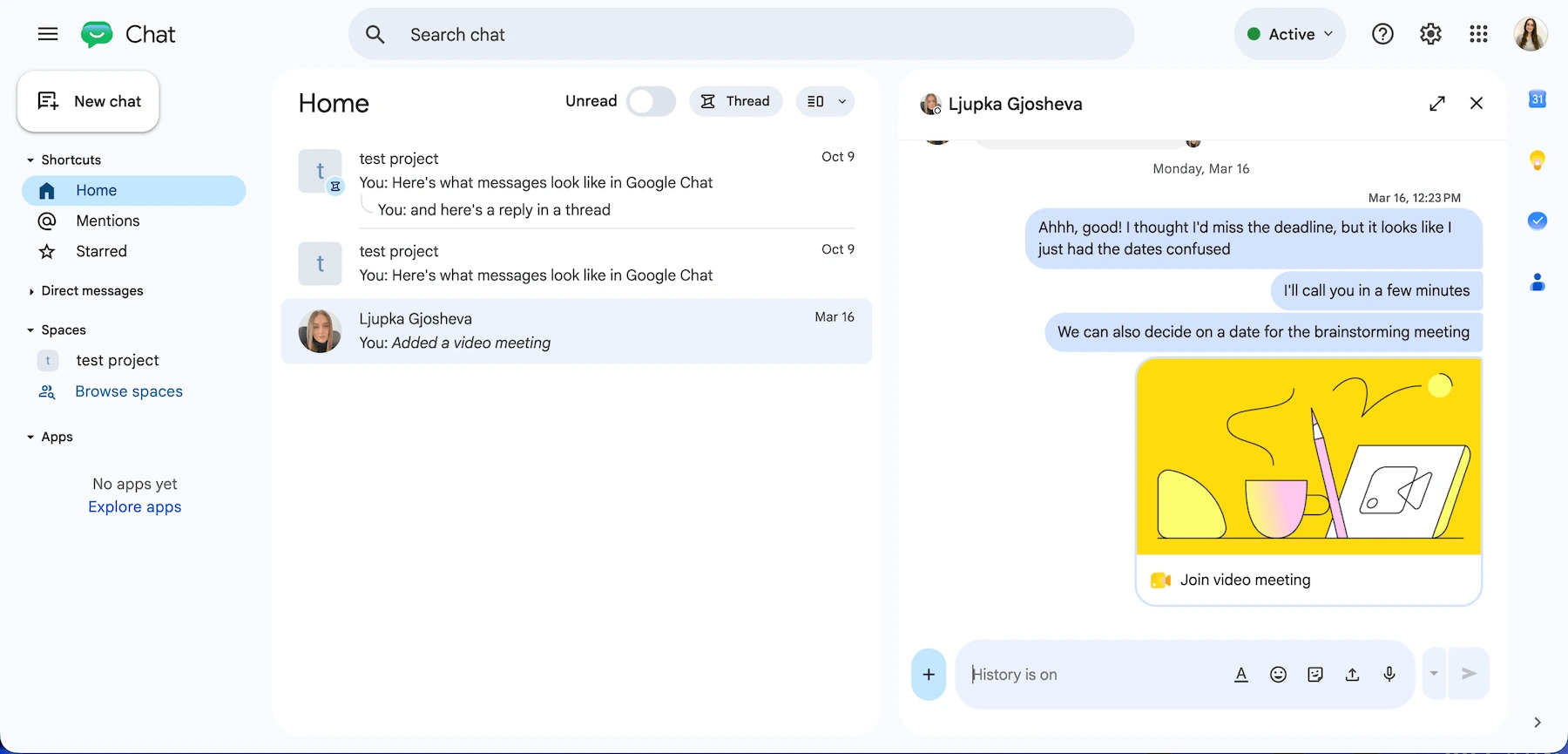
Google Chat is Google’s communication app you can use as part of Google Workspace’s software set and as a stand-alone app.
Pros of using Google Chat:
Google Chat is easy to set up — you only need a Google account. It’s closely integrated with other Google apps such as:
- Google Meet
- Google Calendar
- Google Drive
Google Chat can be an excellent free Discord alternative for existing Google Workspace users.
I liked the option of separating my contacts into Personal and Professional spaces. This lets you connect with friends and family or coworkers and customers without using several platforms.
Over the years, the app has become increasingly more efficient, thanks to integrations with apps such as Zendesk, Asana, and Jira.
The chat interface is clean and easy to navigate. I could easily spot several ways of sending a message, including:
- Text
- Files
- GIFs
- Audio messages
Overall, I found all the features I’d expect to see in an online messaging platform.
Cons of using Google Chat:
As the name suggests, the platform excels in messaging features. When you try to start a video meeting, the app immediately launches a Google Meet session. Long-time Google Workspace users may not object to this, but it would be nice to see built-in video capabilities.
Moreover, if you’re a newcomer to Google Workspace, you might need some time to learn how to use its apps to the fullest.

What’s new in Google Chat:
Google Chat has introduced Ask Gemini, which helps you search across your Google Workspace data, catch up on conversations, and manage tasks without leaving the chat.
Available for: Windows, Mac, Android, and iOS
Pricing: Free plan available; paid plans from $7 per user per month
💡 PUMBLE PRO TIP
If you think Google Chat doesn’t qualify to be the Discord alternative of your dreams, you should look into Pumble. Built for both real-time and asynchronous communication, Pumble stands out in many ways. To see how it stacks up against Google Chat, read the following blog:
Troop Messenger — best for secure business messaging
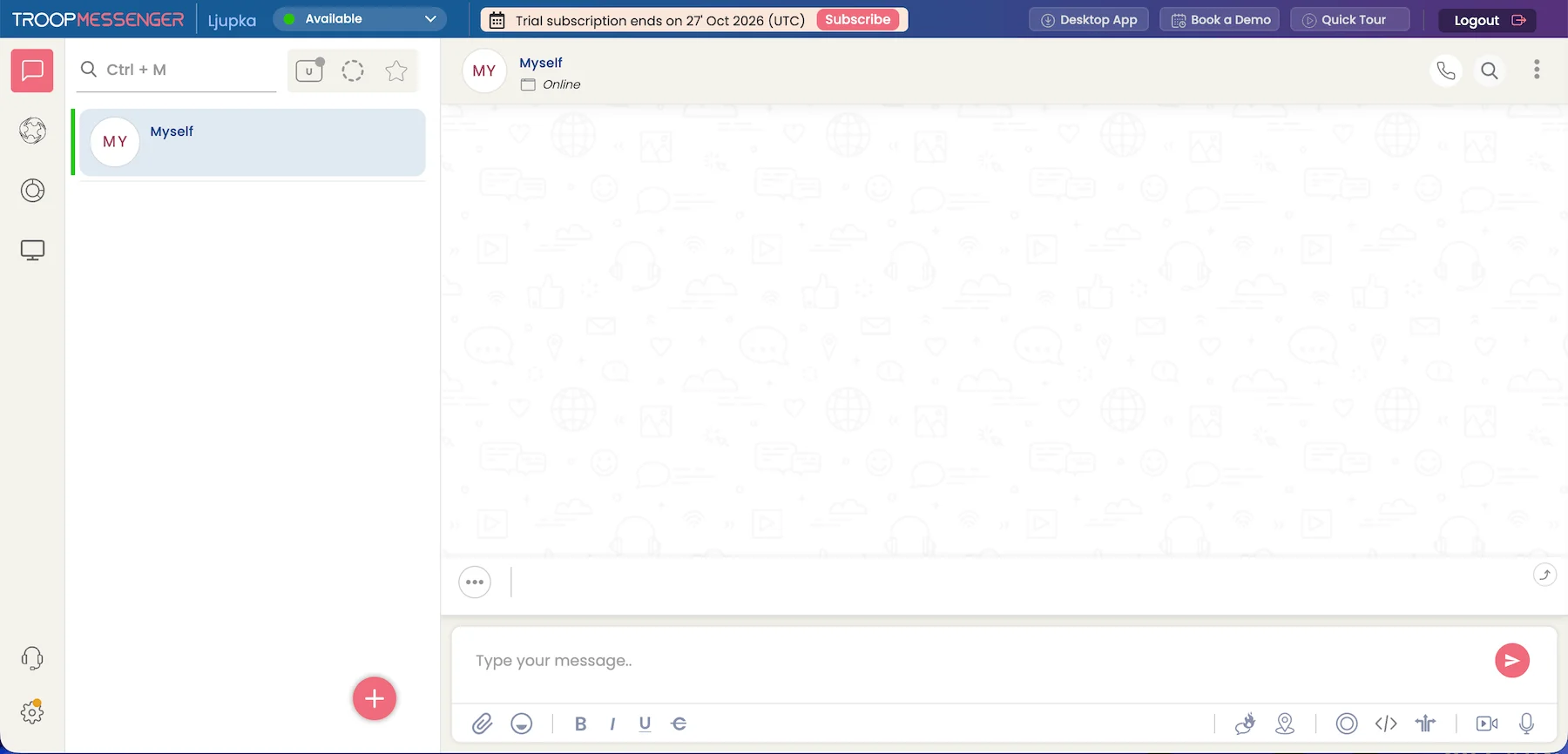
Troop Messenger is a team messaging app designed mostly for internal communication, catering to enterprises of all sizes.
Pros of using Troop Messenger:
The setup process is simple — you don’t even have to download the app, as you can use the messenger on the web.
On your dashboard, you can create groups and search for other users.
Real-time messaging and voice and video calls enable good cooperation between team members, but the real stand out is the burnout feature.
It lets you send sensitive information and set up a self-destruct timer. Once the time you select has passed, your message vanishes.
Troop Messenger encrypts shared files and interactions to protect business communication. It also integrates with third-party apps to sync information and data.
Cons of using Troop Messenger:
Unfortunately, there is no free plan available in Troop Messenger. After the 7-day free trial expires, you have to opt for one of the paid plans, or your workspace will be deleted.
What’s new in Troop Messenger:
Troop Messenger continues to expand its AI features with AI File Analyzer, which helps you understand shared files, and AI Rewrite, which lets you refine messages instantly.
Available for: Windows, Mac, Linux, Android, and iOS
Pricing: Free trial available; paid plans from $2.5 per user per month
💡 PUMBLE PRO TIP
Need a collaborative productivity app that’s not on the list? Then check out our list of best productivity apps every team should know about, and see if you can find something that fits your needs:
Best open-source & secure Discord alternatives
If you’re privacy-conscious, you need a secure messaging app, and ditching Discord is a no-brainer.
Here are the top Discord-like secure team chat apps you can try out.
Rocket.Chat — best for teams looking for strong data protection
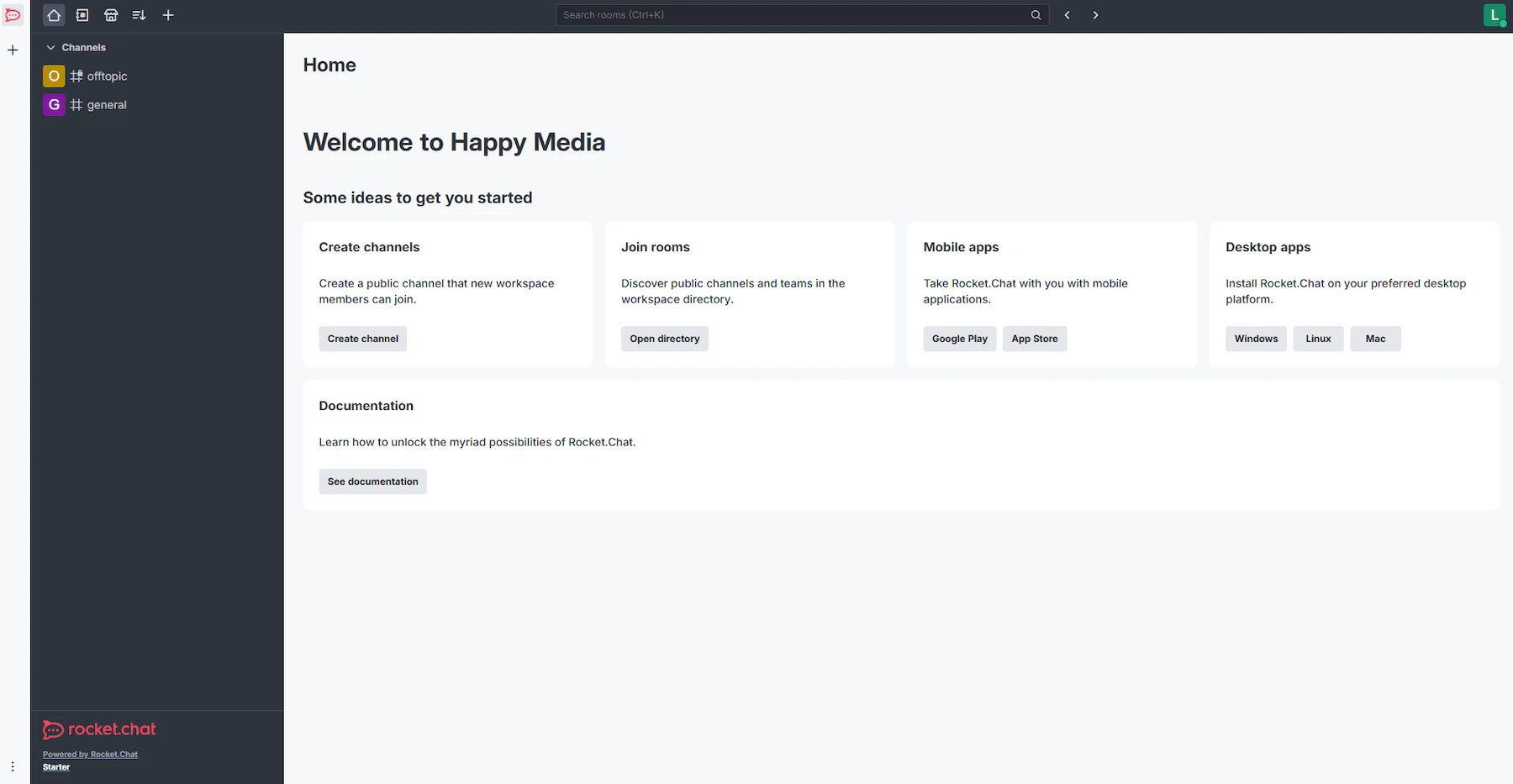
Rocket.Chat is a customizable open-source Discord alternative with an option of self-hosting. It’s ideal for companies that handle sensitive data and need all the layers of protection an app can give.
Pros of using Rocket.Chat:
The app fully complies with all regulations and data privacy standards, making it popular among teams that need strong data protection.
The free plan is comprehensive — it even includes 1:1 and group video calls, while paid plans are for teams that need additional security options.
Cons of using Rocket.Chat:
The setup is a bit too complicated for my taste, but that might be a price you’re willing to pay for a secure, self-hosted Discord alternative.
Also, Rocket.Chat might not be the best fit for small and midsize organizations. Although valuable for larger teams and businesses, its extensive group messaging features aren’t necessary for managing small projects.
Pumble: Easy to set up, easier to use
What’s new in Rocket.Chat:
Rocket.Chat users can now create, rename, delete, and reorder their own categories from the category menu in the sidebar.
Available for: Windows, Mac, Linux, Android, and iOS
Pricing: Free plan available; paid plans are quoted upon request
Element — best for decentralized communication
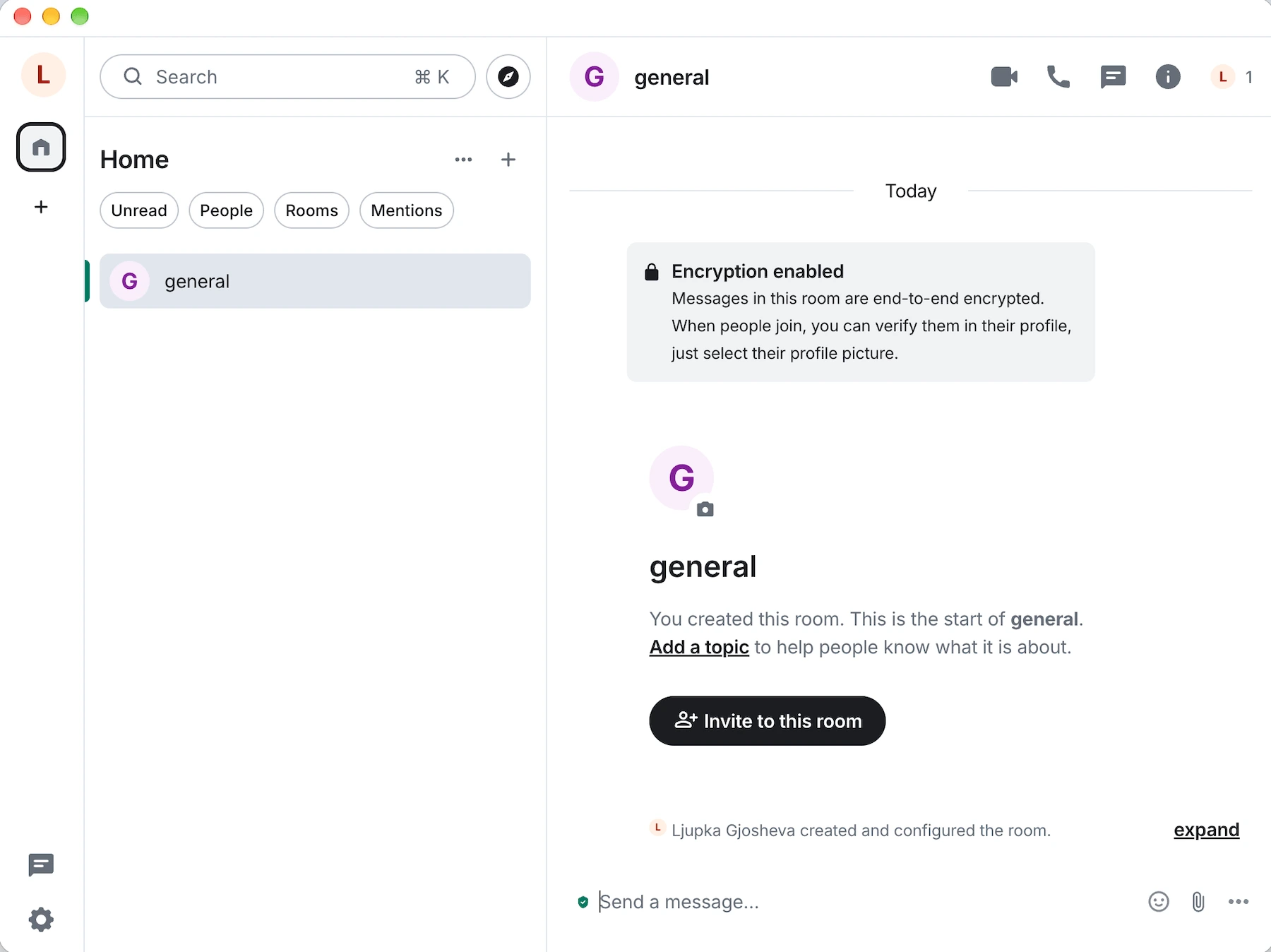
Element is an open-source communication app built by the creators of Matrix, a network that prioritizes decentralized communication.
Since Element relies on the same protocol, its features emphasize security and privacy.
Pros of using Element:
Right off the bat, it was great to learn Element uses end-to-end encryption for shared files, messages, and calls.
Due to the platform’s decentralized nature, you can join existing servers or self-host your own. If you choose Element for professional use, this adds an extra layer of privacy. But it’s a nice perk, even for personal use.
You can create chat rooms with other users by adding them using their email address or username. Users can create either private or public rooms. Any Element user can join a public room, while private rooms are invite-only. I could immediately see how this feature would be helpful to gamers on the hunt for a more secure Discord alternative.
Cons of using Element:
Although I liked the overall design of the platform, I was slightly disappointed to see that the rooms are entirely self-moderated. This means you might accidentally stumble upon content you didn’t want to find.
Get Pumble for full admin control
What’s new in Element:
Element is improving its integrations to connect chat, file sharing, and project management tools.
Available for: Mac, Linux, Windows, Android, and iOS
Pricing: Free plan available; paid plans are quoted upon request
Wire — best for hyper-private communication
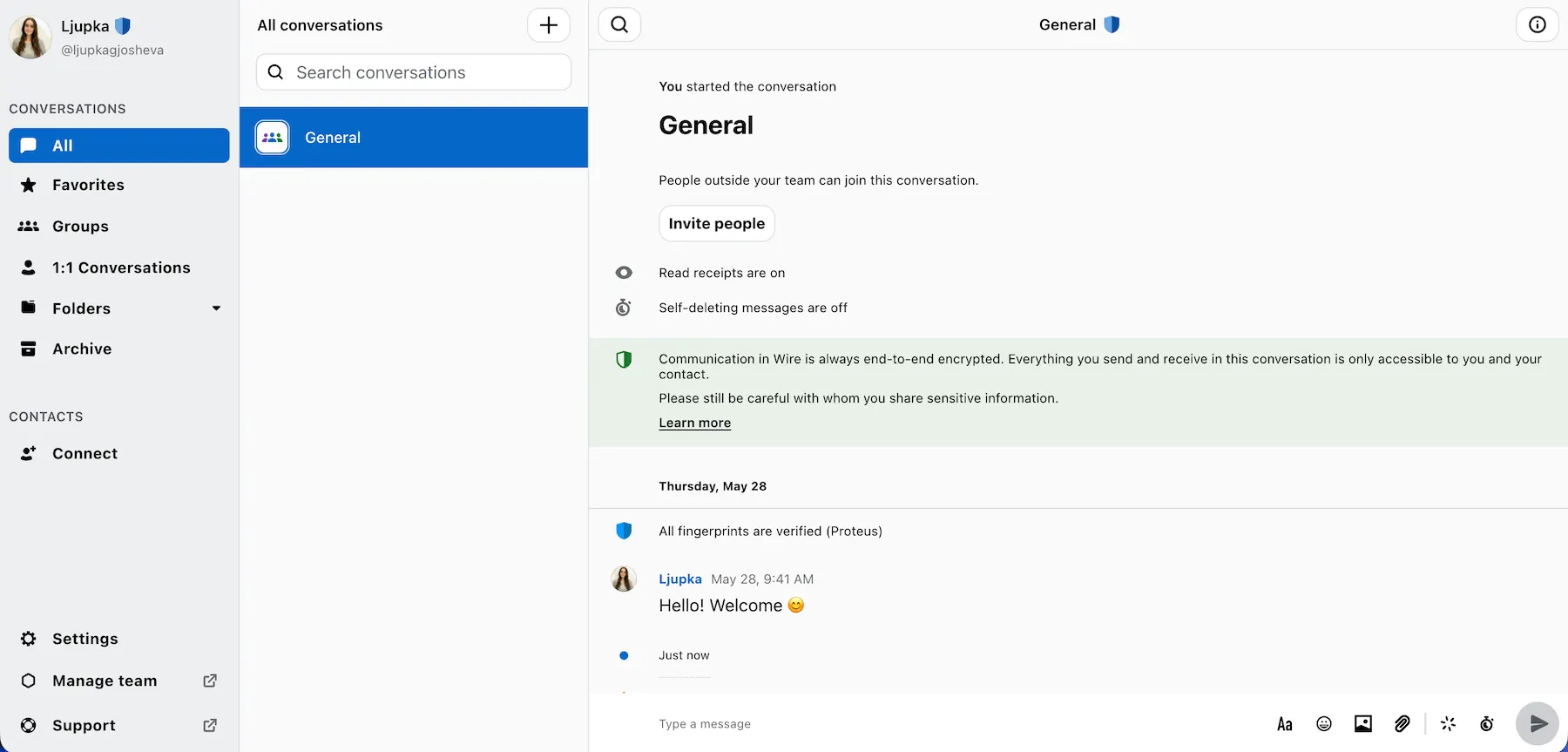
Wire is a private communication app renowned for its safety, thanks to end-to-end encryption.
Pros of using Wire:
Wire’s no-frills approach is refreshing — the scaled-back design creates a distraction-free environment.
Thanks to the end-to-end encryption and decentralized servers, whatever you say stays between you and the person on the other end of the screen. This is great for everyone looking to use Wire’s text and voice messages for work, as it provides an additional layer of security.
Cons of using Wire:
Some important features, like ID shield and data sovereignty, are only available in higher pricing tiers.
What’s new in Wire:
Wire has introduced Viewer Mode, allowing temporary guests to access shared files without making changes.
Available for: Windows, Mac, Linux, Android, and iOS
Pricing: Free; paid plans from $8.58 per user per month
💡 PUMBLE PRO TIP
Finding the right secure app for your business isn’t easy. If Wire doesn’t seem to fit the bill, check out our roundup of best secure messaging apps:
Tox — best for those who don’t want to share personal information
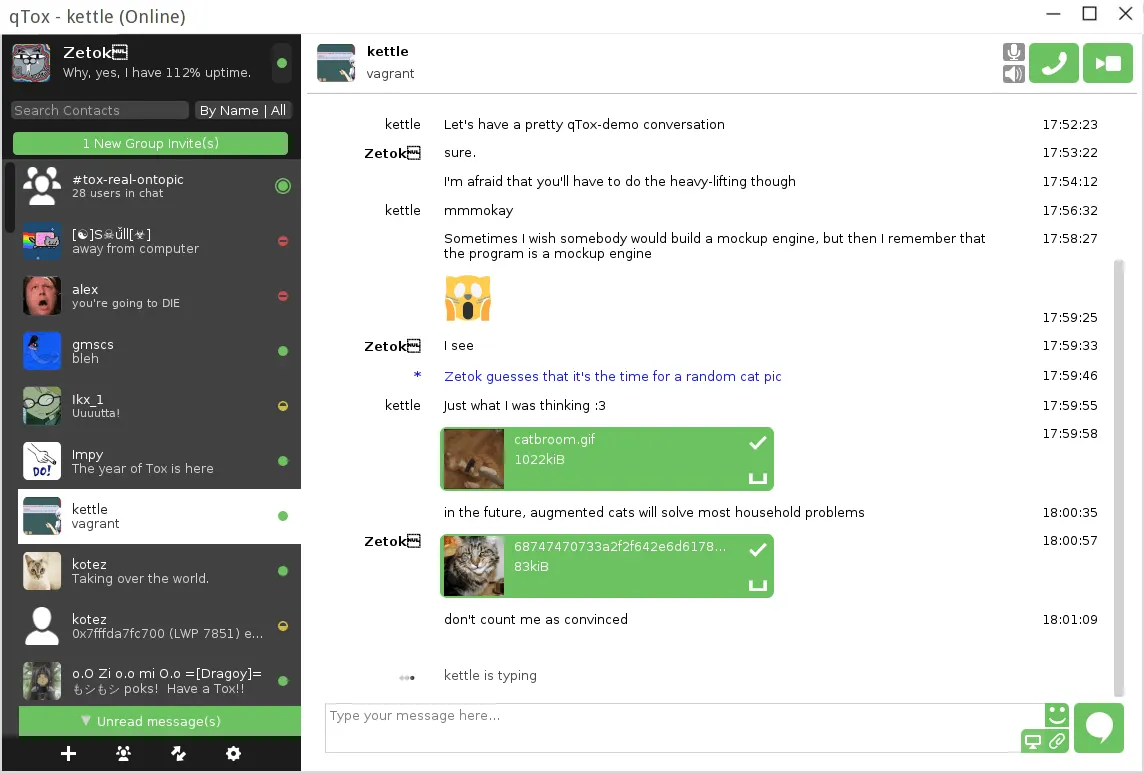
Tox is an open-source communication software created as a place where people would be free from digital surveillance — meaning users need to submit minimal personal information.
Pros of using Tox:
Once you get the Tox app, you can start using it without entering any information about yourself.
In the app itself, you can change your name, add a profile picture, and change your status message. After completing your profile, you’ll get your Tox ID, which is your ticket to connecting with others.
Since Tox is an open-source communication software, it’s always prone to changes, thanks to hundreds of enthusiasts working on updates.
For the most part, the app is intended for casual users who don’t want to share too much personal information with others, but it can also come handy to companies that require security and anonymity when it comes to communication.
Cons of using Tox:
Tox is generally secure, but it’s not without flaws. Namely, while I didn’t have to share private details, anyone I connected with could see my IP address. From there, it doesn’t take much for someone to pinpoint my exact location.
What’s new in Tox:
Tox is replacing its legacy cryptographic handshake with the Noise Protocol Framework (NoiseIK) to strengthen security and improve protection against Key Compromise Impersonation (KCI).
Available for: Windows, Mac, Linux, and Android
Pricing: Free
Stoat — best for open-source community communication
Stoat is an open-source group chat app that was previously known as Revolt, before its rebrand in 2025.
Pros of using Stoat:
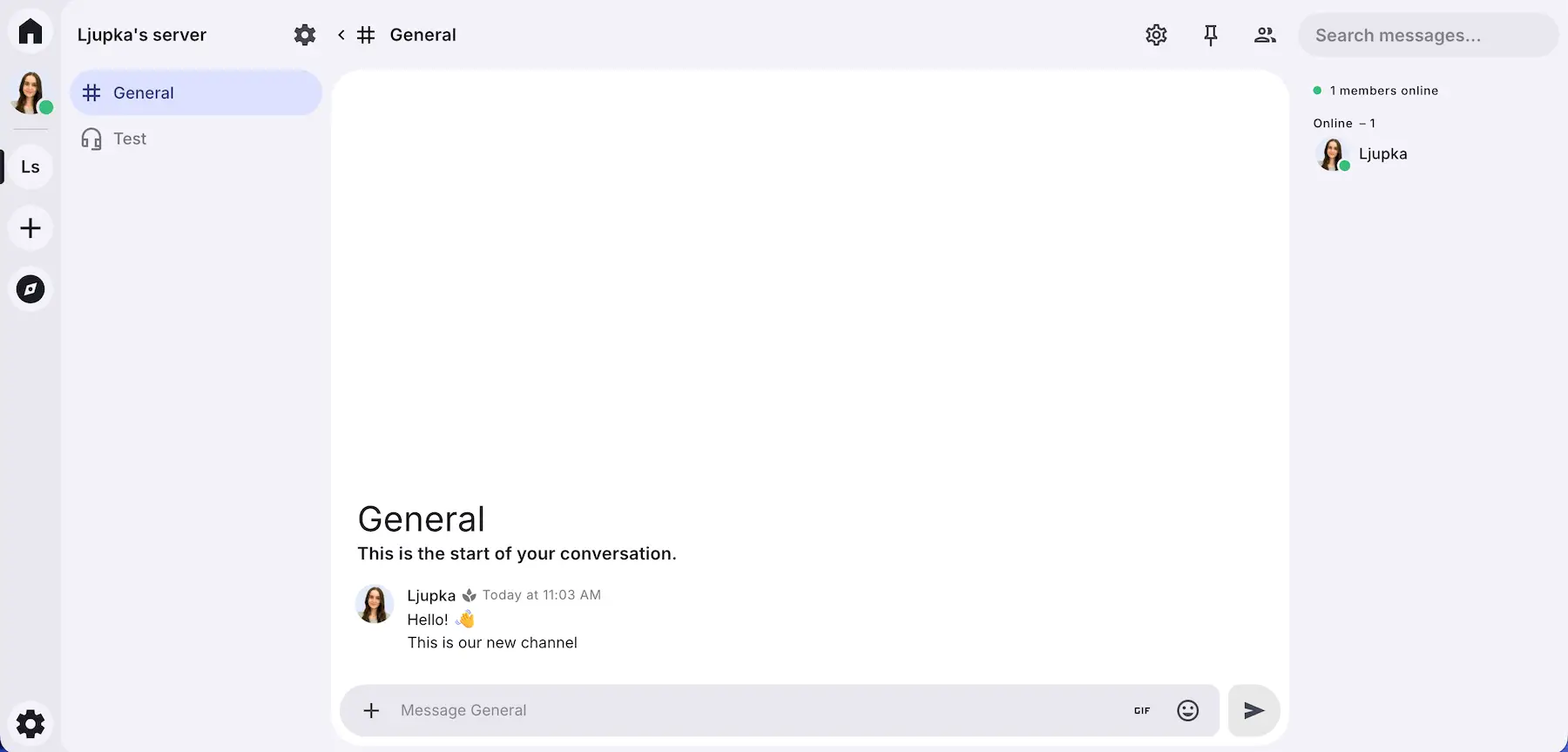
Creating an account in Stoat was straightforward, and the interface seems a lot less cluttered than what you might be used to with Discord.
In Stoat, you can create servers and channels, but the main chat might get a bit messy since it only has regular replies and no threads.
Similarly to Discord, you can also find and join servers that match your interests.
I appreciated all the appearance customization options, but I would’ve liked to see more notification preferences other than sound adjustments.
Additionally, the app recently added video chat and screen sharing and with it earned its spot as a Discord alternative. It all seemed to be working well so far, and the team says that they’re exploring ways to improve quality.
Cons of using Stoat:
Although the UI is nice and clean, it’s a bit too minimalistic. For example, instead of having a + icon (or something similar) for adding new channels in a server, I had to Google it to find out that you need to right click on the empty space in the channel bar to see the options.
I’m not one for a cluttered workspace, but as a new user, I prefer a clear view of features and options. Otherwise I assume the app lacks them.
What’s new in Stoat:
Stoat replaced its previous GIF API with Gifbox, a standalone, community-driven GIF service.
Available for: Web, Mac, Windows, Linux, Android, and iOS
Pricing: Free
Best voice-first Discord alternatives
If you enjoy Discord’s always-on voice call feature, here are some other low-latency voice tools and apps like Discord intended for gamers.
TeamSpeak — best for users looking for a lag-free VoIP
TeamSpeak is a VoIP communication app that has steadily become a trusted Discord alternative.
Pros of using TeamSpeak:
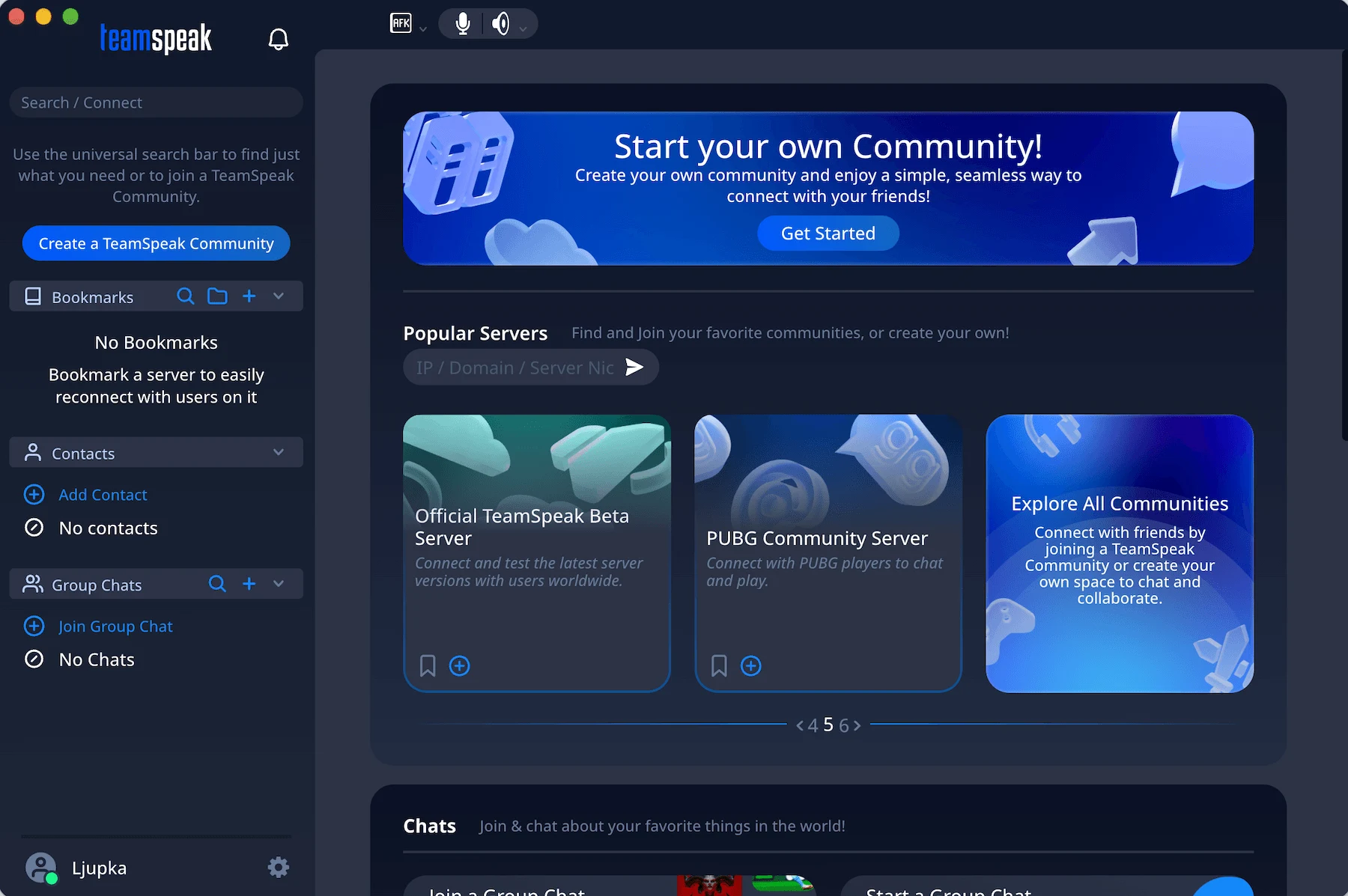
The first thing I noticed is that the interface resembles Discord’s. What’s more, after using it for a while, I discovered that TeamSpeak is basically Discord without the security issues.
So, I found it easy to navigate, and the setup process is simple. You only have to create an account and download the app from the TeamSpeak website.
Once you log in, you will have all important servers, contacts, and group chats on the left side of your screen, while the main workspace will display:
- Other servers
- Chats
- Recent news about the app
You can also set your status, just like in the standard business instant messaging apps, to let others know if you are online or away.
The audio quality on TeamSpeak is lag-free and one of the best you will find — mostly because of features such as background noise suppression and reduction and automatic volume adjustment.
The military-grade encryption is an excellent perk, and it eased my mind about the security of the servers.
Cons of using TeamSpeak:
The biggest disadvantage of the app is the poor integration with other business and collaboration platforms.
Hold video calls easily with Pumble
What’s new in TeamSpeak:
TeamSpeak is working on developing TeamSpeak 6, which is currently in public beta. With it come a few important changes, including 1-on-1 direct calls.
Available for: Windows, Mac, Linux, Android, and iOS
Pricing: Free plan available; paid plans from $53.99 per server per year
💡 PUMBLE PRO TIP
If video conferencing is something you absolutely must have in your team communication app, check out the list below:
Mumble — best for users who like simplicity
Mumble is a free open-source VoIP communication app popular among gamers.
Although its features are mostly appealing to that particular group, Mumble does have some benefits to offer to users looking for a business communication app — most notably, self hosting and having control over data security and privacy.
Pros of using Mumble:
I had a great experience with Mumble, thanks to its clear audio and minimal processing delay.
Furthermore, I noticed that Mumble has chat encryption and authentication features, so I didn’t have to worry about my privacy.
Mumble’s standout feature is positional audio. This creates a heightened sense of immersion in gaming because how well you hear the other players depends on their in-game positions. This isn’t a feature that will find a lot of use in a business setting, but it was fun to try out.
Mumble also has an extensive set of admin permissions that outperform those on Discord.
Cons of using Mumble:
Some of Mumble’s voice call functionalities are unnecessarily complicated. For example, I couldn’t schedule a voice call with a user from another channel without creating a specific channel for us only.
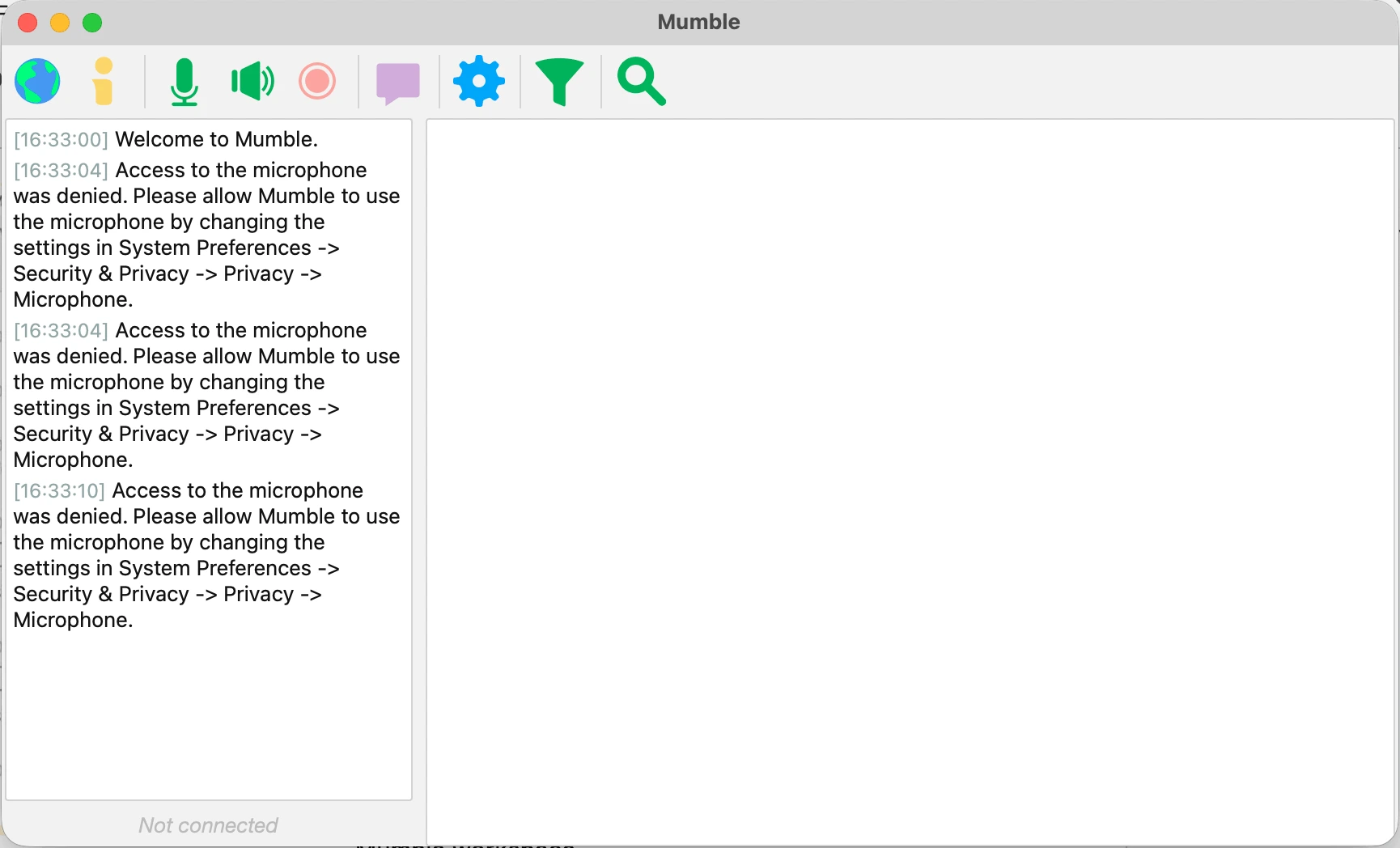
Additionally, it seems that the app is focused primarily on gaming communities — it has a pretty basic interface rich with the server and users’ names. But, it lacks browsing support, which might be pretty strange for avid Discord users who are used to that.
What’s new in Mumble:
The latest Mumble release didn’t introduce any new features. Instead, it focused on implementing structural changes that would improve the app’s usability and overall performance.
Available for: Windows, Mac, Linux, Android, and iOS
Pricing: Free
Ventrilo — best for the minimal use of the CPU resources
Ventrilo is a voice communication tool known for its minimal CPU usage and good audio quality, making it a solid choice for low-latency voice chat.
Pros of using Ventrilo:
The user–server connection is encrypted, and every conversation or voice message sent is stored locally, so users don’t have to worry about their data security.
Most of its features cater to PC users, especially in multi-player settings. You can decide when to allow or mute notification alerts and modify volume controls for individual players, which creates an immersive in-game experience.
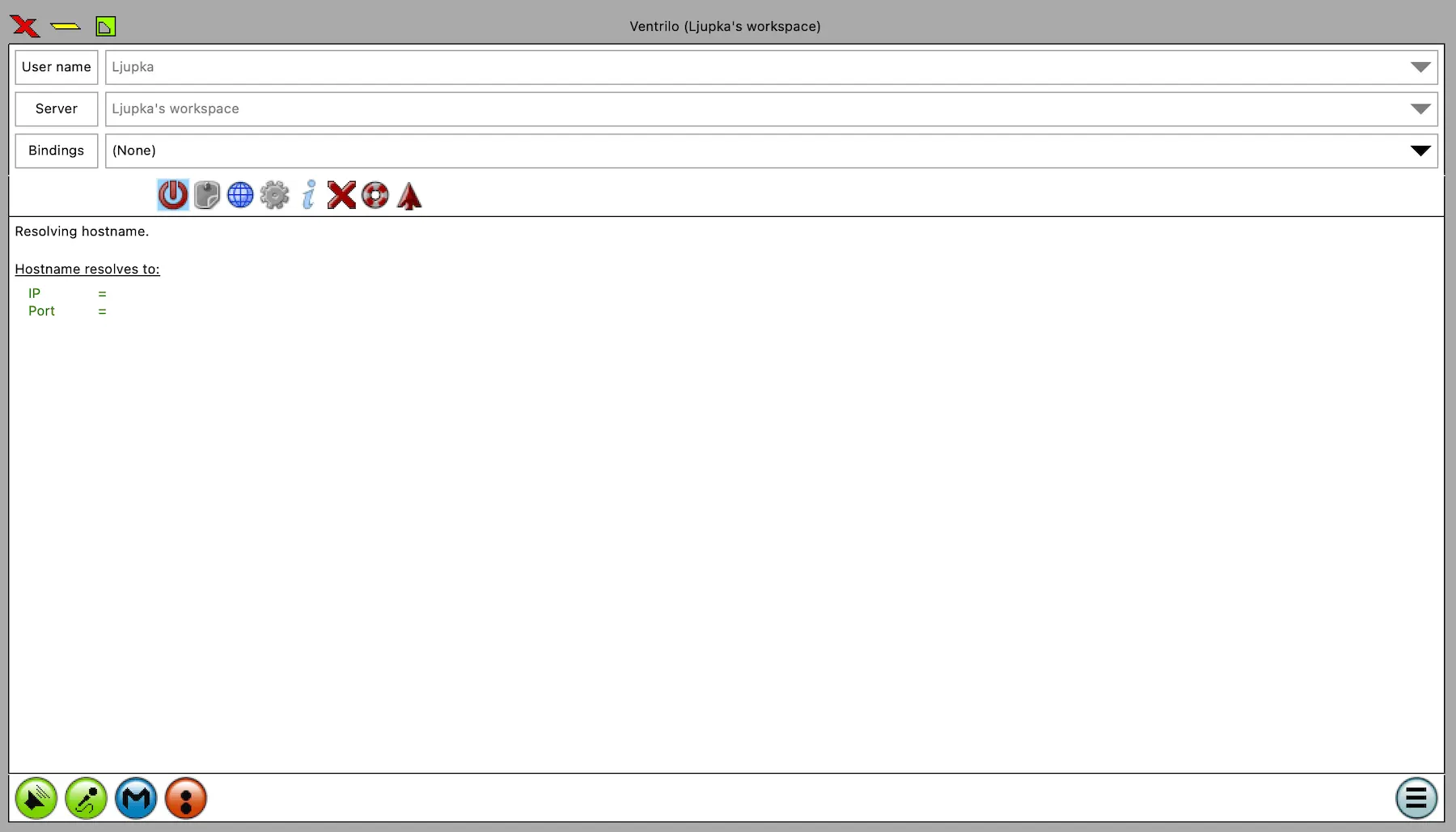
On the other hand, the interface isn’t impressive, and the setup process might be a bit strange for people who are using the app for the first time.
This lightweight free Discord alternative runs on minimal CPU use, so it’s the perfect background audio tool.
Cons of using Ventrilo:
Ventrilo has an outdated interface packed with embedded menus. However, the app has been changing a lot lately — not that long ago, you had to open each menu to see what’s inside in order to not miss any features. Now, there are new elements like the SCP (Side Control Panel) that allow easier access to some features.
What’s new in Ventrilo:
Ventrilo ironed out minor issues for Mac users, which included resizing the Bindings, Username, and Server Buttons at the top of the software window.
Available for: Windows and Mac
Pricing: Free
Discord alternatives for community & informal chat
If you used Discord mostly for community building but want to escape all its downsides, you can check out the apps below to find the one that’s right for you.
Steam Chat — best for the users of Steam games
Steam Chat is a free VoIP communication app popular among those who play video games via Steam.
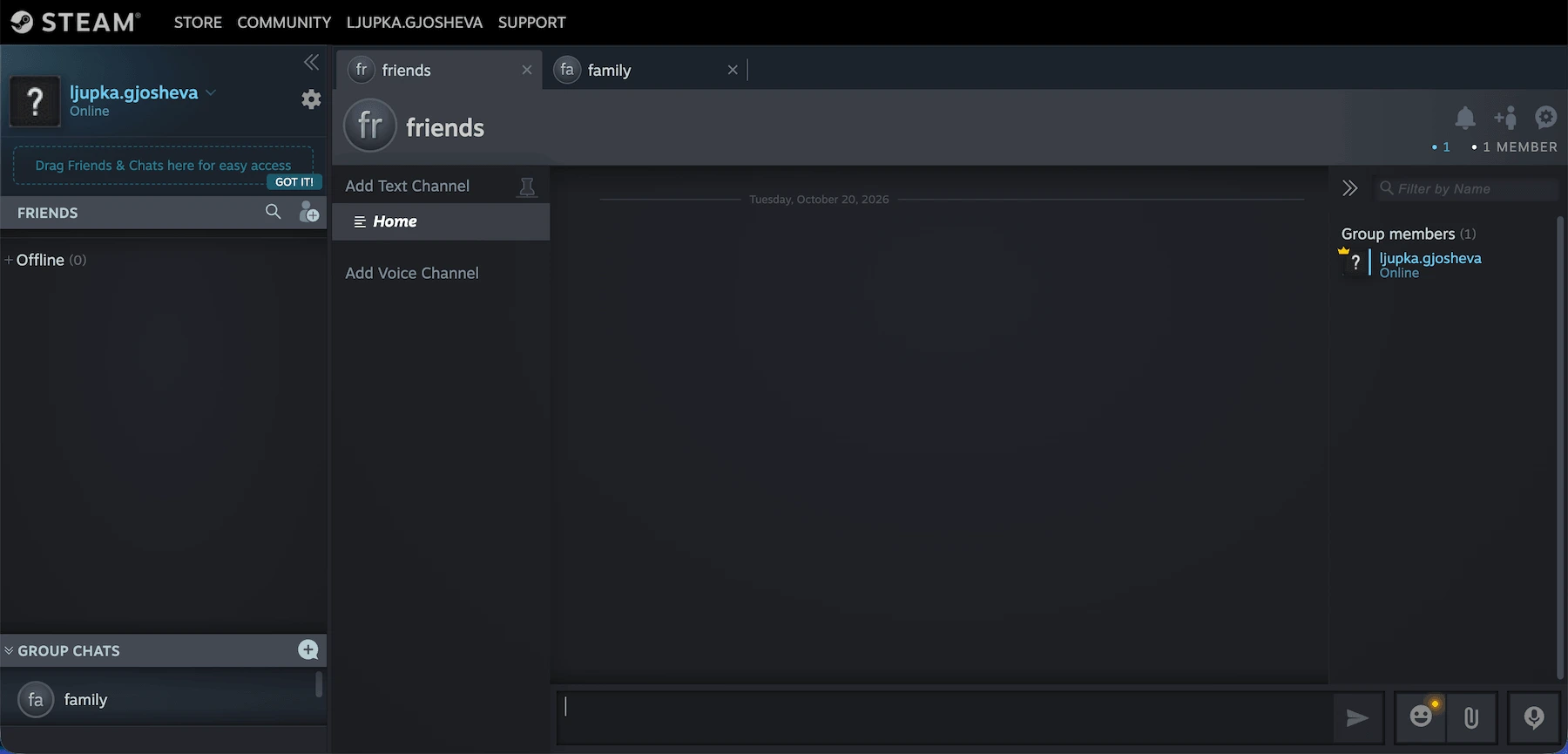
Pros of using Steam Chat:
You can enter Steam Chat via your search engine or download the app. For me, there was no difference between the two — both worked fine.
The interface looks good and offers easy access to groups and direct conversations.
If you want to start an audio call with your friends, you can click on their names in your “Friends list” and choose the “Start voice chat” option.
Group audio calls require a voice chat channel others can see and join.
The audio is clear — for me, this is Steam Chat’s biggest advantage, along with a simple setup process.
Cons of using Steam Chat:
My main complaints are that the Steam Chat mobile app might get buggy occasionally, and the desktop app is much easier to use. But, if you don’t play mobile games that much, this probably isn’t an issue.
What’s new in Steam Chat:
Steam Chat now flags suspicious messages in group chats, allowing users to report them, block the sender, or dismiss the warning.
Available for: Windows, Mac, Linux, Android, and iOS
Pricing: Free

WhatsApp — best for casual messaging
WhatsApp is one of the most popular instant messaging apps, offering free text messaging, voice and video calls, and group chats.
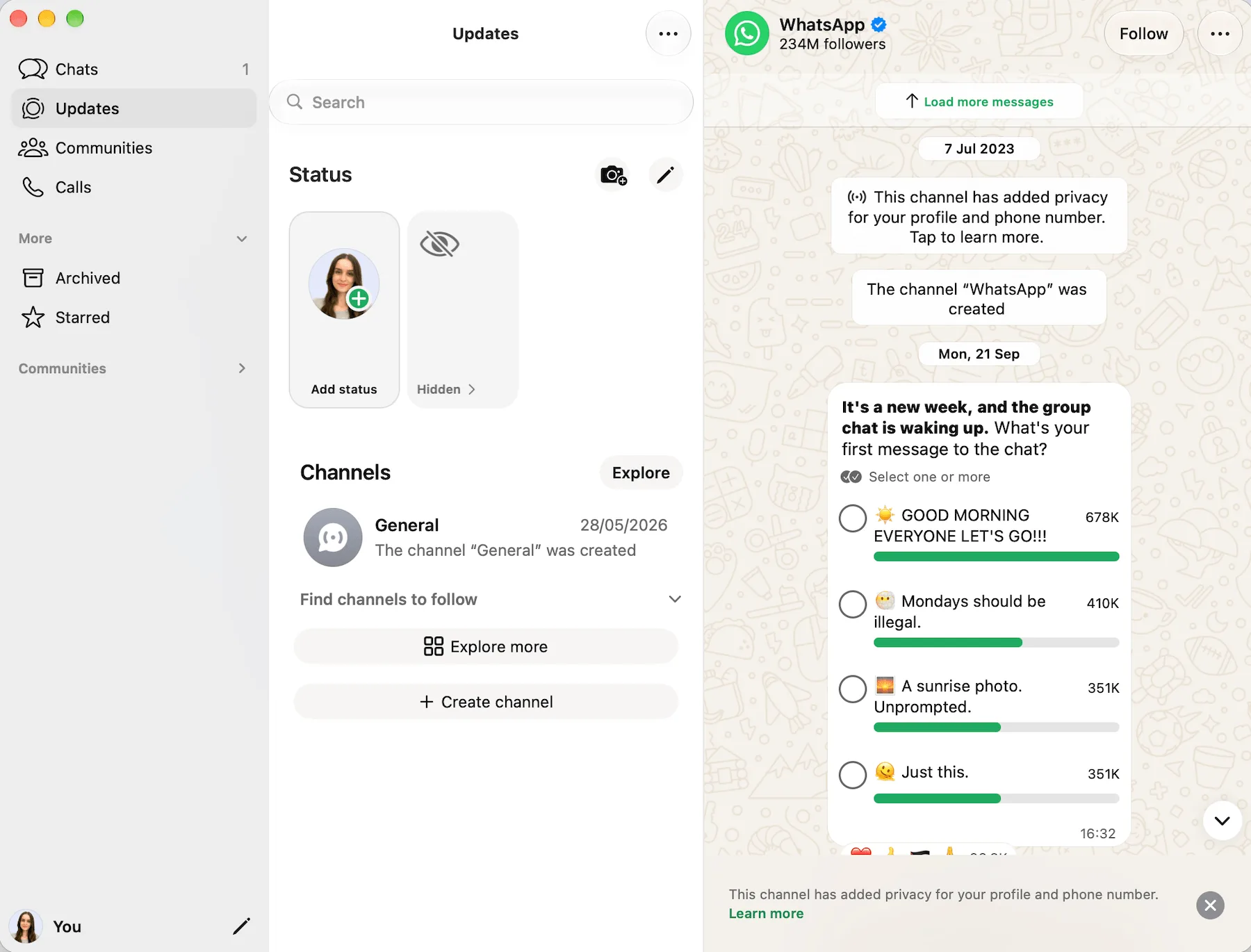
Pros of using WhatsApp:
I had no trouble setting up the app — you only need to download WhatsApp from the App Store, add your phone number, and voila — you can chat or call your friends or business associates.
I was happy with the quality of the audio and video calls. The fact that users can create large groups and schedule group audio or video calls makes it a solid alternative to Discord.
Moreover, it’s nice to know that WhatsApp uses end-to-end encryption to bolster security.
And, you can share as many files as you want. Apparently, only the sender and receiver are privy to the contents of their communication — not even WhatsApp itself has the power to decipher them.
Despite these efforts, I understand why many people are on the fence about using instant messaging apps. After all, several of these apps have faced backlash in recent years, many due to issues such as information leaks.
On the whole, it does seem WhatsApp has taken steps to combat these problems.
Cons of using WhatsApp:
One of WhatsApp’s biggest downsides is that you must ask for someone’s phone number to connect with them via WhatsApp. It can be tricky, especially in business communication, since many people feel reluctant to give their phone number to someone they don’t know well.
What’s new in WhatsApp:
With guest calling, you can now invite anyone to join a WhatsApp call even if they don’t have a WhatsApp account.
Available for: Windows, Android, and iOS
Pricing: Free
💡 PUMBLE PRO TIP
To see how WhatsApp really stacks up against Discord, take a look at our detailed comparison:
Viber — best for users looking for a good instant messaging app
Viber is one of the most popular free instant messaging apps, and a good Discord alternative for staying in touch with friends and family.
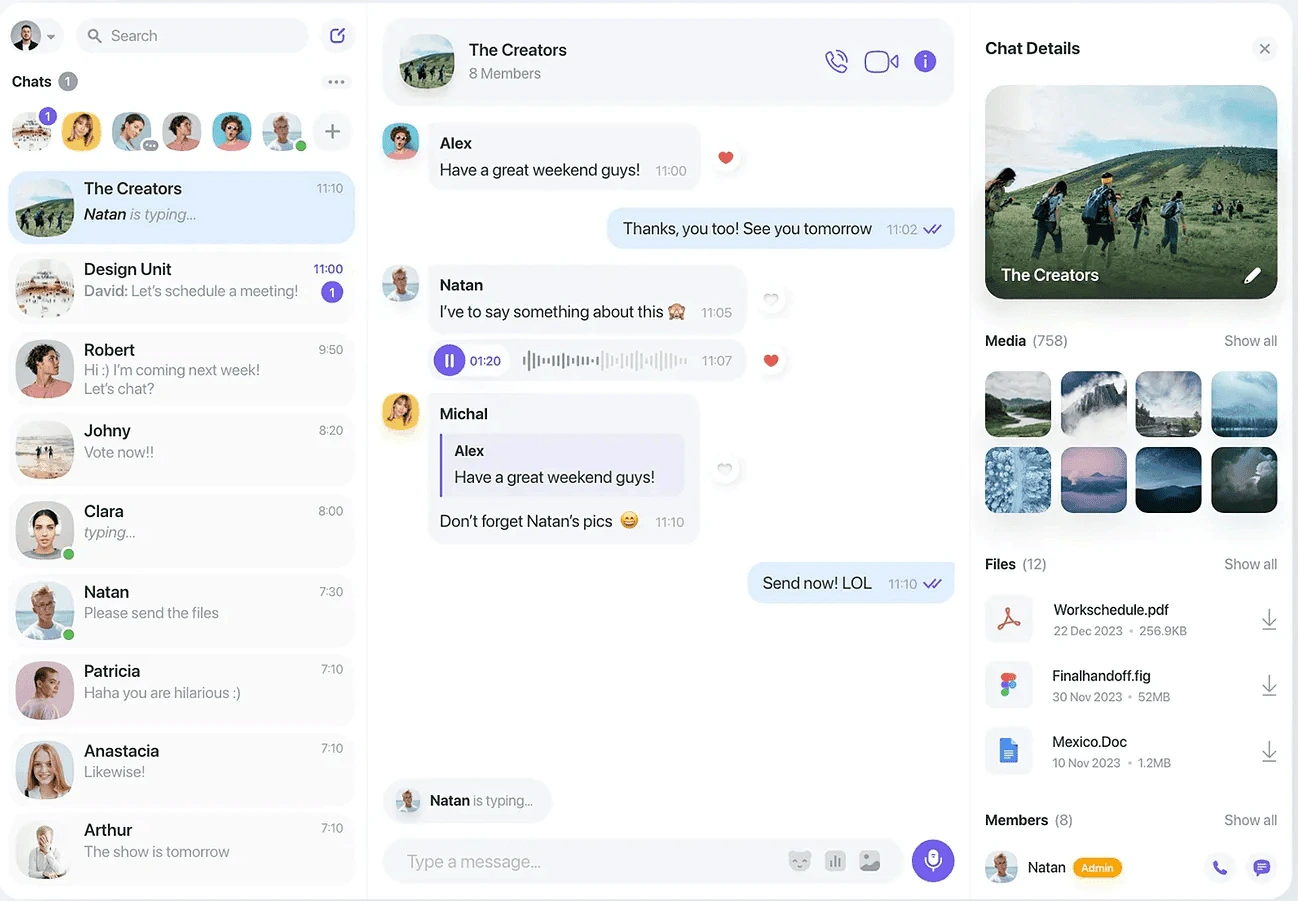
Pros of using Viber:
I’ve used Viber in the past, and the app’s strong suit is its ease of use. Within the same window, you can:
- Start voice and video calls.
- Send audio and video messages.
- Share files.
- Exchange text messages.
Creating a group conversation only takes a few minutes — you can even launch a group call as soon as you’ve added all the people to the chat.
Although some businesses use this software for internal communication, Viber is not task-oriented. As a result, there’s no option to create separate channels for particular projects or purposes — you can only create group chats.
But, for personal use, it gets the job done, and I still use it to keep in contact with friends.
Cons of using Viber:
Viber calls occasionally get buggy, even if your WiFi network is strong. Sometimes, your call might not go through, only for it to succeed a few minutes later. This has happened to me more than once.
What’s new in Viber:
Through the Viber-ChatGPT integration, you can now get a quick daily summary of the topics you care about with the Your News feature.
Available for: Windows, Mac, Linux, Android, and iOS
Pricing: Free plan available; paid plan available from $1.99
💡 PUMBLE PRO TIP
Ready to move on from Viber to a more efficient alternative? See why Pumble might be the answer:
FAQ about best Discord alternatives
Here are some of the most commonly asked questions about apps like Discord.
What should I use instead of Discord?
The best Discord alternative depends on how you plan to use it. Pumble, Slack, and Microsoft Teams are good options for workplace communication, while TeamSpeak and Mumble focus on voice chat for gaming. If privacy is your priority, consider Element, Wire, or Rocket.Chat.
How do I talk to friends without Discord?
You can use messaging apps, voice chat platforms, or group communication tools to stay in touch without Discord. The right choice depends on your preferred communication.
Is Discord suitable for professional communication?
Discord can work for informal team communication, but it may lack business-focused collaboration features organizations need. Tools such as Pumble, Slack, and Microsoft Teams offer features designed for workplace communication, such as organized workspaces and integrations.
How to choose a Discord alternative
When choosing the best Discord replacement, it’s crucial to be clear about what features you’re looking for and why you’re leaving Discord.
In case you’re leaving Discord because of security concerns, you need to find a communication app with:
- Multi-level authentication
- Security certificates
- No record of security breaches
On the other hand, if you’re leaving the app because it’s unsuitable for your business, you’ll need a Discord alternative with:
- Channels to organize tasks and topics
- Threads to keep conversations structured
- Audio and video call options to speed up decision making
If you’re looking for a secure app to streamline team communication and activities, Pumble by CAKE.com is a great choice. Pumble has all the advantages of Discord, while providing a more productivity-driven experience with features like:
- Unlimited chat history
- Public and private channels
- File sharing
- Guest access for external collaborators
Plus, Pumble can be bundled up with 2 of its sister products: Plaky, a project management tool, and Clockify, a time tracker. So, if you’re looking for something more than just a communication app, check out CAKE.com’s Productivity Bundle. This suite of tech products will help you track time, manage projects, and keep your team connected, all for the low price of $12.99.
So, why not give it a go? Here’s all you need to know: