“When are you free?” emails are productivity killers. They interrupt your focus, forcing you to check your calendar and negotiate meeting times.
However, with the right tools, it doesn’t have to be this way.
Modern meeting scheduler apps:
- Automate availability,
- Negotiate meeting times for you, and
- Keep everyone connected and aligned without much hassle.
Additionally, best asynchronous scheduling tools actively protect focus time, deal with hybrid work coordination, and eliminate the constant back-and-forth that still clogs inboxes.
In this post, we’ve compiled the best meeting scheduler apps for 2026, focusing on tools that go beyond basic booking links, helping teams work more efficiently.
Some of these scheduling apps also integrate with your team communication apps to make meetings that much easier to set up.
Let’s start.

Why trust us?
The apps we talk about are selected, tested, and written about by human reviewers who follow strict review and editorial guidelines. We pick solutions that are practical, purposeful, and can offer real value for the specific use case or business context we’re covering — while also being justified in their pricing. Our methodology is transparent, clear, and available to everyone:
What to look for in a meeting scheduler app
A good meeting scheduler app is essential for a streamlined scheduling system, both for individuals and teams.
Here are some of the key features a good meeting scheduler app must have to ensure timely and error-free scheduling:
- AI capabilities — Advanced tools now use AI to suggest or negotiate meeting times, reschedule conflicts automatically, and protect blocks of focus time.
- Ease of use — An intuitive and user-friendly interface ensures that users can navigate the app without confusion or further instructions.
- Integrations — Integration with calendar and video conferencing apps lets users sync their information and easily attend meetings.
- Time zone calculator — Time zone detection is a non-negotiable feature of any meeting scheduling app. It allows users to schedule meetings across different time zones without having to manually convert time differences.
- Customization — Flexibility is a necessity, as it allows you to tailor the scheduling process to specific preferences and requirements.
- Payment processing — For businesses offering paid services, integrated payment processing capabilities simplify the billing process.
- Affordability — Even if the team scheduling software checks all the boxes, a steep price can be a dealbreaker. Many apps offer similar features in their free plans, but require you to subscribe to a paid plan to get advanced features. The value you get should justify the pricing.
Finally, you’re the only one who knows what you need from a meeting scheduler app, so choose one that best fits your own needs and preferences.
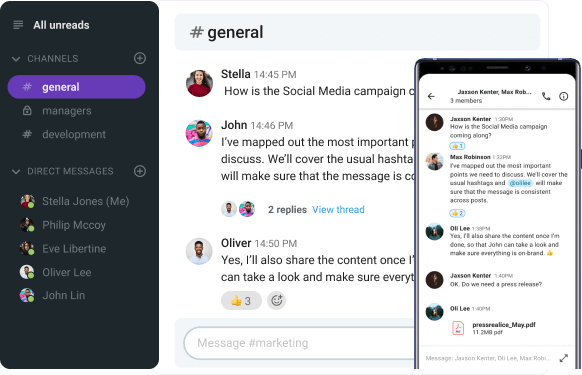
Hold meetings in Pumble by CAKE.com
The best meeting scheduler apps: An overview
Before we get into our detailed meeting scheduler app reviews, let’s look at each app’s standout features and what they’re best used for.
I’ve also listed the prices for each app so you can compare them and pick the ones within your budget.
| Meeting scheduler app | Best for | Best feature | Pricing (per user per month) |
|---|---|---|---|
| Calendly | Individuals or teams that need a simple app that integrates with many tools | Customizable meeting types | – Free plan – Paid plans start at $10 |
| Google Calendar | Businesses and teams that already use Google services | Accessible and easy to use | – Free for personal use (no advanced scheduling or booking page features) – Plans start at $12 (Business Standard Google plan) |
| Clockwise | Teams that want to protect focus time and reduce meeting overload | AI-powered focus time optimization | – Free plan – Paid plans start at $6.75 |
| Zeeg | Individual service providers or small teams | Feature-rich, yet simple | – Free plan – Paid plans start at $7.75 |
| Cal.com | Individuals or teams that need advanced features in a simple app | Simplicity combined with flexibility | – Free plan – Paid plans start at $15 |
| Acuity Scheduling | Service-based businesses that need advanced booking and payments | Custom intake forms and payment collection | Paid plans start at $16 |
| YouCanBookMe | Individuals or teams that need precise scheduling rules | Highly customizable availability and booking logic | – Free plan – Paid plans start at $10 |
| Zoho Bookings | Small businesses and service providers | Business management features | – Free plan – Paid plans start at $6 |
Now, let’s get into the detailed reviews of the best apps for scheduling meetings.

8 best meeting scheduler apps for 2026
After going through the best features of these meeting scheduler apps, let’s take a deeper look at each of them individually.
I’ve tried and thoroughly tested these meeting scheduling software solutions, and I bring you a detailed analysis of the features and pros and cons of each.
Calendly — Best for integrating with other apps
Calendly is one of the most popular meeting scheduler apps. It works well for individuals and teams who frequently meet with clients or partners.
Pros of using Calendly:
It offers a clean and simple interface and plenty of features, such as:
- Team scheduling,
- Calendar connection,
- Meeting polls, and
- Account analytics.
Calendly lets you coordinate your availability with others, eliminating the back-and-forth of scheduling emails. You simply share your Calendly link with your team, and they can find a common meeting time.
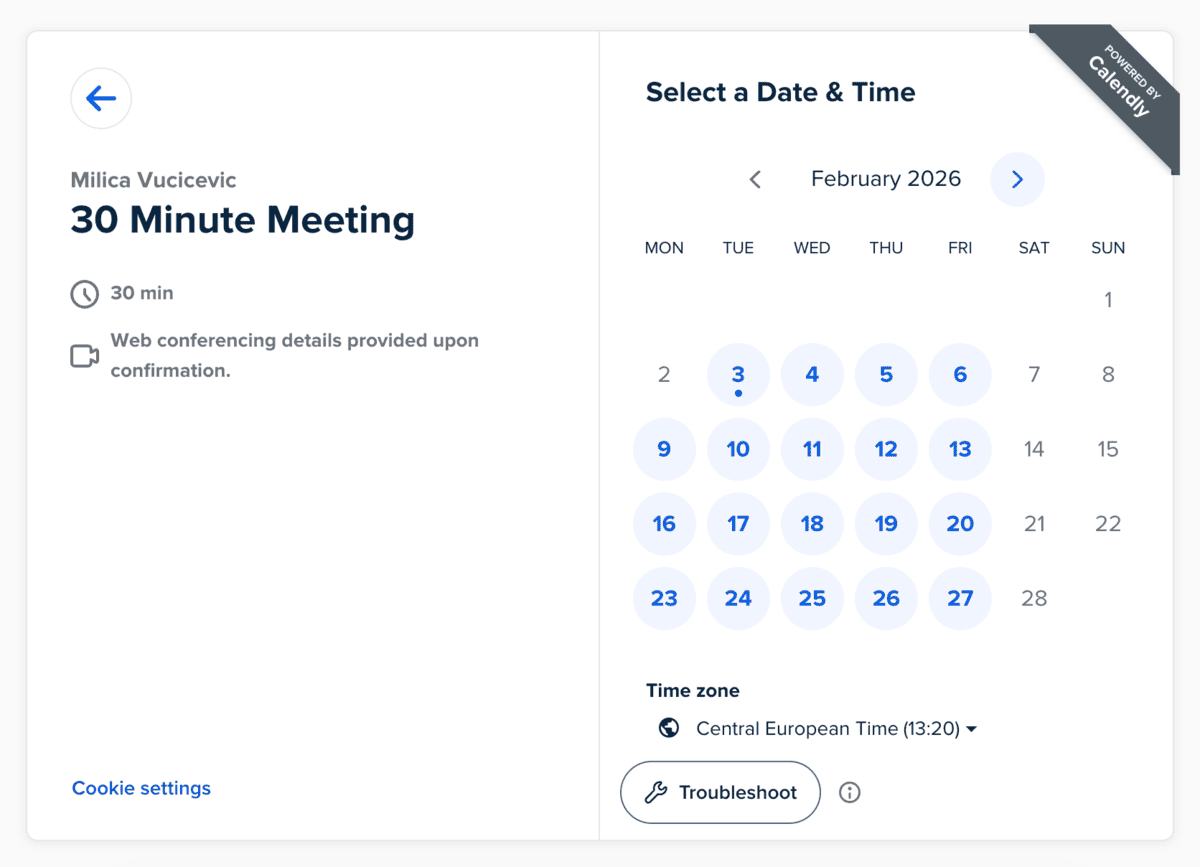
Calendly then adds the booked meeting to your calendar and sends out reminders to all participants.
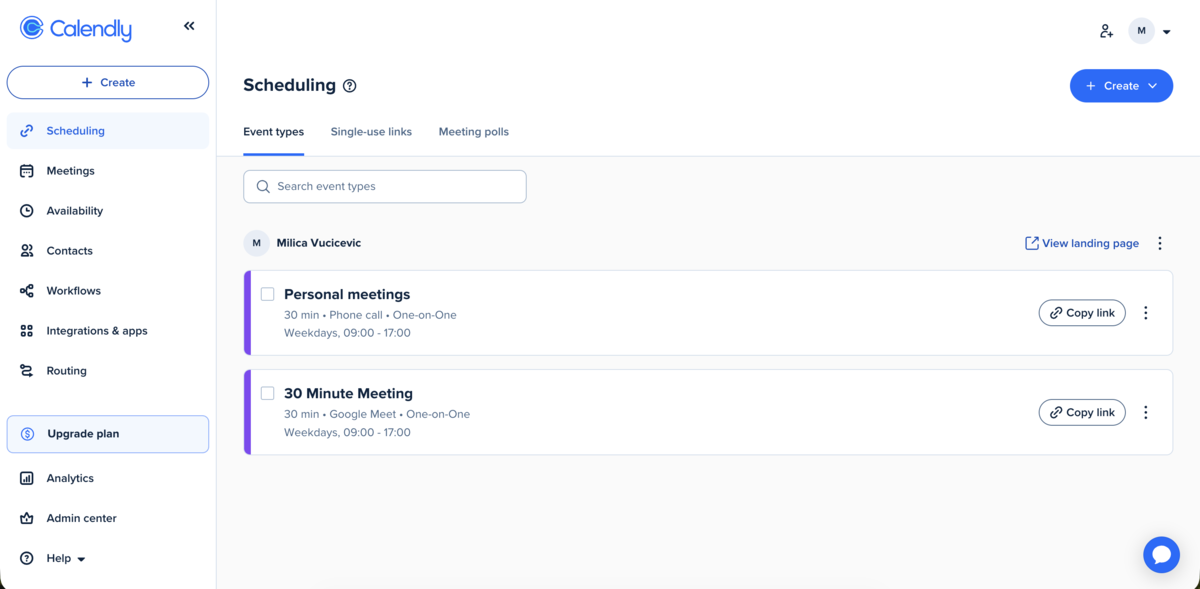
When you synchronize your calendar with Calendly, it automatically blocks off times when you’re unavailable, preventing double-booking. Also, you can manually select when you are available for meetings.
This meeting scheduler also supports integration with many popular:
- Calendar platforms, such as Google Calendar, Outlook, and Apple Calendar, and
- Team communication apps, such as Pumble by CAKE.com, Zoom, Google Meet, and Microsoft Teams.
In general, I found it simple and easy to use.
Integrate Calendly with Pumble
Cons of using Calendly:
Calendly can be pricey. If you want to upgrade your experience with Calendly, the cheapest option is their Standard plan, which starts at $10 per user per month.
What’s new in Calendly:
Calendly has expanded their AI-assisted scheduling capabilities and added more advanced routing options.
Available for: Web; iOS, Android; Chrome, Firefox, and Edge extension
Pricing: Free plan available; paid plans start at $10 per user per month (billed annually).
💡 Pumble Pro Tip
If you’re on the lookout for a new video conferencing app, check out our top picks for 2026:
Google Calendar — Best for teams that use Google Workspace
If you have a Google Workspace account, scheduling appointments doesn’t get any simpler than doing it via Google Calendar. It’s an easy solution that doesn’t require adding an external tool.
Pros of using Google Calendar:
Google Calendar is a shareable online calendar that lets you:
- Create tasks and events,
- Layer multiple calendars to check availability, and
- Have an insight into how you spend your time.
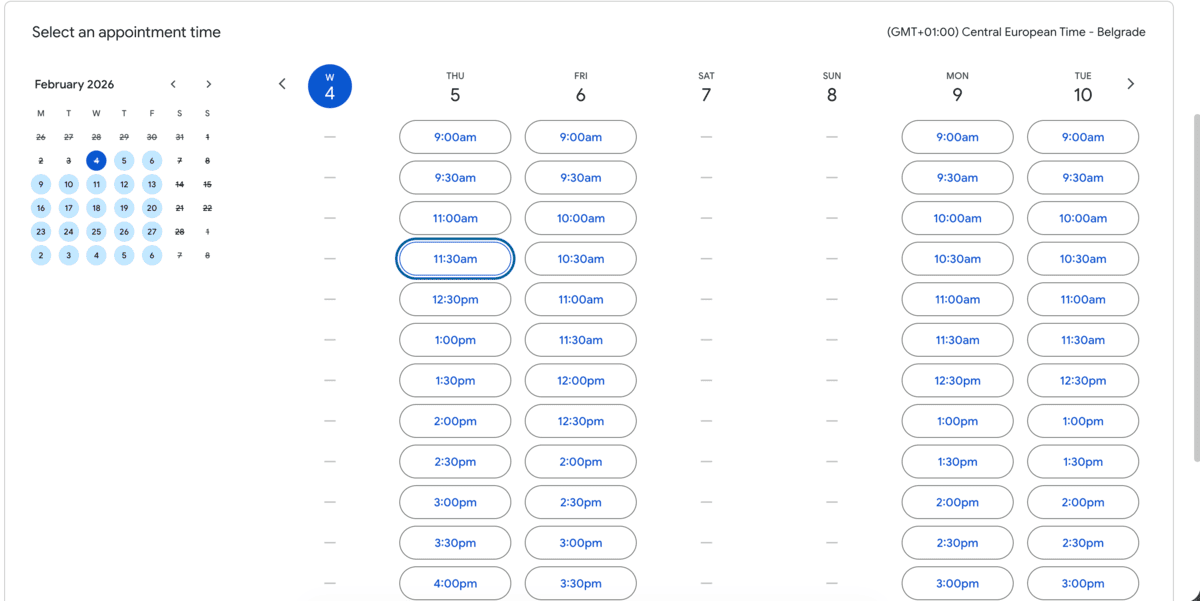
Google Calendar also allows you to schedule appointments. You can:
- Block off times when you’re unavailable,
- Set a scheduling window (from 60 days in advance to 4 hours before),
- Add co-hosts,
- Set appointment duration, and
- Adjust availability for specific dates.
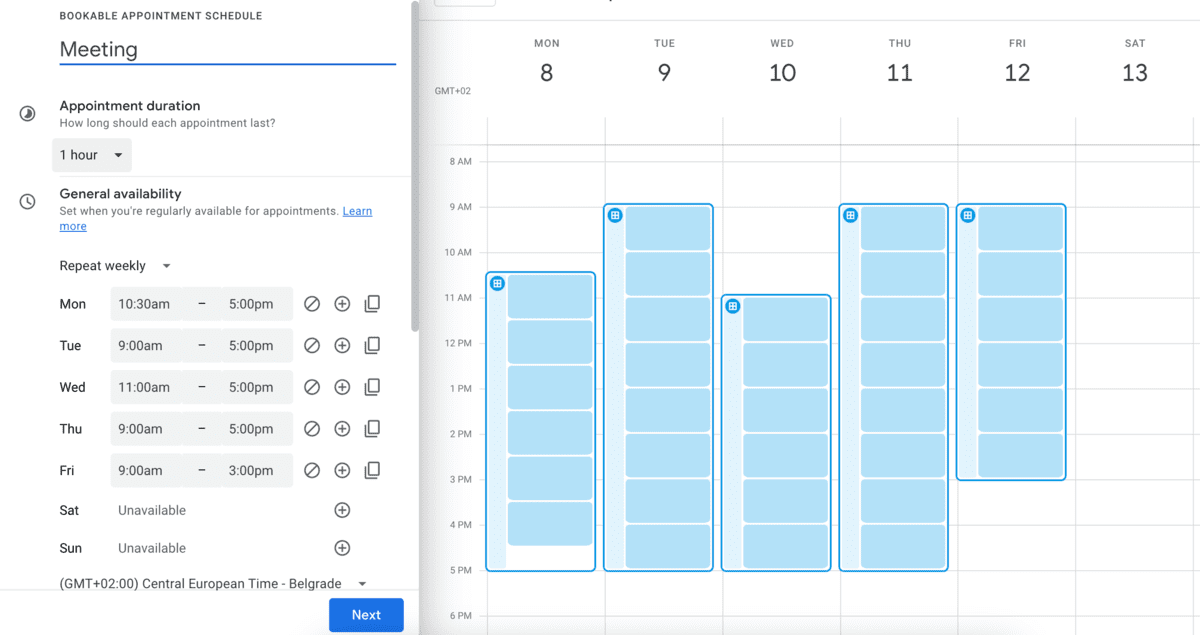
For individuals or small teams, this simplicity can be a major advantage — everything stays within the Google ecosystem, which reduces setup time and friction.
Google Calendar also integrates with plenty of video conferencing tools to make organizing and joining meetings seamless.
Integrate your GCal with Pumble
Cons of using Google Calendar:
The biggest drawback of using Google Calendar for scheduling meetings is that this feature is only available if you use Google Workspace.
Additionally, the features are relatively basic — no advanced automation, no customization, and no AI-driven scheduling.
What’s new in Google Calendar:
Recently, Google Calendar has optimized its interface and added another theme option (dark mode). Also, they’ve added more robust scheduling pages with conflict checks and recurring slots.
Available for: Web; iOS, Android; Mac, Windows, and Linux
Pricing: Business Standard Plan starts at $12.60 per user per month (billed annually).
💡 Pumble Pro Tip
If you’re a regular user of Google Calendar, you may not even be aware of various add-ons and extensions that can improve your experience. For a list of best Google Calendar extensions and add-ons, check out our blog post:
Clockwise — Best for protecting focus time
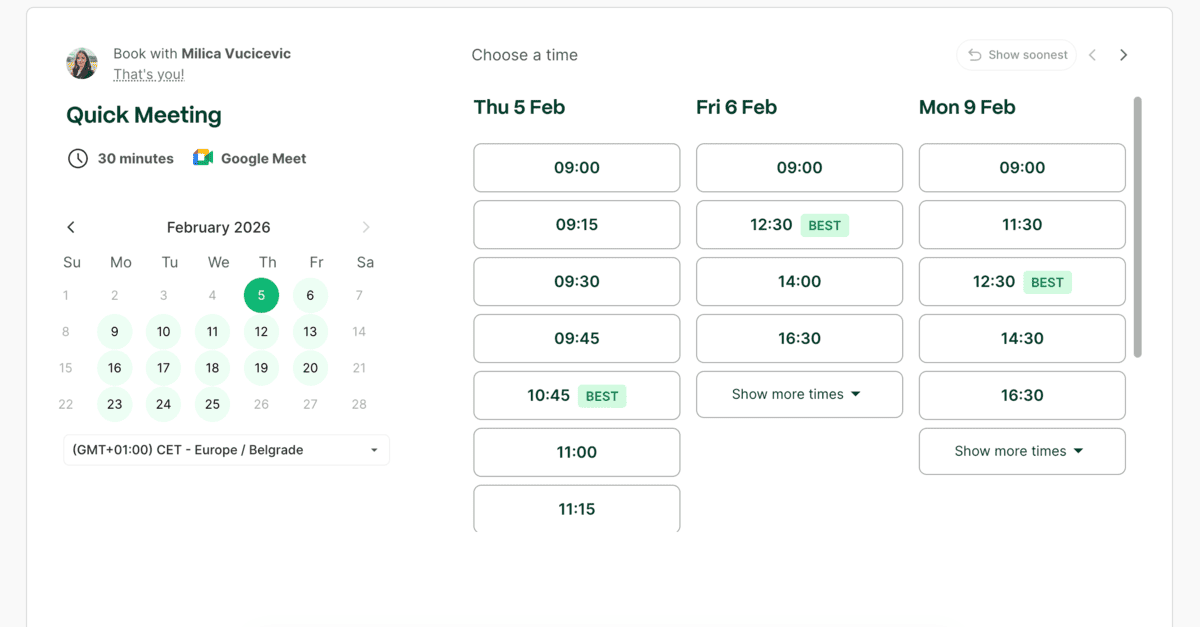
Clockwise takes a different approach to asynchronous scheduling.
Instead of focusing on booking links, it acts as an AI assistant that automatically rearranges meetings to create uninterrupted blocks of deep work.
Pros of using Clockwise:
Clockwise connects to your calendar and analyzes your meetings, preferences, and working hours. It then shifts flexible meetings to optimize focus time across your schedule.
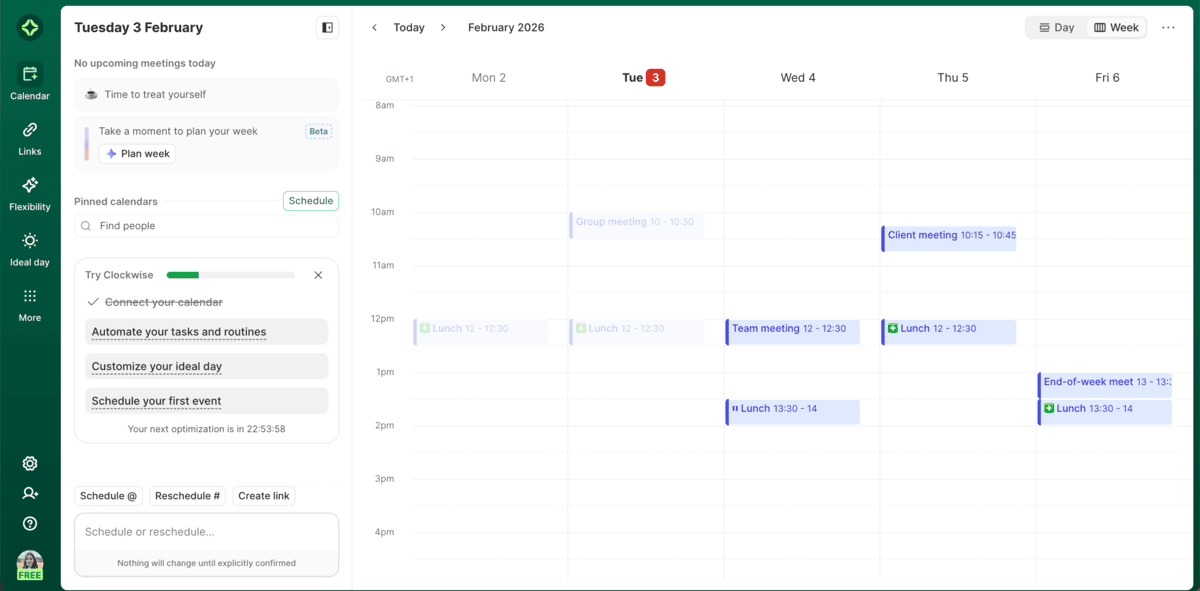
Some of the key features of this AI meeting scheduler include:
- Automatic creation of focus blocks,
- Smart rescheduling of internal or flexible meetings, and
- Team-wide visibility for easier team scheduling.
This makes Clockwise especially useful for individuals and teams where uninterrupted deep work is critical.
Clockwise is an AI meeting scheduler packed with features, yet it remains easy to use, even if you’re unfamiliar with this kind of software.
Cons of using Clockwise:
Clockwise is more suited for internal scheduling (where flexibility is expected) rather than client-facing meetings. Also, Clockwise works best when used across an entire team rather than individually.
Additionally, Clockwise does not support personal email addresses.
Hold internal meetings on Pumble
What’s new in Clockwise:
Improved AI logic for multi-team coordination and better integration with team calendars.
Available for: Web; Chrome extension
Pricing: Free plan available; paid plans start at $6.75 per user per month (billed annually).

Zeeg — Best for a simple, yet feature-rich experience
Zeeg is a meeting scheduler with workflows that simplify your appointment bookings.
Pros of using Zeeg:
When you sign up, you get to connect your calendar and set availability. The default available time is every weekday from 9 a.m. to 5 p.m.
The interface of the app is very intuitive and aesthetically pleasing.
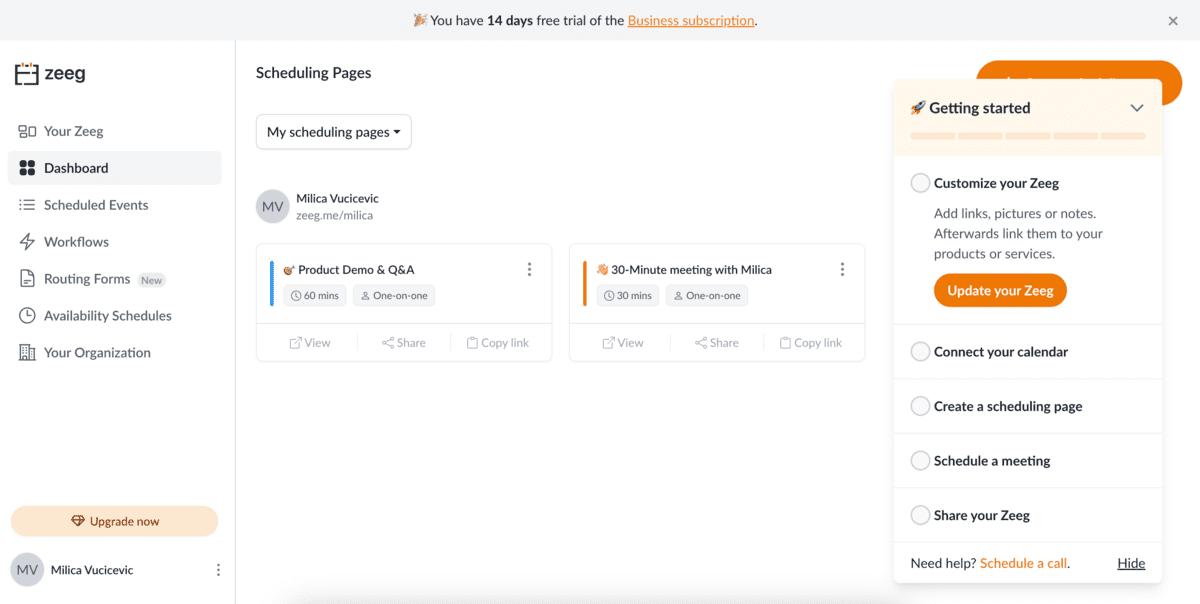
As with other meeting scheduling apps, you get your scheduling link to share with anyone who wants to plan a meeting with you.
An interesting feature Zeeg offers is its Link-in-Bio feature. It allows you to create a scheduling page containing all your relevant information, with links to other important pages. Aside from links, you can also add images, GIFs, and text.
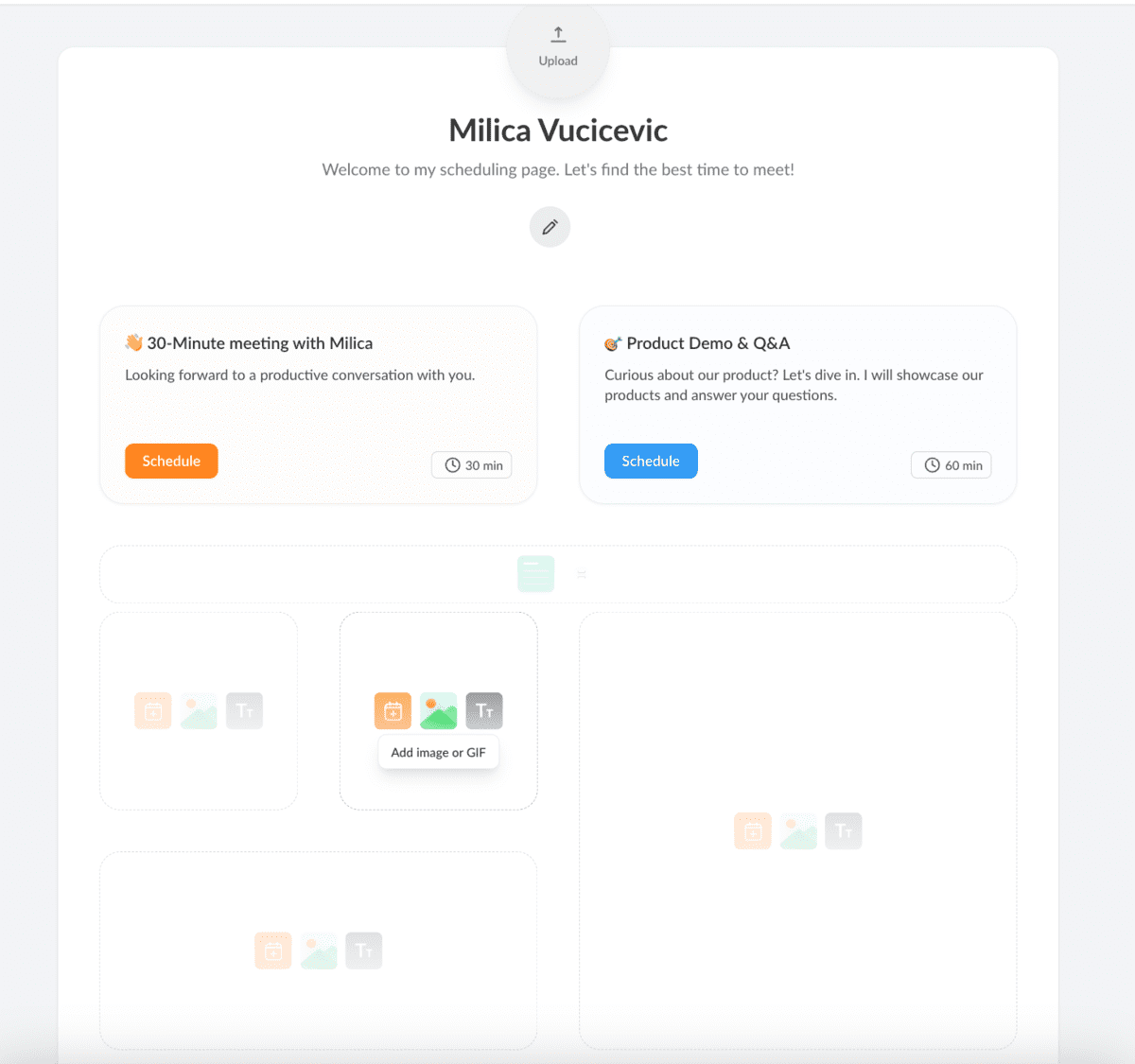
This feature basically serves as a digital business card.
Zeeg also supports automated workflows, which send out automated:
- Reminders,
- Follow-up emails,
- Thank you emails, and
- Surveys.
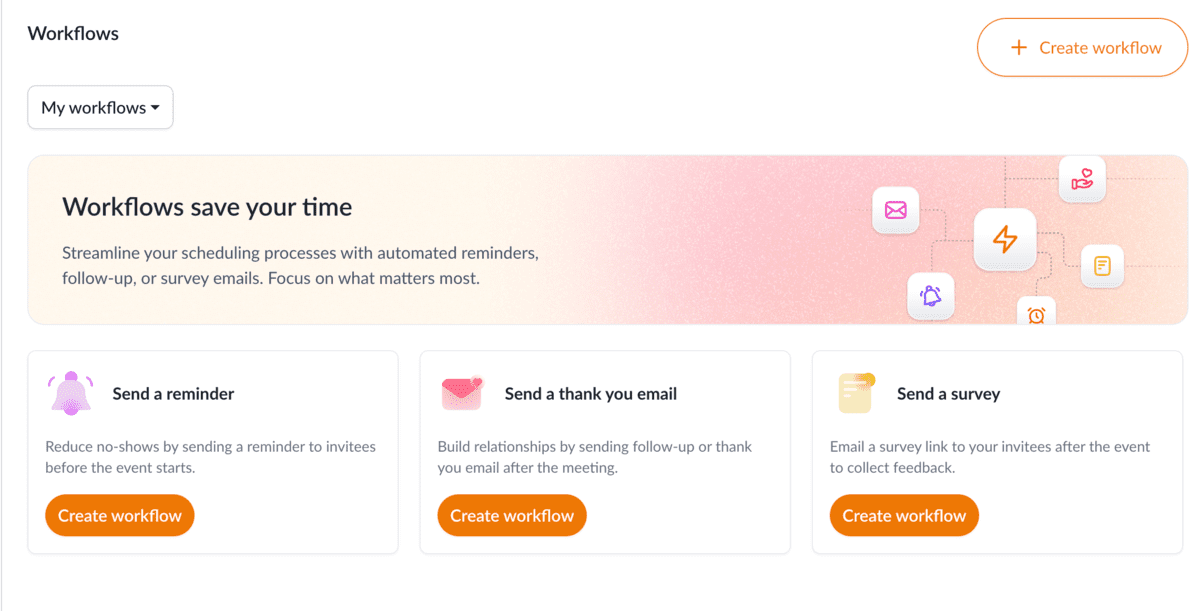
Overall, using Zeeg was a seamless and pleasant experience.
Cons of using Zeeg:
Some of Zeeg’s advanced features are locked behind paywalls — for example, the automated workflows, team meeting scheduling, and business integrations.
Additionally, Zeeg offers only basic customization of the workspace layout.
What’s new in Zeeg:
Zeeg has recently focused on offering a combined scheduling and CRM experience, featuring enhanced AI, improved customization, and better data privacy.
Available for: Web
Pricing: Free plan available; paid plans start at $7.75 per user per month (billed annually).
Cal.com — Best if you need a simple and flexible tool
Cal.com is an open-source meeting scheduling tool that simplifies the process of arranging meetings.
Pros of using Cal.com:
After easily setting up an account, I had many options for customizing my experience in Cal.com. You can choose the available days and times and set your time zone.
When you’ve entered your availability, you can create different types of events that can be scheduled.
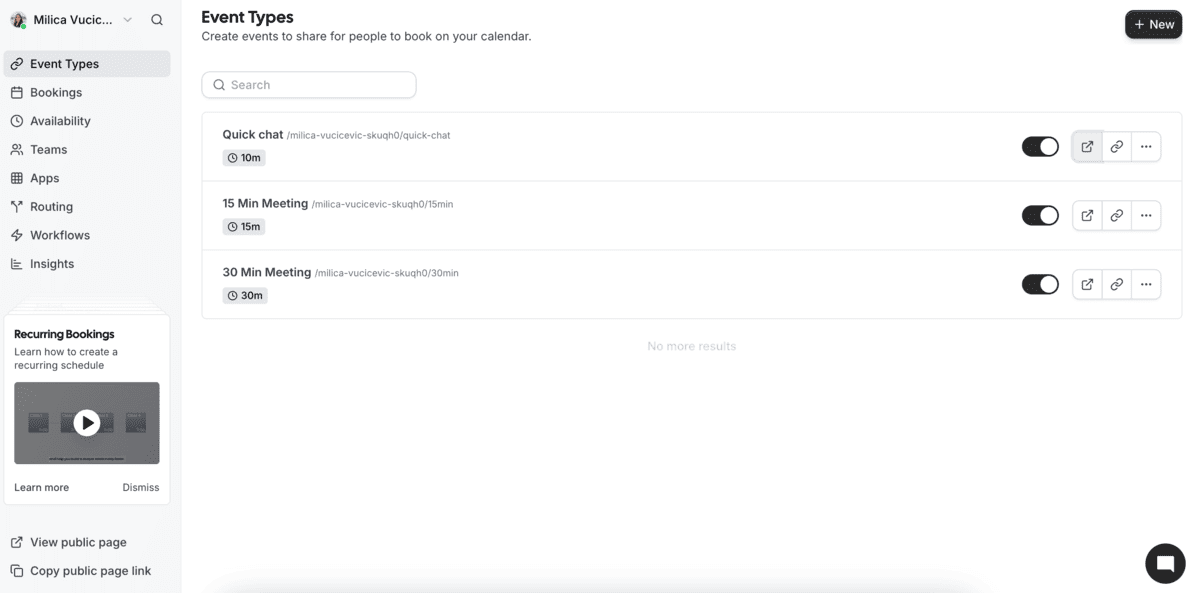
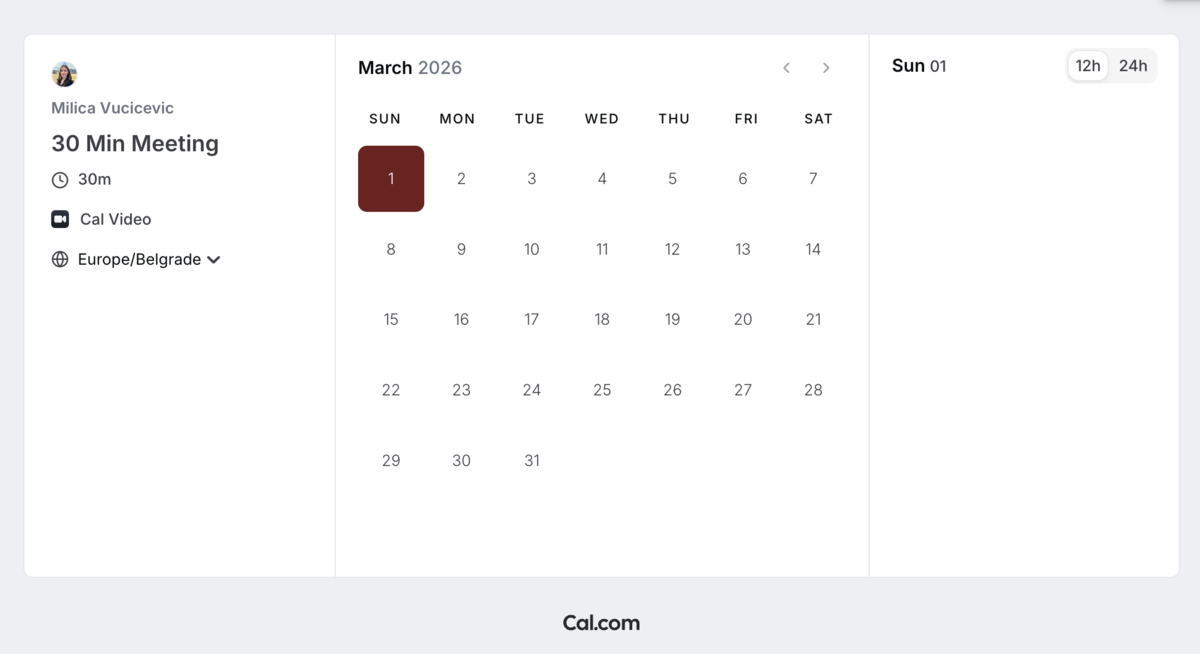
When someone wants to schedule a meeting with you, they get to choose from the set types of events and then select the time and date that works best for both of you.
And, on your end, you can customize:
- How much buffer time you want between meetings,
- The minimum notice before meetings, and
- The limit to the frequency and length of your daily meetings.
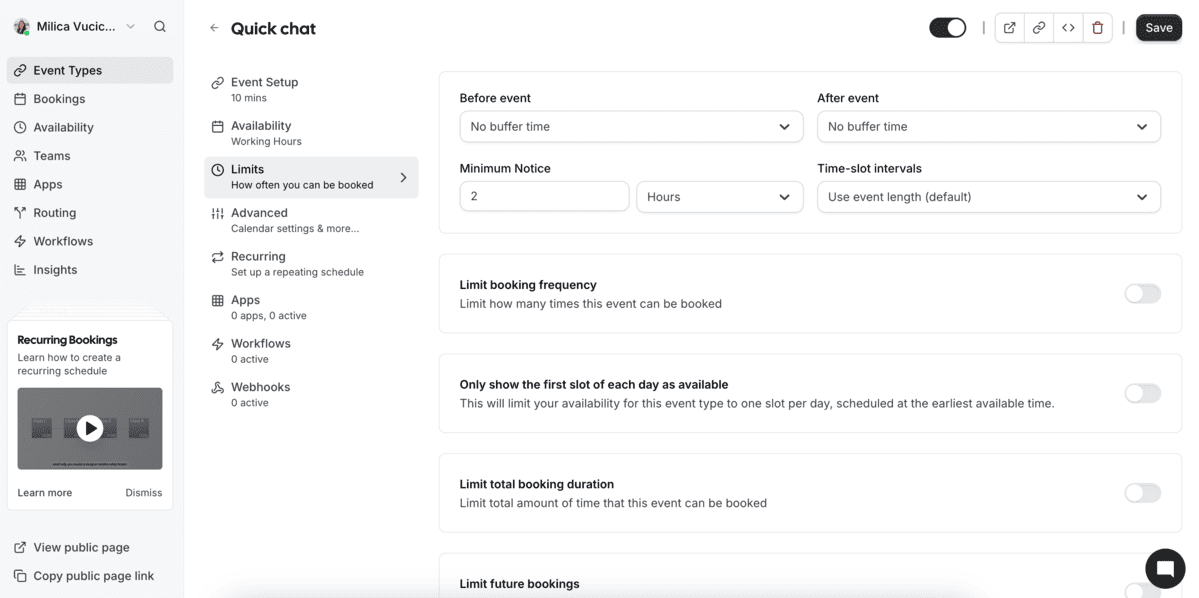
Cal.com offers calendar sync with many calendar platforms, such as:
- Google Calendar,
- Outlook, and
- Apple Calendar.
It also supports integrations with many conferencing, automation, and analytics apps.
Cons of using Cal.com:
Although the integrations offer a lot of flexibility, Cal.com’s design customization is limited.
Additionally, if you use the free plan, you won’t be able to remove the Cal.com branding from your booking page.
Furthermore, the cheapest paid plan starts at $15 per user per month, which can quickly add up.
What’s new in Cal.com:
Cal.com has recently added native Android and iOS apps, as well as extensions for browsers. They’ve also enhanced their affiliate and referral programs.
Available for: Web; Mac, Windows, Linux; Android, iOS; Chrome, Firefox, and Safari extension
Pricing: Free plan available; paid plans start at $15 per user per month.
Acuity Scheduling — Best for service-based businesses
Acuity Scheduling is an automated appointment booking tool designed for businesses that sell time as a service — consultants, coaches, therapists, and small service teams that need more control over bookings, payments, and client intake.
Pros of using Acuity Scheduling:
Acuity offers more customization than most basic scheduling services. You can:
- Tailor booking pages to match your brand,
- Collect information from clients before meetings, and
- Require payments at the time of booking.
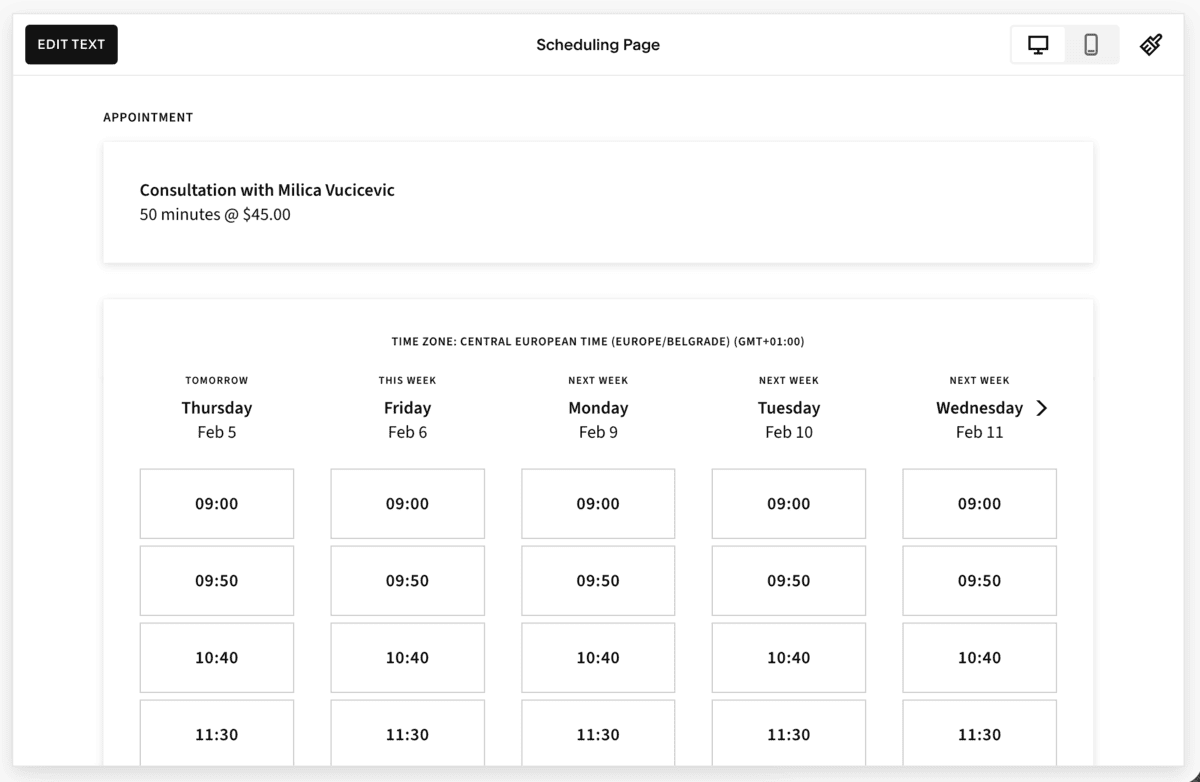
Acuity also handles confirmations, reminders, and follow-ups automatically, which reduces administrative work for you and provides no-show protection.
Client self-scheduling keeps things running smoothly without constant back-and-forth communication.
You can integrate Acuity with Google, Outlook, and iCloud to prevent double bookings.
For businesses that rely on appointments as a revenue stream, this level of control is a major advantage.
Cons of using Acuity Scheduling:
Acuity Scheduling may feel overly complex if you need a simple meeting scheduler. The interface is relatively simple, but it offers a myriad of options and settings, which can be confusing and increase your setup time.
Also, with a starting price of $16 per user per month and no free plan available, it’s definitely pricey.
What’s new in Acuity Scheduling:
New Acuity Scheduling features focus on improved design, better customization, and increased mobile functionality.
Available for: Web; iOS, Android
Pricing: No free plan; paid plans start at $16 per user per month (billed annually).
YouCanBookMe — Best for custom scheduling rules
YouCanBookMe is a flexible scheduling tool built for users who want precise control over availability and booking rules without unnecessary extra features.
Pros of using YouCanBookMe:
The platform connects directly to your calendar and allows you to create a highly customizable booking logic. You can:
- Define complex availability patterns,
- Limit bookings based on conditions, and
- Control exactly when and how people can schedule time with you.
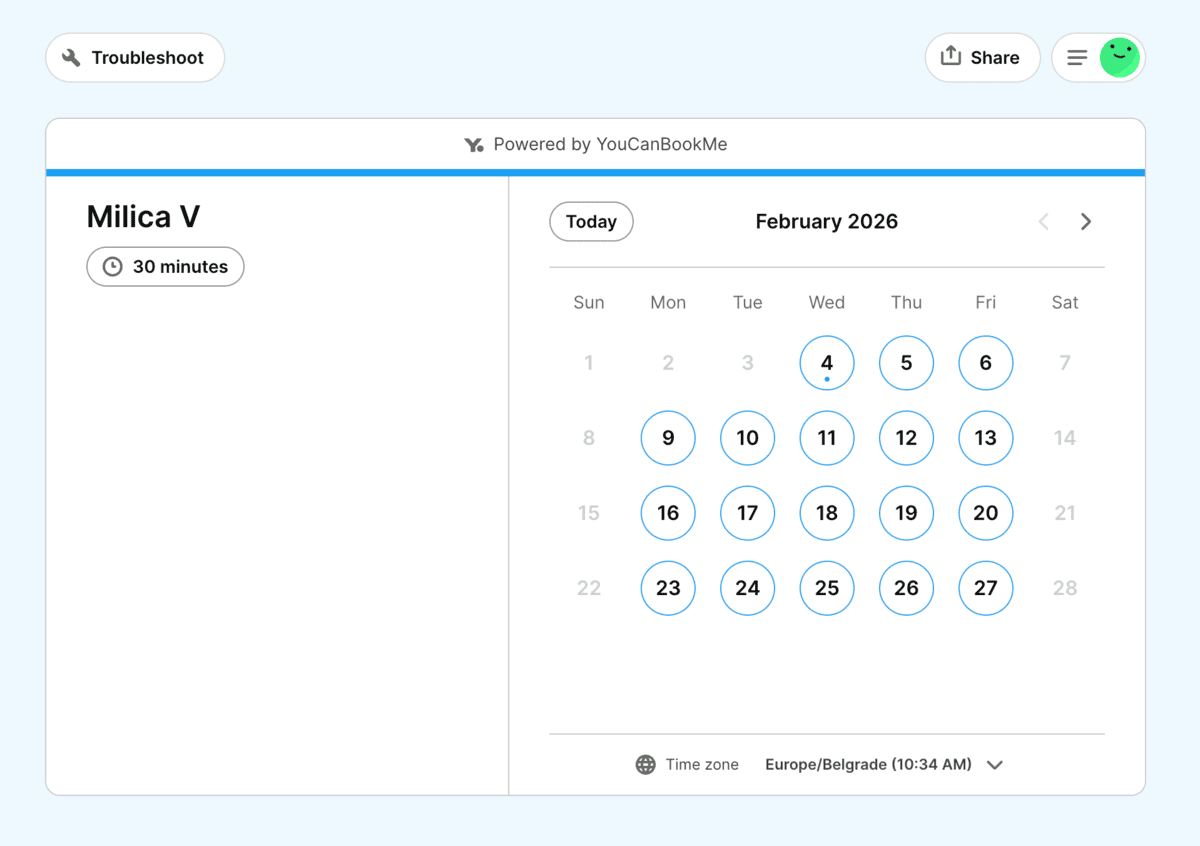
YouCanBookMe also integrates with popular tools like Zoom, Google Meet, and Microsoft Teams, making it easy to generate meeting links automatically.
The interface is clean and functional, and the setup is relatively quick compared to more enterprise-focused tools.
Cons of using YouCanBookMe:
Most of the advanced features for booking are only available in paid plans. Also, it doesn’t offer AI-driven optimization.
Available for: Web
Pricing: Free plan available; paid plans start at $8.10 per user per month (billed annually).

Zoho Bookings — Best for overall business management
Zoho Bookings is an online appointment scheduling app that lets customers book appointments at available times.
Pros of using Zoho Bookings:
Setting up an account on Zoho Bookings was easy. The user experience was nice, and navigating the different features was straightforward.
With Zoho Bookings, customers can book appointments via a personalized scheduling link. The booking page is simple, while still containing all the necessary information.
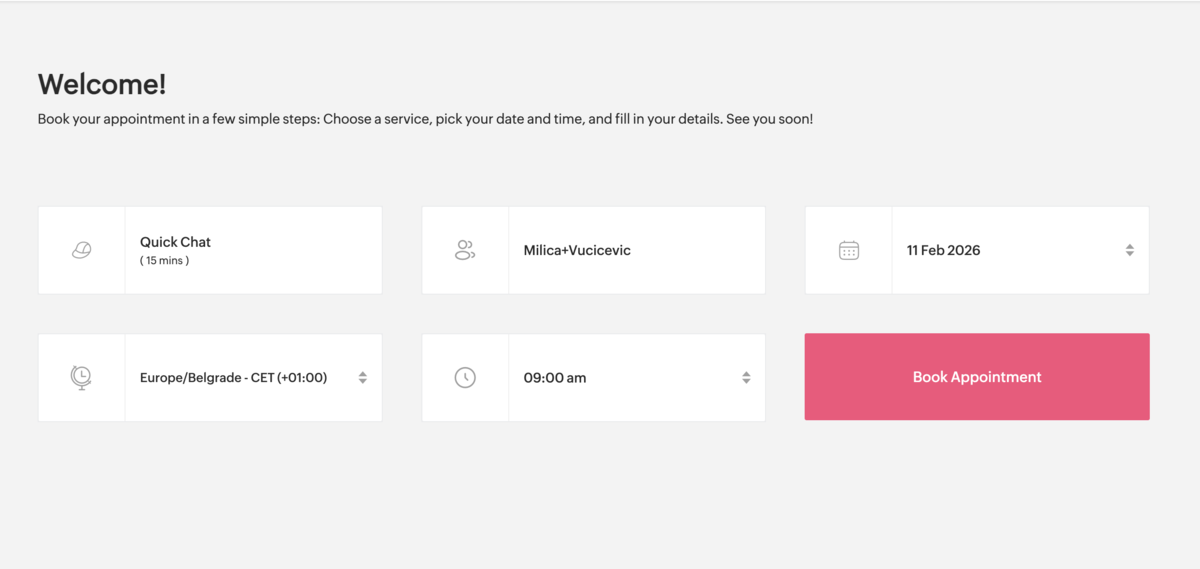
As a business, you have insight into:
- Clients who book meetings or services with you,
- Staff who take bookings, and
- Services that are booked.
Zoho Bookings lets you define services that can be booked by adding:
- Name of the service and service type,
- Workspace,
- Duration,
- Price, and
- Date and time.
On your dashboard, you can see the calendar of your events, which can also be integrated with your calendar apps to prevent double booking.
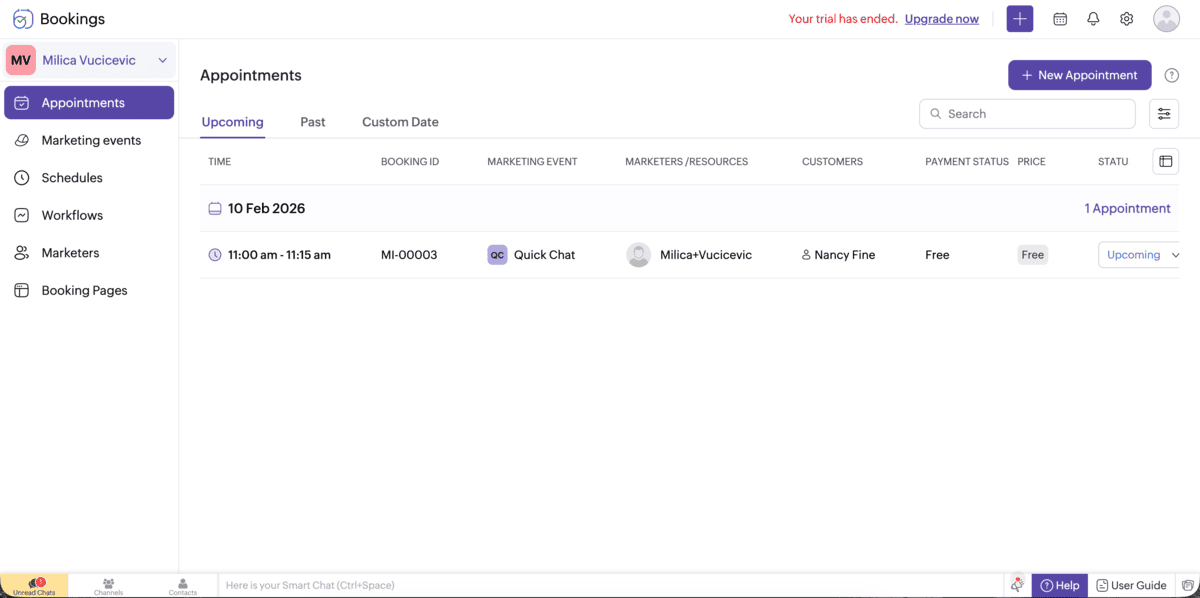
Zoho Bookings also has integrations with video conferencing tools to make meetings easier.
Cons of using Zoho Bookings:
Zoho is a paid tool with a 15-day free trial, and the cheapest plan starts at around $6 per user/month.
The dashboard could be better organized — I had to look for a while before I found the option to switch to a different calendar view of my upcoming appointments.
What’s new in Zoho Bookings:
Zoho Bookings has recently introduced schedule templates for smarter availability management, new workflow triggers, and QR codes for booking pages.
Available for: Android, iOS; Web
Pricing: Free plan available; paid plans start at around $6 per user per month (billed annually).
💡 Pumble Pro Tip
If you want to take your business to the next level and up your productivity, consider using technology to your advantage. To see which apps might help you, read our blog post:
After scheduling, hold your meetings over Pumble by CAKE.com
After you’ve decided on your perfect meeting scheduler app, consider advancing your meeting process even more by upgrading your video conferencing app.
Pumble is an all-in-one team communication app that offers video conferencing without a time limit. You can schedule one-on-one or group meetings, and you can also invite external guests to join.
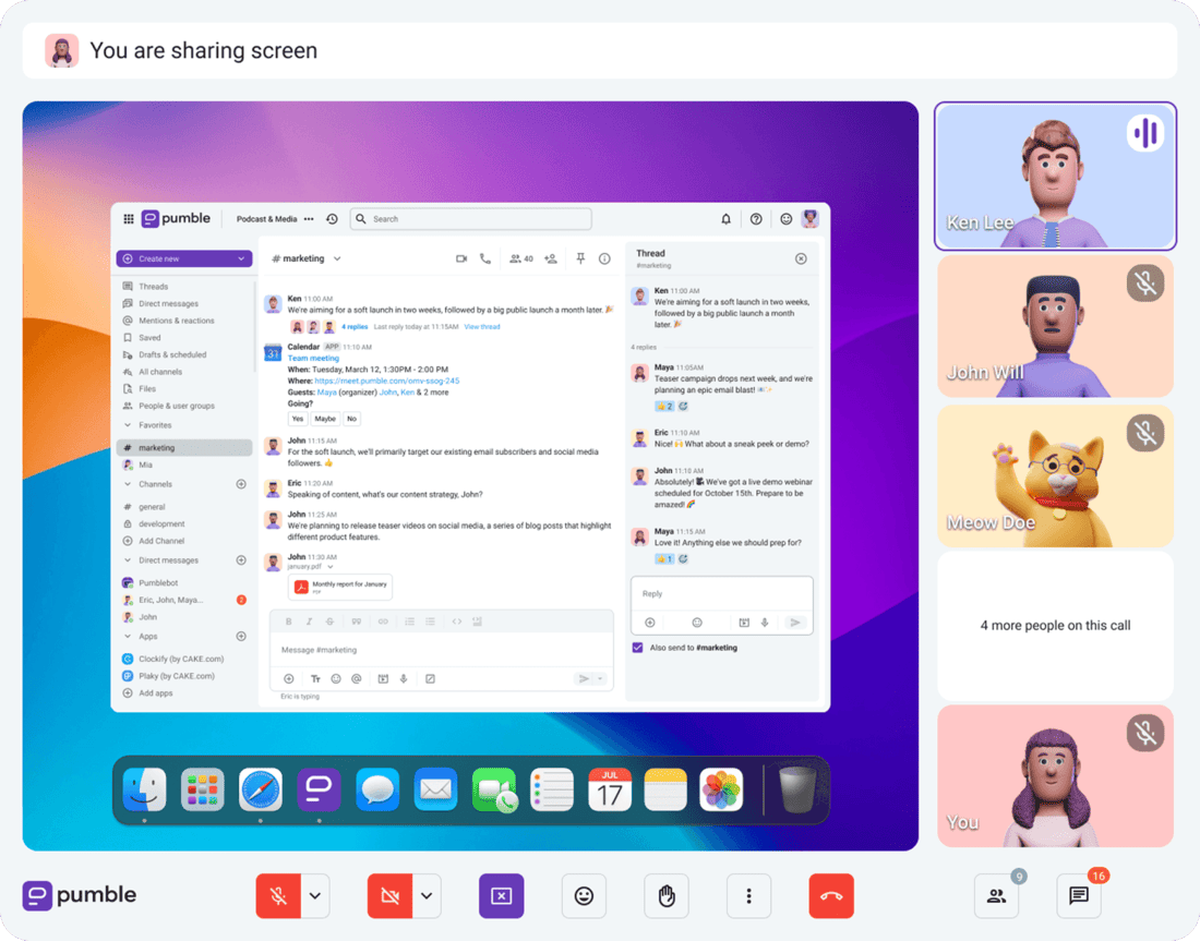
With Pumble’s video conferencing, you can:
- Share your screen,
- Record the meeting,
- Chat in the call, and
- Blur your background.
So, if you’re in the market for a reliable and accessible meeting solution, try out Pumble by CAKE.com!