
Staying on top of work shouldn’t require you or your team to be “always on”.
When everyone is expected to respond right away, focus disappears, and your team ends up exhausted and somehow always behind.
That’s why more teams are turning to asynchronous communication.
Learn what it is and how to implement it in a team communication app like Pumble by CAKE.com.
- Asynchronous communication is any communication where responses aren’t instant.
- It supports deep work by reducing interruptions and unnecessary meetings.
- It helps teams stay productive and organized across different time zones and creates a lasting knowledge base.
- In Pumble, you can use async communication through voice and video messages, channels, threads, and unlimited message history.
What is asynchronous communication?
Asynchronous communication is any communication where the response isn’t instantaneous.
It gives teams the space to think, prioritize, and contribute without the pressure of real-time availability. This helps reduce interruptions and supports deep work and collaboration across time zones.
Examples of asynchronous communication include:
- Text messaging
- Voice and video messages
- Emails
- File sharing
- Collaborating on documents
Let’s see how it differs from synchronous communication.
Synchronous vs asynchronous communication
Synchronous communication happens in real time, while asynchronous communication does not require an immediate response.
Synchronous communication is best for urgent discussion, quick questions, and problem-solving.
Asynchronous communication works well for status updates, feedback, and routine check-ins.
💡 PUMBLE PRO TIP
If you’re uncertain if asynchronous communication can replace face-to-face interactions, here’s what to consider and how to make it happen:

4 Ways to build an async-first culture using Pumble by CAKE.com
Adopting an asynchronous approach is easier when your team has the right habits and tools in place. Here are 4 ways to make it work with Pumble, a business messaging tool by CAKE.com.
#1 Replace disruptive meetings with voice messages
According to Pumble’s 2026 Meeting Statistics, employees spend an estimated 31 hours in unproductive meetings each month. This can lead to decreased productivity, meeting fatigue, and frustration rather than effective communication.
With asynchronous communication, team members can respond at their own pace, giving them more time to focus on actual work instead of constantly attending meetings and replying to messages in real time.
The easiest async way to replace unnecessary meetings is by sending voice messages in Pumble.
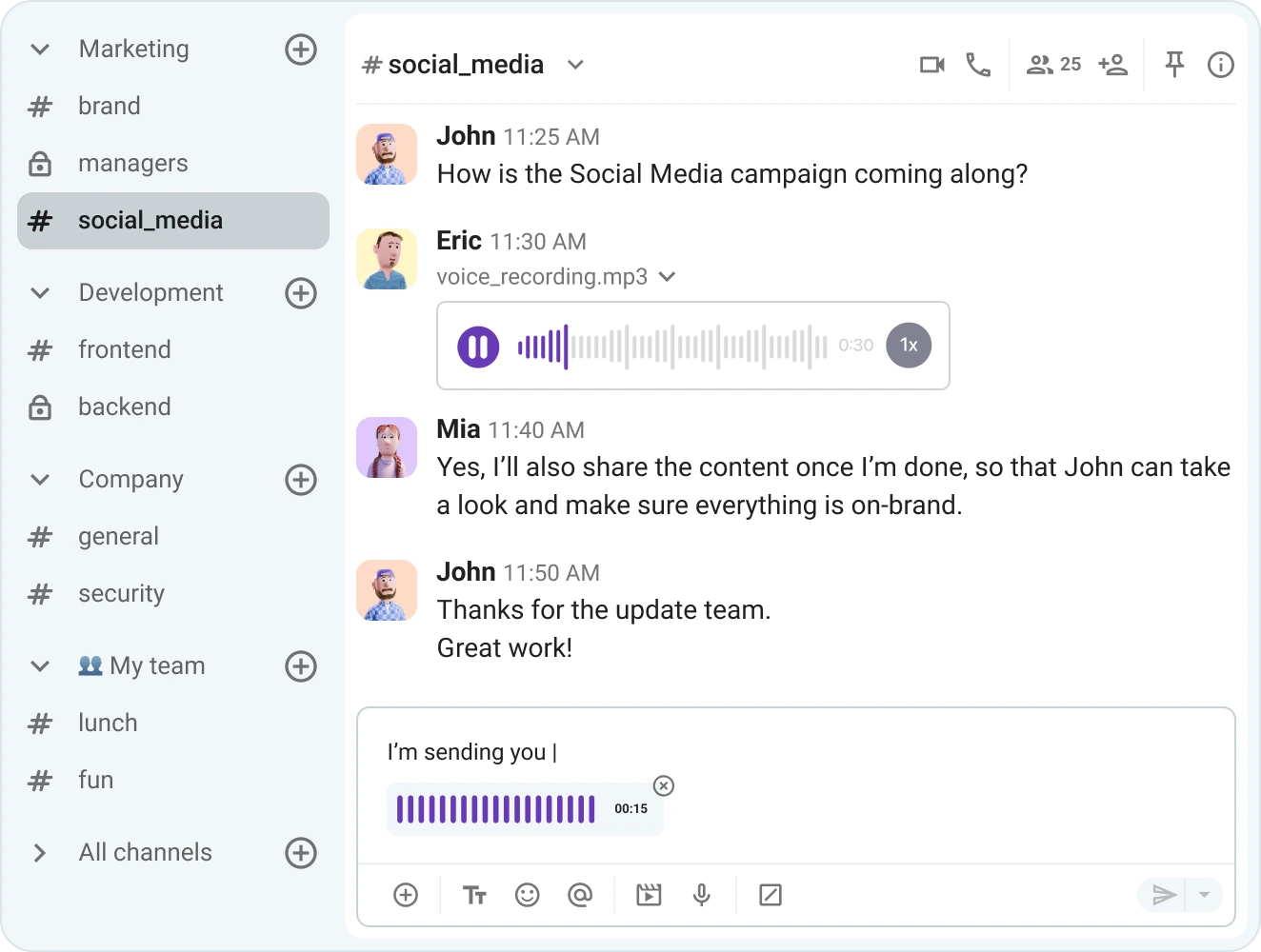
With voice messages, team members can convey the right tone while explaining complex issues, giving nuanced feedback and sharing quick updates when it works best for them.
And, when a topic requires visuals, a video message can be even more effective.
For example, instead of scheduling a meeting to walk a teammate through a design update or software issue, you can record a quick video explaining the changes and share your screen to provide additional context. They can then review it whenever they’re available and refer back to it later if needed.
Cut down on meetings with Pumble
#2 Use channels for transparent, time zone-friendly updates
If you work in a remote or distributed team, your teammates often log in at different hours, due to time zone differences. This can easily lead to missed updates or scattered conversations.
Instead of relying on isolated direct messages, keep discussions and decisions organized in dedicated channels for each team, project, or client.
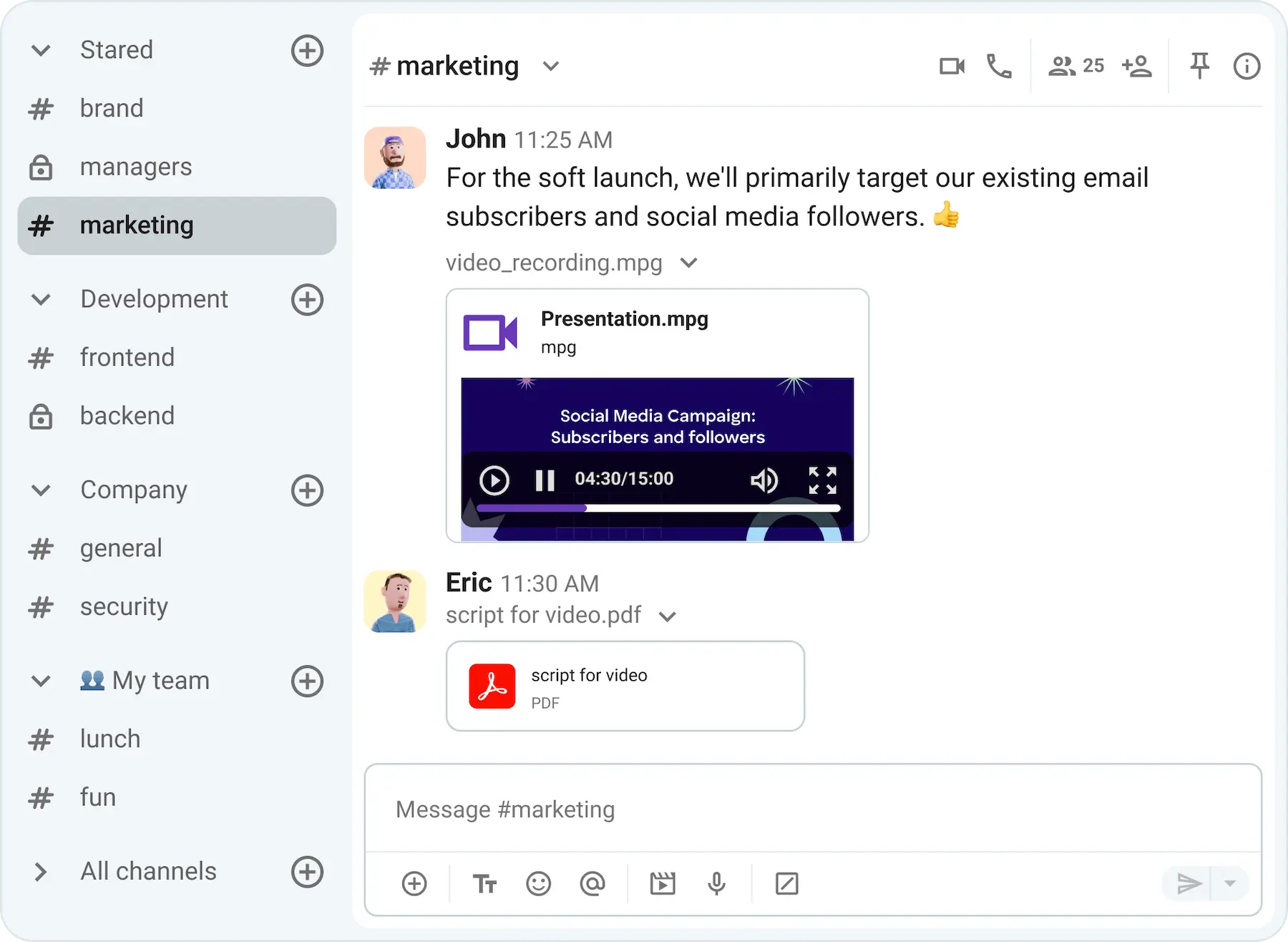
For example, a marketing team working on a campaign can use a single channel to share project updates, feedback, and files, so no one has to chase information across multiple chats.
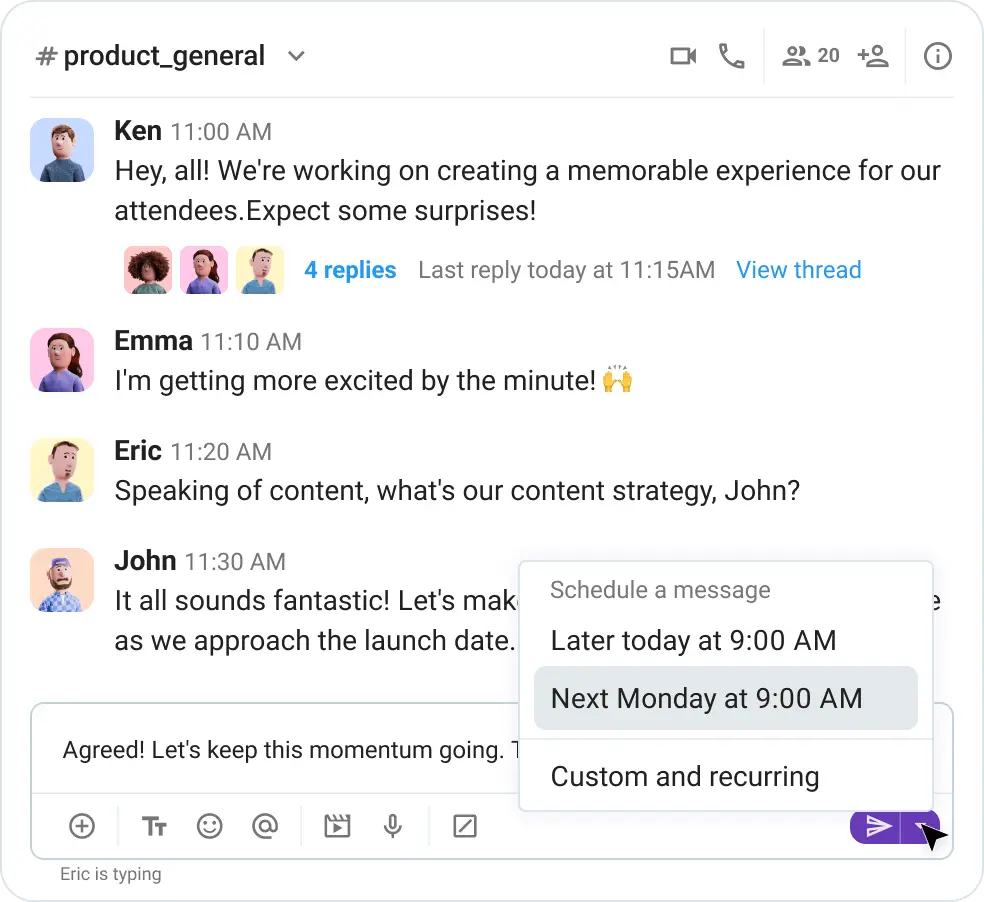
When timing is especially important, schedule messages to ensure your updates reach colleagues at the right time, even if you’re not online.
Additionally, you can pin important messages such as updates, guidelines, or key resources so they stay visible and easy to reference whenever needed.
Stay on top of updates with Pumble
#3 Organize chat chaos with message threads
In larger teams or busy work environments, constant back-and-forth in channels and DMs can quickly clutter conversations and make them hard to follow.
Instead of mixing replies into the main chat, use Pumble’s threads to keep discussions focused and easy to navigate. This way, anyone joining later can catch up on the conversation and respond to questions without having to scroll through unrelated messages.
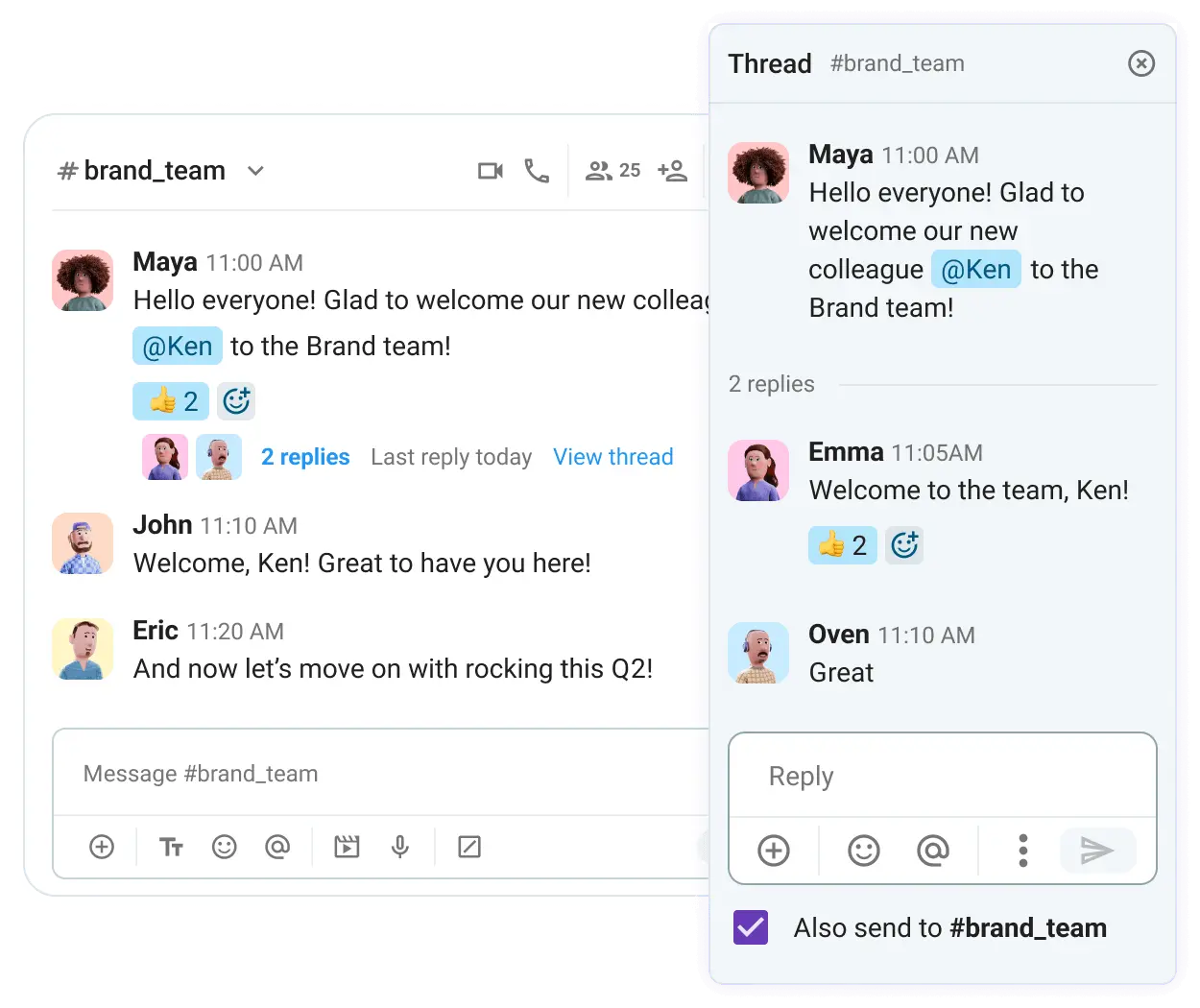
When a thread reply is important for everyone to see, use the “Also send to channel” option to surface it back into the main conversation.

#4 Centralize knowledge with unlimited searchable history
Asynchronous communication relies heavily on written or recorded messages, not real-time conversations. This means information is captured by default, instead of disappearing the moment the meeting ends.
Over time, all information shared in your business messaging app creates a permanent chat history and searchable record of:
- How the team works
- What decisions were made
- Where important context and shared files live
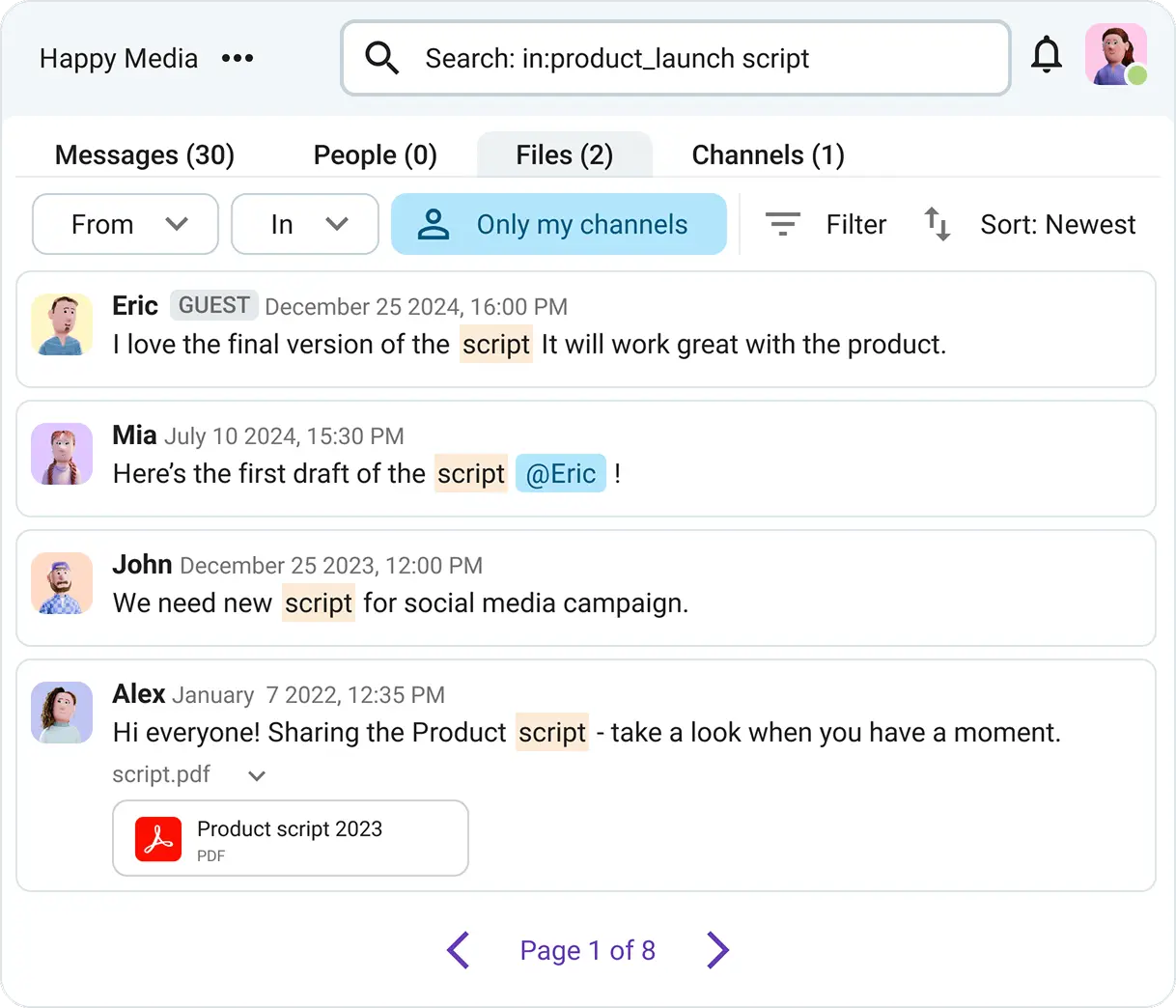
To support this, Pumble has unlimited message history across all plans, allowing teams to revisit any conversation at any time.
Its search functionality makes it easy to find past messages, files, or links in seconds, thanks to its detailed filters.
This also extends to your synchronous communication. You can record your Pumble meetings and share them with your team for future reference, adding them to your collective knowledge base.
Create your asynchronous digital headquarters with Pumble by CAKE.com
If your workplace still operates in a synchronous-by-default culture, you’re likely dealing with back-to-back meetings, notification fatigue, and even burnout.
Give your team a better way of working by transitioning to an asynchronous workflow with Pumble by CAKE.com.
With asynchronous communication, you can:
- Free up your schedule
- Focus more on meaningful work
- Keep everyone aligned regardless of time zone or location
And, when you need instant, real-time communication, Pumble also supports synchronous collaboration with powerful voice and video conferencing features, such as:
- Sharing your screen
- Messaging in the call
- Inviting external guests through meeting links
So, if you need a reliable and easy-to-use tool for team communication across all modes, try out Pumble!
How we reviewed this post: Our writers & editors monitor the posts and update them when new information becomes available, to keep them fresh and relevant.