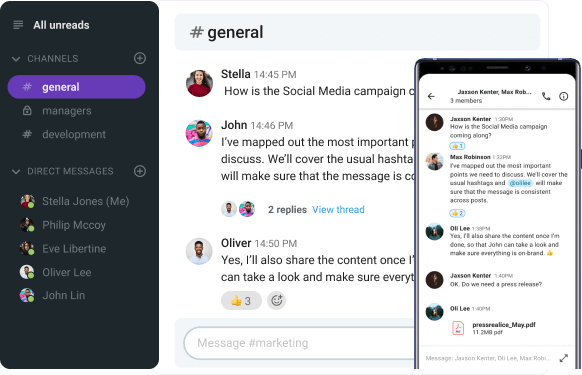
Are you looking for a free, powerful, and easy to use communication hub where you can organize your team’s collaboration?
For some people (namely, those who already use the Google Workspace ecosystem) Google Chat is one of the most obvious choices.
However, Google Chat is not a full-fledged business communication tool. It serves as an add-on to your existing Google Workplace suite, but doesn’t deliver enough value as a stand-alone app.
On the flip side, Pumble by CAKE.com is a fully autonomous free Google Chat alternative. It’s an all-in-one communication and collaboration tool, designed specifically for teams and businesses.
In this Pumble vs Google Chat review, you’ll get to explore features, pricing, and values of both apps and decide which one fits your workflow best.
Let’s start.

Why trust us?
Human reviewers try out each app and follow strict guidelines while writing about the comparisons. We follow a transparent, clear, and systematic methodology, so that every review is objective and accurate.
Pumble vs Google Chat: Main features comparison
The choice between Pumble and Google Chat comes down to the choice between a focused communication tool and an integrated add-on.
What I mean by that is that Pumble feels like a toolbox built with purpose. It’s focused on powerful essentials for messaging and effective team collaboration.
Plus, it’s free in its core sense with reasonably priced plans for additions.
Google Chat, on the other hand, is more like an add-on put together for the sake of adding another set of features to the Google suite.
It’s functional, don’t get me wrong. However, I’m afraid team communication and collaboration can get pretty chaotic pretty quickly with all the space threads, emails, and Meet calls and chats.
So, some of the main differences between Pumble and Google Chat include:
- Pricing — Pumble’s paid plans start at $2.49 per user/month vs Google Chat’s that start at $6.30 per user/month.
- Free plan limits — Pumble is truly free with unlimited users and unlimited messaging history, while Google Chat limits your features unless you’re on a paid plan.
- Approach to communication — Pumble is purpose-built, messaging-first app with built-in video and screen sharing capabilities, while Google Chat is part of a massive suite and relies on a separate app (Google Meet) for video functionality.
Let’s compare the main features of Pumble and Google Chat:
| Features | Pumble by CAKE.com | Google Chat |
|---|---|---|
| Pricing plans | – Free plan with unlimited users and messaging history – Pro plan: $2.99 per user per month (billed monthly), or $2.49 (billed annually) – Business plan: $4.99 per user per month (billed monthly), or $3.99 (billed annually) – Enterprise plan: $7.99 per user per month (billed monthly), or $6.99 (billed annually) | – Free plan for individual users only – Business Starter plan: $7 per user per month (billed monthly), or $6.30 (billed annually) – Business Standard plan: $14 per user per month (billed monthly), or $12.60 (billed annually) – Business Plus: $22 per user per month – Enterprise Plus: custom pricing |
| Interface | Clean, easy to adopt, customizable themes and sidebar | Clean (on its own), basic customization, difficult to navigate within a large suite |
| Communication features | – Unlimited messaging history – Channels – Threads – Voice and video messages – Polling – Guest access | – Unlimited messaging history – Spaces – Threads – Voice messages – Polling – Guest access |
| Video conferencing | – Video is integrated into messaging workflow – 1:1 video and audio calls – Group video and audio calls – Screen sharing – Guest access to meetings | – Video via Google Meet – 1:1 video and audio calls – Group video and audio calls – Screen sharing – Guest access to meetings |
| File sharing and storage | – 10 GB per workspace in the Free plan – 10 GB per user in Pro – 20 GB per user in Business – 100 GB per user in Enterprise | – 15 GB of shared storage across Google Photos, Google Drive, and Gmail (with a regular Google account) – 30 GB per user in Business Starter (pooled across Google products) – 2 TB per user in Business Standard (pooled across Google products) – 5 TB in Business Plus and Enterprise Plus |
| Integrations | – Core apps like Gmail, GitHub, Google Calendar, Zapier – Clockify and Plaky | – Google Workspace ecosystem – Asana, Trello, and Zendesk in paid plans |
| Support | – 24/7, 100% human support on all plans – Dedicated success representatives on paid plans | – Forums, help articles, and community threads – 24/7 standard and advanced support on paid plans |
| Security | Industry standard | Industry standard |

Pumble vs Google Chat: Pumble is free forever
Pumble’s free version is actually free — no trials, no limit.
It lets you host:
- Unlimited users,
- Unlimited message history, and
- Unlimited channels that won’t disappear.
With its “free forever” promise, Pumble completely flips the script on similar team communication apps that are shrinking their message history limits more and more over time.
Pumble by CAKE.com stands out as one of the few platforms committed to letting teams of all sizes collaborate comfortably, with every piece of shared information kept on file.
And this is exactly why it has my vote in this category — what you see is what you get. You have a completely functional free version, no strings attached, for as long as you want.
On the other hand, Google Chat features a free plan only in the technical sense. But in reality, this feels more like you’ll get some of the basics for free, but the real deal is locked behind a Workspace paywall.
So, basically, you can get Google Chat for free only if you have a personal Google account or Google Workspace plan.
And the perks you’ll get in this version are pretty limited, especially when compared to Pumble and similar fully-functional team chat apps:
- 1:1 messaging,
- Group conversations, and
- Spaces (chat rooms).
To be able to access admin controls, retain more data, or get more support, you’ll have to upgrade to a paid Google Workspace plan.
Create your workspace in Pumble
Pumble vs Google Chat: Pumble pricing offers more value across all plans
If you compare their pricing models, it’s pretty clear right off the bat that Pumble is more affordable than Google Chat, with more reasonable prices across all paid plans.
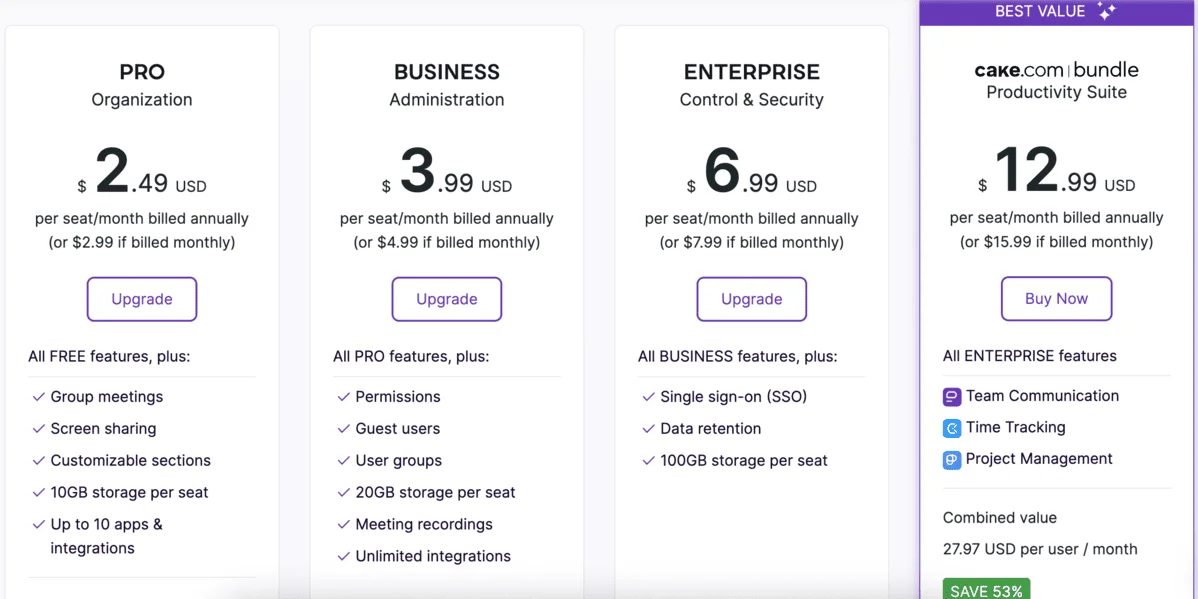
The Pro plan in Pumble, which costs $2.49 per user per month when billed annually, takes your entire collaboration experience to the next level — from more people in meetings to more storage and an organized interface.
This is what I appreciate about Pumble — it grows with your team, giving you more of everything at each pricing plan, and not just some random vanity feature to try to justify the high price.
Similarly, the Business (at $3.99) and Enterprise (at $6.99) plans add elaborate features including more storage, data export, and custom SLA, without keeping basic functionality tied to a paid plan.
Unfortunately, Google Chat’s full power is attached to Workspace, which comes with bloated features and high prices.
You can get their cheapest paid plan, Business Starter, for $7 per user per month, paid monthly, or $6.30 if you pay annually. This upgrade lets you add other Google tools like Gmail with AI assistant, Docs, Drive, and Meet.
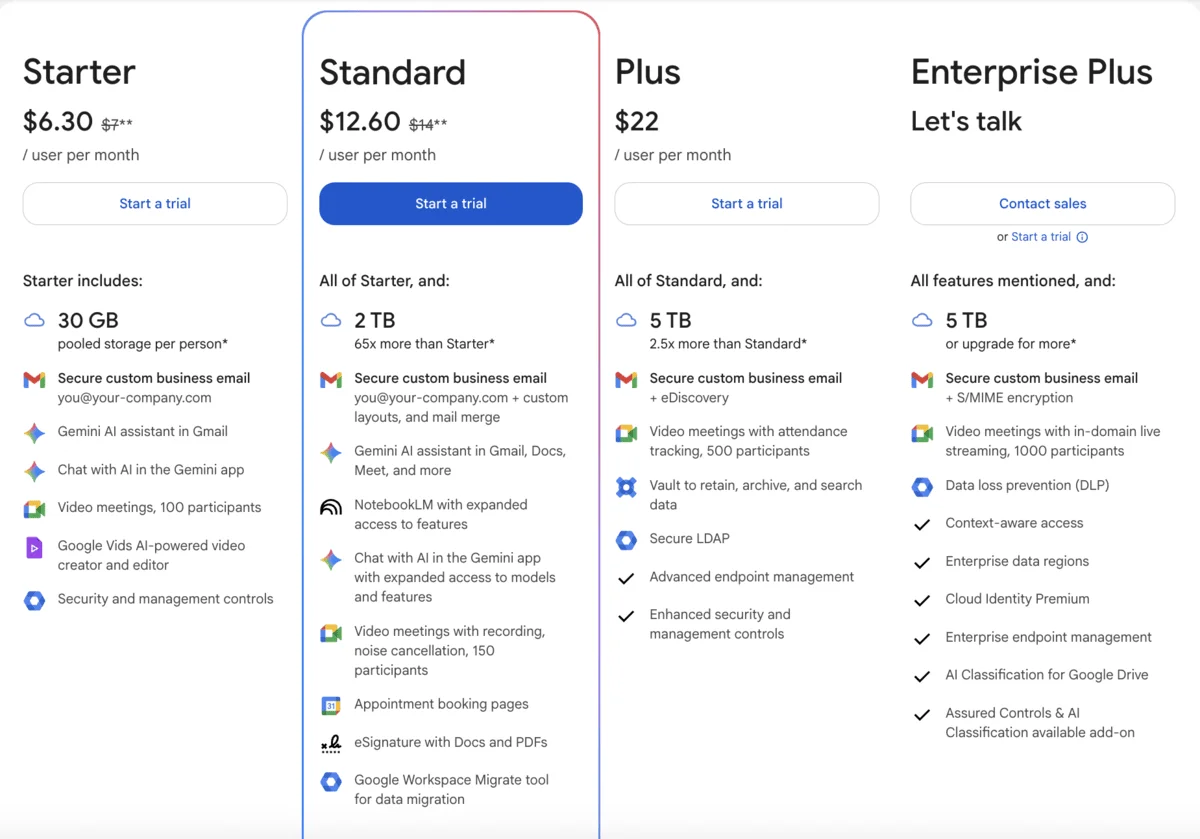
Other Google Chat plans include:
- Business Standard at $12.60 per user per month (paid annually) that adds meeting recording and Gemini AI assistant in Docs and Meet,
- Business Plus at $22 per user per month that offers improved security and advanced management controls, and
- Enterprise Plus with custom pricing that allows in-domain live streaming and enhanced security.
So, if you’re looking for an organized communication platform that doesn’t nickel-and-dime you or skimp on the essentials, Pumble might be right up your alley.
On the other hand, Google Chat makes more sense for you price-wise if you’re already paying for Workspace and if your business depends on scheduling, Drive, and deep Google integrations.
And, even then, I think Pumble might still be a good option, having core Google apps integration, but without the app bloat and the team conversations spiraling into chaos.
Pumble vs Google Chat: Pumble is designed with a clear purpose, while Google Chat feels disconnected
What I love most about Pumble is that it’s simple and minimalistic, yet super powerful when you need it to be.
From the first log in, Pumble felt like a focused space made for organized conversations. It’s clean, intuitive, and designed to do one thing really well.
Its user interface is lean, tidy, and familiar, especially if you’ve ever used Slack.
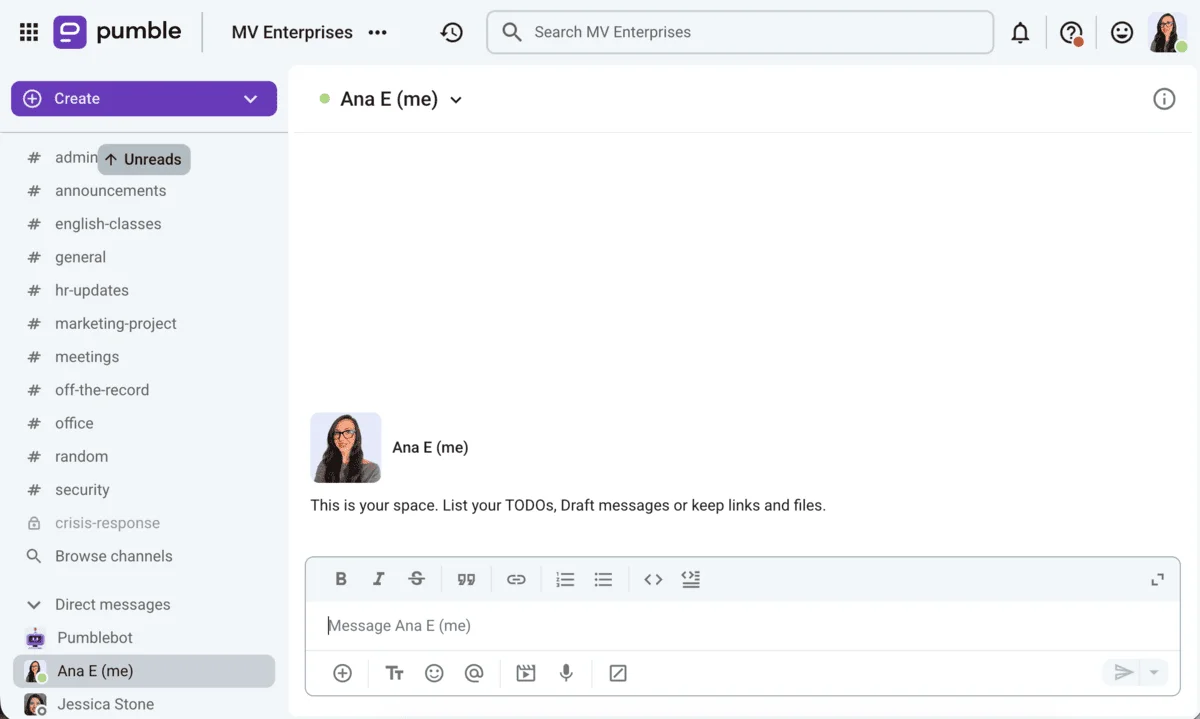
Everything is in the right place, exactly where you expect to find it — from channels and treads to files and video calls.
It took me zero training to find my way around the app the first time I tried it.
If you don’t like the default sidebar layout, you can customize different sections to your liking. You can also pick a color theme that suits you best, as pictured below.
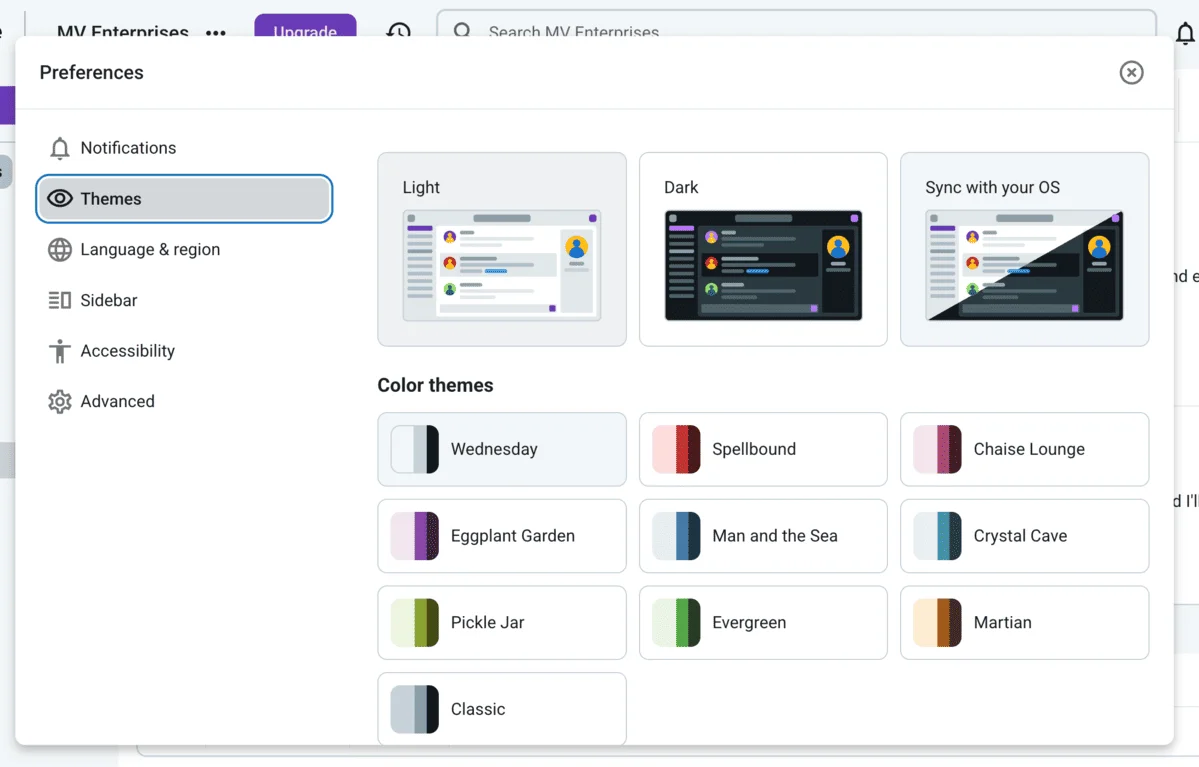
Collaborate efficiently in Pumble
By contrast, Google Chat looks pretty clean until you start using it. Attempting to collaborate inside it feels like trying to find your way around a huge open plan space full of Google apps.
I appreciate that it hosts everything I might need, but it feels disconnected and distracting, especially when I need to focus on deep work. It’s functional but pretty clunky.
Google Chat is a lot easier to navigate for one-on-one conversations rather than group chats with multiple people and different teams.
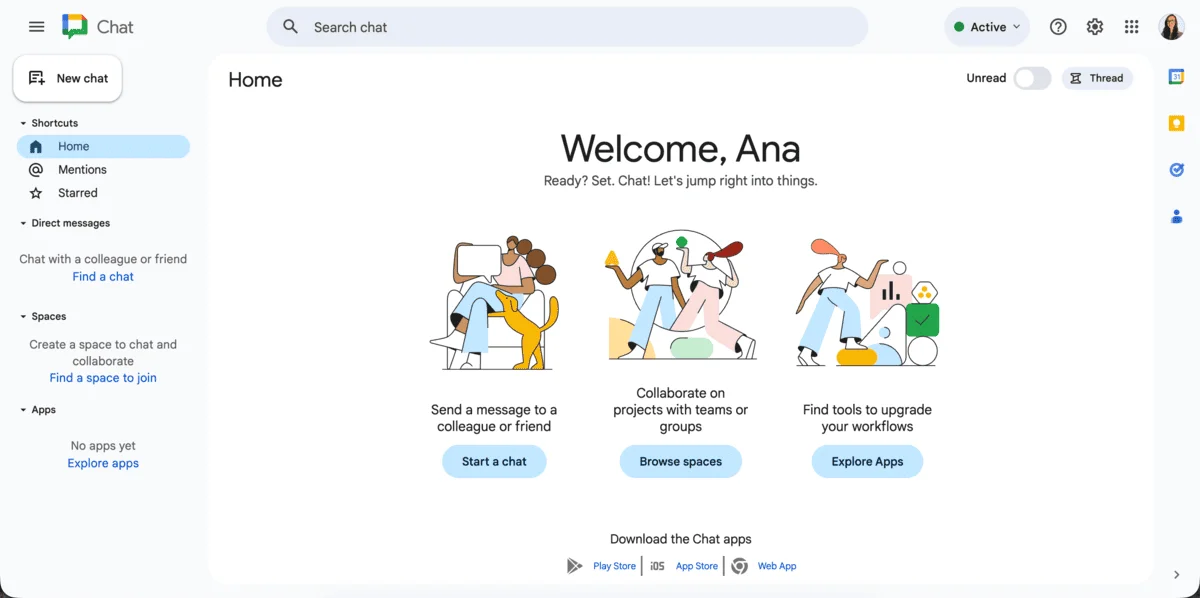
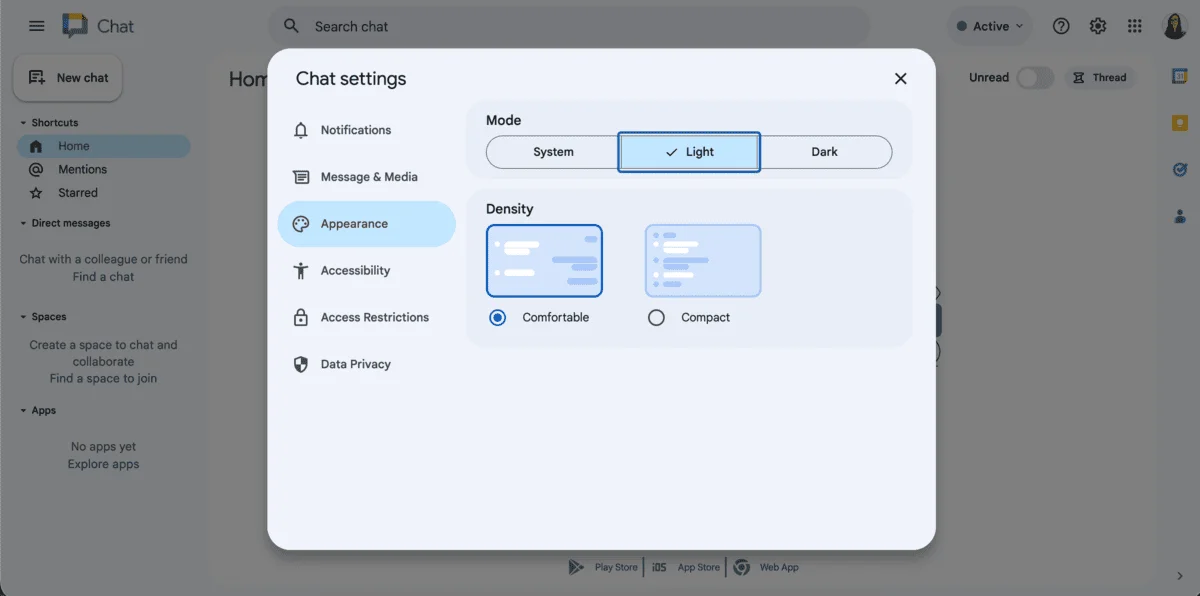
Additionally, Google Chat lets you customize your workspace, but you only have two options to choose from for appearance and density adjustment.
If you want a dedicated space for categorized team conversations, organizing subtopics in threads, and keeping tabs on all past communications, Pumble gives you that focused UI.
Google Chat might look familiar, but you’ll often find yourself strolling over to Drive, Meet, or Gmail to finish what you started.
💡 Pumble Pro Tip
To learn more about how Google Chat compares to other popular chat apps such as Slack, check out the following guide on the blog:
Pumble vs Google Chat: Pumble is unbeatable for asynchronous communication
Right off the bat, Pumble pulls ahead with the messaging history record that doesn’t leave you hanging.
This is especially useful when you work with people whose work hours don’t overlap with yours — Pumble makes sure you’re all on the same page even when collaborating asynchronously.
Communicate with your hybrid team
Pumble gives you unlimited, searchable messaging history even on its free plan. This means you can search through all of your messages and files from however long ago.
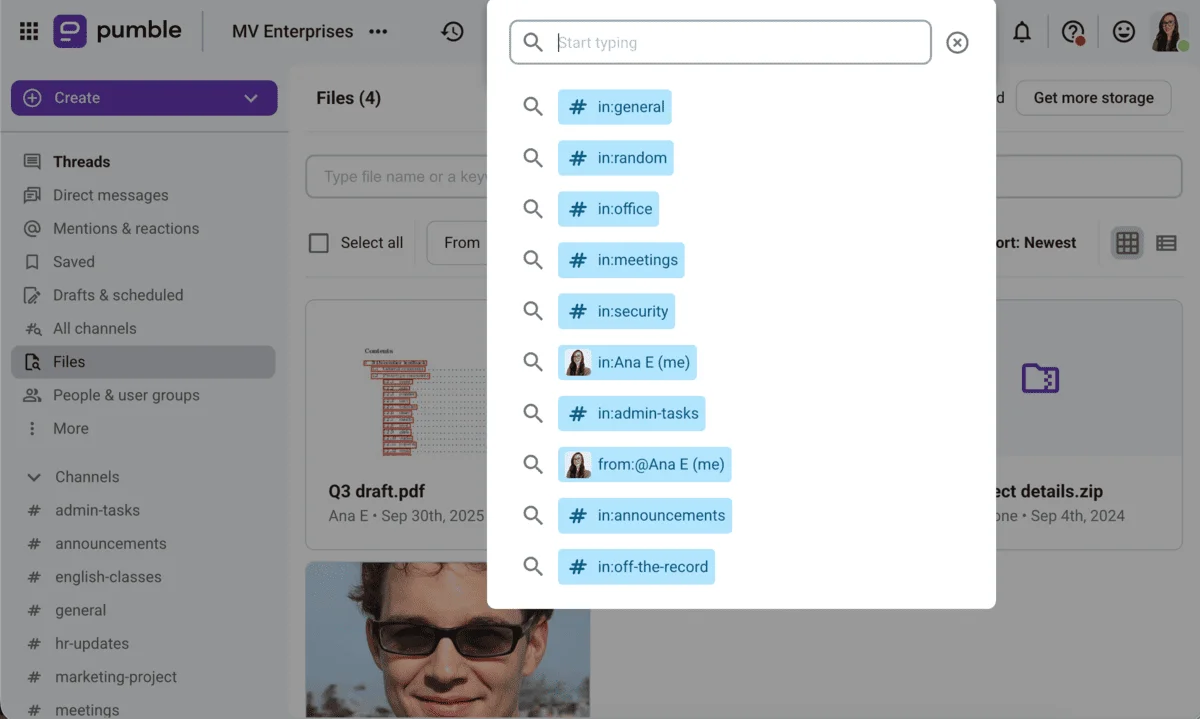
Pumble also lets me prioritize better:
- If I’m nose deep in my writing tasks, I can simply mute all notifications for a couple of hours and keep laser-sharp focus.
- At the same time, if there’s an ongoing issue I have to keep up with, I’ll customize my settings to only receive notifications for messages in those specific threads.
- For channels I don’t follow regularly, I keep them muted.
Customize your notifications in Pumble
Google Chat lets you keep your entire chat history on the free plan, unless:
- You accidentally turn off your chat history, which deletes all your conversations after 24 hours,
- You have a 1:1 direct message with someone who uses Google Chat for school or work (as their administrators might set a data retention policy that automatically deletes messages after a certain time period), and
- The person who started the 1:1 direct message belongs to an organization that has a rule to delete messages after a certain time period.
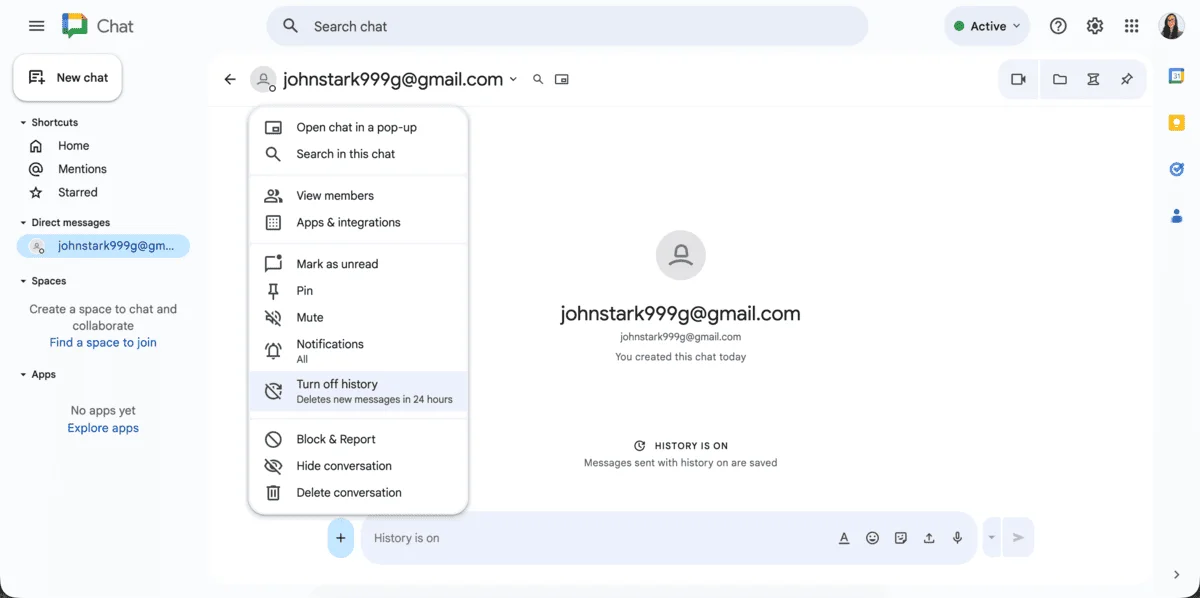
So, basically, unless you’re on a paid Workspace plan, your chat future is always hanging in the balance in Google Chat.
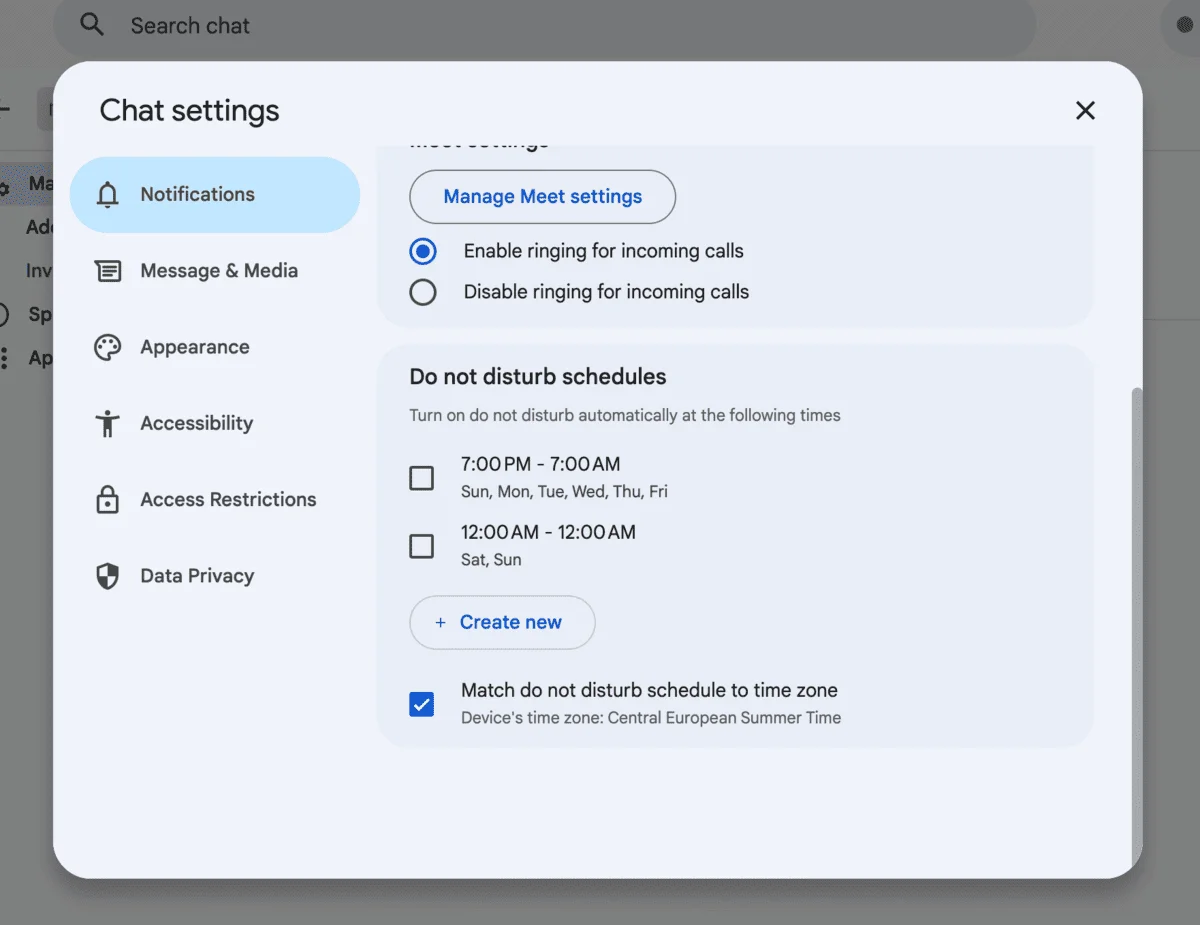
As for the notification options, Google Chat lets you:
- Pick your favorite notification sound,
- Set up your Do not disturb schedule, and
- Match the Do not disturb schedule to your time zone.
The DND mode works flawlessly and comes in handy when you need focused time.
However, I’d still appreciate not getting alerted every time a teammate who works on site fills out their lunch order form while I’m miles away, working from home.
Work without distractions in Pumble
Pumble vs Google Chat: Pumble video conferencing keeps you in the flow
One of the advantages Pumble has over many similar tools is that it works with your work style, not against it.
For example, I can stay focused and in the flow even when I need to switch to a quick call with a coworker.
One click is all it takes to hop on a video call in Pumble, and that’s all it takes to return to my work without a hitch — no focus loss and no switching apps.
Pumble even lets you do unlimited 1:1 video calls for free, which are frictionless every time. You’ll have to upgrade for group calls with screen sharing and meeting recording, which, at $2.49 per user per month, is still quite affordable.
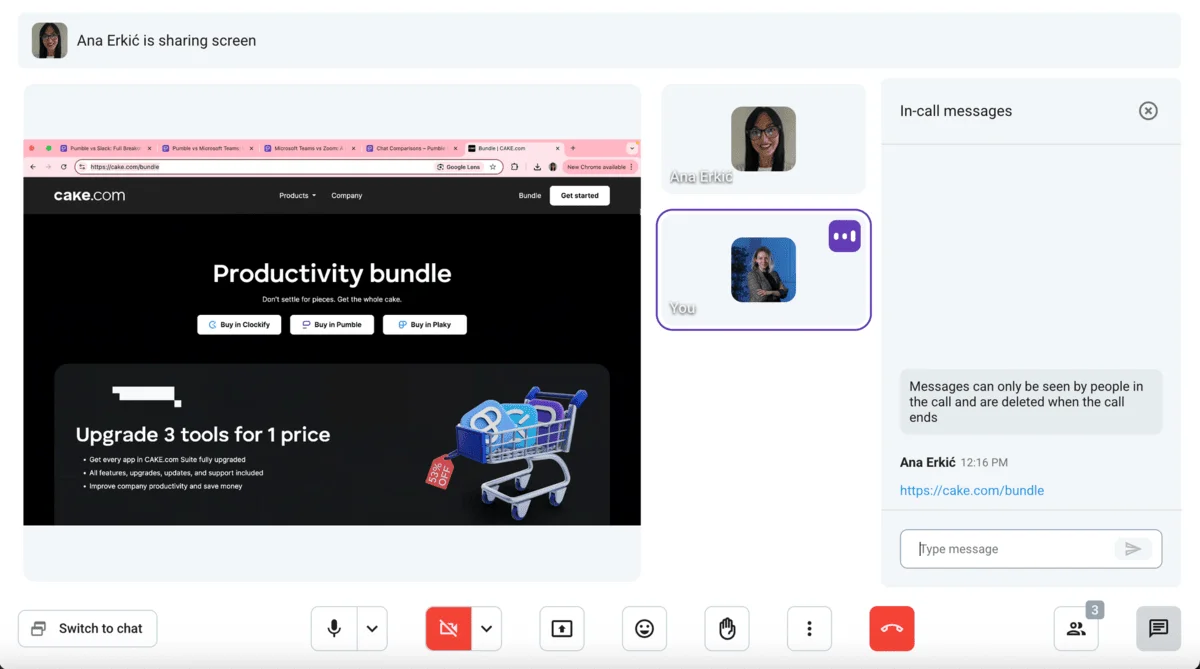
Google Chat, on the other hand, will pull you out of your current flow and into Google Meet — an entirely different app. I have to say, this switch can feel pretty disruptive, especially if you’re used to a smooth, streamlined communication environment.
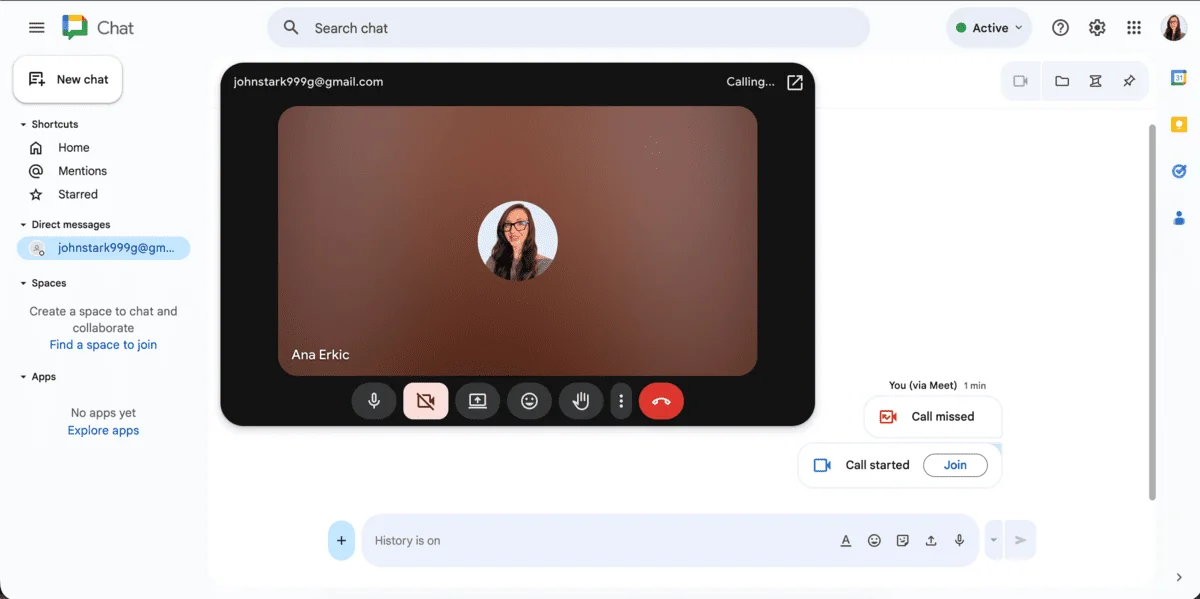
Of course, as one of the most capable video conferencing platforms, Google Meet does offer solid meeting features for free, including:
- Screen sharing,
- Captions, and
- 60-minute group meetings for up to 100 participants.
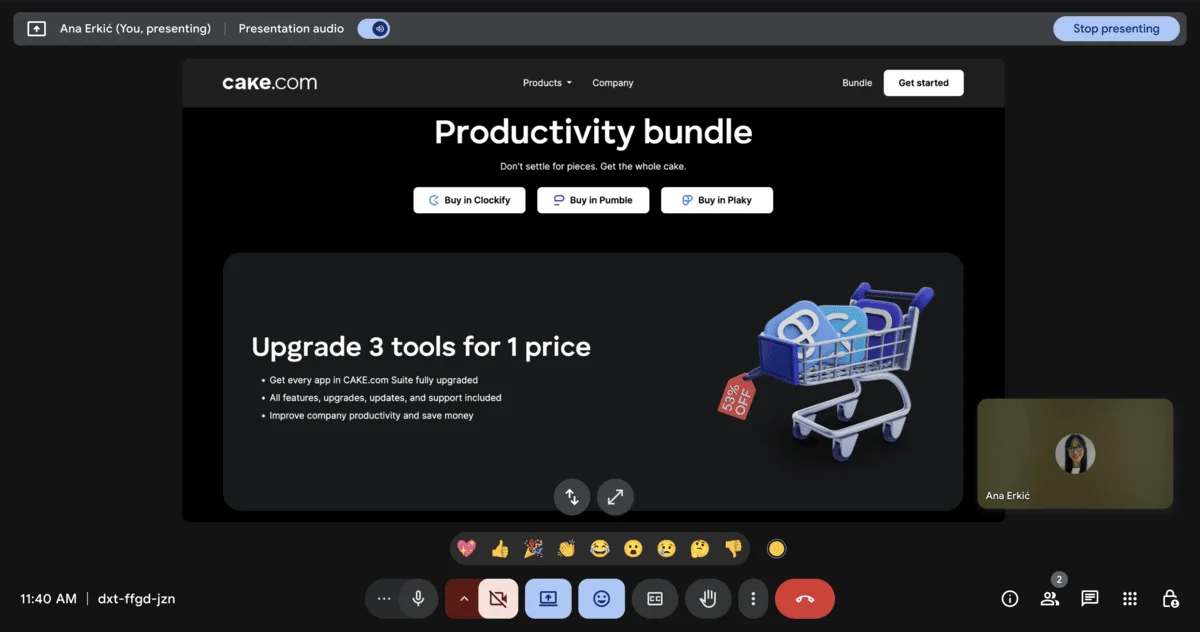
So, even though Google Chat technically features video conferencing capability, it comes at the cost of it being squeezed inside the Workspace suite.
Host frictionless calls in Pumble
Pumble vs Google Chat: Pumble organizes your communication better
If you’ve ever tried to keep a project on track using Google Chat in the past, you know how quickly things can get messy.
It handles low volume 1:1 and smaller group chats just fine, but as soon as things scale up a bit, important information starts slipping through the cracks. You just kind of have to deal with the fact that everything lands in one long stream.
With features such as spaces, threads, and pins, you can get some semblance of order and structure when working with teams. Your DMs and spaces are organized in separate sections, so you can keep track of who said what.
Still, it feels somewhat unfinished, especially when you try juggling multiple teams with tens or hundreds of team members.
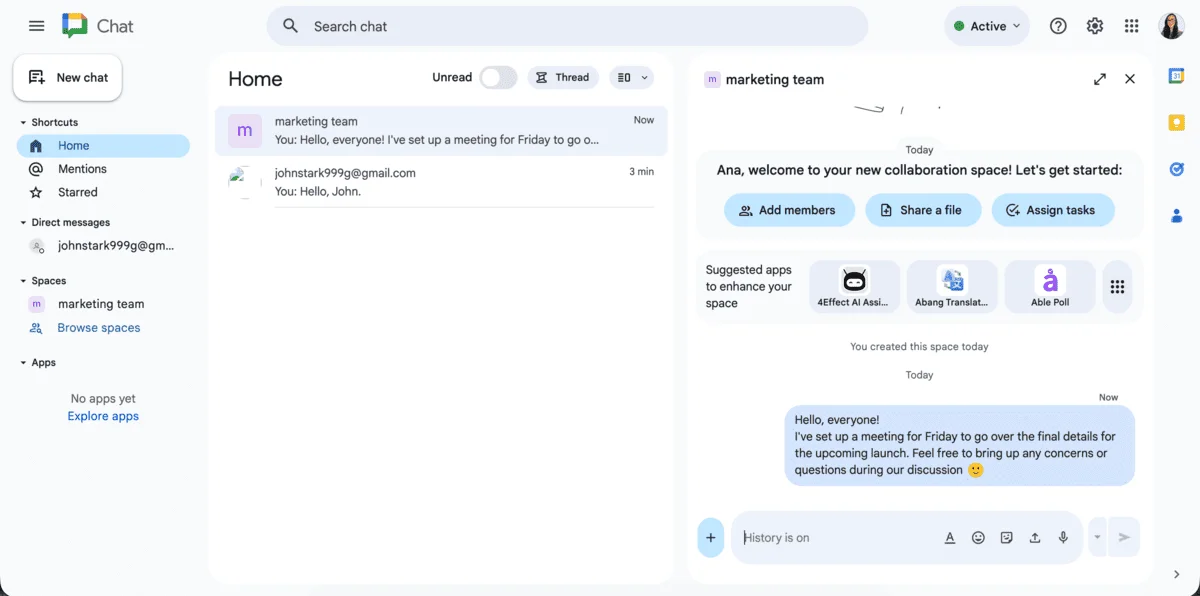
Pumble, on the other hand, is built to keep your team connected and your conversations organized, with options to:
- Set up dedicated channels for each project or team,
- Start threaded discussions within channels to keep side conversations from taking over the main topic,
- Streamline your team collaboration and communication by creating user groups that let you notify large teams of users across channels, and
- Share quick and clear updates over voice and video messages.
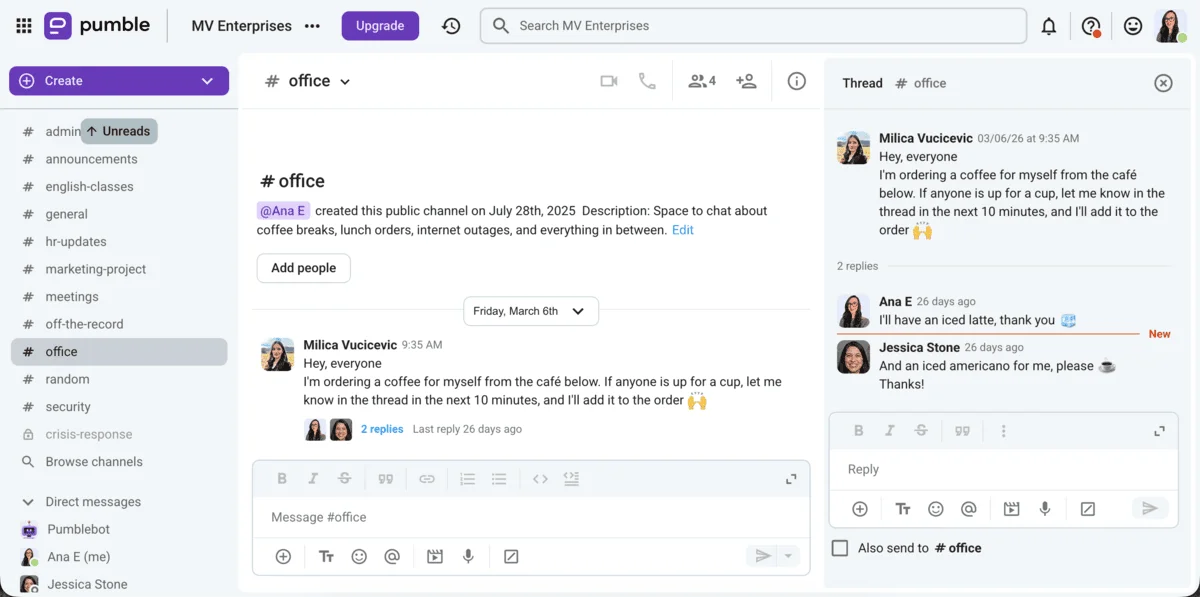
This is exactly what makes all the difference when you’re juggling multiple tasks or teams across time zones. I like the option to record and share quick video messages to update my team on my progress when I can’t squeeze in another meeting.
To me, Google Chat often feels too basic for any substantial collaboration. The basics are all there, but it’s rarely enough to work together smoothly as a hybrid team.
Pumble pulls everything into one place and helps your team stay on the same page without the constant back-and-forth between different apps or lost messages.

Pumble vs Google Chat: Pumble makes inviting guest users seamless, while Google Chat complicates the process
Another thing that stood out to me was how easy it is to bring in clients or external collaborators on Pumble.
I really appreciate how Pumble makes your guest users feel at home. You can collaborate with external partners directly in your Pumble workspace.
Want to control what they can access? Included in the invitation settings.
Need to add a time limit for your collaboration? It’s as simple as choosing the date for their account deactivation.
This is handy when you’re working with external collaborators but still want to keep internal information private. In just a couple of clicks, you can control exactly what they see by adding them to specific channels without giving them full access to everything.
This way, your guests feel included without being overwhelmed by information that’s not relevant to them.
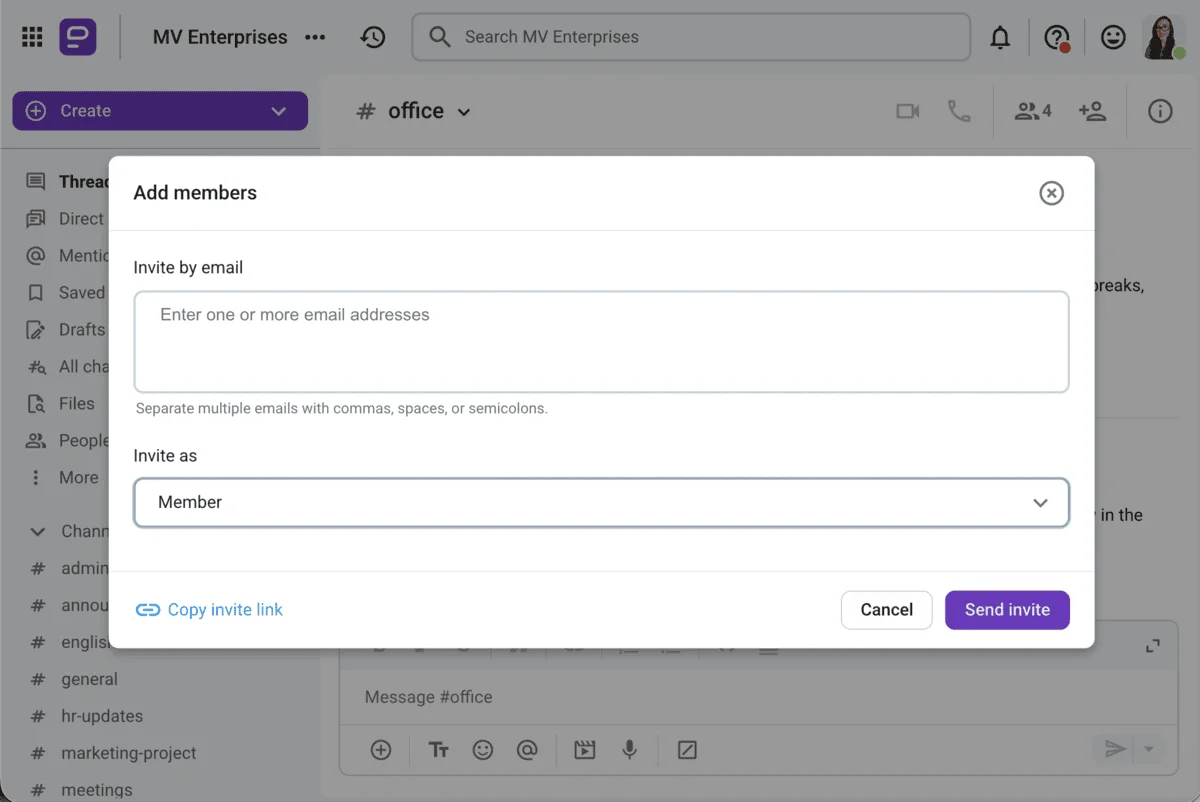
From then on, you can collaborate with the guest the same as you do with your internal team.
Boost guest collaboration in Pumble
External guest access in Google Chat is not as straightforward of a task as it is in Pumble.
You either have to deal with domain restrictions, mess around with Google Groups, or hope the person has a compatible account. And even then, it’s not always clear if they’ve been added properly.
For example, I tried adding a coworker via their email address, only to have them let me know that their account type doesn’t have access to Google Chat.
With Pumble, everything feels more straightforward, which helps keep the momentum going, especially on fast-moving projects where time is of the essence.
So, if collaborations with external partners is part of your regular workflow, in my opinion, Pumble’s got it figured out better than Google Chat.
Pumble vs Google Chat: Pumble offers substantial storage capacity, but Google Chat is backed by Google Workspace
When it comes to file sharing and storage capacity, both Pumble and Google Chat feature a comfortable space for all your work records to be neatly stored and shared.
Pumble by CAKE.com is designed to be a digital collaboration hub of sorts, keeping all of your knowledge sharing functional with:
- Easily searchable resources across the entire workspace,
- Pinned critical documents and conversations at the top of channels, and
- In-line previews to identify shared items quick and easy.
What I found convenient about Pumble is that it hosts all of my screenshots, recordings, and PDFs, and I’ve never had to upgrade to get more space.
Here’s how storage in Pumble is arranged by plan:
- Free plan: 10 GB per workspace,
- Pro plan: 10 GB per user,
- Business plan: 20 GB per user,
- Enterprise plan: 100 GB per user.
Google Chat has the advantage of the large Google Workspace ecosystem, which comes with its own perks storage-wise:
- Free plan: 15 GB shared workspace storage (pooled across all Google apps),
- Business Starter plan: 30 GB per user (pooled across all Google apps),
- Business Standard plan: 2 TB per user (pooled across all Google apps), and
- Business Plus and Enterprise Plus: 5 TB per user (pooled across all Google apps).
Judging by the numbers alone, Google Chat does offer more space for your files.
However, the storage includes all apps within the Google Workspace, which can stretch it thin at times, depending on the volume of resources you share.
Still, the good news is that not every file and message you share in Google Chat counts against your Google Workspace account storage limit.
Here’s what doesn’t count towards your Google storage quota:
- Messages and attachments sent directly through Google Chat, and
- Files uploaded directly to a chat message from your computer or mobile device.
So, only files uploaded to Google Drive and shared in Google Chat count against your Google storage.
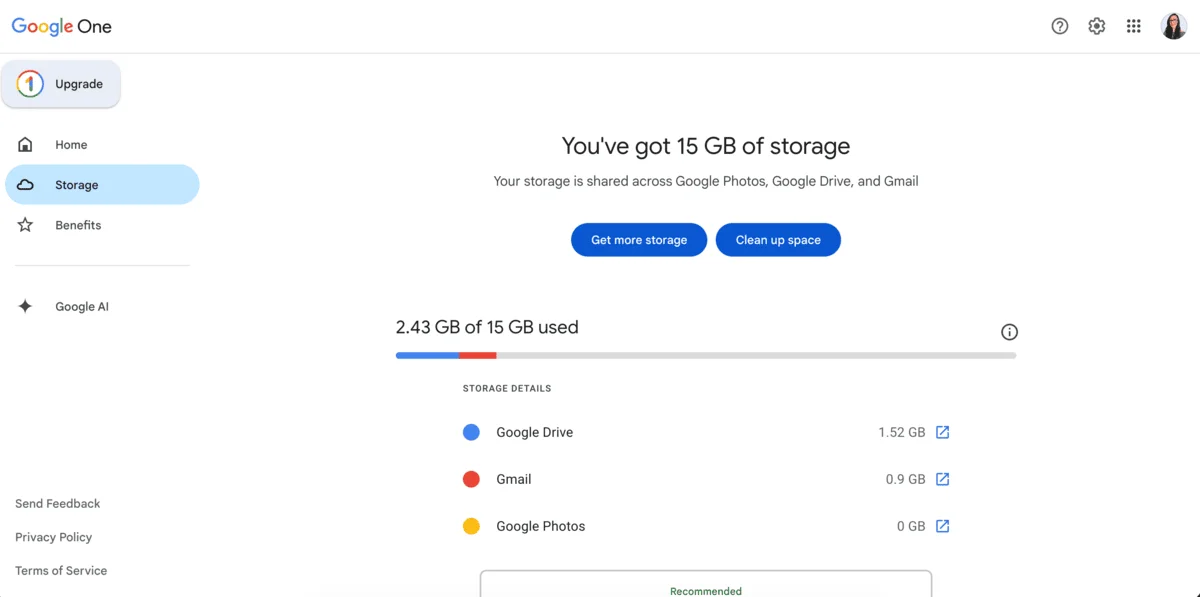
Pumble, on the other hand, lets you store and access a substantial amount of files without splitting the storage between multiple platforms.
Pumble vs Google Chat: Google Chat integrates with more tools, but Pumble’s integrations are more focused
When it comes to add-ons, I like the less is more principle. Too many options can easily turn your workspace chaotic and messy, leaving you playing catch-up with the notification overload.
This is where Pumble takes the cake for me, with a simple but strategic approach to its app ecosystem.
You don’t have an abundance of apps to choose from, but you’re set up with everything you need to keep your workflow productive and optimized.
Built-in integrations in Pumble include:
- Google Calendar,
- Email,
- Google Drive, and
- Simple workflows (Clockify and Plaky).
Pumble’s integration catalogue is always expanding and is soon adding Asana, Trello, and HubSpot to the mix.
Moreover, Pumble has recently rolled out their AI assistant, which you can install from the CAKE.com marketplace.
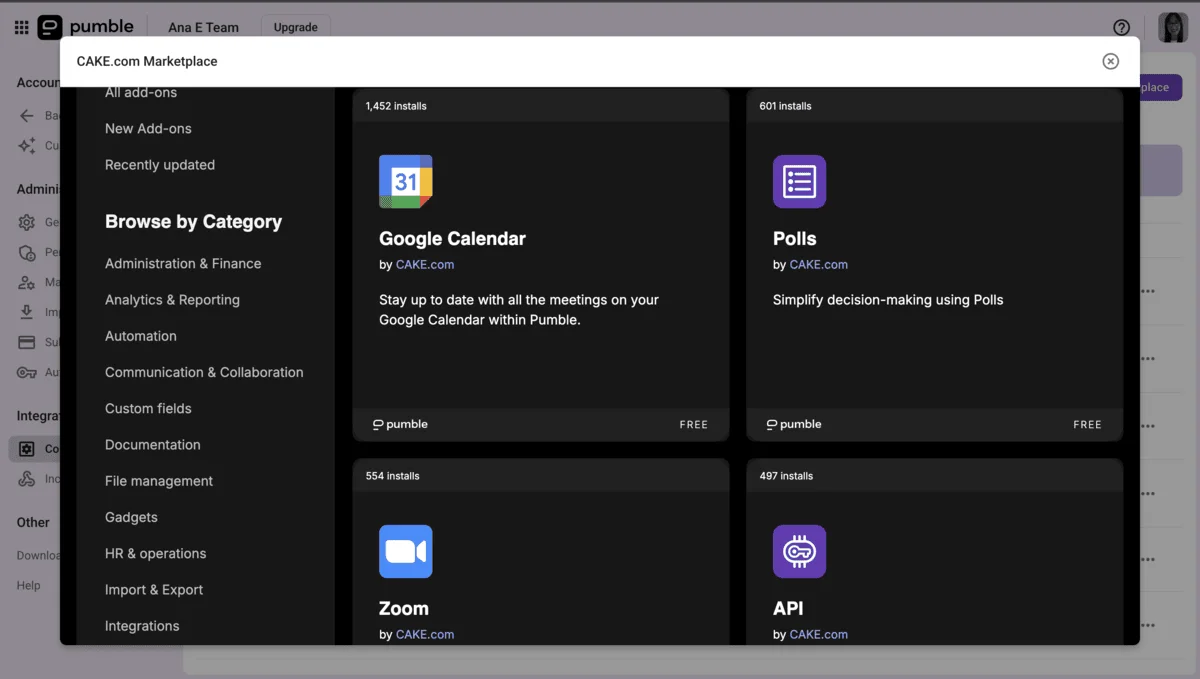
If you need more apps, you can build your own integrations with Pumble. The CAKE.com marketplace and API let you choose how you want to streamline your productivity, without adding unnecessary clutter to your workspace.

Pumble also has its very own native ecosystem. Built by CAKE.com, the brand behind the leading time tracking tool Clockify, and the project management tool Plaky, Pumble is part of a unified workspace for communication, tasks, and time management, so it doesn’t really need a bunch of different apps to make it all work.
I use this ecosystem daily — I communicate with my team in Pumble, track time and productivity in Clockify, and manage my tasks in Plaky. The apps are connected and work perfectly together, and I appreciate how they help create a seamless, uninterrupted workflow.
Additionally, CAKE.com offers a bundle plan for teams wanting to use Pumble, Clockify, and Plaky together, making it cost-effective and easy to manage.

Google Chat is deeply integrated with the Google Workspace ecosystem, and this is one of its major advantages.
Right from the get-go, I had the access to:
- Gmail,
- Google Calendar,
- Google Drive,
- Google Docs, and
- Google Keep.
Google Chat doesn’t support in-app video conferencing and immediately pushes you to another software when you want to make a call, which, as I mentioned, seriously affects my workflow.
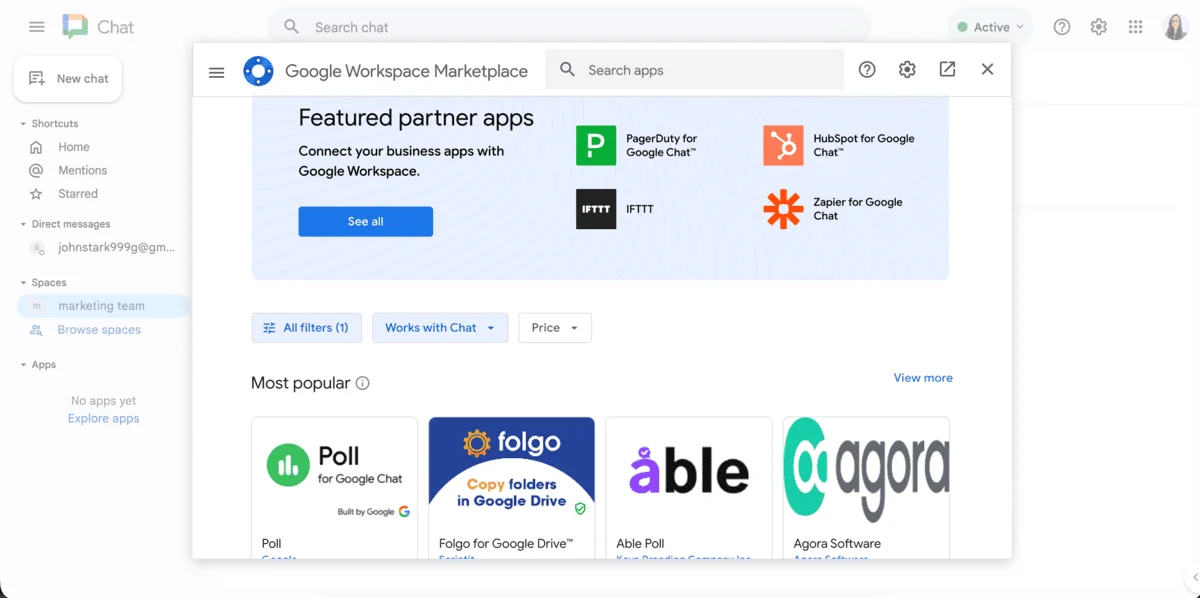
I was unpleasantly surprised to learn that I needed a paid account to access any of the popular task management, productivity, and customer service apps such as:
- Asana,
- Trello, and
- Zendesk.
So, Google Chat wins judging by the sheer volume of integrations, but Pumble isn’t far behind with its tightly connected suite built for productivity.
Pumble vs Google Chat: Pumble offers human-based support
When it comes to support, I’ve had pretty different experiences with Pumble and Google Chat.
Pumble is more of a team communication-focused platform, and it shows in the way it goes the extra mile to help its users.
You can contact Pumble’s support team by sending them a message through live chat and email, and they’ll get back to you fairly quickly. And, most importantly, you’ll get to speak to a real human, which is so rare these days.
Pumble’s help center is pretty solid too, with step-by-step instructions that are easy to follow even if you’re not very tech-savvy.
Google Chat, on the other hand, leans more on its large ecosystem. When you’re faced with an issue, in most cases, you’ll be redirected to forums, help articles, or community threads, which can be hit or miss.
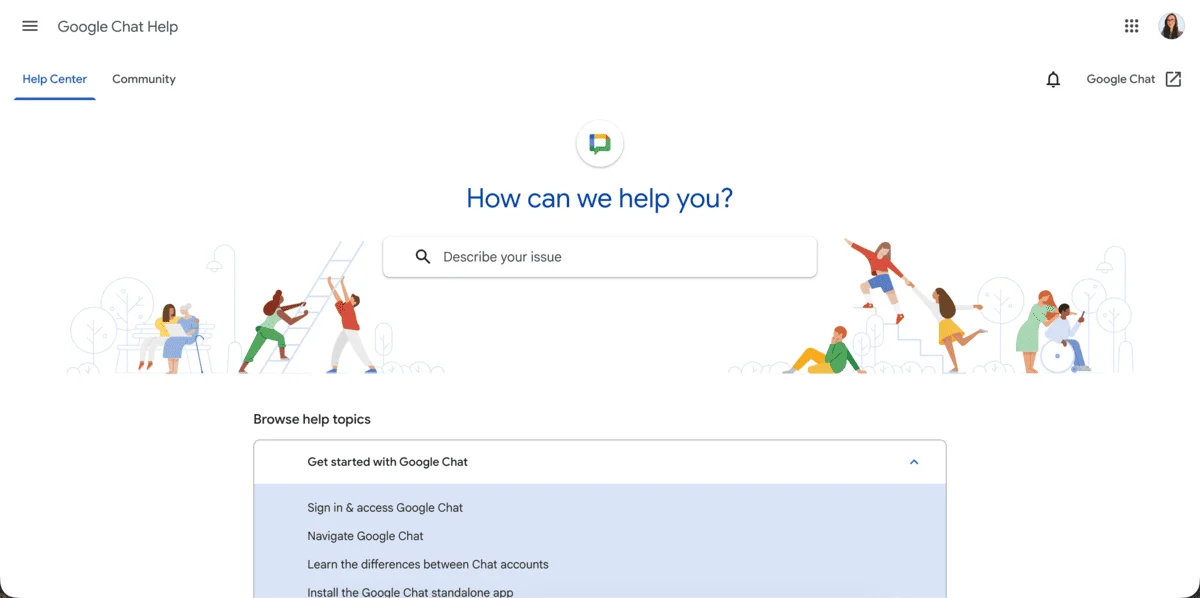
There’s a lot of info out there, but sometimes you’ll have to dig through outdated posts to find the solutions to your issues.
Unless you’re a Google Workspace paid user, you’ll rarely get any real-time support.
I mean, I get it, they are a huge company, but sometimes it can feel like you’re left to figure things out on your own, which is a bit inconsiderate, if you ask me.
So if I had to pick, I’d say Pumble is more approachable and hands-on when you need guidance.

Pumble vs Google Chat: Both apps take security seriously
Now, I have to give credit where credit is due. Google Chat has really got security figured out.
Since it’s part of Google Workspace, it benefits from the advanced security features you’d expect from a giant such as Google.
So, basically, you have everything included:
- 2-step verification,
- Data encryption in transit and at rest, and
- Advanced admin controls.
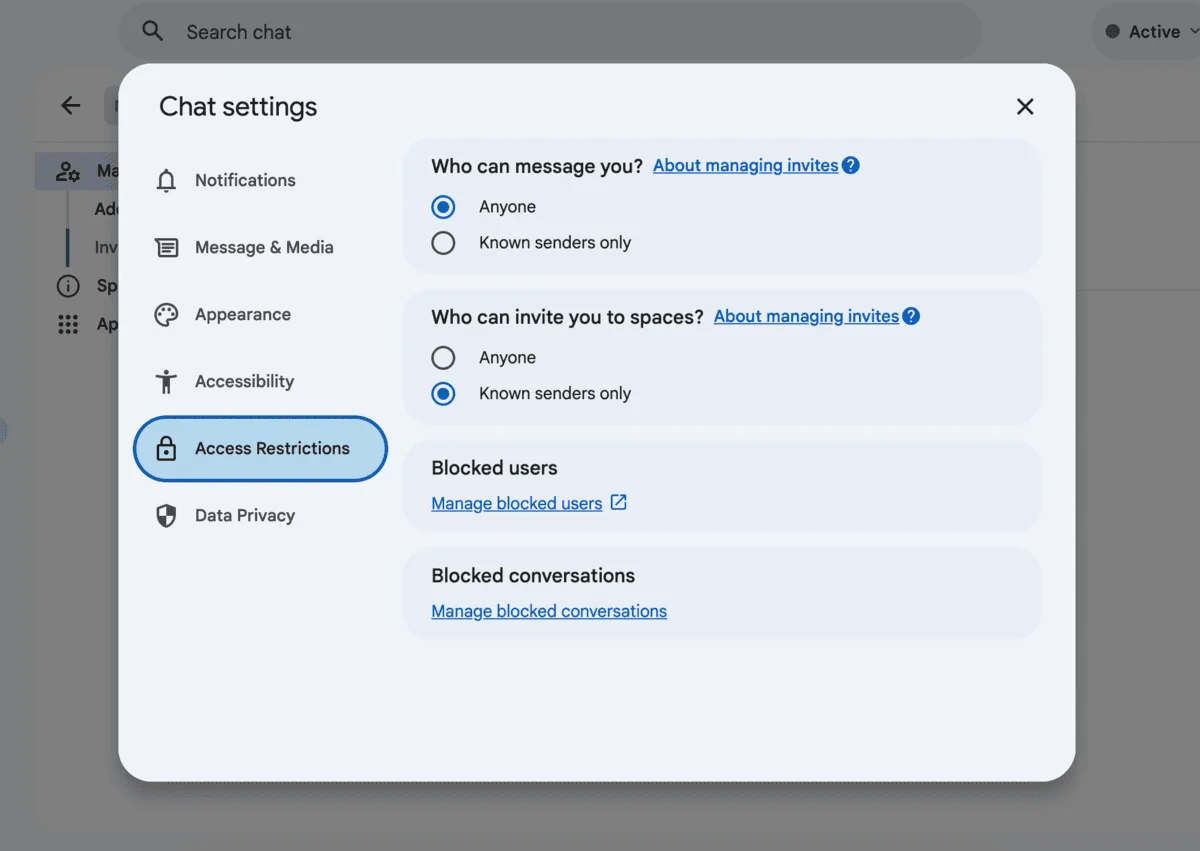
Still, even a giant like Google with all its security measures is not immune to sneaky cyberattacks. In February 2026, Google was met with severe data breaches, with massive credential leaks and browser vulnerabilities.
Can’t say this incident didn’t spark my trust issues, and I imagine it’s even worse for larger businesses that handle bigger user databases.
Communicate securely in Pumble
That being said, let’s take a look at how Pumble protects your data.
It offers:
- TLS encryption,
- Secure data storage,
- Role-based access control for free,
- SAML SSO, and
- Audit logs on paid plans.
Pumble also has SOC 2 and ISO/IEC 27001:2022 certifications, meaning it adheres to strict security standards.
What I appreciate about both platforms is that they stick to clear policies with no compromise.
💡 Pumble Pro Tip
If you want to explore more apps that put security first, be sure to check out our overview of the best secure business messaging apps:

Frequently asked questions about Pumble and Google Chat
To sum up, let’s answer some frequently asked questions about the differences between Pumble and Google Chat.
Is Pumble better than Google Chat for business?
If you’re a small to mid-sized team that values organized communication and free-of-cost scaling, Pumble is a better choice for you, especially with its actually free plan.
What is the main difference between Pumble and Google Chat?
Pumble is built from the ground up as a messaging-first platform with unlimited users and history. Google Chat is a part of a bigger system that requires a paid plan to unlock its full capacity.
Is Pumble really free for unlimited users and history?
Yes. You get unlimited seats and unlimited message history on the free plan — no hidden strings, no trial countdown.
Does Google Chat have the same limitations as Slack’s free plan?
They are pretty similar. Without a paid Google Workspace plan, limits get tight and message history can have the same fate as Slack’s free account chats.
Can Pumble replace Google Chat for a small business?
Absolutely. If you want organized channels, built-in calls, searchable history, and zero cost — Pumble does the trick.
How to easily switch from Google Chat to Pumble
If you’ve made the decision to switch from Google Chat to Pumble, you can do so in a couple of easy steps.
- Create a workspace on Pumble and invite your team members.
- Add channels for your teams, projects, or topics (e.g., #marketing, #product, #off_the_record), and make them private or public as needed.
- Pin key documents or paste vital threaded discussions as pinned messages to keep your critical conversations at your team’s fingertips.
- Set up integrations — connect Pumble to Google Calendar, Drive, Zapier, and more.
- Use both tools simultaneously for a week to let your team get comfortable in Pumble before saying goodbye to Google Chat.
If you want to import all your communication from Google Chat to Pumble, you can export your Google Chat data and then import it into Pumble as a CSV file:
- Initiate an archive of your Google Chat data from the Google Help page.
- Download the data.
- Locate the downloaded CSV file containing your exported data.
- In Pumble, locate General settings under Workspace settings.
- Within the General settings, open the Import and Export section.
- Go to the Import tab, click the Import button in the CSV section, and select the exported Google Chat CSV file to upload.
- Click the Start import button to begin the import process.
Pumble by CAKE.com delivers where it counts
So, after spending some time testing what Pumble and Google Chat have to offer, here are my key takeaways:
- Pumble is lean, clean, purposeful, and free — with unlimited users and message history.
- Even though Google Chat relies on Google Workspace, you’ll likely have to pay for a premium tier to get any real business use out of it.
- In my opinion, Pumble is the smarter, simpler, and more scalable choice, especially for small teams on a budget that want to keep the momentum and scale up without breaking the bank on features they don’t even use.
So, if you want to experience unlimited team communication, don’t wait around.